Accessibility

AOD brings an Android-style always-on-display to jailbroken iPhones

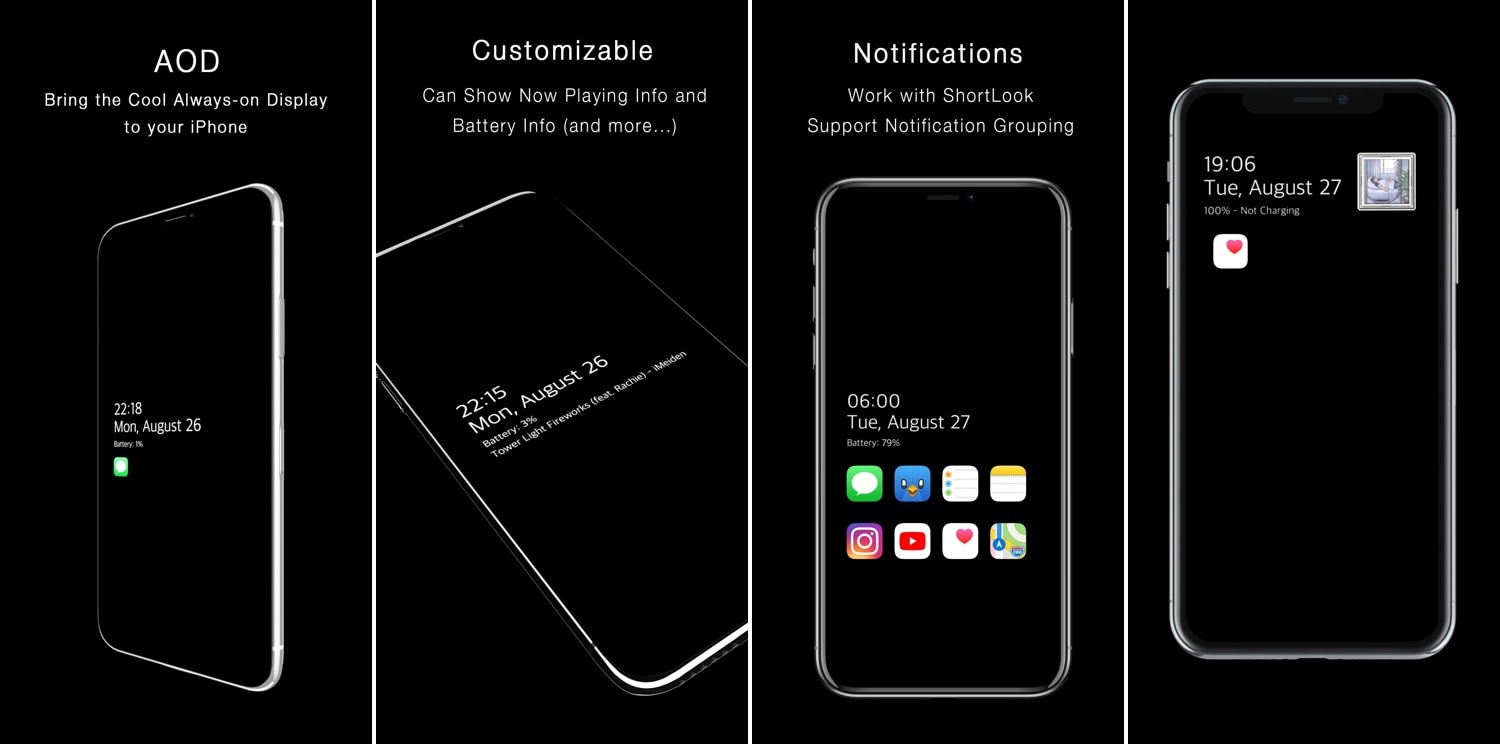
One of the cool things that several Android handsets have that the iPhone doesn’t is an always-on-display, which, for those who don’t know, continuously displays information on the Lock screen of OLED display-equipped handsets without ever shutting off, such as the time and any missed notifications. Fortunately for jailbreakers, this is no longer an Android-only feature.

With the help of a newly released jailbreak tweak dubbed AOD by iOS developer Soh Satoh, you can enjoy a true always-on-display experience on jailbroken devices running iOS 12, and while it works best on handsets equipped with OLED displays, it should work with LCD displays too.

SafePowerOff makes it tougher to accidentally power off your jailbroken device

If you use a modern semi-tethered jailbreak such as Chimera or unc0ver, then you probably already know the importance of keeping your device up and running for as long as possible. If your device reboots for any reason, then you’ll need to re-run the respective jailbreak app to access to your jailbreak tweaks and extensions.

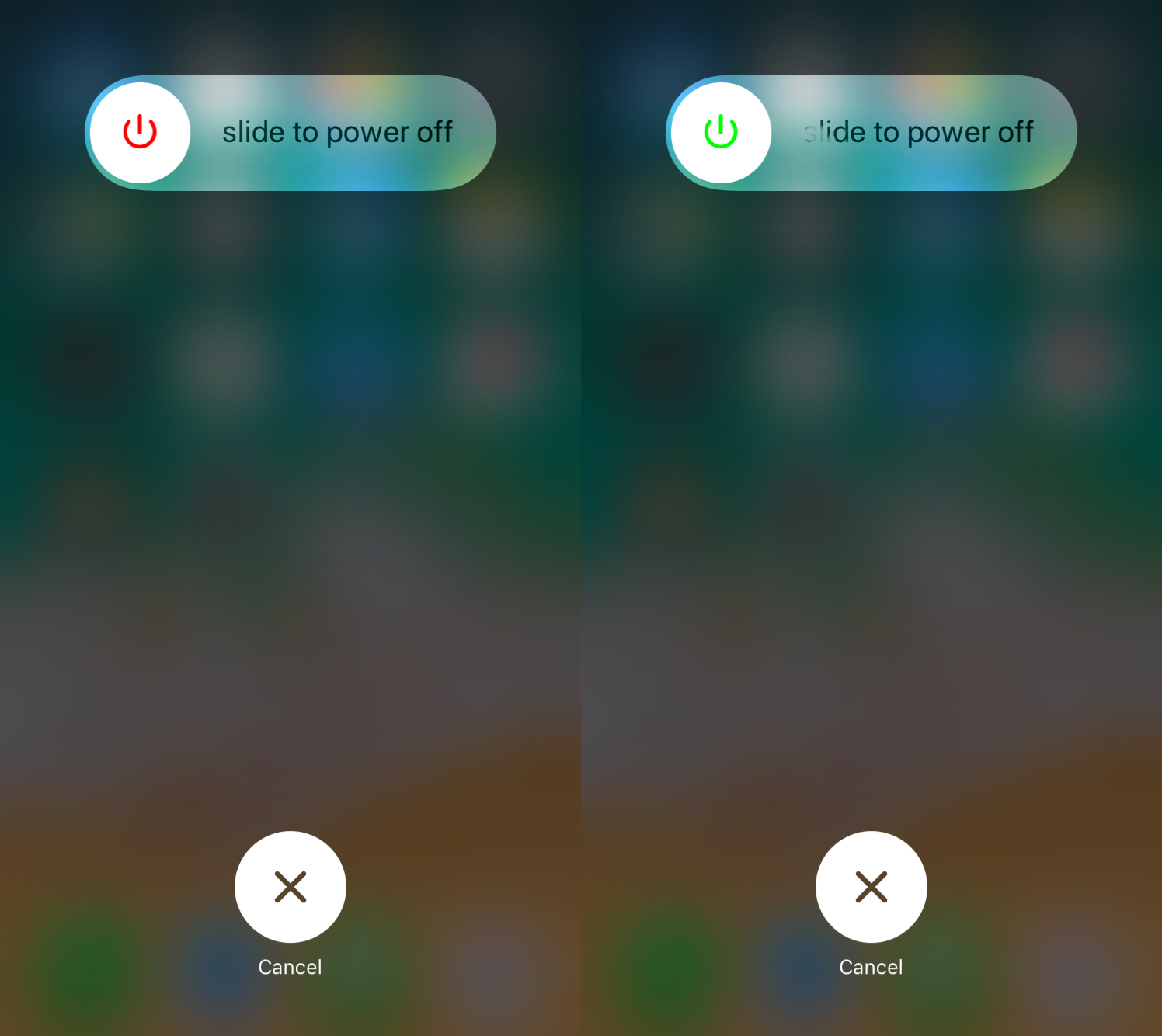
Powering down your handset is easy, and as some would argue, perhaps too easy. With that in mind, iOS developer Paparajote Team has just released a new and free jailbreak tweak called SafePowerOff that can help you avert accidents and friendly pranks by your buddies.

FluidTabs lets you swipe between an open app’s tabs

You’ve undoubtedly happened upon an app on your iPhone in which tabs appear at the bottom of the interface for navigating said app. Many native apps, in addition to third-party downloads from the App Store, use this type of navigation interface.

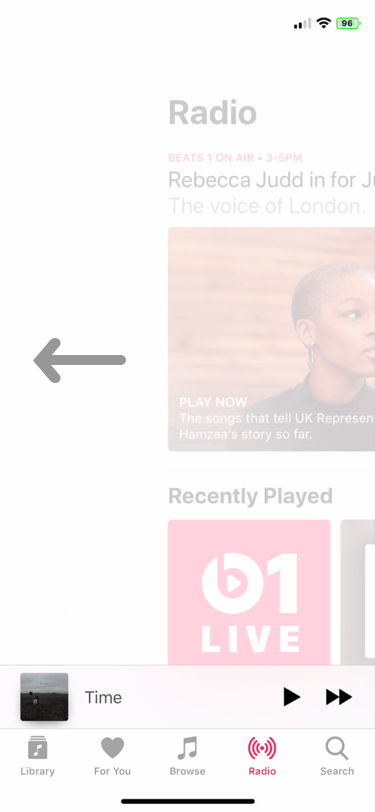
Users generally tap on the tabs at the bottom of the app to get from one view to another, but a newly-released and free jailbreak tweak called FluidTabs by iOS developer tomt000 brings this concept to the 21st century by allowing users to ‘swipe’ between an open app’s tabs.

Appaze lets you set brightness and volume levels on a per-app basis

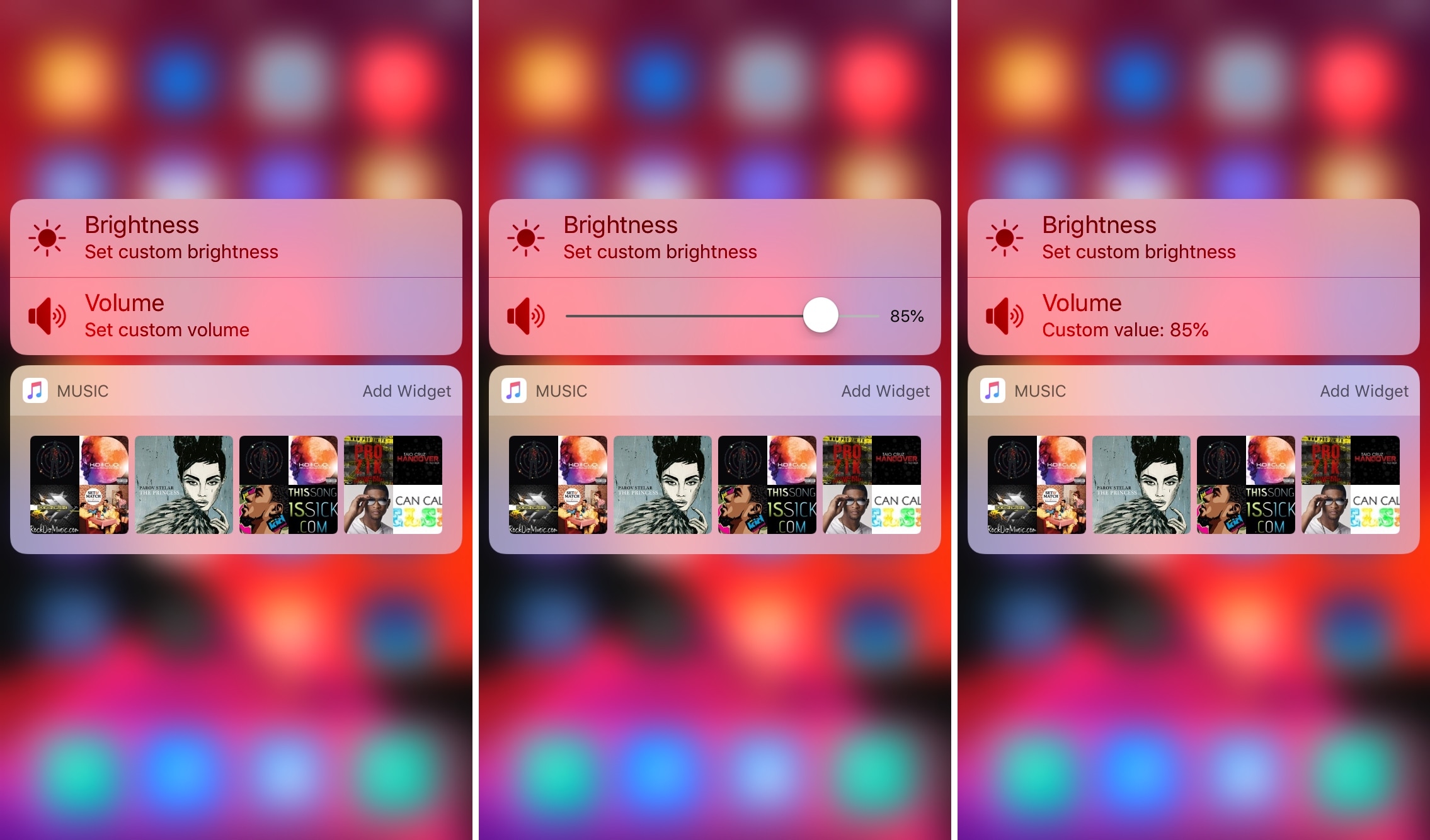
If you’ve ever fancied setting custom display brightness and/or speaker volume levels for individual apps before, then it’s your lucky day. A newly-released jailbreak tweak dubbed Appaze by iOS developer AnthoPak lets you do these things with ease.

As shown in the screenshot examples above, Appaze utilizes the Home screen’s native 3D Touch menus to function. Upon pressing firmly on an app icon to reveal its menu, users will find two new additions, including “Set custom brightness” and “Set custom volume” at the top of the list.

This tweak makes Control Center’s Bluetooth and Wi-Fi toggles more interactive

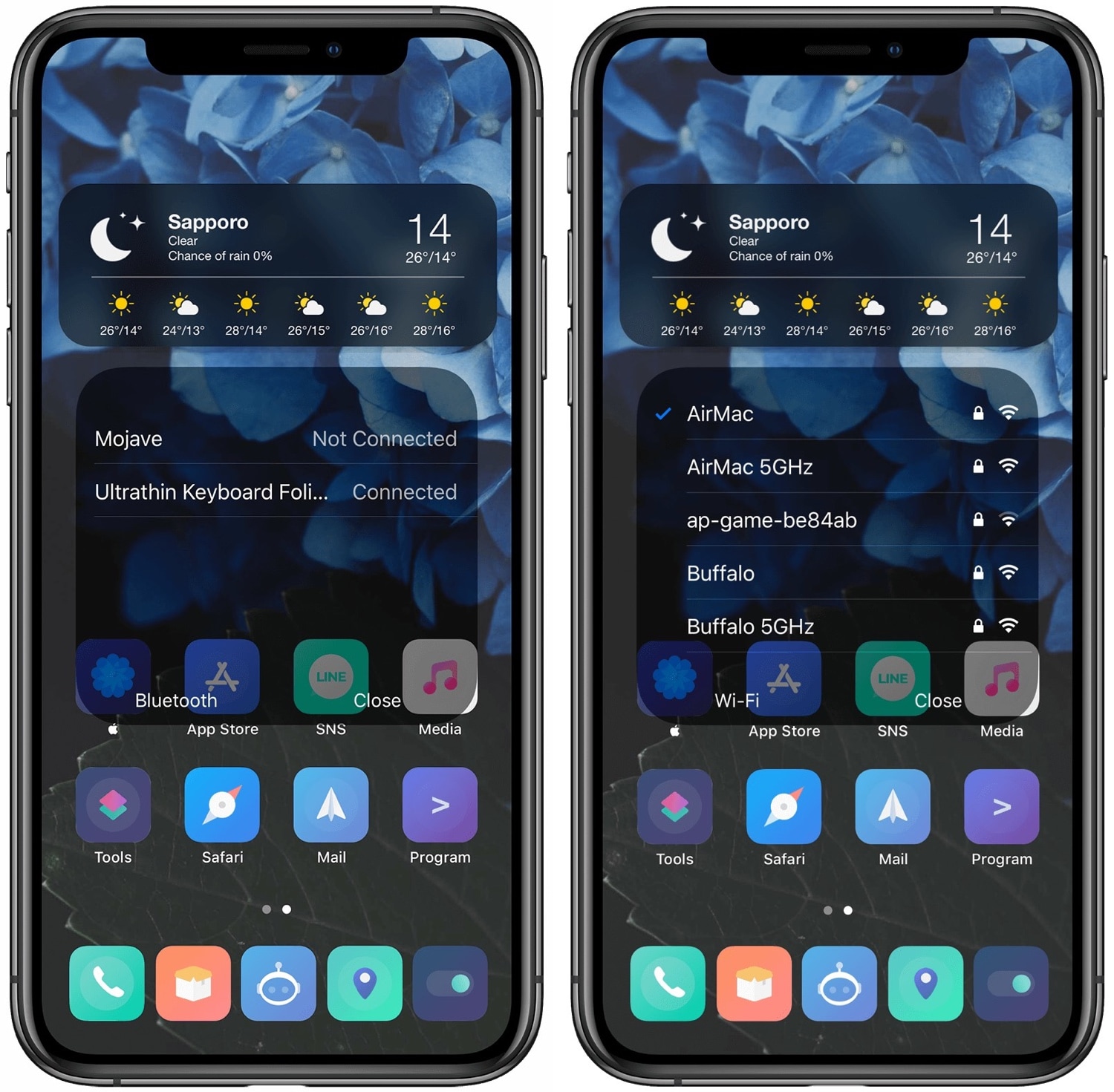
The Bluetooth and Wi-Fi toggles that Apple tucks away inside of Control Center can be useful at times, but they lack the level of interactivity that I’d expect from 21st Century software. Apple’s iOS 13 update this Fall will change this by letting users interact with nearby Bluetooth and Wi-Fi devices directly from Control Center, but those running iOS 12 or earlier aren’t so lucky.

Enter QuickCC, a newly-released and free jailbreak tweak by iOS developer ichitaso that brings this iOS 13-centric functionality to pwned iOS 11 and 12 devices for users who demand more from their software.

Vinculum brings a Nexus-inspired app drawer to your jailbroken iPhone

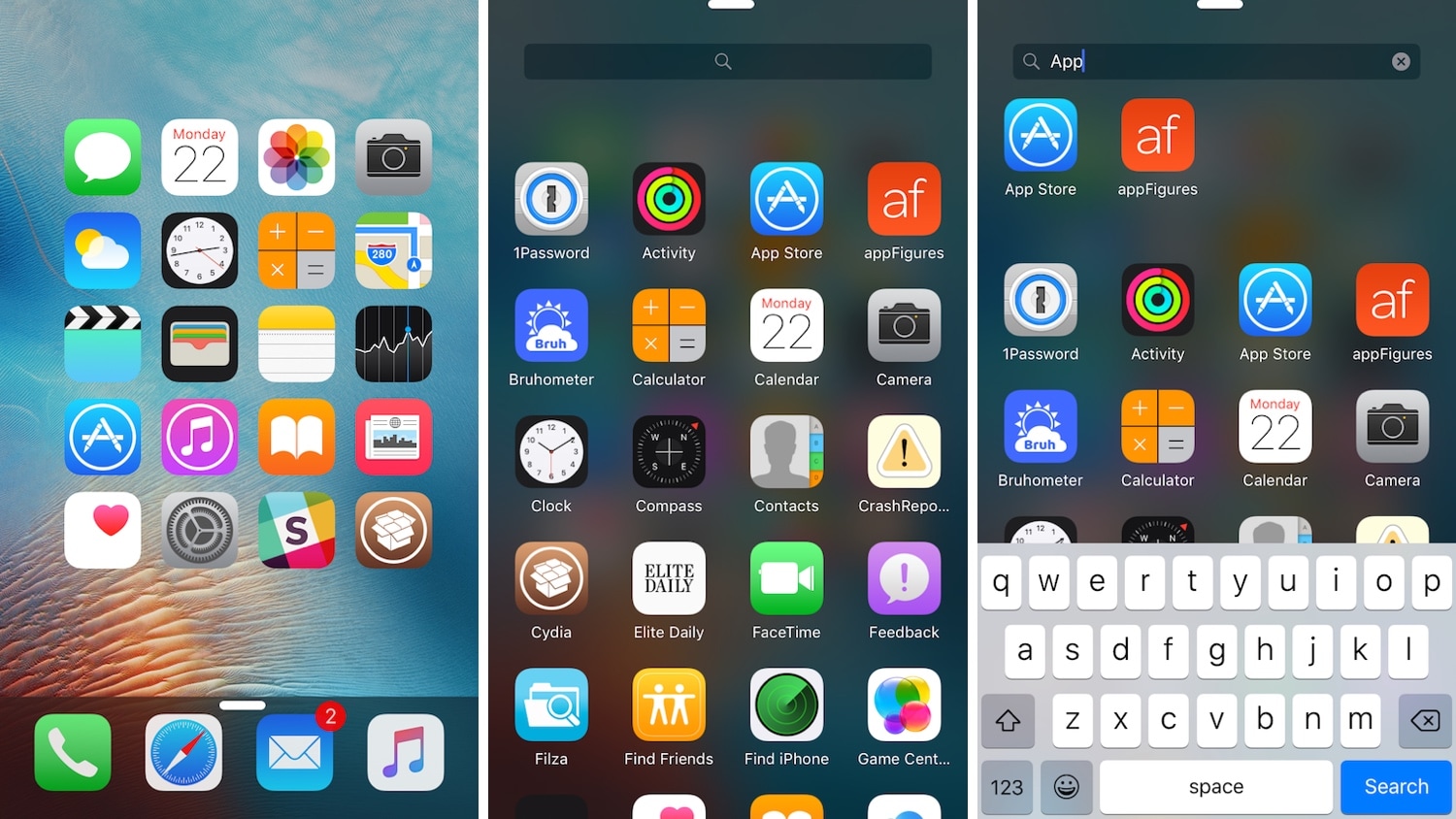
If you’re any bit familiar with the Google Nexus 7.0 Nougat app drawer, then it might’ve crossed your mind once or twice about what it might like to have a similar experience on the iOS platform.

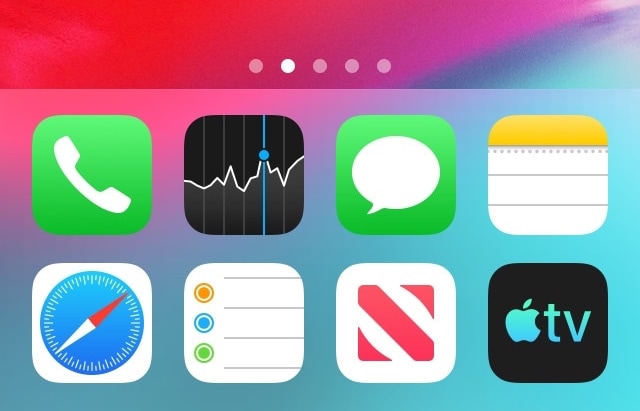
If you’re keen about the idea thus far, then you’ll definitely want to try a refreshed jailbreak tweak dubbed Vinculum by iOS developer William Vabrinskas. As you’ll see in the screenshot examples above, this tweak brings app drawer-like functionality to your pwned iPhone or iPad.

This tweak adds audio balance controls to Control Center

You can easily fine-tune your handset’s volume level with the Control Center-centric volume scrubber, but have you ever wished that you could have easier control over your handset’s audio balance from the same place?

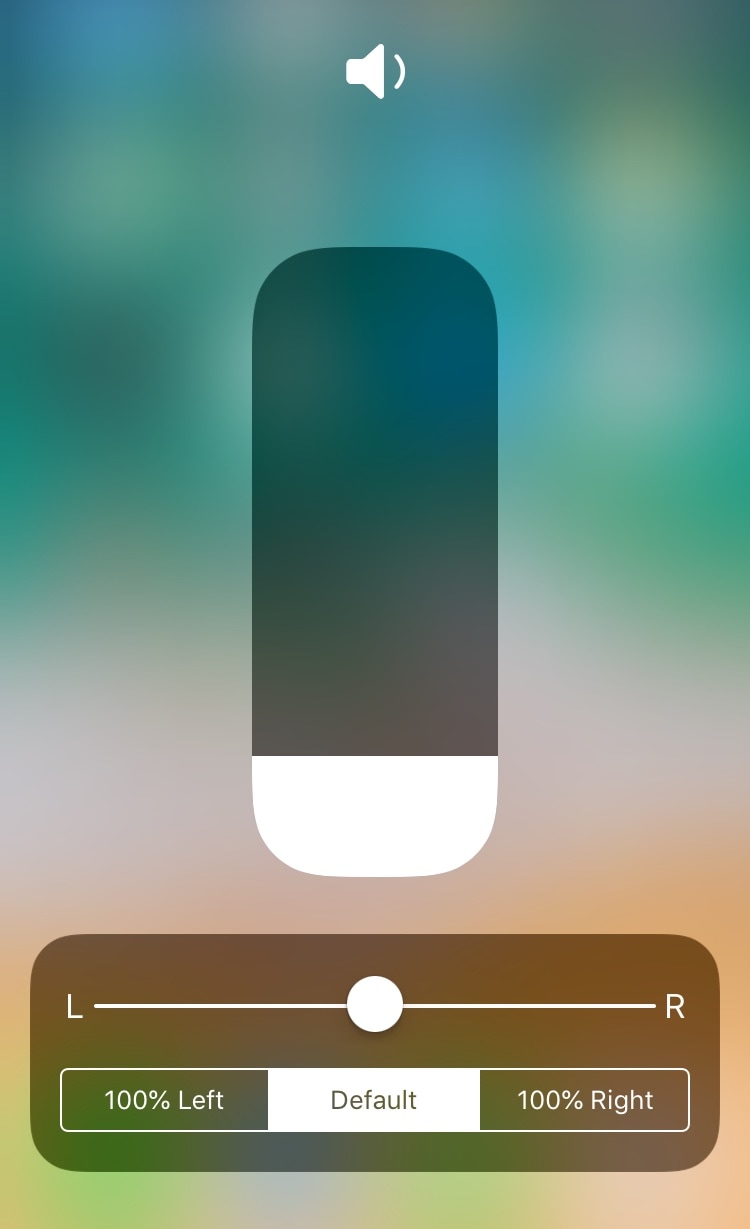
If you answered yes to that question, then you’ll absolutely love a free jailbreak tweak dubbed CCAudioBalance by iOS developer shiftcmdk, because this tweak adds a full-featured audio balance adjustment tool to Control Center’s full-screen volume scrubber interface, as shown above.

Pin your favorite preference cells to the top of the Settings app with StickAround

If you’re anything like me, then you probably use certain things in the Settings app more than others. Unfortunately, iOS doesn’t make it any easier to get to those things, regardless of how often you use them.

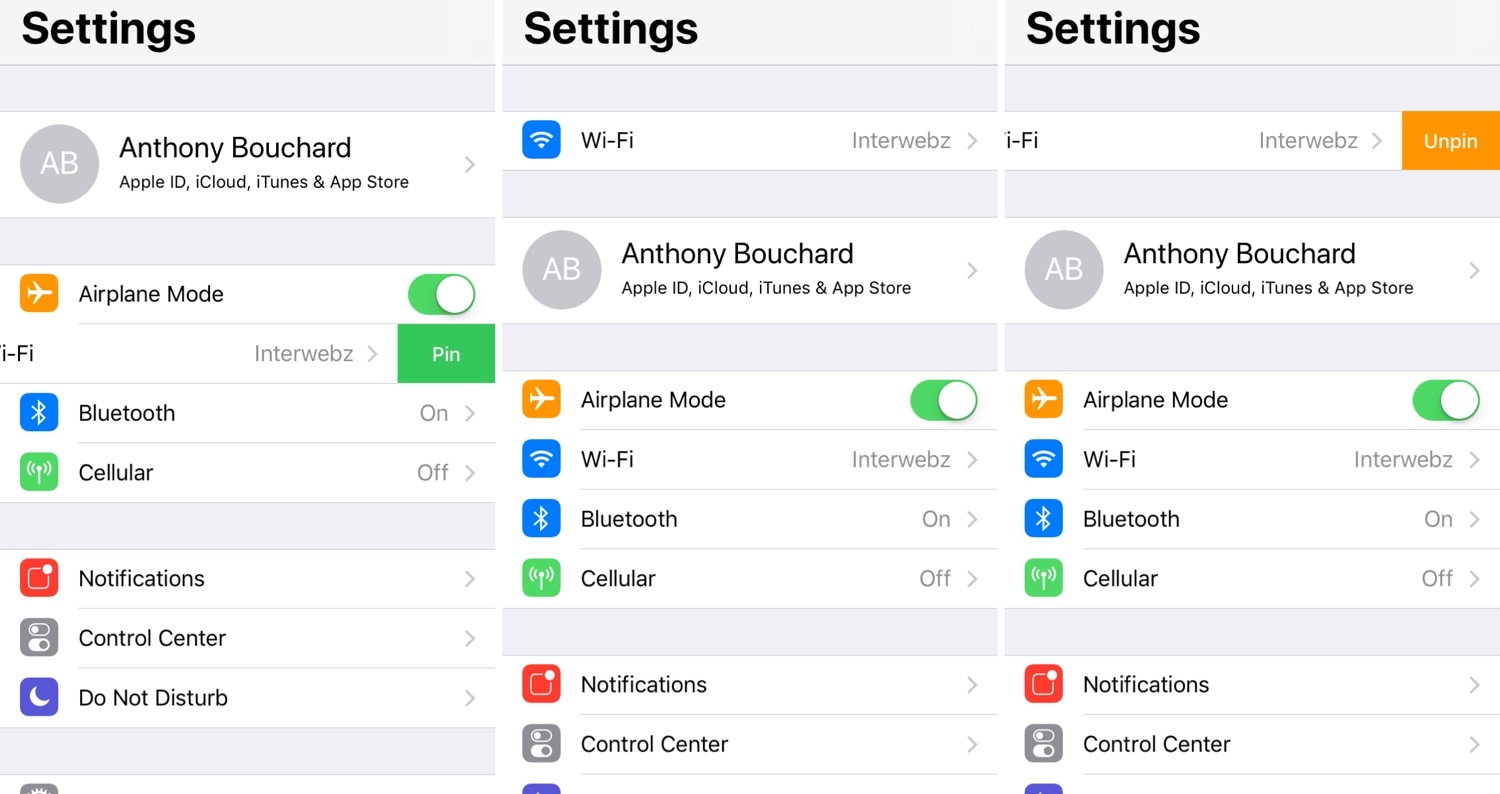
Here to change that about iOS’ Settings app is a newly-released and free jailbreak tweak called StickAround by iOS developer Squ1dd13. With this tweak, you can pin your favorite preference panes to the top of the Settings app, making it significantly easier to get to the things that matter to you the most.

SettingsCollapse lets you de-clutter the Settings app for easier navigation

Most of your iPhone or iPad’s configurable options can be found in the native Settings app, but sometimes this app can feel like a maze with a substantial amount of clutter that hinders the process of getting to what you’re looking for.

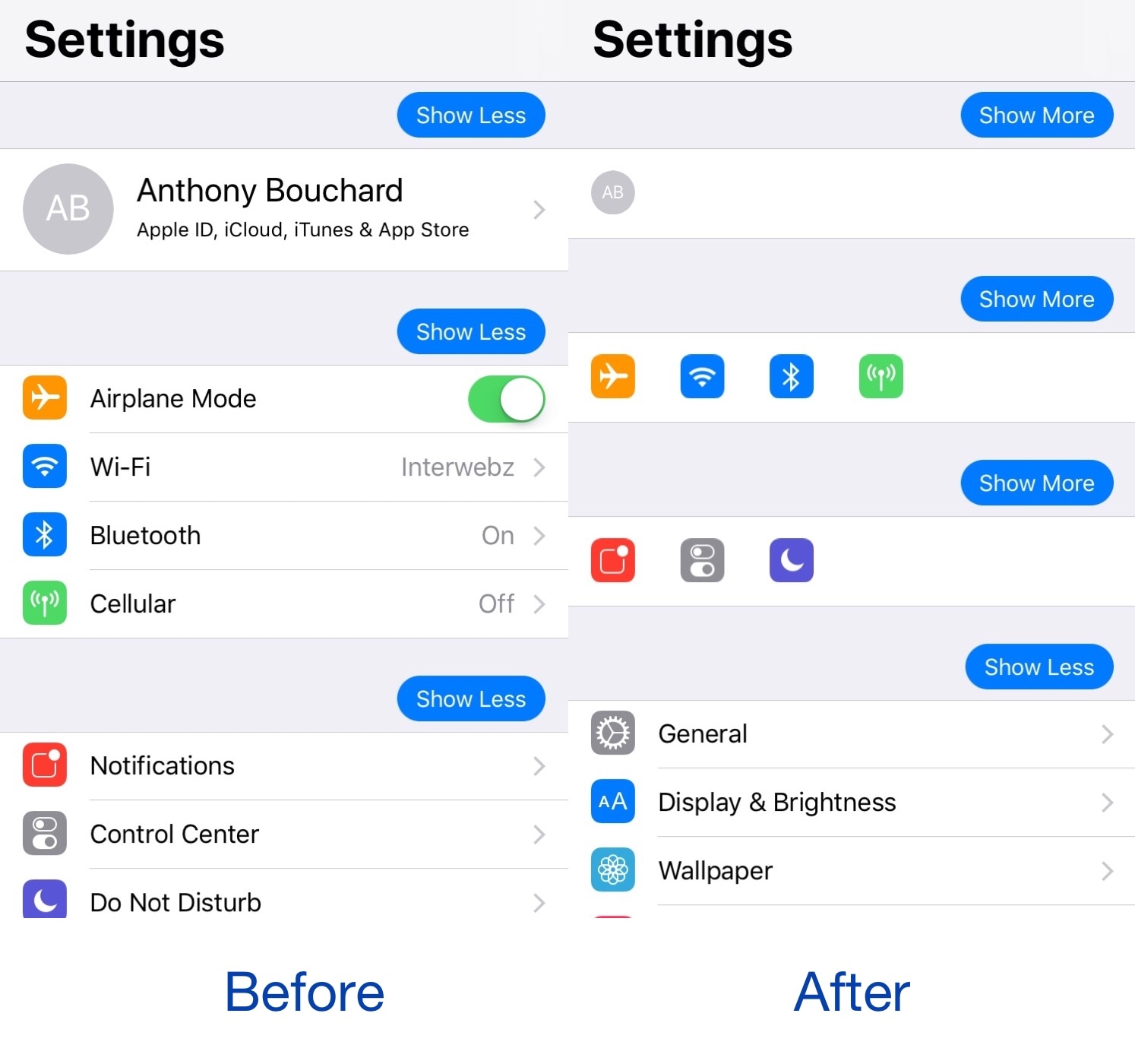
Those interested in de-cluttering the Settings app will likely come to appreciate a free jailbreak tweak called SettingsCollapse by iOS developer shiftcmdk, as it lets you collapse sections of the Settings app into compact blocks that are significantly easier to scroll through.

Mute specific apps for certain periods of time with QuietDown

Notifications can be useful, but some apps tend to be a little bit noisier than others. iOS’ native Do Not Disturb mode sometimes comes in handy in this instance, but it mutes all your apps at the same time, and this isn’t always ideal. For that reason, iOS developer Skitty has come out with a new free jailbreak tweak release called QuietDown.

QuietDown allows users to mute specific apps for certain periods, and it does so in such a user-friendly manner. With a simple swipe up on an application icon or a 3D Touch gesture on that same icon, you can bring up the muting interface shown above.

EasyBrightness makes it easier to revert to an ideal display brightness level

When it comes to your iPhone’s display brightness, you might have a preferred brightness level for both indoor and outdoor usage. Sadly, iOS’ automatic brightness setting tends to be less than optimal, and adjusting the display brightness manually can feel somewhat cumbersome at times.

If you’re in the same boat, then you might want to turn your attention to a newly-released and free jailbreak tweak called EasyBrightness by iOS developer gilesgc. This tweak mitigates the problem discussed above by letting you designate a default display brightness level and making it easy to return to it on demand.