Mac

Stay up-to-date on the latest Mac news, and tutorials. Get expert tips and tricks to optimize your Mac’s performance and learn about the latest Apple products and software updates. Discover the best Mac apps and accessories to enhance your user experience.

New MacBooks offer 90 percent faster SSD write speeds, Skylake CPU up to 20 percent faster

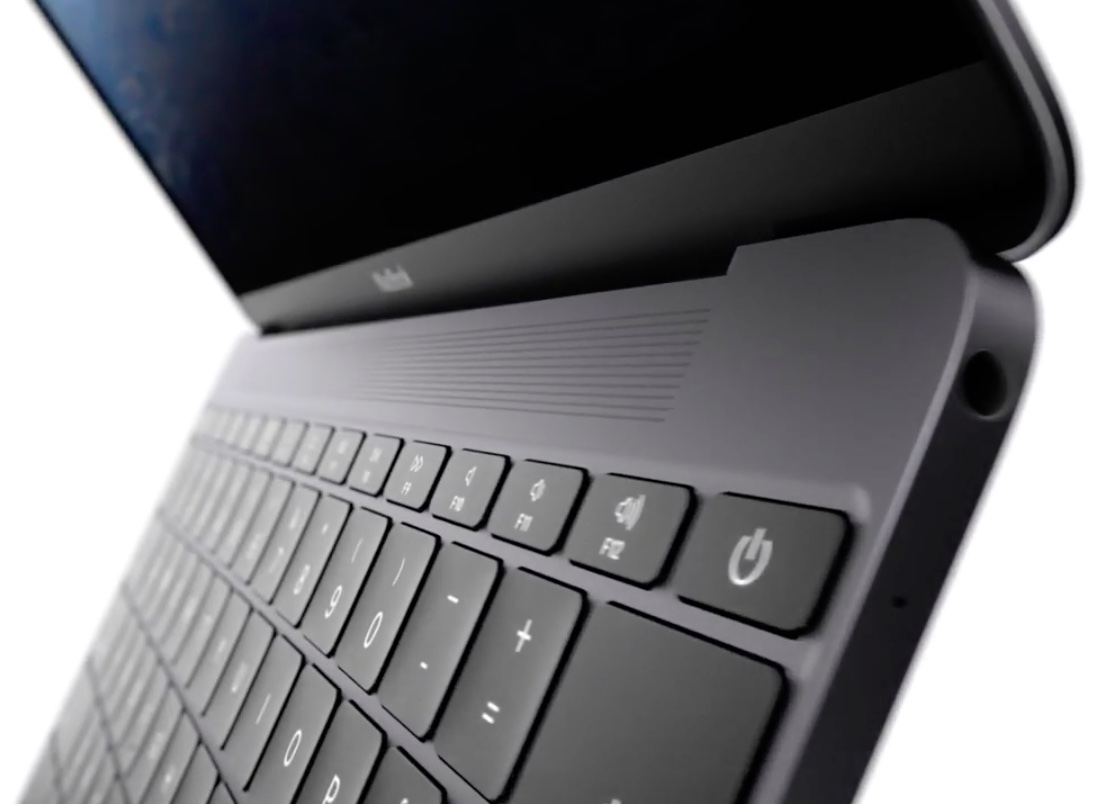
Apple today announced a second-generation twelve-inch MacBook which brings speed increases across the board thanks to the use of Intel's latest Skylake chip platform, PCIe-based flash storage and a speedier 1,866MHz RAM.

The Verge took the new machines briefly for a spin. Having put the new MacBook through its paces in Primate Labs' $0.99 Geekbench 3 benchmarking app to measure the performance of the new Intel CPU and using the free Blackmagic Disk Speed Test app for benchmarking disk I/O operations, the publication was able to determine just how performant the updated flash storage and Intel's new Skylake CPU are.

With new 12″ MacBooks in the mix, Apple discounts refurbished models

With this morning's refresh of the twelve-inch MacBook lineup around Intel's latest processors, Apple's now discounted refurbished twelve-inch MacBooks, bringing their already reduced price down by up to an additional fifteen percent for most models.

If you've been eyeing Apple's ultra-thin notebook but have refrained from taking the plunge due to their a bit steep price point—and you don't mind buying a slightly used, good-as-new products—you can now get an entry-level model of the original twelve-inch MacBook for as low as $929, netting a savings of a cool $370 versus its standard $1,2999 asking price.

Apple’s generously made 8GB of RAM standard across all 13″ MacBook Air configurations

In addition to updating its twelve-inch MacBook lineup around Intel's latest SkyLake chips, a new Rose Gold finish and other perks, Apple also announced that all configurations of the 13-inch MacBook Air now ship with eight gigabytes of RAM.

“Apple also today made 8GB of memory standard across all configurations of the 13-inch MacBook Air,” reads a line in Apple's press release announcing its notebook refresh.

Apple's two 13-inch MacBook Air models still start at $999 (128GB model) and $1,099 (256GB model) like before so customers now get twice the memory for the same price. The 11-inch Air models continue to ship with 4GB of RAM as a standard option.

Apple updates 12″ MacBook with faster CPU/GPU, Rose Gold model, longer battery life & more

Apple on Tuesday via a press release and a website update announced a second-generation twelve-inch MacBook with Intel's latest Skylake chips with faster graphics, a longer battery life, faster flash storage, a brand new Rose Gold color option and more.

The twelve-inch notebook is now available in four aluminum finishes: Gold, Silver, Space Gray and Rose Gold. In addition, the Cupertino firm has made 8GB of memory standard across all configurations of the 13-inch MacBook Air.

The refreshed twelve-inch notebook starts at the same $1,299 like before and will be available starting tomorrow.

Ultra-thin MacBooks with metal injection mold-made hinges due in second half of 2016?

Apple is expected to revamp the rest of its notebook lineup around ultra-thin MacBook models later this summer, which poses questions regarding the future of the existing MacBook Air lineup as Apple's thinnest notebooks. In a new report Friday, Taiwanese trade publication DigiTimes cited local component makers as saying that they are starting to see increasing competition for related component orders ahead of a rumored launch of “new ultra-thin MacBooks in the second half of 2016.”

Blockhead makes your MacBook charging brick less annoying

I love my Mac, but honestly, I hate the AC adapter. The 'wall wart,' as I like to call it, sticks out so far from the wall that it can be incredibly inconvenient for plugging in behind couches and in other tight spaces.

Blockhead, which was only just recently announced, eliminates the annoying protrusion of Apple's AC adapter and is now available from Ten One Design.

Now that the Blockhead is available for purchase, we've been lucky enough to get our hands on one. In this review, we'll walk you through its design and how it looks.

How to fix IP address conflicts on your Wi-Fi network

Every so often, you might end up with two devices on your Wi-Fi network that have the same IP address. This conflict can cause a plethora of problems with trying to use the internet on any of the devices affected.

Fortunately, there's a really easy to way reset your IP addresses on your iOS devices or Macs, and in this tutorial, we're going to show you how!

What to do if iTunes doesn’t recognize your iPhone or iPad

If you ever sync your iPhone, iPod touch, or iPad with iTunes, then more than likely you've experienced hiccups at some point in time where iTunes has been unable to find or recognize your device.

You have it plugged in, but for whatever reason, it just doesn't show up in iTunes. What gives?!

In this piece, we'll go over what to do if iTunes doesn't seem to recognize your iOS device when you plug it in to your computer so that if and when it happens to you, you'll be prepared to tackle the situation.

How to add location to photos and videos in Photos for Mac

With Photos for Mac, Apple pulled an iWork: that is, the re-imagining of how you should organize and manage your photos across devices originally wasn't as feature-complete as the now phased-out iPhoto used to be.

That's especially the case if you consider the need to edit location for some photos in your library: it wasn't before the OS X 10.11.3 El Capitan software update that Photos for Mac got this ability.

First Safari Technology Preview update drops

Safari Technology Preview, a special version of Apple's desktop browser designed to give developers their first look at upcoming new features and future enhancements, today received the first official update since its release two weeks ago.

The new build packs in a host of fixes and improvements for Safari's layout and rendering engine, CSS, JavaScript, Web APIs, Accessibility, Web Inspector and other facets of the app.

How to remove games you’ve uninstalled or no longer play from Game Center

With Game Center, you can play your favorite games with friends who have an iPhone, iPod touch, iPad or Mac. Game Center is also where your global leaderboards, achievements, challenges, high scores and other data are stored for each Game Center-compatible game you play.

Some people also find this particular feature a major nuisance over being bugged with notifications and invites for the games they no longer have installed on their device.

Thankfully, you can easily remove any game that you no longer play from Game Center with a quick swipe.