Google

Easily manage all your YouTube notifications via all-new Activity tab

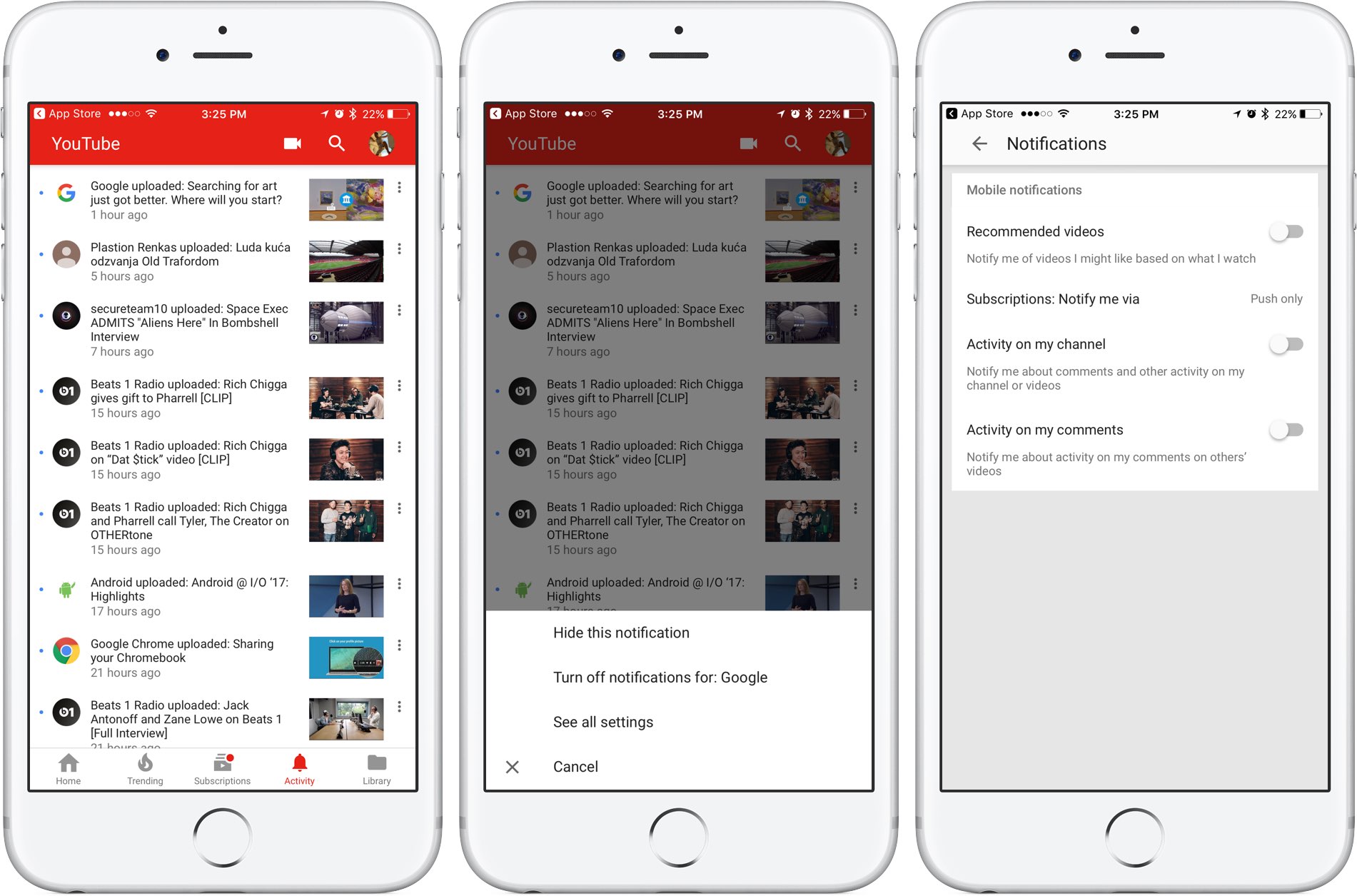
Google is rolling out a small update to its mobile YouTube app for iPhone and iPad, bringing out an all-new Activity tab where you can easily find and control all of your notifications.

Now you can see your notifications, opt-out of receiving alerts from specific accounts and more—all in one central place just a tap away no matter where you happen to be in the app.

The new tab joins the app's existing tabs: Home, Trending, Subscriptions and Library.

Before today, accessing notifications was a multi-tap affair: you were required to tap your profile picture in the app's top-right corner, then hit Notifications (see the screenshot below).

Functionally, nothing has changed drastically—the new Activity section still shows notifications from your favorite accounts in the order they were received.

The old way of managing your YouTube notifications was a multi-tap affair.

Tapping the three dots next to a notification allows you to hide that particular notification, just like before, as well as elect to turn off all future notifications for that account and more.

Tapping the option See All Settings takes you to settings where you can turn notifications on or off for any recommended videos, choose whether you'd like to be notified about activity on your comments or others' videos, select how you'd like to be notified and more.

The new Activity tab requires YouTube for iOS version 12.20 or later.

Grab YouTube for iOS for free form App Store.

You can now order photo books and archive images on Google Photos

At its annual developers conference earlier in the month, Google announced three new features for its Photos app: automatically curated albums, photo books and sharing suggestions.

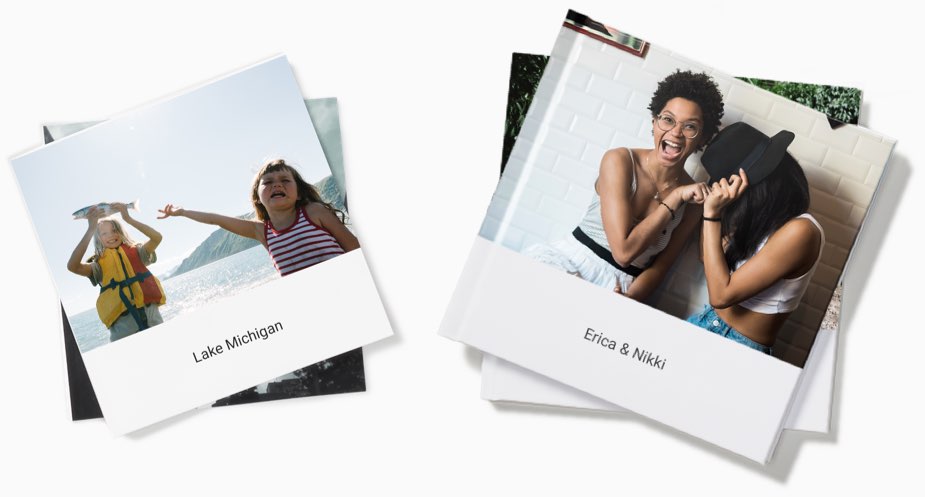
Today, the company pushed an update to its Photos app for iOS, Android and the web, bringing support for ordering printed photo books comprised of your best photographs. You can make a photo book in minutes with automatic photo curation and easy customization.

Photo books

To order a printed photo book, select the images you’d like to fill your album with. Google’s machine learning picks the best shots for your, removing duplicates and poor quality images.

In fact, the app will even offer personalized suggestions for photo books, like your trip to the Grand Canyon, time with family during the holidays, your puppy and so forth.

You can order a seven-inch square softcover book for $10 a piece or its nine-inch hardcover version for twice as much. Each has twenty pages though you can buy additional pages if you'd like:

Softcover—$0.35 per additional page Hardcover—$0.65 per additional page

Photo books are currently available to users in the US only.

However, the search company has made promises to bring them to more countries soon.

Google photo books key highlights:

Quickly find your best shots— Start from an album or search for a person, place or thing. Then, Google Photos can automatically pick out your best photos—helping you save time. Perfect your book in minutes—Easily move around your photos, add a book title and tweak your cover design. Beautifully crafted for you—Just choose a size and get started on your phone or computer. Photo books are made in the USA from premium, responsibly sourced materials.

Apple's Photos app supports photo books, too. As a matter of fact, ordering photo books has been part of the now phased-out iPhoto app for almost a decade.

Archive photos

Aside from photo books, today's update includes the Archive feature.

Chances are your photo library includes not only your selfies, food shots and cherished memories, but the more mundane pictures as well, like recipes, receipts, scanned documents and so forth.

Now you can move images to the app's new Archive section to tidy up your photo grid.

To get started, simply select a few photos you'd like to archive, tap the Menu icon and choose Archive from the popup menu. This simply moves the selected photos to your archive rather than delete them. Any archived images and videos remain visible in search and albums.

Aside from the image archival feature and photo books, this update includes performance improvements and reduces the amount of on-device storage space used by the app.

Facebook is making Instant Articles compatible with Apple News and Google AMP formats

Facebook is rolling out new tools today to help publishers who post Instant Articles on the Facebook platform make their fast-loading news stories compatible with the Apple News format and Google's Accelerated Mobile Pages.

According to the social networking giant, an updated Instant Articles SDK, now available on GitHub, allows publishers to build content publishable as Google's Accelerated Mobile Pages.

Support for Apple News articles is coming soon, says Facebook.

Politico reported today that Apple has created a new Editor-in-Chief position on Apple News. The Cupertino giant hired Lauren Kern, former Executive Editor at New York Magazine, for the newly created position.

Facebook's updated SDK removes a time and resource-consuming step in publishing on multiple platforms by having the markup publishers use to create Instant Articles automatically generate the code needed to build these other formats.

For instance, any custom formats—things like fonts, colors and captions—that publishers have designed in the Style Editor will now be “closely mirrored” in the other formats.

The company wrote:

Media executives told us about the challenge they face using multiple platforms to share their stories–more distribution formats create more content management costs.

Developers who attended our Journalism Project Hackathons in New York and London also asked for a way Instant Articles could support other major publishing formats.

Instant Articles debuted as an iPhone exclusive in May 2015.

Rival Google launched Accelerated Mobile Pages in October the same year. Both features aim to make news articles from participating publishers load in a fraction of a second on mobile devices than their non-optimized versions.

Both Google and Facebook want to speed up webpage loading times, especially for users in emerging markets and those on unreliable or slow Internet connections. The faster the page loads, the more likely the user is to actually read the article. And the more news articles users consume on any given day, the more ads they'll see.

Instant Articles have been criticized for being confined to Facebook's wall garden and their ad system. As for Accelerated Mobile Pages, Google is giving them preferential treatment in search results, but the implementation leaves a lot to be desired.

While these pages do load significantly faster versus the regular mobile pages, all Accelerated Mobile Pages implement Google's own scrolling behavior that feels weird on iOS while making it harder than necessary to visit the original article.

Accelerated pages have their own unique URLs. To visit the original article, you must first tap the hyperlink icon at the top of the page to reveal the original URL, then tap the URL to visit the original page on the publisher's website.

The worst thing about Google's accelerated pages is the fat that they don't let you use Safari's clutter-free Reader Mode or the Find in Page feature, available from the Share menu.

Google Maps gains 3D imagery of Apple Park

Google has updated its imagery on Earth and Maps services so you can now tour Apple's massive new headquarters in glorious 3D graphics. However, Google's data appears to be out of date as the Apple Park imagery shows the site in an earlier state, with the main ring-shaped building still being worked on and Steve Jobs Theater in its early stages of development.

According to the Google Maps team, they refresh 3D images of major landmarks and metropolitan areas at least once per year. As the screenshots attest, Google's data still shows the whole mountain of dirt which has since been reduced substantially as Apple is re-using the earth for landscaping, as evidenced by the latest drone flyovers.

To tour Apple Park in 3D on Google Maps, go to maps.google.com or fire up the Google Maps app on your iPhone or iPad, and search for “Apple Park Visitor Centre”. Now zoom all the way in, switch to Satellite view and click the “3D” icon in the lower-right corner of the interface.

You can now drag the view around, Control-click to rotate and more.

The best way to experience Apple Park headquarters in either 2D or 3D is definitely the recently overhauled Google Earth web app, but you'll need Chrome to use it.

Apple in March 2017 added 3D images of Apple Park to its own Maps service, including support for related details, descriptions and searchable geolocation tags.

Thanks, Carlos!

Google Home is gaining hands-free calling, Apple Music streaming via Bluetooth & visual responses via iPhone

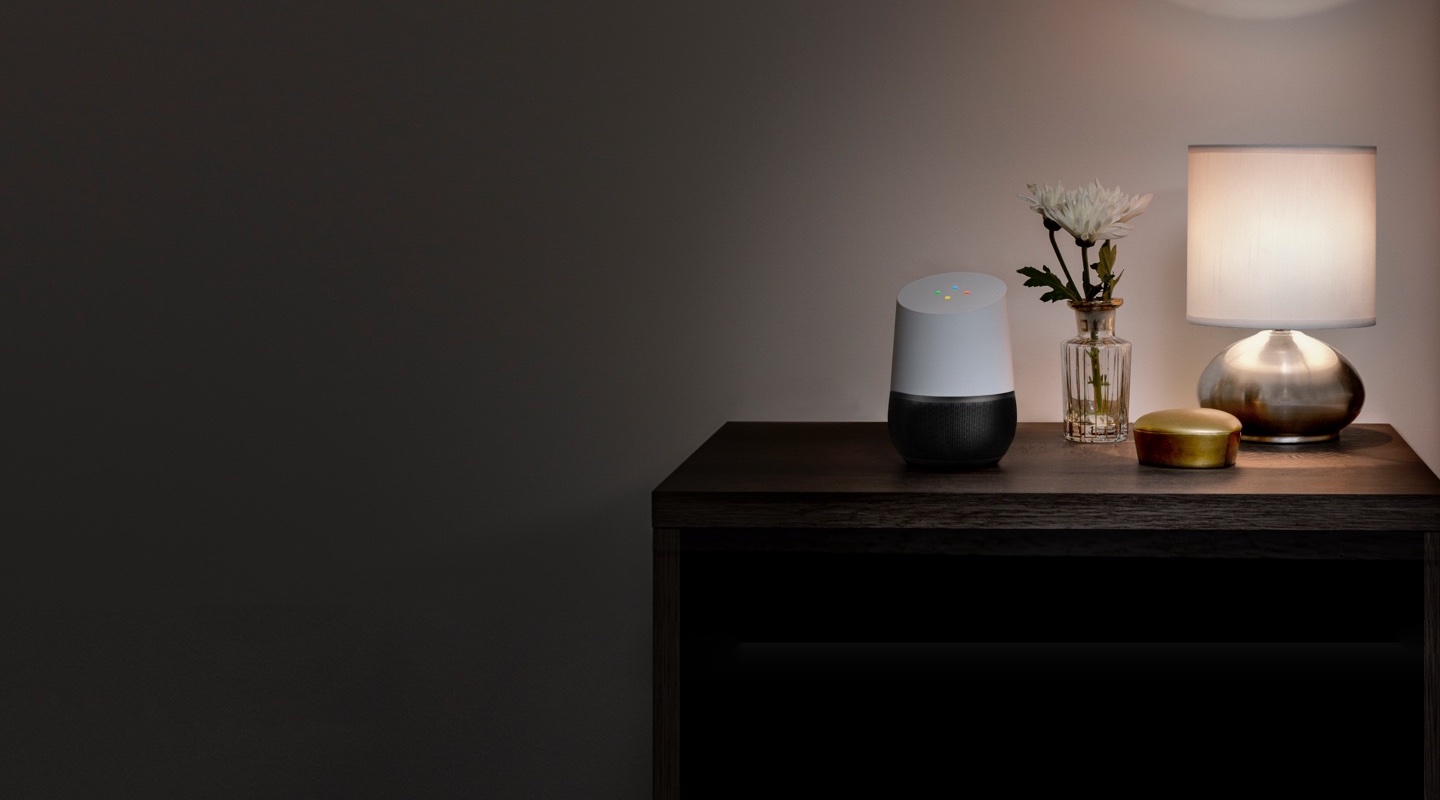
Google's AI-powered speaker, called Home, is getting new features announced earlier today during the keynote address at the company's annual conference for developers. Soon, Home owners will be able to stream songs from Apple Music and other apps running on their iPhone, iPad, Mac or Android device via Bluetooth.

Hands-free calling

And with hands-free calling, customers will be able ask Assistant running on the device to place calls to mobile phones or landlines in the US or Canada for free.

Even better, there’ll be no setup and no need for a phone or additional app.

Visual responses

Yet another upcoming enhancement, called visual responses, will let the smart speaker put responses to queries on a supported display, including your iPhone's.

That's right, you’ll be able to see Assistant answers on the biggest screen in your house, whether you're asking “What's on YouTube TV right now?” or “What's on my calendar today?”

https://www.youtube.com/watch?v=dpnxTXILS4s

Getting visual responses from Home's Assistant on a TV will be even easier with Chromecast.

Bluetooth streaming

Google is adding Bluetooth support to let Home users enjoy more music, movies and TV shows in apps running on Bluetooth-enabled smartphones, tablets and computers, like Apple Music.

Soundcloud, Deezer and Spotify’s free music offering are coming soon to Home as well. On the video front, they've already added Netflix, and have more partners on the way like HBO NOW, CBS All Access and HGTV.

Reminders, additional countries

You can now use your Home speaker to schedule new calendar appointments and create reminders (support for adding reminders is coming soon). “Since it’s the same Google Assistant across devices, you’ll be able to get a reminder at home or on the go,” said the firm.

Google provided this brief explanation for proactive notifications:

Conversations can take place in many different ways. Sometimes your Assistant should be the one to start it—so over the next few months, we’re bringing proactive notifications to Google Home.

Google Home is currently available in a few markets, but that's about to change later this year as they expand it to new places, including Australia, Canada, France, Germany and Japan.

Assistant updates

Hands-free calling, adding reminders, Bluetooth streaming and visual responses will all be enabled for Google Home users in the coming months via a free firmware update.

Google Home is powered by Google Assistant (now available as a dedicated iPhone app).

Speaking of Assistant, the AI-powered helper will be rolling out to eligible Android phones in Brazilian Portuguese, French, German and Japanese. By the end of the year, Assistant will support Italian, Korean and Spanish.

Starting today, developers can build conversational apps for the Google Assistant on phones. As a result, you’ll soon be able to not only get help and answers from Google, but also from third party services.

The company currently has 70+ smart home partners backing Assistant across Google Home, Android phones and iPhone, including August locks, TP-Link, Honeywell, Logitech and LG.
Google Photos launching automatically curated albums, photo books & sharing suggestions

During today's keynote address at Google's annual I/O conference for developers, the company announced a trio of smart features powered by machine learning intelligence.

For starters, the app now automatically curates albums for the user.

Even better, Google Photos provides suggestions when sharing photos with others. As a bonus, there's now an Apple Photos-like feature for ordering printed photo books from within the app.

But first, check out the new features for yourself in Google's video embedded below.

https://www.youtube.com/watch?v=SN_7r0mFf5Y

Sharing suggestions

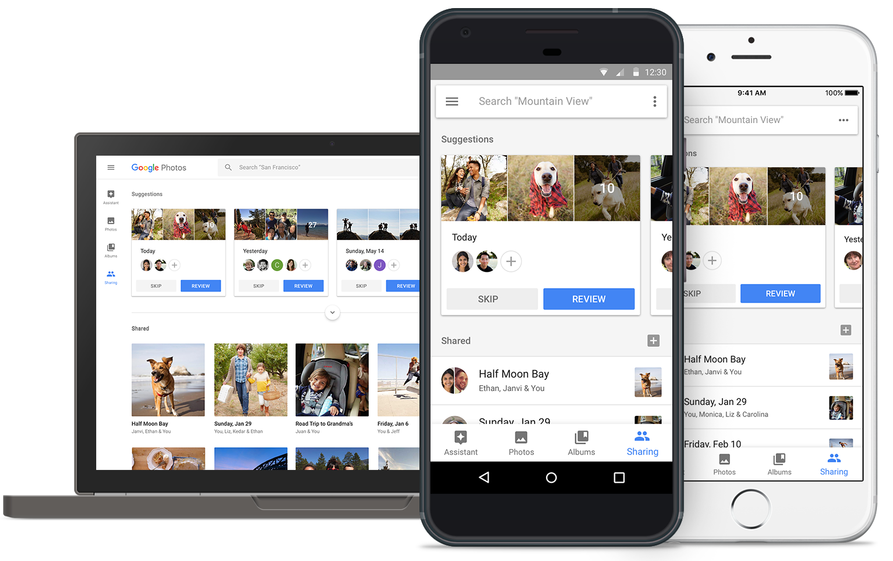
Photos now uses Google's machine learning technology to remind you when it's time to share some photos. The app automatically select the right photos and even suggest who you should send them to based on who was in the photos.

All that's left for you to do is review the choices the app's made on your behalf before hitting that Send button. People you're sharing with will see all your photos and get a reminder to add theirs too. Your sharing activities are collated in the app's new Sharing tab.

This feature will be rolling out on Android, iOS and web in the coming weeks.

Automatically curated albums

Google Photos can now automatically share relevant photos with specific people. Say you took a bunch of photos of your kids: Photos may offer to automatically share them with your wife.

Called Shared Libraries, it lets you give a person access to your full photo library.

Don't worry, you can easily choose to limit sharing by having the app include just the photos of certain people or the images taken from a certain date forward. When the other person shares their library with you, you can automatically save their photos to your own library.

Shared Libraries will be rolling out on iOS, Android and web in the coming weeks.

Photo Books

Like with Apple Photos or services like Shutterfly, you can now order a printed coffee table book comprised of your best photographs without ever leaving the app. Simply select the images you'd like to fill your album with and Google's machine learning algorithm will pick the best shots, removing duplicates and poor quality images.

When placing your order, choose between a high-quality twenty-page softcover book for ten bucks a piece or a hardcover variant for twice as much. Your photo book will be delivered to that special person in your life in the mail.

This feature is rolling out today in the US on web, and on Android and iOS next week.

“We’ll bring photo books to more countries soon,” said the search giant.

Another feature that's coming soon to Photos: personalized suggestions for photo books (i.e. your trip to the Grand Canyon, time with family during the holidays, your puppy and so forth). Machine learning powers features in other Google apps, including smart replies in Gmail for iOS and the newly launched Assistant for iPhone app.

Grab Google Photos for free from App Store.

Hey Siri, make some room for Google Assistant on my iPhone

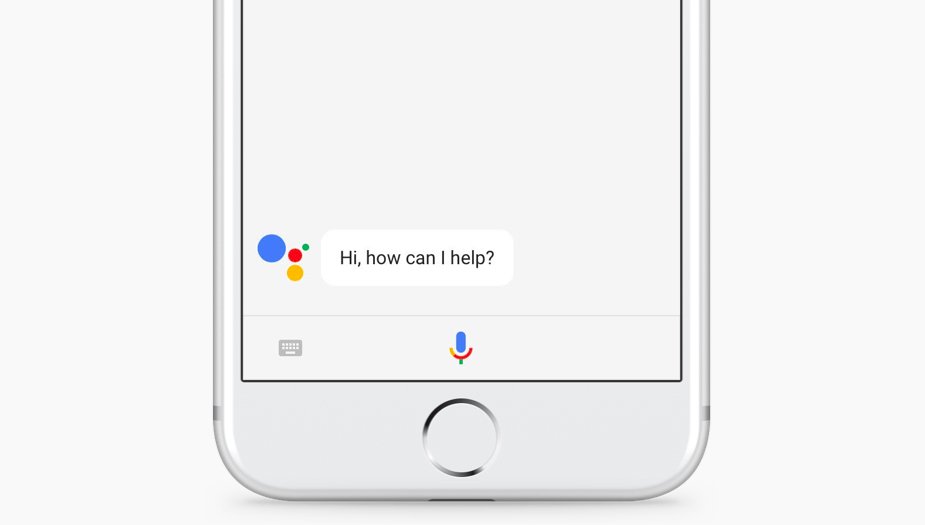
The rumors were true: the search giant Google today released a standalone Assistant app for iPhone to take on Siri. Available at no charge on App Store, it features a blend of the chat style functionality found in in the Google Allo version of Assistant and the voice-controlled version found on Android.

It even lets you call friends on Google Home or out on the town with your iPhone.

“Whether you need a reminder to pick up milk, help finding your travel photos or need to make a dinner reservation, your Assistant is ready to help,” says the company.

To get started with Assistant, press the microphone icon or start typing.

https://www.youtube.com/watch?v=VZ9MBYfu_0A

“And for when you want to see what you’ve previously asked, we’ll also soon add history within your conversation,” notes Google. And with an upcoming firmware update for Google Home, customers will be able to put responses to queries from Home's Assistant on a supported display, including your iPhone and even your TV (with Chromecast).

Apple users can use Assistant's chatbot-like capabilities as well as all of its interactive features without having to purchase Google's Pixel smartphone or another Android smartphone.

Here are a few things Assistant can help you with:

Make quick phone calls (“Call Mom”) Send text messages (“Text my bestie”) Send emails (“Email my boss the latest TPS report”) Set reminders (“Remind me to buy a birthday gift for Sarah”) Set calendar events (“Set a calendar event for dinner with Charlie tomorrow from 7-9”) Play music (“Play Jazz music on YouTube”) Navigate to places (“Get me directions home”) Ask it anything (“Will I need an umbrella today?”)

Google has promised to enhance Assistant with new features, including:

New chatbot abilities Integration with Google Lens technology

Google Lens will give Assistant for iPhone and Android some pretty cool camera capabilities with a little help from advanced artificial intelligence features. You'll be able to, for example, easily identify an object by pointing your phone's camera at it.

The company even demonstrated how Lens technology will permit Assistant users to snap up a photograph of a business's sign to quickly pull up useful information such as reviews, menu items, friend check-ins and other relevant data.

And in yet another example, Google demoed how Assistant could help Android users connect to a Wi-Fi network simply by taking a picture of a sticker on a router.

“If you see a marquee for your favorite band, you can hold up your Assistant, tap the Lens icon and get information on the band, tickets and more,“ said the firm.

Plus, starting today developers can build conversational apps for the Google Assistant on phones. In other words, soon you’ll be able to not only get help and answers from Google, but also from third party services.

The AI-powered helper will be rolling out to eligible Android phones in Brazilian Portuguese, French, German and Japanese, Google said. By the end of the year, Assistant will include additional language support for Italian, Korean and Spanish.

The company has more than 70 smart home partners supporting Assistant across Google Home, Android phones and iPhone, including August locks, TP-Link, Honeywell, Logitech and LG.
Assistant is already available on more than 100 million devices, said Google.

Grab Google Assistant for iOS for free via App Store.

The app requires an iPhone, iPad or iPod touch with iOS 9.1 or later.

Todoist gains 2-way Google Calendar integration, Dynamic Type support & more

Todoist, the popular cross-platform app for organizing work and errands, is launching a deep two-way integration between it and Google Calendar that lets the app directly pull information from Google Calendar and vice versa. In addition, the app now supports iOS's system-wide Dynamic Type feature and you can now mark individual notifications as read or unread.

Todoist + Google Calendar = winning combo

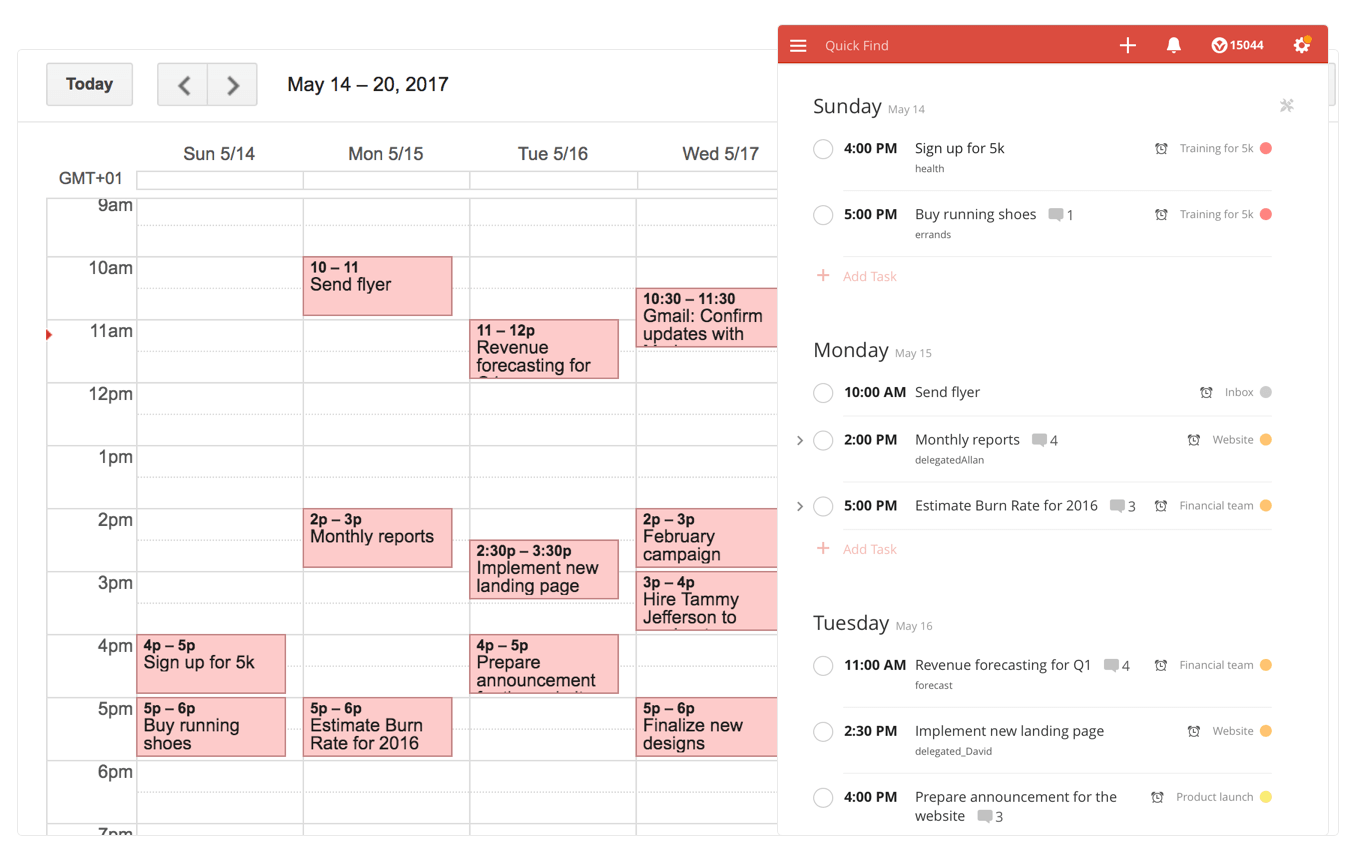
With a two-way sync between Todoist and Google Calendar, you can visualize, organize and prioritize your tasks from inside your calendar, with any changes made in Google Calendar being instantly reflected back in Todoist and vice versa.

To connect Todoist with Google Calendar, sign into the Todoist web app, click on the gear icon in the upper-right corner and choose Settings from the popup menu. Navigate to the Integrations tab and click Connect next to Google Calendar.

After signing into your Google Account, you’ll be asked which calendar you want your tasks added to, whether you'd like to sync your entire Todoist account or just a specific project, which Todoist project you want new Google Calendar tasks added to, a default event duration for new Todoist tasks in Google Calendar and whether or not you want to sync tasks with a due date but no time.

Once you authorize the integration, any tasks with a due date and/or time in Todoist will automatically be added to a Google calendar of your choosing (recurring tasks will create multiple events) The two-way sync allows you to create events in Google Calendar within Todoist, knowing they'll be automatically added to the Todoist project of your choosing.

All tasks created from Google Calendar have a default @gcal label, but you can change the label by editing the integration after you’ve connected the apps. You can even choose to only sync tasks from a specific project, if you'd like.

On the iPhone and iPad side, Todoist now supports Dynamic Type, a feature that makes it easy to adjust the font size in apps that support this feature. To make words in Todoist bigger or smaller, simply update to the latest version of the app on App Store and set your preferred text size but dragging the slider in Settings → Display & Brightness → Text Size.

To make sure you don’t miss any important updates in shared projects, Todoist for iOS now allows collaborators to mark individual notifications as read or unread.

As for Todoist for Mac, the app's design was refreshed yesterday to make it feel more at home on your Mac, including extending the theme color all the way to the top.

The smart-task Quick Add action has been overhauled as well. Faster than ever before, it now includes a shortcut to assign a task to someone else (just type “+” into the task name field to pull up a list of collaborators).

Todoist for iPhone, iPad and Apple Watch is a free download from App Store.

Todoist for Mac is available free via Mac App Store.

How to watch Google I/O keynote live

Google's annual conference for developers is kicking off today with an opening State of the Union-like keynote address by CEO Sundar Pichai. Will be providing remote coverage of the most important announcements from the event as they happen.

That said, you can tune in to watch a live-stream of the keynote if you'd like.

The keynote address is scheduled to kick off today at 10am Pacific Time / 1pm Eastern Time. Here's how you can stream the event live on your iPhone, iPad, Mac and other devices.

When does Google I/O keynote start?

As mentioned before, the three-day conference is scheduled to kick off with a keynote today, May 17, at 10am Pacific Standard Time / 11am Mountain Standard Time / 12pm Central Time / 1pm Eastern Standard Time.

If you’re watching the keynote from the United Kingdom, Beijing, Europe or elsewhere, here’s what times the event goes down in some of the major cities around the world:

London, United Kingdom—Wednesday, May 17 at 6pm Paris, France—Wednesday, May 17 at 7pm Berlin, Germany—Wednesday, May 17 at 7pm Central Europe—Wednesday, May 17 at 7pm Moscow, Russia—Wednesday, May 17 at 8pm Eastern Europe—Wednesday, May 17 at 8pm New Delhi, India—Wednesday, May 17 at 10:30pm Beijing, China—Thursday, May 18 at 1am Tokyo, Japan—Thursday, May 18 at 2am Sydney, Australia—Thursday, May 18 at 3am Auckland, New Zealand—Thursday, May 18 at 6am

If you're located overseas, but your country isn’t on the list, simply use an online timezone service to determine what time 10am PST is in your country or ask Siri what time it is in Cupertino to figure out how long before the keynote starts.

How to live-stream Google I/O 2017 keynote

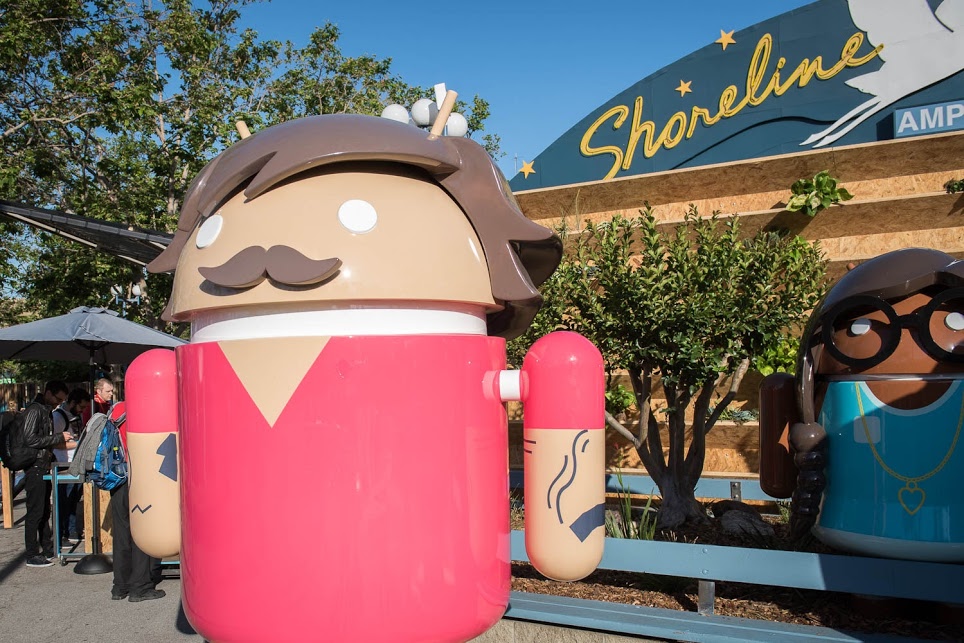
The main Google I/O keynote, featuring CEO Sundar Pichai, as well as the 150 other talks streaming from the Shoreline Amphitheater in Mountain View this week, will be hosted on Google's Developers channel on YouTube.

https://www.youtube.com/watch?v=Y2VF8tmLFHw

The live-stream YouTube video is embedded above.

If Google provides a 360-degree video of the keynote address, like it did last year, we'll be making sure to update the post with the video URL.

Will you be tuning in to Google I/O?

If so, which potential announcements are you looking forward to the most?

Leave a comment below to let us know!

Google could launch Assistant for iOS soon as a standalone app

After unveiling Assistant at Google I/O a year ago, the search giant is now expected to bring its AI conversational helper to iPhone and iPad in the form of a standalone app, AndroidPolice reported Monday. The app should be announced at Google's annual developers conference, which kicks off on Wednesday, May 17, at Shoreline Amphitheatre Mountain View in California.

Assistant for iOS will only be available in the US at launch, said a trusted source cited in the report. Assistant's SDK  was just made available to developers so bringing the app to Apple's mobile platform could encourage more developers to integrate with its functionality.

Here's an excerpt from the article:

The app would likely feature a blend of the "chat" style functionality in the Google Allo version of Assistant and the voice-controlled version found on Android, but again, details are scant.

Rather than roll out Assistant as a standalone app, Google could fold its functionality into the existing search app for iOS, which supports Google Now cards but not Assistant.

https://www.youtube.com/watch?v=Wsic12MXlsc

A company executive hinted two months ago that Google's general philosophy is that “we would like to have the Assistant available to as many people as possible.”

After debuting exclusively on Google's Pixel line of smartphones in October of last year, Google Assistant soon after made its way into into Google’s voice-activated speaker, called Home, the latest version of Android Wear and a few devices from third-party vendors.

It powers AI features in Google's messaging app Allo and will be at the heart of the new Android operating system for touchscreen car consoles and in-car infotainment systems.

You can expect the feature to become integrated over time into virtually every major device Google makes, as well as into its most important consumer-facing services and mobile apps.

Google shows off Android version for touchscreen car consoles and infotainment systems

Google is placing its Android operating system right inside cars, showing off on Monday an Android version of touchscreen car consoles and infotainment systems.

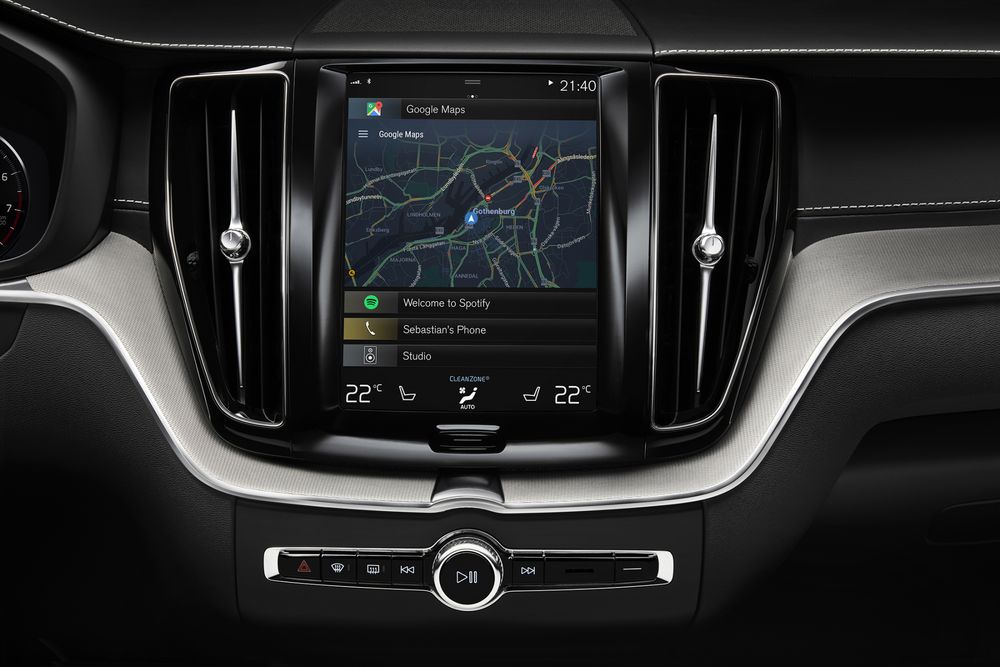
According to Bloomberg, Google Assistant is at the heart of the new Android system which hosts popular apps such as Spotify and Google Maps with 3D mapping and satellite images (for safety reasons, they're keeping YouTube off the screen).

Patrick Brady, Google's Vice President of Android Engineering, said the system will make its way to Audi and Volvo's entire fleets, along with other manufacturers.

“Where cars are going, everything is integrated into one display,” he said. “We think the future is a much more seamless, integrated system.”

From the Bloomberg article:

This version of the software had three main windows for users: a central panel for playing music, making calls and navigating; another with a grid of core car functions; and a third that lists installed Android apps. A button on the steering wheel and a voice command can activate the Google Assistant.

Android for the car might eventually extend to dashboard items like speedometers and backseat screens. Google will permit each Android software car partner to customize the controls, interface and apps preloaded into the operating system.

And with smart home integration, a user in a compatible car could ask the Assistant to, say, turn on the lights at home before arriving. Brady added that Apple's CarPlay could run on top of cars with the embedded Android system.

As it's said to take over the underlying software on the car, the forthcoming software will be able to control car features like seat positioning and temperature.

According to the company:

That means your car’s built-in infotainment system could allow you to control your air conditioning, sunroof, and windows, find the nearest restaurant with Google Maps, listen to Spotify or NPR, or just ask your Google Assistant for help—even when you leave your phone behind.

Google showed a concept of the software running on a Chrysler vehicle earlier this year.

The search giant is reportedly partnering with Audi and Volvo to ship car systems running the Android operating system. Because Google's new software is embedded right in the car software, a driver won't need to plug in an Android phone to run it.

And with built-in Google Assistant, drivers will be able to accomplish tasks like searching on the go, asking for directions and making phone calls. Google is showing off the new software today, ahead of its annual developers conference scheduled to run from May 17 through May 19, 2017 in Shoreline Amphitheatre Mountain View in California.

At I/O 2017, the search monster will show off live demonstrationss of the new Android operating system running on the Audi A8 and Volvo V90 SUVs. Apple is expected to update us on CarPlay advancements at WWDC 2017 next month.

CarPlay supports wired and wireless connections and requires an iPhone.

That's because unlike Google's new software, CarPlay is not embedded directly into the underlying car software. Apple is thought to be working on an autonomous driving software, too.

Google's in-car Android solution shouldn't be confused with Android Auto, a CarPlay-like system introduced in 2014 that lets people project content from their Android smartphones to their car's screen. Google said it's working on bringing the voice assistant to Android Auto.

Android Auto now runs on 300 car models.

According to the Bloomberg report, Amazon has reached agreements with carmakers for its own digital assistant. That said, the in-car software battle between Apple, Google and Amazon is only going to intensify going forward.

Google’s Allo messaging app will soon let you create personalized stickers from your selfies

Google is working on a new feature for its mobile messaging app Allo that will permit iPhone users to create stickers based on their selfies. Taking advantage of neural networks, machine learning and the work of artists, the app will create virtual avatars personalized to match the user's own distinct look, said the company.

“Photography in the form of a selfie is a very direct form of expression. It comes with a set of rules bounded by reality,” wrote Google. “Illustration, on the other hand, empowers people to define themselves—it’s warmer and less fraught than reality.”

The feature is pretty straightforward: you just snap a selfie and the app returns an automatically generated illustrated version of you. You can also customize your new sticker manually with various facial features and other options.

What makes you, you?

Rather than algorithmically determine the colors, shapes and textures in selfies, Google's system takes advantage of an advanced algorithm that picks out qualitative features of one's face in a manner similar to the way people do.

“While we could have trained a large convolutional neural network from scratch to attempt to accomplish this, we wondered if there was a more efficient way to get results, since we expected that learning to interpret a face into an illustration would be a very iterative process.”

Toying with its existing more general-purpose computer vision neural networks, Google found out that a few neurons in these networks were good at focusing on things they weren’t explicitly trained to look at.

The company explains:

By virtue of being large general-purpose neural networks, they had already figured out how to abstract away things they didn’t need.

All that was left to do was to provide a much smaller number of human labeled examples to teach the classifiers to isolate out the qualities that the neural network already knew about the image.

They fed the neural network illustrations created by an artistic team which captured a wide variety of facial features, such as different hairstyles, skin tones and nose shapes. Human curators then trained the network to match the right illustration to the right selfie.

Google's research team has taken special care to ensure that the illustrations cover a range of race, age, masculinity, femininity and androgyny. Furthermore, they're working with a range of artistic voices because “it’s not enough to make an avatar that is a literal representation of yourself when there are many versions of you.”

The feature began rolling out today in Allo for Android, and will come soon to Allo on iOS.

The most recent update to Allo for iOS included Incognito chats for group conversations and new notification settings for selectively enabling and disabling individual notifications.

Google Allo is a free download from App Store.