Apple Watch

Stay up-to-date on the latest Apple Watch news, and learn how to get the most out of your device with our comprehensive tutorials. From updates to features to troubleshooting tips, we’ve got you covered.

watchOS 4 celebrates your birthday with animated balloons

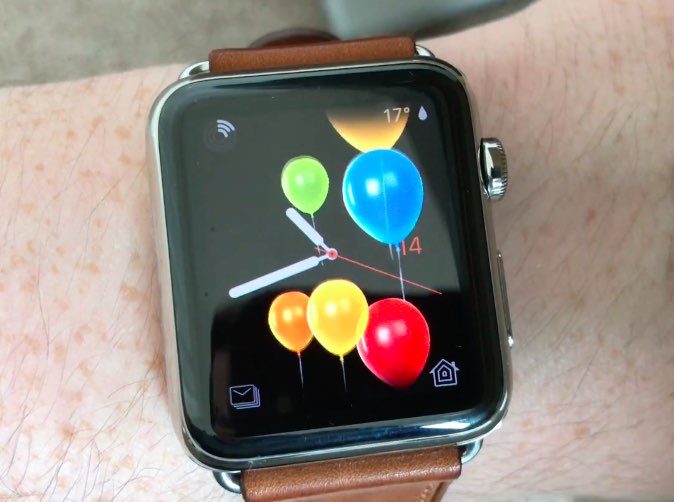
A new, previously unseen feature in watchOS 4 will shower your watch face with animated balloons on the day of your birthday. Stumbled upon by MacRumors forum member “mrToasty”, the celebratory animation is visually similar to the similar fullscreen animation that's available in the Messages app on iOS 10 or later.

The user posted an accompany video to show off the celebratory effect in action.

https://www.youtube.com/watch?v=wdLlN1oEfqI

You will receive a “Happy Birthday!” notification on your Apple Watch on the day of your birthday, as determined by your birth date in your Apple ID. Tapping the notification will shower your current watch face with celebratory balloons, as evidenced by the video embedded above.

How do you like this neat feature of watchOS 4?

Tell us in comments!

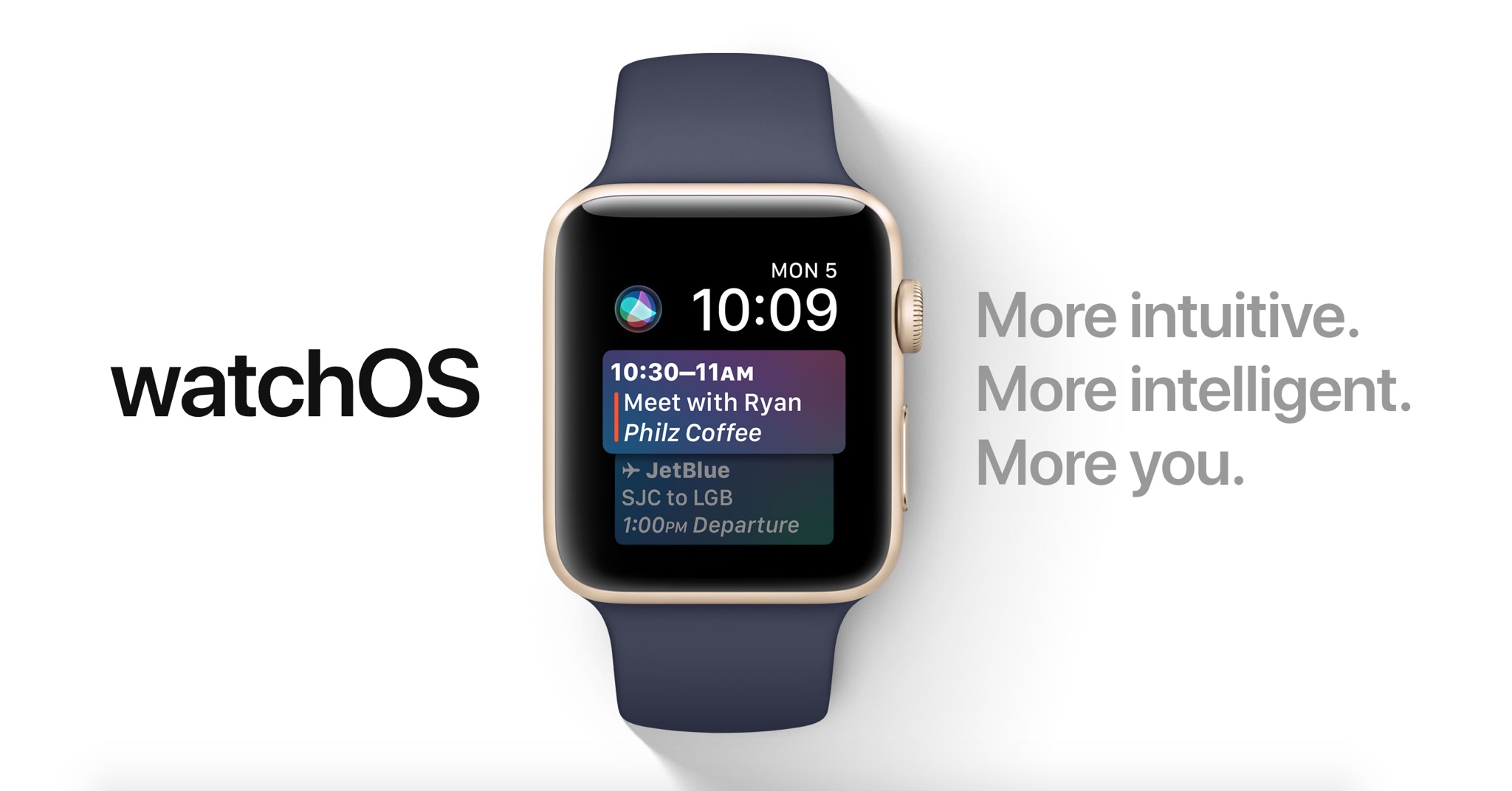
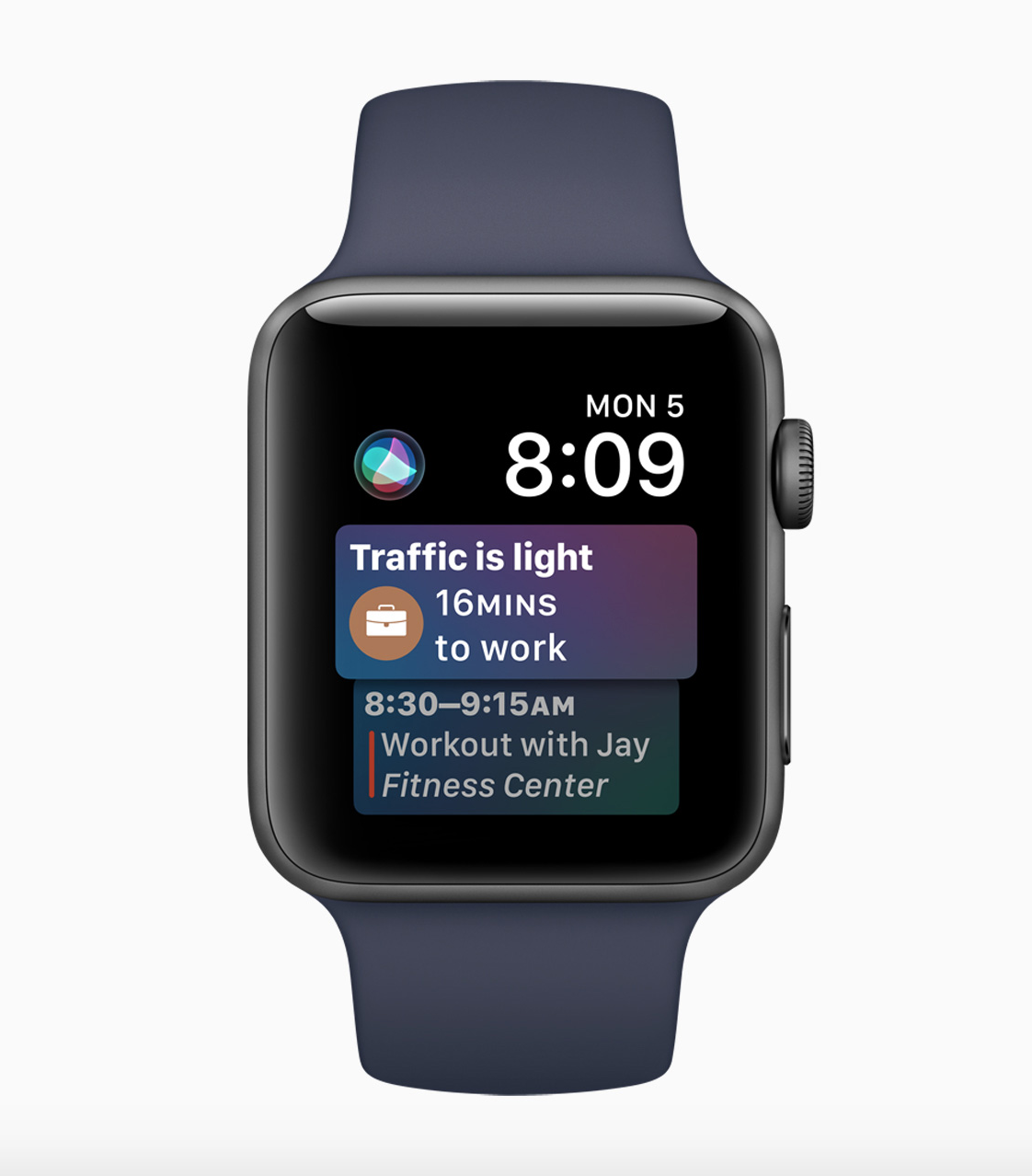
60+ new Apple Watch features in watchOS 4

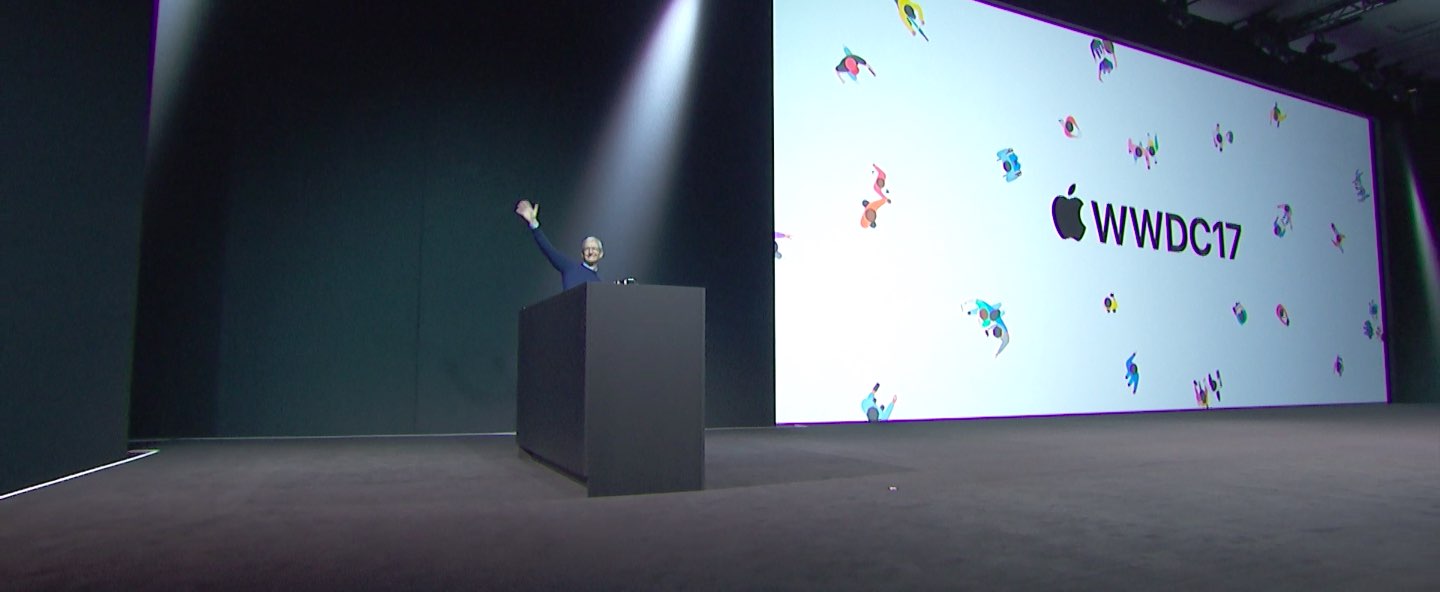
Apple demonstrated a host of useful new features that will ship with watchOS 4 at the WWDC 2017 keynote, but as always, they were constrained on time and couldn’t show us everything the update has to offer.

In this piece, well talk about everything we’ve found new in watchOS 4 so far. We'll include everything Apple demonstrated in addition to lesser-known features that weren’t given the spotlight at the event.

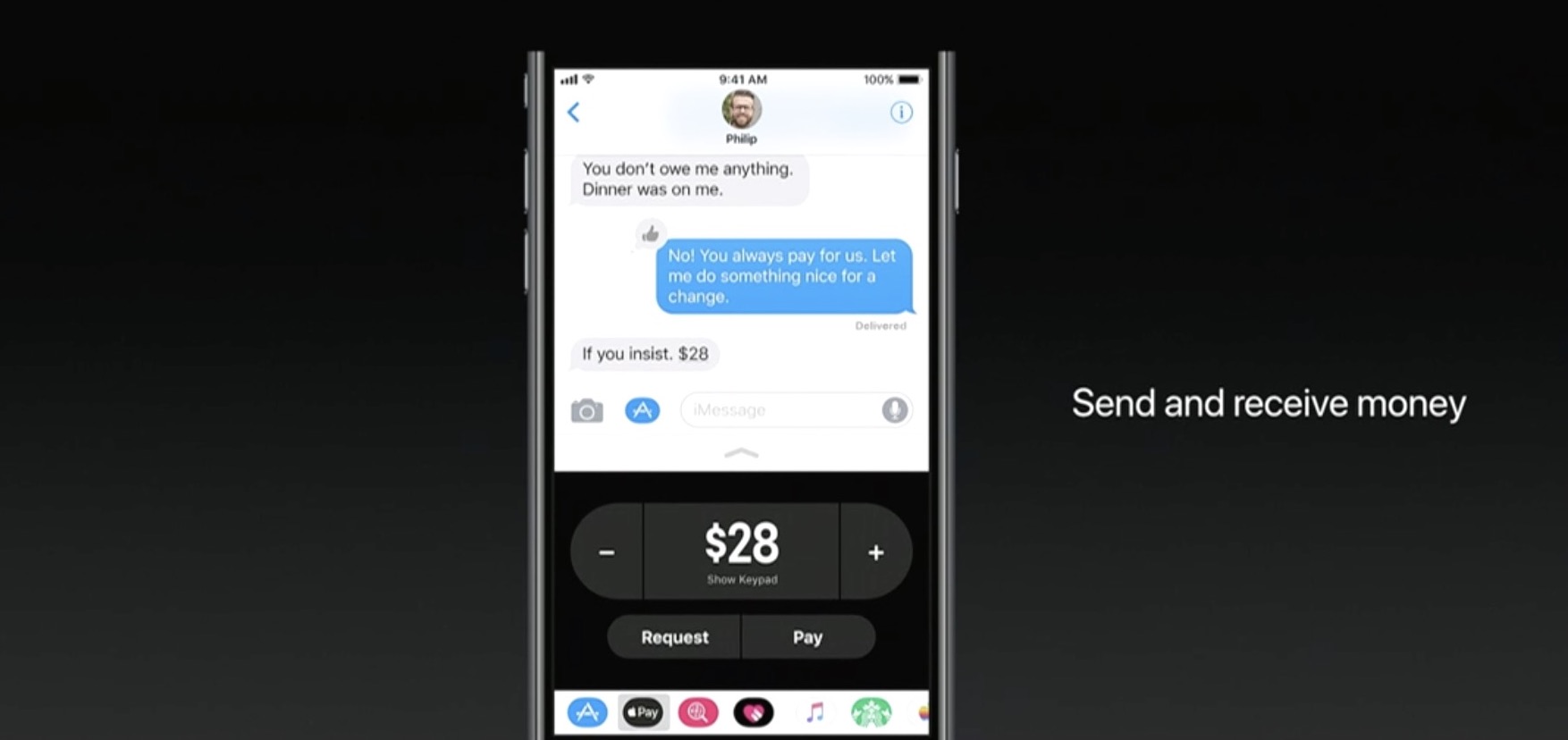
Apple Pay P2P transfers will incur standard 3% fee when funded by a credit card

If you try to use your credit card to fund an Apple Pay person-to-person payment over iMessage, Apple will tack on a 3% fee, reports Recode. The fee is standard among similar P2P services, and necessary to cover credit card transaction costs, but it's worth pointing out to potential users.

If you don't want to incur the 3% fee, simply use your debit card to fund the Apple Pay P2P payment, as this method is completely free.

Apple announced the new iMessage-based service during its WWDC keynote earlier this week. With it, you'll be able to use any card stored in Apple Pay to send money to other users. Once sent, the money loads onto a prepaid Apple Pay Cash card, where it can be spent or withdrawn.

Apple Pay Cash will go live after Apple publicly launches iOS 11 this fall.

Source: Recode

Video: Top 6 WWDC 2017 announcements

Apple had a pretty big day at yesterday's Worldwide Developers Conference in San Jose, revealing a bunch of new or updated products and technologies that have set the stage for other important hardware announcements this fall.

If you didn't have the time to sit through the entire keynote talk and are wondering about the big takeaways, our video editor Andrew O'Hara has put together a short five-minute video highlighting the top six announcements Apple made during the WWDC 2017 keynote.

Andrew's main topics of interest include:

tvOS 11 with Amazon's Prime video-streaming app coming to Apple TV watchOS 11 with all the major improvements for workouts, notifications and more macOS High Sierra and core technologies aimed at AR/VR content creation iOS 11 with all of the improvements for your iPhone and iPad iPad Pro and iMac Pro changes and enhancements HomePod, Apple's high-end Siri-enabled speaker with hi-fi sound

And here's the video:

https://www.youtube.com/watch?v=QQBulSRR9Fc

Subscribe to iDownloadBlog on YouTube

What's your favorite WWDC 2017 announcement so far?

Post a comment below to let us know!

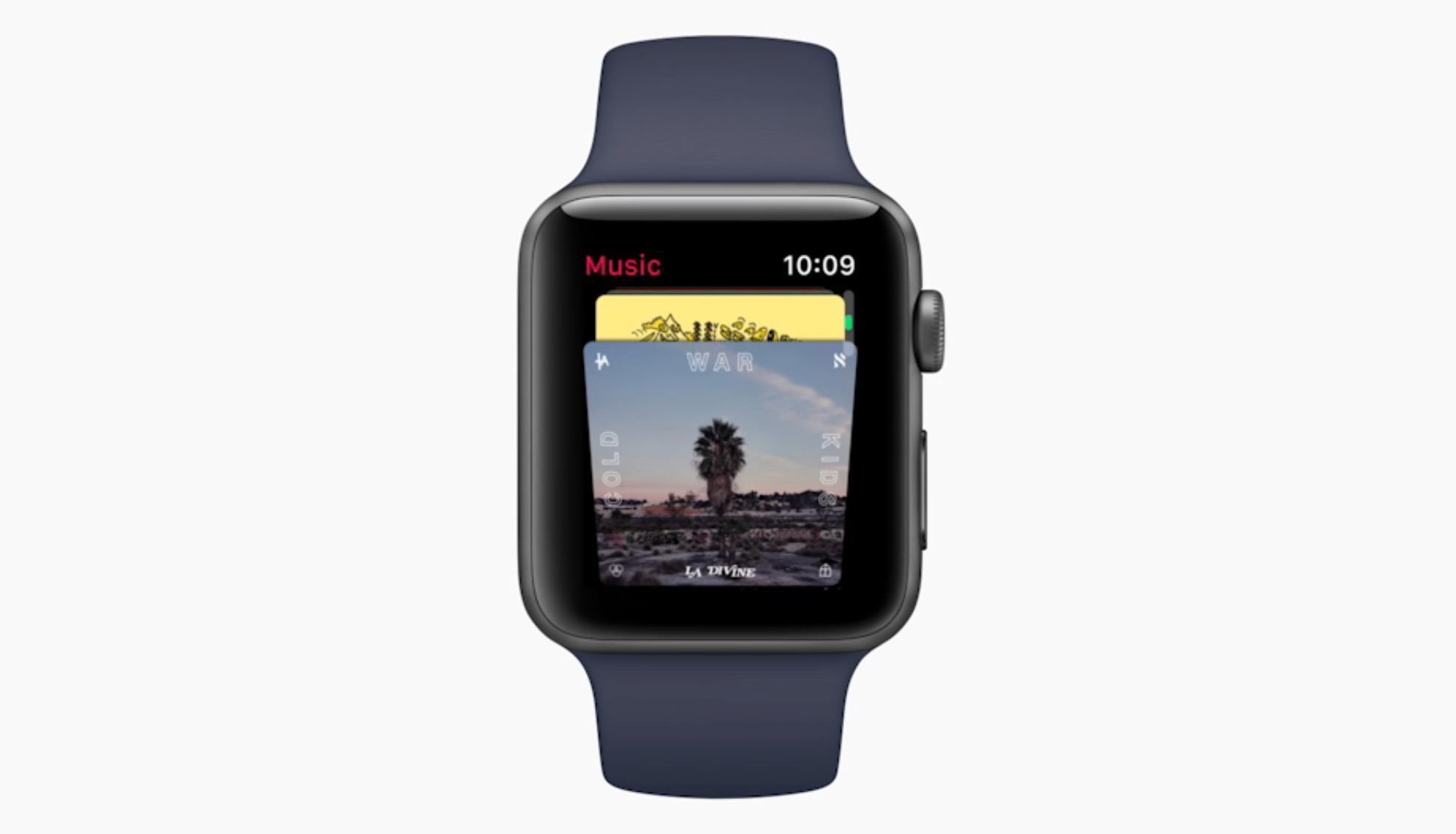
Music app undergoes major redesign in watchOS 4

Apple has taken the wraps off the new Music app design on Apple Watch coming this fall. It looks to do away with the sometimes cumbersome, manual iPhone to Apple Watch synchronisation process of playlists, and instead promises automatic syncing based on what you like to listen to on your iPhone.

As a result, your favorite playlists and most frequently played tunes (including My New Music Mix, My Favorites Mix, Heavy Rotation, My Chill Mix) will automatically appear on Apple Watch, furthermore multiple playlists outside of those are going to be permitted as well.

The new design seems to abandon small fonts and lettering in favor of album covers and images where possible, though we have yet to see the full extend to which the app has been overhauled. In any event, the Digital Crown was touted as the go-to button for swift and effective music selection on your wrist.

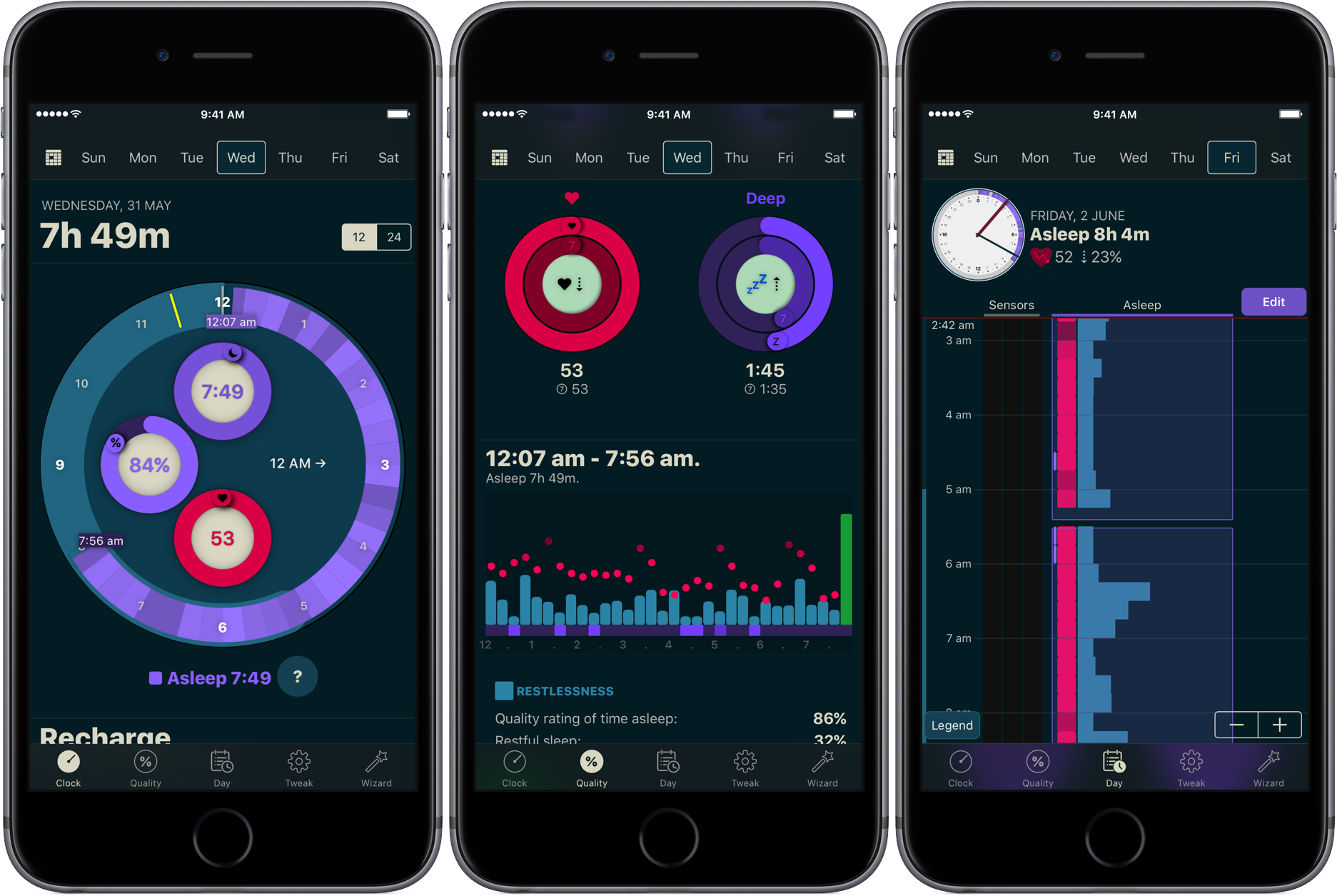
How to track your sleep using AutoSleep

You don’t have to be a scientist to know that a good night’s sleep is conducive to your overall wellbeing and health. On that note, a while ago we have screened the App Store for the best sleep trackers available on iPhone and Apple Watch so as to make it easy for you to pick and choose your new sleep companion.

While varying in looks and features, all of the apps listed serve the same purpose: record how you slept and explain possible discrepancies in perceived quality of sleep and your actual rest. With the hands-off roundup in mind, we decided to select the most requested and popular app featured - AutoSleep - and throw a complementary hands-on tutorial on sleep tracking into the mix. Want to learn more about how to track your sleep using your iPhone, Apple Watch, and the AutoSleep app? Then join us for the tour!

Stanford study praises Apple Watch’s heart rate monitoring, calorie counting needs more work

A new medical study from Stanford University focusing on consumer fitness tracker reliability, published Wednesday in the Journal of Personalized Medicine, has crowned Apple Watch the king of heart rate monitoring while pointing out shortcomings in its calorie counting feature.

“People are basing life decisions on the data provided by these devices,” Euan Ashley, DPhil, FRCP, professor of cardiovascular medicine, of genetics and of biomedical data science at Stanford said in a statement.

The study included 29 male and 31 female volunteers who wore several fitness trackers like Basis Peak, Fitbit Surge, Microsoft Band, MIO Alpha 2, PulseOn, Samsung Gear S2 and Apple Watch. The study pitted the wearable gadgets against FDA-approved equipment.

The participants were asked to complete a total of 80 physical tests, including such activities as cycling, running and walking. They compared data against an FDA-approved 12-lead electrocardiograph for measuring heart rate and clinical-grade indirect calorimetry, which determines calories burned by measuring oxygen and carbon dioxide expelled when breathing.

Heart-rate monitoring via Apple Watch achieved the highest accuracy across measured modes of activity with an error rate of two percent, followed by Basis Peak and Fitbit Surge.

Samsung's Gear S2 had the highest heart rate error rate at 6.8 percent.

Researchers set an acceptable error rate at five percent, meaning Samsung's device fell just outside the study's acceptable buffer.

All fitness devices they tested fell short in calorie counting.

In terms of determining the amount of calories burned, Fitbit's Surge was the most accurate device with an error rate of 27.4 percent. PulseOn was the least accurate tracker in terms of calorie count with an astounding error rate of 92.6 percent. Apple Watch had an error rate near 40 percent while Microsoft Band came in at around 33 percent.

Low-impact activities like sitting caused the most inaccuracies with an average error rate of 52.4 percent compared against high-impact activities, such as walking and running.

This is due to the differences in how people exercise. “People are so variable,” Ashely said. “Some people walk smoothly and others waddle along, and that has an impact."

“The heart rate measurements performed far better than we expected, but the energy expenditure measures were way off the mark,” she added.

“The magnitude of just how bad they were surprised me.”

Each of the tested devices uses its own proprietary algorithm for calculating calorie burn, which could explain the wildly differing readings in terms of energy expenditure rates.

Check out Nike’s four new Sports bands for Apple Watch

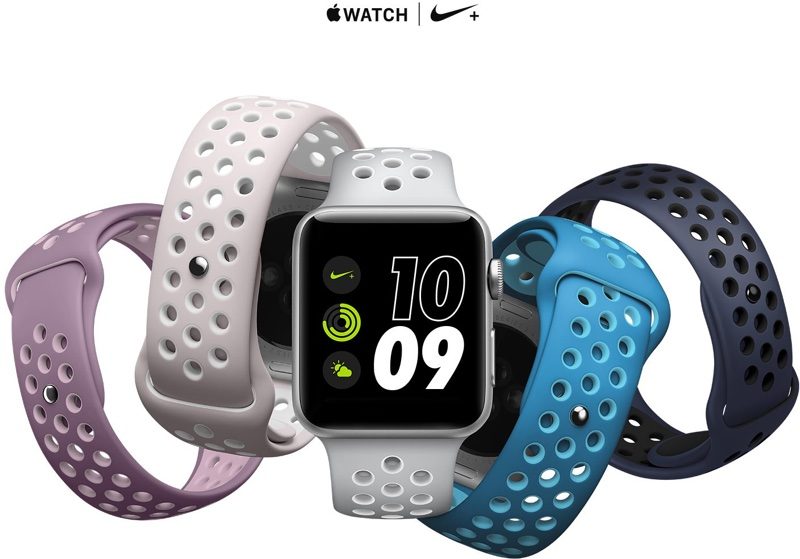
Footwear, apparel and sports accessories giant Nike on Monday announced four new bands for Apple Watch, designed to color-match the company's new Air VaporMax Flyknit “Day to Night” running shoe collection. The new bands work with any Apple Watch model, not just with the special-edition Apple Watch Nike+ collection, and are made from a flexible fluoroelastomer material that's lightweight and perforated for ventilation and sweat management, like other Sports bands.

The new bands are priced at $49 each as with other Sports bands.

They'll be available via Nike's online and retail stores on June 1, and Apple.com, select Apple Authorized Resellers and select specialty and department stores in early June.

The new Air VaporMax Flyknit “Day to Night” running shoe collection celebrates runners whenever they choose to run: at twilight, sunset and everything in between. Each of the new (previously unavailable) band colors is inspired by a shade of the sky, from dawn to dusk, according to the apparel giant.

The new band collection was designed to allow runners to “make a statement by matching their Apple Watch Nike+ bands to their footwear,” reads the press release. Nike's new running shoe collection launches next Thursday, June 1, at 10am, priced at $190.

In April 2017, Apple and NikeLab launched another limited-edition Apple Watch in the form of Apple Watch NikeLab, which pairs a Space Gray aluminum case with a new Light Bone band in a creamy color combination with black perforations.

Nike's new Light Bone/Black band combination for Apple Watch NikeLab coordinates nicely with their similarly neutral-toned “Oreo” and “White/Blue” VaporMax sneakers.

watchOS 3.2 added some new unique face colors, including the new band-matching Blue Orbit and Violet Dust options for Apple Watch Nike+ wearers and Camellia, Flamingo, Pollen, Mist Blue, Azure and Pebble as the new watch face color options for all Apple Watch models.

Nike began selling standalone versions of its unique Sports bands for Apple Watch earlier this year. Last but not least, earlier this month the company began selling iPhone 7 cases based on its Rosche and Air Force 1 sneakers, priced at $35 each.

Apple recently refreshed its own band lineup for Apple Watch with some interesting new Spring-themed straps.

Tim Cook is testing Apple’s glucose tracker prototype on his body

Apple's chief executive Tim Cook was spotted around Apple's campus wearing a non-invasive glucose tracker prototype on his body, CNBC said Thursday. A mystery device was connected to his Apple Watch. He's been test-driving this rumored accessory to understand how his blood sugar responds to factors like food and exercise, according to the report.

This is yet another hint at Apple's interest in non-invasive and continuous glucose monitoring, an effort described as a holy grail for treating diabetes and life sciences.

“A source said that Cook was wearing a prototype glucose-tracker on Apple Watch, which points to future applications that would make the device a must have for millions of people with diabetes—or at risk for the disease,” reads the report.

The news adds context to Cook's comment made in February at the University of Glasgow, where he received an honorary degree. “I've been wearing a continuous glucose monitor for a few weeks,” he told a roomful of students. “I just took it off before coming on this trip.”

While Cook did not say if the medical device he had been wearing was an Apple prototype, this now seems perfectly plausible. Companies like Medtronic and Dexcom sell iPhone-connected health accessories for tracking blood sugar levels, invasively.

Cook also spoke about the struggles faced by people with diabetes:

It's mentally anguishing to stick yourself many times a day to check your blood sugar. There is lots of hope out there that if someone has constant knowledge of what they're eating, they can instantly know what causes the response... and that they can adjust well before they become diabetic.

CNBC reported a month ago that Apple had hired a small group of dedicated biomedical engineers to develop advanced sensors that would monitor blood sugar levels non-invasively.

This team is allegedly working from a nondescript office in Palo Alto, miles from Apple’s corporate headquarters, reporting directly to Johny Srouji, Senior Vice President of Hardware Technologies who joined Apple back in 2008.

Apple's non-invasive diabetes treatment technology may not require all-new Apple Watch hardware with additional sensors. According to BGR, Apple is working on smart bands for Apple Watch that would contain sensors for measuring blood sugar levels non-invasively.

This may actually be a good idea because each Apple Watch features a diagnostic port with six pins, meaning Apple could simply release smart bands for existing Apple Watch models as there's already a path for data flow between the watch and the smart band.

Things 3 is out with overhauled interface and multiple new features

German developer Cultured Code on Thursday released Things 3, a major new iteration of its powerful personal task manager for iPhone, Apple Watch, iPad and Mac. Things 3 brings out a beautiful timeless new design with delightful interactions and animations. Aside from the new look and feel, the refreshed app is packed to the gills with a host of new features.

Released as three separate apps (they've kept the current pricing), Things 3 is Cultured Code's first paid update for existing users since versions 1.0.

Here's what developers had to say about the app's gorgeous new UI:

The all-new Things comes with an all-new design. It's not just how it looks—but also how it works, and how it feels. The interactions are delightful. The animations are smooth. The content is more structured. The concepts are clearer.

Open a to-do and you'll immediately get a sense of how the new apps feel.

Nicely animated transitions expand the selected to-do into an empty white piece of paper. You can add additional details to your to-do, neatly tucked away in the corner until you need them.

“There are no distractions here, it’s just you and your thoughts,” said developers.

The choice is yours: you can create either a simple to-do that looks like text on a piece of paper or opt for a richer to-do which may include additional details such as tags, checklists (a new feature for to-dos in Things 3), a start date, a deadline and so forth.

Speaking of to-dos, Things 3 introduces an all-new Magic Plus Button.

Found in the corner of the screen, you can tap it to quickly add a new to-do or actually drag the button to a particular list in order to generate a to-do in a specific location. Plus, managing to-dos is now way easier than before with expanded support for gestures, like dragging and dropping, swiping, tapping to expand and more.

Seasoned Things users will be delighted to know that developers have implemented one of the most-requested features: time-based reminders. For those to-dos you absolutely cannot miss, adding a reminder will give you peace of mind.

While scheduling a to-do in Jump Start, click Add Reminder and set the time. There are three ways to set the time: manually, using the app's natural language parser (just type “Wed 8pm” or some such, and you're all set) or you can speak to Siri (“Remind me to call Seb at 5am.”)

Watch the promotional video for Things 3.

https://www.youtube.com/watch?v=2R6o5t0VK_A

Things 3 now supports headings to break up complex projects into sections.

And with the app's Magic Plus Button, you can create and place headings in new projects like a pro. The app's cleaner design extends to your Today and Upcoming sections which now combine calendar events and to-dos into one unified view with a timeline at the top, giving an outline of your schedule.

A new This Evening section is your at-a-glance overview of any to-dos that you won’t get to until later in the day, like things you can only do when you get home. The This Evening section is a handy way to keep these to-dos separate from the rest, in their own discrete list.

And to help you find a needle in the haystack, Things 3 now includes a Quick Find feature.

Just pull down on any list to reveal search, which can now find content across the entire app. Quick Find also includes handy shortcuts to your to-dos, lists, tags and more.

Type Travel, another new feature in Things 3, lets you navigation to any project, area or to-do in the app. On iPad, you can now swipe away the sidebar and focus on just the current list you’re working on, both in portrait and landscape orientations.

On your Mac, Things now has a Slim Mode which cuts out distractions so you can focus on the task at hand. To enter this mode, collapse the sidebar with a two-finger swipe. Slim Mode is especially great when you’re working in macOS's Split View multitasking mode.

You can even open multiple windows in Slim Mode and drag and drop items between them.

https://culturedcode.cachefly.net/things/videos/2017-05-03-allnewthings-when/video.mp4

Developers have completely rewritten core layers of the apps, which are now shared between macOS and iOS for increased reliability. The Apple Watch app has been updated as well (it now shows checklists and headings), there's a new structure for Areas in the iOS app and you can now import data from Wunderlist or OmniFocus into Things 3.

And with TouchBar support, owners of the new MacBook Pro can take advantage of convenient access to the app's most-used commands.

Things is fully integrated with all the latest iOS technologies: Apple Watch, Calendars, Siri, Reminders, Today Widget, Quick Actions, Action Extension, Handoff and Notifications.

The apps all stay updated via Things Cloud, which is the push sync service that Cultured Code custom-built for the app. Unfortunately, iCloud syncing is not supported in Things.

For the complete overview of what's new in the app, visit the official Things website.

Things 3 for iPhone and Apple Watch is $9.99 on App Store.

Things 3 for iPad is $19.99 on App Store.

Things 3 for Mac is $49.99 on Mac App Store.

To celebrate the launch of Things 3, all apps are 20 percent off until next Thursday, May 25.

A 14-day trial of Things for Mac is available via the Cultured Code website.