Apple Watch

Stay up-to-date on the latest Apple Watch news, and learn how to get the most out of your device with our comprehensive tutorials. From updates to features to troubleshooting tips, we’ve got you covered.

PayPal for Apple ID expands to 11 markets, now with support for Apple TV & Apple Watch

PayPal announced today that it's expanding support for App Store and other purchases made with Apple ID across Apple devices to eleven new markets, including the United Kingdom, Germany, France, Italy, Austria, Spain, Canada, Mexico, Israel and Australia.

The roll out began today in Canada and Mexico, with other markets including the US due soon.

Before today, the PayPal option was limited to customers in the United States with limited integration requiring a credit card on file with PayPal as a linked method of payment.

As part of an expanded partnership with Apple, your App Store purchases can be now deducted directly from your PayPal account. The new system provides a “secure and versatile payment method to meet the growing demand for digital entertainment,” in PayPal's own words.

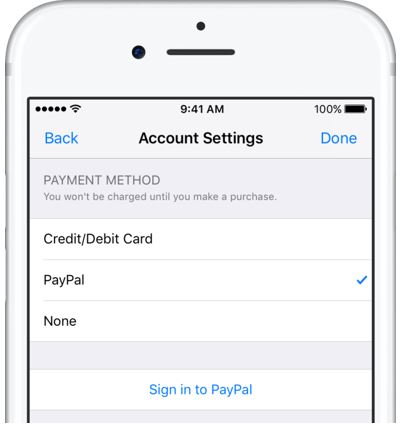
Adding PayPal as a payment method now works in the App Store, iTunes Store and iBooks Store apps for iPhone, iPad and iPod touch: just go to Settings → iTunes & App Stores, tap your Apple ID in the list and choose payment information to link PayPal with your Apple ID.

Previously, customers had to go through iTunes for Mac and Windows PCs to configure their Apple account for PayPal integration. Once PayPal has been selected, all future purchases with the customer's Apple ID will be automatically charged to their PayPal account, including:

Apps on App Store and Mac App Store Apple Music subscriptions Music, movies, TV shows, ringtones and more on iTunes Store Books on iBooks Store iCloud storage upgrades

As a bonus, the feature now supports PayPal's One Touch technology,

One Touch skips the PayPal login screen at checkout after the first use as long as you’re in the same device or browser. In other words, after buying something using your Apple ID from App Store and other stores, One Touch will skip the password field that PayPal normally requires.

More importantly, One Touch allows for simple purchasing from all Apple devices—including your Apple TV and Apple Watch for the first time—since you no longer need to provide your PayPal credentials for every purchase.

Both new and existing customers will be able to switch their account to use PayPal as the default method when the feature goes live in their market.

For more information on how to set up PayPal with your Apple ID account on your iOS device, visit paypal.com/ituneslaunch.

The best thing about using PayPal as a payment method on App Store and elsewhere is the fact that you can add credit cards to your PayPal account to use with your Apple ID without having to enter any financial details into your Apple ID account.

Apple celebrates America’s national parks with Apple Pay donations & Activity challenge

From July 1 through July 15, Apple is donating $1 to the National Park Foundation for every purchase made with Apple Pay at any Apple Store, on apple.com or through the Apple Store app for iPhone and iPad in the United States.

Apple Pay is accepted at select locations in some of the most popular national parks, from Yellowstone and Yosemite to the Grand Canyon and Muir Woods National Monument.

Proceeds will support the National Park Foundation’s mission to help protect and preserve national parks through conservation projects and other initiatives, as well as inspire the next generation of park enthusiasts with enriching youth programming.

According to CEO Tim Cook:

America’s national parks are an inspiration to us at Apple, and we know they are as important to many of our customers as they are to us. Our goal is to leave the world better than we found it, so this July we’re making it easier for anyone to help preserve the beauty of our natural, cultural and historical treasures.

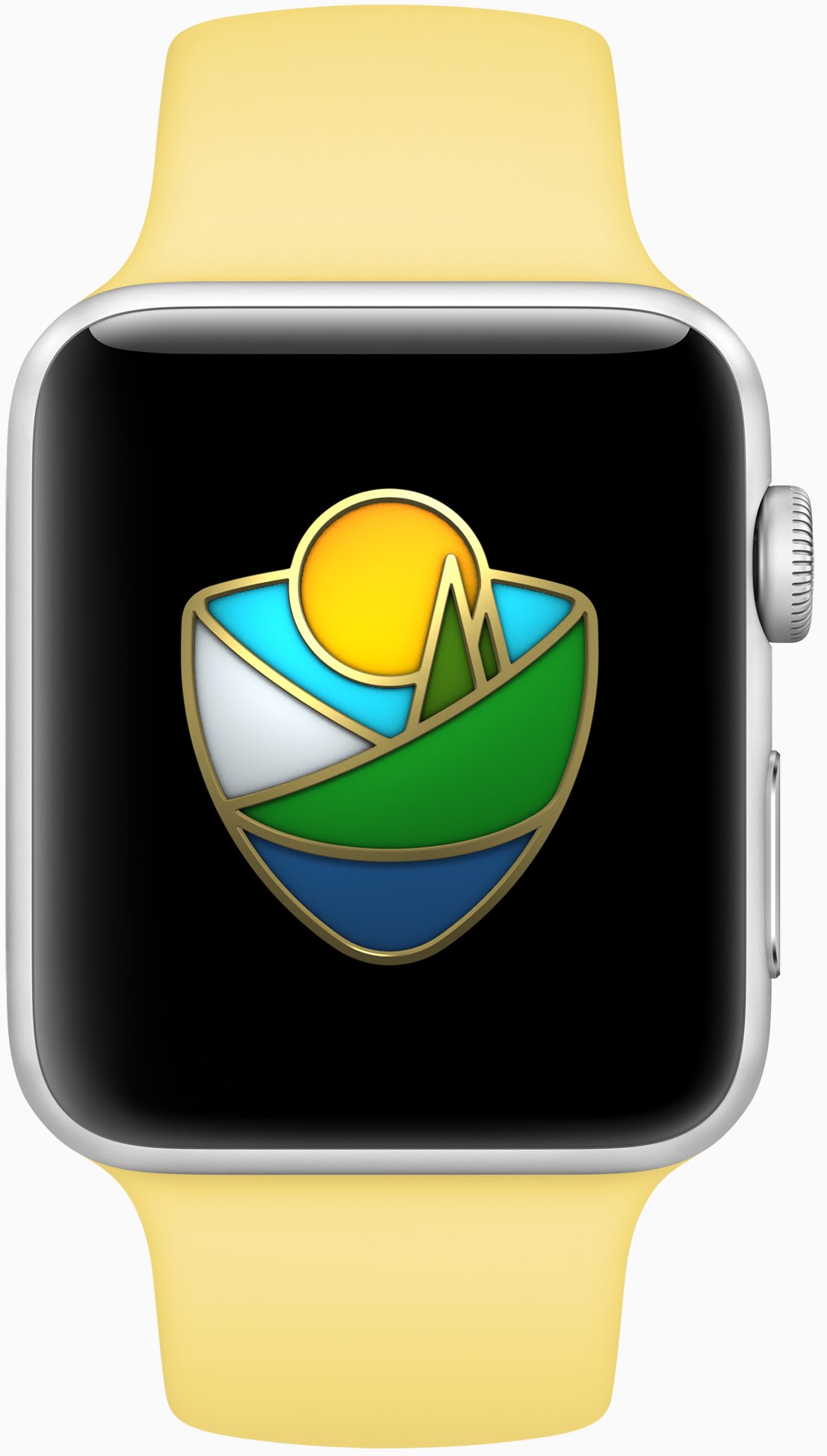
Apple Watch owners who complete a walk, run or wheelchair workout of 3.5 miles (about 5.6 kilometers) on July 15, which matches the length of a hike from Old Faithful to Mallard Lake in Yellowstone National Park, will earn a special badge in the Activity app and unique stickers in the Messages app for iPhone, inspired by national parks.

Apple adds that App Store will soon highlight a collection of “some of the best apps to help users easily navigate and explore the country’s most beautiful national parks.”

watchOS 3.2.3 beta 4 rolling out to developers

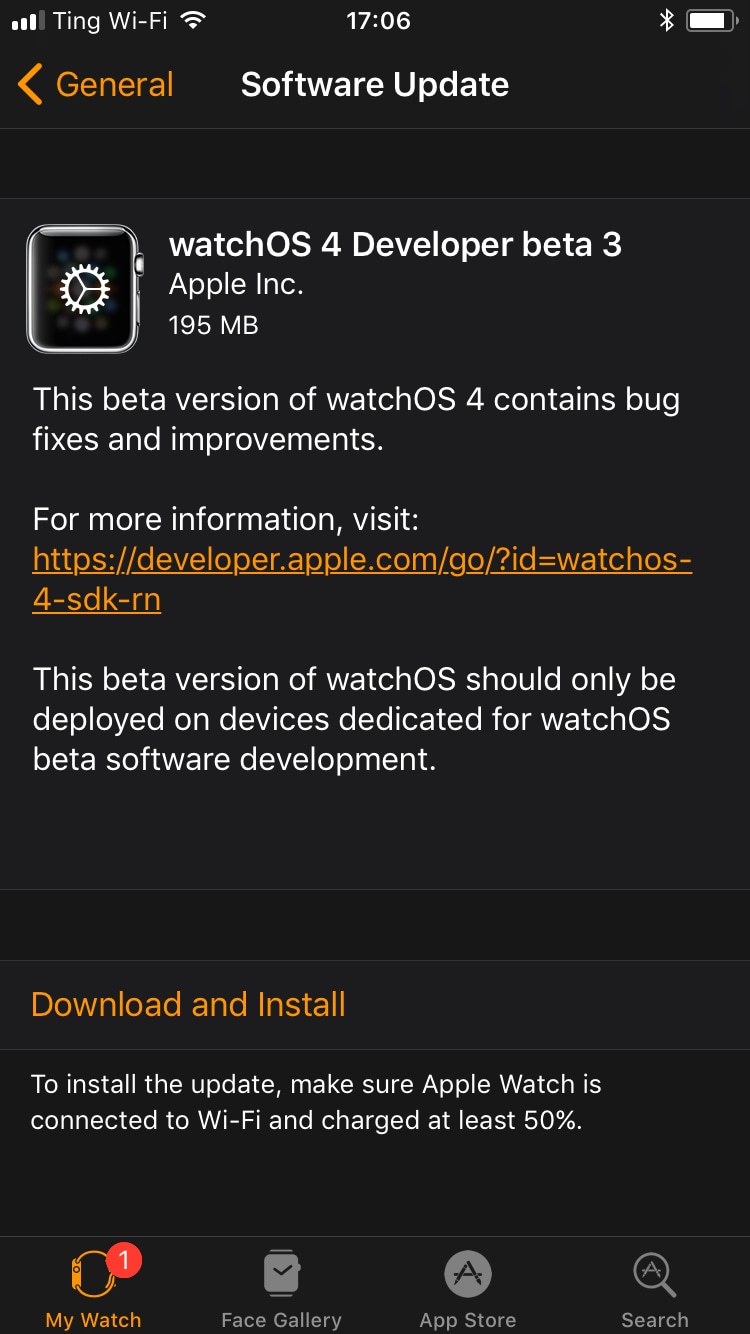
A fourth beta of watchOS 3.2.3 for Apple Watch is now rolling out to Apple's registered developers and members of the Apple Developer Program. Available as an over-the-air update via the Software Update mechanism in the companion Watch app on a paired iPhone, watchOS 3.2.3 beta 4 (build number 14V5751a) includes bug fixes and performance optimizations.

You Apple Watch must be in range of its paired iPhone, have 50 percent battery and be placed on its charger in order for the update to download and install. watchOS 4 betas are not available through the Apple Beta Software Program.

https://www.youtube.com/watch?v=lKt7h4SX_ME

Subscribe to iDownloadBlog on YouTube.

The new watchOS 3.2.3 beta follows iOS 10.3.3 beta 4 and tvOS 10.2.2 beta 4 which got seeded to developers on June 22. The prior watchOS 3.2.2 bug-fix software update released for public consumption more than a month ago.

watchOS 3.2.3, iOS 10.3.3 and tvOS 10.2.2 could be the last point updates before iOS 11, watchOS 4 and tvOS 11 arrive this fall. If you spot any noteworthy changes in watchOS 3.2.3 beta 4, leave a comment below and we'll update the article with new information.

Take notes on the fly with Apple Watch and SnipNotes

Since watchOS 4 is not poised to deliver all answers to some of our lofty demands, it is time to get serious about alternative solutions to replicating a Notes-esque experience on your wrist. And as though the people behind SnipNotes had known of Apple’s continuing blind spot all along, in late 2015 the app originally designed for iOS went out on a limb and added an Apple Watch extension to its core competencies. Since then, the note taking app has gone from strength to strength and, even if only philosophical at this point, provides a standard of note sharing between iPhone and Watch that Apple themselves could hardly topple.

Let’s get the major pitfall out there first: just like Apple’s (still fictitious) Notes app on watchOS would only correspond with the original Notes app on iPhone, SnipNotes too only works and syncs inside its very own cosmos.

Accordingly, if you want to create, share or store notes (including locations, images, links) on your wrist, you are going to have to embrace SnipNotes as your default gateway for note taking. If you weren’t expecting anything else great, nothing to see here. If you thought of SnipNotes as a third-party app to read and feed into your proprietary Apple Notes, unfortunately that is still off limits.

That’s about as far as (subjective) caveats go, and with that it is time to turn our focus to the glorious meat of the app.

Take notes, Apple!

SnipNotes earns its first brownie point right on launch. When activated, the app is going to ask for Touch ID authentication before breaking the seal to your data. This is not only a much appreciated safety net for when your nosy friend handles your iPhone, but generally gives most users peace of mind and a sense of privacy protection that Apple Notes is slowly getting whiff of as well.

The second brownie point is scored by an intuitive file system inside, consisting of multiple categories (such as Travel notes, Snapshots, etc.) which can all be edited, deleted or supplemented with the addition of new rubrics.

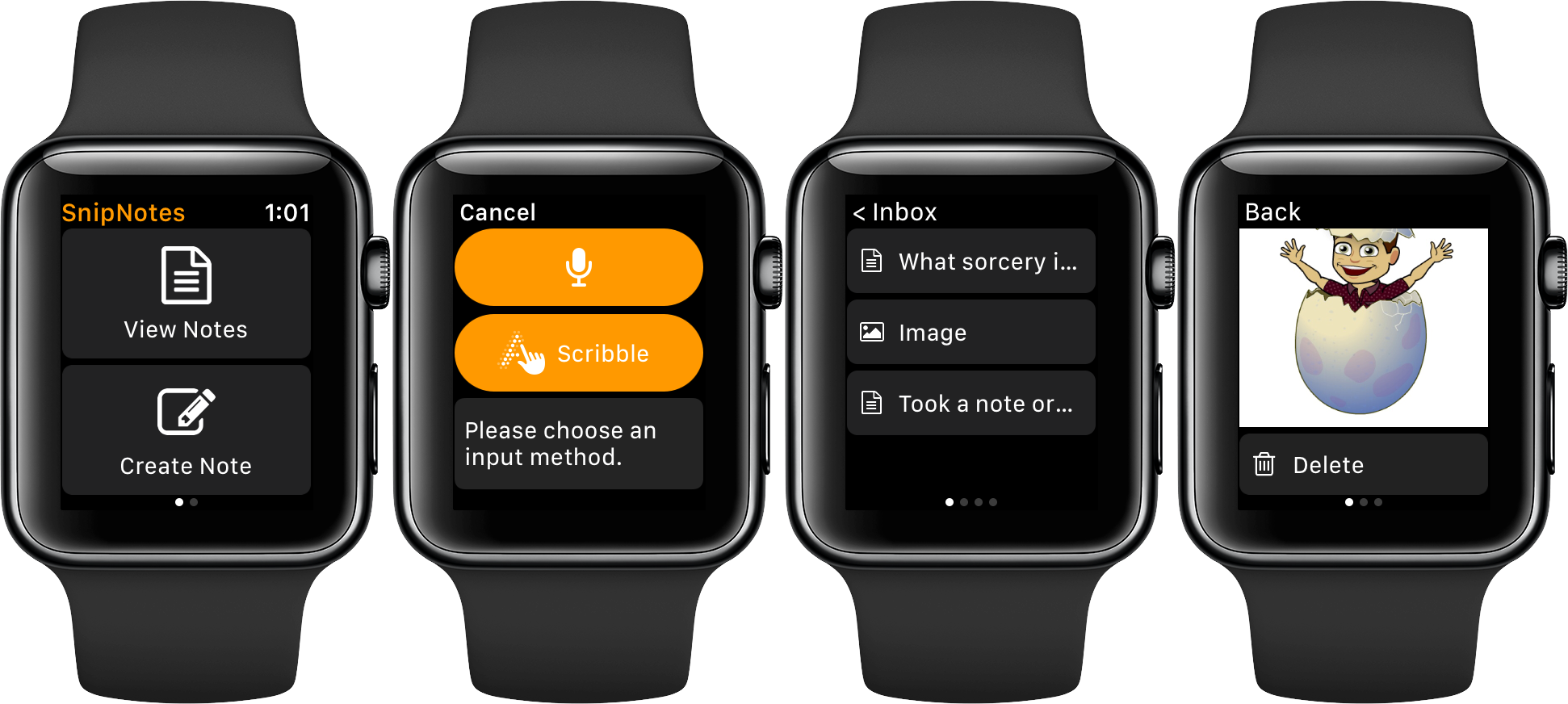
Brownie point number three - yes we’re keeping score - is conferred due to the fact that SnipNotes allows you to individually determine which categories sync their contents with your Apple Watch. It all starts with the ‘Inbox’, the overarching folder on both your devices, which functions as the initial collecting tank for new notes. From there, you can assign any file or note to a category, filter them or favorite notes to permanently pin them atop of your lists.

As for Apple Watch devotees, here's your lowdown: Notes can be created by way of voice input and Scribble. Neither might ever truly rival bigger screen note taking, however the ability to swiftly capture fleeting thoughts might be priceless to some. So talk to your wrist or jot down a few letters and before you know it, the note will be seamlessly relayed to your iPhone.

Conversely, SnipNotes on iPhone can be a great agent to storing pictures or screenshots on Apple Watch, since the app's category structure enables a folder like organization of your images. This little detail can't be stressed enough, because frankly, to this day, Photos on Apple Watch is egregiously half baked. That’s four out of five brownie points.

Suffice it to say that there is a whole lot more to discover, especially for advanced users, such as clipboard-to-note shortcuts and smart widgets. SnipNotes has clearly not spared any expenses to ultimately please every type of user, which is admirable in its intent but can sometimes produce an air of clutter to the untrained eye.

If you’re curious or in need of a notes app for your wrist, iPhone or iPad, grab SnipNotes for $0.99 on the App Store today.

The best iPhone apps for tracking steps

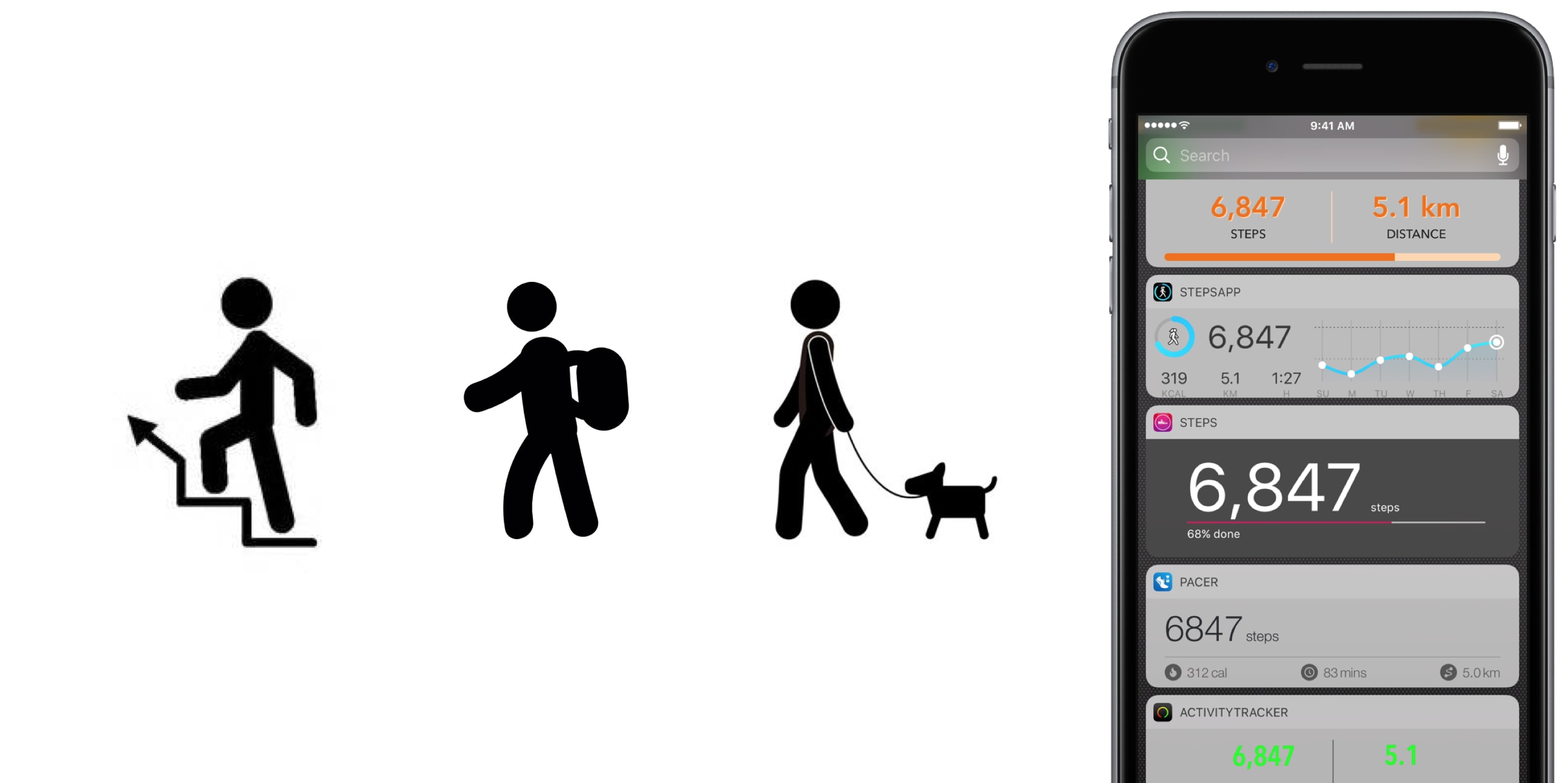
No matter the extend, or amount of joy we derive from it, until anti-gravity boots have been invented and immobilized humanity once and for all, we all have to walk. To work, from work, to run errands, to take the dog to the park, to pick up the kids, to the pub on weekends. Sometimes home on all fours after that. But it is also a loved activity for those seeking a healthy lifestyle or regular exercise. In any event, with your iPhone in the pocket, it is easier than ever to record, visualize, or even gamify your endeavors.

To do justice to the wide array of step trackers available, we have parsed the App Store with the aim to only pick apps standing out for at least one unique quality. The result is - hopefully - a small but diverse sample of the best step tracker apps that is representative of the larger flock of step counters, some of which you might argue should or should not have been included based on merit, features or simply personal allegiance.

If that’s the case, as always do let us and your fellow readers know in the comments. And now, without further ado, let’s get into our list of the best pedometer apps!

The best pedometer apps Activity Tracker

We’re starting at the proverbial shallow end with Activity Tracker, meaning an app not too complex with respect to stats and analytics. Instead of drowning the user in numbers and tabs, Activity Tracker is a great candidate for those appreciating aesthetics and simplicity. A the same time, it manages to smartly condense the most important information about your activity and hide it in plain sight.

Activity Tracker records and presents your daily steps in a very familiar activity ring fashion, in addition logs flights, time, distance and also calories burnt, a giveaway other apps will already demand you go premium for. Moreover, the app icon badge can display your daily number of steps and a reasonable widget is being offered as well, certainly not the best among the pack but a nice to have all the same.

Finally, Apple Watch users are likely to appreciate the wrist implementation of Activity Tracker, as it bundles all the important information (steps, kcal, miles) in one quick glance. For more stats (hourly, monthly) and complete HealthKit integration you’ll have to upgrade to premium for $4.99. Either way, the basic app is a solid place to start your step counting journey.

• Device support: iPhone, Apple Watch • Widget: Yes (Steps, Miles) • Notable features: app icon badge, weekly goals, calories • Cost: free ($4.99 premium)

Pacer

Pacer’s full name - Pacer: Pedometer plus weight loss and BMI tracker - more aptly encompasses the allrounder that this app really is. To its credit, it somehow manages to not stretch itself too thinly taking on step counting, weight monitoring, personal coaching, but also social challenges and group forums. Yet on the flip side, it can for sure be a little overwhelming to those seeking out a straightforward pedometer.

To flesh it out briefly, the free app boasts a regular step counter comprising steps, flights, distance and plenty of graphs (for both portrait and landscape orientation). More exclusively to Pacer, it also features stats for weight, BMI & blood pressure. Refreshingly, Pacer houses a free community of user groups, which can be joined for discussions and the hunt for shared goals. Public events can be attended as well, boosting morale as you sure don’t want to sit at the bottom of the participant's list.

Pacer offers a subscription based Pro service (at $3.99 per month) that covers a plethora of goodies such as a personal coach for exercise plans and weight loss, guided challenges, plus more personal stats. And as you would expect from a jack-of-all-trades app like Pacer, it packages a potent Apple Watch companion as well.

• Device support: iPhone, Apple Watch • Widget: Yes (Steps, Cals, Time, Distance) • Notable features: calories, public events, groups  • Cost: free ($3.99 a month)

Pedometer++

Pedometer++ dates back all the way to 2013 and the release of Apple’s M7 motion coprocessor. Back then, it spearheaded the new movement and was among the first apps to embrace the freshly-fitted piece of hardware. Because of that pedigree alone, we’d be remiss to ignore the application. Besides, it’s the only app (next to StepsApp) to equip you with a nifty iMessage chat extension for friendly banter between you and your friends.

Outside of that, Pedometer++ is a straight shooter, only asking for a daily step goal and taking over from there. Perhaps its biggest strength is the UI, managing to boil down all the information (steps, floors, distance, a color chart) of the tracker in one single page, all the while retaining a clean look. As a result, there is no learning curve with this tracker, no hidden gestures or buttons, no fear of missing out. Via settings, Pedometer++ can also make use of the app icon badge to display the current step count. In addition, the app earns its stripes through accessibility features such as a wheelchair mode and a switch for rest days.

In closing, Pedometer++ can be stripped off its ads for a small tip of $0.99, plus comes in conjunction with an Apple Watch app capable of timing and recording your walks.

• Device support: iPhone, Apple Watch • Widget: Yes (Steps, Miles, Floors) • Notable features: app icon badge, daily goals, wheelchair mode, rest days • Cost: free

Stepz

Stepz most distinguishing feature is not its atrociously spelled name, but an emphasis on social and trophy hunting. The app has dedicated tabs for Achievements and Friends, each making clear where priorities lay during the development of Stepz. Fortunately, that gamble has paid dividends, as scoring and sharing achievements like ‘You have walked the length of the London Underground’ is actually a playful source of motivation.

At the same time, Stepz has been mindful with the implementation and ensured it doesn’t bleed into the core step tracking functions. The latter performs slightly above average amongst all apps featured, with rich and informative data, detailed graphs and an outstanding history tab for everything ever archived on your iPhone. To make sure they leave no stone unturned, an app badge switch and Lock screen widget (Steps & Distance) have been thrown into the bargain as well.

Suffice it to say that the dev team has done their homework on watchOS too, which for all intents and purposes wraps up the package nicely. For $0.99, you get to wipe the interface clean and remove all ads.

• Device support: iPhone, Apple Watch • Widget: Yes (Steps, Miles, Progress) • Notable features: app icon badge, daily goals, calories, achievements badges, friends • Cost: free ($0.99 premium)

Steps

Steps not only beats Stepz to its grammatically sound name, but also broaches the concept of a step counter from an entirely different angle. Essentially, Steps is the cleanest, least pompous pedometer in our line up, so much so that the entire display can be reduced to a single number (your step count).

Under its surface, one tap will reveal distance and time travelled, a swipe up invokes a brief history of the previous three days, while a swipe to the left is utilized to set a daily steps goal. Believe me that we are not trying to shortchange the app, but with the exception of a daily update notification, this is practically it. And that’s precisely the sales pitch.

If you grow fond of the slim step counter, for $1.99 Steps complements its service with a calories tracker.

• Device support: iPhone • Widget: Yes (Steps, Progress) • Notable features: daily goals • Cost: free ($1.99 premium)

StepsApp

StepsApp will tickle your fancy for various reasons, most likely though because of its breadth of customization abilities, especially with regard to your daily goals and notifications along the way. To give you an idea, you can flick on or off notifications for steps, calories, distance, time, weekly reports and an app icon badge. It additionally boasts the option to alter colors inside the app (limited until you go premium), which even redesigns the app's look on your iPhone's Home screen. Nice little touch there, StepsApp.

That is just the tip of the iceberg though, and the foundation is equally solid: the app sports a beautiful interface including a monthly calendar view akin to Apple’s own activity app calendar, interesting diagrams and submits one of the best widgets on iPhone any app in this roundup has to offer.

What’s more is that on Apple Watch, StepsApp's prowess (i.e. amount of data and breakdowns) comes close to rivalling Apple’s proprietary activity and exercise app, so much so that it can serve as a fully fledged outdoor GPS tracking device for walking and running. For $2.99, even more customization, Apple Health integration, and Apple Watch complications await.

• Device support: iPhone, Apple Watch • Widget: Yes (Steps, Miles, kcal, Time, Graph) • Notable features: app icon badge, various daily & weekly goals, app customization, calories, GPS tracking • Cost: free ($2.99 premium)

Step Counter

Step Counter arguably tries to accomplish a little less at once, albeit rocking a design quirky enough to have earned a spot in our list. Unlike the majority of step trackers, Step Counter asks you to select a character and matching attire first, presuming that a personalized avatar is going to funnel extra inspiration and ultimately motivation.

Once completed, the app emulates a fairly plain step counter sans notable bells and whistles. Such being the case, you will get steps and distance measurements, plus gratis hourly breakdowns. Furthermore, step, calories and distance goals can be adjusted and notifications hooked up to help you meet them as you go. Contrary to what some freemium apps at first skimp on, Step Counter is fully integrated into HealthKit from the get-go.

Conversely, they too are guilty of holding back some items to sway you in the direction of the $1.99 in-app upgrade, most pertinently calories analytics and personalized goals. Irrespective of redeeming the entry ticket or not, Step counter does not come with an Apple Watch application or a tailor-made widget for your iPhone.

• Device support: iPhone • Widget: No • Notable features: personal avatar, hourly breakdowns  steps and distance • Cost: free ($1.99 premium)

Honorable Mention

Wokamon 

Before we draw the curtain on this, one final app for you to consider goes by the name of Wokamon. If the success of Pokemon Go has proven anything last year, it would be that above all else, gamifying walks is going to get certain people off the couch. If you are guilty of the need for instant gratification, Wokamon could be the one app closest to a regular step tracker appealing to you. Start by walking to hatch an egg, subsequently keep logging steps to grow and foster your digital pet. Wokamon even features a weekly breakdown of your steps, so by any standards it sure is a pedometer, if slightly whacky at that.

• Cost: free (in-app purchases)

Conclusion

It is easy to get lost in the vast ocean of pedometers out there, and in the likely event that you bank on an application not featured in our roundup, as mentioned earlier, don't hesitate to fill us in!

Apart from that, the time has come to download one of the iPhone apps for tracking steps above, put on some walkable shoes and rediscover the joys of the great outdoors!

Hands-on with beautifully animated Toy Story faces in watchOS 4

Aside from bringing more intelligence and fitness features to Apple Watch, the new watchOS 4 software includes a bunch of beautifully animated Toy Story faces. Not unlike the existing Mickey and Minnie Mouse watch faces, the Toy Story ones bring to life popular Pixar characters including Woody, Jessie, Buzz Lightyear, Ham, Rex and Bullseye.

Our own Andrew O'Hara did a quick video showing off almost all the character animations available in the new Toy Story watch faces in watchOS 4, including additional customizations.

Give the video a quick watch, then meet us in comments.

https://www.youtube.com/watch?v=NuEuxD9AJ7I

watchOS 4 packs in other new watch faces.

Kaleidoscope, for instance, turns static images into mesmerizing patterns and the new Siri watch face uses artificial intelligence and machine learning to display the information users need most throughout the day.

ROUNDUP: 60+ new features in watchOS 4

Plus, you have new complications for your watch faces, including Now Playing and Apple News.

These new watch faces, complications and other features all require watchOS 4, a free upgrade for all Apple Watch users later this year.

Are you excited for the new Toy Story-themdd faces for your Apple Watch? Share in the comments section below!

Apple seeds watchOS 4 beta 2 to developers

In addition to macOS High Sierra and iOS 11, Apple on Wednesday seeded the second beta of watchOS 4 to developers. Developers running the watchOS 4 beta can upgrade to beta 2 via the Watch app on iPhone.

Introduced earlier this month, watchOS 4 includes several new features and improvements such as new watch faces, a new list-style Home screen, an all-new Music app, new gestures and quick compose in Mail, and more.

https://www.youtube.com/watch?v=BcB0H_b43dg

Subscribe to iDB on YouTube

Here are the release notes for beta 2:

General

Resolved Issues

• The Toy Story watch faces are now available. Toy Story is copyright © Disney/Pixar.

Apple Pay

Known Issues • When attempting to add multiple cards during the pairing process, only the last added card will be properly provisioned. (32624044)

Workaround: Once pairing is complete, go to the Watch app on iPhone and remove previously added cards. Once removed, re-add additional cards as desired.

Breathe

Resolved Issues

• Breathe notification preferences are now respected. (32298347)

CloudKit

Known Issues

CloudKit does not support unsigned long long values with the high-order bit set. (30567424) ApplicationsthatuseCKModifyRecordsOperationshouldspecifyanappropriate value for CKModifyRecordsOperation.isAtomic. If your client is compiled against watchOS 4, operations enqueued against the default CKRecordZone have new behavior because atomic is true by default. If the operation hits a “preflight” failure (most commonly, a network issue uploading a CKAsset, or a malformed CKRecord), the entire operation is canceled. (30838858)Core MediaResolved Issues

• Haptics now play for frontmost apps. (32139107)

Dictation

Known Issues

• Some languages are not available for Dictation on watchOS, including the newly released Shanghainese dictation. (32235495)

Foundation

New Features AddedaschedulingAPItoURLSessionTaskthatallowsbackgroundURLSession clients to schedule tasks in the future, enabling easy background app refresh semantics for apps, watchOS complications, and more. The API also allows developers to update requests before transmission to address cases where the request has become stale when scheduled in the future. Additions include the earliestBeginDate, countOfBytesClientExpectsToSend, and countOfBytesClientExpectsToReceive properties of URSessionTask, and the URLSession:task:willBeginDelayedRequest:completionHandler method of URLSessionTaskDelegate protocol. (27866330) URLSessionTask adopts the ProgressReporting protocol providing a consistent mechanism for URLSession clients to track the progress of URLSessionTask using the new progress property. (30834550) AddedanAdaptableConnectivityAPItoURLSessionthatenablestaskstoautomatically monitor and wait for satisfactory network connectivity, instead of immediately failing with an error when connectivity is unsatisfactory. Additions include the waitsForConnectivity property of URLSessionConfiguration and the URLSession:taskIsWaitingForConnectivity: method of the URLSessionTaskDelegate protocol.

• Added support for HTTP brotli content encoding to URLSession. By defaueslt, HTTP requests contain a br value (in addition to gzip and deflate) for the Accept-Encoding HTTP header, informing the web server that the user agent supports brotli encoding. The web server can send an HTTP body with Content-Encoding: br in the HTTP header to indicate that the content is brotli-encoded. URLSession automatically decompresses the HTTP body data and pass the decoded data back to the client in the same way it does for Content-Encoding: gzip. For binary compatibility reasons, URLSession brotli support is enabled only for apps built using the watchOS 4 SDK. (27724985)

HealthKit

Resolved Issues

Pressing the Side Button and Digital Crown pauses an active workout session even if the the app is not in the foreground. (30199786) Attempting to finish a workout route when no location data is inserted no longer throws an exception. (32307523)Known Issues• To track location in the background while a user is in a workout session, add UIBackgroundModes/location in the Info.plist file. (29483437)

HomeKit

Resolved Issues

• Location-based automation triggers now work if triggered from the alert on Apple Watch. (32288709)

Messages

Known Issues

• Messages may fail to send when responding to Activity notifications. (32294875)

Music

Resolved Issues

• Music tracks now play from and sync to Apple Watch. (32314271)

Known Issues Apple Watch must be on its charger for Music tracks to sync. (31818127) Deleting a playlist or album in the Apple Watch app will cause the app to crash and your selection will remain on your Apple Watch. (32624529) Love and Dislike options are missing for locally synced music on Apple Watch. (30845293)

Phone

New Issues

• Phone calls using Apple Watch that exceed 30 seconds may fail. (32659453)

Pairing

Known Issues

Backups only trigger when the user unpairs their watch. If the user erases their iOS 11 iPhone without unpairing their watch first, there will not be a backup to restore. (32358338)Workaround: Before erasing iPhone, go to the Watch app, choose My Watch, and unpair your Apple Watch. Alarms are lost when migrating to watchOS 4. (31285349)SettingsResolved Issues In Settings > Bluetooth, additional devices such as the paired iPhone no longer show as Not Connected. (32314078) Permissions on Apple Watch are now reset when a user resets location and privacy using Settings > General > Reset > Reset Location & Privacy on iPhone. (32393123)SiriKnown Issues

• Siri requests may fail in the iOS and watchOS simulators. (31971229)

• Siri may not play music that has been synced to Apple Watch. (31964674)

SiriKit

Resolved Issues

• SiriKit requests no longer fail with a “Sorry I can’t do that” error. (32305639) • watchOS apps from TestFlight or the App Store now work with SiriKit. (32387616) • SiriKit requests on watchOS no longer fail with a Continue in App error. (32355820)

WatchKit

Resolved Issues Anon-autoplayingWKInterfaceInlineMovienowworks.(32168160) WKInterfaceInlineMovie objects now pause when moving an app to thebackground. (31872332)Known Issues

• Automatic display of attachments in default WatchKit Notification interfaces do not work. (31589086)

Workout

Known Issues

You may experience inaccurate distance measurements for Pool Swim workouts. (32816933) Pressing the Side Button and Digital Crown pauses an active workout session even if the app is not in the foreground. (30199786) Workout sessions may be slow to start and they may fail to update with calorie and distance measurements. (32313252)Workaround: Call HKWorkoutRouteBuilder finishRouteWithWorkout:Metadata: only when some location data has been inserted to the builder.Xcode

Resolved Issues

• Building and running a Watch app from Xcode your app now installs, launches, and attaches. (32180669)

Known Issues

• Crashlogs may take a few minutes to sync and be visible in Xcode. (31156191)

Canada’s largest sport retailer is now selling Apple Watch

In what may be the first sport chain retailer to sell Apple Watch, Canada's Sport Check stores are now selling Apple Watch. Sport Check files as the country's largest sport retailer.

As first noted by PatentlyApple, the Apple Watch listing over at the official Sport Check website now has the latest Apple Watch Series 2 and Apple Watch Nike+ models on sale, in addition to the previous-generation Apple Watch hardware.

The new Sport Chek ads for Apple Watch began hitting the market last week.

It would seem that selling Apple Watch through specialized sport retailers may be a new thing. At any rate, we'll keep you informed if the Cupertino company expands this latest initiative to sport retail chains elsewhere.