How to Access Your Apple TV’s File System With CyberDuck

Yesterday we showed you folks how to SSH into your jailbroken Apple TV2 through your desktop OS' command line prompt. Today we are going to show you how to create a connection with your hacked Apple TV2 in a much more user friendly way.

All you need is CyberDuck for Mac or Windows, and your Apple TV's IP Address. Of course you'll also need a jailbroken Apple TV2, and both it and your computer must be on the same Wi-Fi network. For those new to the game, you can find your IP in your Apple TV2's main menu, Settings > General > Network > IP Address.

Once CyberDuck is done downloading, fire it up. Your going to want to choose to create a new connection.

From the drop down menu, select SFTP. In the Server field type your IP Address that we had you get earlier.

In the Username section type root and for the password, type alpine.

Then just click Connect.

You should now be looking at your Apple TV's root directory. Besides the ability to view your ATV2's folder sub system, you also have write privileges. This is one way to install Plex or Firecore's ATV Flash.

Any questions?

Steve Wozniak Shares Insight on Tablet Revolution

The man who co-founded Apple still spends his days giving his opinions to high profile people. He is still on Apple's Board of Directors, and is listed on their payroll, so trust me when I say he's not out of the loop.

The genius credited with building the first Apple computer was asked his opinion on the new era of computing last weekend. During a keynote session at Storage Networking World in Santa Clara last week, Wozniak was asked how tablets would revolutionize the industry.

"The tablet is not necessarily for the people in this room,"

He told the audience of engineers.

"It's for the normal people in the world. I think Steve Jobs had that intention from the day we started Apple, but it was just hard to get there, because we had to go through a lot of steps where you connected things, and eventually computers grew up to where they could do... normal consumer appliance things."

Wozniak's remarks seem to be extremely in line (obviously) with what Apple has been saying all along, especially since the introduction of the iPad. Apple's goal hasn't ever been to be the fastest or have the highest tech specs.

They want to make products that appeal to the average consumer because there are so many more of them than there are people that care about the number of processors in a product.

Although the touch interface is quite nice on a tablet, it makes typing lengthy emails or putting together extensive spreadsheets tedious chores. The iPad is built for web browsing and viewing media content, things a normal person would do frequently. Thanks Steve for clarifying that for everyone, Motorola and company need to be taking notes!

What do you think? Is the tablet-PC meant more for normal people?

[Macworld]

App Picks of the Week: NoSpot, Grades, Witness

Every week, we select a few apps that catch our eye. These apps can be from the App Store, web apps, or jailbreak apps.

This week, we have a nifty jailbreak tweak for disabling Spotlight, an App Store app, and another iOS companion app for the Mac. Hope you enjoy this week's picks!

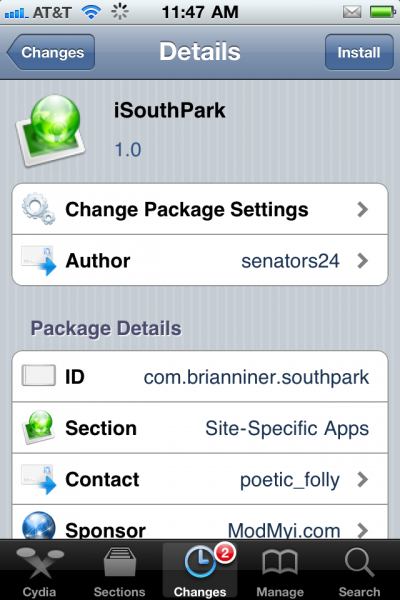
Watch Every SouthPark Episode for Free on Your iPhone

One of the major advantages to owning an iPhone is all of the access to free content. Apps like TV.com, WatchESPN, and others allow you to watch popular media for free on your iPhone, as long as you have an internet connection.

For all of you jailbroken users, I have another app for you that will fill the need to watch free content on your iDevice. Its name is iSouthPark and it claims to allow you to watch all 209 episodes of the popular South Park cartoon on your iPhone for free. It certainly sounds enticing, but how does this work?

Does Apple Need to Upgrade the iPhone’s Text Input Options?

I think most of us would agree that the iPhone keyboard is one of the best soft touch keyboards around. The keys are very responsive and touches are accurate. I also think Apple could stand to modernize a bit. Though their standard keyboard is great, they are falling behind the times when it comes to alternative text input.

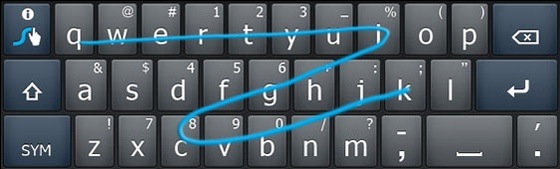
While many of Google's Android handsets come with options like Swype preinstalled, Apple customers are left sitting on the bank throwing rocks. Those who have played with Swype know what I'm talking about, the concept is amazing. You just draw a line with your finger from letter to letter of the word you want to type on the virtual keyboard...

Apple Releases the iBoy

They've finally done it! After years of speculation, and months of anticipation, Apple has finally released the iBoy!

This video shows the complete unboxing of Apple's latest iOS device, and believe it or not, it's capable of doing a lot more than your iPhone 4.

Among other things, the iBoy can pout, cry, sing, laugh, and dance.

Okay, so it's just a parody from an Israeli television show, but I found it to be quite humorous...

Apple Snags Major Gaming PR Executives

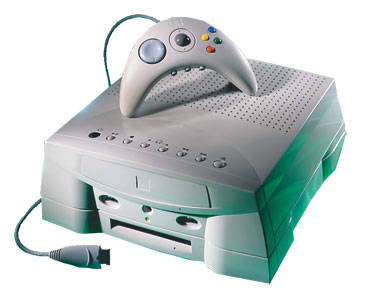
It's no secret that Apple sees their iPhone and iPod touch products as gaming devices. Their unique combination of power and portability make them serious contenders in the handheld gaming market. But if you remember back to last fall, major console heavy weight Sony took some shots at Apple in a marketing campaign.

The popular TV ad referred to an iPhone-like device as "not built for big boy games." Well it looks as though Apple is planning something for the gaming community to put some points back up on the board. MCV, an overseas gaming site, reported yesterday that Apple has hired 2 high profile PR executives from the gaming community...

Top 10 iPhone News You Might Have Missed This Week

This is a summary of the most popular articles published on iDB and our sister, ziPadBlog, this past week.

Please make sure to spread our iPhone wisdom by sharing our posts on Twitter and Facebook.

Dev Team releases jailbreak for iOS 4.3.1 Jailbreak iPhone 4.3.1 How to update to 4.3.1 while preserving baseband 01.59.00 Certain jailbreak apps not compatible with 4.3.1 Man makes $50,000 jailbreaking iPhones Easily add multitouch gestures to iPhone 4.3.1 Tutorial: jailbreak iPhone 4.3.1 with RedSn0w Tutorial: jailbreak iPhone 4.3.1 with PwnageTool

From our sister iPad Blog, ziPadBlog.com:

First iPad 2 commercial Dev Team releases jailbreak for iPad 4.3.1 Guide: jailbreak iPad 4.3.1 with redsn0w Guide: jailbreak iPad 4.3.1 with PwnageTool Top 5 reasons to jailbreak your iPad Apple admits problem with Verizon iPad iPad 2 jailbreak to be released soon

How to Unlock iPhone 4.3.1

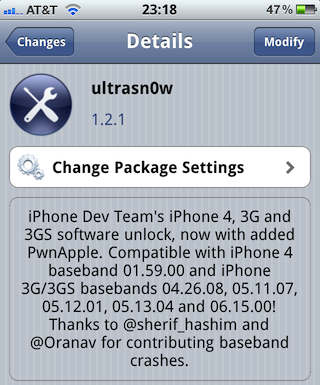
The Dev Team just released their unlock for iPhone 4.3.1. This updated version of ultrasn0w brings support for the iPhone 3Gs and the iPhone 4 that are exclusively using these basebands: 01.59.00, 04.26.08, 05.11.07, 05.12.01, 05.13.04, and 06.15.00.

In this post, we'll guide you into unlocking your iPhone 3GS or iPhone 4 on any of the above basebands, and running the latest iOS 4.3.1...

Dev Team Releases UltraSn0w iPhone Unlock for iOS 4.3.1

As expected the Dev Team released tonight an updated version of their UltraSn0w unlock for iPhone 4.3.1. As we noted before, this version of UltraSn0w will not unlock any new baseband. UltraSn0w 1.2.1 will unlock the iPhone 3GS or iPhone 4 on baseband 01.59.00, 04.26.08, 05.11.07, 05.12.01, 05.13.04, and 06.15.00.

If you are on any of these basebands, you can update to iOS 4.3.1 while preserving your baseband using PwnageTool. If your baseband is different from the one listed above, I'm afraid there is no unlock for you at this time...

How to SSH into Your Jailbroken Apple TV2 to Install Apps

If you have recently jailbroken your Apple TV2 for the first time, you might find yourself wondering what to do next. Sure the default NitoTV is cool, but there's only so much you can do with it.

If you are seriously looking to venture into the world of Apple TV hacking, you might want to pay attention. One of the best ways to access your Apple TV and install files is through SSH. This is just basically a secure connection between 2 devices.

In this case it is between your computer and your Apple TV2. OpenSSH, written by Saurik is installed during the jailbreak process. This is what allows your Apple TV to make a connection with your computer.

I'm on a Mac but I assume it is basically the same process for Windows users with its command line prompt app. Mac users open spotlight and type in Terminal. Once open you want to enter the following:

ssh root@192.168.x.x

Obviously you want to fill in the x's with your Apple TV2 IP address. To find it, just open the main Apple TV menu and go to Settings > General > Network > IP address.

Don't get discouraged if you don't get it right away, it took me a few minutes before I finally got prompted for a password. Also you must make sure you are on the same Wi-Fi network as your Apple TV.

The default Apple password is alpine, like on all of their other iOS devices.  Type it in and hit enter. You should now see Apple-TV:~root# which means you have write access to Apple TV's hard disk.

For an example I will give you the commands to install XBMC on your AppleTV2 which is a popular home theatre PC software.

echo "deb http://mirrors.xbmc.org/apt/atv2 ./" > /etc/apt/sources.list.d/xbmc.list

apt-get update

apt-get install org.xbmc.xbmc-atv2

After the last line is entered, you should see some code scrolling across your Apple TV2 and your machine will restart. After it reboots, you should see XBMC in your Apple TV Main Menu. You have successfully SSH'd into your Apple TV!

Any questions?

iPad 2 Jailbreak Release Coming Soon!

If you have jailbroken your iDevice before, you should recognize the name Chronic Dev. Much like the notorious iPhone Dev Team, Chronic Dev plays a large part in the jailbreaking community.

Their software, GreenPois0n, made jailbreaking as easy as plugging in your device to a computer.

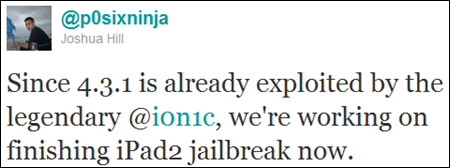
Although they've been relatively quiet lately, it appears they plan to come back in a big way. Chronic Dev team member Joshua Hill, aka @p0sixninja, mentioned on Twitter yesterday that his team was focused on finishing their iPad 2 jailbreak.

Since a jailbreaking solution has yet to become available for the iPad 2, this is pretty big news. The 4.3.1 exploit released last Sunday by the Dev Team does not work on Apple's latest tablet, and there has been no word from Comex on his current progress.

When will the iPad 2 jailbreak be finished? @p0sixninja tells a Twitter follower that they are in early stages, and jokes that progress depends on which way the winds blowing. Since he uses the word "finishing" in his early Tweet, I have to assume he was just kidding.

Tech site Redmond Pie believes the iPad 2 jailbreak will be packaged in with the new version of GreenPois0n, which is expected to be released soon and work on all iDevices.

Keep checking back and we will keep you updated on the latest iPad 2 jailbreak news.

Anyone dying to jailbreak their iPad 2?