G-Form Extreme Sleeve Protects iPad From Airplane Drop

So you've got yourself a nice new iPad 2, what do you do next? While some folks moan at the mention of accessories, others couldn't live with out them. I've got a protective case on both my iPad and my iPhone 4.

I've dropped either device multiple times, and can't imagine what the outcome would have been, had they not been protected. You may not need a car charger, but I always recommend some sort of case.

Some users only need light protection, like an InvisibleShield. There is a lot to be said for the thin, scratch-proof protection of the Zagg product. But what if you need more protection than just a thin layer of plastic?

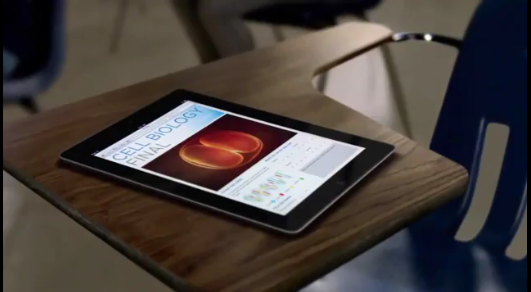
While there are dozens of heavy duty cases and sleeves, none of them can take a beating like the Extreme Sleeve for the iPad. We've seen the prototype soft-shell sleeve protect an iPad from an 8lb bowling ball, but the guys over at G-Form couldn't stop there.

Today they uploaded a video of their Extreme Sleeve's latest feat, which involves a 500 ft. drop out of an airplane. You've got to watch the video for yourself, I can't believe the iPad survives the drop.

http://www.youtube.com/watch?v=rKNdknJI53Q

The company most known for their line of extreme sports protective gear, is venturing into the consumer electronics accessory game with this soft-shell sleeve for the iPad. Although not currently available, they are accepting pre-orders and expect to start shipping May 2nd.

What do you think? What's your heavy-duty case of choice?

Steve Jobs: Apple Doesn’t Track iPhone Users

The media has been firing on all cylinders about the public uncovering of the iPhone's shady location database file. Speculation has been that Apple and/or network carriers are intentionally tracking the coordinates of iPhone users through the device's Location Services.

Experts on the issue have deemed the location database non-threatening, legal, and most likely a simple mistake on Apple's end. If you want anymore clarification, Steve Jobs himself has shed some light on this issue, calling it "false."

The State of Mobile Apps [Infographic]

Ever since Apple introduced the App Store in 2008, the world of mobile applications has never been the same. The App Store created the status quo for other mobile app marketplaces to replicate.

Years later, it's interesting to see The State of the Mobile App World. What are the top app platforms? Top mobile devices? How does the iPhone and the App Store play into these numbers?

Check out this infographic...

Leaked T-Mobile iPhone Could Be iPhone 4S with A5 Chip

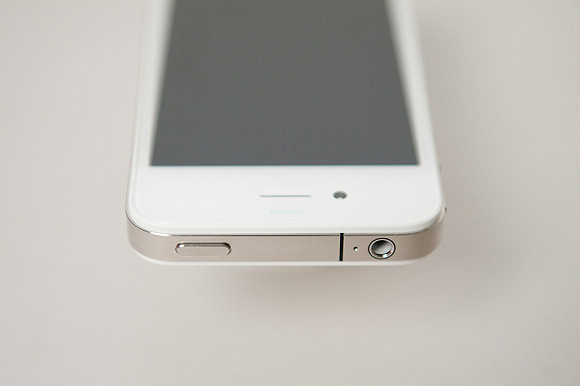
The white iPhone 4 certainly seems to be coming this week. Mounds of evidence point to an April 27th launch date for the infamous Apple smartphone, including Best Buy inventory screenshots and even leaked photos of a T-Mobile branded white iPhone 4.

Or was it an iPhone 4? More details have come to light about the mysterious device that appeared on BGR's website yesterday. The phone looked very similar to a white iPhone 4, but appeared to be running on T-Mobile's network. Apparently its color and carrier weren't the only things that made this device unique...

The State of the iOS 4.3.2 Jailbreak

There are now several ways to jailbreak your iPhone running iOS 4.3.2. RedSn0w, PwnageTool, and Sn0wBreeze will all jailbreak the iPhone on 4.3.2.

4.3.2 hasn't been out for that long, but i0n1c's untethered exploit has already been implemented into three of the most popular jailbreak tools.

Cydia Finally Back Online

Cydia is finally back online! Literally, after 86 hours of downtime due to Amazon's EC2 outage, Cydia is up and running.

Cydia's founder, saurik (aka Jay Freeman), announced the good news via Twitter. You will now be able to proceed with regular Cydia operations, such as purchasing packages, use of the Theme Center, and managing your Cydia accounts... 

Cydia Operating “Below Capacity,” Saurik Updates Homepage with News about Amazon EC2 Outage

Cydia's backend has been extensively affected by Amazon's EC2 outage. Towards the end of last week, Amazon's popular EC2 cloud computing service went offline and affected many heavily-trafficked services across the internet.

When EC2 went under, Cydia's store and account infrastructure went with it. Any type of account activity remained unavailable until EC2 slowly started kicking back in over the weekend.

Cydia's creator and admin, saurik, has posted an update to Cydia's homepage explaining the issues that Cydia has been experiencing for the past 84+ hours.

White iPhone 4 Shipping to U.S. Stores, Launching April 27 on AT&T and Verizon

It appears that the white iPhone 4 will be made available as soon as this Wednesday. Reports from across the pond have set the device's European launch date for April 27th, and a leaked inventory screenshot from Best Buy confirms an American launch on the same date.

It's been 10 months of white iPhone 4 delays, and, starting this week, the device is supposed to be offered on both AT&T and Verizon. It's finally coming, folks!

How to Jailbreak iPad 4.3.2 with PwnageTool

Just like RedSn0w earlier this week, PwnageTool has been updated to support the new firmware 4.3.2 for iOS. As previously stated, there wasn't much reason for folks on the original iPad to update to this latest software.

But for the people that did, PwnageTool is recommended to jailbreak your iPad. It is simple and about as solid as it gets when it comes to jailbreak applications. If you've never done this before, or need a quick refresher, check out the tutorial below.

If you are looking for reasons to hack your iPad, check out our article, The Top 5 Reasons to Jailbreak here.

Important note: PwnageTool is for Mac OS only, for those that use Windows and want to jailbreak, check out our RedSn0w tutorial. Again this jailbreak is only for original iPads, the iPad 2 has not yet been jailbroken.

Step 1. Obviously make sure your iTunes is up to date and your iPad is on the latest firmware (4.3.2). You're also going to need to download the latest version of PwnageTool from here.

Step 2. It's a torrent, meaning you'll need a client like uTorrent to open the file once it's downloaded. After it's installed, open it up and select iPad and Expert Mode and click next. Browse to HD/Users/$urname$/Library/iTunes/iPadSoftwareUpdates and select the 4.3.2 firmware.

Step 3. If PwnageTool likes the firmware you picked, it'll take you to a menu where you can tweak the jailbreak. If you choose Cydia packages, you can preinstall tweaks and apps so when the jailbreak gets loaded onto your iPhone, its already set up.

Step 4. Once you are done tinkering, select the build option and click next. This is where PwnageTool does its magic. It'll take a bit, so be patient.

Step 5. After the custom firmware is done building, PwnageTool will have you put your iPad in DFU Mode, but don't worry, the software walks you through this.

Step 6. If you do it successfully, iTunes should recognize that you have a device plugged in and ask you to restore. Hold down the Option key while clicking restore to get the option to choose your custom firmware. Once it installs, your iPad reboots and you are finished!

Any questions?

Jailbreak Tweak Adds #NowPlaying Feature to Tweetbot

Some of the things that pop into the Cydia store amaze me. Innovation can really flourish in an environment like Cydia where there are little restrictions to hold developers back. Untrackerd is a perfect example of that innovation.

But jailbreaking is not just good for disrupting Apple's hidden tracking service, it's also good for customizing your iOS and downloaded tweaks to make your life easier. The jailbreak tweak I'm about to mention falls in the latter category, by making a great app even better...

Dev Team Releases PwnageTool to Jailbreak iPads on 4.3.2

Apparently the Easter Bunny left something else in our baskets last night besides eggs and candy. The notorious iDevice hackers released an update late yesterday to their PwnageTool software to successfully jailbreak 4.3.2 firmware.

For those who haven't been paying attention to the recent software updates, Apple pushed out 4.3.2 a few weeks ago to correct the iPad 2 Verizon 3G issues. While most original iPad users haven't had a reason to upgrade, some have by either accident or design.

The PwnageTool software has been a staple in the jailbreak community for years, and is usually the most reliable out of all the software options. The Dev Team are well known for not releasing exploits until they've worked out all the bugs.

iPad 2 owners, there's still no word on the jailbreak for Apple's latest tablet. Hackers like p0sixninja have tweeted that this is the slowest progressing jailbreak they've ever seen.

For those who are looking to hack their original iPads with 4.3.2 software, sit tight. We will post an easy step by step tutorial on how to jailbreak your original Apple tablet with the latest firmware shortly.

How to Unlock iPhone 4.3.2 with UltraSn0w [Tutorial]

The iPhone Dev Team has updated the UltraSn0w unlock tool with support for iOS 4.3.2. You can use PwnageTool to jailbreak your iPhone and preserve your baseband for the latest UltraSn0w unlock.

The latest release of UltraSn0w does not support new basebands, it only fixes compatibility issues with already-unlocked iPhones. In this tutorial, we'll show you how to install the latest version of UltraSn0w to unlock your iPhone running iOS 4.3.2.