Twitter teases upcoming Vine features ahead of Instagram Video launch

Coincidentally or not, Twitter has just teased the upcoming Vine features just as the blogosphere lit up with a confirmation that Facebook will be releasing an Instagram video product on Thursday.

According to Twitter, they will be introducing "some exciting new parts of Vine” over the next few weeks. The rather cryptic and unusual announcement was accompanied by a rather clever Twitter-made video posted to - you guessed right - Vine...

AllThingsD confirms Facebook will unveil Instagram video sharing on Thursday

Last week, Facebook started sending out mysterious invitations to press members via snail mail for a June 20th event. At the time, no one knew what it was planning to unveil at the presser, since it's already taken the wraps off its Home project.

Today, though, it looks like we finally have our answer. According to a new report from AllThingsD, the rumors are true—Instagram has been working on a new video sharing service. And Facebook is going to show it off during Thursday's event...

Feeling suicidal? Don’t do it, Siri can call National Suicide Prevention Lifeline for you

Sometimes, one just feels like life isn't worth living anymore. Maybe you've been trying too hard for too long or life hasn't been treating you fairly?

Perhaps love of your life has suddenly dumped you? Or, it could be the economy. Whatever the reason, far too many people are having suicidal thoughts these days.

And who could blame them - we're living in a time when the entire world is increasingly becoming a Prozac nation. When desperation sets in, suicide prevention centers step in to save lives. But those considering committing suicide are often way too depressed to even seek professional help on their own.

Apple feels their pain, too. In a recent server-side update, the company's digital assistant has gained ability to help individuals in suicidal crisis reach out to National Suicide Prevention Lifeline by automatically placing that potentially life-saving phone call for you...

Amazon Cloud Drive Photos now supports background uploading

Amazon's Cloud Drive Photos app debuted in May, giving iDevice owners an easy way to browse image files stored in their Amazon cloud storage.

Among other features, the iPhone/iPad application allows for downloading of individual images straight to your iDevice. You can also batch-upload your on-device snaps up to the cloud, useful if you want to keep your photos securely backed up in the cloud (and trust Amazon with your data - okay, that was a joke).

Unfortunately, the app doesn't support background network activity, and that's a shame as quiting it or even receiving a phone call stops any upload in progress. Amazon finally saw to that, having updated Cloud Drive Photos with support for Background Save feature, along with other improvements...

Vine updated with new share button and other UI improvements

I haven't quite figured out what to do with Vine yet, Twitter's video social network, but others don't seem to be having that problem. The app is consistently listed among the top 5 iPhone apps in the App Store, and I see shared Vine videos on Facebook daily.

And if you happen to be a Vine user, you'll be happy to hear that the app received a nice little update today. The new version, marked as version 1.1.3, includes a new share button to make reposting videos to other networks easier, and other UI improvements...

How to hide the stock Mail app’s VIP folder

The stock Mail app features a VIP folder that lets you to designate specific contacts as VIPs. This allows you to separate important email from all of the rest. But not everyone uses the VIP feature, and there's no way to disable the feature within the Mail app's settings. That's where NoVIP steps in to save the day. It's a free jailbreak tweak that allows you to outright hide the Mail App's VIP folder. Check inside for a video demonstration of.

Air France rolls out Passbook boarding passes

From the onset, the world's airlines were sold on Apple's Passbook, an iOS feature that debuted as part of iOS 6 launch last Fall. And it's easy to see why. The application keeps your digital boarding passes handy and simplifies checkins with barcodes and other goodies.

Flight and gate changes can be delivered to users' Lock screen in real-time. Additional handy alerts pop up when you're near the gate or when your flight is about to departure.

With the likes of American Airlines, British Airways, Alaska Airlines, Qantas, EasyJet, Delta and many others having deployed Passbook support, small wonder that Air France has now jumped on the bandwagon.

On Tuesday, the French airline has updated its iOS app with support for boarding passes via the Passbook system...

Is there a Facebook-Samsung deal in the works?

Is social networking giant Facebook looking for a new deal with South Korean smartphone giant Samsung? Speculation allegedly erupted on that front following a face-to-face meeting between a suit-and-tie Facebook CEO Mark Zuckerberg and Samsung President Shin Jong Kyun.

Although officially, the Samsung head would only say the conversation dealt with possible partnerships between the two firms, reports suggested Facebook may be looking to Samsung to bolster its floundering Facebook First on smartphones...

New Apple patents granted, covering multitouch, iPhone 5 and Lightning

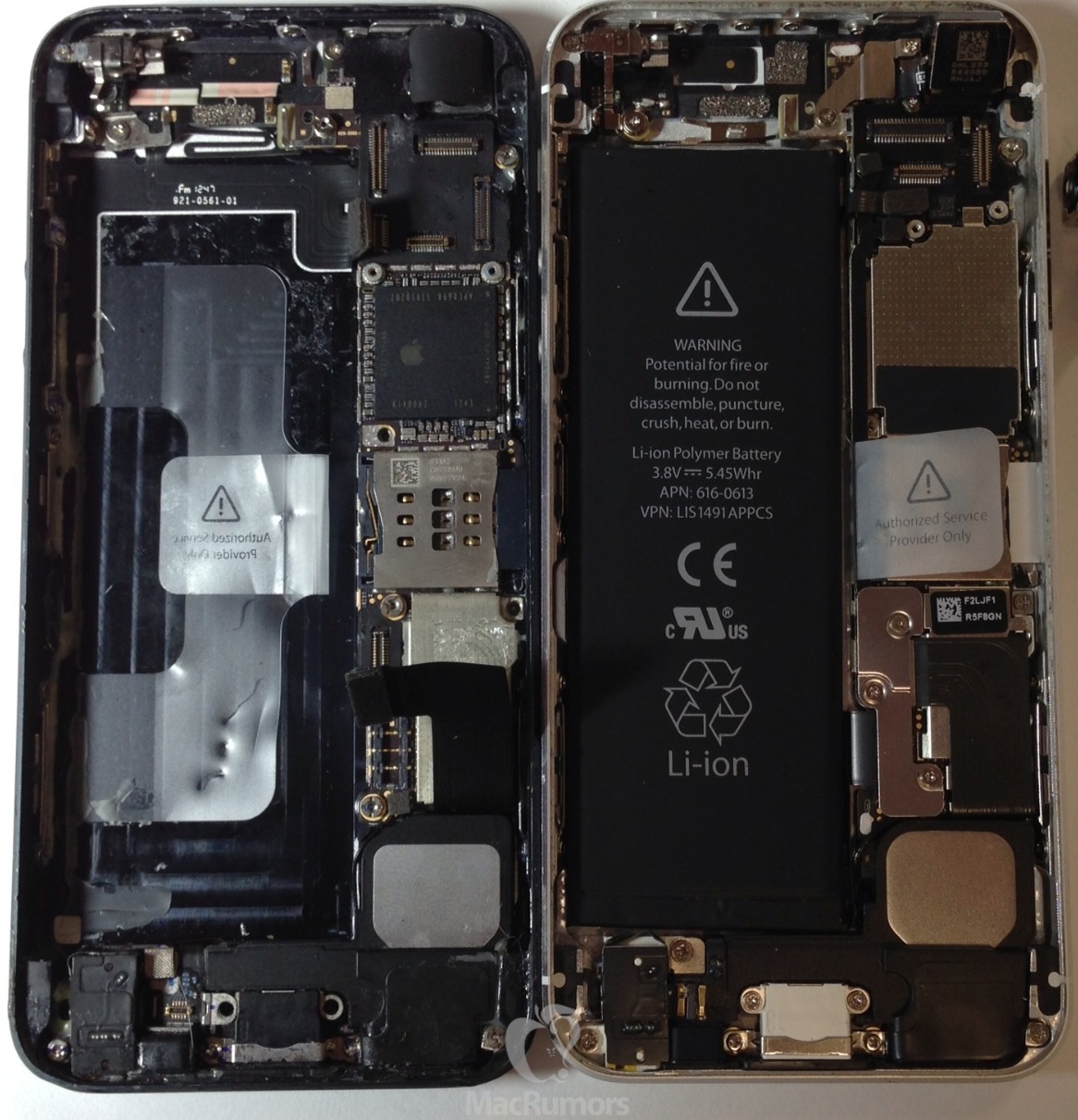
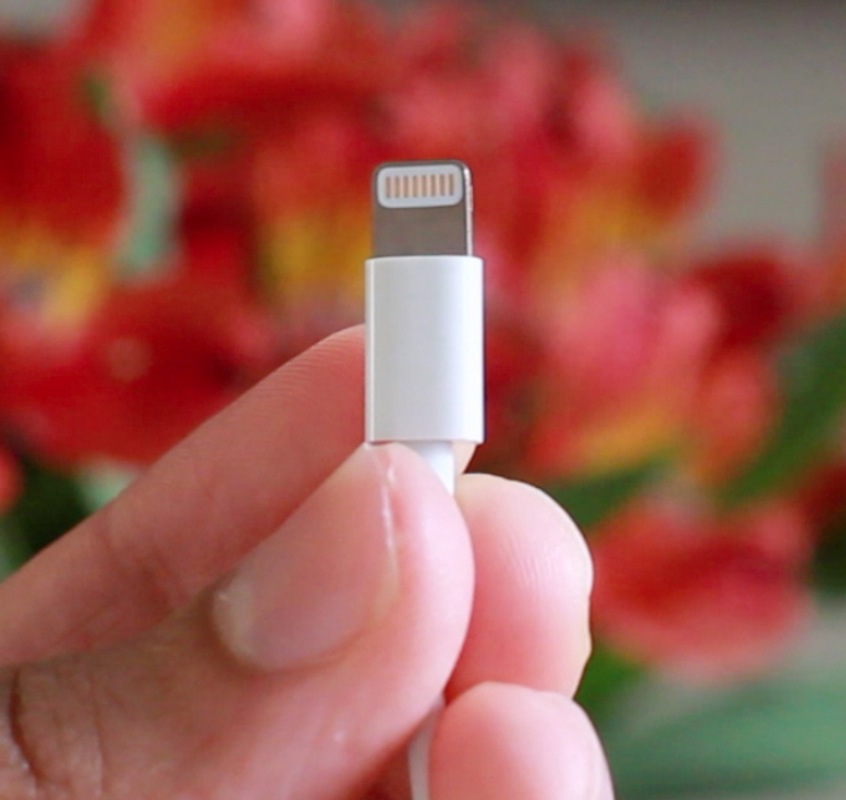
Among the nearly 40 Apple patents granted today by the U.S. Patent and Trademark Office (USPTO) are ones covering multi-touch technology, as well as designs for the iPhone 5 and the Lightning connector. The widest-ranging group of patents involves the multi-touch technology for the iPhone 5 and latest iPads and iPods.

Meanwhile, Apple's Senior Vice President of Design, Jonathan Ive, is given lead credit for designing the iPhone 5...

‘The Quick Brown Fox’ brings new customization options to the stock iOS keyboard

The Quick Brown Fox — it sounds like a weird name for a jailbreak tweak, but you'll quickly realize that it makes sense due to the fact that it adds some cool new features to the iOS keyboard. The Quick Brown Fox adds new features to your keyboard like Auto Twins, which automatically inserts a closing pair of parentheses or brackets when you typing the opening symbols. There's also Auto Space, which automatically places a space behind any configured symbol key.

Lastly, and perhaps most significant, you have Jumping Keys. Jumping Keys allows you to configure certain symbols to automatically jump you back to the alpha keyboard once typed. It works exactly like the apostrophe key works on a stock keyboard, but this allows you to configure apostrophe-like action to virtually any symbol key.

The Quick Brown Fox may sound a bit confusing, but that's what video walkthroughs were made for. Check inside, as we go hands-on The Quick Brown Fox, and showcase how it all works.

‘NCEnough’ smartly resizes Notification Center based on content

Does it annoy you a bit when you have a single notification present in Notification Center, yet you're forced to pull down the entire Notification Center window to view the notification? That's because notifications are pinned to the top on arrival, so even if you have just one notification to view, you must pull down the entire window to view it.

Pulling down the entire Notification Center window to view one notification pinned at the top can tire out your thumb, if you're used to operating your iOS device single handily. NCEnough is a new jailbreak tweak that seeks to eliminate this finger fatigue, and it does so by adjusting the size of Notification Center based on the content contained within. Jump past the break for our full in-depth video hands-on.