VLC’s iOS 7 makeover: now with Google Drive integration, Dropbox streaming and more

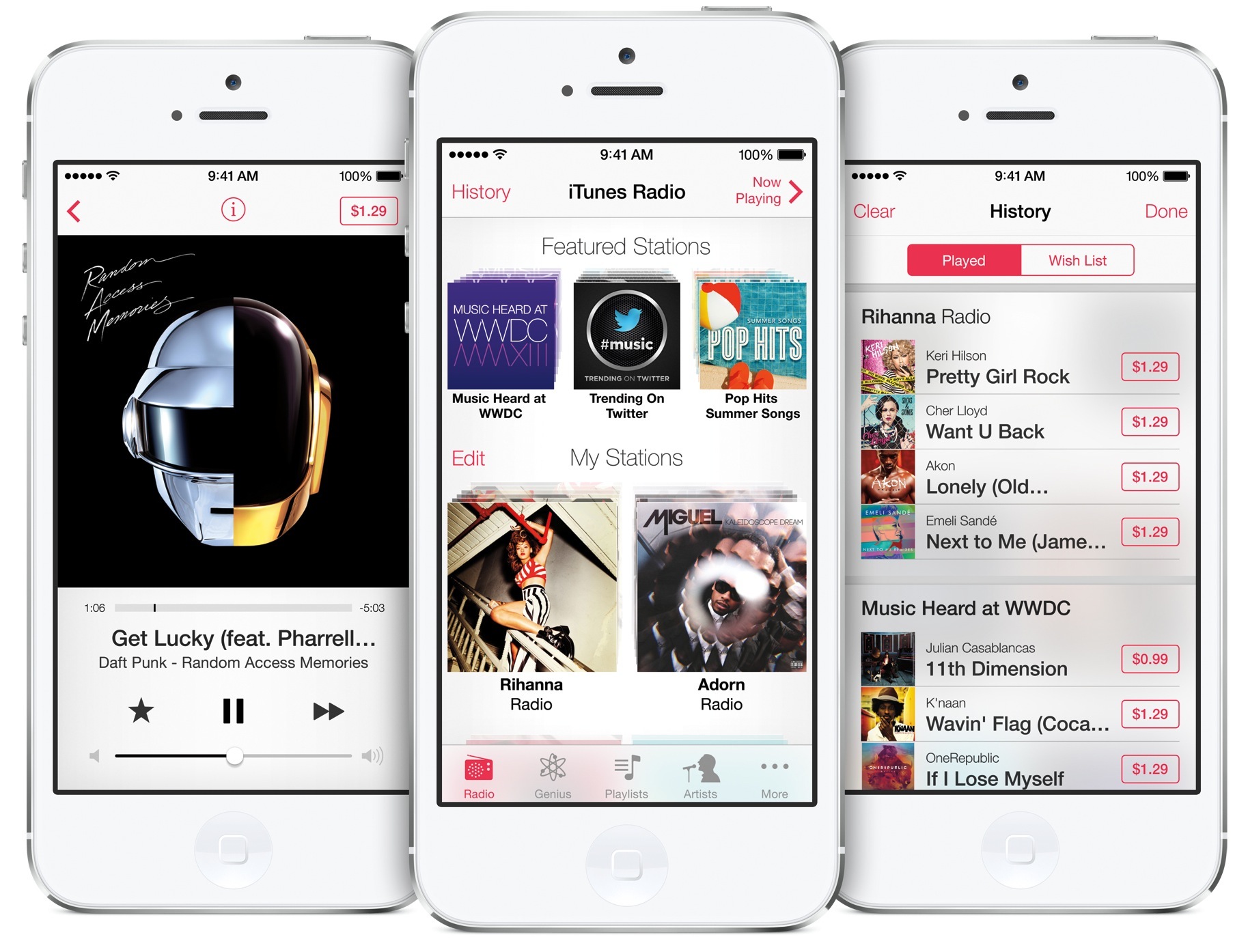
The popular cross-platform desktop media player, VLC by VideoLan, has finally received its iOS 7 makeover in Monday's version 2.2 update. Launching later today in the App Store, VLC for iOS 2.2 includes a number of new features and refinements, and a long list of bug fixes.

Perhaps most notably, you can now stream media stored in your Google Drive and Dropbox. As you'd expect from any iOS 7 app refresh, there are some new multitouch gestures for easier navigation.

VLC has always had a very robust support for non-iOS friendly audio and video file types and today's update is no exception: matter of fact, VLC 2.2 expands on that with support for some new streaming formats and protocols...

Lightroom for iPad is coming, Adobe inadvertently leaks

An accidental (or was it?) posting on the Adobe website has revealed that the Photoshop maker is working on a mobile version of its Lightroom photo management software. Adobe released Lightroom 5 for Mac and Windows PCs last summer and has previously shown off an unnamed prototype iPad app at the Photoshop World show in Las Vegas. It looks like Lightroom for iPad will have feature parity with its desktop counterpart...

Rumor: LG Display strikes deal with Apple to exclusively build 1.52-inch OLED iWatch screens

It was reported last October that LG Display was close to reaching an agreement with Apple to build tiny OLED (organic light-emitting diode) screens for the rumored iWatch. As the original article by The Korea Herald asserted, LG Display would become the second iWatch display supplier, with Taiwan's RiTDisplay acting as the primary supplier and Japan Display a likely candidate as well.

According to a new report Monday by Seoul-based online tech publication Digital Daily, Apple has now selected LG Display as a sole supplier of 1.52-inch panels for the iWatch...

60Hz gets bumped to 3.0, arguably the best TV show tracker for the iPhone and iPad

60Hz is one of those apps that make it easy and fun to keep track of your favorite TV shows and movies. There's certainly no shortage of such software on the App Store as, for example, we previously told you about iTV Show 3, TeeVee 2, Done Not Done, ToDoMovies and a few others.

Like other apps, 60Hz notifies you when your favourite shows are playing and makes it easy to browse TV schedule, find out what others are saying about shows, episodes and movies and lots more.

Suneth and Dineth Mendis of M2D2Apps asked me to take a look at the latest 3.0 update for the iPhone and iPad and I was pleased with the overall changes and enhancements, despite minor UI inconsistencies and one nagging omission. Read on for the full breakdown...

How to relocate the close button for tabs in Safari

RightX is a jailbreak tweak for Safari that allows you to reposition the close button for Safari tabs. Once installed, it moves the 'x' button used for closing tabs from the upper left-hand corner of the tab to the upper right-hand corner. RightX is handy if you're left handed and tend to use the iPhone single-handed with your dominant hand.

Of course, there may be other usage benefits to RightX depending on the way you hold your iPhone. Have a look at our full video walkthrough inside for further details on the tweak.

Controllers for All: a must have tweak that brings PS3 controller compatibility to iOS

Ladies and gentlemen, the moment that every jailbroken iOS gamer has been waiting for: the ability to use the Sony PS3 Dual Shock 3 with games enabled for controller support. This means that any game that supports a MFi (Made for iPhone) controller in iOS 7, is now fully playable with the Dual Shock 3, no cumbersome configuration required.

Controllers for All really is a game changing tweak for gamers, no pun intended. It also means that you no longer have to shell out your hard earned dough to support the half-baked hardware controller efforts we've seen thus far.

Folks, seriously; this tweak is reason enough alone to jailbreak. It basically turns your iPad, iPhone, or iPod touch into a full-fledged legitimate gaming console. And this is just the beginning, as its developer, Ori Kadosh, promises that even more controllers, like the Dual Shock 4, will be supported in future updates.

We've got the full hands-on video walkthrough inside. Check it out, you don't want to miss this.

Wallpapers of the week: Apple logos

Turning the page on another week, more wallpapers are celebrated as the week's favorites. Keeping a fresh wallpaper supply is just as important as keeping clean socks ready at a moment's notice. I change mine constantly, wallpapers that is, and am always scouring for a new image.

Over the past week, Apple enthusiasts were excited to point out the iPhone turned seven. Sebastien, Jeff, and Cody even spoke about their experiences with the launch in Let's Talk iOS podcast 011. In order to reminisce or show dedicated support for Apple, this week a small set of Apple logo wallpapers are ready for iPad and iPhone...

How to emulate the iPhone’s Sleep button with the proximity sensor

SleekSleep is a recently released jailbreak tweak that allows you to emulate a press of the sleep button by means of the iPhone's proximity sensor. This basically means that you can sleep or wake your iPhone using a wave or swiping motion in front of the device.

As we always like to do here at iDB, we've taken the liberty to record a walkthrough of SleekSleep so that you can see exactly how it works. Take a look past the break to see this interesting tweak in action.

How to build on suggested search queries in Safari

One of the worst things about Safari's autocomplete for search is that you can't build on a query like you can do with Google Chrome. Once you select a suggested query in Safari's omni-box, it auto submits the search.

While suggested queries are definitely a helpful service, the way that Safari goes about the implementation isn't very efficient. A recently revamped jailbreak tweak called Platinum seeks to improve Safari's search capabilities. Have a look at our full video walkthrough inside to see what I mean.

Ayecon for iOS 7: a must have theme, even if you don’t like skeuomorphism

If you've been jailbreaking for any decent amount of time, you've surely heard of the legendary Ayecon theme. This is a theme that set the standard for detail when Retina displays were still a relatively new feat in the mobile device industry.

A lot has changed since Ayecon first came riding over that hill on its white horse, reinvigorating the stagnant theming space in the process (I know some people will debate Ayecon's design, but they simply can't deny its influence.)

Flat is in, skeuomorphism is hated (and dead). So where does Ayecon fit in with this wave of change? Will Surenix, its designer, abandon the style that made Ayecon a success in the name of staying with the trend? Or, will he instead, stick to what made Ayecon work? Check inside for the full scoop along with the detailed video walkthrough.

How to bring back the unlock sound in iOS 7

iOS 7 ushered in a whole new look and feel to the iOS we all knew. Its been a polarizing release to say the least, but I think that many of the naysayers are finally beginning to get used to the way things are.

But some things that Apple changed in iOS 7 never made sense to me. I can see getting rid of skeuomorphism, but I never quite understood why they ditched the unlock sound in iOS 7. It's especially odd when you consider that the lock sound is still there.

UnlockSound7 is a new jailbreak tweak that allows users to regain the iPhone's iconic unlock sound that occurs when unlocking the device. Take a look at our video walkthrough to see how it works.

How to prevent iOS screenshots from being uploaded to Photo Stream

On any given week, I take dozens of screenshots of my iPhone or iPad for either personal reason, or as part of my workflow at iDB. For each post I publish involving an app for example, there are at least two screenshots, as you can see above.

Of course, every time you take a screenshot on your iOS device, it is automatically uploaded to your iCloud Photo Stream. Over time, these screenshots can be really annoying and distracting, especially if, like me, you use your Photo Stream as the screen saver of your Apple TV.

Thankfully, a jailbreak tweak called Screenshot Dam is available to stop screenshots from uploading to Photo Stream automatically...