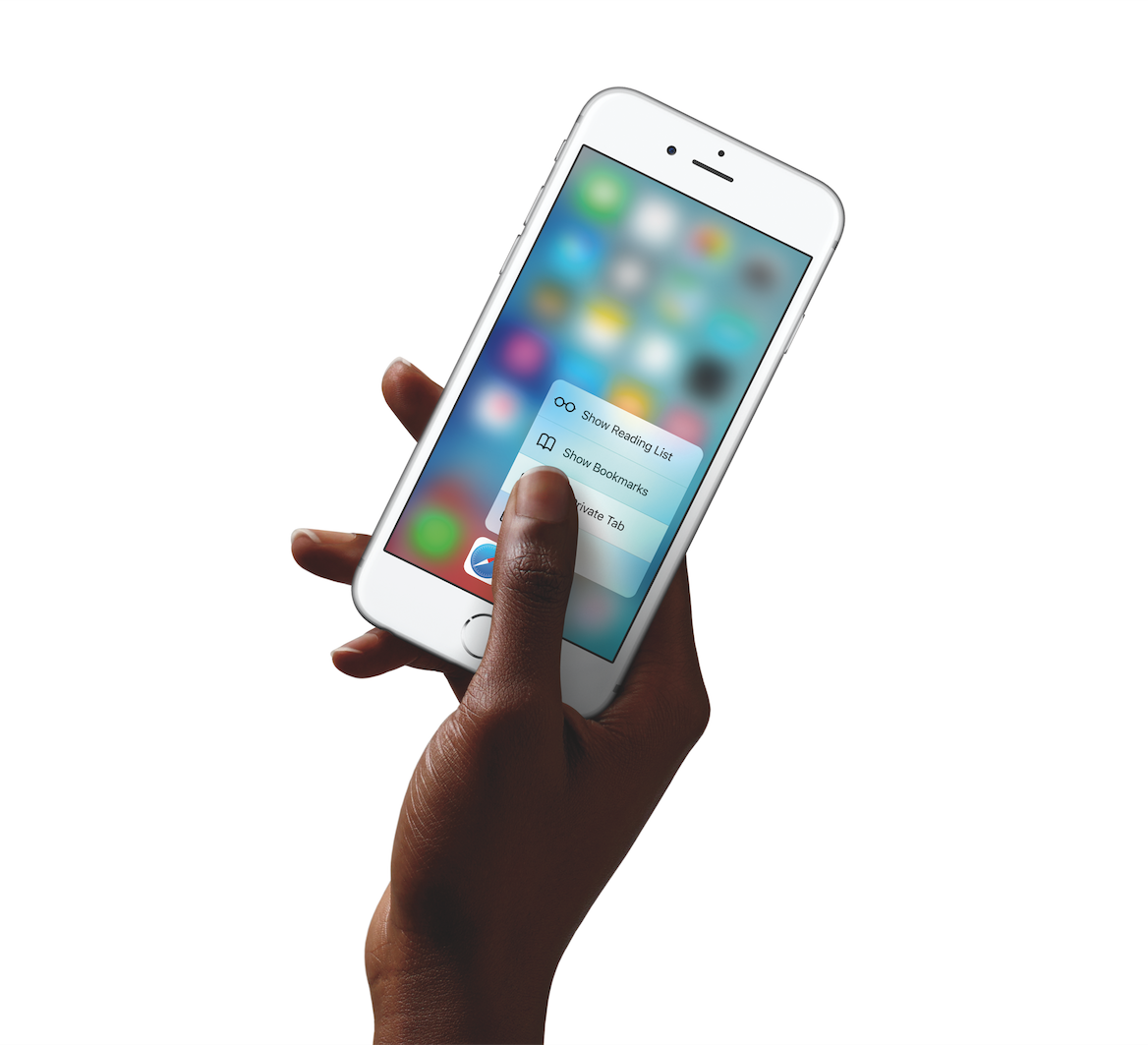
Find out how to use your Mac’s trackpad to quickly preview a website link in a small pop-up Safari window.
How to preview a link in Safari on Mac without opening a new tab
Find out how to use your Mac’s trackpad to quickly preview a website link in a small pop-up Safari window.
During its normal Thursday update, Apple issued a new version of Final Cut Pro X. Version 10.2.2 is primarily a bug fix update, but it does usher in a few new features.
Users of Final Cut Pro X will benefit from the addition of new camera support, new export options, and improved compatibility with third-party asset management apps. As you might expert, it's recommended that all Final Cut Pro X users update to this latest version at your earliest convenience.
In my December 2014 preview of Next Keyboard I wrote the app had the potential to become “the first iOS keyboard done right”.
What started out as the most funded app project on Kickstarter by Toronto-based award-winning studio Tiny Hearts Apps has become a reality.
I'm pleased to report that Next Keyboard is now available for download in the App Store.
Rather than mindlessly pile features one on top of the other like many other developers do, Next enables efficient typing in a stylish environment that's easy on the eyes, without distracting you from the task at hand.
It's got everything you've come to expect from a software keyboard, including predictive typing, lightning fast editing, playful stickers and colorful themes, instant access to all the emojis you love, including stickers, and much more.
I've spent some quality hands-on time with Next Keyboard, here's what I found.
Some Mac hiccups and startup issues can be resolved by repairing disk permissions in macOS. Disk permissions allow your Mac to control what users have access to files and folders on your Mac.
Unfortunately, it's quite easy to unintentionally mess up disk permissions. In fact, the very act of installing and uninstalling apps on your Mac can over time result in broken permissions.
And when file permissions break, your apps might be allowed to alter each other's files or even modify read-only system files, which in turn can lead to various permission errors and erroneous behavior in macOS. It is therefore essential that disk permission in macOS are as they are supposed to be.
In this tutorial, I'm going to show you how to verify and fix disk permissions in macOS, which is typically a basic troubleshooting step to fix any software issues your Mac might be plagued with.
US District Judge Lucy Koh handed down final approval late Wednesday for a settlement between Apple, Google, Adobe and Intel, and their former employees. The payout is said to be worth around $415 million, and should effectively end the long-running Silicon Valley anti-poaching suit.
For context, in 2011, employees of the aforementioned tech firms filed a class action lawsuit against the companies for anti-competitive labor practices. The suit alleged the firms conspired to avoid hiring each other’s workers in an effort to curtail salaries, costing workers $3 billion in wages.
Apple continues to show interest in using hydrogen fuel cell technology, as evidenced in its latest patent filing. On Thursday, the United States Patent and Trademark Office published a patent titled "Fuel Cell System to Power a Portable Computing Device."
The invention appears to be, at least initially, targeted at the MacBook, as the filing mentions MagSafe several times. But last month, the British firm Intelligent Energy proved the tech can be shrunken down, by showing off an iPhone with a hydrogen fuel cell.
Apple has selected Prodigy Design's "Flick Kick Football" as its App of the Week for this week. This means that from now through next Thursday, you can download the popular football arcade game for both your iPhone and iPad, for free—a solid savings of $1.99.
For those unfamiliar with the title, Flick Kick is a simple football/soccer game that has you scoring goals as quickly and as stylishly as possible by swiping your screen. It has multiple game modes, charming retro graphics, and the physics are smooth and accurate.
Two days ago, Samsung officially unveiled its new smartwatch lineup: the Gear S2, Gear S2 classic and the Gear S2 with 3G connectivity.
The new lineup from Samsung appears to stack up surprisingly well against the Apple Watch: both smartwatches are premium built and feature easily changeable bands, sleek software, fitness and heart rate tracking and more.
But whereas the Apple Watch uses the Digital Crown for navigating its user interface, Samsung has opted for a rotating bezel that “gets better with every turn,” a feature seen on some traditional watches.
Coupled with “the revolutionary circular user interface,” as they're calling the Gear S2's Tizen operating system, the rotating bezel appears to be just as precise, novel and interesting as the Apple Watch's rotating crown.
A month ago, Google promised to release a standalone Street View mobile app “early next month.” Today, the Internet giant has made good on that promise as the all-new Google Street View app just hit the App Store (actually, it soft-launched in August 2014, but today's update feels like a whole new app and anyone can use it now).
Available for the iPhone and iPod touch, it lets you browse and enjoy Google's awesome street-level photography.
With this software, you can move and pan around by dragging your finger on the screen and even upload your own 360-degree photography to Google Maps to share your photo spheres with the world.
The App Store has been on Twitter since September 2009 but as of today, a new curated Twitter account dedicated to highlighting the App Store games is available as well. It's now yet known whether gaming-related tweets will now be exclusively posted on @AppStoreGames alone or retweeted on @AppStore but it's an encouraging sign of Apple's mobile gaming prowess.
“Embrace the future of gaming,” reads the account's bioline. “Straight from our Games Editors.”
Less than two weeks following a refresh that brought out a Timehop-like feature for rediscovering your photos from the past, Google Photos for the iPhone and iPad on Thursday received another noteworthy update.
The new Google Photos 1.3 for iOS introduces four distinct improvements to your photo-management workflow, like the ability to reorder photos in your library and another one letting you selectively back up individual photos and videos.
Even though Apple Music Connect “is growing big-time,” there's still “a lot of work going into making” Apple Music better and “a bit of homework to be done” when it comes to improving Apple Music Connect, said an Apple executive in an interview with The Guardian newspaper this morning.