What you need to know about the KeRanger ransomware found in the Transmission app

Users of the popular open-source Transmission BitTorrent client for OS X were in for quite a surprise this weekend when it was discovered that certain installers for version 2.90 of the application were found to bundle unwanted ransomware with the installation, which is a type of malware that restricts file access across the system to cause trouble for the user.

Dubbed KeRanger by security research firm Palo Alto Networks, the malicious software will try to encrypt the user's system files in such a way as to tamper with the user's access to their Mac and then force the user to pay money to get their access back.

The makers of the Transmission app are now pushing immediate mandatory app updates to remove the ransomware and fix the problem for those that may have been affected, and it's recommended for all users, but how do you know if you're affected?
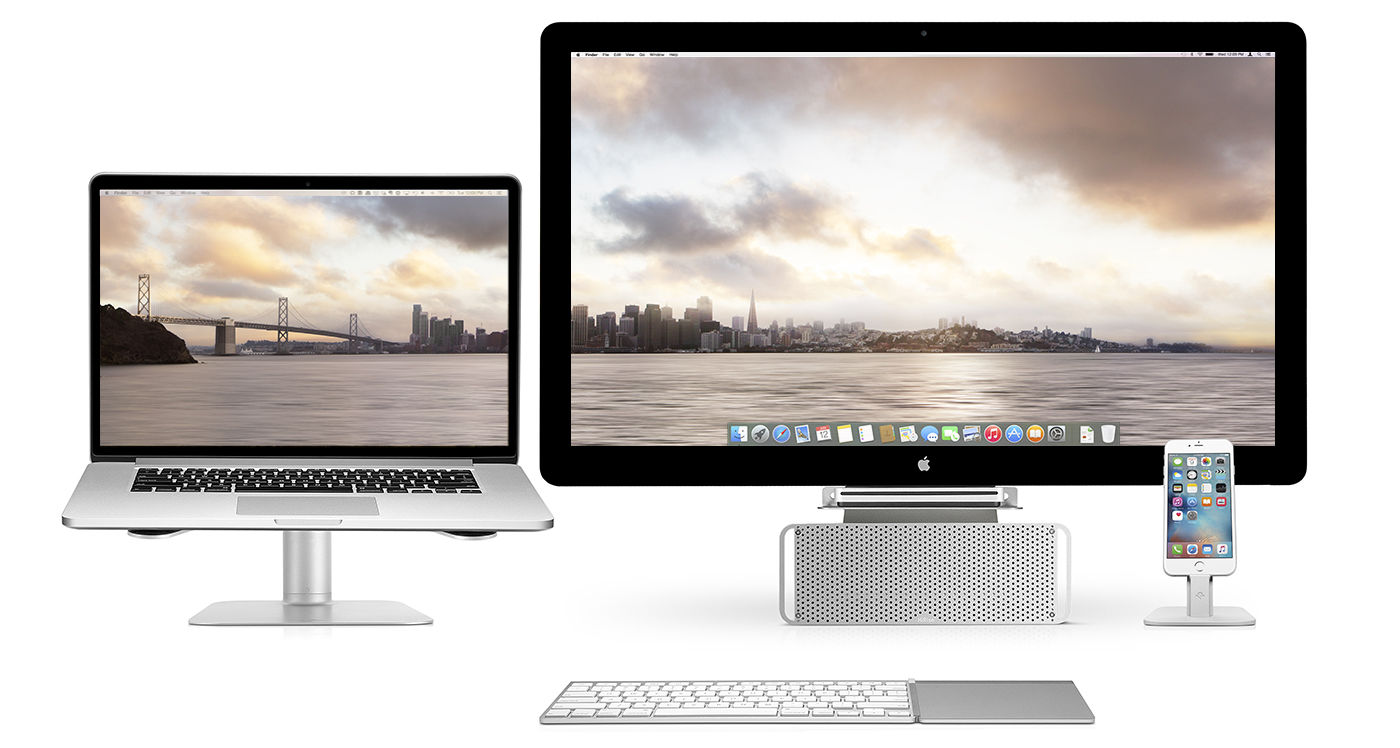

Dual screen San Francisco wallpapers

This week, we take a step away from iOS device wallpapers to highlight several, excellent dual screen monitor wallpapers of the San Francisco Bay area. From a cityscape to great Bay images, the included selection will complete any dual screen setup.

Included in the collection are multiple resolutions for both monitors, regardless of your screen resolution. From laptop to external or two large monitors, you will find an option for either. Take a step inside for the wallpaper collection commissioned by Twelve South. 

Jailbreak tweaks of the week: PreferenceTag3 & more…

Every Sunday we come at you with a roundup of all the jailbreak tweaks that get released in Cydia, and this week will be no different.

This week we haven't had any groundbreaking new tweak releases, but there have been some worth talking about. We'll go over our favorites first and then give you an outline of the other new releases.

Postman: manually check for new emails from anywhere [jailbreak]

Normally, when you want to check to see if you have any new emails, you have to launch the Mail app and pull down to refresh the email inbox of your choice.

If you're already in the middle of something, stopping what you're doing to check to see if you have any emails is obtrusive. It would be so much better if you could just refresh your email from anywhere without leaving what you are currently doing in another app.

That's exactly what a new free jailbreak tweak called Postman is going to allow you to do, and it works with a key ingredient that most jailbreakers are already familiar with.

PaperGram sets your wallpaper to pictures from any Instagram feed

Wallpapers are one of those things that we often like to change up on our iPhones every so often, and it can be difficult to choose the right one at times.

A new free jailbreak tweak called PaperGram eliminates the process of having to choose a wallpaper yourself by automatically setting your wallpaper to something different at time increments of your choice. What's more is it sources the wallpaper images from Instagram, whether you're an Instagram user or not.

Why making a support account on Twitter was a great move by Apple

Within just a single day of launching a support account on Twitter, Apple has well over 130,000 followers and is answering over 100 people with questions about Apple products and services per hour.

Although it's taken Apple quite a while to finally use Twitter as a support medium for its main products, depsite having Twitter accounts for Apple Music, Beats 1, and iTunes for quite some time, it's still great to see Apple is using another method of communication to reach its users.

In this piece, we'll talk about why we think creating the support account on Twitter was a great move for Apple.

Keep track of all the things you need to do with 3D Touch shortcuts in Reminders app

After sharing a bunch of time-saving 3D Touch shortcuts and gestures in stock applications such as Messages, Safari, Mail, Music, Camera, Maps, Phone and iBooks, we now take a closer look at 3D Touch goodies in Reminders, one of the most frequently used stock apps on my iPhone.

Although 3D Touch shortcuts and gestures in Reminders aren't as developed as in other stock apps, they're handy. For instance, you can add a reminder to your lists from the Home screen.

And within the app, 3D Touch can be used to quickly create time or location-based alerts for your reminders. This tutorial covers all the ways you can use force-based 3D Touch gestures in the Reminders app.

Why and how to use custom DNS settings on your iPhone, iPad, and Mac

DNS Settings on Mac

When you visit a website on your computer, such as iDownloadBlog or Google, you're using domain name system (DNS) protocol to exchange information between your computer and the server providing you with that website.

Depending on the DNS server you're using on your Mac or iOS device; you might not be experiencing the best speeds and web securities that you could be.

In this piece, we'll tell you why you may want to consider switching to a new DNS and show you how to use a custom DNS on your Mac, iPhone, or iPad.

Viki, Nickel and other apps to check out this weekend

This was a pretty interesting week for iOS releases. We have a Siri-like voice assistant, a well-designed Wikipedia client, an app for sending out random messages, and a new money management app that helps teach kids the value of saving. Check out all of these, and a fun new twitch game in this week's entry of Apps of the Week.