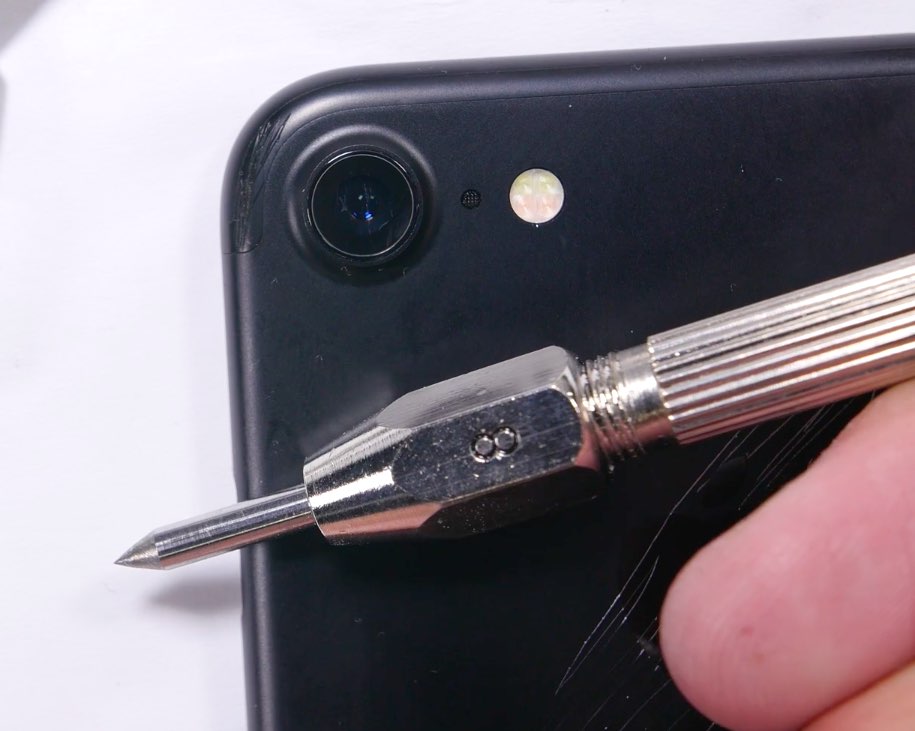
Just how water resistant is the iPhone 7?

As revealed at Apple's iPhone 7 keynote, the new handset is water resistant (not waterproof), and this means it can supposedly handle some water splashes and light submersion and come out unharmed.

Now that the iPhone 7 is officially available to the public, you can probably imagine some people have already started putting the device through water tests. So how did it do?

Hardbound, Couchy, RAW and other apps to check out this weekend

It's been a crazy week, what with the iPhone 7 launch and all. So we know everyone is ready to kick back and relax this weekend with some fun new apps and games. The latest edition of our Apps of the Week roundup includes a unique reading app, a TV series manager, and a new raw camera app. Plus we have a couple of new games for you to check out.

How to disable iPhone 7 force feedback for system controls and interactions

The iPhone 7 packs in a bigger, more sophisticated Taptic Engine that one in the iPhone 6s. Taptic Engine, of course, is Apple's fancy marketing moniker for force feedback. The iPhone 7's enhanced Taptic Engine is capable of reproducing a range of subtle vibrations.

In fact, it's so good that Apple has decided to provide a new API to developers to add custom vibratory feedback to their apps. If you dislike this feature, you can turn off iPhone 7 haptics for things like system controls and other interactions.

How to have Apple Watch automatically pause and resume your runs

Among a myriad of varied health and fitness focused features, watchOS makes pausing and resuming your runs in the stock Workout app a frictionless experience, based on the inclusion of a new feature which taps into built-in sensors to determine when you start and stop moving. This new feature doesn't require a dedicated GPS so it'll work on every Apple Watch model.

Even better, you can enable it with just one tap, here's how.

According to Apple, bottom left grille on iPhone 7 houses a barometric vent

Yesterday, we speculated that a faux speaker grille at the bottom of the iPhone 7 created by the removal of the headphone jack is for visual symmetry, based on drawings on Apple's website and a quote from John Gruber's iPhone 7 review. Today's teardowns from iFixit and Chipworks hint at a new component where the headphone jack would've been, suspected to channel sound from outside the phone into the mic.

Putting an end to speculation, Apple itself has gone on the record to confirm that the faux speaker grille acts as a “barometric vent.” According to the company, it's needed after all the waterproofing to help built-in barometer sensor measure altitude accurately.

iPhone 7 model A1778: Intel modem confirmed, 1,960 mAh battery, “incredibly thin” A10 Fusion chip

Following iFixit's analysis of the components and internal layout changes in the iPhone 7 Plus, semiconductor experts over at Chipworks and TechInsights have performed a joint in-depth analysis of the chips in the 128GB iPhone 7 model “A1778” to identify the key integrated circuits at play.

The Apple-designed A10 Fusion chip is “incredibly thin,” Chipworks has discovered, thanks to TSMC's InFO packaging technique resulting in a thinner package. Perhaps more interesting than that, the AT&T and T-Mobile edition of the handset indeed comes with Intel's LTE modem inside versus Qualcomm's that powers cellular connectivity in other hardware versions of the device.

iPhone 7 Plus teardown: 3GB of RAM, faux speaker grille, bigger battery & more

Repair wizards over at iFixit flew out to Japan to obtain their iPhone 7 Plus (in Rose Gold), performing their ritual teardown dance which has helped confirm what we've been suspecting all along: that a second grille at the bottom doesn't house a second speaker.

Other interesting observations gleaned from peeking under the hood of the iPhone 7 Plus include a replaceable Home button, a lot bigger Taptic Engine than in the iPhone 6s, a bigger 2,900 mAh battery, dust and water-proofing measures and other tidbits.

What’s Dock on Apple Watch and how to use it?

Apple Watch showing Dock

When you press the side button on your Apple Watch, you see the Dock. Depending on the setting, the watchOS Dock has either your favorite apps or the ones you used recently. In this tutorial, we tell you more about the Apple Watch Dock, how to use it, add favorite apps, and get the most of it.