How to change which HomePod listens to your commands when using paired HomePods

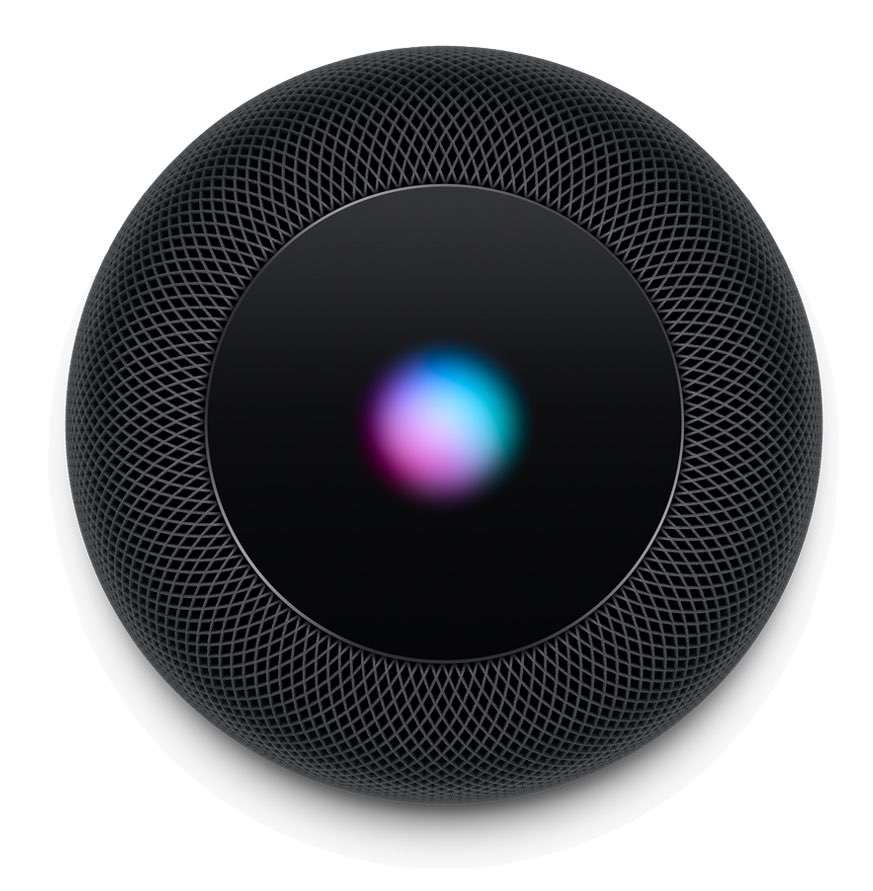
A photo showing a finger resting on the HomePod top with the Siri orb animation

If you have two HomePods that are paired to create a stereo setup, only one of these HomePods will be used to listen to your voice queries. When saying a command such as "Hey Siri, what time is it in London?", only that HomePod will be listening to you although the other HomePod might be physically closer to you.

As far as I can tell, there is no way to manually select what HomePod is the dominant one during the initial pairing process, but there is a way to swap which one will actively listen to you once the stereo pair has been created.

Adjust each of your iPhone’s various volume levels independently with SmartVolumeMixer

At first glance, it might seem like your iPhone has just one volume control that you can change with the volume buttons at the side of the handset, but there are actually nine different volume controls present on your handset.

It can be challenging to discern which volume control you’re adjusting when you press your device’s volume buttons, and so iOS developer midkin just launched a new jailbreak tweak called SmartVolumeMixer to make life a bit easier in this department.

XEdgeProtect prevents the iPhone X’s Home Bar from conflicting with apps and jailbreak tweaks

Starting with last year’s iPhone X, Apple nixed the Home Button from its entire lineup of smartphones and replaced it with the software-based Home Bar. The Home Bar resides at the bottom of your display, quietly waiting for upward swipe gestures for unlocking the handset or closing foregrounded apps.

The Home Bar compliments the iOS experience like bread and butter, and it also empowered Apple to achieve the signature edge-to-edge OLED display that many of us know and love, but it’s not without its quirks. Fortunately, a new free jailbreak tweak called XEdgeProtect by iOS developer smokin1337 addresses some of these issues.

Nodus premium leather iPhone XS Max cases review

I rarely utilize a case for my iPhone. Something about covering up all the metal and glass just keeps me from appreciating the craftsmanship. When I do cover my iPhone, I want the experience to be just as premium as using it without a case. That's when I turn to The Nodus Collection.

Currently, they are having a Black Friday sale now through Monday November 26 and you can save 20% on their entire website, no code required.

Review: Willgoo case keeps your Apple Pencil charged and its accessories within easy reach

I'm always forgetting to charge my Apple Pencil in a timely fashion, which can be annoying when I'm out and about without any dongles or cables. And because of its design, I refrain from stowing the Apple stylus in my bag or backpack out of fear it might break without any protection. Apple's leather case and others I've tried weren't very helpful. But Willgoo's handy stylus carrying box with a built-in battery has solved my Pencil woes in one fell swoop.

10 cool things you can do with Automator on Mac

Mac Automator Rename Files

The Automator tool on Mac might be intimidating to some users, but it can be a very handy app. You can create automated workflows, actions, or applications that help you perform tedious tasks. Along with that, there are some tasks you can do with it that are just plain neat.

Here are 10 cool things you can do with Mac Automator.

Hackers demonstrate 0-day exploit on iOS 12.1 at recent Tokyo-based Pwn2Own contest

Despite the absurd amounts of time and money that Apple pours into security efforts to make iOS one of the most secure mobile operating systems available today, it seems that even iOS 12.1, the latest publicly-available firmware version on the iPhone and iPad, isn’t entirely hack-proof.

At the recent Pwn2Own contest in Tokyo, Richard Zhu and Amat Cama, a duo of white hat hackers, reportedly harnessed the power of a powerful Safari-based 0-day exploit to recover a photograph that was recently deleted from an iPhone X’s native Photos app.

Lace 2 provides jailbreakers with more control over the Lock screen

The Lock screen has come a long way in many of the most recent iterations of iOS. Instead of just being a place to tell the time and view your missed notifications, the Lock screen has become a hub for everything that matters, including app-centric widgets that can help you discern important information at a glance.

Depending on how much you utilize these aspects of your iOS device’s Lock screen, a new free jailbreak tweak called Lace 2 by iOS developer Andreas Henriksson can help you take better advantage of it all.

Editing an entire video on iPad Pro

YouTuber Jonathan Morrison has taken it upon himself to edit an entire video on his new iPad Pro. He went in skeptical but came pleasantly surprised by the powerful combination of the unreal A12X Bionic processor and the excellent LumaFusion app.