iPhone News

This tweak lets you lock your device by swiping to the Spotlight page

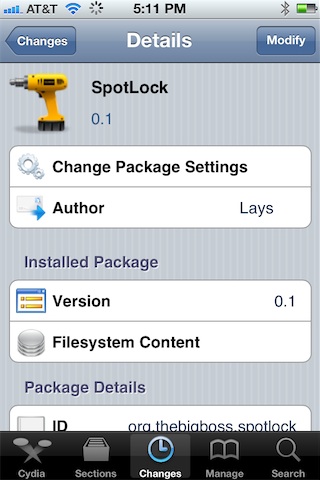
SpotLock is a new jailbreak tweak that allows you to lock your iPhone simply by swiping over to the place where Spotlight search normally resides. Granted, this tweak will totally eliminate the ability to use Spotlight search, but I believe the popular consensus is that many of you don't use Spotlight to begin with.

Of course, a quick press of the sleep button at the top of your iPhone is the quickest way to secure your iPhone from a software perspective, but SpotLock is an interesting way to break the monotony and switch things up a bit...


Jukebox now available on Cydia

[tube]http://www.youtube.com/watch?v=auCwQQpr-Mw[/tube]

Jukebox — the Dashboard X and Notification Center compatible music widget — is now available for download on Cydia. As you no doubt saw in our walkthrough, Jukebox is an awesome music widget that can be used to directly manipulate your Music app from the convenience of your Home screen.

One of my complaints with Jukebox was that it currently only supports the stock Music app, but the good news is that support for 3rd party music apps like Pandora and Spotify is in the works. Check out our full coverage of the tweak, and be sure to head over to Cydia's BigBoss repo where it can be had for $0.99.

How to make iPad banner notifications span the full width of the screen

Would you like to make your iPad's banner notifications span the entire width of the iPad's screen? Now you can, courtesy of a new jailbreak tweak entitled NCPad.

NCPad features no options or settings to configure, simply install it, and it begins working immediately. It won't expand the entire Notification Center width as its name might suggest, but it will increase the width of banner notifications, which in turn allows you to read more of the contents of the notification.

The top 10 iOS news of the week

A new week is coming, but that doesn't mean you have to miss out on what happened last week. If you think you may have missed a few of the top stories from last week, don't sweat it, we've got you covered.

We've gathered the top 10 most popular stories from iDB last week for you to check out. As always, make sure that you're friends with us on Facebook, Google+, and that you are following us on Twitter...

aTV Flash (black) receives another awesome update

The folks over at FireCore just can't stop releasing awesome updates to their Apple TV 2 jailbreak software. The latest update to aTV Flash (black) — version 1.6 — headlines with a new integrated subtitle download feature. This feature allows you to identify and download subtitles directly from the Apple TV, instead of going on a separate manhunt on your computer to find the files.

Along with the new subtitle feature comes support for playing DRM enabled iTunes content directly from the Apple TV. You will still need to use a username and password to authenticate, but at least now we have an option.

And that's just the tip of the iceberg as far as changes go. Aside from plenty of additional new features, there's also a host of bug fixes to keep your jailbroken Apple TV 2 running as smoothly as possible. Take a look inside for the full change log...

Here is video of the Chronic Dev Team announcing Absinthe 2.0

If you weren't able to make it to Amsterdam for the Hack in the Box Security Conference last month, don't worry, you're not alone. The conference made headlines in the jailbreak community for being the platform for which the Chronic Dev Team would use to officially announce the release of the Absinthe 2.0 untethered jailbreak tool. Thankfully, our friends over at Redmond Pie were able to snag some awesome footage of the announcement.

If you've always wanted to put faces and voices behind some of the most influential folks in the jailbreak community, here is your opportunity to do so. Check inside for the series of videos...

iPhone 5 said to tap Broadcom BCM4330 chip for wireless file sharing with Macs

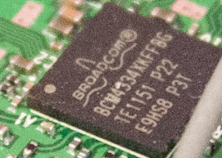
9to5Mac reports to have 'discovered' a Broadcom chip inside one of the prototypes of the next iPhone. The write-up specifically menions Broadcom's BCM4334 unit, basically a single-chip, dual-band silicon that supports 802.11n WiFi networking, Bluetooth 4.0+HS and an integrated FM radio receiver.

A successor to Broadcom's BCM4330 - itself fabbed on the 65-nanometer process and found inside the iPad 3 and iPhone 4S - the newer BCM4334 unit is built on the 40-nanometer process, resulting in significant power savings.

As a result of using this chip in the next iPhone, Apple should be able to mitigate power drain stemming from the bigger screen and LTE radios while making a thinner device overall. That's just the beginning. Read on...

NoCameraGrabber eliminates Lock screen camera shortcuts

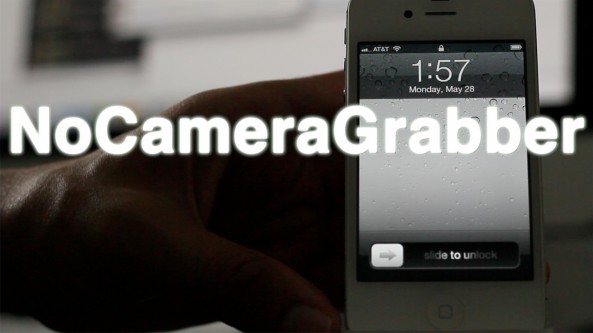
I've never been particularly fond of the new Lock screen camera "grabber" feature on iOS 5.1 and above, and frankly, I never find myself using it. In fact, I never used the camera shortcut that appeared with a double press of the Home button on firmware below iOS 5.1. Call me crazy, but I'm just not a big fan of using the camera directly from the Lock screen.

NoCameraGrabber is a jailbreak tweak designed with people like me in mind. It completely removed the camera grabber feature from your iPhone's Lock screen, and it doesn't even bring up the camera button with a double press of the Home button. NoCameraGrabber is a great way to completely eliminate camera shortcut functionality from the Lock screen. Take a look at our video preview for more info...

How to change your app icon labels from white to black, no WinterBoard required

Some jailbreak tweaks are immediately labeled as being worthless, and Black Icon Labels is one such tweak. I understand that there are a few users out there who will find this tweak handy, but most will probably claim otherwise.

Black Icon Labels changes the color of your app icon labels from white to black, and nothing more. If there's one good thing that I can tell you about this tweak, it is that it doesn't require WinterBoard to make the change. If you have a light colored wallpaper set on your iPhone's Home screen, then Black Icon Labels might be something you want to check for...

Google teases “the next dimension” of maps, should Apple be worried?

Not content with being outclassed by Apple, Google today sent out invitations to select members of the press. The invite graphics teases "the next dimension of Google Maps". The search giant's presser takes place next Wednesday, June 6, at 9:30am, five days ahead of Apple's worldwide developers conference that kicks off with a keynote in San Francisco's Moscone West on June 11.

Looks like both tech titans are keen on taking the maps experience to the next level, which can only be a good thing for us consumers and market watchers. But As Apple debuts its own in-house mapping solution, market dynamics will inevitably change due to Apple's size, brand power and for the simple fact that Cupertino will no longer be paying fees for using Google's tiles in Mac and iOS applications and services.

Of course, it's also the question of pride...

Rumor: App Store, iTunes Store and iBookstore getting facelift and Facebook integration

Corroborating iDB's scoop that all Apple's apps which ship with iOS software are about to get a major overhaul in iOS 6, the latest chatter in the rumor mill now has it that Apple at WWDC is launching redesigned front-ends for the App Store, iTunes Store and iBookstore.

As for the new look, you can probably expect the App Store, iTunes Store and iBookstore apps to adopt that sexier silver appearance.

But wait, there's more to this redesign than meets the eye...

NoDictation removes dictation while keeping Siri enabled

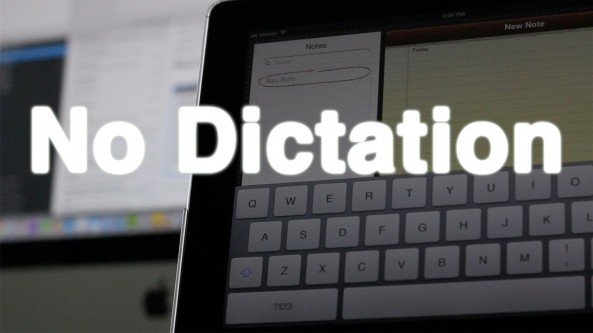
Do you rarely use dictation on your iPhone? Would you prefer if there was a way to completely get rid of the dictation button without totally getting rid of Siri? Well, if you're jailbroken, now you can.

Introducing: NoDictation — a simple jailbreak tweak that removes the dictation button on the iPhone keyboard once installed. The nice thing about NoDictation is that you can disable dictation on your iPhone, without having to totally disable Siri.

Take a look at our video walkthrough of NoDictation for more information on how it operates...