iPhone News

Apple’s obsession with iPhone 6 thinness could yield marginal battery improvements

As a rule of thumb: the bigger the phone, the stronger the battery. At least, this has been the case with the vast majority of jumbo-sized Android handsets.

And it's easy to see why: phones with larger displays need bigger enclosures that offer more space inside for internal components such as the battery.

Many pundits expect Apple's iPhone 6 to exhibit a notable battery capacity boost, but a new report is now alleging that both a 4.7 and 5.5-inch handset offer a slight boost in capacity from the battery used in the iPhone 5s, presumably because Apple is adamant to retain the World's Thinnest Smartphone crown...

Skype refresh brings back voice messaging and contact profiles

Having unceremoniously removed voice messaging from the recently remastered Skype 5.0 for iPhone, the Microsoft-owned VoIP provider on Monday pushed a minor update that has brought the useful feature back while adding two others.

The new Skype 5.2 for iPhone is rolling out this morning. In addition to voice messaging, the refreshed Skype app has also brought back the ability to access contact profiles while allowing you to add participants to the existing conversation at any time...

Annual Sun Valley conference starts tomorrow, Apple’s Cook and Cue said to be in attendance

The annual Sun Valley conference hosted by Allen & Company, a premier investment bank for the media and entertainment sector, is about to kick off Tuesday.

Apple CEO Tim Cook is said to again attend the confab that many insiders liken to a mogul-fest because it gathers under one roof media moguls, Silicon Valley luminaries, finance titans, influential investors and powerful figures in tech...

Korean watchdog orders Apple to change App Store refund policy

It used to be that in the past you could get updates for an iOS or Mac app after asking for a refund. However, Apple's relaxed policy concerning refunds and app updates has recently been tightened after the company updated the App Store's Terms of Service to prevent this.

Turns out this may not be the only change in store as South Korea's Fair Trade Commission has now ordered both Apple and Google to take action and revert their unfair no-refund app store policies...

Foxconn confirms it’s starting to deploy robots to help assemble iPhones

Hon Hai Precision Industry Co., Ltd., also known in the Western world as Foxconn, the world's largest contract manufacturer, will soon start deploying sophisticated robots to help assemble iPhones, CEO and Chairman Terry Gou announced during a shareholder meeting Monday.

Foxconn assembles a range of consumer electronics products for other companies, including iPhones and iPads. The plan to replace factory workers with robots was first announced two years ago, but hit roadblocks due to high cost of robot deployment...

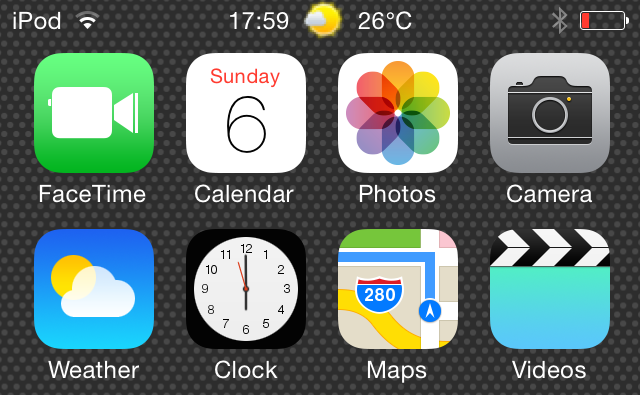
How to add weather to the status bar in iOS 7.1.x

StatusbarWeather7 is a jailbreak tweak that places current weather information in the status bar at the top of the iOS interface. StatusbarWeather7 plays nice with iOS 7.1.x devices, which were just recently jailbroken courtesy of the Pangu jailbreak.

If you're in need of a tweak that places current weather info right at your fingertips, then you'd be hard pressed to find a tweak that's more convenient. Step inside to see StatusbarWeather7 in action via our hands-on video walkthrough.

Springtomize 3 updated for iOS 7.1.x sporting a brand new feature

Springtomize 3 has received a critical update for those wishing to properly use the tweak on iOS 7.1.x jailbroken devices. The update, which is free for previous purchasers of Springtomize 3, is now available for download from Cydia's BigBoss repo.

For those of you unfamiliar with Springtomize, this is a tweak that essentially allows you to customize the look of the Home screen to an insane degree. It's many tweaks rolled into one good-looking and generally reliable package, and it's what its developer, Filippo Bigarella, is primarily known for.

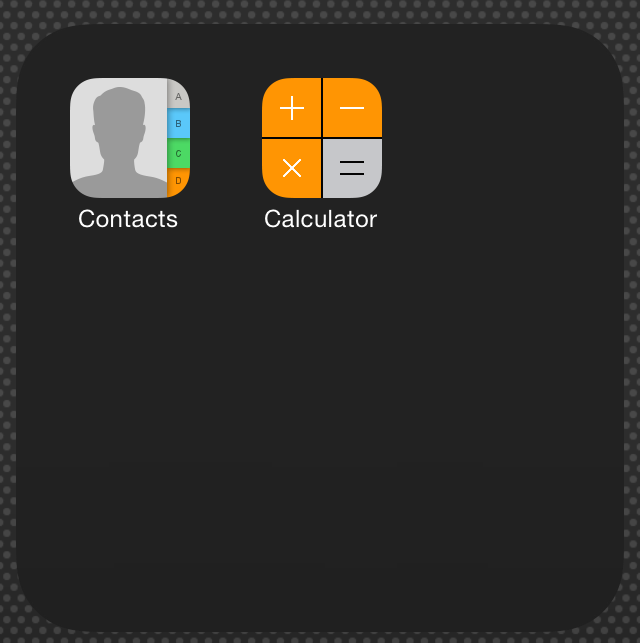
I've downloaded the Springtomize 3 iOS 7.1.x update and have been playing around with it all day. I can report that the tweak works as expected, and it brings quite a few bug fixes to the table. You'll also be interested to know that this update brings with it a brand new feature—a dark background for folders. Check out the details after the break.

‘TapTheAt’ adds a quick keyboard shortcut for email addresses

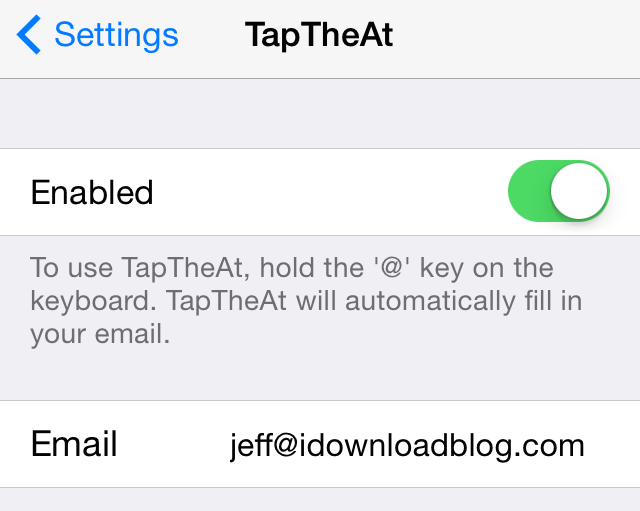
If you have a long email address like yours truly—because let's face it jeff@idownloadblog.com is pretty long—then this new jailbreak tweak is something you may take a liking to. It's called TapTheAt, and it makes it super-easy to quickly populate your email address by using a simple keyboard shortcut.

TapTheAt allows you to insert your email address by simply tapping and holding the '@' key on the iPhone's keyboard. Once you do, the email address will be auto-pasted, which eliminates the need to type out the full email address manually.

Check out our full video demonstration showcasing how TapTheAt works.

How to resize app icons with Icon Resizer

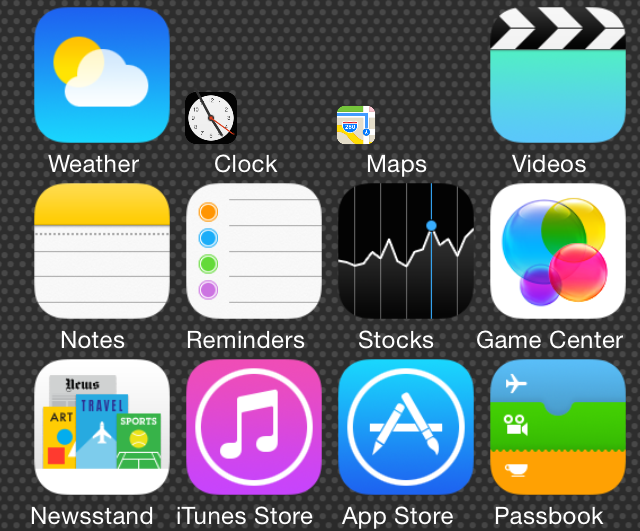
Icon Resizer is a new jailbreak tweak that does exactly what its name says—allows you to resize the iPhone's Home screen app icons. We've downloaded it, tested it out, and would like to show you how it works in action.

Although you won't find Icon Resizer on any of Cydia's default repos as of this post, it is available for download via the developer's GitHub repo, which we will, of course, share with you. Check past the jump for our full video analysis and other vital details of this interesting new jailbreak release.

This week on iDB: iOS 7.1.2 and its jailbreak

Like every Sunday, we get to take a look at some of the most popular posts that were published on iDB during the week that just ended. Whether it is a news item, a new jailbreak tweak, a tutorial, or an app review, we sum it all up in one convenient place for you.

As always, if you like what you're reading, please feel free to spread the love by sharing our posts on your favorite social network.

We're usually hanging out a lot on Twitter and Facebook, more rarely on Google+.

iOS 7.1.2 released with improved iBeacon connectivity and bug fixes Apple TV 6.2 software update also available with bug fixes Pangu jailbreak now available for Mac with English support and bug fixes How to jailbreak iOS 7.1.2 untethered using Pangu How to jailbreak iOS 7.1.x untethered with Pangu on Mac OS X How to jailbreak iOS 7.1.x with Pangu 1.1 on Windows iPhone 6 mockups only a rough approximation, no antenna breaks in final design New concept imagines iPhone 6 without ugly antenna lines These iPhone 6 renders look just about right New images show alleged iPhone 6 display covers IntelliScreenX beta with iOS 7.1.x support available iPhone turns 7 – and I still remember holding it for the first time Kenu Airframe is the perfect dashboard companion for your iPhone Wallpapers of last week: simple geometry Apps of the week: Civ Rev 2, Buzz Killem, Polymo, and more

Don't forget to listen to the latest episode of our new podcast, Let's Talk iOS:

Subscribe on iTunes

And of course, make sure to catch up with the new episode of Let's Talk Jailbreak:

We’re social! Find iDB on Twitter, Facebook, Google+, App.net, YouTube, and in your RSS reader. Also make sure to subscribe to our new podcast!

ColorfulVolume: add color to the volume HUD on iOS 7.1.x

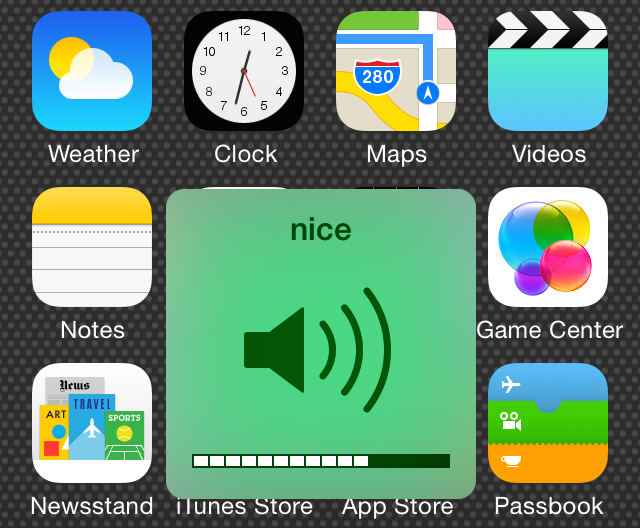
ColorfulVolume is a brand new iOS 7 jailbreak tweak that allows you to change the color of your volume heads up display (HUD).  It also lets you add a custom title near the top of the volume HUD and set it to change to a random color with each invocation.

For those of you interested in having fine-grained access to the exact color that appears for the volume HUD, you'll be happy to know that ColorfulVolume includes individual RGB sliders for granular color adjustments. Have a look at our video walkthrough of ColorfulVolume after the jump.

How to get iOS 8 style quick reply on iOS 7

If someone told you that six months ago that quick reply for Messages would be a feature in iOS 8, most people would probably say that it would be the headline feature for the updated OS. But Apple cranked it up a few notches, unveiling new features like Continuity and extensions, and suddenly quick reply no longer seemed like that big of a deal.

But let's face it, quick reply is still very much a big deal. In fact, it's such a wanted feature that there have been tons of jailbreak tweaks in the past that have brought some form of quick reply to the table for jailbroken users.

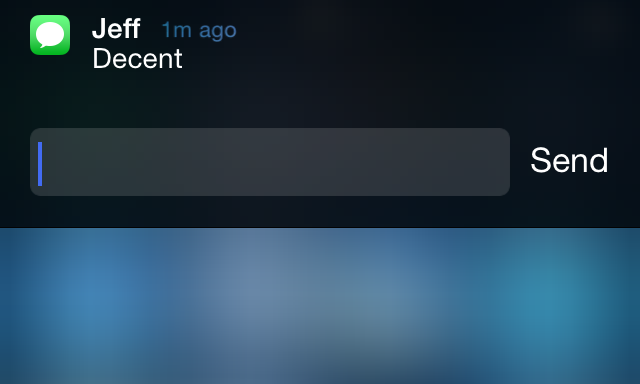
The latest such tweak aims to mimic the quick reply style found in iOS 8 to a close degree. Have a look at our video walkthrough past the break to see Interactive Message Notifications in action.