This guide shows you how to safely delete partitions from a hard drive or SSD using the built-in Apple Disk Utility app on your Mac.
How to remove disk partitions on a Mac with Disk Utility

This guide shows you how to safely delete partitions from a hard drive or SSD using the built-in Apple Disk Utility app on your Mac.

All recent Apple Watch models come with the same amount of storage space, which is 32 GB. This tutorial will show you how to check the amount of free space you have on your Apple Watch and also see how much space each app is taking up.
Need to add an extra partition to a hard drive or SSD? We'll show you how to create a disk partition on your Mac using the built-in Disk Utility app.
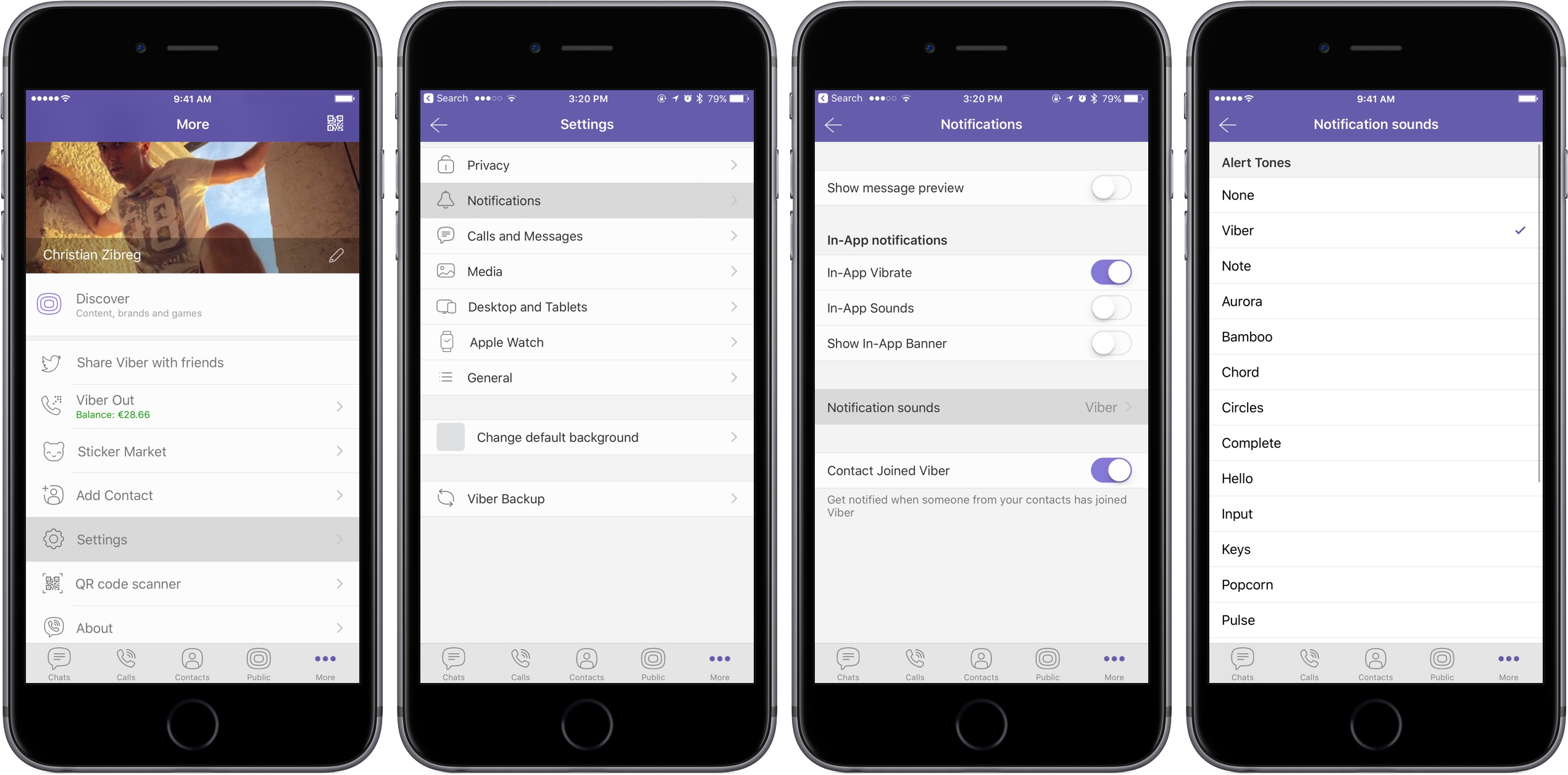
In this tutorial, we will show you how to change the default notification sound for all chats or choose different sounds for each of your chats in the Viber app on your iPhone or iPad.
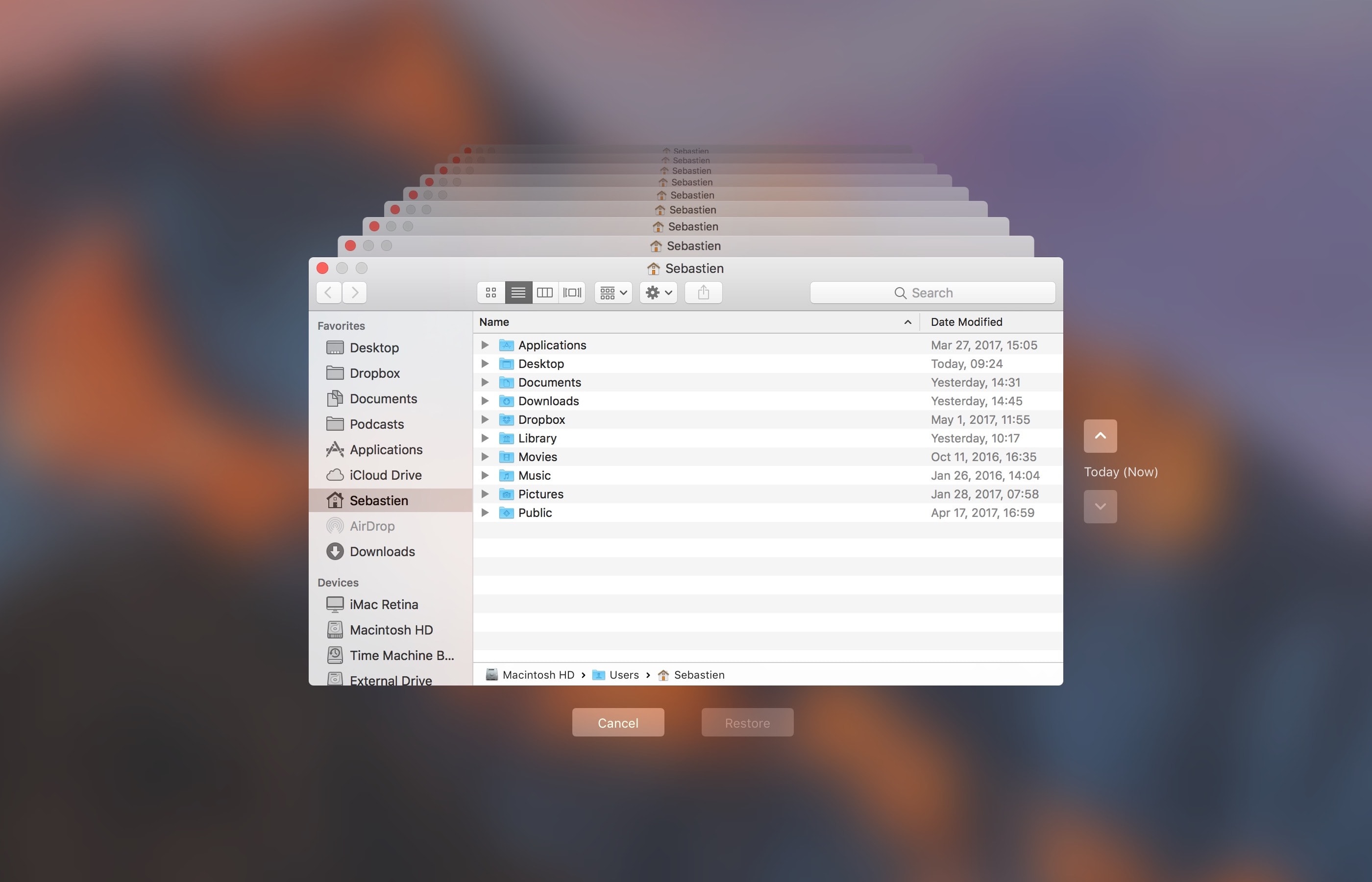
Do you use macOS's incredibly useful zero-configuration Time Machine feature to keep the personal files, settings and documents residing on your Mac safely backed up to an external disk? If so, is your backup disk nearly full? The best way to make room on your backup disk is to delete old Time Machine backups using Finder.
For example, the disk in my AirPort Time Capsule is nearly full because I have backups dating back to 2010. In this day and age of iCloud Drive and other cloud-storage services, keeping years worth of backups is kind of useless. That precious disk space could be put to better use for storing your photos and videos, for example.
In this tutorial, you will learn how to delete old Time Machine backups to help clean up your disk and regain storage space on it.
Deleting old backups should be your first order of business in situations when your Time Machine backup disk runs out of space. By default, Time Machine deletes older backups to make room for new ones as your backup disk fills up.
There are a couple ways to remove entire backups created on specific dates. We will describe both, but note that Apple seem to prefer the first method
How to delete old Time Machine backups1) Click the Time Machine icon in your Menu Bar to enter Time Machine.
2) Navigate through the interface to the desired date.
3) Once you have located the day you want to delete from your backup, click on the gear icon and select Delete Backup.
4) You will be asked to confirm you indeed want to delete the backup, and you may be ask to enter your administrator password too. Once done, the backup for that specific day will be deleted.
How to remove old Time Machine backups using Finder1) Click the desktop and open a new window by selecting New Finder Window from the File menu, or press the Command (⌘)—N keys on your keyboard.
2) Connect the disk containing your Time Machine backups to the computer and wait until its name appears underneath the Devices section in the Finder sidebar, then click it.
You may be asked to enter your administrator name and password to continue. If you use AirPort Time Capsule, you may be asked to enter a password to access the backup disk.
3) Navigate to the “Backups.backupdb” folder on your Time Machine backup disk as you would other folders. It should be a top-level folder of your backup drive.
4) Once inside the “Backups.backupdb” folder, navigate to the sub-folder named with your Mac computer's name. For instance, if your Mac is named “iMac Retina” in System Preferences, Time Machine will store backups inside the “iMac Retina” sub-folder.
TUTORIAL: How to change your Mac computer's name
5) You will see a bunch of sub-folders, each prefixed with the date of the backup in the YYYY-MM-DD format. For example, backups of your iMac created on April 19, 2017 would we stored in the sub-folder with the name beginning with “2017-04-19”. To delete a desired backup sub-folder, right-click or Control (⌃)-click it, then choose Move to Trash from the popup menu.
This will delete all copies of a backed-up file or folder from your Time Machine backup disk.
6) Repeat the process for other full-day backups you'd like to remove. When done, disconnect the disk by selecting its icon on the desktop, then choose Eject from Finder's File menu.
While you can safely delete sub-folders within the “Backups.backupdb” folder, you are not allowed to delete individual items inside the dated folders.
You're wholeheartedly discouraged from using Terminal or any other app other than Finder to move, copy or delete items from the Backups.backupdb folder.
You also cannot delete items from local snapshots stored on your internal drive.
To save space on the backup drive, why not exclude individual files or entire folders of files—like your Applications or Downloads folder—in the Time Machine preferences window?
That's all, folks!If you have a question, post a comment below and we'll do our best to answer it. Please share this tutorial on social media and pass it along to the folks you support.
Submit your ideas regarding future coverage via tips@iDownloadBlog.com.
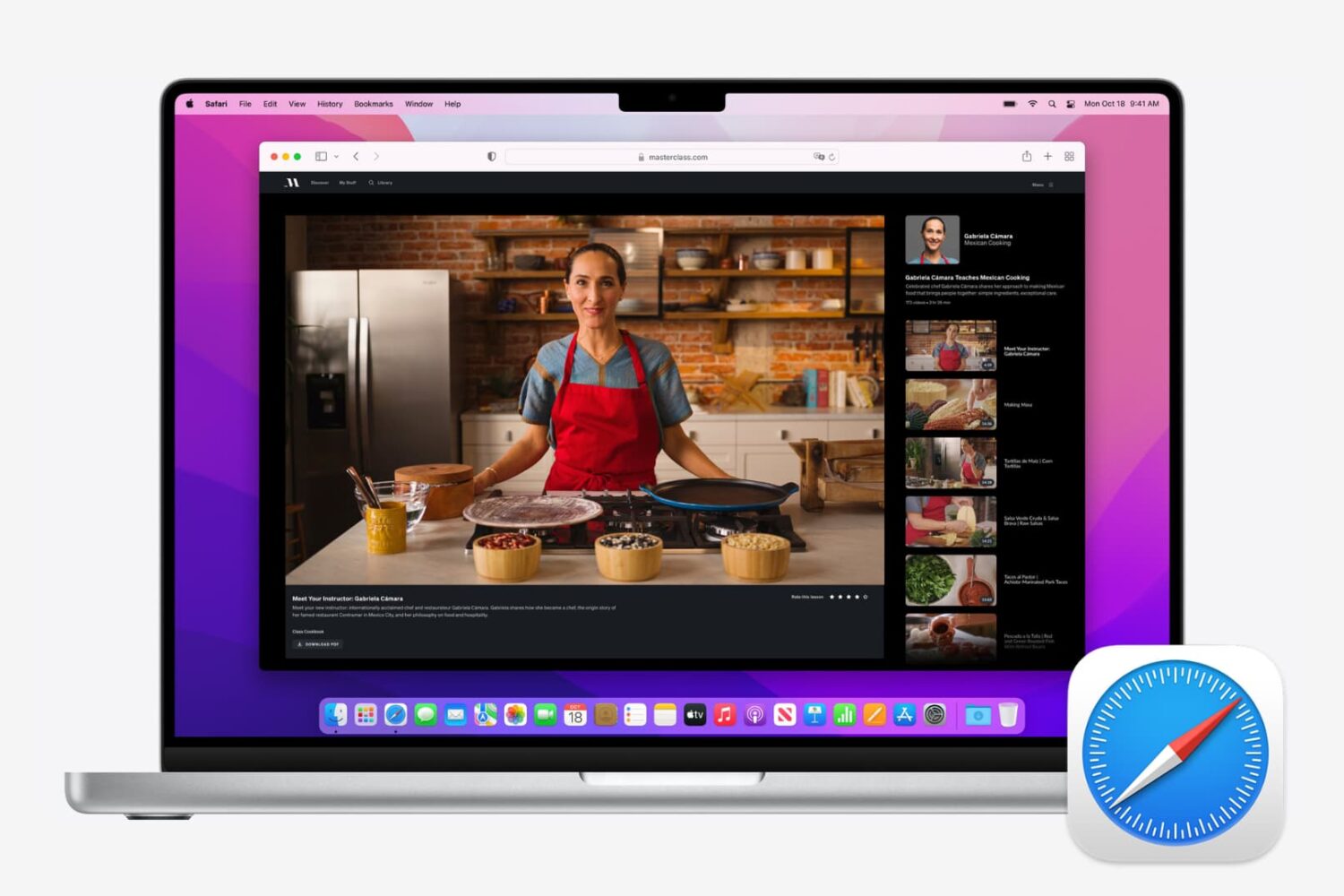
Master your Safari experience on Mac by learning how to switch between your multiple open tabs using keyboard shortcuts.

If you're in the market for a used iPhone, it's always a good idea to ask the owner to disable Find My iPhone, which automatically turns off Apple's theft-deterring Activation Lock feature.
But what if you're buying a non-Apple smartphone? Can you still check if it was stolen? As it turns out, that's exactly what CTIA’s Stolen Phone Checker service does for you.
Powered by the GSMA Device Check service, which provides up to 10 years’ of a device’s history as well as the device model information and capabilities, the free Stolen Phone Checker tool is an online service designed to help consumers, businesses and law enforcement agencies make informed purchasing decisions and limit the resale of lost and stolen mobile devices.
TUTORIAL: How to find your iPhone's IMEI number
This is a US-only service so this tutorial may not apply to international readers.
How to check if the phone you're buying was stolen1) Visit stolenphonechecker.org/spc/consumer on your device.
2) Enter the IMEI, MEID or ESN of the phone you're about to purchase. If you're buying an iPhone, you can find this information in Settings → General → About. If you're buying a non-Apple smartphone, ask the owner to provide the IMEI number.
3) Solve the captcha and click the Submit button.
If the phone isn't stolen,“Not reported lost or stolen” should appear next to Device Status along with some useful information, including the device model, manufacturer and more.
Regular consumers are allowed to check up to find phones per day. Again, this service is limited solely to consumers in the United States.
Related tutorialsCheck out the following how-tos:
What to do if your iPhone is lost/stolen How to remotely erase iPhone that was lost/stolen How to use Lost Mode if your iOS device is lost/stolen How to secure your iPhone with Activation Lock How to locate misplaced AirPods Checking Activation Lock status via Apple Support website Wrapping it upIf you have a question, post a comment below and we'll do our best to answer it. Please share this tutorial on social media and pass it along to the folks you support.
Submit your ideas regarding future coverage via tips@iDownloadBlog.com.

Check out four free solutions to convert image files (JPEG, PNG, HEIF, GIF, etc.) into PDF documents on your iPhone or iPad.

If you've been tinkering around with your Apple TV 4 jailbroken on tvOS 10 with liberTV, you may have noticed that its built-in SSH client, Dropbear, has a tendency to be purged every so often, requiring it be re-spawned and set up again. This is due to the developer's (admirable) desire to retain all jailbreak-related files in temporary folders on the filesystem, reducing the risk of bricking your device while fiddling with it to near-zero. If you are confident enough to move a few files out of their temporary folder however, you can easily get your SSH client up and running persistently, avoiding those tedious reconfigurations which otherwise occur.

Apple included a handy new feature in iOS 10.3 beta to give people the power to disable in-app prompts seeking feedback in one fell swoop. Apps that use the new SKStoreReviewController API can invoke a new standardized prompt offering users to provide a rating or write a review without taking them to the actual App Store. This feature has been available on and off for beta testers and should be available to the public in an upcoming update to iOS 10.
These in-app prompts for ratings and reviews can be disabled at once for all apps installed on your iPhone, iPad or iPod touch which support the feature. This tutorial provides step-by-step instructions for how to disable in-app ratings and review requests in iOS.
How to disable in-app ratings and review requests on iPhone and iPadTo opt out of receiving these feedback prompts, do the following:
1) Launch Settings on your iOS device.
2) Tap iTunes & App Stores.
3) To disable all in-app prompts for App Store reviews and ratings, flip the switch In-App Ratings & Reviews switch to the OFF position.
This will prevent all apps that are installed on your iPhone, iPad or iPod touch from asking for product feedback in the form of App Store ratings and reviews. Again, this toggle has no bearing on apps on your device that do not use iOS 10.3's new SKStoreReviewController API.
Please think twice before disabling in-app ratings and reviews.
As I explained before, the new API streamlines the product feedback experience with standardized prompts limited to three per year per app. As Apple itself suggests, you should help developers and other users know what you think by letting apps ask for product feedback.
Like before, your submitted ratings are valid for the App Store territory where you originally purchased the app. You can also leave ratings and write reviews for iPhone, iPad and iPod touch apps directly in App Store, and for macOS apps in Mac App Store.
You can also leave ratings for Apple TV apps, but not submit reviews.
About in-app ratings and review requestsiOS 10.3 beta gives users the power to silence in-app prompts seeking App Store feedback.
In the past, developers were free to interrupt the experience and inundate users with pesky prompts asking them to provide a rating or write a review on App Store.
With the new SKStoreReviewController API, developers simply choose when they’d like to prompt the user and identify places in their apps where it makes sense to ask for feedback, and the system takes care of the rest.
The system allows users to submit a rating through the standardized prompt and authenticate with Touch ID to write and submit a review, all without leaving the app.
The API limits these requests to three prompts per app in a 365-day period. The counter is not reset when the app is updated. The hope here is that the new API will encourage developers to strategically ask for feedback for major updates only.
Previously, many apps would aggressively ask for feedback after each and every update because App Store erases an app's average rating with each submitted update. Apps that don't use the aforesaid API can still put up a bespoke prompt seeking feedback “at appropriate times throughout the user experience,” according to Apple.
App makers that use iOS 10.3's new SKStoreReviewController API save time because the system decides when to pull up these in-app prompts and how they're rendered.
Users benefit from having the standardized prompt and the ability to write a review or submit a rating without leaving the app they're in.
When the user sees an in-app prompt seeking App Store feedback, he or she can authenticate with Touch ID to write and submit a review, right there and then.
“The system’s rating prompt offers a familiar, efficient experience that’s designed to engage the user with minimal impact,” explains Apple.
As a bonus, developers can at long last respond publicly to App Store reviews.
Any questions?If you have any questions regarding the topic of this tutorial, please post a comment below and our knowledgable writers will try to answer them.
Be sure to pass this article along to the friends and family you support.
Submit your ideas regarding future coverage via tips@iDownloadBlog.com.
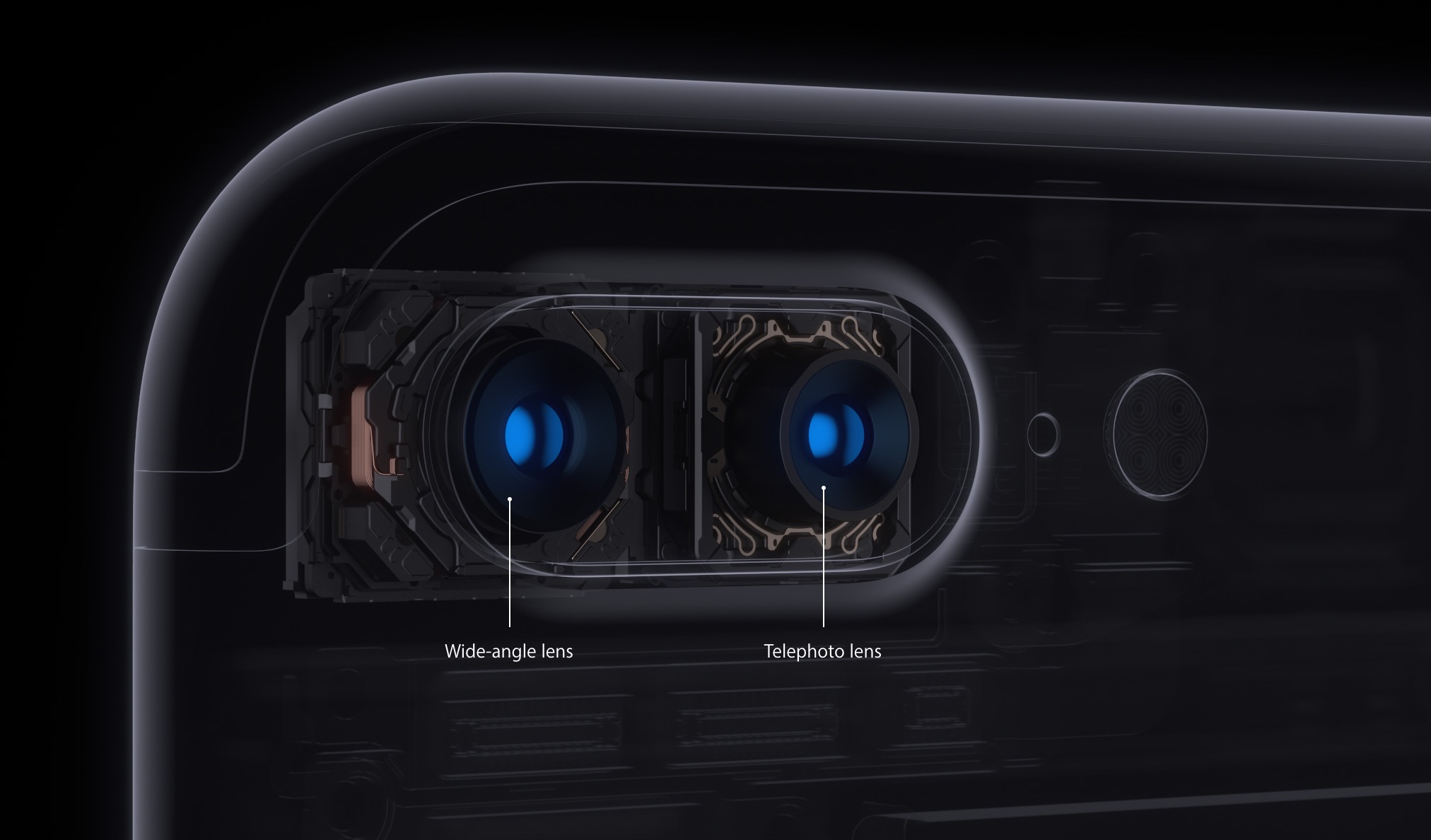
iOS decides on your behalf when it's appropriate to use iPhone 7 Plus's telephoto camera and when to switch to the wide angle shooter. This default behavior can be altered, which helps you avoid potentially unexpected results when shooting video.
If the phone switches to or from the second lens while you’re zooming in or out, glitches will probably appear in the recorded video. Thankfully, Apple, in all its wisdom, has provided a toggle in Settings to easily override this behavior at any time.
With its dual-lens system, iPhone 7 Plus is an awesome portable camera for both pro and wannabe iPhone photographers. In addition to powering depth-of-field photography, the dual twelve-megapixel cameras give you the benefits of an 2X optical zoom.
The problem with lens switchingDue to an ƒ/1.8 aperture and optical image stabilization, the wide angle camera captures images that are sharper and stabler than those taken with its telephoto counterpart. The two lenses have a different aperture and physical position, which also affects image quality.
Jarring transitions in your recorded videos are caused by automatic lens switching, which occurs if your iPhone switches to or from the second lens as you’re zooming in or out.
To avoid accidentally running into jarring transitions while recording video on your iPhone 7 Plus, you should disable the automatic lens switching feature.
Here's how.
How to stop your iPhone from automatically switching lenses1) Launch the Settings app.
2) Tap Photos & Camera.
3) Tap Record Video underneath the Camera heading.
4) Slide the Lock Camera Lens switch at the bottom to the ON position.
Your iPhone will no longer automatically switch between camera lenses while shooting video.
This setting only takes effect when you’re actually shooting video. If you toggle the Lock Camera Lens to the ON position, your iPhone will keep on using whichever lens you started recording with. You'll want to keep that in mind when fiddling with this setting.
By the way, I learned about this feature via the always informative iLounge.
Speaking of which, iLounge explains how this setting affects your video recordings:
In most cases, you’ll simply be relying on digital zoom rather than optical. However, if you begin recording a video while zoomed in to beyond 2X, you may not be able to zoom back out, as you’ll already be using the 2X lens.
iOS uses a number of factors to determine whether it should use the optical 2X lens or simply rely on digital zoom, such as in lower light conditions where the faster primary lens has an advantage, so you won’t always see the impact of the Lock Camera Lens setting.
And that's it, boys and girls.
Any questions?If you have any questions regarding automatic lens switching on iPhone 7 Plus, please post them in the comment section below and our knowledgable writers will try to answer them.
Be sure to pass this article along to th friends and family you support.
You can shoot us your ideas regarding future coverage to tips@iDownloadBlog.com.

Learn how to change the display name of your Apple Watch to easily identify the device in the Find My app, on iCloud, in watchOS menus, etc.