Sébastien Page

Sebastien is the Founder and Editor in Chief of iDB. Once a BlackBerry user, Sebastien instantly fell in love with the iPhone when it was first announced in 2007. Shortly after, he decided to start sharing his knowledge of the iPhone and its nascent ecosystem, which led to the creation of this blog. Sebastien currently owns 14 iPhones, 4 iPads, a MacBook Pro with Touch Bar, a MacBook Air, 2 Apple Watches, 3 Apple TVs, countless HomePods and AirTags as well as a few pairs of AirPods.

Dev Team Confirms it Has Untethered Jailbreaks for All Future Firmwares

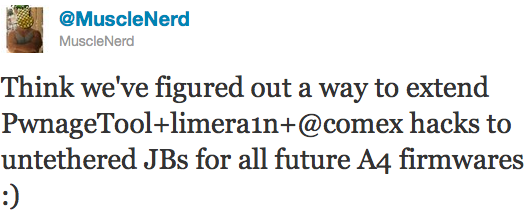
MuscleNerd confirmed on Twitter earlier today that the Dev Team has figured out a way to use LimeRa1n, GreenPois0n, and PwnageTool for all future firmwares of devices boasting an A4 chip.

Even better, all future jailbreaks for iOS devices with an A4 chip will be untethered. That's a good news for iPhone 4 owners, as well as Apple TV, iPad and iPod Touch 4G users... 

Dev Teams Shows Off PwnageTool jailbreak for iPhone 4.1

Dev Team member MuscleNerd has recorded a video demon of their latest jailbreak for iOS 4.1 PwnageTool. The video showed an iPad being restored to a pre-jailbroken iOS 3.2.2.

PwnageTool is a jailbreak method that lets you update your iPhone to the latest iOS while preserving the baseband. This is particularly important if you're looking to unlock your iPhone as there are currently no unlock available for the latest basebands and there probably won't be at least until iOS 4.2 comes out in November...

This Tweak Makes Your iPhone Look Like an Aquarium

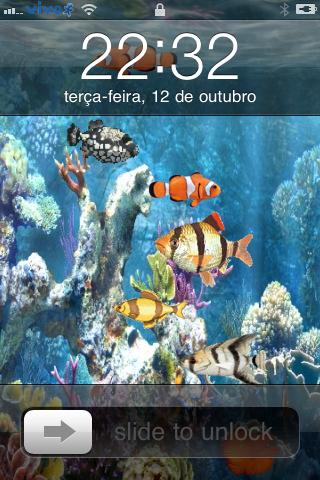
A few months ago we showed you how to turn your iPhone lockscreen into an aquarium. Turns out this tweak wasn't free and was very buggy. The good news is that we now have another option. It's called MultiFishLockScreen.

MultiFishLockScreen is a free tweak available for free on Cydia. This theme was especially developed to animate the lockscreen with a nice submarine view... 

How to Know if You Can Jailbreak and Unlock Your iPhone

I have an iPhone 4 with iOS 4.0.2 and baseband 01.59.00. Can I jailbreak? Can I unlock? I get asked this question about 20 times a day and to be honest with you, it's kinda getting old.

The good news is there is a tool available that will answer these specific questions. Just enter your device, model, iOS, and baseband version and it will tell you if you can jailbreak and unlock. Additionally, it will give you links to tools you can use to jailbreak and unlock...

Otter Box Protects Your iPad Now

OtterBox, the maker of in my opinion the best protective case for the iPhone and iPod touch now also offers two new cases to protect your iPad as well.

Stopping by their site you will find their new iPad Defender case ($86.95) and their iPad Commuter case ($62.95). One of the nice things with the iPad cases is that they have a removable cover on the bottom that allows you to leave the case on the iPad and still plug it into a variety of docks/keyboards and other accessories.

The big differences between the two cases is the Commuter is more of an outer protective shell that goes around the outside of the iPad and covers the back as well and comes with a self-adhering protective touch screen film.

The Defender on the other hand is an entire iPad protective shell that includes the thin plastic screen protector built in just like the Defender series for the iPhone and iPod. In addition, the Defender also had built in props to hold the iPad in either portrait or landscape mode for viewing and working with your favorite new “toy”.

To some, the pricing might seem a bit high, but to me the OtterBox series of products are well worth the money, especially since if you buy the Defender series you are getting fairly hardcore protection for your favorite iDevice.

I noticed today on the Otter Box site that they currently have the Commuter in stock but apparently the Defender is really popular as the site states that they are currently sold out and thus far I have not been able to find them in any stores that normally carry Otter Box products.

I have a sweet Targus leather case for mine now with built-in landscape prop support but I am really tempted to get a Defender when they are back in stock. What is your opinion on this awesome new iPad accessory? Will you go on-line and order one?

Verizon to Sell the iPad on October 28

You didn't expect that one, did you? All the rumors have been about Verizon getting the iPhone, but we hadn't heard much about Verizon getting the iPad. It's official, as of October 28, Verizon will be selling the iPad wifi.

Verizon will take this opportunity to upsell its new iPad customers with their MiFi, a mobile hotspot you can bring anywhere with you.

Now am I the only thinking the page dedicated to the iPad on Verizon's website looks cheap and put together by an intern in 10 minutes?

Is it a surprise that Verizon is getting the iPad? You tell us what you think by leaving a comment below...

It's Official: the iPad is the Best Selling Gadget Ever

Yes folks, this is official... With over 8.5 million units sold in less than 6 months, the iPad os the best selling gadget ever made, at least according to Bernstein Research. a financial firm that tracks iPad sales.

The iPad smashed industry records earlier this year when it sold 3 million units in its first 80 days on the market. Third quarter sales were in the range of 4.5 million units, and overall it's estimated that Apple has shipped about 8.5 million iPads to date worldwide.

[Information Week via TUAW]

GreenPois0n Download for Linux Now Available

A quick note to let you know that the GreenPois0n download for Linux is now available. Up until now, only the Windows version was available on the site.

Apparently, the Chronic Dev Team is having issues making GreenPois0n work on Mac and it might take a few days to get it done. Stay tuned as we'll keep you informed when it comes out.

In the meanwhile, you can always check our GreenPois0n guide for more information on how to use GreenPois0n to jailbreak your iPhone.

[FSM]

Apple Releases iOS 4.2 Beta 3

Apple just releases iOS 4.2 beta 3 for developers. As usual when a new iOS version comes out, you may want to stay away from it if you rely on your jailbreak and your unlock.

If you decide to download and install iOS 4.2 beta 3, make sure to leave us your first impressions by leaving a comment on this post.

Jailbreak Your iPad with GreenPois0n [Guide]

This guide will show you how to jailbreak your iPad iOS 3.2.2 using GreenPois0n, the latest jailbreak tool by the Chronic Dev Team. If you have already jailbroken your iPad with LimeRa1n and it is working fine for you, then there is no need to jailbreak again using GreenPois0n.

At the time I am writing this, GreenPois0n is for Windows only, although a Mac version should be available soon.

Step 1: Download GreenPois0n and run it as an administrator.

Step 2: Power off your iPad, and connect it to your PC.

Step 3: Walk through the steps to put your iPad into DFU mode to prepare for jailbreak.

Step 4: Once you’re in DFU mode, click the ‘Jailbreak!’ button to jailbreak your iPad.

Step 5: Now, just wait until the status bar shows complete, and your iPad will reboot to the home screen.

Step 7: You should now have a new “Loader” icon on your springboard. Launch Loader. Select Cydia > Install Cydia.

Step 8: One Cydia has successfully been installed, you will be asked if you want to remove Loader. Hit “Remove” and your iPad  will automatically reboot.

Your iPad 3.2.2 should now be successfully jailbroken using GreenPois0n. If you have any question or comment, make sure to add them in the comments section below.
PwnageTool Jailbreak for iOS 4.1 Coming this Sunday

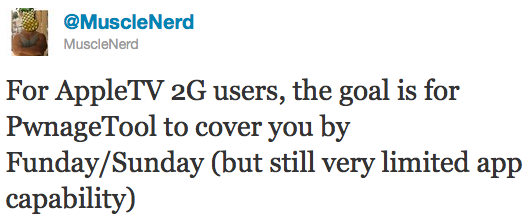
MuscleNerd announced on Twitter earlier today that the Dev Team will be releasing an updated version of PwnageTool to jailbreak iOS 4.1. Not only this version will work with the iPhone 3GS and iPhone 4, but it will also allow to jailbreak the new Apple TV.

PwnageTool is a Mac only tool that allows you to update the firmware while preserving the baseband. It is necessary for those of you who want to be on the latest iOS, while keeping their iPhone unlock. If you're on a PC and want to update to iOS 4.1 while not upgrading the baseband, you may refer to our tutorial...