Cody Lee

Cody Lee, iDownloadBlog.com’s longest-serving Editor, joined the site in 2008. He specializes in uncovering the best deals on Apple products, apps, and accessories. With years of experience in technology journalism, Cody helps readers save money while staying informed about the latest trends and updates in the Apple ecosystem. Cody’s history with smartphones goes almost as far back as he does. As the son of a Nokia employee, he was exposed early on to handsets like the N91 and the Communicator. He has since been involved in nearly every aspect of the mobile phone industry. While going to college, he worked at a Nokia factory, building handsets, and later moved on to a sales position at a major wireless carrier.

iOS 11 makes setting up new devices easier

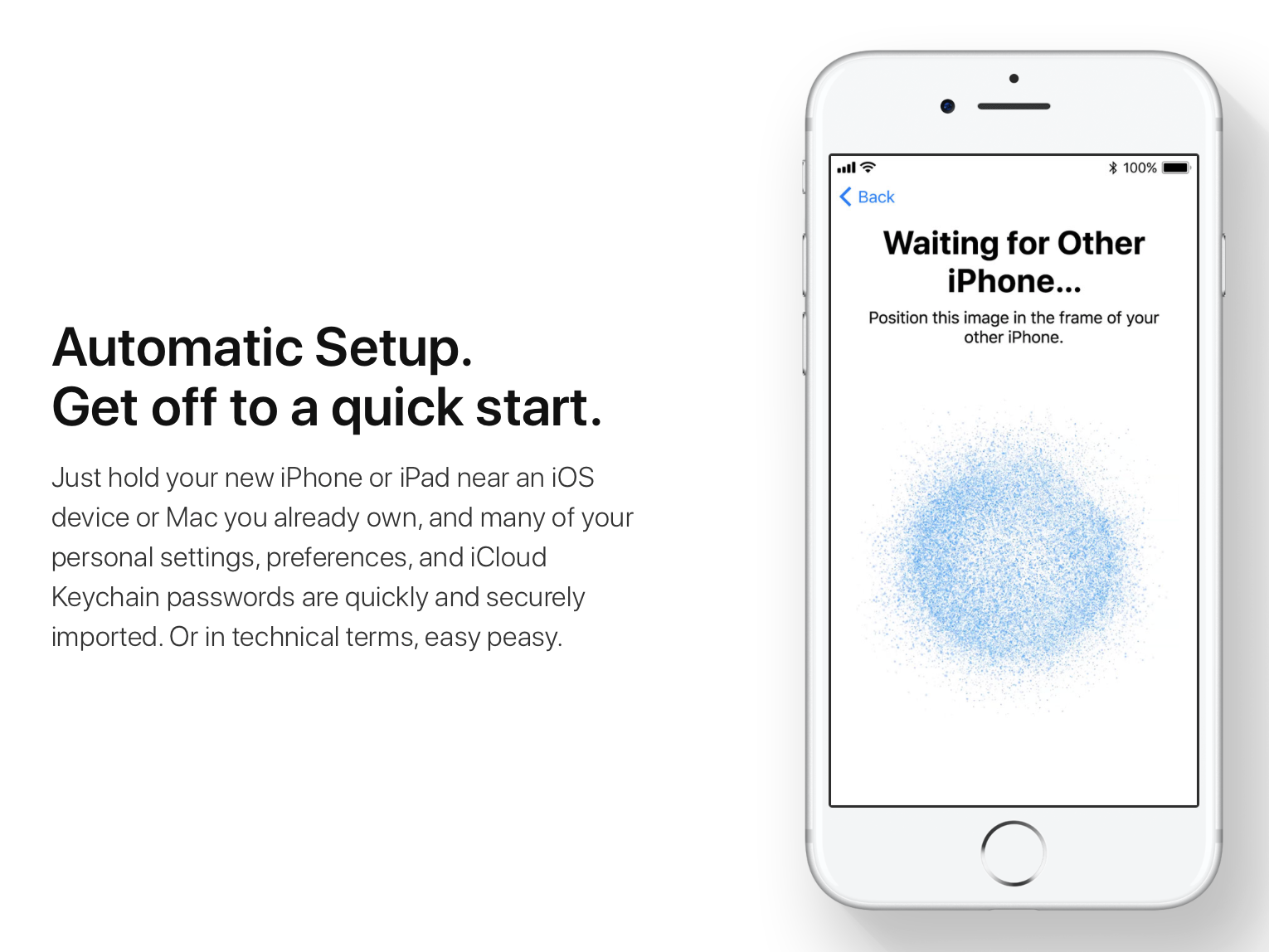
A new feature in iOS 11 that has kind of flown under the radar thus far is Automatic Setup. As Apple notes on its website, the feature allows you to quickly and securely import data to your your new iPhone or iPad by holding it near an iOS device or Mac you already own.

Not much else is known about the feature yet, but from the above image it looks like the process is very similar to that of pairing an Apple Watch to your iPhone. You simply position the digital image in the frame of your new device and it gets authenticated for data transfer.

Obviously we'll have to go hands-on with Automatic Setup to see how much easier it really makes the new device setup process, but any change is welcome. Right now the process is extremely painstaking, forcing you to enter your Apple ID and other credentials multiple times.

Check out more of our iOS 11 coverage here.

iOS 11 adds new dock, drag and drop and other iPad productivity features

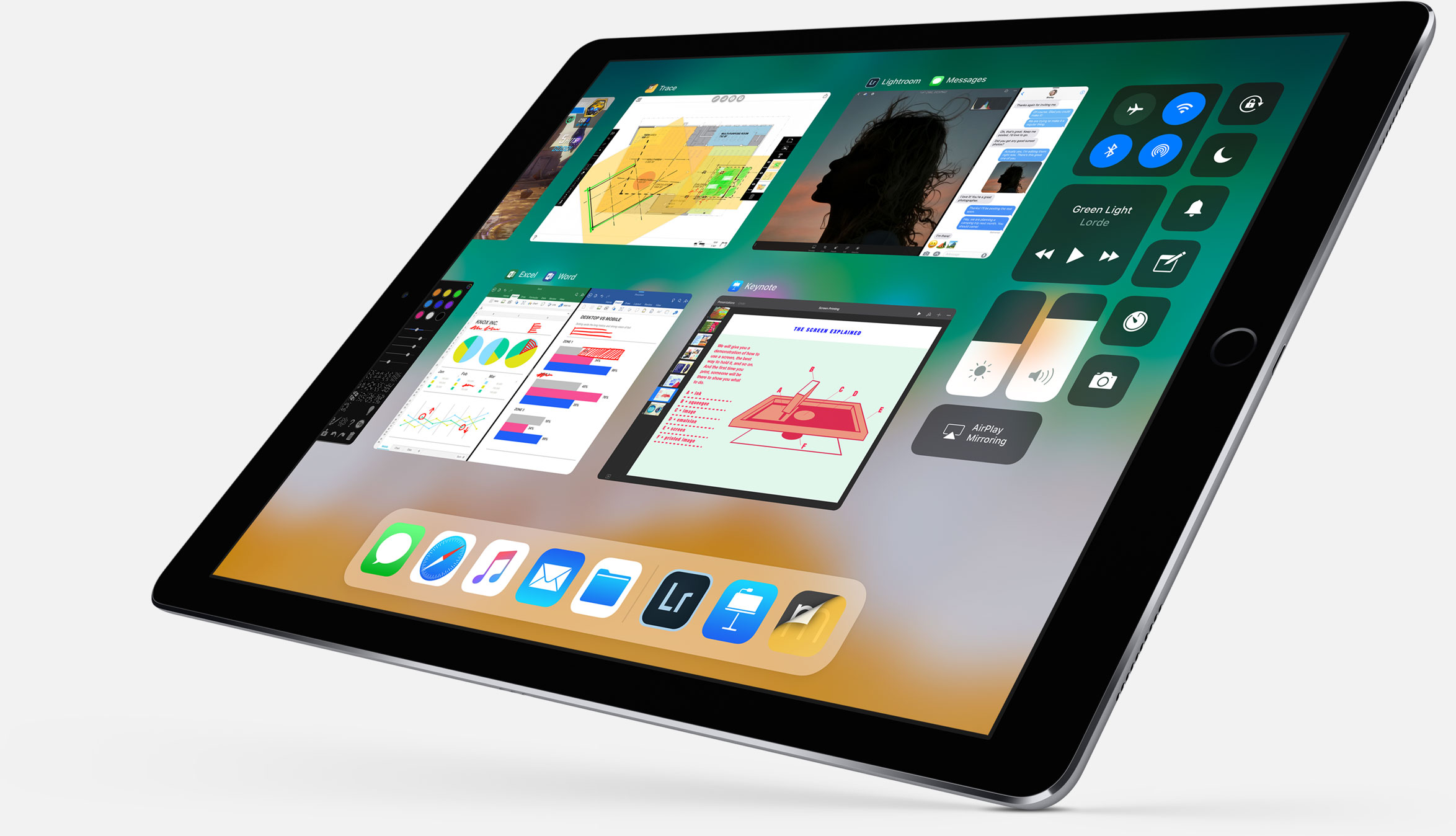
Following the announcement of its new 10.5-inch iPad Pro, Apple showed off a slew of new iPad-specific features that are coming in iOS 11. It's a pretty impressive collection of improvements, clearly aimed at making the tablet more of a productivity tool.

Apple calls this the "biggest iOS release for iPad ever," and there is a lot of new stuff here. So for now, instead of going into each new feature in detail, we're just going to list out all of the features so you can get an idea of what to expect.

New dock - can be filled with a ton of apps now, and there's a new predictive area to the far right that guesses which app you'll want to use next. You can pull it up from anywhere and slide an app up from it to the Slide Over view. New app switcher - preserves spaces, along with app pairings, so you can open the same set of apps easily. Drag and drop - drag and drop anything including images, texts and URLS. Even if you're in a full screen app you can collect multiple images by swiping with opposite hand and drag and drop. New Files app - supports iCloud, Dropbox OneDrive, etc. Allows you to drag and drop files into apps by swiping up on dock and holding down on the Files icon. Spotlight search for handwritten notes in Notes app. Inline drawing with Apple Pencil in Notes app. Quickly input numbers by swiping on corresponding key on virtual keyboard. New screenshot-editing UI that lets you crop image, annotate with pencil, and share with Share Sheet. Notes now has document scanner built-in.

Here's a shot of the new Files app:

And here is Files app with drag and drop:

Here's the official excerpt on iPad features in iOS 11 from Apple's website:

iOS 11 makes multitasking on iPad even more powerful with a new customizable Dock that provides quick access to frequently used apps and documents from any screen, and a redesigned app switcher makes it easier to move between pairs of active apps, used in Split View and now Slide Over. The new Files app keeps everything in one place, whether files are stored locally, in iCloud Drive or across other providers like Box, Dropbox and more, and with Drag and Drop available across the system, moving images and text is easier than ever. Apple Pencil is more deeply integrated into iPad with support for inline drawing and a new Instant Notes feature opens Notes from the Lock Screen by simply tapping Apple Pencil on the display.

So what do you think, did Apple achieve its goal of making the iPad more productive?

Apple announces new 10.5-inch iPad Pro

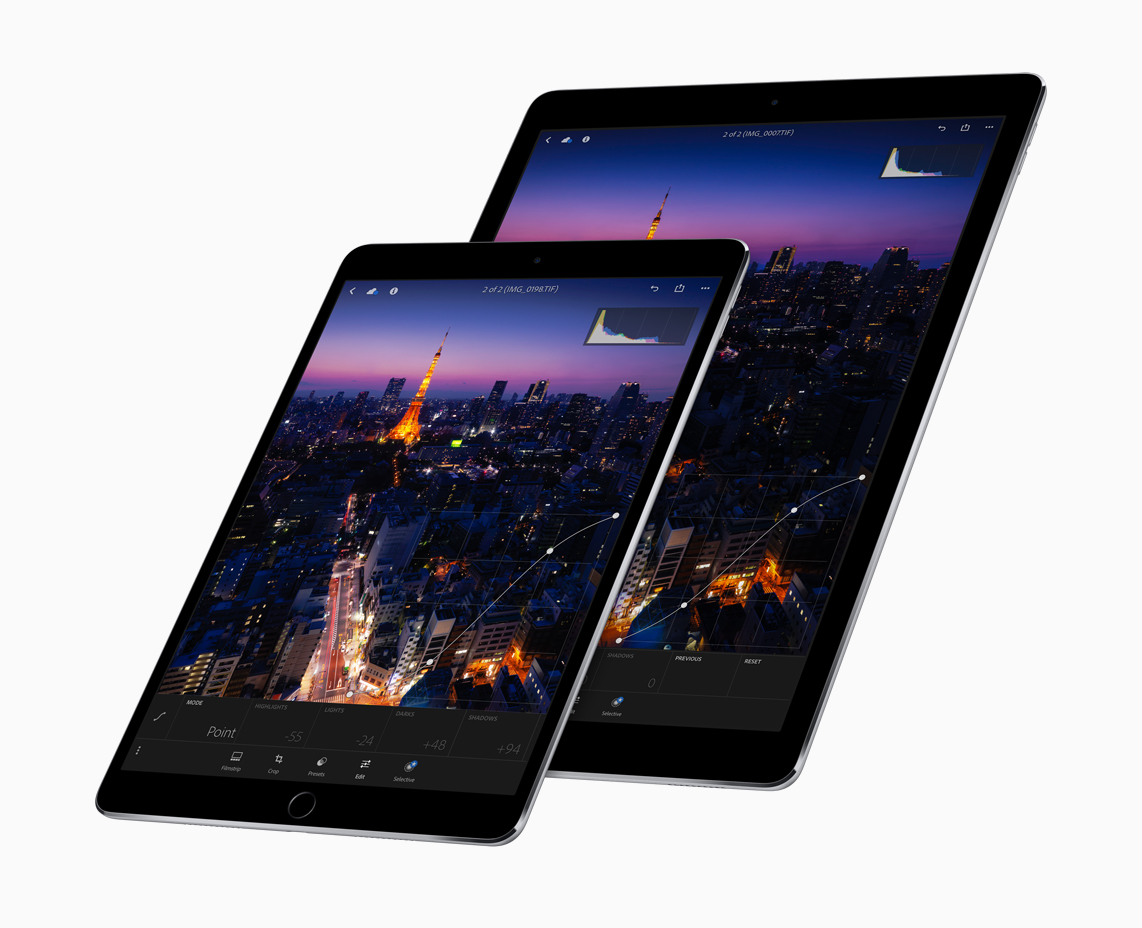
As rumored, Apple today announced a new 10.5-inch version of its iPad Pro. It features a larger display, in a body that's essentially the same size of the 9.7-inch iPad. You can see in the above image that this is possible thanks to slimmer bezels—Apple says they've been reduced by 40% in size.

The tablet weighs 1 pound and is extremely powerful. It features a new ProMotion Retina display that can refresh at a rate of 120Hz. That's double the refresh rate of previous iPads, making things smoother, crisper and more responsive. This is powered by an A10X Fusion chip processor, which has a 6-core CPU and 12-core GPU.

Other features include a 12MP iSight camera with optical image stabilization (same as iPhone 7) and a 7MP FaceTime camera. It has the same 10-hour battery life, supports USB3 fast-charging, and entry-level storage now starts at 64GB. The new iPad Pro starts shipping next week, with prices starting at $649.

Here's a note from Apple's press release on the new tablets:

“These are by far the most powerful iPads we’ve ever created with the world’s most advanced displays featuring ProMotion, the powerful new A10X Fusion chip and the advanced camera system of iPhone 7,” said Greg Joswiak, Apple’s vice president of Product Marketing. “Together with iOS 11 these new iPad Pro models will radically change what users can do with iPad.”

One last thing: a new full-sized Smart Keyboard has been custom designed for the 10.5-inch iPad Pro, offering a thin yet durable keyboard that never needs to be charged or paired over Bluetooth and is easily foldable into a protective Smart Cover.

What do you think of the new iPad Pro? Will you be picking one up?

Apple announces completely redesigned App Store

Phil Schiller just made perhaps the most surprising and impactful announcement at Apple's WWDC keynote: the App Store is getting a complete redesign. This is the first time this has happened since the App Store was introduced back in 2008.

“Together with our incredible developer community, we’ve made the App Store the best app platform in the world, and more than 500 million unique customers visit it every week,” said Philip Schiller, Apple’s senior vice president of Worldwide Marketing. “Now, we are taking everything we’ve learned from the App Store over the past nine years and putting it into a stunning new design. Every element of the new App Store is richer, more beautiful and more engaging.”

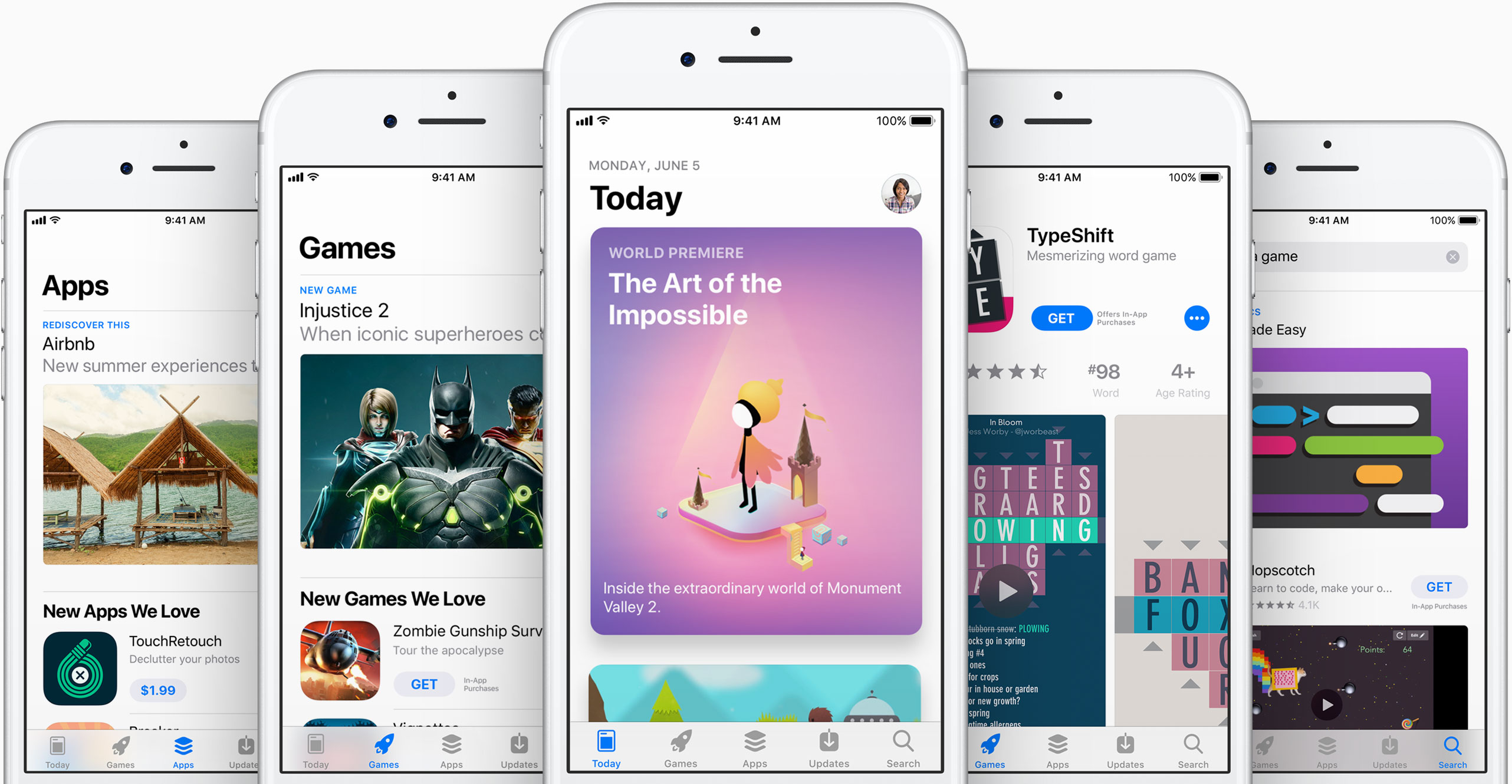
As you can see in the above images, the new App Store looks a lot like Apple Music and Apple News. Images are larger with rounded corners, and header text is large and bold. There's a new Today tab, with big, color cards you scroll through that shows app previews and updates, news, tips and guides, and more. There will also be an app of the day, game of the day, and a daily list of suggestions.

"It all starts with the Today tab, a daily destination all about games, apps and app culture. Through in-depth features and interviews filled with beautiful artwork and videos, the App Store’s global team of editors will share the stories behind the apps and games that change the way we live and the developers whose ideas push and shape the world as we know it. Today will feature exclusive premieres, new releases and a fresh look at all-time favorites, as well as recommended tips and how-to guides to help customers use apps in innovative ways."

Games also now have their own tab, separate from apps, which should make non-game developers pretty happy. This is going to be one of those things where we are going to have to go hands on with to cover the extent of the changes.

"Games is the most popular category on the App Store, and with the new design there will now be a dedicated home just for games. It will feature recommendations of new releases and updates, compelling videos, top charts just for games and hand-picked collections. It's now easier than ever to navigate the over half a million games available, and find the perfect game for everyone from the casual player to the hardcore enthusiast."

What do you think of the new App Store design?

Control Center gets major redesign in iOS 11

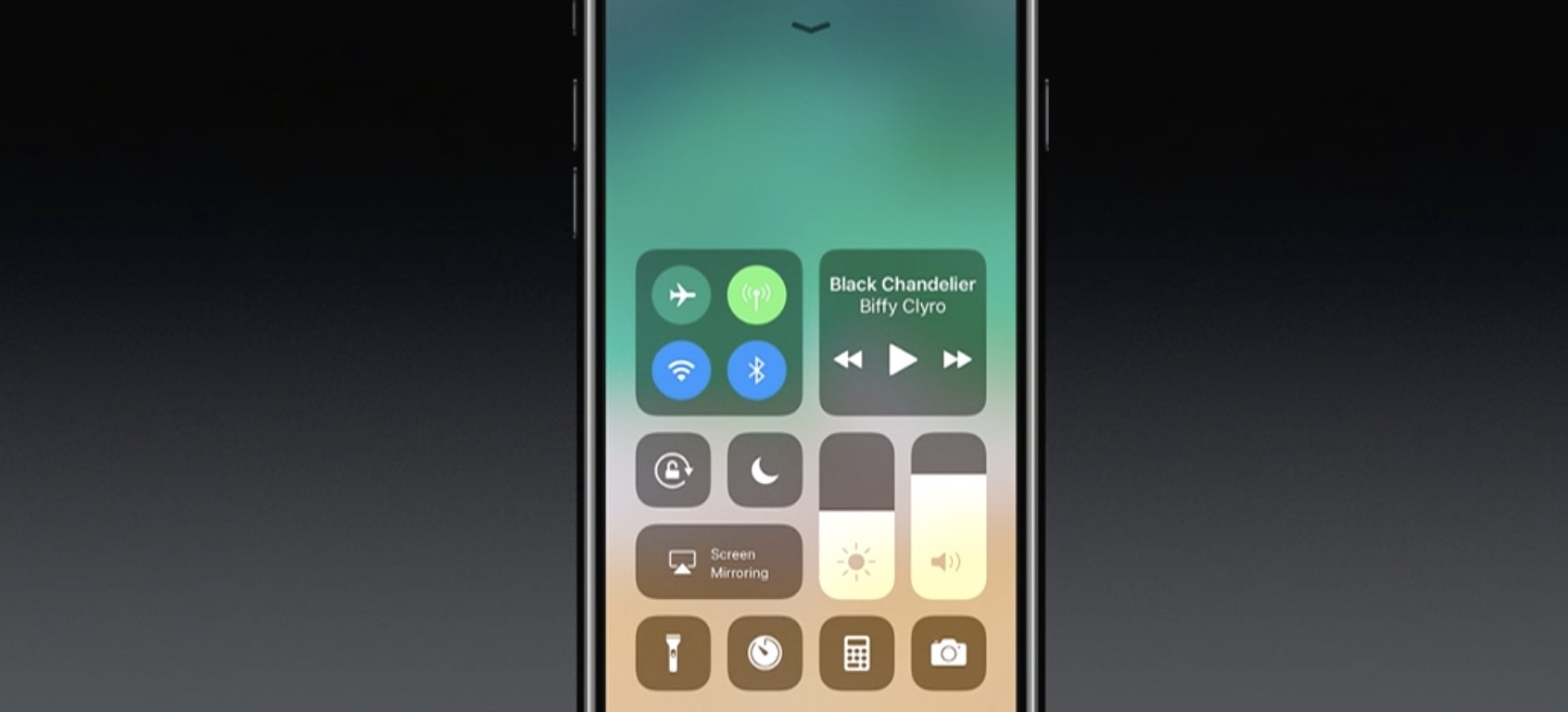
One of the many new features in iOS 11 is a completely redesigned Control Center. As you can see in the above screenshot, it looks nothing like the previous design, with more of a widget-style interface, and yes—it's back to a single page.

Apple describes it as far more customizable than previous versions of Control Center, allowing you to quickly access the settings for things you do most. We haven't tried it yet, but it looks like you can customize at least some of the settings and app shortcuts that appear here.

This being a smaller feature in the grand scheme of the iOS 11 update, there aren't many other details available yet. We are currently installing the developer beta and will be sure to publish a post with a full breakdown of the new CC.

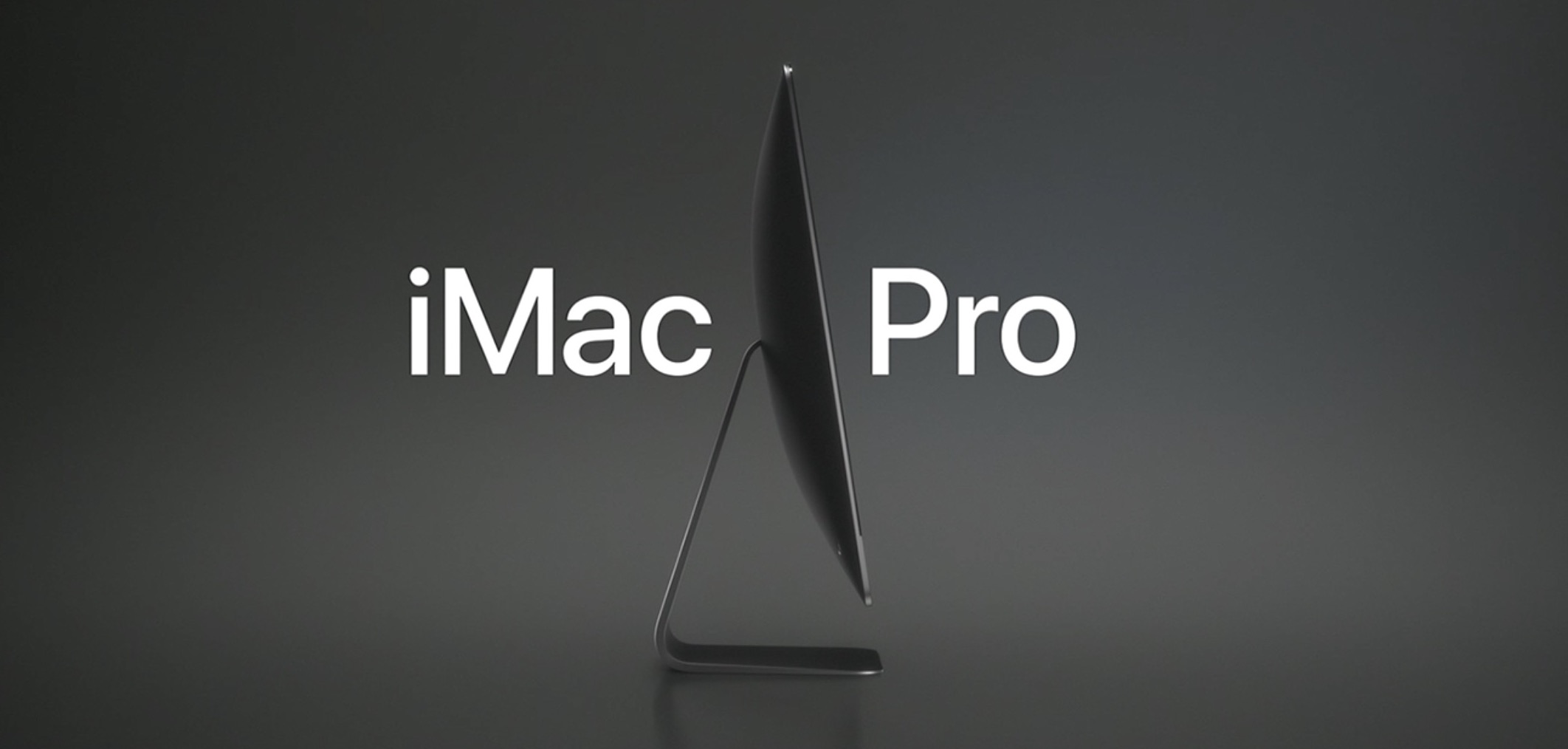
Apple announces new iMac Pro, the most powerful Mac ever made, coming later this year

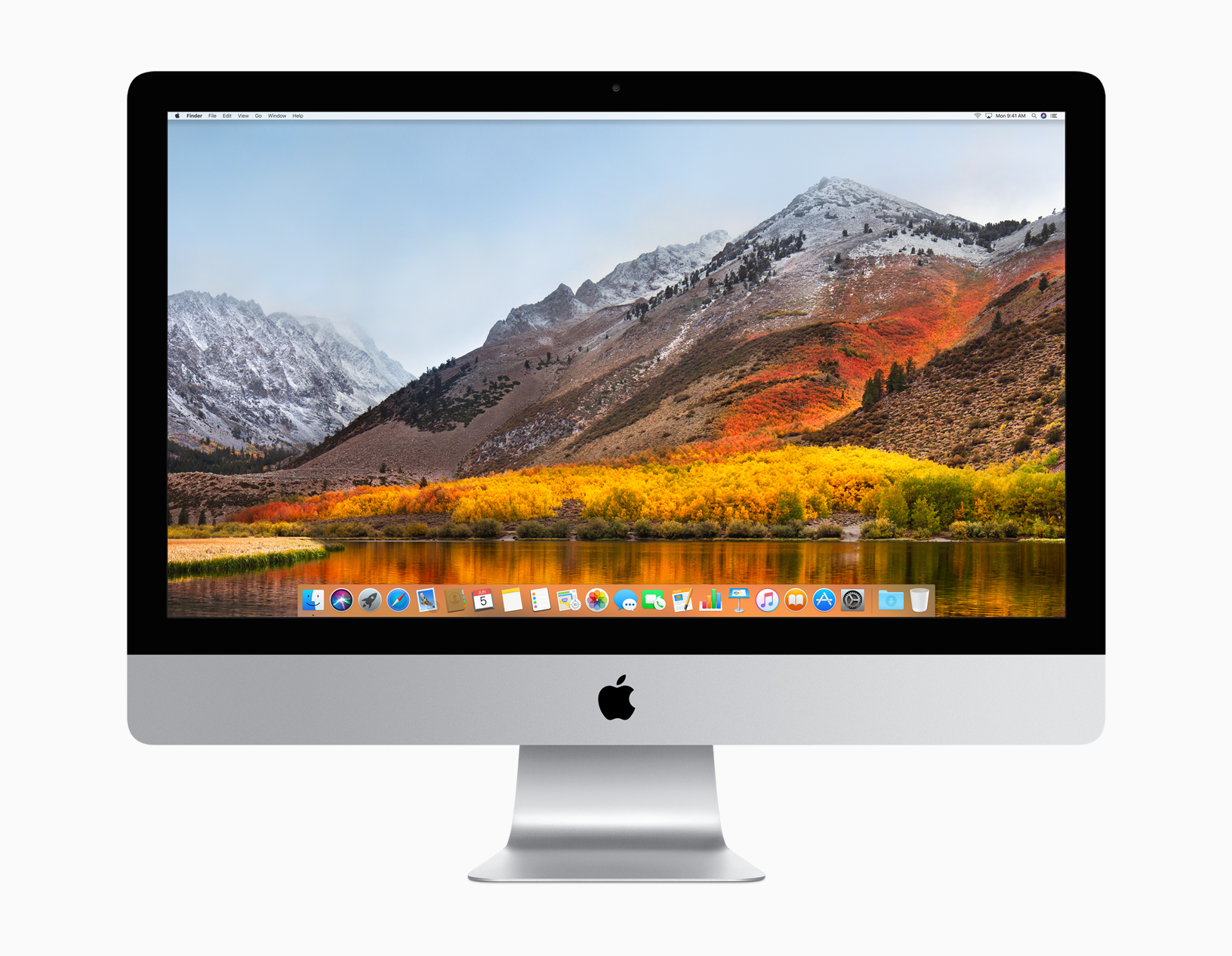
In addition to unveiling macOS High Sierra and updates for the iMac and MacBooks, Apple today announced the new iMac Pro. It looks a lot like the current iMac, but it comes in an awesome Space Gray finish and Apple says it's the "most powerful Mac" they've ever made.

“We’re thrilled to give developers and customers a sneak peek at iMac Pro. This will be our fastest and most powerful Mac ever, which brings workstation-class computing to iMac for the first time,” said John Ternus, Apple’s vice president of Hardware Engineering. “We reengineered the whole system and designed an entirely new thermal architecture to pack extraordinary performance into the elegant, quiet iMac enclosure our customers love — iMac Pro is a huge step forward and there’s never been anything like it.”

Apple says this new 5K iMac has Workstation-class performance in a beautiful iMac design. The starting configuration has 8-core Xeon processor, but you can get up to 18 cores. It has a new set of fans that are "dual centrifugal," allowing for much more efficient and powerful airflow. You can also get up to 128GB of ECC memory and up to 4TB of SSD. You can see some of the other features in the above image.

Also worth noting that the iMac Pro comes with the new Radeon Pro Vega GPU, the most advanced graphics ever in a Mac. Featuring a new next-generation compute core and up to 16GB of on-package high-bandwidth memory (HBM2), iMac Pro with the Vega GPU delivers up to an amazing 11 Teraflops of single-precision compute power for real-time 3D rendering and immersive, high frame rate VR. And for half-precision computation, ideal for machine learning, iMac Pro delivers up to an incredible 22 Teraflops of performance.

The new iMac Pro starts at $4,999 and will be available in December. So, who's getting one?

Apple introduces macOS High Sierra

Apple's Senior Vice President of Software Engineering Craig Federighi has taken the stage at Apple's WWDC keynote to introduce the next major version of macOS. They're calling it macOS High Sierra.

Think of this like a Mountain Lion-style update—Craig said "we wanted to spend this year perfecting Sierra." There have been several improvements made, but it doesn't sound like much in terms of new features.

“macOS High Sierra delivers important forward-looking technologies and new opportunities for developers wanting to tap into the power of machine learning and create immersive VR content on the Mac,” said Craig Federighi, Apple’s senior vice president of Software Engineering. “The core technology innovations in macOS High Sierra, combined with our advances in hardware, will continue to push the Mac forward in exciting new ways.”

Among those new ways  is a faster Safari. Craig says Safari in High Sierra is the "fastest browser in the world." It also has a few new features like blocking AutoPlay videos and something called 'Intelligent Tracking Prevention,' which uses machine learning to protect your privacy from sites/ads that want to track you.

There is also Mail enhancements, a new file system—Apple File System replaces HFS, improvements to the Photos app, enhanced 4K support, and Metal 2 for better graphics performance. An important note: Metal 2 supports external graphics, which opens up the door for Virtual Reality content creation.

Other new features:

Safari can automatically use Reader to open articles in a clean, uncluttered format, while Autoplay Blocking stops media with audio from automatically playing in the browser. Mail search gets faster and easier with Top Hits, which puts the most relevant results at the top of a user’s message list. Siri on the Mac responds with a natural and more expressive voice, and when using Apple Music, it learns music preferences, creates custom playlists and answers music trivia. Notes adds simple tables, where a user can type in cells, make edits and move rows and columns. Spotlight provides flight status information, including departure and arrival times, delays, gates, terminals and even a map of the flight path. iCloud File Sharing lets users share any file stored in iCloud Drive and collaborate with other people.

macOS High Sierra is available in developer beta form today, and will be released to the public this fall.

Amazon Prime Video coming to Apple TV

Opening up its WWDC 2017 keynote on Monday, Tim Cook announced that Amazon's Prime Video streaming service will be coming to Apple TV later this summer.

The move was reported a few weeks ago, saying that Apple and Amazon had finally reached an agreement on how to split subscription fees. That same article also claimed that the Apple TV would soon be available on Amazon.com, after a two-year hiatus.

Cook kind of sped through this announcement, with few details. We'll update this post if we learn some more information.

Apple to announce Siri support for larger variety of apps at WWDC

Apple is expected to announce plans next week to make Siri work with a larger variety of apps, reports Reuters. Currently the digital assistant integrates with apps from just six categories: ride sharing, messaging, photo search, payments, fitness and auto infotainment.

The move will make Siri more competitive against other assistants, such as Amazon's Alexa, which is capable of handling some 12,000 different tasks. Apple has taken criticism for lagging behind other tech giants in the AI space, and next week it looks to close the gap.

In addition to announcing improved app support for Siri, Apple is also expected to unveil an Echo-like speaker featuring the assistant. Reports have said that it is cylinder in shape, like the latest Mac Pro, and it features a high-end sound system and a dedicated touch panel.

Apple's WWDC keynote begins on Monday, June 5 at 10am PDT. Be sure to join us as we cover the event, and all subsequent announcements, live. Also make sure you check out our inaugural WWDC Fantasy Draft.

Source: Reuters

Halide, Clarity, Adobe Scan, and other apps to check out this weekend

This week's edition of our Apps of the Week roundup includes a new camera app with a beautiful UI and powerful features, a wallpaper editor and a text scanner. And as usual, we have two great new games for you to check out this weekend.

Halide

The App Store probably didn't need another camera app, but Halide was just too beautiful to pass up. The developers describe Halide as a "groundbreaking camera app for deliberate and thoughtful photography." Its bag of high-end tools includes gesture-based exposure and manual focus controls, focus peaking, histogram, adaptive level grid and RAW support. Built by former Apple designers, this app is well-worth checking out. Halide is available for $2.99 (limited time).

Clarity

Clarity is a minimal, handy wallpaper editor. Simply load your favorite photo into the app and adjust things like Hue, Saturation and Opacity to ensure that any image makes a great wallpaper. Other features include 200+ gradients to choose from, as well as various blur and mask effects. The point is to make your photo light enough so that you can still clearly see the date/time on your Lock screen and icons on your Home screen. Clarity is available for free.

Adobe Scan

That's right, Adobe released a scanner app this week called Adobe Scan. Like similar apps, it turns your mobile device into a portable scanner that recognizes text automatically using OCR. Turn anything—receipts, notes, pictures, documents, business cards, whiteboards—into an Adobe PDF with content you can highlight, search and annotate. There are a few caveats here, such as you need an Adobe account to use the app, but this still looks like a solid option for folks in the market for a scanner app. Adobe Scan is available for free (with some IAPs).

Bouncy Hoops

Bouncy Hoops is a minimal basketball game for all the, in the developers' words, "street ballers and shot callers" out there. The gameplay is dead simple, with one-touch controls, and there is quite a bit of content to unlock—20 different basketballs and 5 unique locations to hoop in. It has a retro arcade style look and sound, and it's getting very favorable early reviews. The game is made by the same team behind Flappy Golf and Super Stickman Golf. Bouncy Hoops is available for free (with some IAPs).

SUP Multiplayer Racing

Gear up and make your engines roar for the craziest multiplayer mobile racing experience ever! Leave your rivals in the dust: drift, jump, blast off with boosters, and reach the finish line in one piece. Compete with up to 3 opponents from around the world on stunning tracks, smash others off the track and push your car to the limit! There is tons of customizable content and events to keep you entertained. If you're looking for a new racing game, this one is worth checking out. SUP Multiplayer Racing is available for free (with some IAPs).

More apps to check out Apple’s free app of the week: The Robot Factory Expand iPad’s Picture-in-Picture feature with PiPifier Skype is getting a major redesign with Snapchat-like features Plex app gets live TV support and DVR enhancements Twitter’s inbox now separates out messages from people you don’t follow
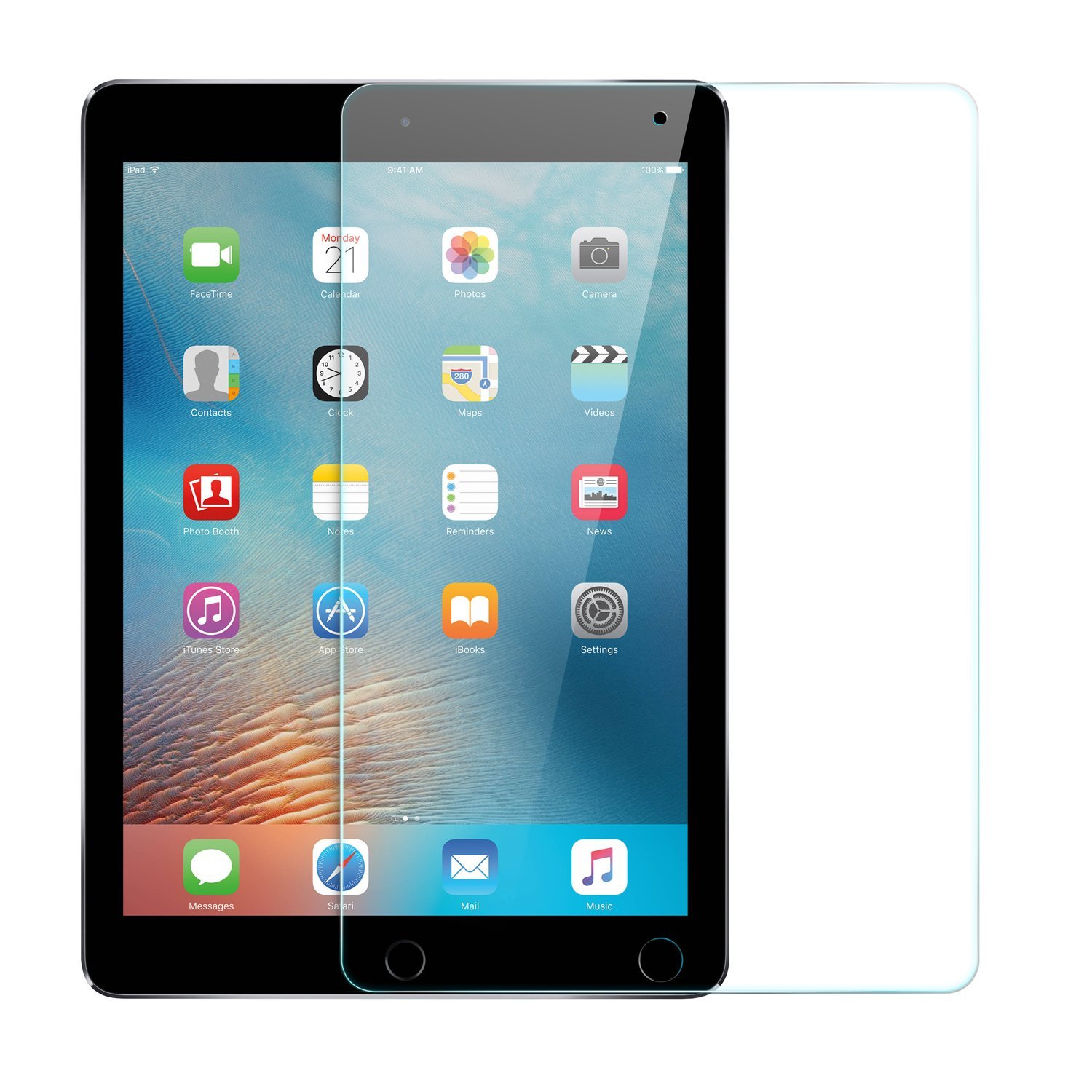
10.5″ iPad Pro screen protector surfaces ahead of rumored WWDC announcement

A screen protector for the rumored 10.5-inch iPad Pro has surfaced on Amazon ahead of Apple's WWDC keynote on Monday. It's made by popular accessory manufacturer Anker and is available for overnight delivery.

It's not unusual for accessories like this to pop up ahead of expected device announcements, but for a company as large as Anker to feel confident enough in pre-lease info to advertise and ship them is far less common.

Apple is widely believed to introduce a new 10.5-inch iPad on stage during its keynote next week. The tablet is said to have a footprint the same size as the 9.7-inch iPad, with slimmer bezels, and various other upgrades.

There are two customer reviews here: 1 5-star review where the user said they purchased this for the new iPad, and 1 1-star review where the user apparently tried to cut it to fit a smaller tablet. It's glass, so it...shattered. Weird.

Noted Apple analyst Ming-Chi Kuo gives the rumored iPad a 70% of being unveiled next week, and multiple reports claim Apple has ramped up production on the device. We've also seen alleged cases for the 10.5" tablet.

Join us Monday for full coverage of Apple's WWDC keynote and all subsequent announcements.

Source: Amazon via 9to5Mac

Another alleged iPhone 8 dummy with rear Touch ID surfaces

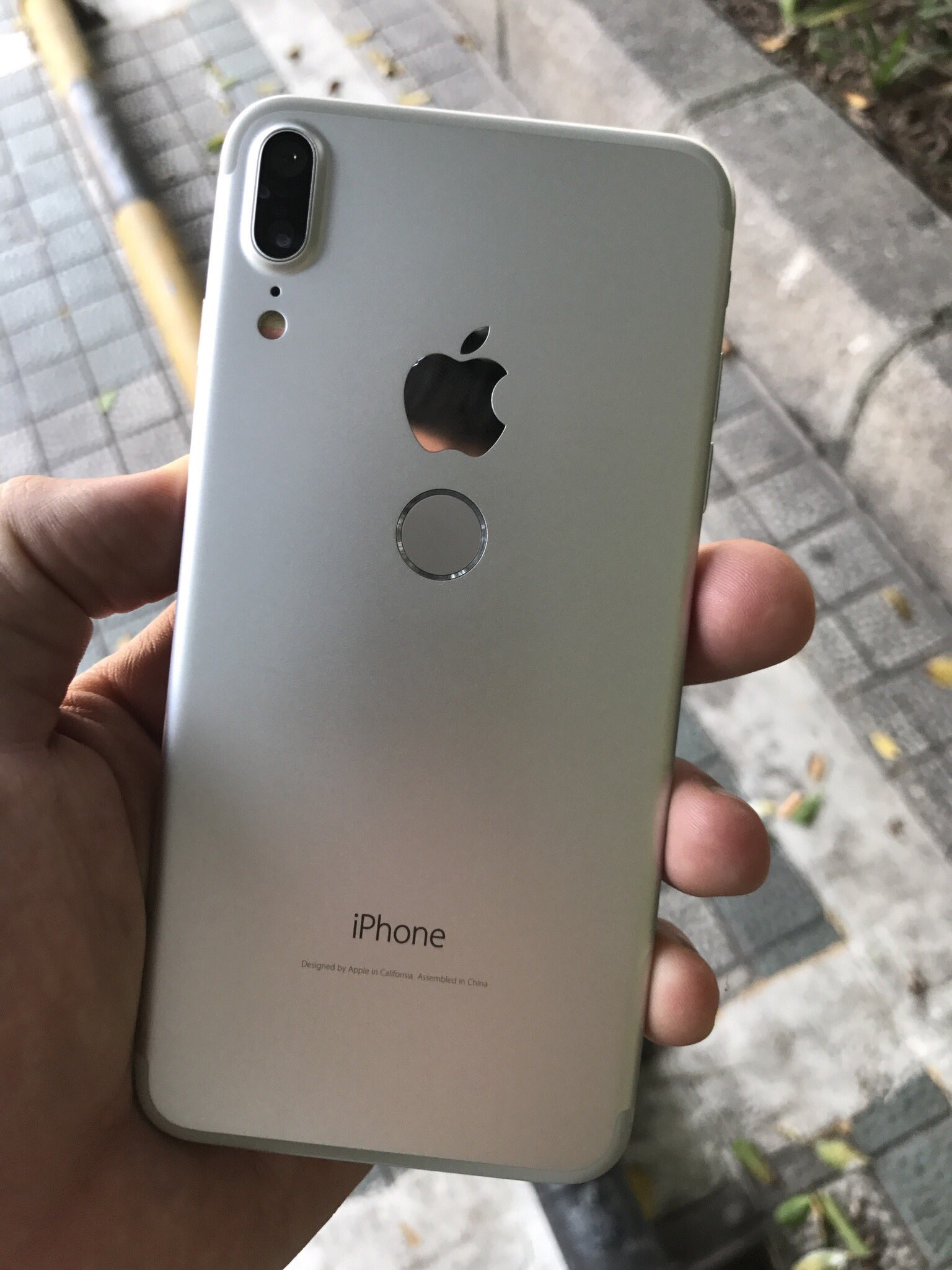
A new set of images surfaced this morning showing an alleged iPhone 8 dummy unit. It features a large display with small bezels, a vertically-aligned dual camera, and what appears to be a rear-mounted Touch ID/Home button.

While the device bears Apple and iPhone logos, and some of the rumored iPhone 8 features, serial leaker Benjamin Geskin says it's not the real thing. Geskin pointed to the photos on Twitter, calling the handset a "Chinese clone."

The consensus thus far seems to be that the next-generation iPhone will have Touch ID embedded into its display, but rumors—and as you can see, alleged leaks—claiming that it will have a rear-mounted Home button have persisted.

It's possible Apple considered such a design at one point, and it may have even made it to the prototyping stage. It's also possible this is the oft-rumored iPhone 7s expected to debut alongside the iPhone 8 this fall—it's been reported that Apple has had issues with mass-producing displays with embedded Touch ID, so this would be a cheaper, more efficient option. Or this could just be a Galaxy S8 clone that's been rebranded for higher pricing.

Apple's WWDC keynote is next week, where it is expected to preview the next major version of iOS. It's also believed we could see a new iPad model with slimmer bezels, which may give us some insight on the next iPhone's design.

What do you think of this iPhone 8 dummy?

Source: Twitter