Cody Lee

Cody Lee, iDownloadBlog.com’s longest-serving Editor, joined the site in 2008. He specializes in uncovering the best deals on Apple products, apps, and accessories. With years of experience in technology journalism, Cody helps readers save money while staying informed about the latest trends and updates in the Apple ecosystem. Cody’s history with smartphones goes almost as far back as he does. As the son of a Nokia employee, he was exposed early on to handsets like the N91 and the Communicator. He has since been involved in nearly every aspect of the mobile phone industry. While going to college, he worked at a Nokia factory, building handsets, and later moved on to a sales position at a major wireless carrier.

Bloomberg: 3D face scanning feature could replace Touch ID in iPhone 8

Apple is working on a 3D face scanning feature that could replace Touch ID in iPhone 8, reports Bloomberg. Citing sources familiar with the product, the outlet says that the "improved security system" allows users to log in, authenticate payments, and launch secure apps by scanning their face.

This is powered by a new 3-D sensor, added the people, who asked not to be identified discussing technology that’s still in development. The company is also testing eye scanning to augment the system, one of the people said.

The sensor’s speed and accuracy are focal points of the feature. It can scan a user’s face and unlock the iPhone within a few hundred milliseconds, the person said. It is designed to work even if the device is laying flat on a table, rather than just close up to the face. The feature is still being tested and may not appear with the new device. However, the intent is for it to replace the Touch ID fingerprint scanner, according to the person.

Apple wouldn't be the first tech company to integrate face-scanning tech into its handset. Samsung's Galaxy S8 has an iris scanner that can be used to unlock the phone, although it has received mostly negative reviews. Apple's face-scanning sensor is believed to be more secure, thanks to 3D depth perception.

Thus far, a majority of the leaks and reports we've seen regarding the iPhone 8 have pointed to a device without a Home button, leading many to believe Apple found a way to embed Touch ID into the display. Noted analyst Ming-Chi Kuo, however, agrees with Bloomberg's facial recognition theory.

Source: Bloomberg

Arty, Frame App, Redacted, and other apps to check out this weekend

This week's edition of our Apps of the Week roundup features a new artsy-photo editor, a new app for making stop-motion and animated videos, and an app for redacting sensitive information in a photo. And as usual, we've selected two great new games for you to check out.

Arty

I know what you're thinking: come on Cody, not another photo editor. But hear me out. Unlike other editors Arty does more than just apply filters. You can use it to create accurate line drawings, zoom in to view and edit tiny details, and pick out colors. It even tracks how long you've been working on your project. Other features include Faber Castell Polychromos color-matching, custom color swatches, shadows, outline, overlay grid, and much more. Turn your device into a Lightbox and trace your image or print your photo to an AirPrint printer from within the app. Arty is available for free.

Frame App

If you're looking for something fun and new to do this weekend, try making a stop-motion or animated film using Frame App. Here's how it works: open Frame App and take a picture. A transparent overlay of the first image will appear on top of your live camera view in a ghost-like manner. Use this ghost image as your guide to easily align and frame your next shot. Take as many photos as you need, then select the ones you like, and staring them together to make your movie. You can edit playback speed, direction and image size, and then export your clip into a GIF or MP4 video. Of course there are other apps that perform similar functions, but I appreciate the simple design here, and the early reviews are glowing. Frame App is available for free.

Redacted

Want to share a hilarious screenshot of your Facebook feed, but afraid to expose your friends or family? Check out Redacted. Yes, I know iOS has built-in image annotation tools and there are countless apps that do this for free, but it's a bit of a chore and it never seems to look right. Redacted makes it quick and easy to redact parts of an image by simply clicking and dragging. You have three options, pixelate, blur and black bar, and once you're done you can share the image to your favorite social network and other apps in the iOS Share Sheet. The app doesn't support PDF files yet, but the developer says it's working on it. This obviously isn't going to be for everyone, but the folks I have shared this app with bought it instantly. Redacted is available for $0.99.

Filmoji

The title explains it all. Filmoji is a game that presents you with a movie title written in emoji, and you have to guess what it is. As you can see from the screenshots, this is definitely a low-budget, indie-style game, but I thought it looked fun and it's nice to highlight lesser-known developers every now and then. I'm sure there's a similar title out there from Zynga (and if not they are probably working on one), but if you want to put your cinema knowledge to the test without a slew of ridiculous IAPs, this game is worth checking out. Filmoji is available for free.

Futurama: Worlds of Tomorrow

Chances are, you've already heard about this game releasing this week, but it was still worth mentioning here. Futurama: Worlds of Tomorrow is the next epic adventure for the popular animated franchise. Play with all your favorite characters, build your own New New York, combat against alien specials and explore unfamiliar planets on a mission to save the universe. The game is based on an all-new story, written by the creators of the original Fox series, and it features actual dialogue from David Cohen and his team. Yes, you're going to have to deal with pesky in-app purchases, but this is about as good as it gets for Futurama fans. Futurama: Worlds of Tomorrow is available for free.

More apps to check out Enhance your iPad productivity with the new Prokeyboard app [sponsored] Apple’s free app of the week: Day One Journal Instagram unveils offensive comment filter, anti-spam tool in 9 languages Frustrated with Reminders? Taskful could be the answer to your woes New demos show how easy it is to bring 3D models to life with ARKit Skype for iPhone gains chat bots, its version of Stories, message & in-call reactions and more You can now edit text files right from Dropbox app Take notes on the fly with Apple Watch and SnipNotes

Holo, Sweat Deck, Radio Callbox, and other apps to check out this weekend

This week’s edition of our Apps of the Week roundup features a fun augmented reality app, a deck of cards that will help you mix up your fitness routine, and a two-way radio client. And as usual, we've got two great new games for you to check out.

Holo

This app isn't new but with all of the augmented reality talk lately, I felt it was pertinent. Holo lets you add holograms of real people and animals into your world and take photos & videos to share with friends. Choose from a variety of holograms including movie characters, celebrities, athletes, musicians and comedians, as well as fun original characters and animals. New content added weekly. Now there are a few negative reviews complaining about performance, and this seems like something that could really benefit from Apple's new ARKit. But it's still worth checking out. Holo is available for free.

Sweat Deck

Sweat Deck is a deck of cards-style workout that will help you mix up your fitness routine with an endless combination of simple and effective workouts! The concept is simple: assign an exercise to each suit and perform them as cards are drawn from the deck—do you have what it takes to make it through an entire deck of cards? Features include a built-in list of common exercises to choose from, joker cards for adding an extra challenge, deck and rep multipliers for higher intensity workouts, and more. Sweat Deck is available for free (with one IAP).

Radio Callbox

Have an instant 2-way, push-to-talk audio connection with friends, family, or colleagues, without the burden of creating an account, logging in, or joining another social network. Now I know that there are other apps that do this, but the no-account needed really stood out to me. And some of you might be thinking if you have the cell service to download and use this app, why not just call the person? But I do think there are times and situations that are more conducive to 2-way radio-style conversations. Maybe a family uses this while camping, or at a theme park. Radio Callbox is available for free.

Touchdowners

Touchdowners is a simple, yet crazy physics-based sports game where you need to grab the ball and touch it down in your opponents end zone. You control a team of three highly trained Touchdowners who must pass, wrestle and jump their way to the end zone then slam the ball to the ground. Features include an arcade mode with global rankings, and a head-to-head 2 player mode. Touchdowners is available for free (with a single IAP).

Age of Rivals

Age of Rivals was inspired by strategy boardgames and designed to be ideal for 1 or 2 players to play in 10 minutes with plenty of depth and replayability. It's the "anti-deckbuilding" CCG, where having only minimal control over your deck encourages endless variety in each game and puts the focus on in-the-moment tactical decision-making. Unfortunately, there is no way to play this game offline at the moment (developers say they are working on that), but there are also no in-app purchases. All game content unlocks at a constant pace just by playing the game. Age of Rivals is available for $0.99.

More apps to check out The best iPhone apps for tracking steps Apple’s free app of the week: Telepaint Instagram testing private sharing feature

Apple seeking to reduce record label revenue share from streaming

Apple is looking to reduce record label's share of revenue from streaming, reports Bloomberg. Citing people familiar with the matter, the outlet says the negotiations are part of a larger plan to revise the company's overall relationship with the music industry.

The record labels's current deals regarding Apple Music expire at the end of June, although they are likely to be extended if new terms can't be reached. Apple is trying to negotiate new deals that would bring their rates closer to what Spotify pays out.

Under Apple’s current deal, record labels at first received about 58 percent of revenue from Apple Music subscribers, a higher cut than from other major streaming services including Spotify, the largest paid music-streaming service in the world. Spotify reduced its rate to 52 percent from 55 percent in recent negotiations with labels, tied to certain guarantees on subscriber growth. The labels are open to a reduction in Apple’s rate -- provided it’s also able to expand subscriber rolls and meet other requirements, the people said.

Initially, Apple overpaid a bit to appease the labels, who were concerned its entry into the streaming space would cannibalize iTunes sales—a major source of their revenue. But as it turns out, Apple Music hasn't been as damaging to iTunes as originally feared.

Bloomberg adds that labels have asked Apple to commit to promoting iTunes, and music in general, in countries where streaming isn't as prevalent. Apple announced earlier this month that Apple Music now has 27 million paid subscribers.

Source: Bloomberg

Apple seeds watchOS 4 beta 2 to developers

In addition to macOS High Sierra and iOS 11, Apple on Wednesday seeded the second beta of watchOS 4 to developers. Developers running the watchOS 4 beta can upgrade to beta 2 via the Watch app on iPhone.

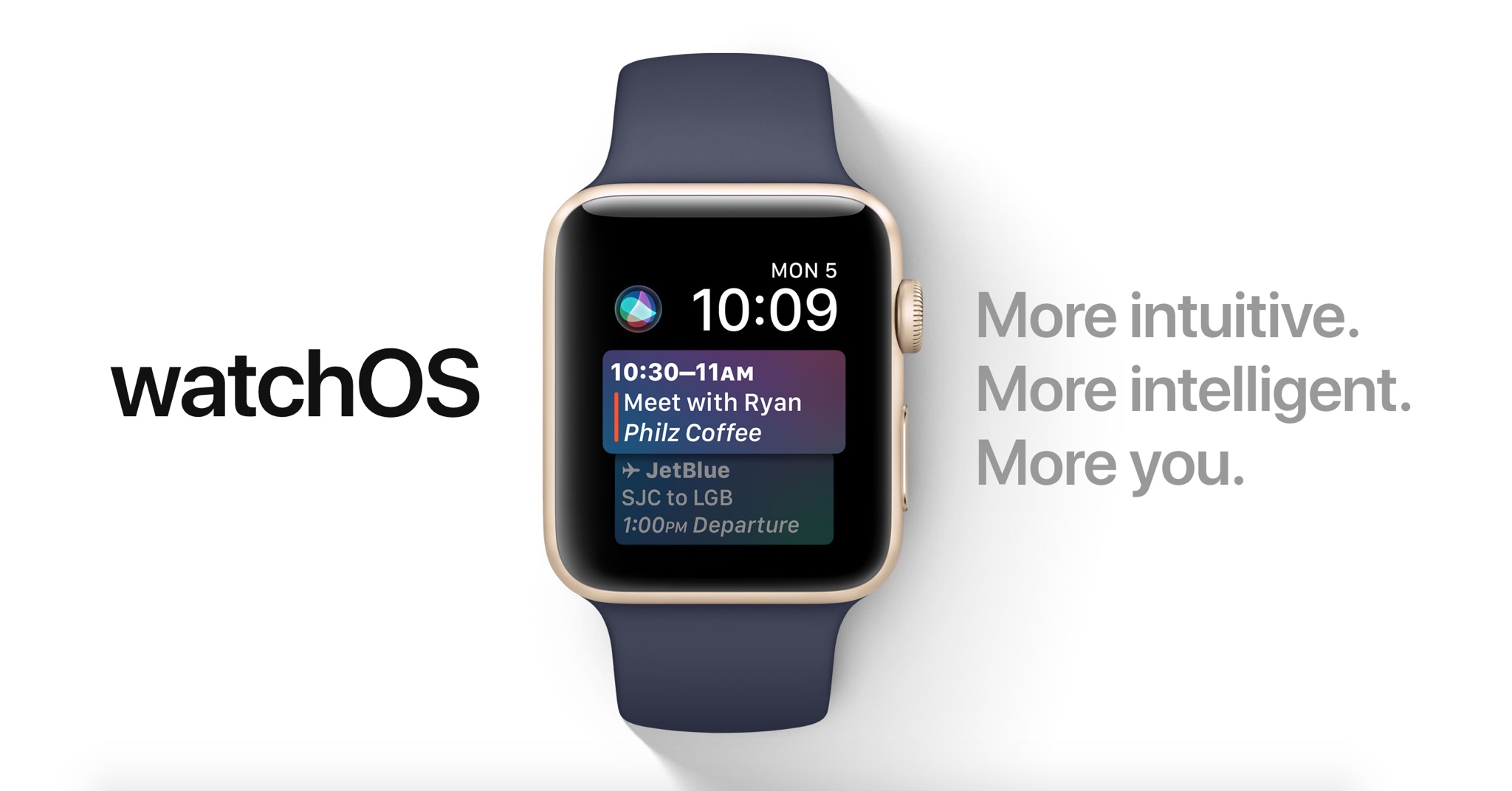
Introduced earlier this month, watchOS 4 includes several new features and improvements such as new watch faces, a new list-style Home screen, an all-new Music app, new gestures and quick compose in Mail, and more.

https://www.youtube.com/watch?v=BcB0H_b43dg

Subscribe to iDB on YouTube

Here are the release notes for beta 2:

General

Resolved Issues

• The Toy Story watch faces are now available. Toy Story is copyright © Disney/Pixar.

Apple Pay

Known Issues • When attempting to add multiple cards during the pairing process, only the last added card will be properly provisioned. (32624044)

Workaround: Once pairing is complete, go to the Watch app on iPhone and remove previously added cards. Once removed, re-add additional cards as desired.

Breathe

Resolved Issues

• Breathe notification preferences are now respected. (32298347)

CloudKit

Known Issues

CloudKit does not support unsigned long long values with the high-order bit set. (30567424) ApplicationsthatuseCKModifyRecordsOperationshouldspecifyanappropriate value for CKModifyRecordsOperation.isAtomic. If your client is compiled against watchOS 4, operations enqueued against the default CKRecordZone have new behavior because atomic is true by default. If the operation hits a “preflight” failure (most commonly, a network issue uploading a CKAsset, or a malformed CKRecord), the entire operation is canceled. (30838858)Core MediaResolved Issues

• Haptics now play for frontmost apps. (32139107)

Dictation

Known Issues

• Some languages are not available for Dictation on watchOS, including the newly released Shanghainese dictation. (32235495)

Foundation

New Features AddedaschedulingAPItoURLSessionTaskthatallowsbackgroundURLSession clients to schedule tasks in the future, enabling easy background app refresh semantics for apps, watchOS complications, and more. The API also allows developers to update requests before transmission to address cases where the request has become stale when scheduled in the future. Additions include the earliestBeginDate, countOfBytesClientExpectsToSend, and countOfBytesClientExpectsToReceive properties of URSessionTask, and the URLSession:task:willBeginDelayedRequest:completionHandler method of URLSessionTaskDelegate protocol. (27866330) URLSessionTask adopts the ProgressReporting protocol providing a consistent mechanism for URLSession clients to track the progress of URLSessionTask using the new progress property. (30834550) AddedanAdaptableConnectivityAPItoURLSessionthatenablestaskstoautomatically monitor and wait for satisfactory network connectivity, instead of immediately failing with an error when connectivity is unsatisfactory. Additions include the waitsForConnectivity property of URLSessionConfiguration and the URLSession:taskIsWaitingForConnectivity: method of the URLSessionTaskDelegate protocol.

• Added support for HTTP brotli content encoding to URLSession. By defaueslt, HTTP requests contain a br value (in addition to gzip and deflate) for the Accept-Encoding HTTP header, informing the web server that the user agent supports brotli encoding. The web server can send an HTTP body with Content-Encoding: br in the HTTP header to indicate that the content is brotli-encoded. URLSession automatically decompresses the HTTP body data and pass the decoded data back to the client in the same way it does for Content-Encoding: gzip. For binary compatibility reasons, URLSession brotli support is enabled only for apps built using the watchOS 4 SDK. (27724985)

HealthKit

Resolved Issues

Pressing the Side Button and Digital Crown pauses an active workout session even if the the app is not in the foreground. (30199786) Attempting to finish a workout route when no location data is inserted no longer throws an exception. (32307523)Known Issues• To track location in the background while a user is in a workout session, add UIBackgroundModes/location in the Info.plist file. (29483437)

HomeKit

Resolved Issues

• Location-based automation triggers now work if triggered from the alert on Apple Watch. (32288709)

Messages

Known Issues

• Messages may fail to send when responding to Activity notifications. (32294875)

Music

Resolved Issues

• Music tracks now play from and sync to Apple Watch. (32314271)

Known Issues Apple Watch must be on its charger for Music tracks to sync. (31818127) Deleting a playlist or album in the Apple Watch app will cause the app to crash and your selection will remain on your Apple Watch. (32624529) Love and Dislike options are missing for locally synced music on Apple Watch. (30845293)

Phone

New Issues

• Phone calls using Apple Watch that exceed 30 seconds may fail. (32659453)

Pairing

Known Issues

Backups only trigger when the user unpairs their watch. If the user erases their iOS 11 iPhone without unpairing their watch first, there will not be a backup to restore. (32358338)Workaround: Before erasing iPhone, go to the Watch app, choose My Watch, and unpair your Apple Watch. Alarms are lost when migrating to watchOS 4. (31285349)SettingsResolved Issues In Settings > Bluetooth, additional devices such as the paired iPhone no longer show as Not Connected. (32314078) Permissions on Apple Watch are now reset when a user resets location and privacy using Settings > General > Reset > Reset Location & Privacy on iPhone. (32393123)SiriKnown Issues

• Siri requests may fail in the iOS and watchOS simulators. (31971229)

• Siri may not play music that has been synced to Apple Watch. (31964674)

SiriKit

Resolved Issues

• SiriKit requests no longer fail with a “Sorry I can’t do that” error. (32305639) • watchOS apps from TestFlight or the App Store now work with SiriKit. (32387616) • SiriKit requests on watchOS no longer fail with a Continue in App error. (32355820)

WatchKit

Resolved Issues Anon-autoplayingWKInterfaceInlineMovienowworks.(32168160) WKInterfaceInlineMovie objects now pause when moving an app to thebackground. (31872332)Known Issues

• Automatic display of attachments in default WatchKit Notification interfaces do not work. (31589086)

Workout

Known Issues

You may experience inaccurate distance measurements for Pool Swim workouts. (32816933) Pressing the Side Button and Digital Crown pauses an active workout session even if the app is not in the foreground. (30199786) Workout sessions may be slow to start and they may fail to update with calorie and distance measurements. (32313252)Workaround: Call HKWorkoutRouteBuilder finishRouteWithWorkout:Metadata: only when some location data has been inserted to the builder.Xcode

Resolved Issues

• Building and running a Watch app from Xcode your app now installs, launches, and attaches. (32180669)

Known Issues

• Crashlogs may take a few minutes to sync and be visible in Xcode. (31156191)

Apple working with startup Health Gorilla to add diagnostic data to iPhone

Apple is teaming up with a tiny startup called Health Gorilla to bring comprehensive clinical data to the iPhone, reports CNBC. The goal is to integrate with hospitals, imaging centers and lab-testing companies to make data such as blood work accessible from the smartphone.

According to its website, Health Gorilla specializes in giving doctors a "complete picture of patient health history." The tech is primarily geared towards physicians, allowing them to easily share records, but also has a free offering for patients that delivers medical info in short order.

Apple is hoping its new partnership will allow it to solve the long-standing interoperability problem by putting patients in charge of their own medical information. This will enable hospitals to access vital data at the point of care, cutting down on missed diagnoses and other errors.

Source: CNBC

Apple Music gains new $99 annual subscription option

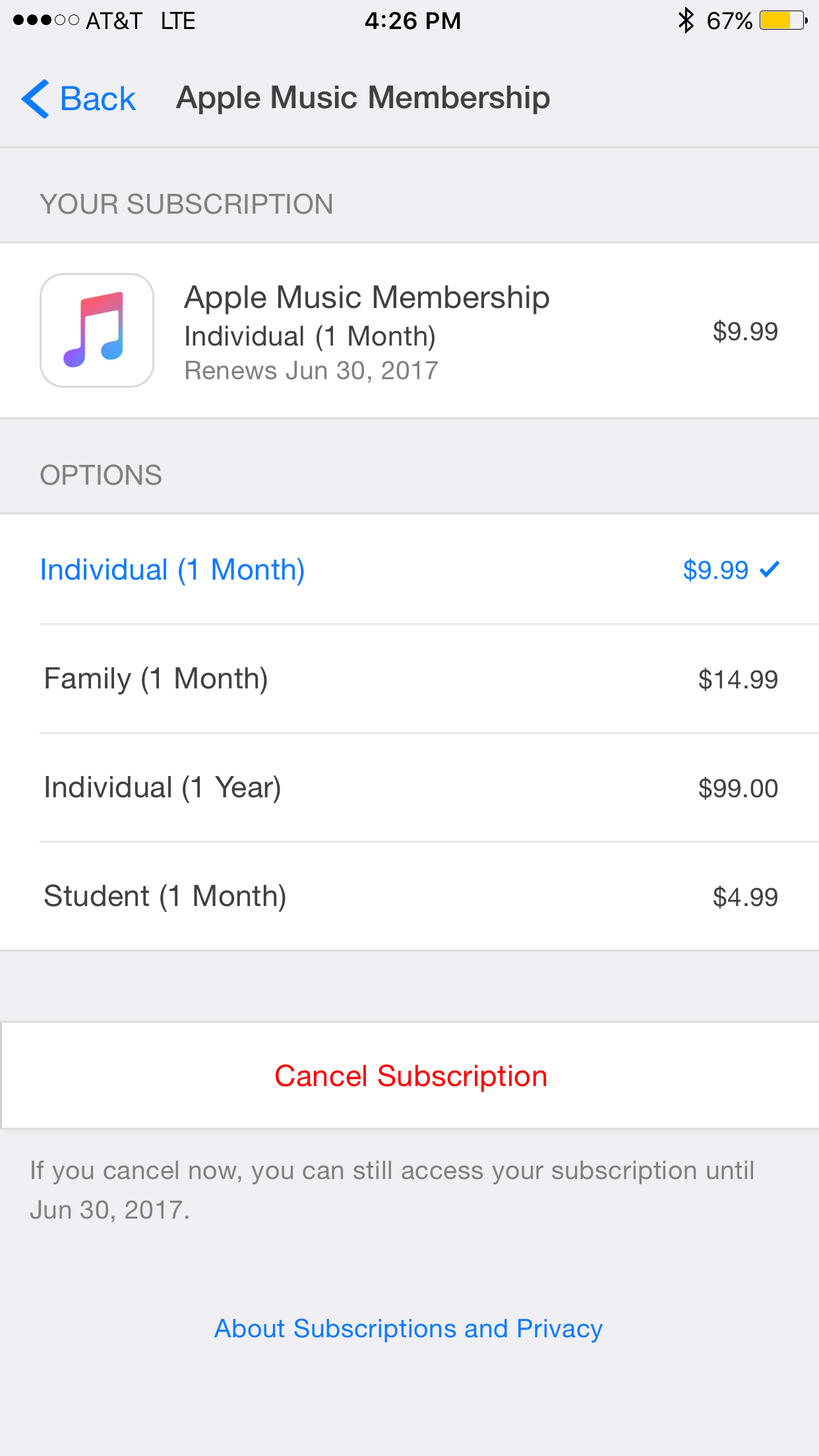
It appears Apple has quietly added a new annual subscription option for its Apple Music service. TechCrunch points to the new plan, which costs just $99 for 12-months of access to the 20 million+ track library and loads of exclusive content.

This is good for a $20 savings over the standard $9.99/month plan, but Apple doesn't make it easy to find. You have to go into iTunes or the App Store and tap on Apple ID > Subscriptions > Apple Music. It also looks like the price is only available to current users.

Of course Apple has long offered 12-month Apple Music gift cards for $99, and the $4.99/month student plan is still the cheapest. Apple Music offers on-demand access to all of your favorite songs, albums, custom playlists, exclusive videos and much more.

Source: TechCrunch

ClippyCam, Groovebox, Taskful, and other apps to check out this weekend

This week's edition of our Apps of the Week roundup features a new picture-in-picture sharing app, an easy-to-use beat-maker, and a task manager app with a unique twist. And as always, we've selected two new games for you to check out.

ClippyCam

ClippyCam is a new app that aims to make sharing photos and videos with your friends more fun. No, not with text or stickers or emojis—but with videos. Basically you record a video of yourself and it gets embedded in your photo or video in a picture-in-picture style. Think of it as a way to explain the photo or video you're sharing, or even as a way to brag about what you are doing. "Just hanging out in Hawaii, wish you were here!" The app itself is free, but you'll have to fork over $3 to remove the annoying watermark. ClippyCam is available for free.

Groovebox

Groovebox is a free, beautifully designed music studio app packed with inspiring synths and drum machines. In minutes you’ll be making beats, melodies, and playing with world-class instruments. Play with touchable instruments to quickly create your own beats and melodies, or draw in notes. Need inspiration? Groovebox has hundreds of patterns and sounds to get you started. I know there are a ton of these types of apps on the App Store already, but this one looks sharp and appears to have the features to make it worth checking out. Groovebox is available for free (with some IAPs).

Taskful

Taskful is a smart to-do list and task manager app that helps you stay on track and meet your deadlines. It breaks down all of your tasks and only shows you what you need to do today, so you can stay focused and motivated. Whether you are trying to track your steps, drink more water, or read that book you haven't picked up in a while, Taskful is designed to help you get stuff done. This is another app that is competing in a super crowded space, but again I think the design and feature set here make it worth a look. Taskful is available for $2.

Flipping Legend

Unleash the power of your fists, spells and weapons in this pattern-based adventure game. Hone your reflexes and be one with the environment as speed and rhythm become second-nature. Play with powerful heroes and unlock all their abilities and secrets to help better dispense your foes. Reach new and faraway lands not yet discovered by fellow travelers. Be a Flipping Legend! The game does have some annoying IAPs, but it has a 5-star rating on nearly 300 early reviews. Flipping Legend is available for free.

forma.8 GO

For those who aren't familiar with it, forma.8 is a unique take on the proven Metroidvania action-adventure formula, with a striking visual style and a huge world to explore. As the small exploration probe forma.8 you're stranded alone on the surface of an alien planet. Separated from your companions by accident you have a life or death mission to accomplish: find and recover a lost, powerful energy source before it's too late. Ancient civilisations, great perils and dystopian visions await you. And not everything is what it seems... Forma.8 GO is available for $4 (sale price).

More apps to check out This 5-star Mac productivity tool is on sale for just $4.99 Apple’s free app of the week: Beat Stomper Twitter revamped with dynamically updated Reply/Like/Retweet counts, Safari Reader support & more Box introduces macOS client for its cloud syncing service

Sherpa, Trybeo, Beacon, and other apps to check out this weekend

This week's edition of our Apps of the Week roundup features a new Instagram-based travel guide, an app for posting and accepting wild challenges, and a new social network for linking up with friends. And as usual, we've selected two great new games for you to check out.

Sherpa

Sherpa is a community-generated travel guide powered by photos shared on Instagram. It's actually a very clever idea: an app that scrapes Instagram for photos tagged in specific locations, organized into a travel guide. Sherpa allows you to discover over 15,000 cities, regions and countries through the authentic lens of world travelers, adventurers and locals. Save the places you want to visit, and put together the ultimate itinerary. There is one small caveat here: at the time of writing, the app requires an invite code. But it's pretty simple to download the app and request an invite, so this shouldn't be much of a problem. Sherpa is available for free.

Trybeo

Do you find your life bored or lacking direction? Would you like to step outside your comfort zone and discover exciting new people and adventures? Check out Trybeo. It's a social network based around challenges—you can either accept posted challenges or propose your own. These consist of anything from flipping water bottles to doing cartwheels down an isle at the grocery store, or trying to knock a cone off your friend's head with a football. Take on challenges to become the best player, or up-vote worthy opponents. Trybeo is available for free.

Beacon

Use Beacon to signal your availability to your friends and family. Going to be in town for work or just general visiting? Send out a Beacon. Have an extra ticket to an upcoming Concert or want to go see a movie Thursday? Beacon. Post your impromptu event in Beacon and your friends will be notified immediately. When your friends join the event, you're notified immediately. Everyone can comment in the thread, and you can tell people where to go and what to expect. Bored? You're only two taps away from hanging out with a friend. Beacon is available for free.

Cobi Darts

The Cobi games, for me, are always a good time. The gameplay is accurate, fast-paced and easy to learn. Even if you don't like throwing darts in real life, I imagine you can find some fun in the challenge of Cobi darts. Features include 9 awesome game modes, including classic 501 and 301 games, custom darts and characters and even iMessage support. Cobi Darts is available for free (with some IAPs).

Art of Conquest

Looking for something a little different this weekend? Check out Art of Conquest. This new strategy game gives you full control in a world full of dwarves, magic and monsters in a perfect marriage of MMO and strategy. Besiege enemy strongholds to expand your kingdom, slay nefarious dragons with a band of legendary heroes, and challenge players around the world in epic real-time battles. Command, summon, build and explore. Art of Conquest is available for free (with some IAPs).

More apps to check out Apple’s free app of the week: Framed Monument Valley 2 hits App Store Apple announces completely redesigned App Store

The best cases for Apple’s new 10.5-inch iPad Pro

If you're in the market for Apple's 10.5-inch iPad Pro, you should know that any previous cases made for the 9.7-inch model will not fit the new tablet. It's slightly wider than its predecessor (6.8" vs 6.67"), significantly longer (9.8" vs 9.45"), and it has a larger rear camera.

Never fear, there are already several cases available for the new iPad, and we've taken it upon ourselves to track down the best options. Below is our list of the best cases for the 10.5-inch iPad Pro, selected based on manufacturers' reputation, user reviews, and case features.

Apple Smart Cover

If you want the best fitting/functioning cover for your new iPad, and money isn't really a factor, you're probably going to want to check out Apple's Smart Cover. It only covers one side of your iPad (display by default, rear if you fold it over), but it snaps on and peels off easily using magnets, and it folds up to act as a stand with multiple viewing angles. I also like that it's ultra-thin and comes in several colors.

Buy for $49.

Apple also has a more expensive and luxurious cover for the 10.5-inch iPad Pro called the Leather Smart Cover for $69.

JETech Case Cover

JETech is a popular accessory-maker on Amazon known for offering OEM-style products at cheap prices. Their products typically get high ratings from customers, and we've had good experiences specifically with their iPad cases. This is their Apple Smart Case-esque Case Cover. The synthetic case slips on the rear of the iPad and then the front is covered by a Smart Cover-like flap—includes magnets that activate the iPad's Sleep/Wake function. If you like this style of case and don't want to pay Apple's prices, check this one out.

Buy for $15.

I-Blason Slim Halo Case

The Halo case from i-Blason is a clear protective cover for your 10.5 inch iPad Pro. It has a completely transparent back, which also features a convenient stand that makes it easy to watch shows and videos hands-free. Other features include a slim design and full shock, drop and scratch protection. This is a heavier duty case than those mentioned above, but not so much so that it makes the iPad a nuisance to travel with.

Buy for $15.

Supcase Unicorn Beetle Pro Case

The Supcase Unicorn Beetle Pro offers dual layer protection and convenience without compromising sensitivity. Thermoplastic polyurethane and polycarbonate provide cushion during accidental drops. All phone ports are covered to block dust and debris. Built-in screen protector protects the screen from scratches. This case is designed to withstand heavy use and demanding conditions. This is a little more rugged than the i-Blason Halo, but note that it is not waterproof.

 Buy for $25.

Moko Slim Stand Cover

This one is similar to the aforementioned JETech Case cover, which again is a lot like Apple's Smart Case. It has a synthetic back cover and a folding, magnetic front cover that can automatically wake the iPad up and put it to sleep. It has a premium PU leather on the outside, microfiber on the inside to protect your iPad from scratches, and no bulky bezels around the display to allow for unobstructed swiping. Comes with a lifetime warranty.

Buy for $9.

Moko Clear Grip TPU Case

For those looking for a more minimal case, check out the Clear Grip from Moko. It's a soft TPU case that snaps on the back of your iPad Pro and it has a unique ruffled design for a grippier feel. Other features include raised edges at the 4 corners for added screen protection, cutouts for all of the ports, buttons and speakers, and it even comes with a lifetime warranty from the manufacturer.

Buy for $8.

Belk Vintage Leather Folio

If you're looking for something a little more professional, check out this Vintage Leather Folio from Belk. It's not real leather, but Belk says they used premium PU leather here with a special texture to give it that vintage look and feel. Like most folios, this case has a book-like design with a snap-in cradle for your iPad—giving it full protection. Other features include built-in magnets that activate your iPad's auto-sleep/wake functions and built-in slots for an ID, credit cards and cash.

Buy for $16 (sale price).

Logitech Slim Combo Keyboard Case

And for those of you in the market for a keyboard case, there's the Logitech Slim Combo. This case was designed specifically for the new 10.5-inch iPad (there is also a 12.9-inch model). It has no charging cable or batteries—it gets all its power through the iPad via its Smart Connector. This allows it to sip power—0.3% - 2.3% of battery per hour of typing—and makes pairing instant. Other features include full-size, backlit keys, with 3 levels of brightness and an Apple Pencil holder.

Buy for $130.

Did we miss a great 10.5-inch iPad Pro case? Let us know in the comments below!

Apple Pay P2P transfers will incur standard 3% fee when funded by a credit card

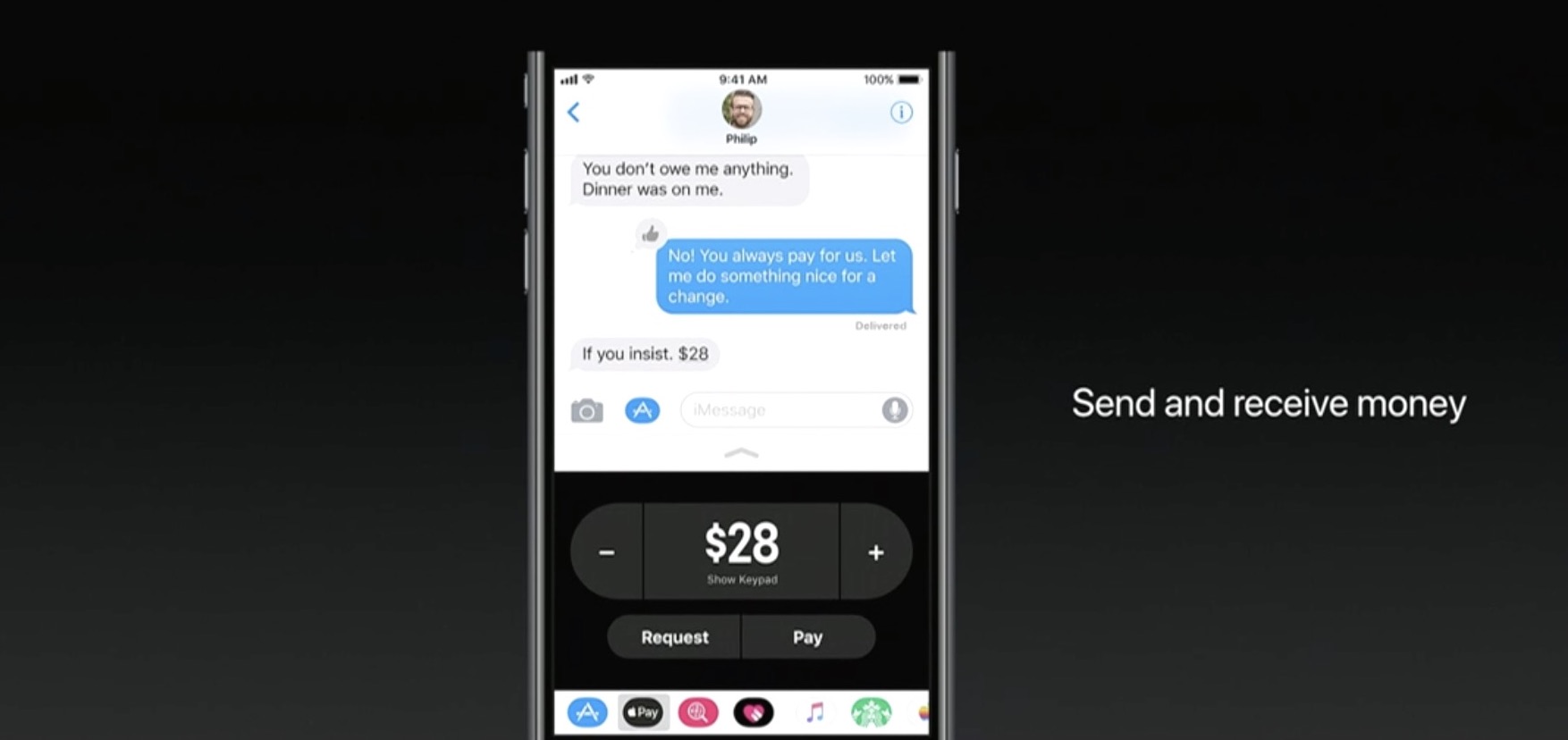
If you try to use your credit card to fund an Apple Pay person-to-person payment over iMessage, Apple will tack on a 3% fee, reports Recode. The fee is standard among similar P2P services, and necessary to cover credit card transaction costs, but it's worth pointing out to potential users.

If you don't want to incur the 3% fee, simply use your debit card to fund the Apple Pay P2P payment, as this method is completely free.

Apple announced the new iMessage-based service during its WWDC keynote earlier this week. With it, you'll be able to use any card stored in Apple Pay to send money to other users. Once sent, the money loads onto a prepaid Apple Pay Cash card, where it can be spent or withdrawn.

Apple Pay Cash will go live after Apple publicly launches iOS 11 this fall.

Source: Recode

Roundup: first impression of Apple’s new 10.5-inch iPad Pro

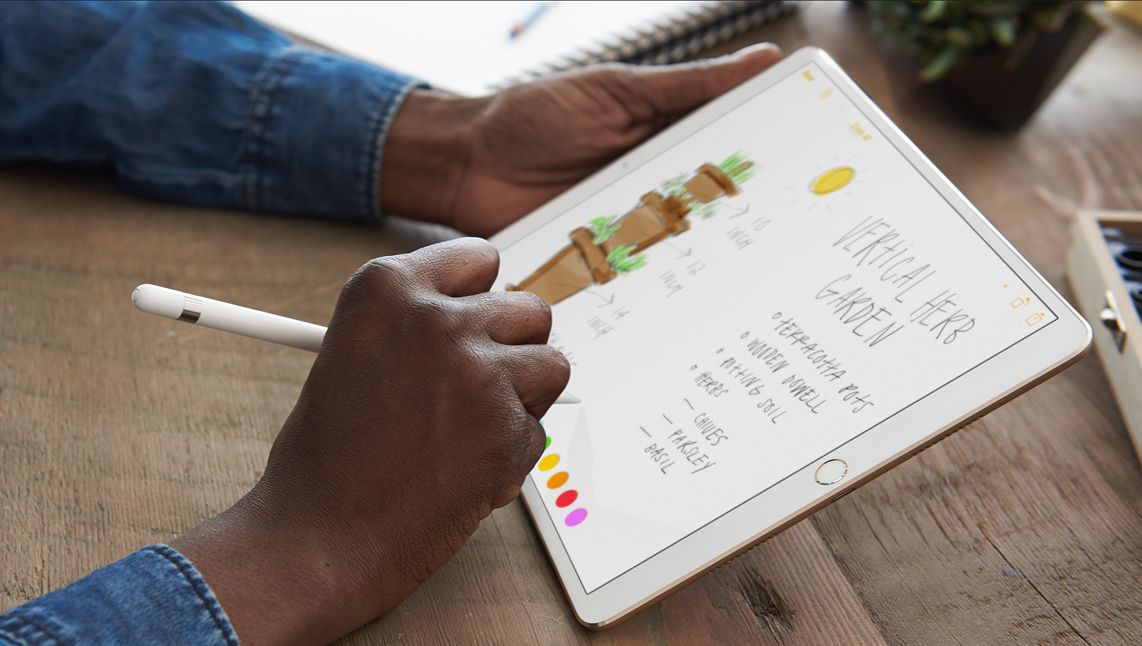
One of the few new hardware announcements Apple made on stage during its WWDC keynote is the new 10.5-inch iPad Pro model. It's essentially a refreshed version of the 9.7-inch iPad Pro, with a slightly larger display panel sitting between thinner bezels.

As usual, Apple allowed members of the press to go hands-on with the new tablet after its keynote event. And as usual, we've put together a roundup of some of their videos to give you a good idea of what to expect before deciding whether or not to purchase it.

The Verge

https://www.youtube.com/watch?v=c-L7Eu89r34

CNET

https://www.youtube.com/watch?v=qDmONcSS83k

SlashGear

https://www.youtube.com/watch?v=8qgECMZ2ZPE

TechCrunch

https://www.youtube.com/watch?v=jJyjFmV4bSU

The 10.5-inch iPad Pro (and updated 12.9-inch model) goes on sale next week, starting at $650. Unfortunately, a lot of the new iOS 11 features you see demoed in the above videos will not be available until iOS 11 launches to the public sometime later this year.