Anthony Bouchard

Anthony Bouchard joined the iDownloadBlog.com team in 2016 after originally covering Apple and iPhone jailbreak news at ModMyi.com. As an experienced editor, he brings more than 15 years’ worth of jailbreaking knowledge to our in-depth guides, opinion pieces, and news articles. His passion for device customization and user choice sparks his strong push to empower readers with the tools they need to explore and enjoy the freedom that comes with jailbreaking. Anthony blogs about not only jailbreaking, but also Apple software & accessories, drones & photography, and Nintendo gaming systems. Anthony honed his advanced technical knowledge over the years with hands-on projects ranging from gaming PC builds to engine repair mechanics. His never-ending hunger for knowledge is why you’ll always find him tinkering – tearing things apart and putting them back together to understand what makes them tick.

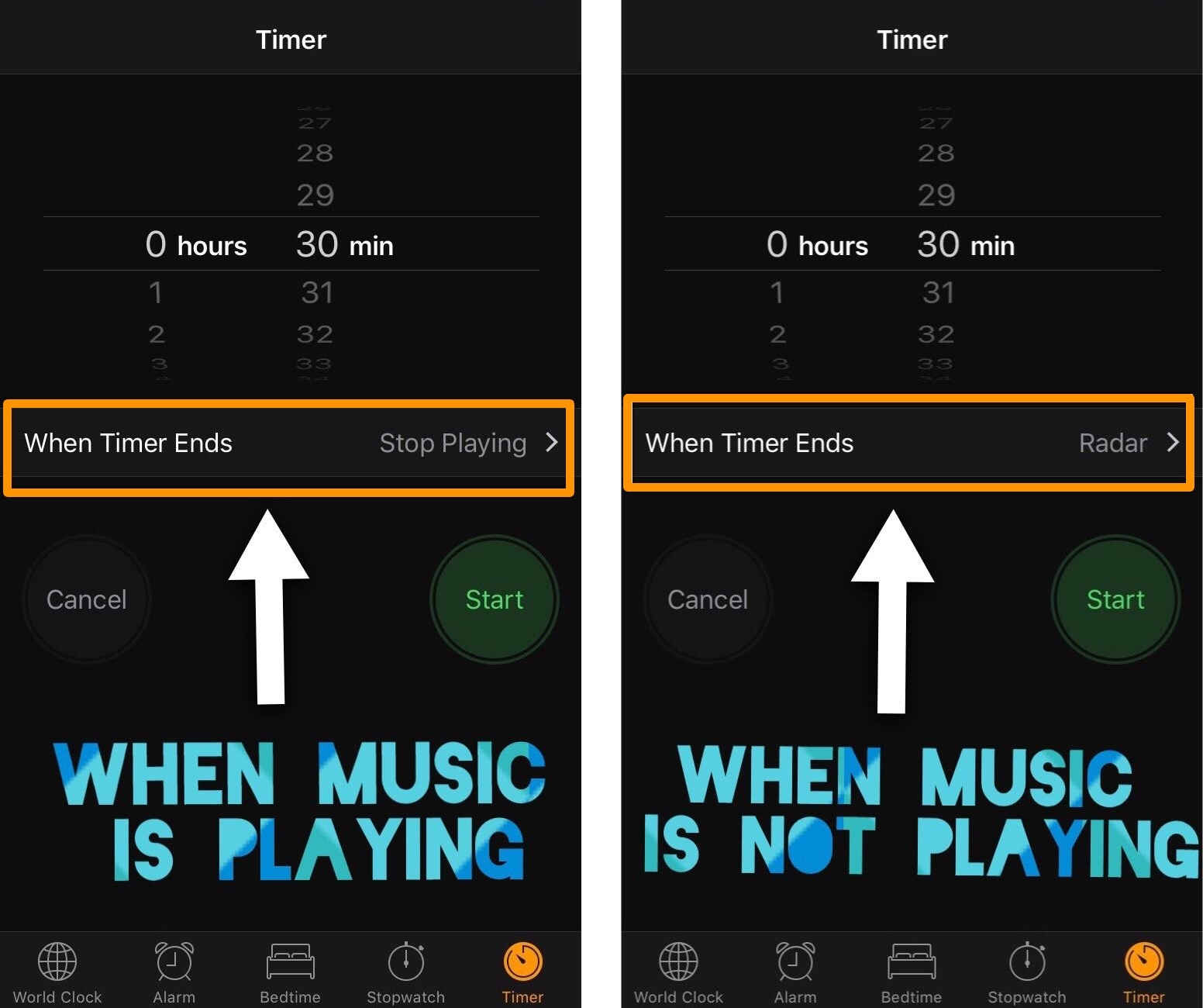
DynamicTimer automatically configures iOS timers to “Stop Playing” when music is playing

Anyone who uses the timer in iOS knows that it's useful for one of two things: 1) to count down for something special, or 2) to make your music playback stop after a designated amount of time.

If you use your iOS timer for both cases mentioned above frequently, then it can be cumbersome to switch back and forth between your favorite sound and the "Stop Playing" option for each situation. Fortunately, a new free jailbreak tweak called DynamicTimer by iOS developer KingPuffdaddi helps automate this process.

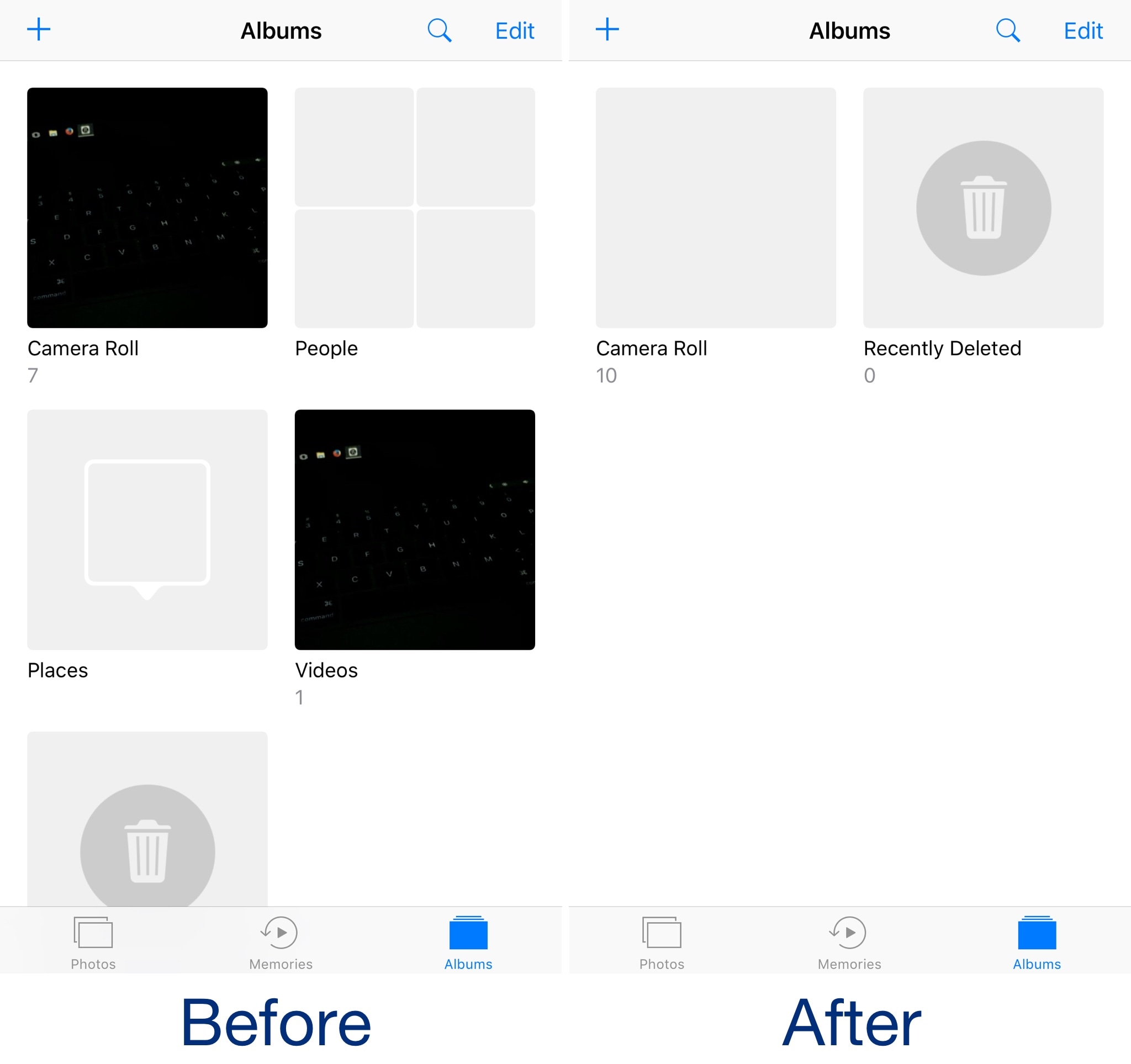
Hide unwanted albums from the Photos app with DenyPhotoAlbums

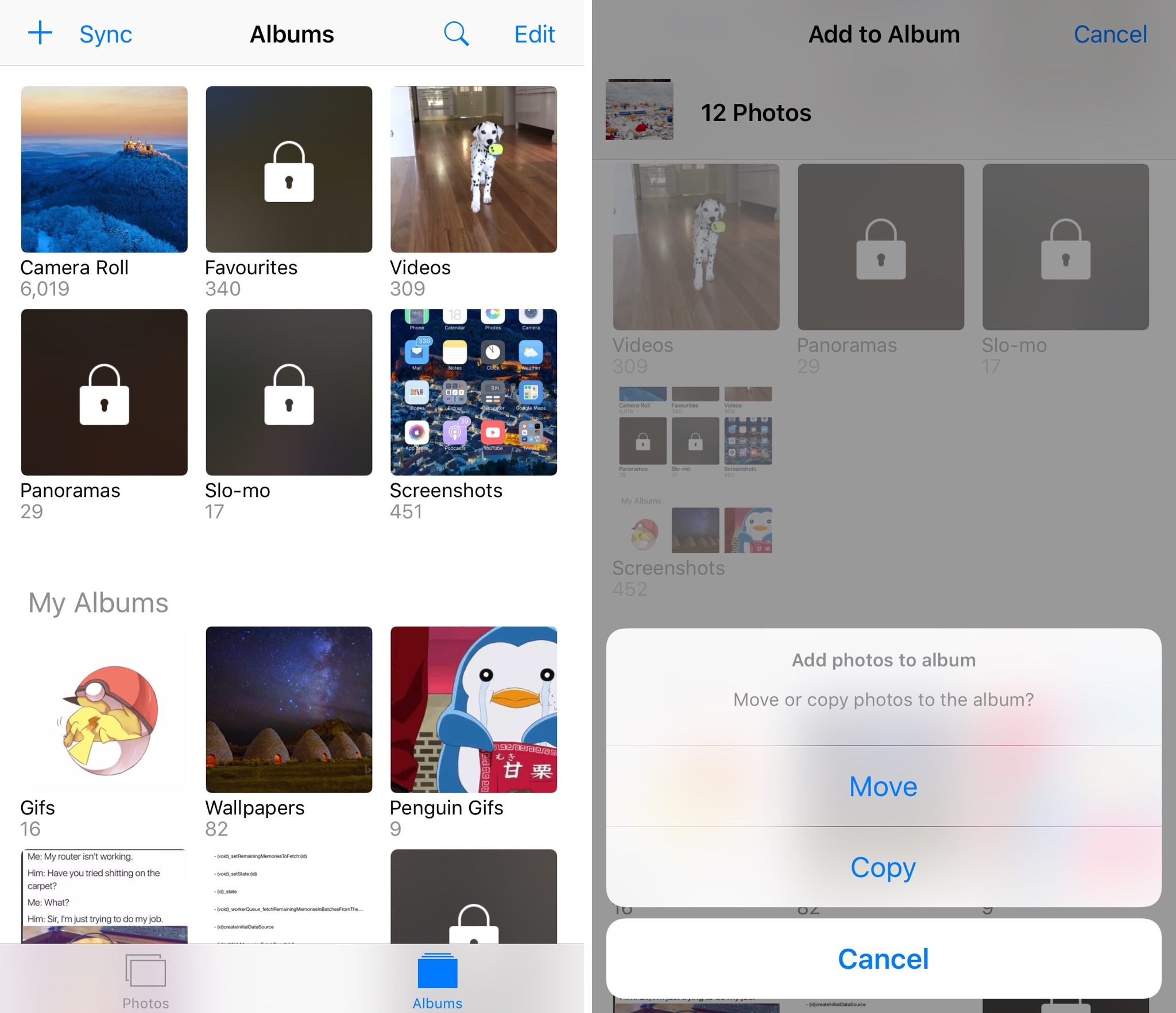
As Apple expands upon the Photos app with each new iteration of iOS, it becomes cluttered with extraneous features that many users have no intention of using. Among those are the bevy of sorting albums that break down the contents of your Camera Roll.

Although some embrace the automatic album sorting, others prefer the manual control they had in older versions of iOS. If you fall into the latter category, then a new free jailbreak tweak called DenyPhotoAlbums by iOS developer CydiaGeek might be worth checking out.

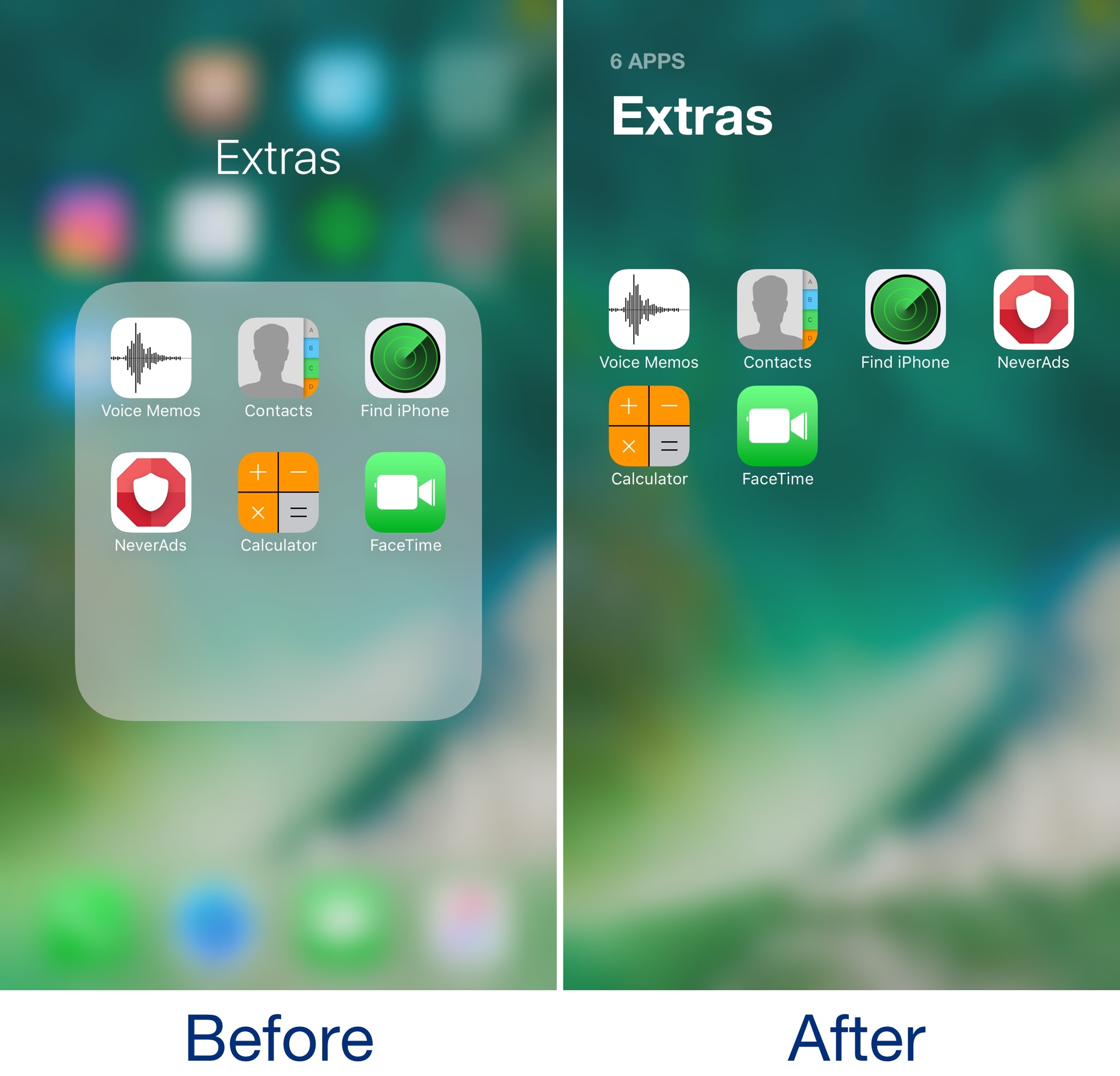
This tweak brings some of the boldness of iOS 11 to your folders

Admittedly, I’ve never really liked the way folders looked in some of the latest iterations of iOS. They take up the whole screen, but only utilize a fraction of it for a functional purpose. In my opinion, Apple is wasting so much space with the current setup.

A new free jailbreak tweak called Bolders by iOS developer candoizo helps fix some of these shortcomings by transforming iOS folders into actual full-screen works of art.

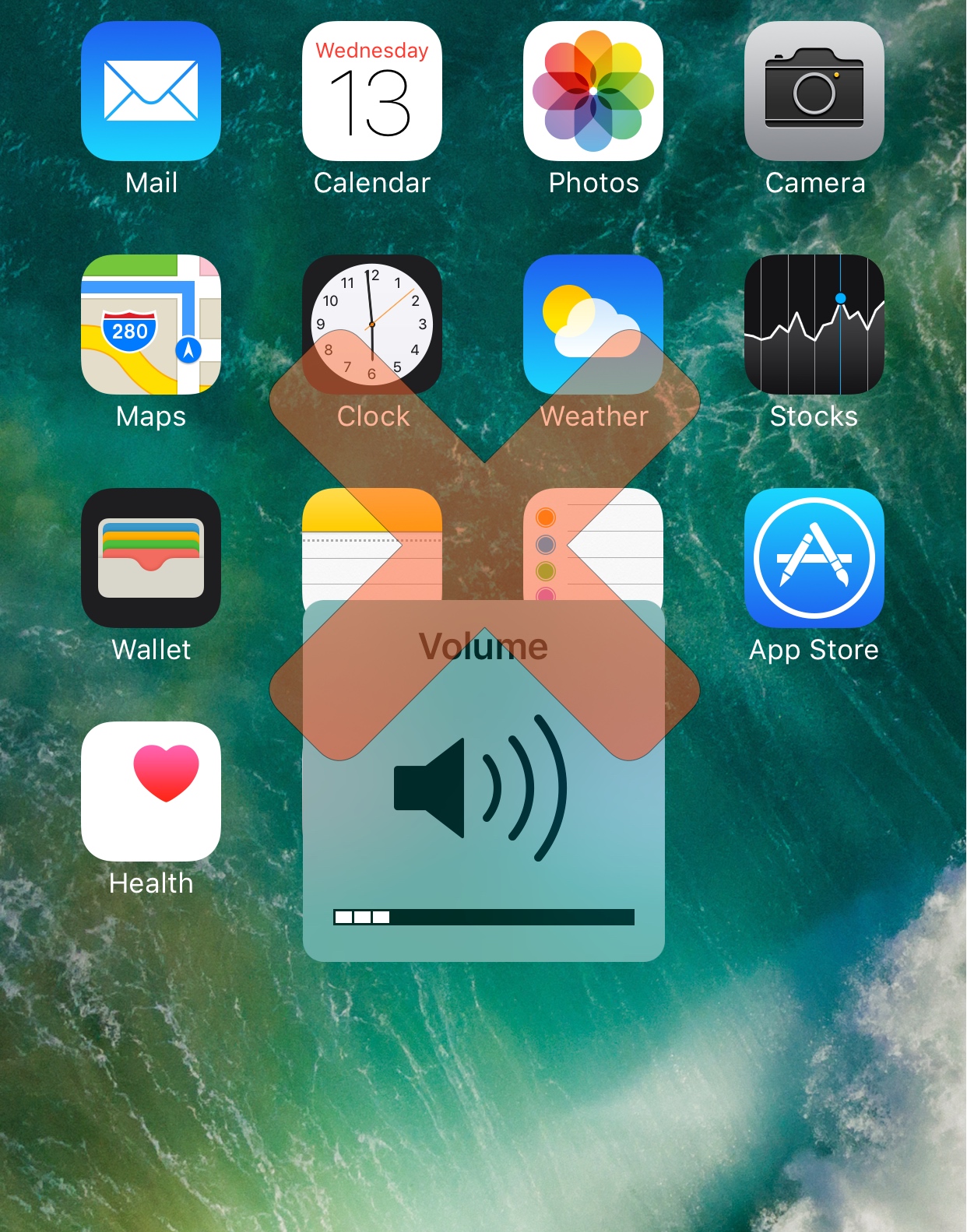
NowPlayingHUD hides the volume HUD when media is playing

Whenever you adjust your iPhone’s volume, a HUD appears that indicates your volume level while you tinker with it.

Not everyone is a fan of the way the volume HUD looks, hence why so many tweaks modifying its appearance exist in Cydia, but iOS developer Cole Cabral had another idea, so a new free jailbreak tweak called NowPlayingHUD was born.

Give the Photos app the features it needs with PhotoManager

Compared to other operating systems, iOS' Photos app has always left a lot to be desired. Fortunately, a new jailbreak tweak called PhotoManager by iOS developer Frozen Penguin can fill in the blanks with the features you’ve always wanted in your stock photo app.

Compared to some tweaks, which just add one extra bell or whistle here and there, PhotoManager introduces a plethora of genuinely useful features that you’ll actually use. For that reason, I found it very exciting to delve into what the tweak has to offer, and I think you'll feel the same way once you see it for yourself.

Shrink pop-ups in the Music app with MusicSmallerAlertsPlz

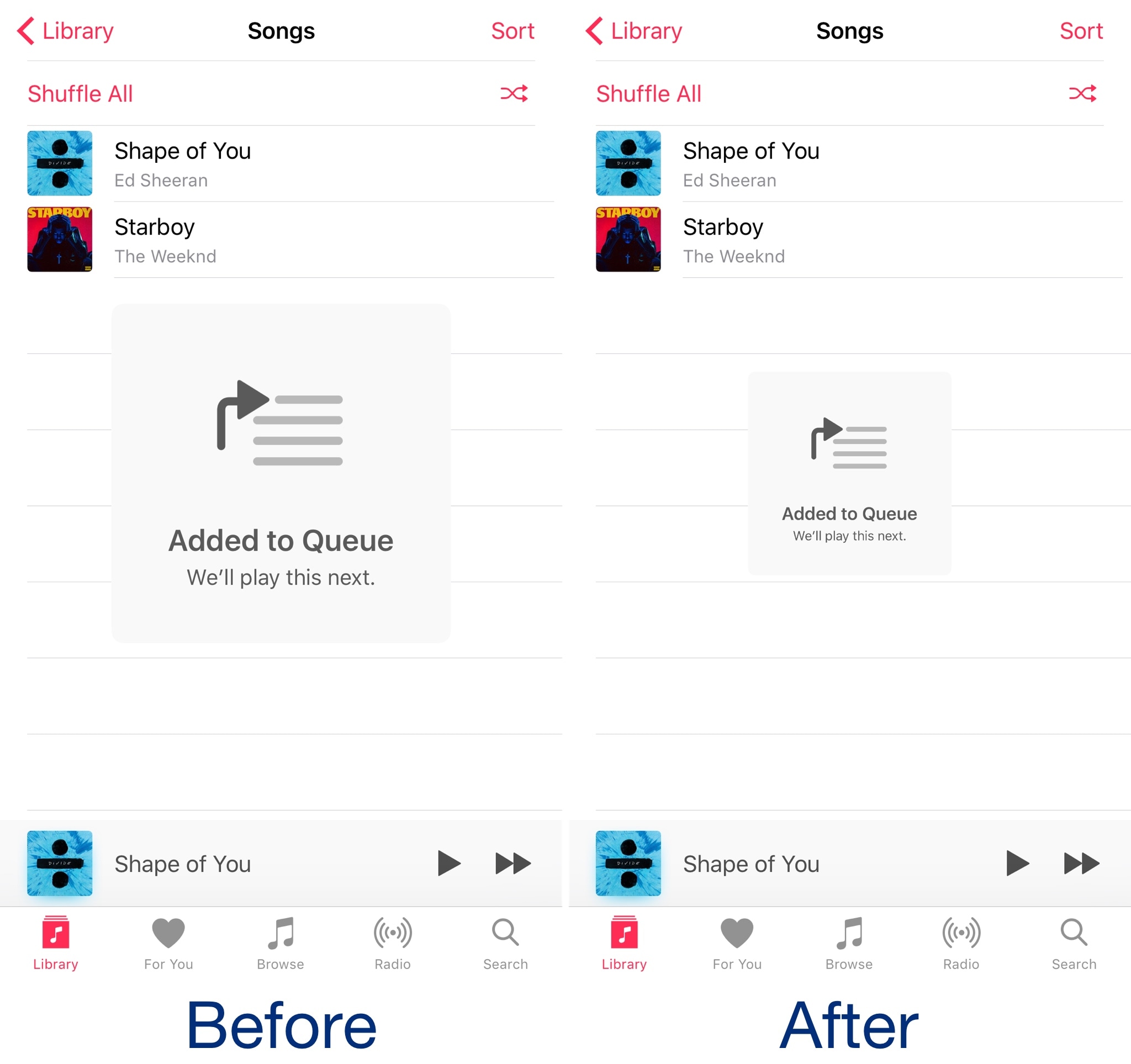
When you perform certain actions in Apple’s Music app, such as queueing a song to play next, a massive alert pops up that’s nearly as intrusive as the stock volume HUD is.

A new free jailbreak tweak called MusicAlertsSmallerPlz by iOS developer HiDan works to shrink those alerts to a more comfortable size to help keep them out of your way as you use the Music app.

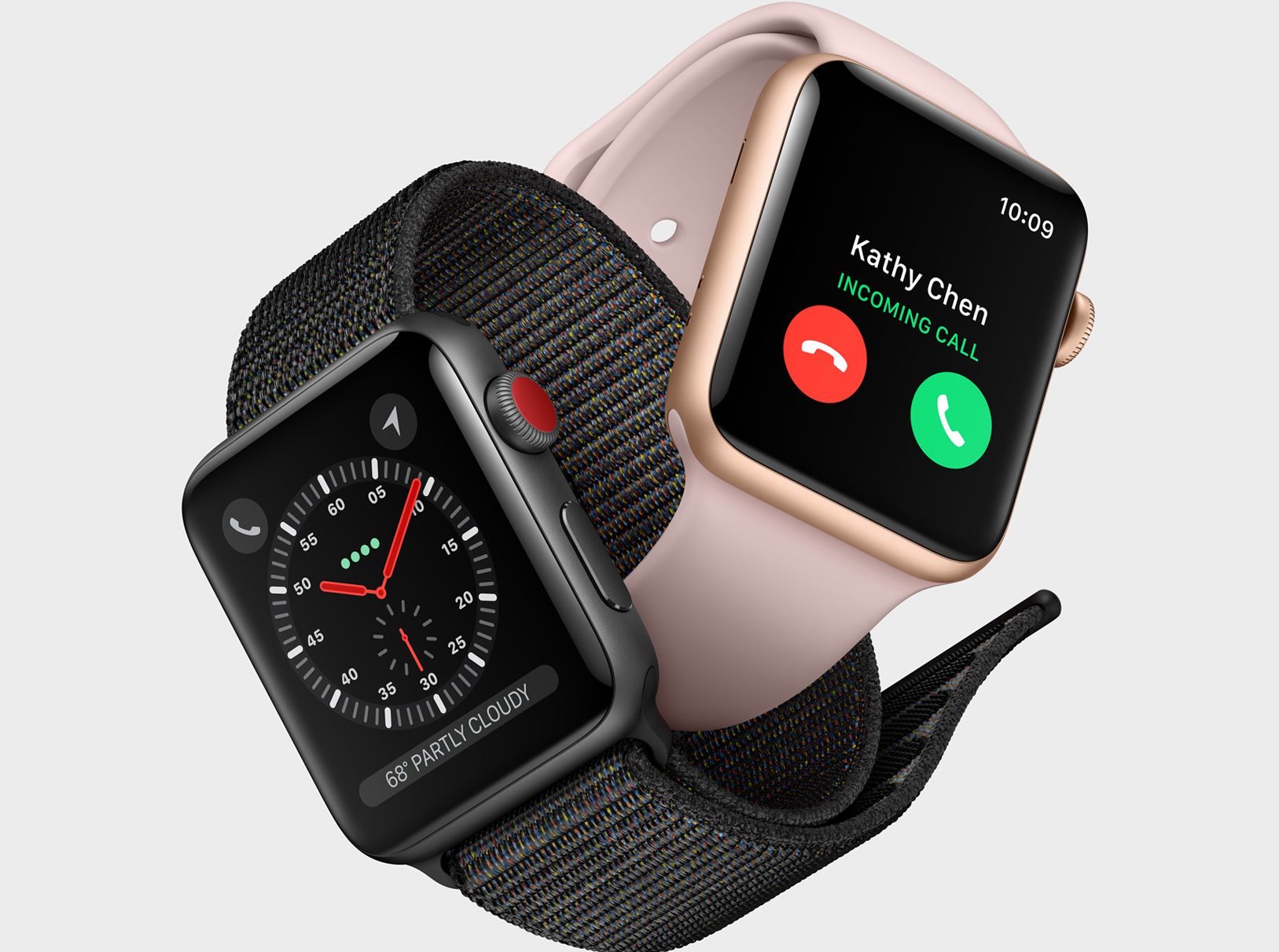
Apple Watch Series 3 tech specs

The Apple Watch Series 3 is almost what everyone has been waiting for in an Apple Watch since the beginning: the ultimate luxury of cellular connectivity such that an iPhone isn’t required to use the device.

Although both cellular + GPS and -only models are available, and we go over the tech specs of both in this piece, so you’re aware of what’s under the hood on the latest Apple Watch models.

iPhone X tech specs

Apple took the stage on Tuesday to announce a significant step forward in the iPhone as an everyday handset. The iPhone X gives Apple’s smartphone a sexy edge-to-edge OLED display complete with wireless charging, Face ID, and a whole truckload of other new features worth mentioning.

In this piece, we’ll provide an overview of the tech specs of Apple’s new flagship smartphone, which you can pre-order beginning October 27th and begins shipping this November.

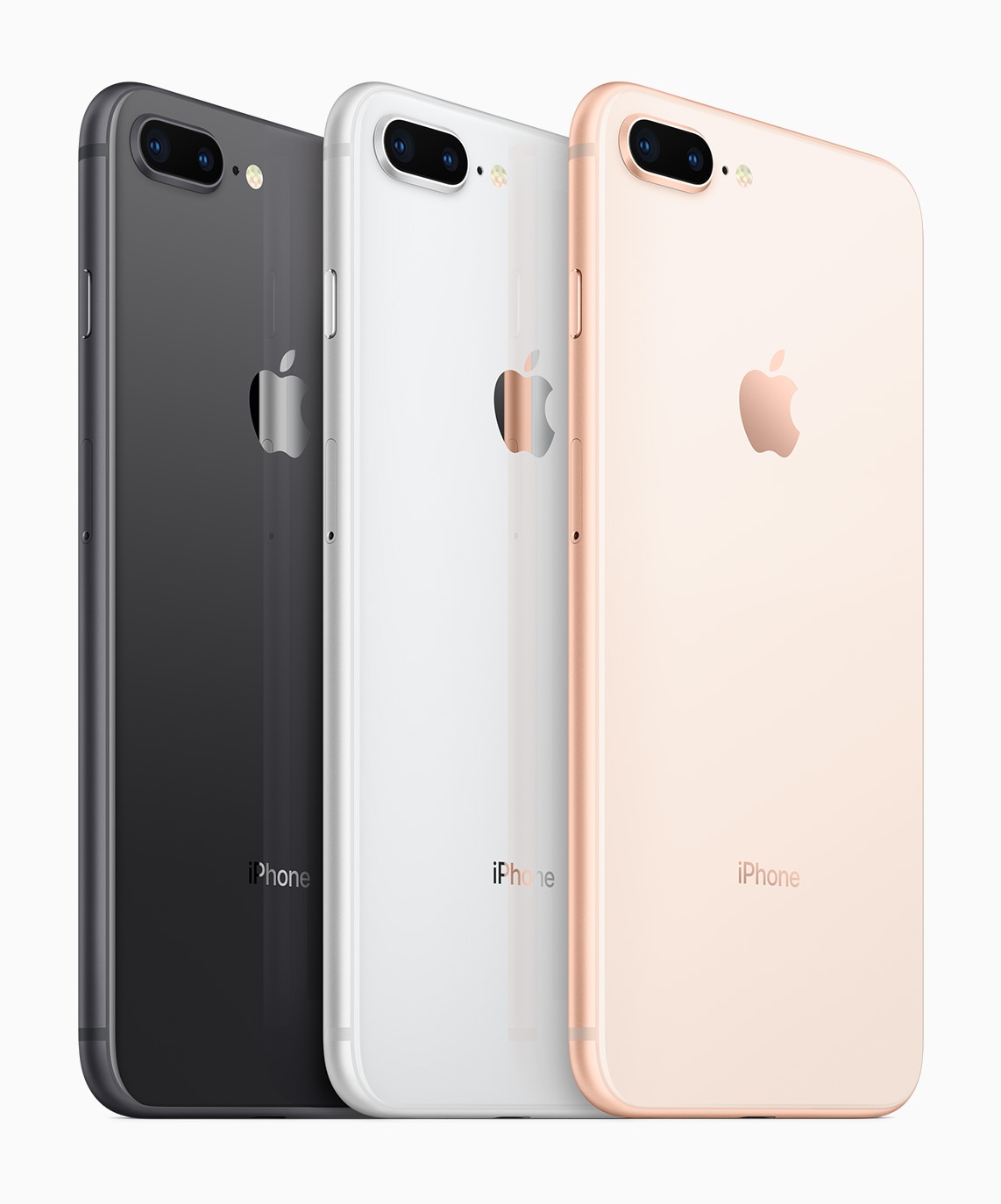
iPhone 8 and iPhone 8 Plus tech specs

Read about the iPhone 8 and iPhone 8 Plus technical specifications including size, display, battery, cellular, cameras, and more.

On September 12, 2017, Apple unveiled an essential upgrade from the iPhone 7 and iPhone 7 Plus that the company dubs the iPhone 8 and iPhone 8 Plus.

The two new handsets bring hardware and cosmetic upgrades to the current iPhone lineup. An all-glass front and rear that are reminiscent of the days of the iPhone 4/4s are standard in all three colors. Apart from that, the bodies look and feel a lot like the iPhone 7 or iPhone 7 Plus you might already use, but with a few minor tweaks.