Anthony Bouchard

Anthony Bouchard joined the iDownloadBlog.com team in 2016 after originally covering Apple and iPhone jailbreak news at ModMyi.com. As an experienced editor, he brings more than 15 years’ worth of jailbreaking knowledge to our in-depth guides, opinion pieces, and news articles. His passion for device customization and user choice sparks his strong push to empower readers with the tools they need to explore and enjoy the freedom that comes with jailbreaking. Anthony blogs about not only jailbreaking, but also Apple software & accessories, drones & photography, and Nintendo gaming systems. Anthony honed his advanced technical knowledge over the years with hands-on projects ranging from gaming PC builds to engine repair mechanics. His never-ending hunger for knowledge is why you’ll always find him tinkering – tearing things apart and putting them back together to understand what makes them tick.

Audicy is a full-fledged media importer for jailbroken iPhones

Those who’ve been with the jailbreak community for a while may remember the times when it was easy to download a third-party app from Cydia to import locally-stored media to iOS’ native Music player, etc. Years later, finding such utilities isn’t so common.

The aforementioned circumstances make the release of a new utility called Audicy by iOS developer Jalal Ouraigua rather significant, as it enables users to easily import media stored on the device itself to iOS’ native Music library from the native user interface(s).
SwipeExtenderX supercharges the iOS keyboard with useful new features

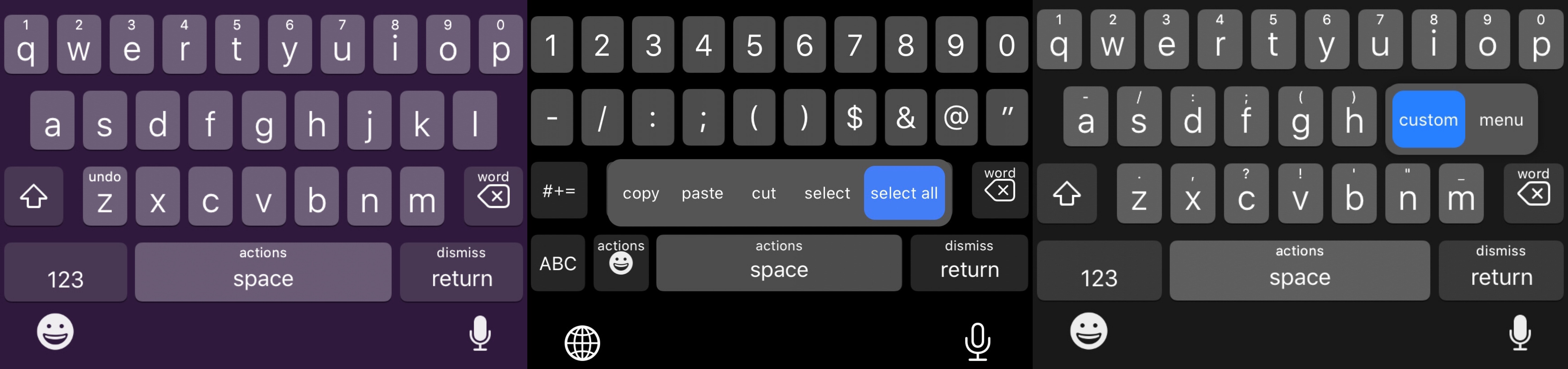
Swipe from any key on the keyboard to invoke assigned actions with SwipeExtenderX.

The iPhone sports one of the best software keyboards in the industry, and yet creative members of the jailbreak community always seem to find ways to remind us why we should be asking so much more of Apple as the company releases annual software upgrades.

Enter SwipeExtenderX, a newly released jailbreak tweak by iOS developer qwertyuiop1379 that supercharges the iOS keyboard with up to 20 different swipe gesture-based actions to help make the process of typing on an iPhone even easier than it already is.

UltraPowerSavingMode brings an Apple Watch-style power reserve mode to iOS

So much of our lives are spent using our smartphones these days, and yet they’re still powered by batteries that hardly seem to last a full day without needing a charge. Apple’s Low Power Mode is helpful when you want to take advantage of every last drop of battery life, but when you demand even bigger extremes, a newly released jailbreak tweak called UltraPowerSavingMode by iOS developer Prasa just might be a better choice.

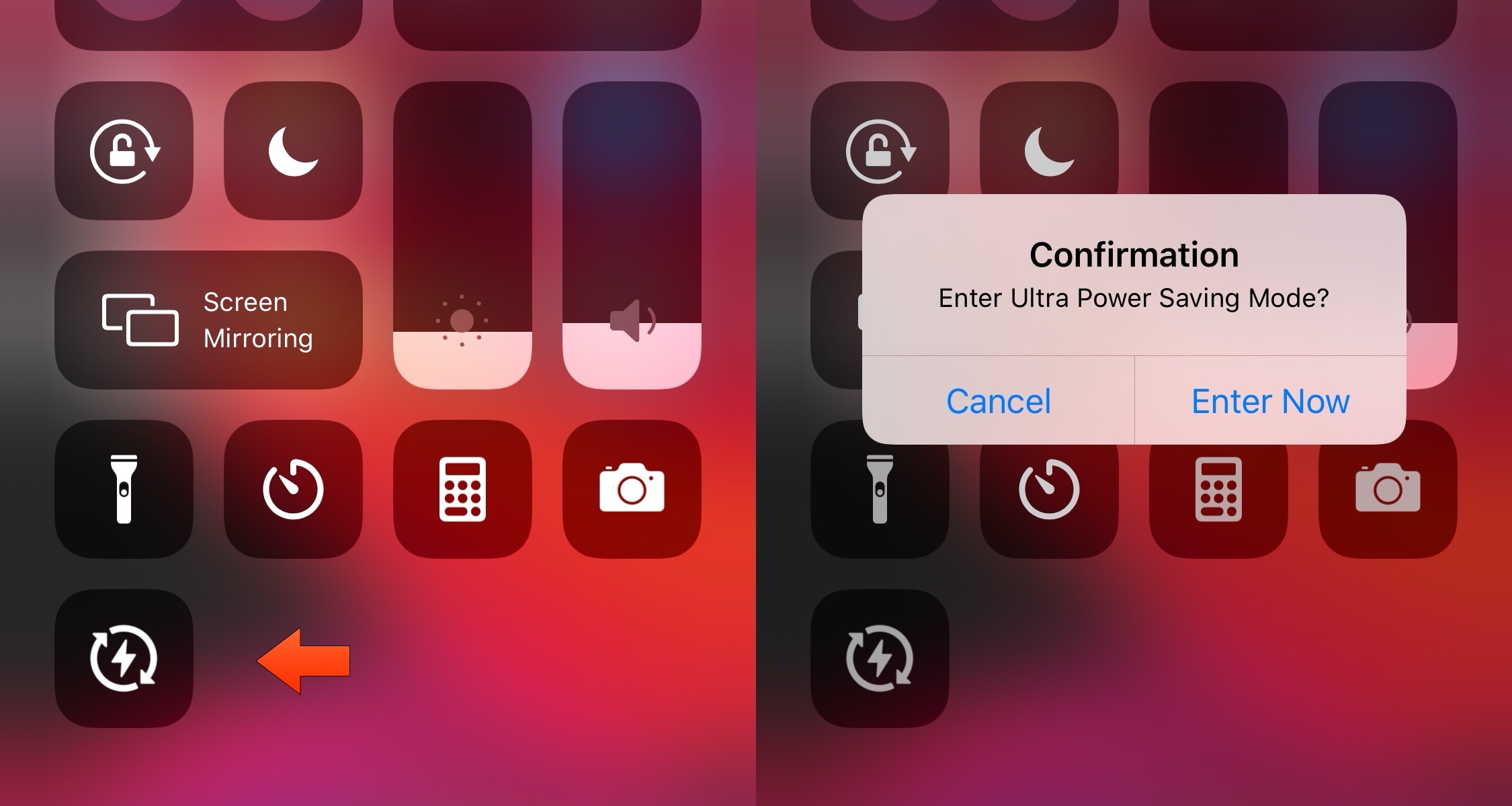
In a nutshell, UltraPowerSavingMode attempts to duplicate the Apple Watch’s Power Reserve mode on the iOS platform, albeit in quite a far more advanced manner. Once toggled, the tweak optimizes your handset’s power usage to help you maximize battery life well beyond what the native Low Power Mode is capable of.

This tweak adds a confirmation dialogue to iOS’ AirDrop interface

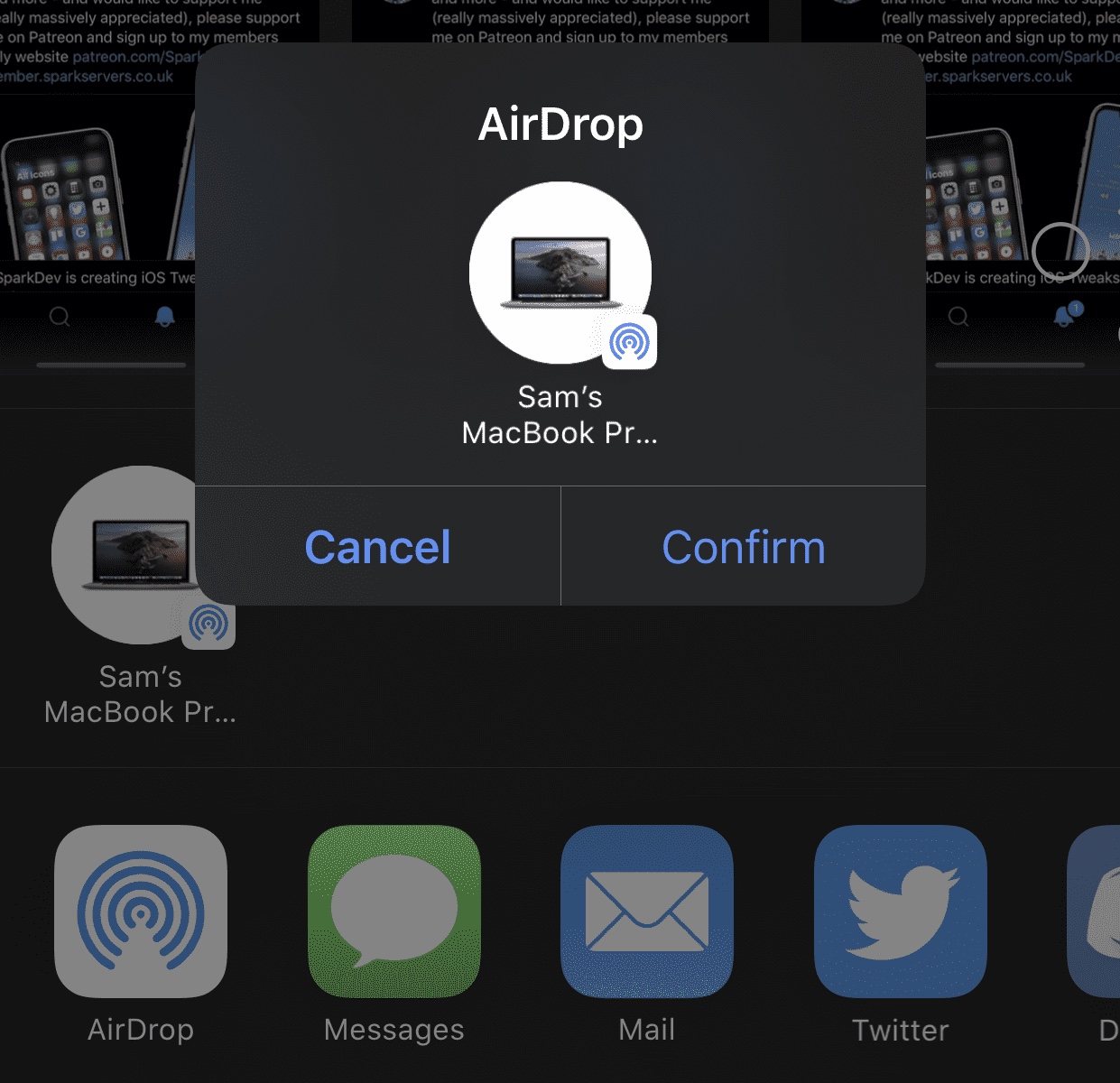
AirDrop is one of the easiest ways to transfer files from one iOS device or Mac to another. On the other hand, some might argue that it’s just a little too easy to use. After just one tap, your file begins transferring to the recipient, whether that tap was intentional or not…

Enter AirDropConfirm, a newly released and free jailbreak tweak created by iOS developer SparkDev that aims to curb accidental AirDrop-centric file transfers by implementing a two-step confirmation dialogue into the AirDrop sharing interface.

Rofi is a convenient app launcher you can access from anywhere in iOS

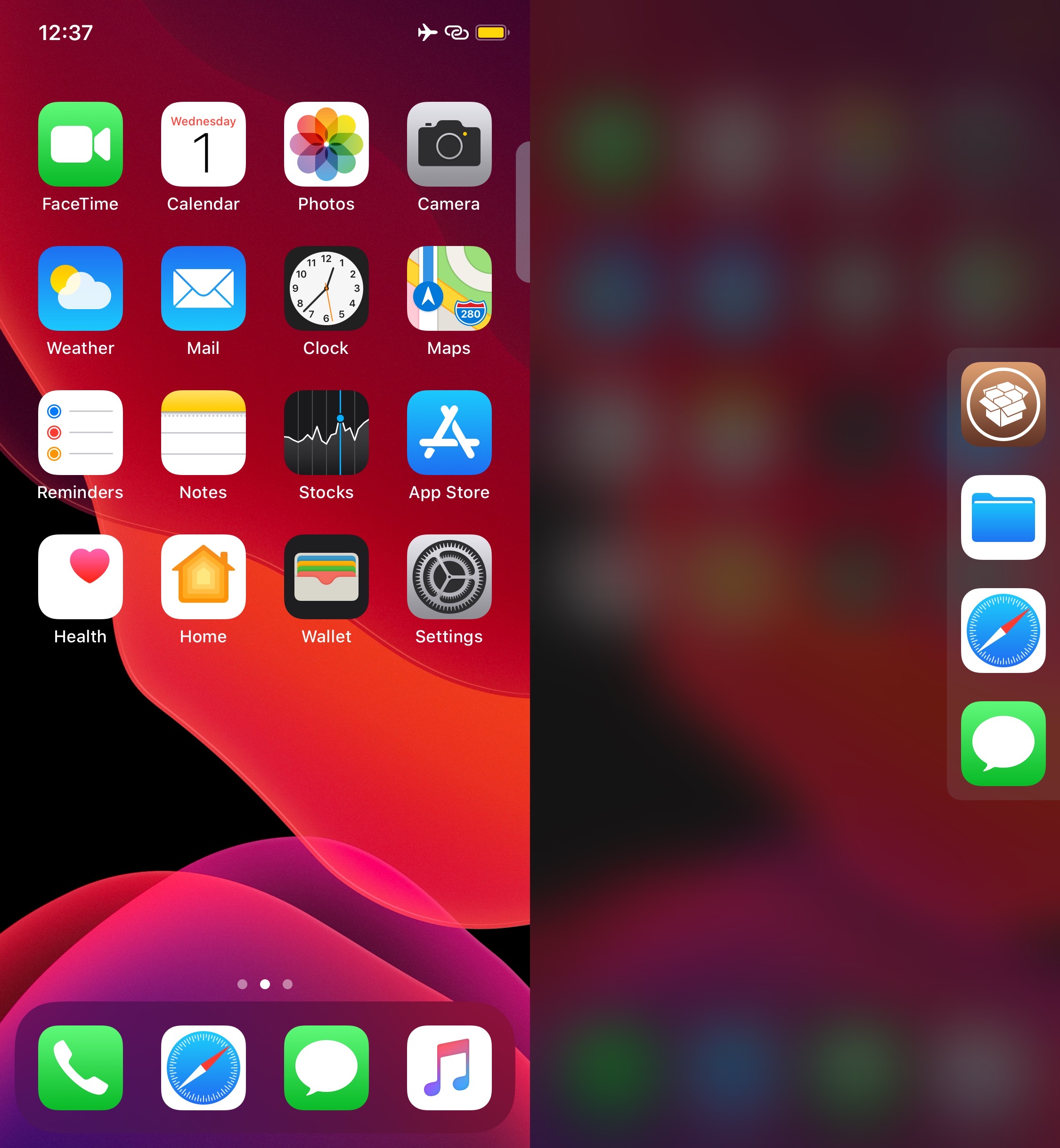
It’s always convenient to have quick access to your favorite apps from anywhere, and that’s the primary reason why application launcher extensions have been so popular among jailbreakers over the years. Given their apparent popularity, it only seems fair that we turn the spotlight to a newly released and free jailbreak tweak dubbed Rofi by iOS developer Kef.

As depicted in the screenshot example above, Rofi hides away on the edge your iOS device’s display as a tab. Once ready to summon the application launcher, users need only tap on the aforementioned tab to view and interact with all the apps hidden within.

Apple stops signing iOS 13.3.1, thwarting downgrades from iOS 13.4

Apple officially stopped signing iOS and iPadOS 13.3.1 Tuesday evening, just one week after releasing iOS and iPadOS 13.4 to the general public as an over-the-air software update.

The closing of the signing window means those who’ve upgraded to the newer 13.4 firmware will be unable to downgrade to 13.3.1. This isn’t a big deal for most iPhone or iPad users, but it’s something that can be particularly unsettling for the jailbreak community as software updates frequently patch jailbreak-centric software exploits.

This tweak adds a customizable button to the Lock screen for unlocking your iPhone

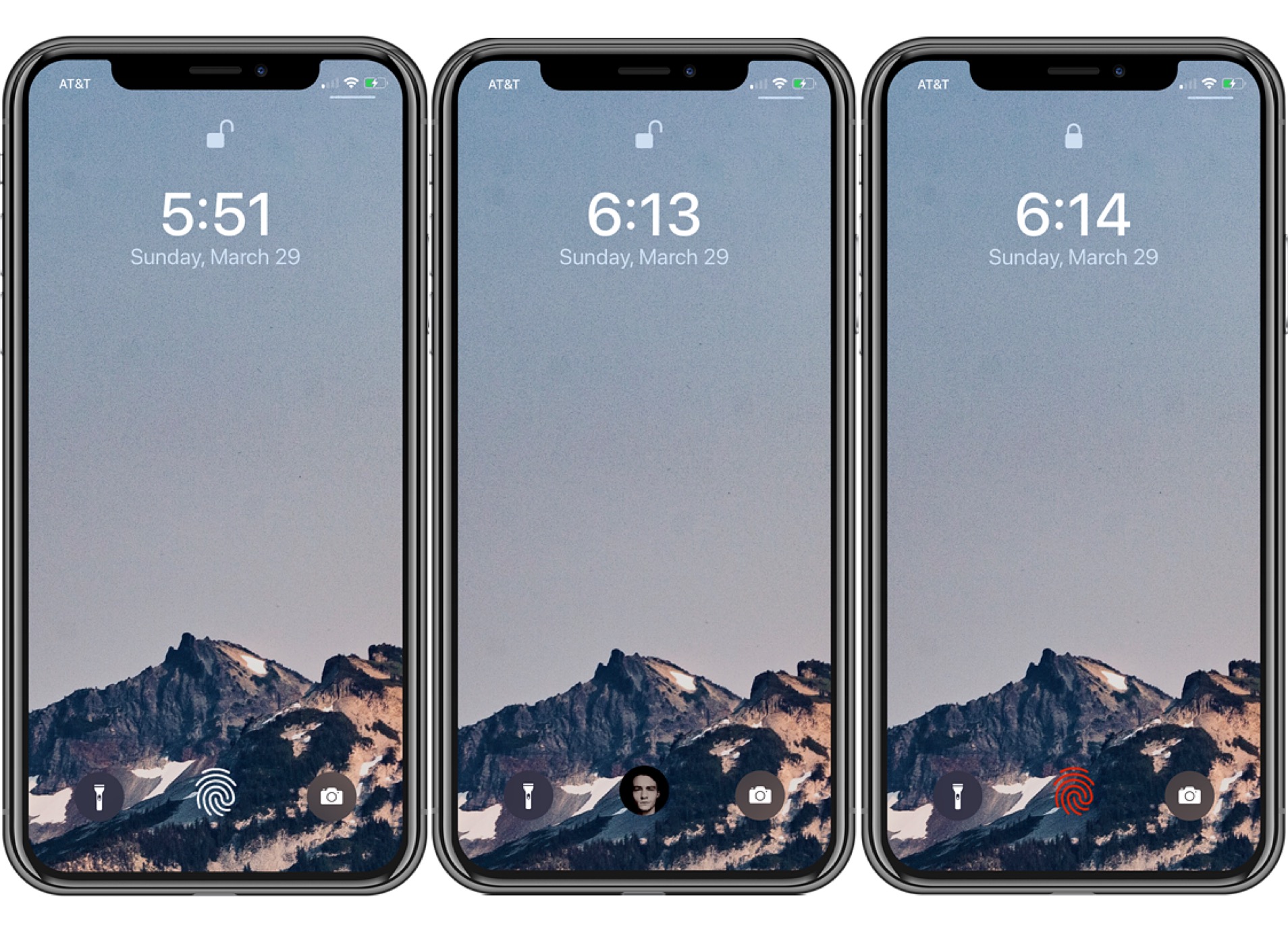
FingerLock on the Lock Screen.

Jailbreakers who are in search of fun and unique ways to make their iPhone’s Lock screen experience stand apart from the crowd will almost certainly want to check out a free jailbreak tweak called FingerLock by iOS developer MTAC.

This tweak puts an aesthetically-pleasing fingerprint-shaped software button on the Lock screen that you can tap to unlock your device rather than pressing the Home button or swiping up on the Home Bar, as shown above. Best of all, this snazzy button is fully-customizable.

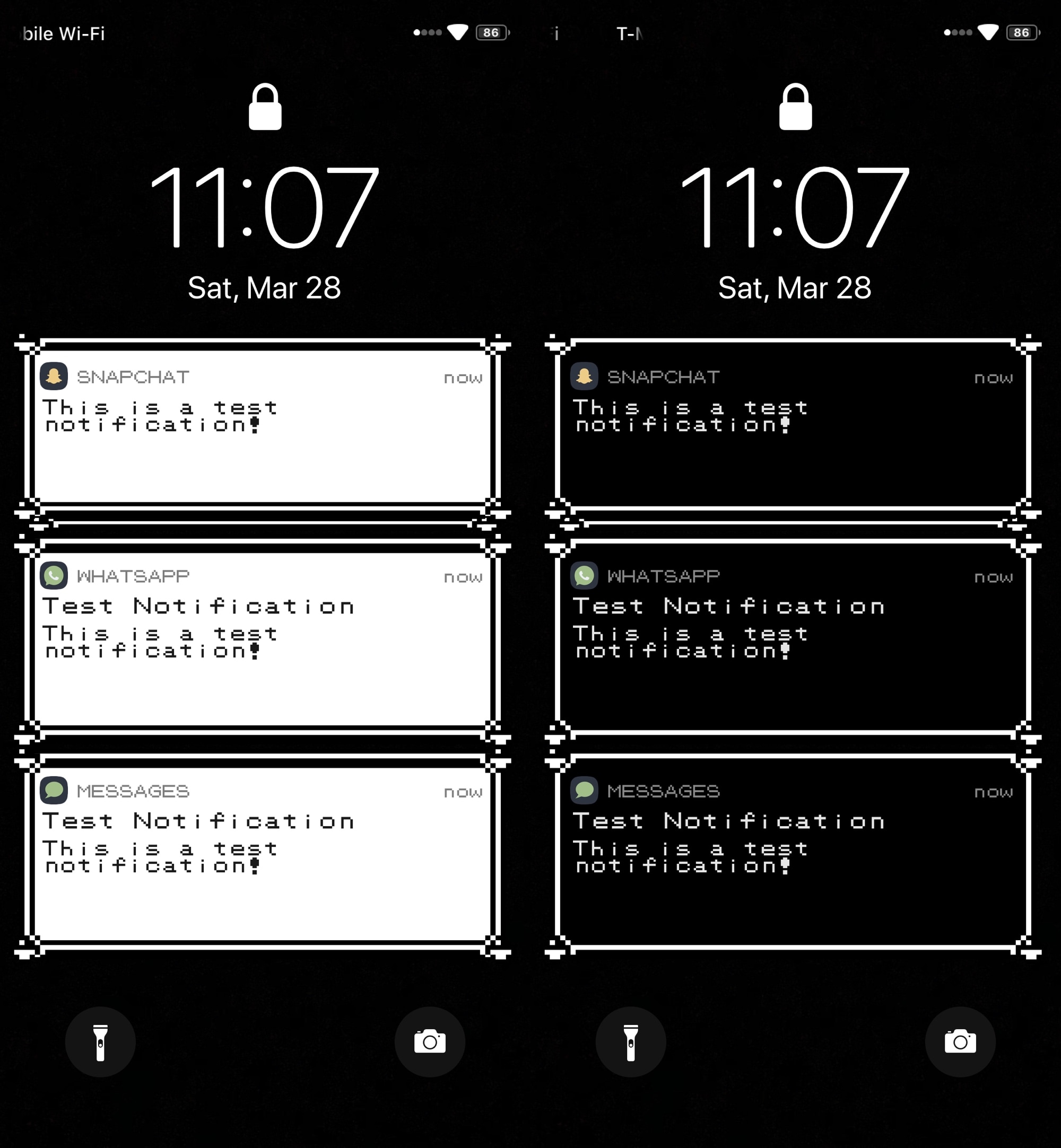
PokeBar brings classic Pokémon-inspired notification banners to iOS 13

Longtime Pokémon game fans, especially of the classic Nintendo Game Boy flavor, may feel a bit nostalgic of the older games at times. Fortunately, if you’re itching for some nostalgic relief and you have a jailbroken iOS device at your disposal, then a newly released and free jailbreak tweak dubbed PokeBar by iOS developer Liberato Aguilar might be able to help.

In the rather conspicuous screenshots above and below, you might’ve ascertained already that PokeBar brings Pokémon Red/Blue/Yellow-inspired notification banners to pwned iOS 13 handsets. Moreover, it supports both dark and light themes, depending on your device’s dark mode system settings.

Clockator adds haptic feedback to the iPhone’s Clock app

If you’re anything like me, then you like haptic feedback on your iPhone and wish Apple would implement it more broadly across the mobile operating system. While this could certainly happen in the near future as Apple ponders about how it can make iOS better, jailbreakers won’t need to wait thanks to the plethora of readily available jailbreak tweaks that can already bring haptic feedback to miscellaneous interfaces in iOS.

Clockator is a newly released and free extension by iOS developer CydiaGeek that fits this niche subset of add-ons, and as its name suggests, Clockator introduces haptic feedback to Apple’s native Clock app in various ways.

Jailbreak tweaks of the week: CPUTool, Dyadic, LPMPad, SITUM, and more…

If you’re going stir-crazy while coping with the thought of staying home amid Coronavirus-related social distancing efforts, then the good news is you can use your newfound free time to tinker with your jailbroken iPhone or iPad.

In this roundup, we’ll show you all the latest jailbreak tweaks to be released from Monday, March 23rd to Sunday, March, 29th. As usual, we’ll kick things off by discussing our favorite releases first and then wrap things up with an outline of the rest afterward.

LPMPad ports native Low Power Mode to jailbroken iPads & iPod touches

Low Power Mode.

If your iPhone’s battery level ever ventures into the danger zone, then Apple has graciously provided you with a Low Power Mode option that you can toggle in a pinch to take full advantage of every last precious drop of juice you have left. But for whatever reason, this same toggle isn’t available on iPads or iPod touches – what a shame!

While it remains to be seen if Apple will ever bring Low Power Mode to the iPad or iPod touch platforms, the good news is that jailbreakers won’t have to wait. A newly released and free jailbreak tweak dubbed LPMPad by iOS developer iCraze ports Low Power Mode to these devices in such a way that it feels just as native as it would on the iPhone.

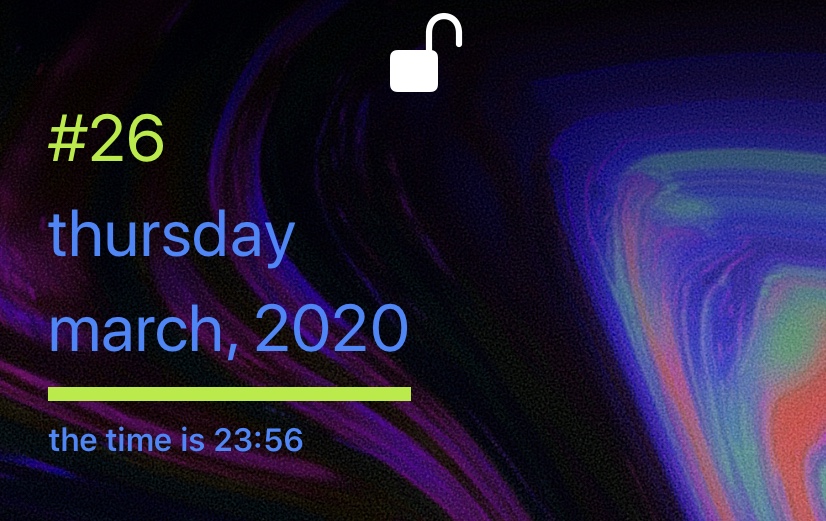
LSTweak gives your iPhone a snazzy new Lock screen interface

The Lock screen is the first thing you get to look at every time you pick up your iPhone and begin using it, and with that in mind, it’d be useful if Apple provided some kind of flexibility by way of user-configurable aesthetics and functionality.

While non-jailbroken handsets don’t have much to offer in this department, a newly released jailbreak tweak called LSTweak by iOS developer neoney empowers avid jailbreakers with the ability to have a sleek Lock screen interface like the one depicted above.