Automatic transcripts of shows in the Apple Podcasts app on iPhone is a new feature in iOS 17.4 that provides an experience similar to time-synced lyrics on Apple Music.
Show transcripts are available in the Apple Podcasts app on iOS 17.4, iPadOS 17.4 and macOS Sonoma 14.4, currently in testing. On the iPhone and iPad, transcripts are time-synced and scroll as you listen. On the Mac, you can view the entire transcript as non-interactive text.
MacStories contributor Niléane first discovered this feature and shared it on Mastodon. We’ve also consulted Apple’s documentation to bring you the nitty-gritty.
Apple Podcasts introduces show transcripts
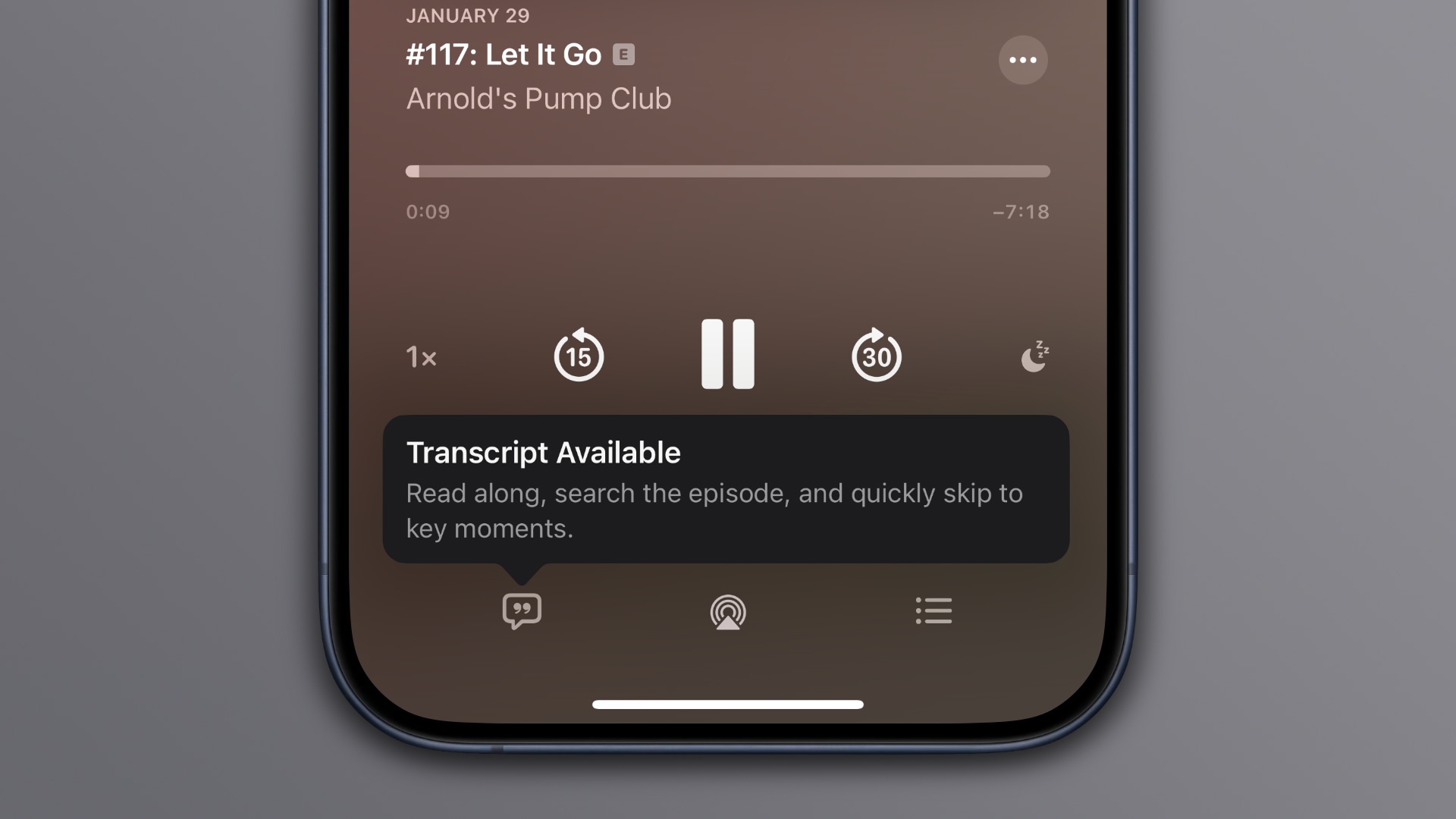
When listening to a podcast episode, hit the mini-player at the bottom to show fullscreen controls. If there’s transcription available for this show, you’ll see an icon in the bottom-left resembling the live lyrics icon on Apple Music.

A tooltip informs you that you can read along, search the episode for a specific word or phrase and quickly skip to key moments. As mentioned, the whole experience is strikingly similar to time-synced lyrics on Apple Music, where lines scroll as the music plays, and you can touch any verse to jump to that point.
How to use Apple Podcasts transcripts on iPhone and iPad
With podcast transcripts, you hit the text to play from that point in the episode. Transcribed words are highlighted as you listen, making it easy to follow along. You can touch and hold a specific passage in the transcript to copy or share text, etc.
 If you prefer static text, choose View Transcript from the ellipsis menu. This is especially useful if you want to precisely select and copy a piece of raw text.
 To scrub through the transcript with the timestamp, grab the scroll bar.
 To search the episode for a specific word or phrase, touch the Search button at the bottom of the transcript. This interface is similar to searching within a page in Safari.
A panel appears at the bottom where you can see the number of search term occurrences and hit the up or down arrow to jump to other mentions.
How to use Apple Podcasts transcripts on Mac
Podcast transcripts are also supported in the Apple Podcasts app on macOS Sonoma 14.4 and later, with some caveats. Most importantly, you don’t get that Apple Music-like lyrics navigation.
What I mean by that is that transcribed words aren’t highlighted as you follow along, and you cannot quickly just to a specific point by clicking a part of transcript. You do get transcripts on the Mac, but they’re static raw text.
On the show page, choose View Transcript from an episode’s ellipsis menu.
 The transcript is displayed as raw text. you can select any piece of text, right-click the selection and choose Copy from the menu. To find all occurrences of a specific word of phrase in the transcript, click the magnifying glass icon in the top-right.

Availability of transcripts on Apple Podcasts
Podcast transcripts can be accessed in over 170 countries and regions, according to the Apple Podcasts for Creators page on Apple’s website.

Apple explains that transcripts are available with iOS 17.4 for English, French, German and Spanish podcasts, with back catalog episodes being added over time.
Apple automatically generates transcripts after a new episode is published. Your episode will be available for listening right away, and the transcript will be available shortly afterwards. There will be a short delay while we process your transcript. If portions of your episode change with dynamically inserted audio, Apple Podcasts will not display the segments of the audio that have changed since the original transcription. Music lyrics are also not displayed in the transcripts.
Creators can also choose to upload their own transcripts via Apple Podcasts Connect. The feature has a privacy component baked in— explicit episodes won’t show transcripts if the user has turned on content restrictions.
How is this possible?
When you update your iPhone to iOS 17.4, all podcast shows in your library should display automatically-generated transcription.
The feature is currently in beta, so there are a few rough edges. For example, transcripts don’t seem to be available for shows added from external sources via URL. This is a result of Apple’s ongoing investment in machine learning.
As an example of what’s already possible, iOS 17 transcribes voice messages and lets you see a real-time transcription as the other party speaks.
Your iPhone, iPad and Mac can also generate live captions of audio or spoken dialogue on the fly, including in apps like FaceTime.