Set a default list for the Apple Reminders app on iPhone, iPad, and Mac so that the to-dos you create using Siri are automatically added to that list.

If you use the Reminders app on your iPhone, iPad, or Mac, then you likely have a few different lists in it. You may have ones for work, home, school, or something similar.
So, when you add a reminder to a list and use Siri to do it, for example, in which list does that reminder end up? You may not know it, but you have a default list in the Reminders app. This means if you add a task without actually opening the Reminder app to do it, it will automatically fall into your default list.
To make sure that the default list is the one that you want, you can change it easily by following these steps.
On iPhone and iPad
- Open iOS Settings and tap Apps from the bottom.
- Scroll down and select Reminders from the list of applications.
- Tap Default List.
- Select the list you want as your default. You’ll see a checkmark next to the default list you pick.

Add a new list for the default
If you decide you would rather set up a new list as the default, you start by creating one in the Reminders app. To do that, go inside the Reminders app and tap the new list icon at the top. On older versions of iOS, tap Add List instead. After creating the new list, you simply go back to your Settings app and follow the first set of instructions above. You should see the new list you created, and can now select it as your default.
On Mac
- Open the Reminders app.
- Click Reminders > Settings from the top menu bar.
- Click the drop-down menu next to Default List and select a list of your choice.
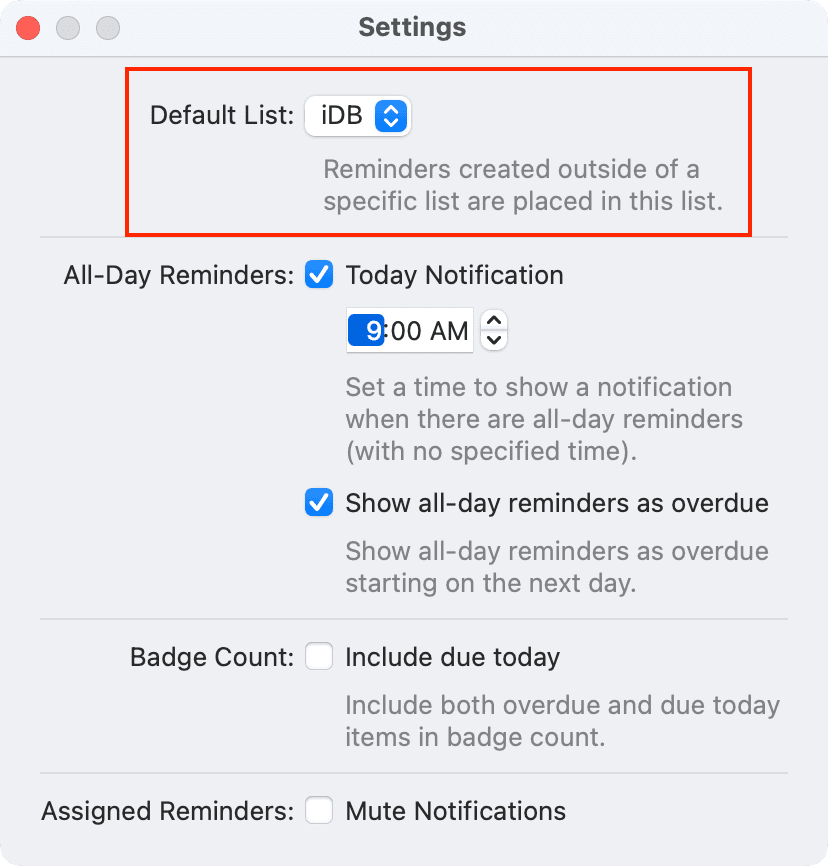
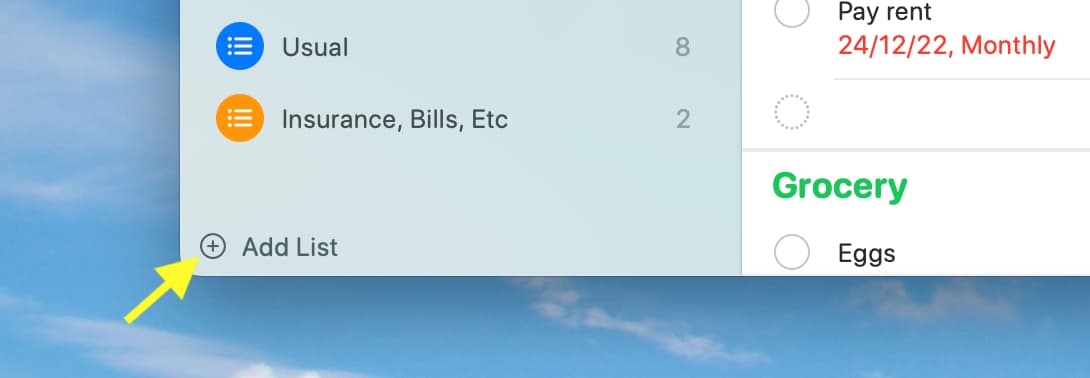
To add a new list, click the add list icon at the top in macOS Tahoe or the Add List option at the bottom left of Mac’s Reminders app on older versions. After that, follow the above steps to make it the default.
On a related note: