Year: 2014

Bloomberg: Apple preparing 12.9-inch iPad for early 2015

Bloomberg is reporting this afternoon that Apple is preparing a larger 12.9-inch iPad for early next year. Citing people with "knowledge of the matter," the outlet says that the company's suppliers are gearing up now, with production of the tablet scheduled to begin by the first quarter of next year.

The report revives a theory that has been bouncing around the rumor mill for more than a year now. Apple was originally expected to launch the 13-inch "iPad Pro" this fall, but is believed to have pushed back the project due to resources being used on the so-called 'iWatch,' and the new iPhone 6.

Quickly turn flashlight on and off from the Lock screen with Lumos

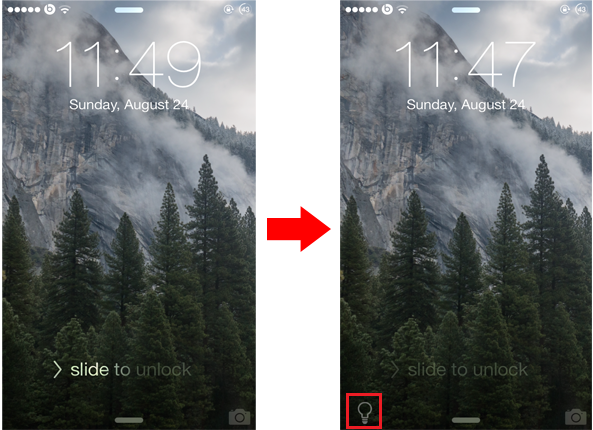
The Lock screen on iOS comes with a tiny camera grabber that is located in the bottom right corner of the screen. Swiping it up will open the camera directly from the Lock screen without requiring you to unlock your device first. If you use flashlight on your iPhone frequently, you might be interested to check out a new jailbreak tweak known as Lumos, which brings a similar feature to the Lock screen, enabling you to quickly start the flashlight.

By default, the quickest way to turn on the flashlight on your iPhone is through Control Center. Lumos goes a step further and provides a much quicker way by adding a tiny icon to the bottom left corner of the Lock screen dedicated to flashlight. Unlike the camera grabber, you'll have to tap on the flashlight icon in order to turn it on, instead of swiping it up. Tapping on the icon again will switch it off.

Yahoo Mail for iPad now lets you minimize compose window like in iOS 8

Yahoo today issued an interesting update to its native Mail application for the iPhone and iPad which replicates a handy feature we first saw in the stock Mail app in iOS 8.

Now available in the App Store, the refreshed Yahoo Mail version 3.3.2 includes the obligatory bug fixes and performance improvements, in addition to an iPad-specific feature which allows you to minimize the compose window when you need to look something up, just like Mail in iOS 8.

Tumblr for iOS updated with nicer blogs in Explore, filtering by tagging and more

The popular blogging platform, Tumblr, which Yahoo acquired for $1.1 billion in May of last year, has a decent iOS app available — and it's been getting a lot better post-acquisition. Today, the team pushed another update bringing out several new features and enhancements.

If you're new to Tumblr, the signup experience is now prettier and "a lot more educational," as the team put it. More importantly, a pair of changes outlined after the jump make finding and following blogs a lot easier and more enjoyable.

T-Mobile will double your data if you add a tablet to your smartphone plan

T-Mobile, the nation's fourth-largest wireless provider, on Tuesday announced it's doubling LTE data when you add a tablet to your smartphone plan.

Moreover, the firm said it's increased the number of lines supported by its family plan accounts to ten.

These changes arrive just as the Deutsche Telekom-owned carrier yesterday unveiled a new $5 per month option quadrupling the amount of high-speed LTE data included in the Simple Starter plan from 512 megabytes to two gigabytes.

Watch ABC app updated with AirPlay and Chromecast support

ABC released a big update to its Watch ABC app on Tuesday, adding AirPlay streaming to beam shows to the Apple TV and Casting Now for the Google Chromecast. Previously Watch ABC wanted to keep all of its video contained to just the iPhone and iPad screen, only sending audio. Thankfully it's changed with the times.

Instagram launches Hyperlapse, a smart time-lapse video app

If you're looking for a clever use of the iPhone's gyroscope and accelerometer sensors, look no further than Hyperlapse, a new iOS app by Facebook-owned Instagram which lets you create panning and time-lapse shots, steadycam-style.

The time-lapse feature is similar to one Apple will bring to iOS devices with the release of iOS 8 in Fall.

As for the tracking shots, the software uses advanced algorithms and your iPhone's hardware to smooth out panning shots as if you recorded video with a Steadicam or a professional $15,000 tracking rig.

And in what prove to be a killer feature for folks who loathe Instagram, Hyperlapse can be enjoyed without an Instagram or Facebook account as no signup is required to use the app.

Hyperlapse is available free in the App Store.

iTunes Festival and Showtime Anytime channels launch on Apple TV

Two nice updates for Apple TV owners today. First, Apple has re-launched the iTunes Festival channel on the $99 media-streming box in time for the 2014 iTunes Festival, which kicks off on September 1 in London.

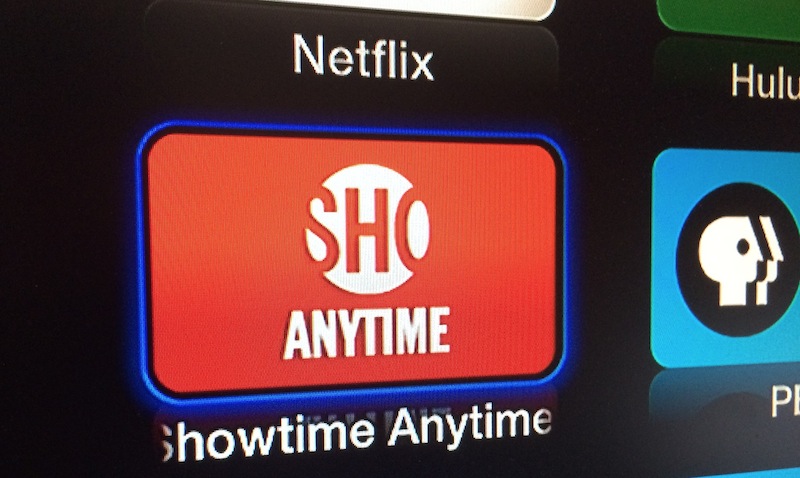
And second, the firm has also added the Showtime Anytime channel to the device.

Showtime is a premium cable network offering some free content to all users, in addition to live and on-demand shows and events to those who've subscribed to the network through a participating cable provider.

Additional content sources have been added to the Apple TV in select markets, as outlined after the jump.

Verizon begins rolling out Voice over LTE ahead of iPhone 6 announcement

With precisely two weeks until Apple's rumored September 9 iPhone 6 announcement, the nation's leading carrier, Verizon Wireless, Tuesday morning announced the official beginning of nationwide Voice over LTE (VoLTE) technology roll-out. The carrier in May laid out plans to deploy VoLTE using the AMR-wideband standard.

VoLTE uses high-speed 4G LTE data network to carry voice instead of the legacy circuit-switched voice network. Verizon says users can expect to enjoy higher-fidelity voice calls ”in the coming weeks.“

Additionally, the Big Red carrier said the feature will be enabled on supported devices via a software update.

Poll: would you pay extra for sapphire-screened iPhone 6?

That sapphire has become the smartphone industry's latest new buzzword can be attributed to Apple. The Cupertino company has confirmed dropping north of $500 million for the procurement of cutting-edge furnaces and other sophisticated equipment needed for its new sapphire plant, the world's largest.

That facility is located in Mesa, Arizona and run on Apple's behalf by a company called GT Advanced Technologies.

Moreover, GT's scientists have created a process called Hyperion 4 Ion Implanter to help mass-produce sapphire at affordable prices. Now, it's been rumored for months that Apple, which holds a patent for ‘Sapphire Laminates,’ will protect the iPhone 6's screen with ultra-thin sheets made from the precious gemstone.

With sapphire's hardness being second only to diamond, such a device would feature a virtually unbreakable screen. And with an estimated 20 percent of all broken iPhones suffering from smashed displays, sapphire could protect your pricey investment in case of accidental drops.

Analysts caution that a high-end feature like a sapphire-strengthened screen could easily translate into a premium price. Which brings me to my question of the day: would you be willing to pay extra for an iPhone 6 with a sapphire screen?

How Apple can improve permission handling in iOS

Every so often, it helps to take a step back and examine the way things are being done. This applies to our day-to-day routine, or perhaps our workout regimen. I've also found that it applies to software.

iOS is no exception to this. Here is a software product that has been through vast changes since its creation. A good majority of the changes have been for the better, and iOS 8, which is mere weeks away, promises to bring more awesome goodies to the table.

But, from time to time, it pays to look at the way things are being done. We have to ask ourselves, "Is this truly the best way?"

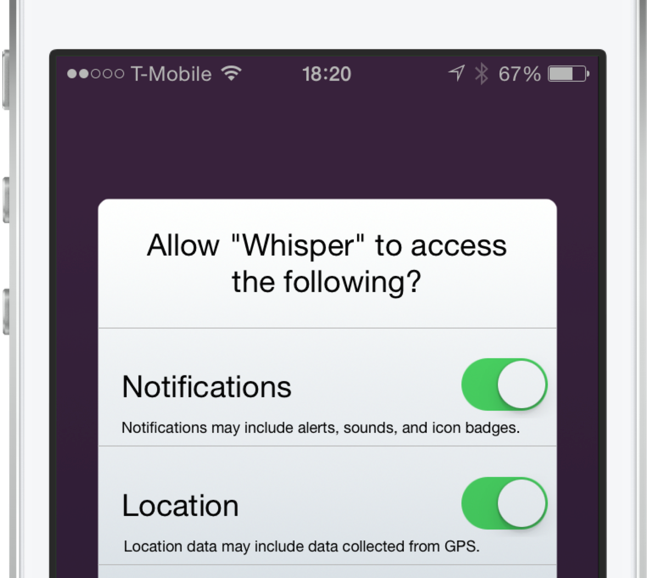
I feel that we've reached that fork in the road when it comes to the way iOS handles permission requests for apps. As more features are added to our devices, more permissions are required for apps that wish to use these features. It's gotten to the point that some apps require you to go through a whole checklist of permissions before you can even begin using the app.

The permission handling in iOS has become a frustrating affair. Not only do the numerous pop-up alerts annoy me, but it irritates me even more when I accidentally decline a permission because of speeding through the app setup process.

As discussed on today's episode of Let's Talk iOS, I'm convinced that there's a better way to handle permissions in iOS. There's a less intrusive, less frustrating way to handle requests for access to the various features on your device. Check out our video inside for an explanation of the problem, and a demonstration of the solution.