Cydia Now Showing iOS 4.3.3 SHSH Blobs

By Kickstar13 on May 9, 2011

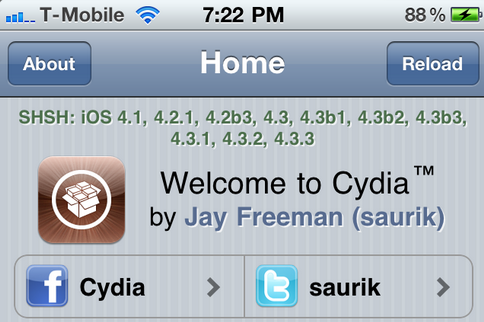
I’ve seen countless complaints in the comments regarding saved SHSH blobs using TinyUmbrella not showing up in Cydia. Well, I can finally expect to see those complaints put to a rest (at least until Apple rolls out another iOS update) as Cydia now shows all saved iOS SHSH blobs up to the latest iOS 4.3.3.

If you’ve launched Cydia today, you’ll notice that if you previously saved your SHSH blobs for iOS 4.3.1, iOS 4.3.2, and iOS 4.3.3 they’ll now appear in the top banner on the Cydia homepage on your iDevice.  Read More
 

How to Downgrade iPhone iOS 4.3.2

By Kickstar13 on Apr 20, 2011

With the release of iOS 4.3.2 this late last week, and the new iOS 4.3.2 redsn0w jailbreak still not completely stable, some of you might not want to wait any longer for a stable jailbreak, or maybe you’re having additional issues with the new OS. Whatever the reason might be, you can downgrade from your current iOS version to an earlier version using your SHSH blobs on file.

It is important you have your SHSH blobs on file for the iOS version you want to downgrade to. If you don’t have your SHSH blobs on file for the iOS you want to downgrade to, you will not be able to downgrade. You can check which SHSH blobs on file you’ve got by launching Cydia and looking at the top of the Cydia homepage where it lists all your saved SHSH blobs.  Read More


iOS 4.3.2 Still Vulnerable to i0n1c’s Untethered Exploit?

By Kickstar13 on Apr 14, 2011

Famous userland jailbreak hacker @Comex has just tweeted some interesting information regarding the status of i0n1c’s iOS 4.3.1 untethered jailbreak exploit.

According to @Comex, i0n1c’s untethered jailbreak kernel exploit used in redsn0w to jailbreak iOS 4.3.1 doesn’t seem to be patched yet in the new iOS 4.3.2 released earlier today… Read More


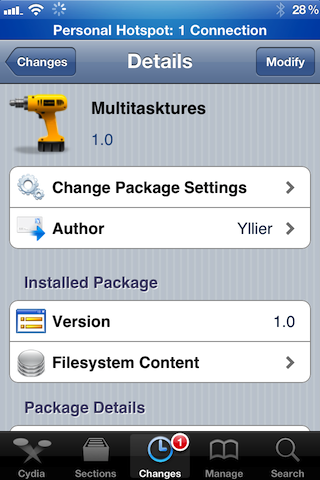
‘Multitasktures’ is a Jailbreak Tweak Alternative to iOS Multi-Touch Gestures

By Jeff Benjamin on Apr 13, 2011

Are you still having issues using one of the previously covered methods of enabling multi-touch gestures on your iPhone running iOS 4.3.1?

If so, Multitasktures might very well be a compromise that you’re willing to make.

While it’s not technically using real multi-touch gestures to enable paging left or right between your apps, it does use Activator to achieve similar results…. Read More


iOS 4.3.2 Scheduled to Drop in the Next Week

By Alex Heath on Apr 11, 2011

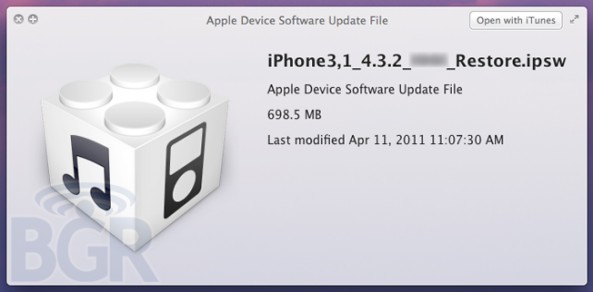
iOS 4.3.1 has been out for less than a month, and Apple is already planning on releasing 4.3.2 in the coming week. According to BGR, iOS 4.3.2 will address minor bugs and several issues concerning the iPad.

The folks at BGR have already gotten their hands on 4.3.2, and they claim that Apple will push the update for all iDevices in the next seven days… Read More


How to Unlock iPhone 4.3.1

By Sebastien Page on Apr 9, 2011

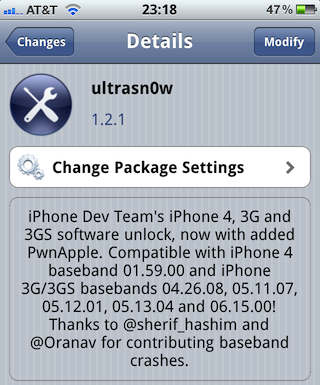
The Dev Team just released their unlock for iPhone 4.3.1. This updated version of ultrasn0w brings support for the iPhone 3Gs and the iPhone 4 that are exclusively using these basebands: 01.59.00, 04.26.08, 05.11.07, 05.12.01, 05.13.04, and 06.15.00.

In this post, we’ll guide you into unlocking your iPhone 3GS or iPhone 4 on any of the above basebands, and running the latest iOS 4.3.1… Read More


Dev Team Releases UltraSn0w iPhone Unlock for iOS 4.3.1

By Sebastien Page on Apr 9, 2011

As expected the Dev Team released tonight an updated version of their UltraSn0w unlock for iPhone 4.3.1. As we noted before, this version of UltraSn0w will not unlock any new baseband. UltraSn0w 1.2.1 will unlock the iPhone 3GS or iPhone 4 on baseband 01.59.00, 04.26.08, 05.11.07, 05.12.01, 05.13.04, and 06.15.00.

If you are on any of these basebands, you can update to iOS 4.3.1 while preserving your baseband using PwnageTool. If your baseband is different from the one listed above, I’m afraid there is no unlock for you at this time… Read More


RedSn0w Jailbreak Gets a Minor Update

By Sebastien Page on Apr 9, 2011

The Dev Team has recently updated their RedSn0w jailbreak to version 0.9.6rc12. According to MuscleNerd, RedSn0w 0.9.6rc12 should fix any lingering issues with the boot logo animations, which some of you had issues with.

So, what to do if you already jailbroke with RedSn0w and want to fix this boot logo issue? Simply download RedSn0w 0.9.6rc12 from here and run it over your current jailbreak, but make sure you do not select to install CydiaRead More


UltraSn0w Unlock for iPhone 4.3.1 Will Be Released Tonight

By Sebastien Page on Apr 9, 2011

After recently releasing their jailbreak for iOS 4.3.1 via PwnageTool and RedSn0w, the Dev Team is now getting ready to unleash their UltraSn0w unlock.

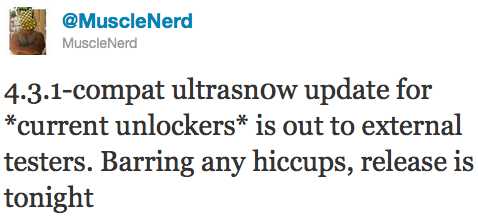
The current 4.3.1-compatible UltraSn0w is currently being tested by a few beta testers, and according to a tweet by Dev Team front man MuscleNerd, if everything goes well, UltraSn0w should be released tonight… Read More


Report: iOS 4.3.2 Coming in Two Weeks?

By Kickstar13 on Apr 7, 2011

It’s been less than three weeks since Apple officially released iOS 4.3.1, and now there are already reports coming in that iOS 4.3.2 is just around the corner.

According to Boy Genius Report,  Apple is scheduled to release iOS 4.3.2 “within the next two weeks.” BGR’s source claims that the update will bring a few enhancements, address security issues, and it will also fix several bugs that have affected users.  Read More


UltraSn0w Update is Almost Ready for iOS 4.3.1, Fixes Bug Issues and Older Baseband Compatibility

By Alex Heath on Apr 5, 2011

MuscleNerd has confirmed that UltraSn0w update is coming for iOS 4.3.1 in a few days. The unlock tool has had several bugs and is currently incompatible with several older basebands.

To clarify: the upcoming UltraSn0w update will not unlock any new basebands. The update is meant for current unlockers that wish to update to the latest 4.3.1 jailbreak and keep their unlock. Read More


Certain Cydia Packages Not Yet Compatible with iOS 4.3.1, Jailbreakers Beware

By Alex Heath on Apr 5, 2011

The official jailbreak for iOS 4.3.1 was released yesterday, and many people are re-installing and upgrading their Cydia packages.

There are some popular Cydia apps/tweaks that are not yet compatible with iOS 4.3.1. If you rely on a certain app or tweak, you might want to make sure the desired package is compatible with the latest version of iOS before you jailbreak… Read More


Jailbreak Your iPad on 4.3.1 with PwnageTool [Tutorial]

By Cody Lee on Apr 4, 2011

The long-awaited jailbreak for Apple’s iOS 4.3.1 is finally here. It is the first official jailbreak since Apple released iOS 4.3 almost a month ago. Those with iDevices wanting to take advantage of some of the new features in 4.3, haven’t been able to upgrade without losing their jailbreaks.

That all changed in the wee hours of last night, when the Dev Team members finally released the anticipated software. The exploit is available in 2 different forms of software: PwnageTool, which is for Mac users only, and RedSn0w, which will work on either Windows or Mac.

This step by step tutorial will show you how to jailbreak your iPad on iOS 4.3.1, using PwnageTool. This software is for Mac users only. If you are on a PC, follow our RedSn0w tutorial here.

Important Note: Just remember this is not for the iPad 2, there is no jailbreak available for this device yet.

Before we get started, you want to make sure your iPad is on iOS 4.3.1. Backing up your iPad to iTunes is also recommended, better safe than sorry. But don’t worry, the process is super simple and will have your iPad jailbroken in no time.

Step 1: For this tutorial, you’ll need PwnageTool 4.3, which you can download here. Make sure you select the 4.3 version, as it is the only one that will work. I always download my tools to my desktop so they’re easier to find.

Step 2: Load up PwnageTool, select the iPad/Apple TV option and click the blue arrow. With this method, PwnageTool should actually locate your iPad firmware on your hard drive for you, so there is no need to download the .ipsw file.  Select the iPad firmware and click next.

Step 3: Sit tight as PwnageTool does its thing, it can take a while. It is taking the file you selected and jailbreaking it. Then we will load the jailbroken firmware onto your iPad.

Step 4: Once done, you will be prompted to connect your device via usb. PwnageTool will now help you put your device into DFU mode. If you don’t get it the first time, don’t fret. Just wait until it’s finished giving DFU instructions, and click try again. If you did it correctly, it should look like this:

Step 5: Now you can close PwnageTool. Open iTunes with your iPad still connected, and you should receive this message:

Step 6: Don’t just click restore because you will just install Apple’s original firmware. While holding down your Mac’s Option key, click restore. This should open up a window for you to browse for the file. Select the custom firmware from your Desktop that PwnageTool just created, and restore it.

Step 7: It may take a while for iTunes to install the custom firmware on your iPad. But once completed, your iPad should restart itself and the Cydia icon should be on your home screen.

That is how you jailbreak your iPad on 4.3.1 with PwnageTool, any questions?


Jailbreak Your iPad on 4.3.1 with RedSn0w [Tutorial]

By Cody Lee on Apr 4, 2011

The long-awaited jailbreak for Apple’s iOS 4.3.1 is finally here. It is the first official jailbreak since Apple released iOS 4.3 almost a month ago. Those with iDevices wanting to take advantage of some of the new features in 4.3, haven’t been able to upgrade without losing their jailbreaks.

That all changed in the wee hours of last night, when the Dev Team members finally released the anticipated software. The exploit is available in 2 different forms of software: PwnageTool, which is for Mac users only, and RedSn0w, which will work on either Windows or Mac.

This step by step tutorial will show you how to jailbreak your iPad on iOS 4.3.1, using RedSn0w. If you are a Mac user and prefer to use Pwnage Tool, stay tuned. We will provide a tutorial for that software shortly. Either method is extremely easy, and will have your iPad jailbroken in no time.

Important Note: Just remember this is not for the iPad 2, there is no jailbreak available for this device yet.

Before we get started, you want to make sure your iPad is on iOS 4.3.1. Backing up your iPad to iTunes is also recommended, better safe than sorry.

Step 1: For this tutorial, you’ll need RedSn0w which you can download here. Make sure you select version 0.9.6rc9, as it is the only one that will work. I always download my tools to my desktop so they’re easier to find.

Step 2: For this method, you will need the actual 4.3.1 firmware file. If you don’t know where to find it on your hard drive, just download it to your desktop from here. Make sure you download the iPad file, 4.3.1.

Step 3: Launch RedSn0w and click Browse. Find your 4.3.1 firmware from the previous step and select it.

Step 4: The software will then give you a few options before continuing. For most of us, all we need is the Cydia icon. Make sure there is a checkmark by Install Cydia and click Next.

Step 5: Plug in your device to your computer and turn it off. Now get ready to follow some onscreen instructions. RedSn0w will walk your through a few steps to put your iPad into DFU mode.

Step 6: If you’re successful, RedSn0w will start its magic. Don’t worry if it doesn’t happen right away, just turn your iPad off, click back and try it again.

Step 7: Once the software is done loading the exploit, your iPad will restarted, and your home screen should load up with the Cydia icon installed. Success!

That is how you jailbreak your iPad on iOS 4.3.1 with RedSn0w. Any questions?


How to Update to iOS 4.3.1 and Preserve iPhone 4 1.59.00 Baseband [Tutorial]

By Kickstar13 on Apr 4, 2011

Now that Redsn0w 0.9.6rc9  finally provides the long awaited iOS 4.3.1 untethered jailbreak, many iPhone 4 owners with unlocked iPhones’ have been advised to hold off upgrading to 4.3.1 as you will lose the ability to unlock, since the newer firmware will update your baseband.

Furthermore, as we’ve mentioned earlier this morning, the new iOS 4.3.1 firmware currently is incompatible with the Dev Team’s ultrasn0w unlock tool. It is recommended that you wait for the Dev Team to update this tool before upgrading and jailbreaking.

But for those anxious to update to the new iOS 4.3.1 firmware and still preserve their iPhone 4 1.59.00 baseband so they can be guaranteed an unlock when the Dev Team updates their ultrasn0w tool, follow our tutorial below.  Read More


iOS 4.3.1 Causing WiFi Issues?

By Kickstar13 on Apr 4, 2011

Hot off the heels of the new iOS 4.3.1 untethered jailbreak, there seems to be word going around that the jailbreak causes WiFi issues.

@i0n1c, the hacker who found the untethered kernel exploit for iOS 4.3.1 which the Dev Team intergrated into the RedSn0w jailbreak utility, clears up some confusion regarding the WiFi issues… Read More


Jailbreak iPhone iOS 4.3.1

By Jeff Benjamin on Apr 4, 2011

After much anticipation, the iOS 4.3.1 jailbreak was released early this morning, but I guess the actual time depends on where you live.

This is the first untethered jailbreak solution for iOS 4.3.1. There have been other jailbreaks for iOS 4.3.1 but they were tethered and had issues with stability.

Finally, we have a stable and working iOS 4.3.1 solution; actually we have many solutions, as you’ll see below. Big thanks to @i0n1c for his untether, and the iPhone Dev Team for their hard work at making this a reality… Read More


Jailbreak iPhone 4.3.1 with Sn0wBreeze [Tutorial]

By Alex Heath on Apr 4, 2011

iH8sn0w has updated his Windows jailbreak tool, called Sn0wBreeze, with the untethered jailbreak for iOS 4.3.1. Sn0wBreeze is now the third tool available for an untethered jailbreak on iOS 4.3.1 (alongside PwnageTool and RedSn0w).

Sn0wbreeze 2.5 is hardly different from its last beta, except that is uses i0n1c’s untethered exploit. An added bonus is that the hidden multitouch gestures in iOS 4.3 are enabled with Sn0wBreeze. These gestures were unearthed a couple of months ago, and iH8sn0w has found a way to enable them in his latest jailbreak tool.

Sn0wBreeze is not recommended for those wishing to preserve their unlock. Again, Sn0wBreeze is Windows only. Read More

 
Page 1123