How to jailbreak iOS 6.1.2 with evasi0n 1.4

By , Feb 19, 2013

Jailbreak iOS 6.1.2

Evasion 1.4 was just released with support for the recently released iOS 6.1.2, and we’ve got the details on how to use it to jailbreak your iDevice of choice. Although iOS 6.1.2 doesn’t bring any new features to the table, there is a bug fix that makes the upgrade worth it.

Take a look inside as we show you how to jailbreak iOS 6.1.2 with evasi0n 1.4. This tutorial is for the Mac, but the same principal applies across all computing platforms.

Video Tutorial

How to jailbreak iOS 6.1.2

Notes: As always, before we get started, there are a few things to keep in mind here. First, read our jailbreak preparation post. It covers a few vital ideas that should make your life easier when it comes to managing and maintaining your jailbreak.

Be sure that your device’s passcode lock is disabled. The passcode lock can interfere with the jailbreak process. Also, make sure that when you upgraded to iOS 6.1.2, it was done, not via an OTA update, but via an iTunes update. While it’s possible that it will work, OTA updates have caused known problems in the past with regard to jailbreaks, it’s best to just play it safe. Okay, let’s get started!

Step 1: Head over to our download page, and download evasi0n 1.4. The downloads are available for Mac, Windows, or Linux.

Step 2: Save the evasi0n app to your desktop, and run it.

Step 3: Connect your iOS device to evasi0n, and ensure that evasi0n detects your device. Evasi0n should work with any iOS 6 firmware from iOS 6.0 to iOS 6.1.2. In this case, you will be using iOS 6.1.2.

Step 4: Click the jailbreak button, and the jailbreak process will begin. Be patient, as this takes a while. You will notice your device reboot several times throughout the entire process. The main thing is just to be patient.

Step 5: Eventually, evasi0n will ask you to unlock your device, and tap the Jailbreak icon on your Home screen once. Follow these instructions, ensuring that you tap the icon only one time, and then leave the device alone and let it continue.

Step 6: The evasi0n app will complete its course, and you will be able to click the Exit button. The iOS device, however, still needs to finish up a few additional steps, so again, be patient and don’t touch your device.

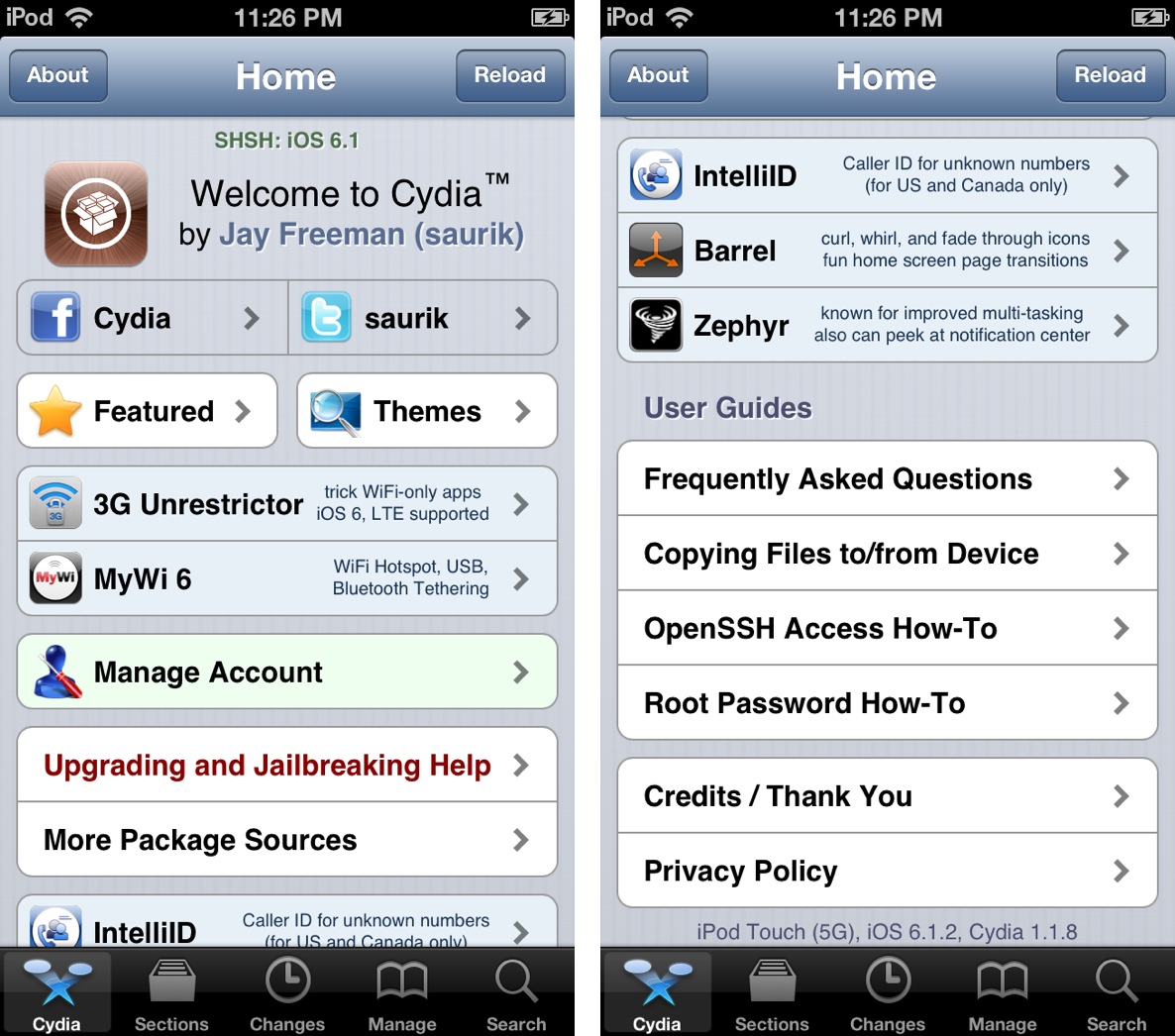
Step 7: Eventually, the jailbreak will finish, and you can unlock your iOS device, and open the Cydia app on your Home screen. Cydia will need to initialize, which takes about 1 to 2 minutes. After the initialization is complete, the device will respring again.

Step 8: Reopen Cydia, select Hacker, and begin enjoying your newly jailbroken iOS device running iOS 6.1.2.

Remember, this is an untethered jailbreak, so you can feel free to reboot your device at will. Also, remember to take the necesarry steps to protect your jailbreak. you can do so by reading our post that describes how to protect device.

Be sure to let me know what you think in the comment section below if you have any questions, comments, or concerns regarding this latest update to evasi0n.

  • Share:
  • Follow:
  • http://twitter.com/LuckyCapone6 NikcoMane LaFlare GG

    I HAVE A att iphone 4 ios 6.1.2 bb 4.1.2 and i can not enter dfu mode as my lock button dont work right n im trying to use this for tmobile so i have to unlock it n i can not for the life of me figure it out if u could leave me a email r video or something i would greatly appreciate my email is nikcoterrentino6@icloudcom thank you great tutorial i might add

  • disqus_oCbeSLrpDV

    I already update IOS from my mobile. how can I remake from itynes ​​order to be sure that I would not create some problems;

  • http://www.facebook.com/bridgette.byerswest Bridgette Byers-west

    Can I do this if i can’t remember the passcode to my iphone 4s?

  • Bamba Syllah

    This is to helpful iam so happy think you

  • Liver con

    could this jailbreak break my new ipod 5 gen

  • Josef

    Sorry guys do you know if the method with SAM, for unloking to all operators it’s still working ?

  • http://www.facebook.com/people/Baller-Medz-Thiam/616157387 Baller Medz Thiam

    hello, how do I unlock the phone after the jailbreak??

  • http://www.facebook.com/carlucho34 Carlos Eduardo Rodríguez

    I need some help. If I jailbreak my CDMA iPhone 4S unlocked with gevey ultra S, will I be able to unlock it again? In short, how do I unlock it if I update my iOS.

  • http://www.facebook.com/gapu.phoenix Galaa Steve

    Thanks a lot :)

  • http://www.facebook.com/ngenge1111 Nge Nge

    Thanks a lot. I love you guys:))

  • http://www.facebook.com/profile.php?id=100001530171066 Ali Abbas

    love u

  • dominik gajos

    Regarding the usage of iphone, I believe unlocking is more important than jailbreak, as for my ATT 4s, I have to unlock it through the carrier, but I found these sites on google that does it for a price way lower than ATT’s contract, so I picked the first result after google att iphone unlocking, and I have it unlocked in couple hours.

  • bob

    does this affect other devices if i only want to jailbreak 1 device

  • http://twitter.com/lenoova سید جعفرخلفی

    Hello., I’m Iranian.’ I have Phone 5(ios 6-1-2). Whether the version is also Jailbraek (evasi0n.1-5-3) or
    1-4 with the same version that you said I Jailbraek., Please identify the source
    of the pain I get in there., I have I Jailbraek due to sanctions

  • nahidmeshbah

    tnx meny meny……. :)

  • Sydney

    i have the iphone 4 and it has the iOS 6.1.3 on it and there is no place that i can go to jailbreak it!!!!!!!!!!!!!!!!!!!

    PLEASE HELP ME!!!!

  • poop

    how do i open the file?

  • poop

    how do i open the file

  • eliar2

    HI, I have an iphone 4 (factory unlocked) with iOS 5.0.1, jailbroken. can I use evasi0n to upgrade up to 6.1.2? how?

  • Greta Mcfadden

    NEW Untethered Jailbreak is out! works for 6.1.3/6.1.4

    Works for iPhone 5 too. Visit WWW.EVASI0NJB.NET

  • http://www.facebook.com/paula.burnssmith Paula Burns-Smith

    How do i upgrade from 5.1.1 to 6.1.2 using the iOS download from the download page here?

  • superpinkhalo

    it said that my device is not supported what does that mean