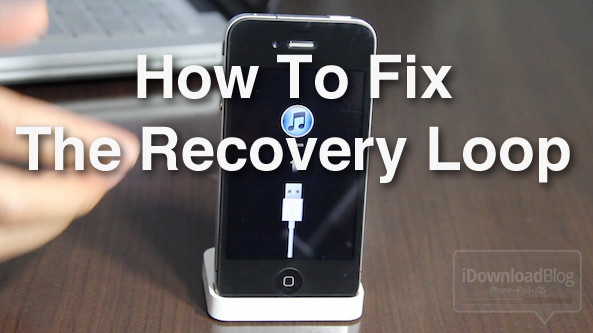
How to Fix the iPhone’s Dreaded Recovery Loop and Downgrade Back to iOS 4.3.3

By , Sep 21, 2011

If you’re the type of person who likes to sell your current iPhone and use the funds to upgrade to the latest and greatest iPhone, then you’ve been there before. Restoring your iPhone to stock, and cleaning it up, is essential if you want to ensure you get top dollar for your device.

Thankfully, Cody already covered quite a few bases in his article, here. But what if you’re still having issues downgrading your iPhone, or getting it back to stock after jailbreaking? I know a lot of you have personally told me about your struggles with the iPhone’s dreaded recovery loop.

If you’re having issues downgrading your iPhone back to iOS 4.3.3, issues with iTunes Error (1), and/or you’re stuck in the recovery loop, and can’t get out, this video tutorial should fix what ails you…

Watch the video above for an in-depth explanation and walkthrough that shows you how to downgrade your iPhone back to iOS 4.3.3. iOS 4.3.3 is the last firmware with an untethered jailbreak, that’s why this firmware is particularly significant.

If you’ve messed around with iOS 5, accidentally upgraded to iOS 4.3.5, or some other wacky scenario, you can use this tutorial to downgrade back to iOS 4.3.3, and regain your untethered jailbreak.

Of course, the main purpose of this tutorial is to regain a non-jailbroken, stock 4.3.3 installation on your iPhone, in order to prepare it for sale. If you’re just interested in regaining a jailbroken installation of iOS 4.3.3, you can always just jailbreak with RedSn0w to bypass the recovery loop.

In all scenarios, you WILL need your SHSH blobs saved in order to downgrade; sorry, no exceptions.

How to Downgrade Your iPhone Firmware and Fix the Recovery Loop and iTunes Error (1)

Step 1: Put your iPhone into DFU mode.

Step 2: Enable the TSS Server on TinyUmbrella. If iTunes is open, it will close.

Step 3: Open iTunes, and it should recognize your device in recovery mode. Hold Alt/Option+Click ‘Restore’ in iTunes, and select the iOS 4.3.3 firmware for your device

Step 4: Allow iTunes to restore. You may get an iTunes Error (1) when the restore is complete. This is due to the fact that the TSS server is still running, and can be misleading. Just ignore this error.

Step 5: Your iPhone should now be stuck in the recovery loop. You will see a “Connect to iTunes” message. Rebooting, booting out of recovery, etc will get your nowhere.

Step 6: Download the Fix TinyUmbrella Fix Recovery file for Windows or Mac via our Downloads page.

Step 7: Place your iPhone back into DFU Mode.

Step 8: Extract the contents of the fixrecovery.zip file, right click on ‘fixrecovery43′ and select ‘Open With’ then ‘Terminal’.

Step 9: The fix recovery should execute, and your iPhone will be kicked out of the recovery loop.

Step 10: Run iTunes with your iPhone plugged in to activate if necessary.

I know this seems like a lot of steps, but it’s really not that bad. It’s highly worth it, especially if you need to restore your iPhone back to stock so that you can sell it in order to purchase an iPhone 5.

I hope this tutorial is able to help a few folks here and there. Again, I highly suggest watching the video in order to see the steps performed in action. Let me know if you have any comments or questions below.

  • Share:
  • Follow:
  • Maxx kon

    i have just done a 4.3.3 upgrade for my 3gs and now i m stuck in what i think is a dfu loop.there is no cable symbol,i cant get it to reboot,its just a blank screen.how can you help me to get out of this dfu loop..please….its quite urgent..thanks in advance

    • Burge

      Hold down home button and the power button.. And count slow the 15 …that will get you out of DFU

    • Ken

      What baseband do you have?

  • Daniel

    I am on 4.2.1 (iPhone 4) and I want to upgrade to 4.3.3. Cydia has my blobs up until 4.3.5. Will I be able to do this following this method?

    • Burge

      Yes

  • Ashi

    you WILL need your SHSH blobs saved – This should have been the first line. Unlucky me, i recently formated my system and all the backups and blobs are gone forever.

    • Fabio Rodrigues

      He wrote that just before the tutorial :D

      “In all scenarios, you WILL need your SHSH blobs saved in order to downgrade; sorry, no exceptions.

      How to Downgrade Your iPhone Firmware and Fix the Recovery Loop and iTunes Error (1)”

    • Burge

      Just use tinyumbrella to get them from Cydia sever..

  • Eddie

    I’m on 4.2.1 as well can you upgrade to 4.3.3 if I have my blobs on tinyumbrella with out going to 4.3.5 and then downgrading

    • Fabio Rodrigues

      if u have you blobs for 4.3.3 saved, yes you can

  • Soto

    I went from 4.3.3 to 4.3.5 and then back to 4.3.3 for untethered jailbreak but I lost my 3G signal and I couldn’t restore from a back-up because iTunes said my last back-up was from a recent firmware. Is there a walk-around.

  • Mayank

    Before starting TSS server dont you have to edit the hosts file and enter some ip address as shown in other videos….
    Also do u have to download blobs from the server before starting tss server or will it automatically take it from the server…

    • http://iphoneblogr.com Jared

      No, you should never manually edit your HOSTS file. This will cause issues in the future for restoring. The number one issue I see people have is 1015 when trying to restore a factory firmware which is directly related to manually editing your HOSTS file. TinyUmbrella will automatically create a temporary HOSTS file for you and use that so you never have to manually edit it.

      • Mayank

        Thanks for your valuable answer …
        what about second part of my question,….
        is it necessary to have shsh blob file saved on ur computer’s hard drive or will it automatically check the server and do the needfull ??
        Thanks in advance..

  • r0cket1000

    I’m currently on 4.3.3 JB and have my SHSH saved for 4.3.5. Unfortunately, I missed the window to save my 4.3.3 blobs. So I heard my only solution to restore to a stock 4.3.3 FW is by using iFaith to grab my current FW SHSH (4.3.3). After many attempts using iFaith to grab my current SHSH blobs, iFaith just hangs throughout the process. I read in different blogs/forums that a few people have the same issue, if not, wait around 45minutes to 1hour for iFaith to work.

    Does anyone know why or a workout as to why iFaith doesn’t work properly? I wish I can contact iH8Snow but I’m sure he wouldn’t reply. Anyways, I wish can I restore to 4.3.3 but no luck since I don’t have my blobs saved :/

    • MatMotor

      try downoad ifaith 1.2.1 it works well for me to save my 4.3.3 shsh

  • Arnie

    What if I’m getting the 1013 error will this fix it also

  • GXGOW

    You could also just try the fix recovery function in the new version of Redsn0w.

  • mike nj

    FTW I had to install libusb on my Mac 10.6.8 to get fixrecovery43 to work properly.

  • https://twitter.com/x_rus_x Vitaliy

    “iOS 4.4.3 is the last firmware with an untethered jailbreak”. You mean 4.3.3?

  • ic0dex

    The fix recovery does not work for everyone when down grading to 4.3.3. The best way to get a clean restore from 4.3.5 to 4.3.3 with saved blobs is checking update BB in TU, but only do that if you don’t rely on an unlock. Again I had this problem and that’s what I used to get out of recovery and a fresh restore.

  • binay

    hey i hav new iphone 3g with V 3.1 jailbreaked and just installed itunes in pc i have 4.3.1 ipsw file now how to update to 4.3.1

  • binay

    hey every1 which is better 3.1.3 or 4.2.1

  • Bon

    I tried doing the above steps ..I succeeded till the last step where some code was initialized due to fix recovery 4.3…however I ended up in the same recovery loop…what shall I do??

    Pls help…

  • Aung

    I finished all the steps but after i run the fix recovery and it end up in recovery loop again. plz i need some help.

  • http://www.idownloadblog.com/2011/09/21/how-to-fix-recovery-loop-downgrade-to-ios-4-3-3/ marius

    ive tried to downgrade my iphone 4 version 4.3.5 to version 4.3.3 and itunes showed me the error 1013 and when i hit fix recovery it says no fetch data or even jailbreak it it says no fetch data.
    please help me if you can

  • n0m0n

    I have a iPh4 CDMA version.
    I have tried the above directions, but I am still in recovery mode.
    I since multiple attempts to go back to 4.2.8 I decided that I had updated to 4.2.10 because I was without a phone for days.

    As you are aware you cant jailbreak 4.2.10 at this time, which is the oficial version for the CDMA version.

    Can you offer me any direction as to what I can do to get my device downgraded.
    Could it have to do with the fact that I dont have any unlock or baseband option?

    I have the 4.2.8 and can try AGAIN to downgrade, but after multiple attempts I alway end up at the recovery mode screen.

    Any help would be GREAT.

    Thanks

  • MatMotor

    no point of doingit. i tried use iFaith signed ipsw still in DFU mode even in Factory Setting in 4.3.3 yet nothing works just stick to 4.3.5 they will boot normally even u shutdown ur iPhone 4

  • Vivek

    when is the untetherd jailbreak of 4.3.5 is going to come..??

  • Marchakay

    THANKYOOOOOOOOOOOOOOOOOOOOOOOOOOOOOOOOOOOOOO SOOOOOOOOOOOOOOOOOOOOOOOOOOOOOOOOOO MUCH

    i spent whole day trying to find out how to get it out of the loop but after watching your video im able to bring back my iphone to life :)

  • Johan

    I was stuck in an endless recovery mode loop as well, after an attempt to restore my iphone to stock. This did not work for me since I didn’t have any saved SHSH-blobs, but after searching the darkest corners of the internet I finally lost faith in humanity and myself and downloaded RedSn0w again, in a final attempt to at least have a working phone.Under “Extras”, I found “Fix Recovery error”, which I clicked and 5 minutes later I had a working iPhone 4, without jailbreak, again.

    Try that if this shit is not working.

  • Steve-O

    All these years of Jailbreaking and I have never seen this site. Looks very nice. Thanks for the help in my downgrade from 5. I do want to add a thank you to Johan though because the Tiny Umbrella fix did not have a Open With option on my Win7 machine. I had Redsn0w already which took it out of the loop for me. Thanks.

  • Kyle

    I’m having a similar problem, but I’m just trying to recover a tethered jailbreak of my iPhone 4 with 4.2.10. I followed these steps, and I still get different errors when I try to restore. Any other suggestions?

  • Daniel BR

    Steve-O I had the same problem. I use Win7. I just download the zlib1.dll and then fix it.
    Just google download zlib1.dll and you’ll find

  • http://www.helderpinto.com Helder

    Didn’t work for me unfortunatly. I’m still stuck in infinite DFU loop, not recovery loop.

  • http://twitter.com/pasmaczek Lydia June Paszek

    thank you thank you! I was stuck in a recovery loop!lo;;

  • http://www.facebook.com/people/Gary-Albert/668057381 Gary Albert

    Thank you soooooooooo much! Took me a bit to figure it out but thanks to you, I’m back up and running. I really appreciate you taking the time to post the fix!

    Thanks again.

  • http://www.facebook.com/johnnytto44 Johnny Farhat

    man it returned to recovery agaun :(

    help please.

  • ali baba

    i followed evry step but i still get the “connect to itunes” screen after all that chunk of script run

  • http://www.facebook.com/people/John-Yahya-Hammoud/766945706 John Yahya Hammoud

    Iphone stuck in recovery mode, now in dfu and trying the the recovery loop. Downloaded fix recovery and tried running but got an error saying its missing zlib1.dll file. what do i do?

  • http://www.facebook.com/profile.php?id=781617762 Yadiel Ortiz

    This dint work for me. What i did to fix it was put it on a microwave for 3 second with a t-shirt so the iphone shut downs complete it (note this only works on dfu loop) and then restore it on itunes

  • http://www.facebook.com/jtslack Kyng Jaymes

    my problem is that my phone will not go into dfu mode
    and is stuck in the loop no prgram will reconize it since i used tiny umbrella to kick it into recovery mode

  • Anonymous

    hi there ..I just bought iPhone 4 for 250 pounds and its stuck in recovery loop i dont know which ios it is on ,when ever i try restoring it i get errors in iTunes especially when its in the last bit i get error (-1). I have tried red-snow. snow breeze but still cant fix it .Iphone looks brandnew .
    I have seen you tutorial and tried a million times but tiny umbrealla recovery fix tool doesnt work .I am running windows xp and cant find open with terminal …. so please tell me how i should get out of this i am really really confused.
    Any help will be much appreciated.
    Please e-mail me on this address as i know you can get me out of this ….thanks a million.
    samrat_19dc@hotmail.com

  • http://www.facebook.com/people/Mart-Anh/100003161191744 Mart Anh

    Hi I do everything like you said , the phone go correctly into the final step, but finally the connect to itunes icon show back again. So what do I need to do now? Could I upgrade to 5.1 and downgrade it again?

  • http://www.facebook.com/applevsandroid26 Karl Allen Berroya

    i got the problem of dfu mode loop will it solve the issue if i would just restore ios 5.1 and wait for an untethered jailbreak???

  • http://www.facebook.com/profile.php?id=1038532586 Arif Muhashammi

    My iPhone 3GS is stuck on the recovery loop . I’ve tried to use the fixrecovery but it doesn’t work. Also tried to restore while on DFU mode but nothing seems to work. PLEASE HELP!!!

  • Rithik Gavvala

    Mine is stuck at the coding
    HELP!!

  • http://www.facebook.com/profile.php?id=1143128424 Jan Rizvič

    i did all this, thankyu verry much! totaly worth it!! i just wanna know if there is any way that i can have this pulldown informations on 4.3.3?

  • http://www.facebook.com/ronalds.svarups Ronalds Svarups

    mine always shows error 1604 at restoring. It wont start to restore. TSS server is started. without starting it, iphone wont even start to extract restoration files. Shows error that it’s not connected or something… cant get it to step 5. Can someone help?

  • Jodi adams

    I am not trying to restore at all. I only want to get out of the recovery loop. I follow your video perfectly until I have to right click on firecovery43. When I do so my only option is “open” NOT “open terminal” as your tutorial instructs. When I tried “open” then “run”, I got an error saying app failed due to zlib1.dll not found. I am desperate to fix this phone as it is my mothers (that hasn’t been backed up since dinosaurs roamed) and my son got it in the state that it is…ugh! Any help would be so appreciated.

  • http://www.facebook.com/laclares Denis LaClare

    Jeff,
    How do I get out of the stuck Apple logo without restoring. For some reason, when the battery got low on my son’s phone, it went into this mode. I just want to get back to his apps, contacts, etc, as his stuff has NOT been backed up on my Mac. We just want the phone to function as it was before — any way to get out of that loop without restoring? Thanks.
    DL

  • http://www.facebook.com/sara.benware Sara Benware-Pinti

    followed these steps and phone is stuck with coding on screen…. this phone has never had anything on it except factory software

  • chad

    help it didnt work

  • Aryn

    OMG YOUR A DAMN LIFESAVER!!! I just chose a recover device on the left hand side of TinyUmbrella and clicked exit recovery. YOUR AMAZING! Thanks a MILLION. ugh…4 fkn hours of trying to fix it on my own

  • disqus_vpDusvgZWD

    i did exactly as you said , but half way through i get a white screen and then it goes all black and i get this msg:
    unable to find Gbdevlist
    unable to find fs_mount
    unable to find fs_unmount
    unable to find fs_load file
    greenpoison initialized

  • http://twitter.com/SSsirr Ssirr

    I was getting different errors when trying to restore the FIX for me was ALLOW ALL INCOMING CONNECTIONS through firewall and it worked with redsnow