WWDC

Apple announces completely redesigned App Store

Phil Schiller just made perhaps the most surprising and impactful announcement at Apple's WWDC keynote: the App Store is getting a complete redesign. This is the first time this has happened since the App Store was introduced back in 2008.

“Together with our incredible developer community, we’ve made the App Store the best app platform in the world, and more than 500 million unique customers visit it every week,” said Philip Schiller, Apple’s senior vice president of Worldwide Marketing. “Now, we are taking everything we’ve learned from the App Store over the past nine years and putting it into a stunning new design. Every element of the new App Store is richer, more beautiful and more engaging.”

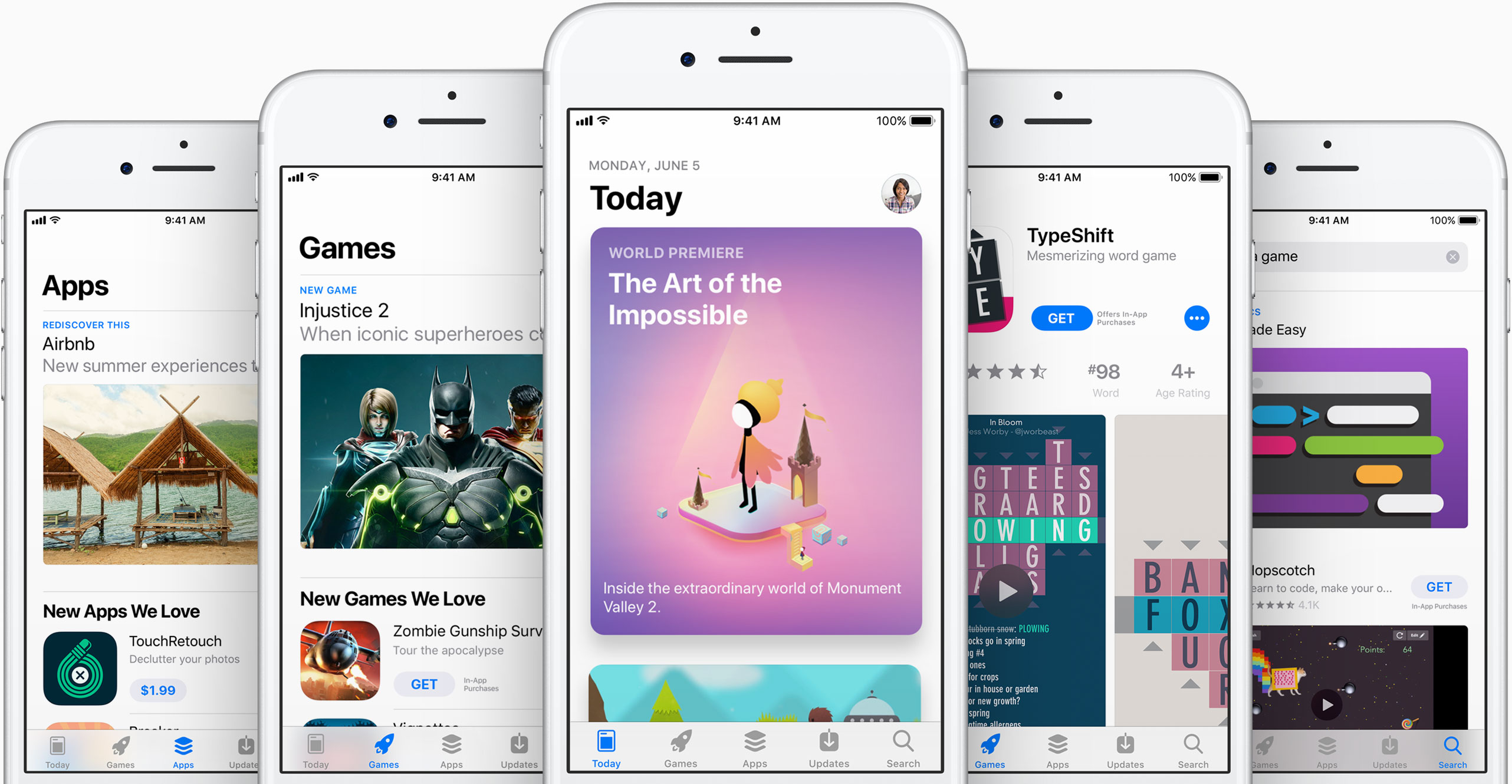
As you can see in the above images, the new App Store looks a lot like Apple Music and Apple News. Images are larger with rounded corners, and header text is large and bold. There's a new Today tab, with big, color cards you scroll through that shows app previews and updates, news, tips and guides, and more. There will also be an app of the day, game of the day, and a daily list of suggestions.

"It all starts with the Today tab, a daily destination all about games, apps and app culture. Through in-depth features and interviews filled with beautiful artwork and videos, the App Store’s global team of editors will share the stories behind the apps and games that change the way we live and the developers whose ideas push and shape the world as we know it. Today will feature exclusive premieres, new releases and a fresh look at all-time favorites, as well as recommended tips and how-to guides to help customers use apps in innovative ways."

Games also now have their own tab, separate from apps, which should make non-game developers pretty happy. This is going to be one of those things where we are going to have to go hands on with to cover the extent of the changes.

"Games is the most popular category on the App Store, and with the new design there will now be a dedicated home just for games. It will feature recommendations of new releases and updates, compelling videos, top charts just for games and hand-picked collections. It's now easier than ever to navigate the over half a million games available, and find the perfect game for everyone from the casual player to the hardcore enthusiast."

What do you think of the new App Store design?

CarPlay on iOS 11 has DND while driving

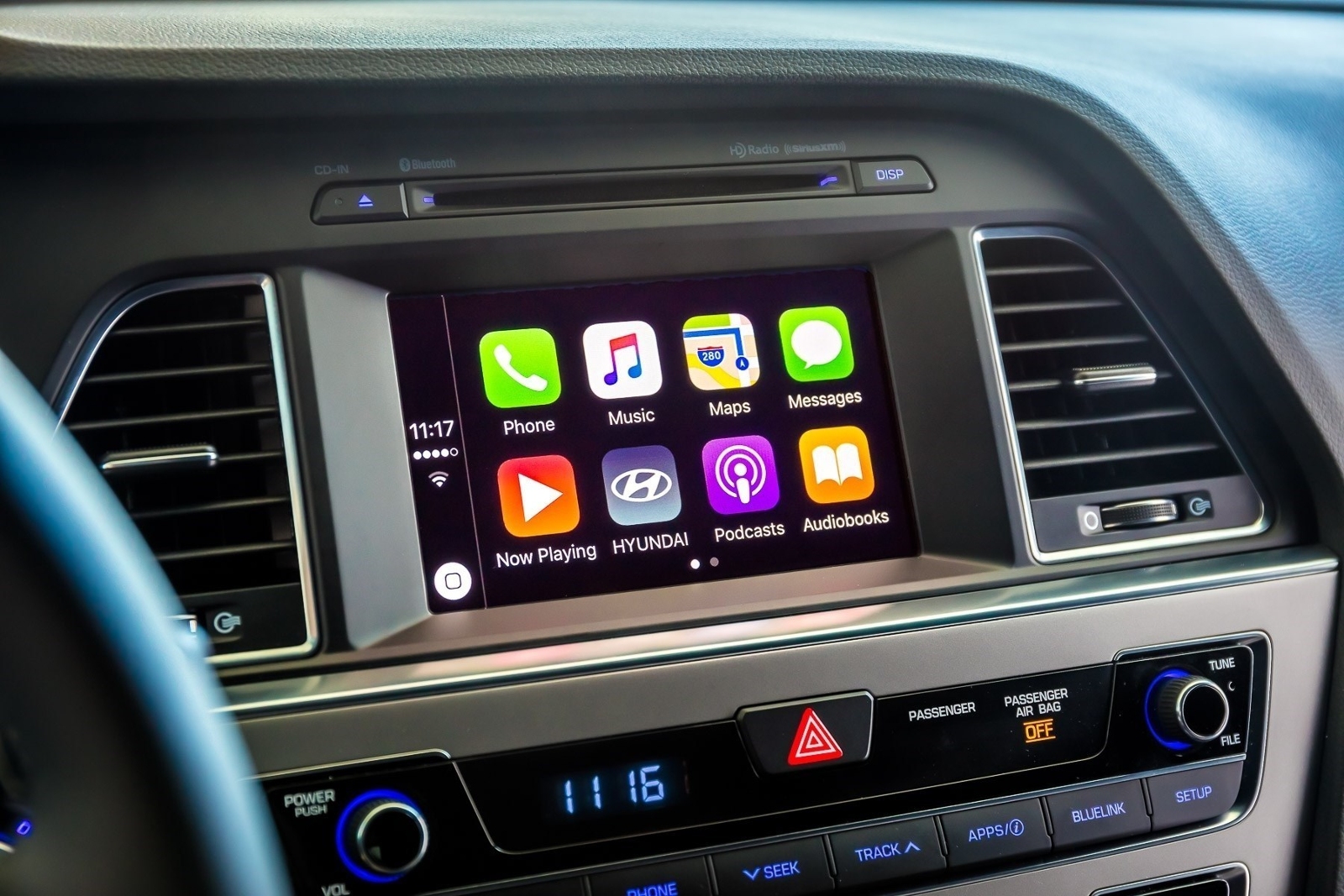
A real important step for safety in the car was just introduced at Apple's Worldwide Developers Conference that's currently underway in San Jose: Do Not Disturb mode while driving. Apple's proactive assistant on iOS 11 determines when you're driving and offers to automatically turn on DND mode via CarPlay.

With DND active while driving, CarPlay won't be showing any notifications, similar to DND mode on iPhone, iPad and iPod touch. And if someone message you while DND mode is active on CarPlay, the Messages app on your iPhone will auto-respond with a message on your behalf telling the sender that you're currently driving and will be getting back to them soon.

Like with DND on iOS, DND for CarPlay allows you to cherry-pick contacts whose messages will get through while you're driving in DND mode. The Messages app on iOS 11 will permit users to respond with a simple “reply” message if they'd like their muted message delivered to CarPlay, as long as they're on your whitelist.

Those and other CarPlay improvements will launch for everyone when iOS 11 releases for public consumption this fall.

Messages in iOS 11 gains iCloud syncing, revamped app drawer & more

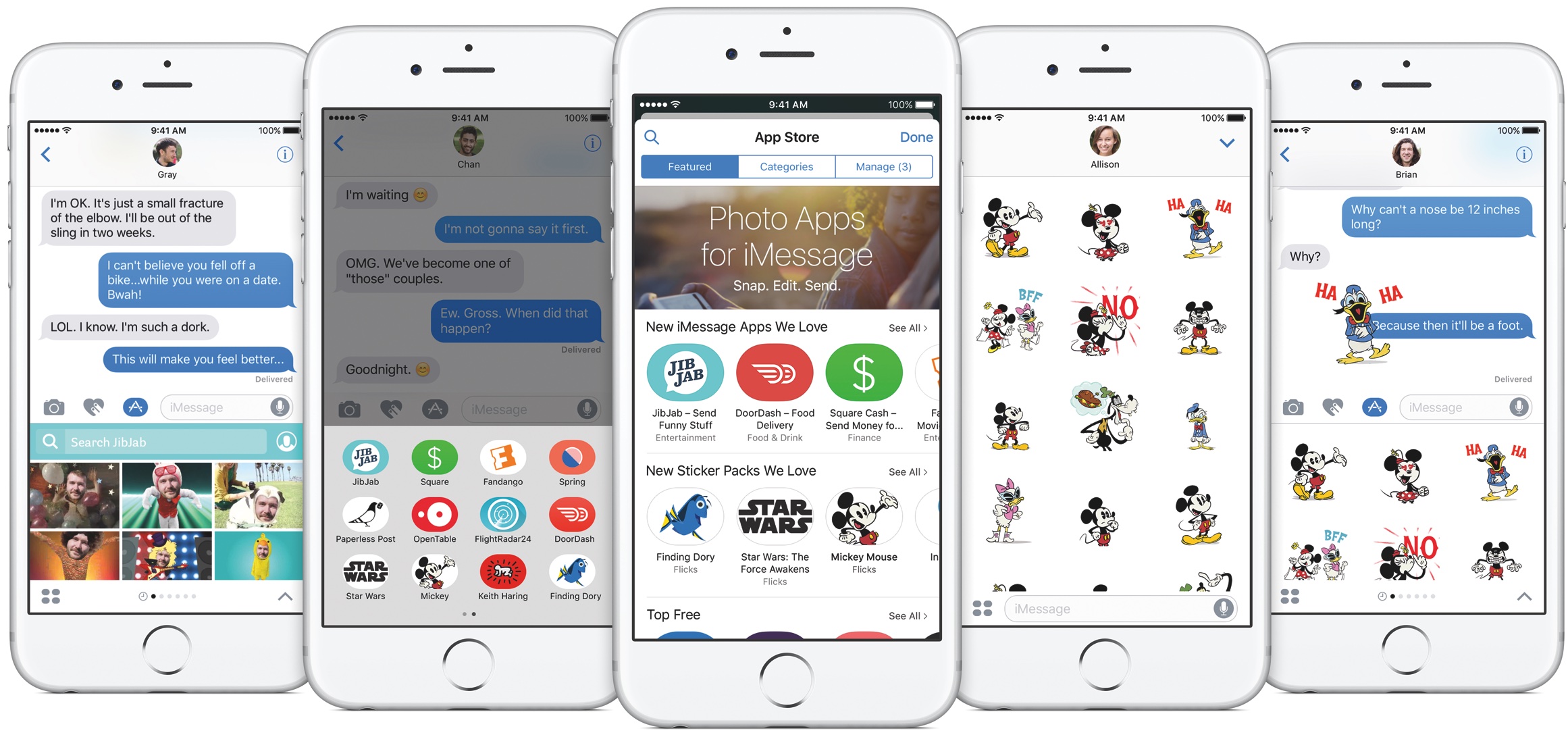
Apple announced at the Worldwide Developers Conference today that Messages on iOS 11 will now synchronize your chats across devices via iCloud while making it a lot easier to get to your favorite iMessage apps and stickers using a redesigned app drawer.

With the redesigned drawer, your favorite iMessage apps and stickers live as horizontally-scrollable thumbnail icons lined alongside the bottom of the interface. Before today, getting to a sticker pack or an iMessage app you wanted to use was a multi-tap affair. With a new Messages in iCloud feature, when you sign in to a new device all your existing conversations will be automatically synchronized, and stay in sync.

For example, if you delete a message on your iPhone it will get automatically deleted from Messages on your iPad, and vice versa. And because your full Messages archive is now synced via iCloud, iOS 11 only keeps the most recent messages on the device while downloading older ones on demand.

As a result, Messages will consume a lot less storage space on your device, and device backups will be faster, too. According to Apple, iOS 10 is now installed on 86 percent of supported devices in the wild, up from the 79 percent adoption rate for iOS 10 reported on February 20, 2017.

iOS 10 features 96 percent customer satisfaction.

Image: The current Messages app on iOS 10.

Control Center gets major redesign in iOS 11

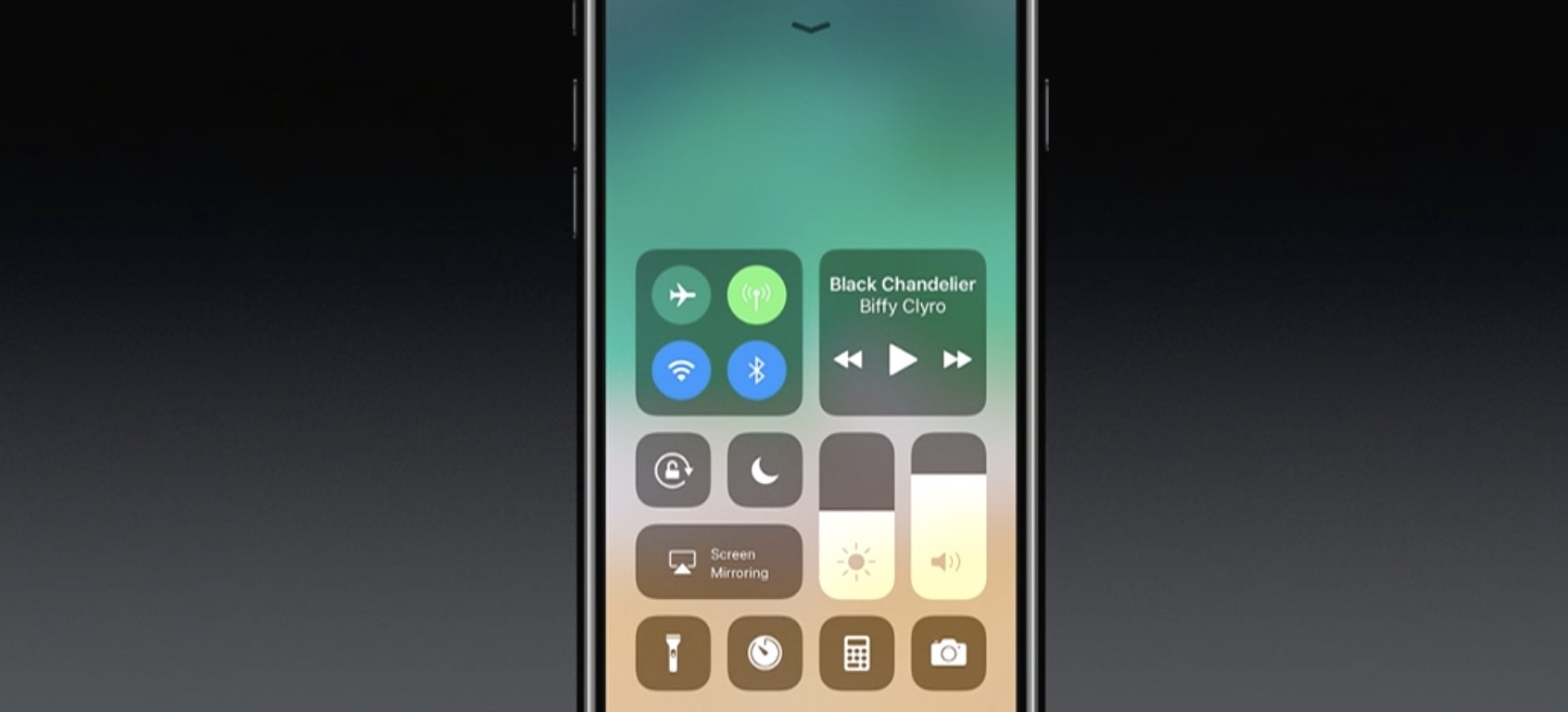
One of the many new features in iOS 11 is a completely redesigned Control Center. As you can see in the above screenshot, it looks nothing like the previous design, with more of a widget-style interface, and yes—it's back to a single page.

Apple describes it as far more customizable than previous versions of Control Center, allowing you to quickly access the settings for things you do most. We haven't tried it yet, but it looks like you can customize at least some of the settings and app shortcuts that appear here.

This being a smaller feature in the grand scheme of the iOS 11 update, there aren't many other details available yet. We are currently installing the developer beta and will be sure to publish a post with a full breakdown of the new CC.

Apple announces new iMac Pro, the most powerful Mac ever made, coming later this year

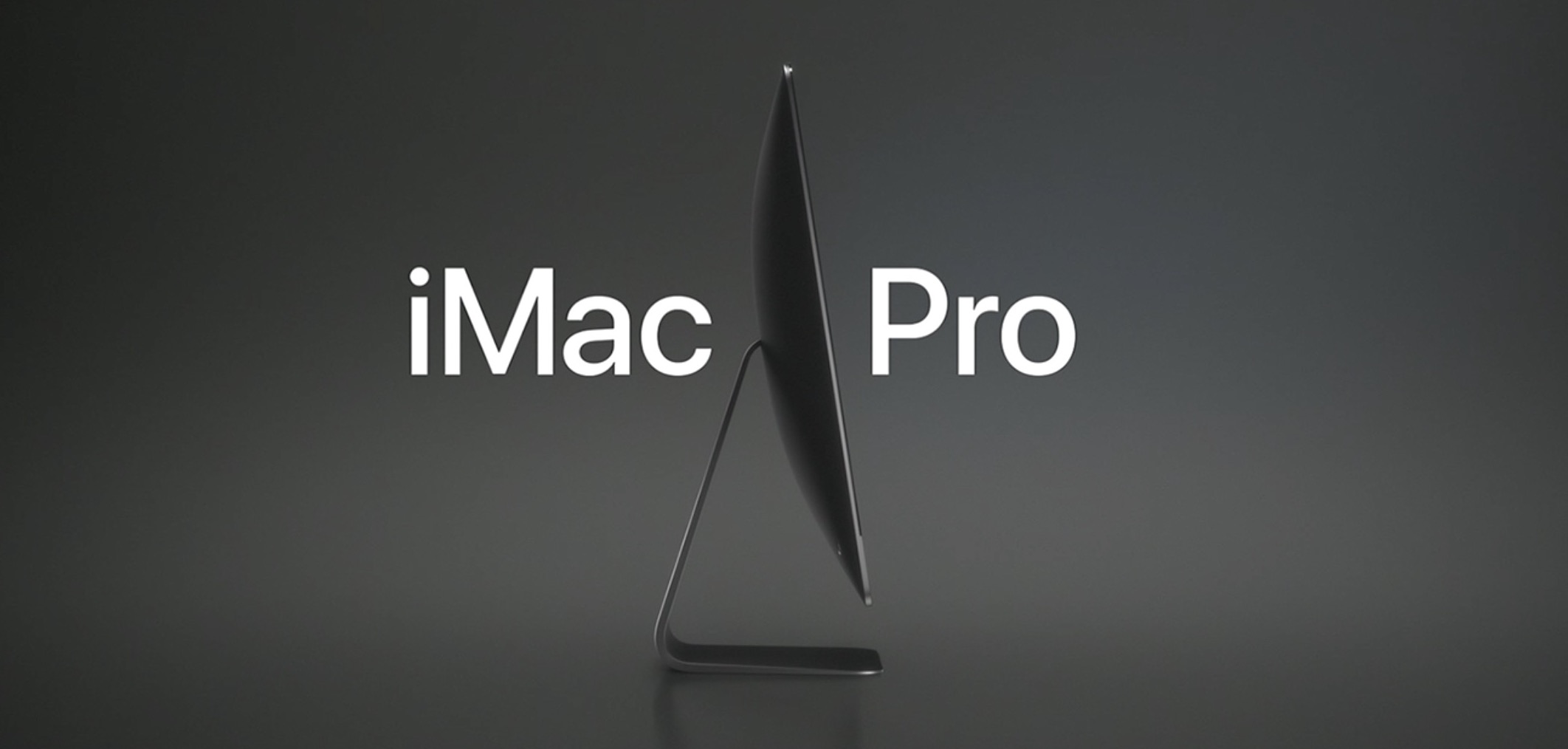
In addition to unveiling macOS High Sierra and updates for the iMac and MacBooks, Apple today announced the new iMac Pro. It looks a lot like the current iMac, but it comes in an awesome Space Gray finish and Apple says it's the "most powerful Mac" they've ever made.

“We’re thrilled to give developers and customers a sneak peek at iMac Pro. This will be our fastest and most powerful Mac ever, which brings workstation-class computing to iMac for the first time,” said John Ternus, Apple’s vice president of Hardware Engineering. “We reengineered the whole system and designed an entirely new thermal architecture to pack extraordinary performance into the elegant, quiet iMac enclosure our customers love — iMac Pro is a huge step forward and there’s never been anything like it.”

Apple says this new 5K iMac has Workstation-class performance in a beautiful iMac design. The starting configuration has 8-core Xeon processor, but you can get up to 18 cores. It has a new set of fans that are "dual centrifugal," allowing for much more efficient and powerful airflow. You can also get up to 128GB of ECC memory and up to 4TB of SSD. You can see some of the other features in the above image.

Also worth noting that the iMac Pro comes with the new Radeon Pro Vega GPU, the most advanced graphics ever in a Mac. Featuring a new next-generation compute core and up to 16GB of on-package high-bandwidth memory (HBM2), iMac Pro with the Vega GPU delivers up to an amazing 11 Teraflops of single-precision compute power for real-time 3D rendering and immersive, high frame rate VR. And for half-precision computation, ideal for machine learning, iMac Pro delivers up to an incredible 22 Teraflops of performance.

The new iMac Pro starts at $4,999 and will be available in December. So, who's getting one?

Photos for Mac will sync faces across devices, support printing services & more

Photos for Mac is gaining some interesting new features in macOS High Sierra, which is the official name of the upcoming 10.13 version of the desktop operating system powering Mac computers and notebooks. For starters, the app will now synchronize any named or recognized faces across your devices via iCloud.

Facial recognition has received a boost, thanks to advanced convolutional networks and machine learning. You'll notice a new persistent sidebar within the app, allowing for one-click access to the commonly used features. You also get a new view for all your imports, allowing you to view them in chronological order and so forth.

Speaking of filters, you can now filter your photos and videos by things like your favorites, media type and more. There are also some new editing tools, like support for precise curve-based adjustments of your color, contrast and more. You can now select content areas by color as well.

The app now plays nicer with third-party apps like Pixelmator.

Now when you edit an image in Pixelmator and save the changes, Photos automatically updates the image in its library. Last but not least, Photos for Mac will feature support for additional third-party printing services, allowing users to easily order wall-mounted photo prints and even publish their images using website templates.

Apple did not say when the updated Photos app will release or if it will require macOS High Sierra.

Apple brings APFS to macOS High Sierra

Apple is bringing its renowned Apple Filesystem (APFS) to the macOS platform for the first time with the newly-announced macOS High Sierra operating system for Macs.

APFS first debuted in iOS 10.3 to replace the dated HFS, and the speed improvements were quickly noticed by users.

Apple introduces macOS High Sierra

Apple's Senior Vice President of Software Engineering Craig Federighi has taken the stage at Apple's WWDC keynote to introduce the next major version of macOS. They're calling it macOS High Sierra.

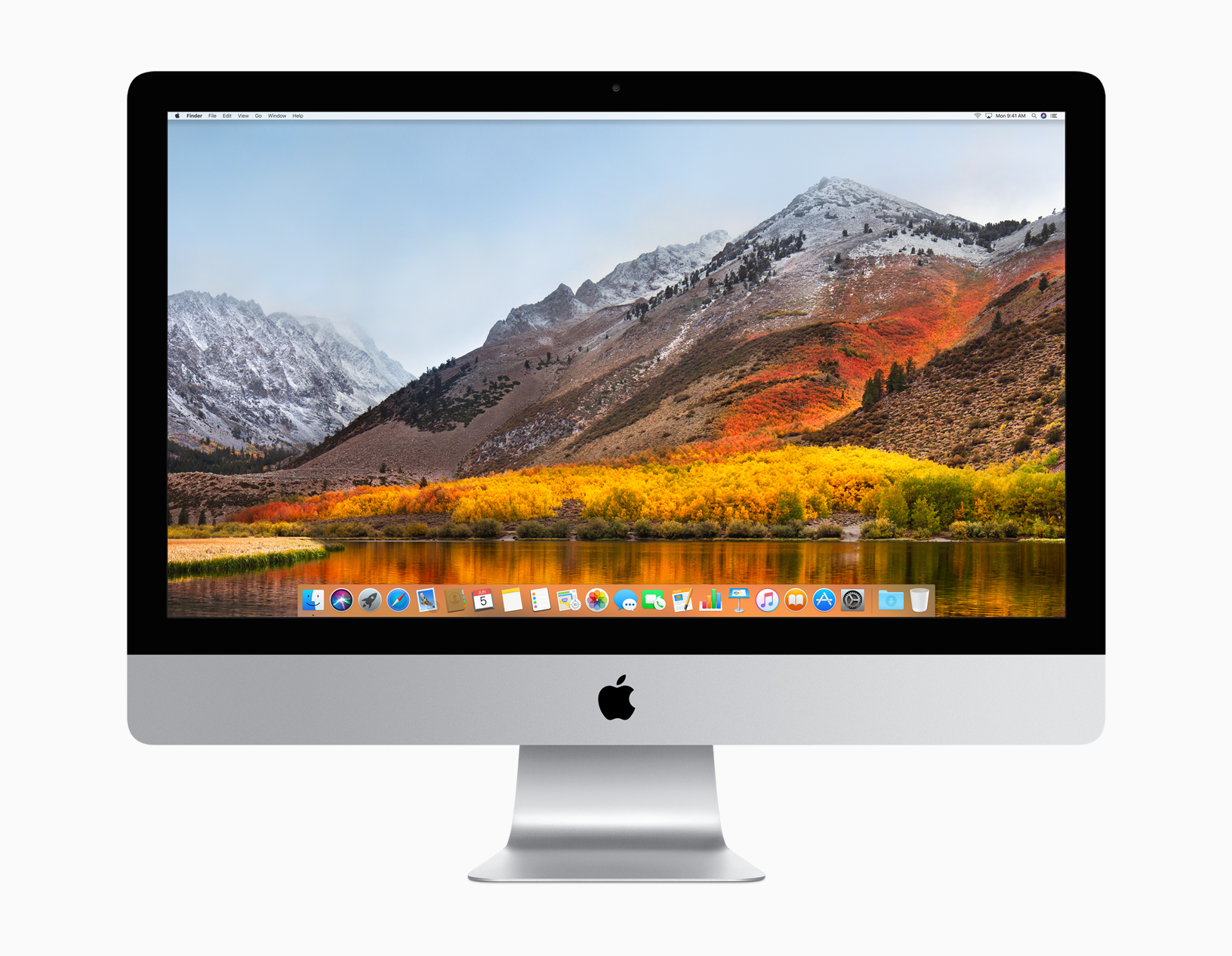
Think of this like a Mountain Lion-style update—Craig said "we wanted to spend this year perfecting Sierra." There have been several improvements made, but it doesn't sound like much in terms of new features.

“macOS High Sierra delivers important forward-looking technologies and new opportunities for developers wanting to tap into the power of machine learning and create immersive VR content on the Mac,” said Craig Federighi, Apple’s senior vice president of Software Engineering. “The core technology innovations in macOS High Sierra, combined with our advances in hardware, will continue to push the Mac forward in exciting new ways.”

Among those new ways  is a faster Safari. Craig says Safari in High Sierra is the "fastest browser in the world." It also has a few new features like blocking AutoPlay videos and something called 'Intelligent Tracking Prevention,' which uses machine learning to protect your privacy from sites/ads that want to track you.

There is also Mail enhancements, a new file system—Apple File System replaces HFS, improvements to the Photos app, enhanced 4K support, and Metal 2 for better graphics performance. An important note: Metal 2 supports external graphics, which opens up the door for Virtual Reality content creation.

Other new features:

Safari can automatically use Reader to open articles in a clean, uncluttered format, while Autoplay Blocking stops media with audio from automatically playing in the browser. Mail search gets faster and easier with Top Hits, which puts the most relevant results at the top of a user’s message list. Siri on the Mac responds with a natural and more expressive voice, and when using Apple Music, it learns music preferences, creates custom playlists and answers music trivia. Notes adds simple tables, where a user can type in cells, make edits and move rows and columns. Spotlight provides flight status information, including departure and arrival times, delays, gates, terminals and even a map of the flight path. iCloud File Sharing lets users share any file stored in iCloud Drive and collaborate with other people.

macOS High Sierra is available in developer beta form today, and will be released to the public this fall.

Workout app gaining support for 2-way gym equipment sync, multiple workouts in a single session & more

Apple's Kevin Lynch, who is in charge of the watchOS software, said at Apple's Worldwide Developers Conference today that the stock Workout app for Apple Watch will be gaining some much-needed new features. For starters, you'll be able to connect your watch with a number of gym equipment in use today.

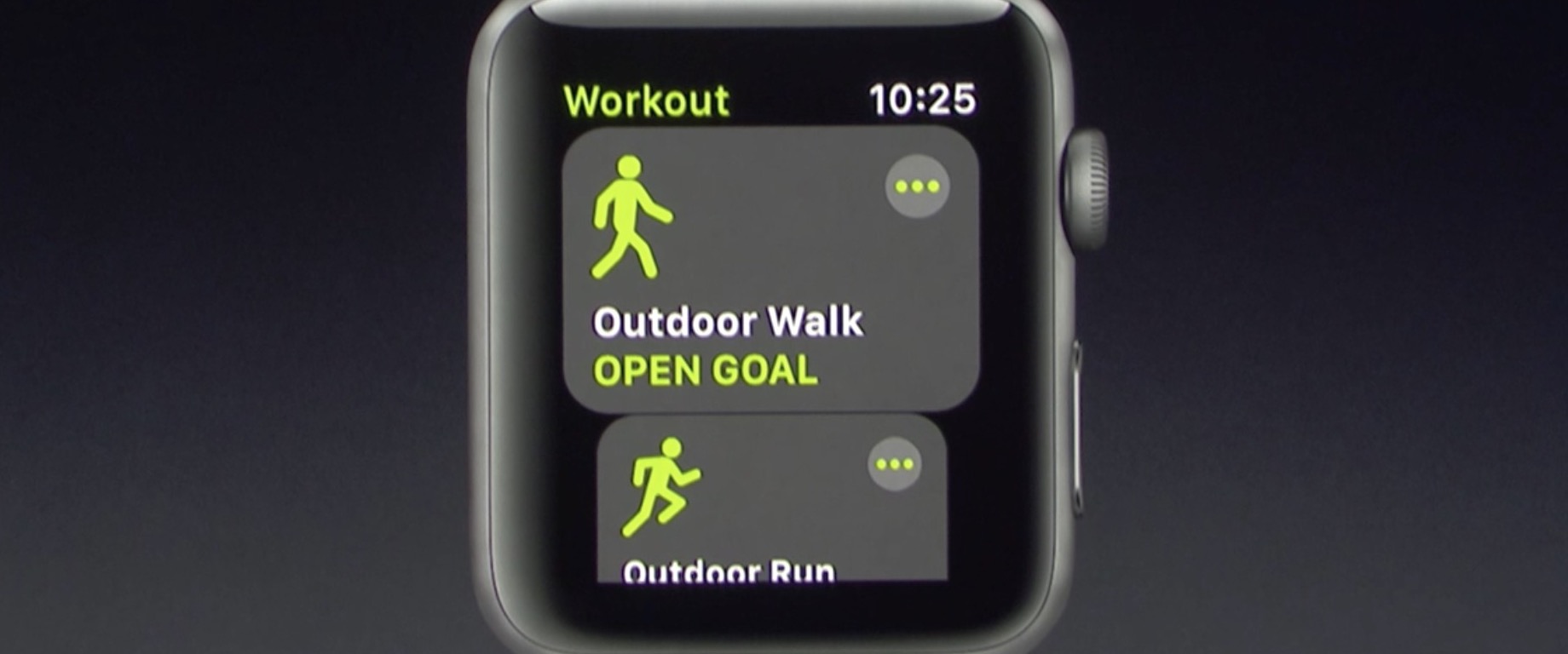
With support for multiple workouts, users can easily start a workout session like an outdoor walk, then switch to another workout such as an outdoor run. Apple is working with major gym equipment manufacturers responsible for about eighty percent of equipment in use in gyms today.

watchOS 4 will feature two-way data change in real-time with supported gym equipment. Your watch will send things like your heart rate to, say, the treadmill machine, while getting info like the distance and pace from the machine.

The user interface for the Workout app has also been reworked to be easier to use, with bolder headings and easier to select workout sessions.

The Pool Swim workout now has auto sets, a feature that automatically marks each set that you’re doing. Calisthenics buffs will be pleased to learn that the Workout app in watchOS 4 will be gaining support for a new workout type: Hight Intensity Interval Training, the most popular workout in the world.

These new features will be part of watchOS 4, which will be released as a developer-only preview later today and this fall for public consumption.

Amazon Prime Video coming to Apple TV

Opening up its WWDC 2017 keynote on Monday, Tim Cook announced that Amazon's Prime Video streaming service will be coming to Apple TV later this summer.

The move was reported a few weeks ago, saying that Apple and Amazon had finally reached an agreement on how to split subscription fees. That same article also claimed that the Apple TV would soon be available on Amazon.com, after a two-year hiatus.

Cook kind of sped through this announcement, with few details. We'll update this post if we learn some more information.