Web Browsers

Choose your default web browser in iOS with BrowserChanger10

Everyone has a favorite web browser they prefer to use on their computer, but when it comes to the iPhone or iPad, Apple forces all URL links to open in Safari by default.

You can change this with a new free jailbreak tweak called BrowserChanger10 by iOS developer HiDaN, which lets you choose a new default web browser for opening URL links.

Safari 10.1.1 for Mac fixes yet another instance of address bar spoofing

Safari 10.1.1, pushed out as part of today's minor macOS Sierra 10.12.5 software update, fixes yet another instance of address bar spoofing. This is good news because the browser can now protect you from phishing attacks that would typically attempt to fool you into believing you were visiting a genuine website rather than a maliciously crafted webpage.

According to the company's security document, the software fixes a flaw where visiting a malicious website may lead to address bar spoofing. “An inconsistent user interface issue was addressed with improved state management,” states Apple.

Even folks who are extremely mindful of phishing are susceptible to address bar spoofing.

The sophistication of today's phishing attacks came to light when Chinese security researcher Xudong Zheng demonstrated how easily users could be fooled into visiting a fake website that seemingly shows the correct URL in the address bar.

To protect yourself from such attacks in the future, manually type in the URL of the website you want to visit or choose your favorite website from Safari's Bookmarks menu. Of course, you should avoid clicking any suspicious links in an email message, even if they appear to originate from a contact you personally know.

The patched vulnerability was discovered in Safari for macOS, not for iOS.

Apple credits Zhiyang Zeng and Yuyang Zhou of Tencent Security Platform Department with the discovery of the vulnerability CVE-2017-2500 and Zhiyang Zeng of Tencent Security Platform Department with the discovery of the vulnerability CVE-2017-2511.

Moreover, Safari 10.1.1 fixed an issue in Safari's history menu that could lead to an application denial of service after visiting a maliciously crafted webpage. The issue was addressed through improved memory handling.

Lastly, Safari 10.1.1 also includes patches for as many as seven vulnerabilities that were discovered in the WebKit rendering engine, five of which dealing with universal cross site scripting, while fixing an issue with WebKit's Web Inspector where an app could execute unsigned code.

Safari 10.1.1 is available for OS X Yosemite 10.10.5, OS X El Capitan 10.11.6 and macOS Sierra 10.12.5. Apple also released a minor update to iTunes for Mac and Windows today.

iTunes 12.6.1 contains unspecified app and performance improvements and a fix for a WebKit exploit on Windows 7 and later which could result in arbitrary code execution after processing maliciously crafted web content.
Chrome 58 for Mac launches, still no support for Touch Bar

A little more than a month following Chrome's version 57 release, Google today announced that it's rolling out Chrome 58 for Mac, Windows and Linux featuring a number of bug fixes and developer enhancements. Although beta versions of the browser on the Canary channel included support for Touch Bar shortcuts on the new MacBook Pro, Google pulled it from subsequent betas as well as from the stable release as it wasn't ready for prime time yet.

1984 Apple Macintosh hardware gets emulated in a browser

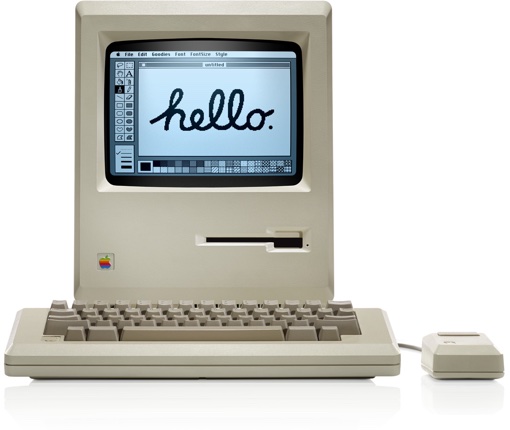
When the original Apple Macintosh system hit the market 33 years ago in 1984, it ignited the personal computer revolution with its built-in black-and-white CRT screen measuring just nine inches diagonally and a mouse-driven graphical user interface. Would you like to try out for yourself how the future of home computing looked like back then? Look no further than Internet Archive's latest in-browser emulation of the classic Macintosh hardware.

Chrome 57 hits Mac, Windows and Linux

Google yesterday released Chrome 57 for Mac, Windows and Linux. The release contains a number of fixes and improvements, as well as a bunch of improvements mostly focused on Android and Chrome OS devices. The browser brings a major feature for web developers: a new grid layout system allowing​ programmers to easily create web designs for a variety of screen sizes. On the iOS side, Google is currently testing a Safari-like Reading List feature for saving webpages for later.

Google is bringing Safari-like Reading List feature to Chrome for iPhone and iPad

Safari for iPhone, iPad and Mac has long included a tremendously useful Reading List feature that allows you to save your favorite webpages and access them easily between devices—even without an Internet connection. Google has been working on its own version of Reading List and it's slated to arrive in an upcoming update to Chrome for iOS, as reported by 9to5Mac. Like with Reading List on Safari, this nifty new addition will let Chrome users save articles and webpages for offline reading at a later date.

Google to expand Chrome’s malware protections on Mac

Google's Chrome and other browsers rely on a feature called Safe Browsing to display a warning message before you visit a dangerous site or download a harmful app. Google is now expanding the scope of Safe Browsing in Chrome for macOS to strengthen protections against malware and other unwanted software such as extensions that silently modify Chrome's settings. The expanded Safe Browsing features in Chrome for macOS will go in effect on March 31, Google has said.

Tip: open video pages in Safari from YouTube app

Thanks to iOS's deep linking feature, YouTube URLs automatically open in the mobile app on your iPhone, iPad or iPod touch. Unfortunately, you cannot temporarily disable this feature for those times when you might prefer YouTube links to always open in Safari instead of the mobile app.

But don't you worry—you just have to work around a bit to have the mobile app open a video link in YouTube's mobile interface in the Safari browser.

iCloud was storing deleted browsing histories, but Apple fixed the issue

A Russian forensics firm named Elcomsoft has discovered that Apple was storing users' Safari browsing histories in iCloud going back more than a year, possibly much longer. This was happening even after users had asked for any deleted records to be wiped from their iCloud-connected devices. Soon after Elcomsoft announced a way to extract deleted browsing histories from iCloud, Apple applied a server-side fix to stop the retrievals and apparently purged all records older than two weeks.

Google launches Chrome 56 for iOS with QR code scanning and overhauled tab switcher on iPad

Google today updated Chrome for iPhone and iPad on App Store with a pair of new features. The first allows you to scan a QR code or barcode by selecting a new Scan QR Code option in the shortcuts menu after pressing the app's Home screen icon with 3D Touch on iPhone 6s/7 series. On older devices without 3D Touch, search for “QR” in iOS's Spotlight feature to reveal a shortcut to the browser's new barcode-scanning function.

Google open sources Chrome for iOS

Google today announced it is open-sourcing its Chrome browser for iOS. The code for Chrome for iOS is now part of Google’s Chromium project and being moved into the open-source repository so that interested developers can download it and compile an iOS version of Chromium just like they can on other platforms. For those wondering, Chromium is the open-source web browser project from which Chrome draws its source code.

Chrome 56 for Mac released with lower power consumption, performance boost & more

Google on Friday released Chrome 56 for Mac, Windows and Linux following a period of beta testing which began about a month and a half ago. In addition to various security enhancements, Chrome 56 offers nearly up to one-third faster webpage reloading times with 60 percent less validation requests. Google's desktop browser will now warn you when a website requests confidential information over an insecure connection. It also blocks Flash content, supports Web Bluetooth API and more. Chrome 56 for iOS should follow soon.