Safari

100+ new features in macOS High Sierra

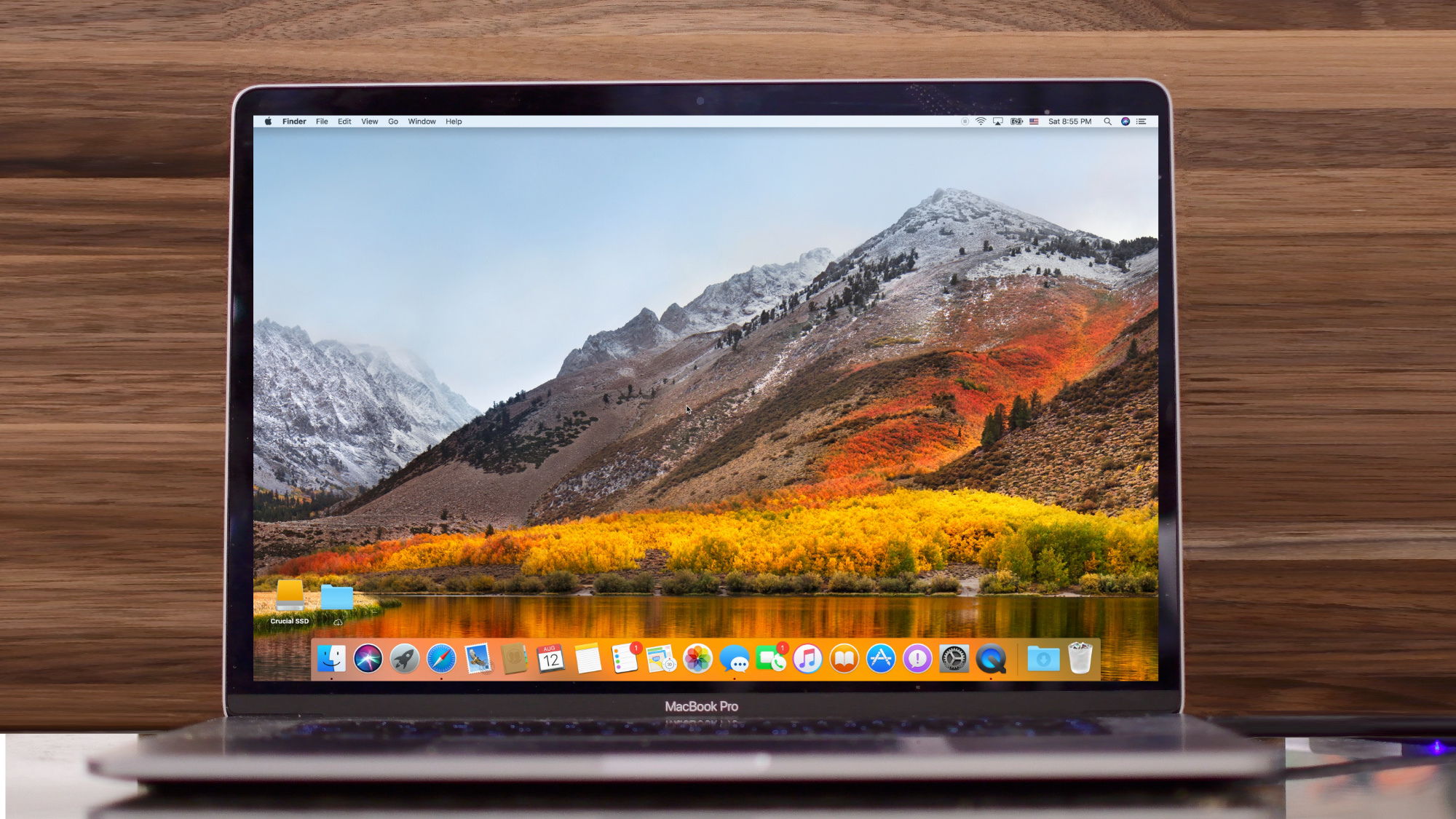
Say hello to macOS High Sierra, Apple's newest operating system update for Macs. Whether you're on an iMac or one of the Touch Bar-outfitted MacBook Pro models, there is a lot to love in this latest release of Apple's desktop operating system.

ProxySwitcher lets you toggle your favorite proxy server from the Status Bar

Some people resort to using proxy servers to maintain internet privacy and to get around website blocks at educational institutions and/or at work. On the other hand, anyone who’s ever used a proxy server knows how cumbersome it can be.

With a new jailbreak tweak called ProxySwitcher by iOS developer mbo42, toggling your favorite proxy server in iOS any time you’re connected to Wi-Fi just got a whole lot easier.

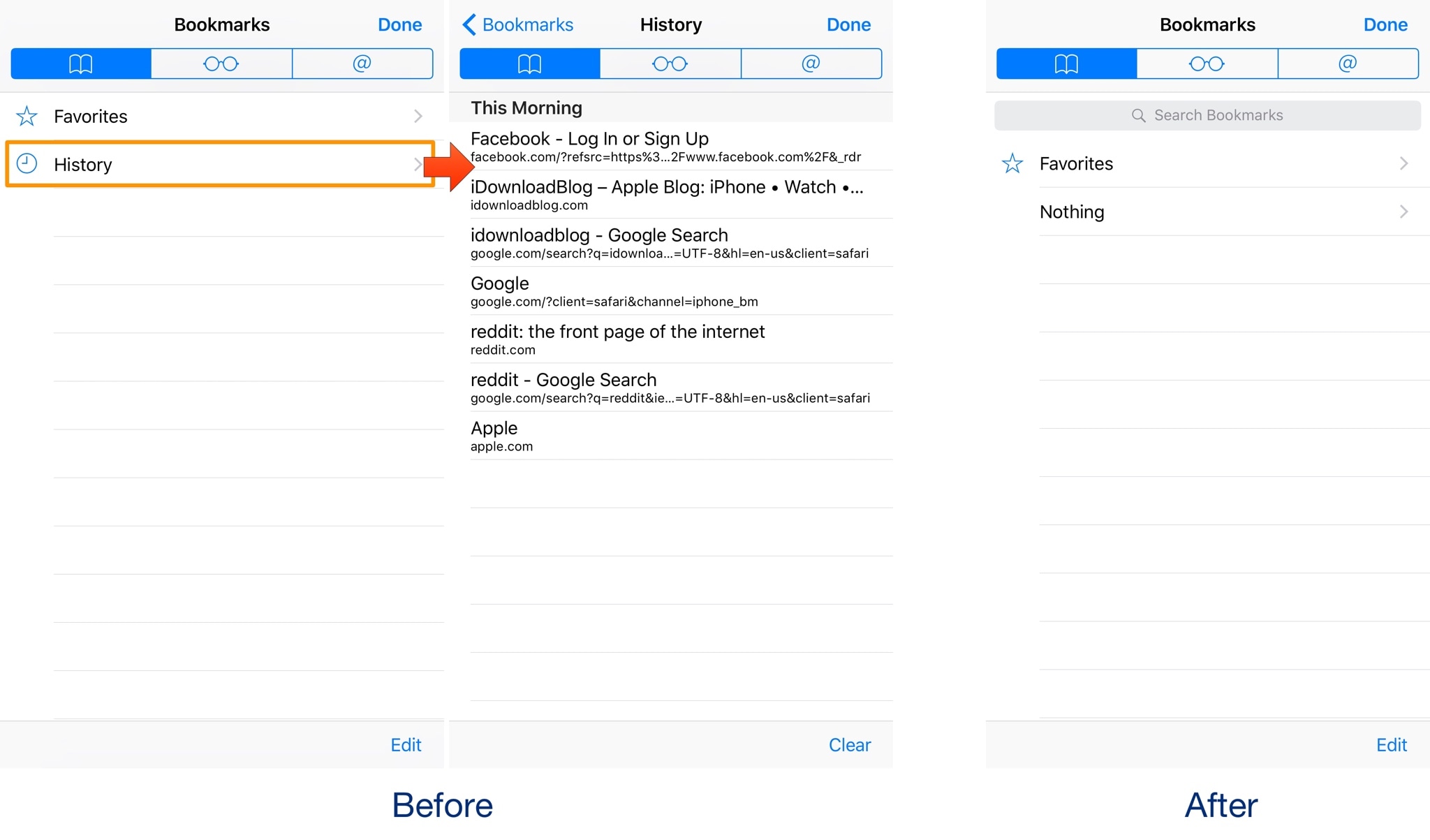
This tweak hides your Safari history without Private Browsing mode

Your web browsing history can say a lot about you, so it’s no surprise that people go great lengths to hide it. One way to do this on an iPhone is by using the Private Browsing feature in Safari, but this will do more than just protect your browsing history; perhaps more than most people want.

With a new free jailbreak tweak dubbed NoHistorySafari by iOS developer Wisy Channel, you can prevent Safari from keeping a history of the websites you visit without using Private Browsing mode.

How to stop Safari from caching Reading List via cellular connections

Safari has a built-in Reading List feature for saving webpages you'd like to revisit later. It's like bookmarks, but with full offline support. That is, any webpage saved in your Reading List prompt Safari to download and cache its text, images, layout and other assets on your device so that it can be read at any time, even without an Internet connection.

And with iCloud syncing, a webpage added to Reading List on one device gets individually cached across all your other devices, too. Caching webpages isn't the smartest idea if you're on a metered cellular plan, especially if you frequently use Reading List on the go.

Thankfully, iOS lets you decide whether or not Reading List items should be downloaded when your iPhone is connected to the Internet through your carrier's cellular data network.

About Safari Reading List

Reading List made its debut with the release of OS X Lion and iOS 5 in 2011.

The feature received offline support the following year in OS X Mountain Lion and iOS 6. Reading List is unavailable on a device unless Safari syncing is turned on in Settings → iCloud on iOS or in the iCloud preference pane in System Preferences on macOS.

Don't confuse Reading List with Safari's regular bookmarking feature, which simply stores a webpage URL rather than download and cache its full contents, like Reading List does.

Due to the fact that a vast majority of websites take advantage of high-resolution image assets, your offline Reading List cache can eat up a significant amount of on-device storage.

And because Safari syncs your Reading List, bookmarks and other data via iCloud, adding a webpage to Reading List on your iPad prompts your iPhone to  download it, and vice versa.

Thankfully, you can revert this behavior with a few taps, here's how.

How to stop Reading List caching via cellular

Safari on iPhone and iPad defaults to caching all Reading List items for offline access, whether you're connected to the network via Wi-Fi or through your carrier's cellular data network.

To tell Safari to cache your Reading List items for offline access only when your iPhone or cellular-enable iPad is connected to a Wi-Fi network, do the following:

1) Open Settings on your iPhone or cellular iPad.

2) Tap Safari.

3) Scroll to the bottom of the Safari settings screen, then slide the switch Use Cellular Data underneath the Reading List headline to the OFF position.

This will stop Reading List items from being downloaded through this device's cellular connection. You must do this on every iPhone and cellular iPad using the same Apple ID.

With cellular updates turned off, any webpages you add to your Reading List in the future will still show up in Safari's Reading List menu but they'll only get cached via Wi-Fi.

Deleting offline Reading List cache

To free up storage space taken up by Safari's offline Reading List cache, go to Settings → General → iCloud & Storage Usage, then tap Manage Storage under the Storage headline.

Find and tap Safari in the list of apps, swipe left over Offline Reading List, then hit Delete.

Wiping the cache clean won’t remove any items from your Reading List in iCloud.

You will still be able to open any webpage from your Reading List like you normally would, but your device will need to be connected to the Internet to display a non-cached item.

And one last tip before we sign off—knowing your Reading List is archived automatically in iCloud, you are actually able to easily restore it from an earlier version at any time.

Need help? Ask iDB!

If you like this how-to, pass it along to your support folks and leave a comment below.

Got stuck? Not sure how to do certain things on your Apple device? Let us know via help@iDownloadBlog.com and a future tutorial might provide a solution.

Submit your how-to suggestions via tips@iDownloadBlog.com.

FullSafari brings iPad-like tabbed browsing to iPhone

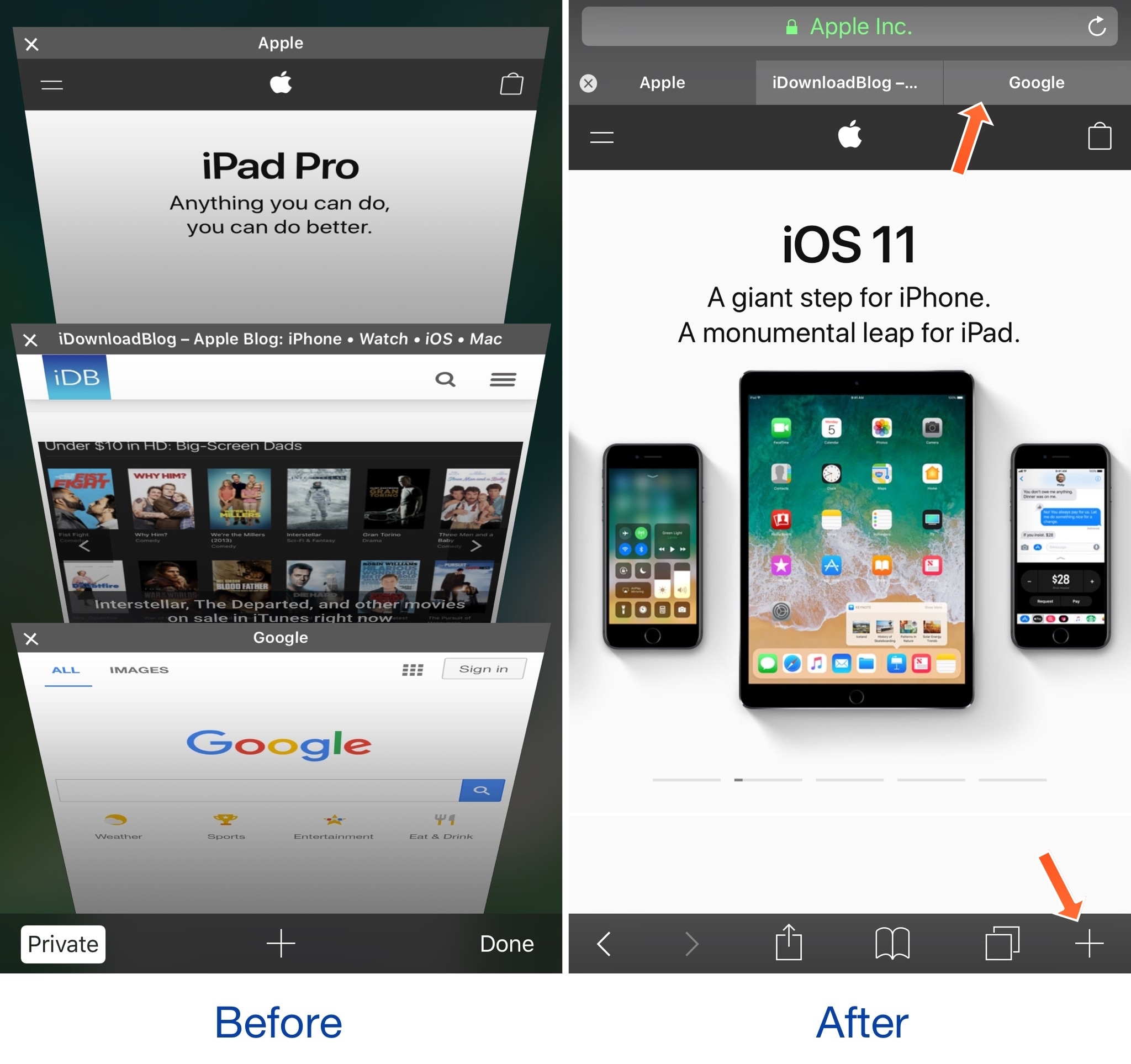
There's a significant difference in usability between the tabbed browsing experience in Safari on the iPad versus the paged browsing experience in Safari on the iPhone; with that in mind, some might prefer the former.

A new free jailbreak tweak dubbed FullSafari by iOS developer Bensge gives even iPhone and iPod touch users access to the iPad-like tabbed browsing experience in Safari, providing a more capable web browser in the palm of your hand.

Twitter revamped with dynamically updated Reply/Like/Retweet counts, Safari Reader support & more

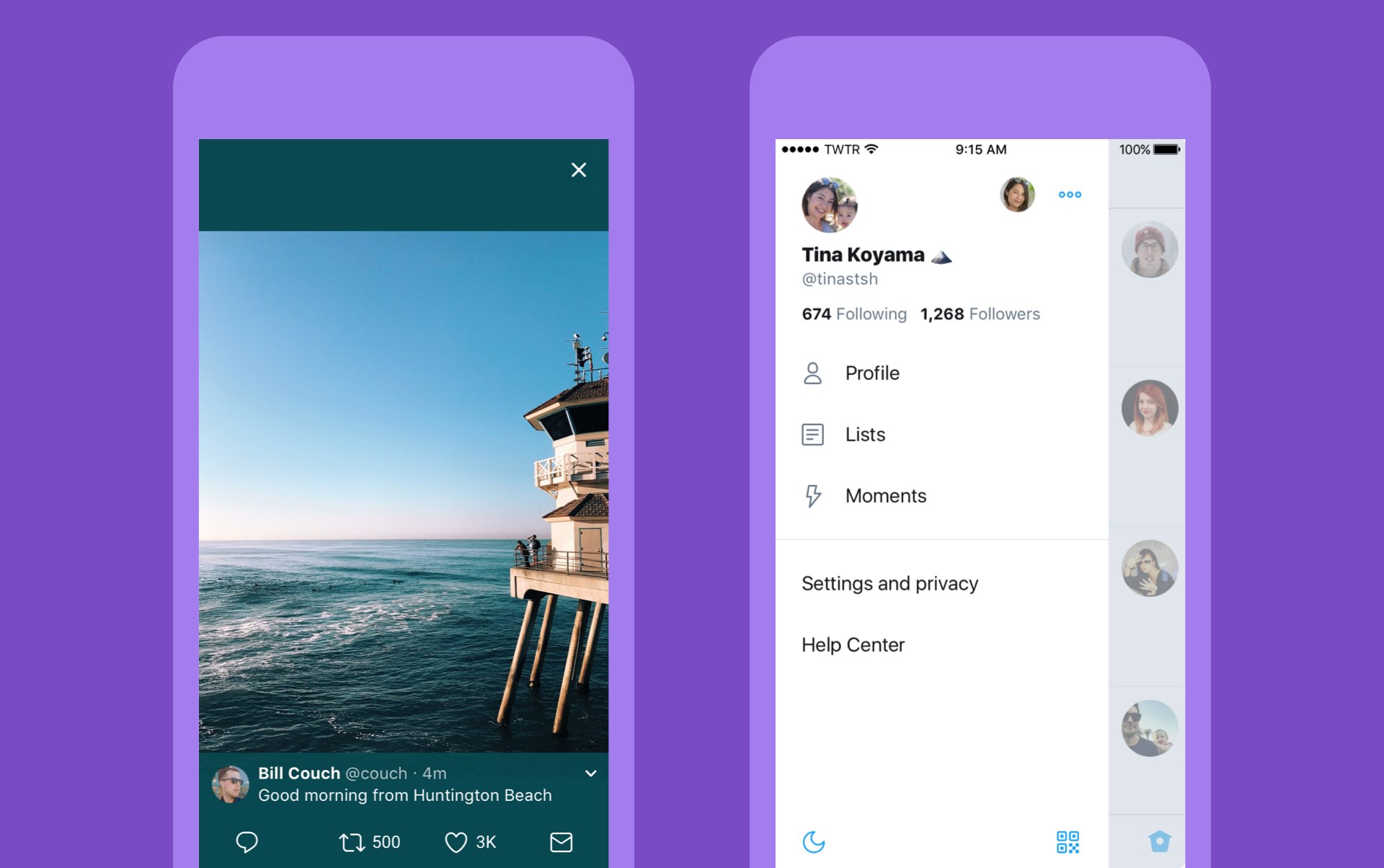
Twitter today announced a major overhaul, making the app feel lighter, faster and easier to use with faster navigation via a new side menu, bolder headlines, revamped icons and more.

The new side navigation menu lets you quickly access your profile, accounts, settings and privacy. As a bonus, you can now add filters and stickers on your profile image, if you'd like.

Tweets now update dynamically with Reply, Retweet and Like counts so that you can easily see conversations as they’re happening, in real-time. The app now features support for opening links to articles and websites in Safari’s in-app viewer.

This lets you log in to websites using your saved Safari passwords and enjoy articles in the browser's Reader mode, all within the Twitter app.

New switches in Twitter's settings interface let you turn on increased color contrast, decided whether or not you'd like links to open in Safari's Reader View and more.

Accessibility settings are now in a more prominent location.

So fresh. So clean. So live.

Check out our new look.https://t.co/ClWbwi8CEH pic.twitter.com/nR27POQkEi

— Twitter (@Twitter) June 15, 2017

Here's an overview of the new features and design:

Profile, additional accounts, settings and privacy—all in one place. A new side navigation menu and fewer tabs at the bottom of our app=less clutter and easier browsing. You told us you loved this change on Android last year and we’re excited to now bring it to iOS. Links to articles and websites now open in Safari’s viewer in the Twitter app so you can easily access accounts on websites you’re already signed into (iOS only). We’ve refined our typography to make it more consistent and added bolder headlines to make it easier to focus on what’s happening. Also, rounded profile photos make it clearer to see what’s being said and who’s saying it. More intuitive icons make it easier to engage with Tweets—especially if you’re coming to Twitter for the first time. For example, people thought the Reply icon, an arrow, meant delete or go back to a previous page. We switched to a speech bubble, a symbol most know and love. We also made the icons lighter for more seamless interaction Tweets now update instantly with Reply, Retweet and Like counts so you can see conversations as they’re happening, live (not available on twitter.com and Twitter Lite).

The aforementioned changes are rolling out across twitter.com, Twitter for iOS, Twitter for Android, TweetDeck, and Twitter Lite over the coming days and weeks.

Twitter for iOS is a free download from App Store.

Choose your default web browser in iOS with BrowserChanger10

Everyone has a favorite web browser they prefer to use on their computer, but when it comes to the iPhone or iPad, Apple forces all URL links to open in Safari by default.

You can change this with a new free jailbreak tweak called BrowserChanger10 by iOS developer HiDaN, which lets you choose a new default web browser for opening URL links.

Safari Plus brings powerful customization options to Safari

Safari is the stock web browser on the iOS platform, and love it or hate it, the jailbreak community has come up with countless ways to customize it for the better.

One of the latest releases to benefit the Safari web browser is a jailbreak tweak dubbed Safari Plus by iOS developer opa334. This tweak brings a host of new configuration options so you can customize Safari any way you see fit.

How to live stream WWDC 2017 on iPhone, iPad, Apple TV, Mac, Windows and Android

Apple will be live-streaming its WWDC 2017 event, just as they have for the last several years, so the world can tune in and see what’s new in the world of iOS, macOS, tvOS, watchOS, and more.

No matter what type of device you’re using the day of the event, you can live-stream the keynote. In this piece, we'll go over all the methods on how for every operating system and platform.

How to always open Safari in a private window

With privacy becoming a hotter topic these days, web users are becoming more and more wary about what they share online. While there are many different steps that can be taken to increase your online privacy, a very simple way to get started is to use a web browser in Private mode.

In this post, you will learn about what Private mode means in Safari, and you will find out how to always open Safari in a private window to make this simple precaution an automatic way of accessing the web on your Mac, your iPhone, or your iPad.

Safari 10.1.1 for Mac fixes yet another instance of address bar spoofing

Safari 10.1.1, pushed out as part of today's minor macOS Sierra 10.12.5 software update, fixes yet another instance of address bar spoofing. This is good news because the browser can now protect you from phishing attacks that would typically attempt to fool you into believing you were visiting a genuine website rather than a maliciously crafted webpage.

According to the company's security document, the software fixes a flaw where visiting a malicious website may lead to address bar spoofing. “An inconsistent user interface issue was addressed with improved state management,” states Apple.

Even folks who are extremely mindful of phishing are susceptible to address bar spoofing.

The sophistication of today's phishing attacks came to light when Chinese security researcher Xudong Zheng demonstrated how easily users could be fooled into visiting a fake website that seemingly shows the correct URL in the address bar.

To protect yourself from such attacks in the future, manually type in the URL of the website you want to visit or choose your favorite website from Safari's Bookmarks menu. Of course, you should avoid clicking any suspicious links in an email message, even if they appear to originate from a contact you personally know.

The patched vulnerability was discovered in Safari for macOS, not for iOS.

Apple credits Zhiyang Zeng and Yuyang Zhou of Tencent Security Platform Department with the discovery of the vulnerability CVE-2017-2500 and Zhiyang Zeng of Tencent Security Platform Department with the discovery of the vulnerability CVE-2017-2511.

Moreover, Safari 10.1.1 fixed an issue in Safari's history menu that could lead to an application denial of service after visiting a maliciously crafted webpage. The issue was addressed through improved memory handling.

Lastly, Safari 10.1.1 also includes patches for as many as seven vulnerabilities that were discovered in the WebKit rendering engine, five of which dealing with universal cross site scripting, while fixing an issue with WebKit's Web Inspector where an app could execute unsigned code.

Safari 10.1.1 is available for OS X Yosemite 10.10.5, OS X El Capitan 10.11.6 and macOS Sierra 10.12.5. Apple also released a minor update to iTunes for Mac and Windows today.

iTunes 12.6.1 contains unspecified app and performance improvements and a fix for a WebKit exploit on Windows 7 and later which could result in arbitrary code execution after processing maliciously crafted web content.