Password

1Password now supports Touch ID and Touch Bar on the new MacBook Pro

After previewing a new version of its popular password-management utility, developer AgileBits today updated 1Password for Mac with support for the Touch Bar and Touch ID features on the new MacBook Pro (that you can't have yet).

The update is free to existing users of the $64.99 Mac app. 1Password can now be unlocked by resting your finger on the Touch ID sensor that's built into the new MacBook Pro's Touch Bar.

In addition, you can access your vaults faster by tapping the app's dedicated shortcuts on the Touch Bar.
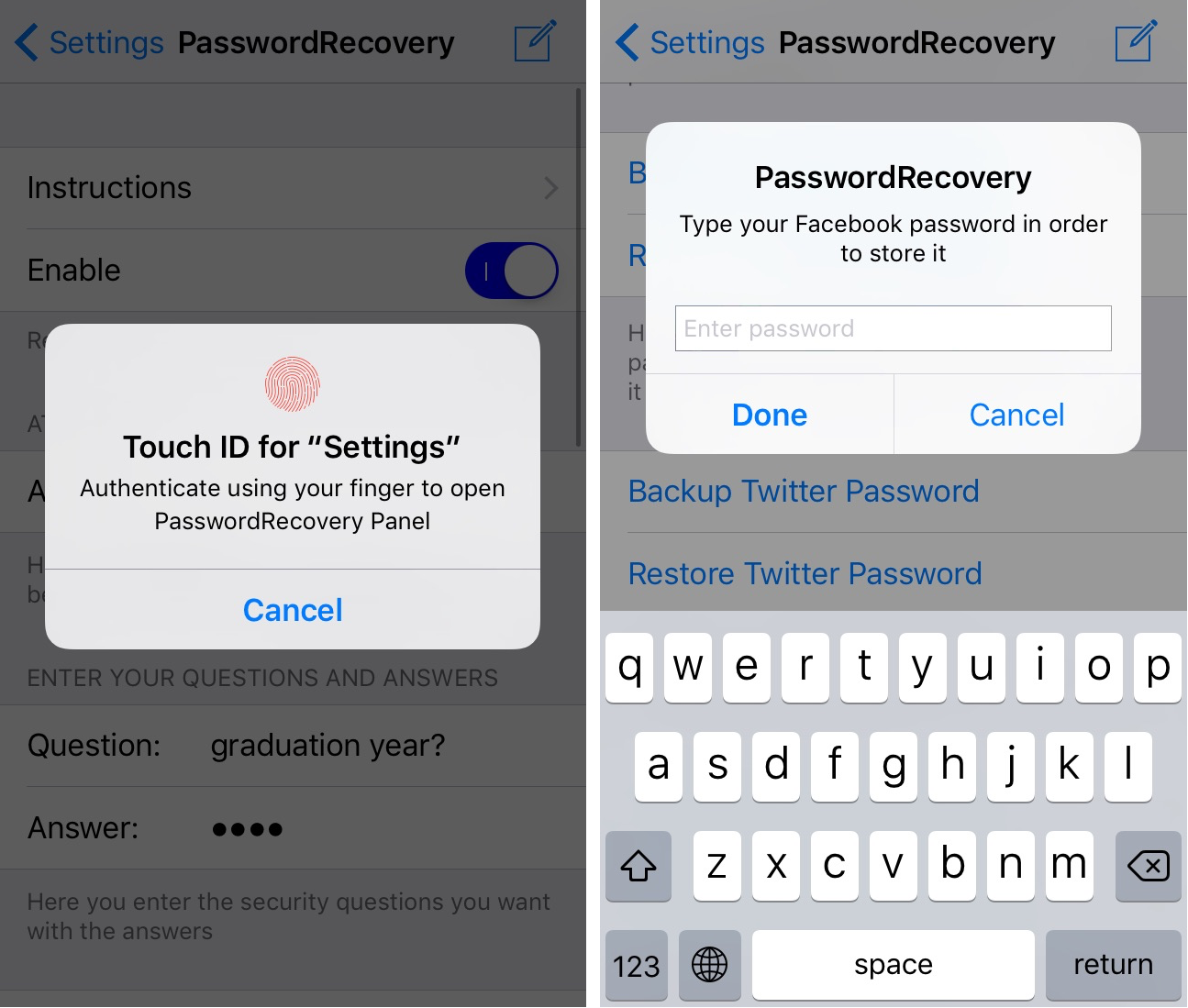
PasswordRecovery stores passwords and recovers them when you forget them

It can be a pain to remember all your passwords, and that's why password manager apps like 1Password exist. But if you don't like the big price tag or the subscription models, then PasswordRecovery is a jailbreak tweak alternative you could check out instead.

This tweak comes with password remembrance and recovery options all in a single package so you'll never forget your passcode or have to reset a password for any of its supported apps ever again.

Password manager LastPass makes multi-device sync a free option for all users

LastPass, a free of charge password manager for the iPhone, iPad, iPod touch, Mac and the web, announced yesterday that all customers can now synchronize passwords across multiple devices at no additional charge.

Previously, the app required buying a $1 per month subscription to take advantage of multi-device sync. If you manage your passwords and logins in LastPass, this should be music to your ears as most people use multiple devices.

It’s official: I’m a 1Password user

For the last several years, I’ve battled with a password problem. It seemed like every new service I used wanted me to create an account, which involved making a new username and a strong password. Making matters worse, some services want you to make difficult passwords you can’t even remember, containing capital letters, numbers, and special characters.

The problem reveals itself the most whenever I get a new phone, like the iPhone 7 Plus I recently purchased. When I go to set it up, I download all the apps I typically use on my device. Afterwards comes the hard part: trying to remember the credentials to log into all of them.

Disable Mac App Store password prompts for 15 minutes after a purchase

Have you ever went on an app downloading spree in the Mac App Store only to find that it was going to ask for your password every time you wanted to download a paid app on your Mac?

If you're the only user on your Mac, then you probably don't want to or need to be bothered with having to enter your password each and every time.

Instead, macOS includes a feature that lets you disable password prompts for additional purchases for up to 15 minutes following your first Mac App Store purchase in a succession. We'll show you how to configure this feature in this tutorial.

Importing data to Safari from another web browser

Love it or hate it, Apple's Safari is a zippy web browser that performs well on the Mac, and it continues to get more and more competitive with other web browser platforms.

Since Apple wants you to use Safari on your Mac, it's a no-brainer they're going to make it easier to migrate your web data from one web browser to another.

In this tutorial, we're going to show you how to import bookmarks to Safari, along with your other web data, from a different web browser.