OS X

Out now: iOS 8 Beta 2, Yosemite Developer Preview 2, new Xcode and Apple TV software

Two weeks after releasing the first beta of iOS 8, Apple today seeded it developers with the second beta of both iOS 8 and OS X Yosemite.

The Yosemite Developer Preview 2 (Build 14A261i) for Macs and a pre-release version of iOS 8 Beta 2 (build 12A4297e) for the iPhone, iPad and iPod touch devices are available for download through Apple's Dev Center.

The betas are available standalone or as over-the-air downloads via the Software Update mechanism...

Yosemite’s Handoff feature may not be compatible with all Macs

Handoff, arguably the coolest feature of the upcoming OS X 10.10 Yosemite, may not be available to all Mac users. In case you're not familiar with Handoff, it's part of Continuity, a new feature designed for seamless transitioning between iOS devices and Macs.

"Now your Mac knows the last thing you were doing on your iOS device and vice versa," Apple's Yosemite webpage explains. "So you can start something on one device and instantly pick it up on another."

As noted by a German blog, Handoff relying on short-range Bluetooth 4.0 connectivity is a strong indication that you'll need a relatively new Mac model in order to take advantage of the feature...

Apple seeds OS X 10.9.4 build 13E16 to developers

Apple has seeded the second beta of OS X 10.9.4 to registered Mac developers this afternoon. The update comes almost a month after Apple released OS X 10.9.3 to the public, which included improved 4K display support and more.

Today's new 10.9.4 build is available to developers via an update in the Mac App Store or as a download on Apple’s online developer center. It does not, however, appear to be out in Apple’s new public Mavericks Beta Seed program yet…

Apple posts video of “The New Look of OS X Yosemite”

http://www.youtube.com/watch?v=NQ7kqwbqeiI

If you've already watched the WWDC 2014 keynote, then you won't see anything new here, but for those of you who haven't, Apple just published the Yosemite design video it showed last week. Titled "The New Look of OS X Yosemite," this short video puts the spotlight on Yosemite's new buttons, font type, icons, use of translucency, as well various other visual elements of OS X Yosemite.

Mac App Recap: 10 apps for OS X to test drive

We've already hit the one month mark since we introduced Mac App Recap, a weekly column that covers a handful of the best new, updated and discounted apps for OS X. The idea stemmed from our daily App Recap roundup for iPhone and iPad apps, but this one is posted on a weekly basis because of less activity on the Mac App Store. This week, we've got 10 apps to show you for to-do lists, RSS feeds, password management and more. Check it out… 

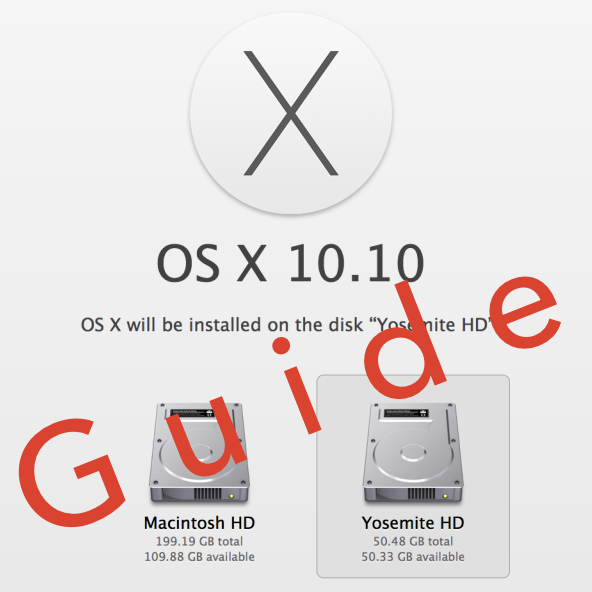
How to install OS X 10.10 Yosemite beta on a separate partition

When Yosemite was first announced with all of its awesome features, I exclaimed on iDB's group chat session that I would be installing the OS as soon as it was available for download. Sebastien quickly rebuffed my excitement and told me how unreasonable it was to install a beta OS on my main machine, and especially so while I'm out of the country. After being a bit disappointed (that wasn't what I wanted to hear at all...I mean, SMS texting on OS X!) I eventually came to the realization that he was right.

But then, I remembered that I didn't need to settle. I could easily create a partition on my Mac and keep Yosemite completely separate from my main (and stable) Mavericks install. It had been a while since I had last messed around with disk partitioning in OS X, but it didn't take long before I was installing the Yosemite beta on the same Mac where my primary Mavericks install lays its head down at night.

The benefits are multi-faceted. Number one, you get to try out Apple's new OS right now. Number two, you don't have to worry about buggy beta software cramping your style; after all, you're still running your main OS on the a separate partition. Number three, it can be done quickly, and with little to no downsides (as long as you have the disk space to spare). Check inside for our full tutorial that shows you how to install OS X 10.10 Yosemite on a separate partition on your primary Mac.
Apple asking developers to enable Family Sharing for their apps in iOS 8 and OS X Yosemite

Apple has begun asking its registered Mac and iOS developers to enable Family Sharing in their apps, a feature specifically designed for the upcoming iOS 8 and OS X Yosemite operating systems. As we detailed Monday, Family Sharing allows you to share purchased iTunes media such as apps, books, music and more among up to six devices, without requiring them to use the same Apple ID as Home Sharing.

But not all purchases are eligible for Family Sharing. In fact, Apple is giving developers the freedom to choose whether or not they want their apps to be enabled for Family Sharing and now the firm has started emailing developers suggesting they enable the feature in their iTunes Connect developer portal...

Can your Mac run OS X Yosemite? Find out here

With Monday's announcement of OS X Yosemite now off our backs, many people are wondering whether the next major revision to Apple's desktop operating system will run on their Macs. There's some good news and bad news.

The good news is, Yosemite doesn't impose steeper requirements in terms of the minimum hardware needed for a productive and hassle-free experience, simply because Yosemite is much like Mavericks in this regard. The bad news is, some older Mac models will inevitably be left behind, call it the price of progress.

Will your Mac be able to run Yosemite? Read on...

Safari adds DuckDuckGo support in iOS 8 and OS X Yosemite

Safari just got a lot more private in iOS 8 and OS X Yosemite. The web browser on iPhone, iPad and Mac now includes the private search engine DuckDuckGo that users can set as default. For Mac users, this goes alongside an all-new private browsing option that functions like incognito mode on Chrome. DuckDuckGo is a search engine that doesn't track you, allowing you to browse the web knowing that your privacy is intact… 

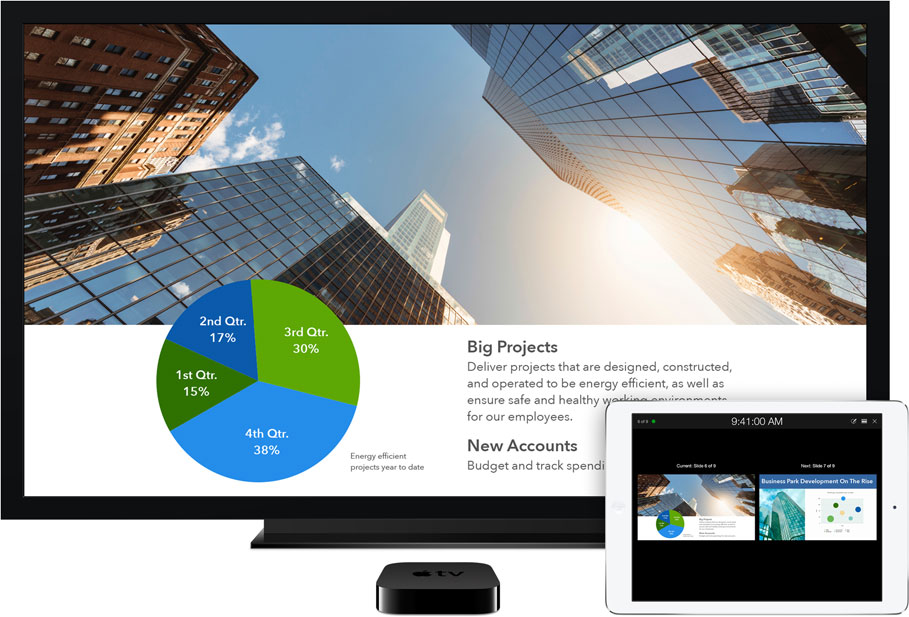
iOS 8 AirPlay broadcasts to Apple TV without Wi-Fi

Apple's current implementation of AirPlay, its media streaming technology, requires a Mac or iOS device to be on the same Wi-Fi network as an AirPlay receiver, which in most scenarios is the Apple TV. While seamless, AirPlay in its current form makes it impossible to use in places where you don't have access to a local Wi-Fi network.

Feeling your pain, Apple in iOS 8 has implemented zero-configuration peer-to-peer networking between AirPlay devices. This lets you broadcast whatever content from an iPhone, iPod touch or iPad to your Apple TV, even if these devices are not on the same local network...

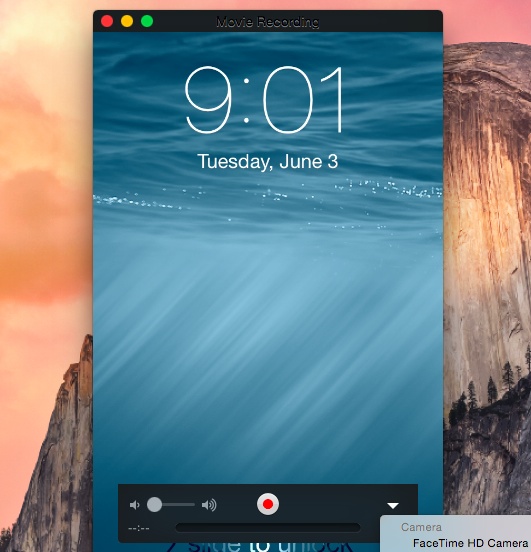
OS X Yosemite lets you video capture iOS 8 devices with a Lightning cable

Capturing a real-time screencast of apps and games running on your iPhone, iPod touch or iPad used to require juggling with various devices/cables.

As our own Jeff Benjamin would explain, a typical solution would involve using a pro camcorder to physically record the screen of an iOS device and taking advantage of one of Lightning digital A/V adapters to feed live video from your iOS device to a computer or a specialized video capture device.

Starting this Fall, iOS 8 and OS X Yosemite will greatly simplify the process by allowing you to capture a screencast by connecting an iPhone, iPod touch or iPad to a computer using a Lightning cable, no A/V adapters or HDMI capture cards needed whatsoever...

Alfred still has a future on OS X Yosemite

Apple has greatly improved Spotlight search in OS X Yosemite, making it accessible front and center on the desktop with more intelligent search results from Wikipedia and other sources. In doing so, it essentially brought most of the functionality of the popular third-party productivity app Alfred to stock OS X. But while the general consensus among the Apple community yesterday was "poor Alfred," the creators of the app remain optimistic…