News

Apple’s new 21.5″ iMac with 4K Retina screen has user replaceable RAM and modular CPU

Apple during the Worldwide Developers Conference refreshed the iMac lineup with faster Intel chips and updated internal architecture. Good folks over at iFixit have now taken Apple's new $1,299 21.5-inch iMac model that has a 4K Retina display, discovering something really interesting.

The machine features both removable RAM (via a pair of removable SO-DIMM slots) and Intel's Kaby Lake processor that—surprisingly—sits in a standard LGA 1151 CPU socket rather than being soldered onto the logic board.

The modular CPU design suggests owners of the all-in-one desktop might be able to replace or upgrade the CPU in the future without a reflow station. The last time the 21.5-inch iMac had user-replaceable RAM was back in 2013. 2012 models of the 21.5-inch iMac also came with a modular CPU.

The stock configuration they tore apart had Intel's SR32W Core i5-7400 Kaby Lake chip, 8GB of 2400MHz DDR4 memory, a Radeon Pro 555 graphics card with 2GB of VRAM and a 1TB 5400-RPM hard drive.

According to iFixit:

Our teardown confirms that the new 21.5-inch iMac with 4K display has both removable RAM and a modular CPU. Of course, Apple would say neither is user-replaceable. Accessing and replacing these components isn't exactly easy, but we’re saying it’s possible. Maybe even probable.

A tinker-happy user (armed with the right tools and guide) could at least double the base 8 GB of memory, turning their new iMac with Retina Display into an iMac Semi-Pro.

Here's the machine's socketed CPU.

Other teardown highlights:

A warranty void sticker on the heat sink discourages users from removing the modular CPU underneath. The Retina display is manufactured by LG Display. There's a single microphone below the display vs. dual microphones on previous models CMOS battery is replaceable A built-in 3.5-inch SATA hard drive is upgradeable There's no SSD connector on the board

And here's the user-replaceable RAM module.

Despite the upgradable RAM and CPU, iFixit gave the machine a 3/10 for repairability.

That's because the computer is difficult to open as everything is buried under “a finicky glass panel,” in iFixit's own words. A speciality pizza-cutter-like tool is required to breach the adhesive before any repair.

And because the cover glass and the Retina display itself are fused together, the cost of a display replacement will be high.

At any rate, this is still good news for anyone in the market for a new iMac. Upgradability is paramount with all-in-one designs like iMac's. And with replaceable RAM and CPU, customers will be able to get more use and more years out of their computer.

The 13 features in iOS 11 borrowed from the jailbreak community

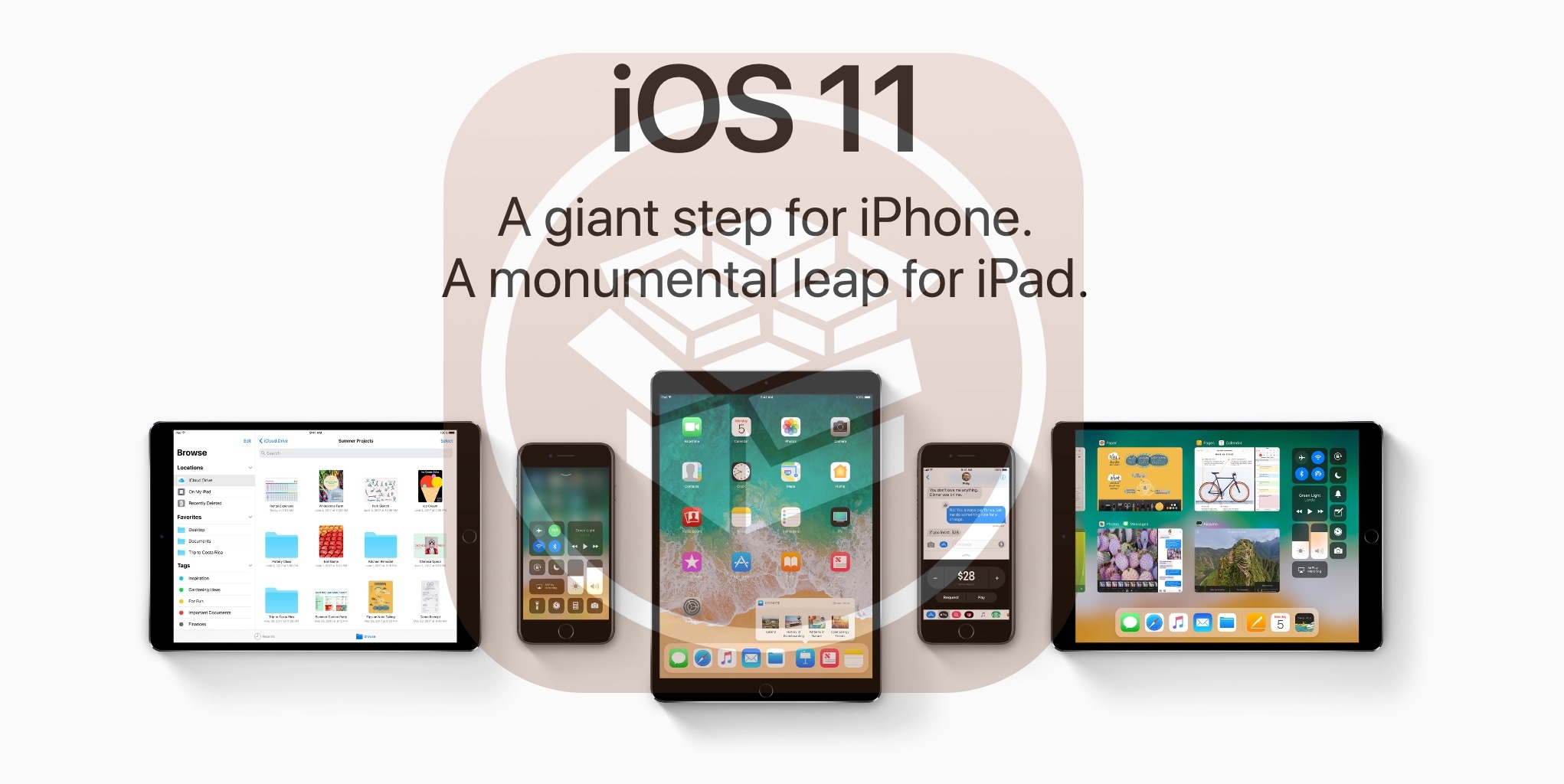
Apple releases a major new firmware upgrade for its mobile device lineup every year, and with the announcement of iOS 11 at the WWDC 2017 keynote on Monday, it’s somewhat ironic that Apple has once again borrowed many of its new feature ideas from the brilliant minds that make up the jailbreak community.

In this roundup, we’ll discuss 13 new features in iOS 11 that have previously existed in Cydia as jailbreak tweaks before the new firmware, which is set to release this Fall, was ever even announced.

iOS 11 makes it a cinch to share your Wi-Fi password with nearby devices

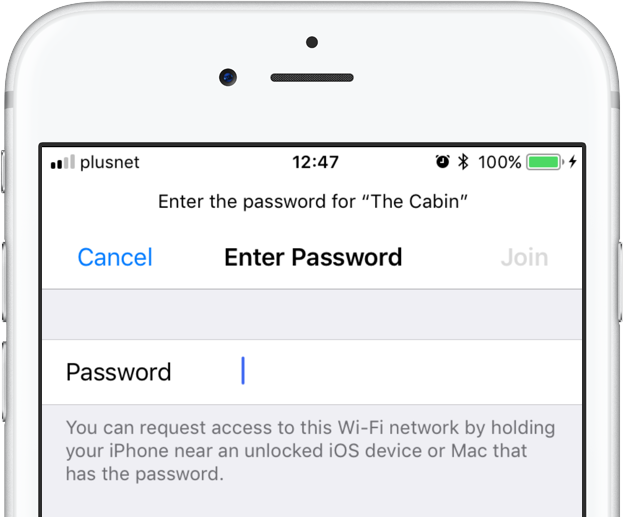
iOS 11 provides a nifty new feature for sharing your Wi-Fi hotspot password with nearby devices, without having to type the password on another device. When a nearby device running iOS 11 attempts to connect to your password-protected Wi-Fi network through Settings → Wi-Fi, a new message informs the owner they can now request access to the network.

To request Wi-Fi network access, they simply hold their device near an unlocked iPhone, iPad, iPod touch or Mac that's already connected to the network. A Wi-Fi sharing card pops up on the device already on the network, resembling the seamless AirPods pairing interface.

As first discovered by 9to5Mac, the device that has the network password automatically sends it to the nearby device over the air, allowing the receiving device to quickly and securely connect to your local wireless network.

This feature uses Wi-Fi and Bluetooth proximity information.

The beauty of this method, as I mentioned earlier, is that it just works—the device requesting access to your Wi-Fi network never sees the actual network password.

macOS High Sierra will support this time-saving feature as well.

Speaking of which, iOS 11 includes automated first-time setup and account login features.

For instance, a feature called Automatic Setup lets you securely import most of the settings and data to your new iPhone or iPad by holding it near an iOS device or Mac you already own, using a process that's very similar to that of pairing an Apple Watch to a nearby iPhone.

iOS 11 is compatible with all 64-bit iPhone, iPad and iPod touch devices. The software update will release as a free download to all customers this fall.

Apple cuts 2TB iCloud tier price in half

Apple has made some changes to paid iCloud storage upgrades.

Having nixed the previously available one-terabyte tier, the company has now made its flagship two-terabyte plan more affordable than ever.

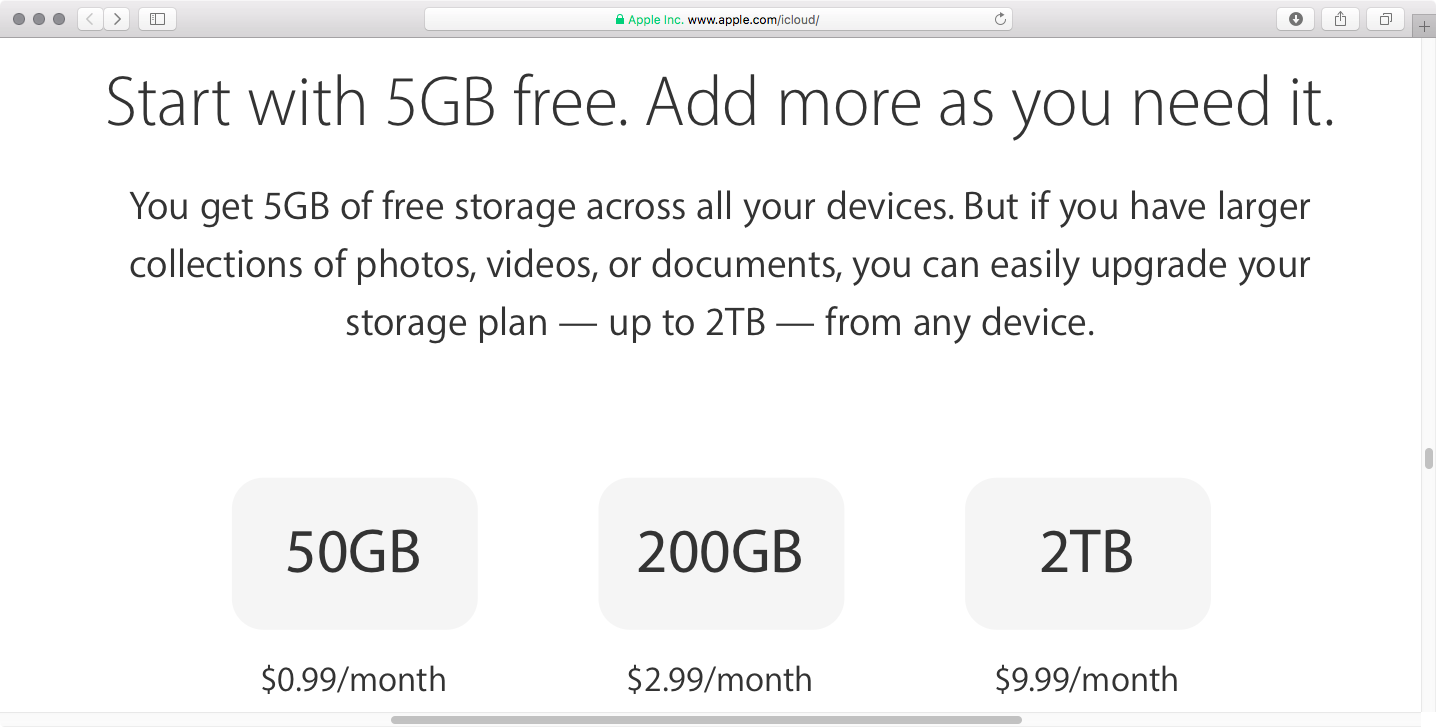
You can now get a whopping two terabytes of storage in exchange for a pretty competitive monthly fee of just $9.99 per month, or half the previous asking price of $19.99 per month.

As mentioned, the 1TB plan that used to cost $9.99 per month has been eliminated. The 200GB $2.99 per month and the 50GB $0.99 per month tiers have remained unchanged. The free tier is still limited to just five gigabytes of storage.

According to Apple's iCloud webpage, the following storage tiers are now available:

5GB for free 50GB for $0.99 per month 200GB for $2.99 per month 2TB for $9.99 per month

The new pricing is available in all markets.

You can use iCloud storage to store your entire Photos library, backup all the Apple devices you own, synchronize files between devices, keeping other files in your iCloud Drive, store your iCloud Mail message archive and much more.

And with iOS 11 and macOS High Sierra, Apple customers can now share a 200GB or 2TB iCloud storage plan with family members, if they like.

“Now you can share an iCloud storage plan with your entire family, notes Apple. “Choose 200GB or 2TB and give everyone space to store photos, videos, documents and more.

You can upgrade your iCloud storage directly on your device in Settings → General → Storage & iCloud Usage, then tap Manage Storage under the iCloud section and hit Change Storage Plan. On a Mac, go to System Preferences → iCloud → Manage for these options.

iOS 11’s volume slider no longer covers fullscreen videos

One of the most interesting changes in iOS 11 that hasn't been talked about at all during Monday's WWDC 2017 keynote is going to make a lot of you happy: the volume indicator on iOS 11 no longer obstructs the center of the screen obnoxiously.

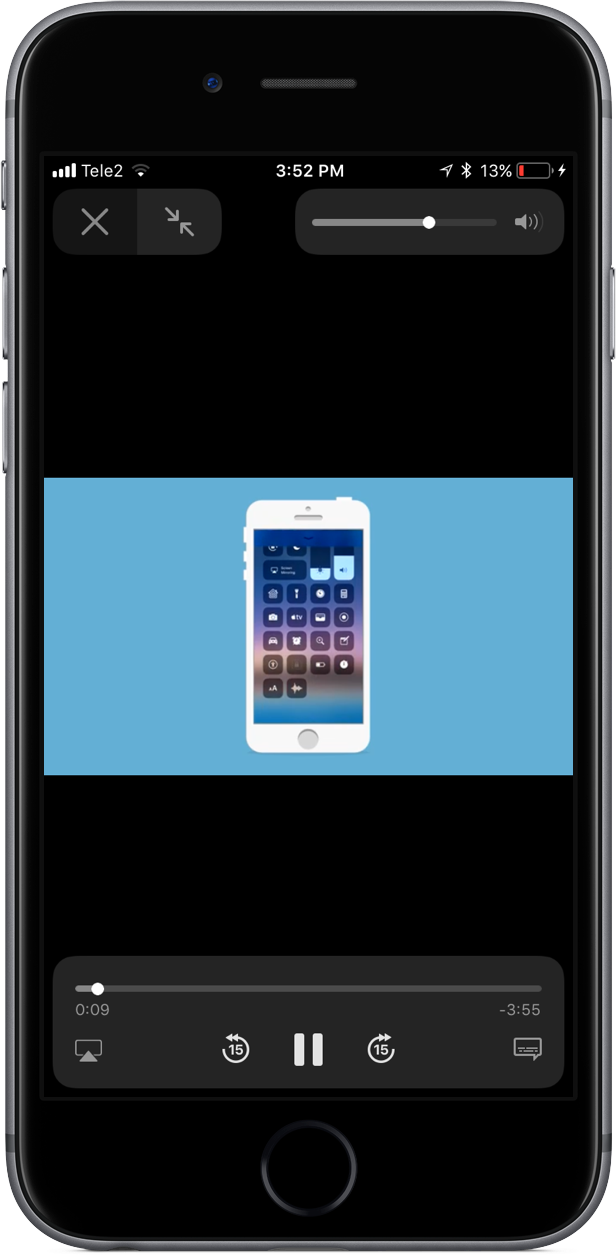
As noted by users on Twitter, the redesigned slider only appears when playing video in fullscreen mode. In other words, the good ol' volume control centered on the screen isn't going anywhere, it's just that playing video in fullscreen mode replaces the standard volume control with an unobtrusive slider that sits in the top-right corner of the screen.

This is actually part of a bigger update for iOS 11's system video player.

The iOS 11 video player has controls for subtitles (including YouTube's auto-generated subtitles), AirPlay and more. Plus, it supports full keyboard control so you can control video playback with more than a dozen shortcuts via your physical wireless keyboard.

iOS 11's new minimalist volume slider does not appear in apps and on websites that implement their own custom video player. As an example, many video-streaming apps, including HBO NOW and Netflix, override the system video player and use a bespoke one.

Google's mobile YouTube app also recently updated its video player with a thin volume slider positioned unobtrusively at the very top of the currently playing video.

iOS 11 is compatible with all 64-bit iPhone, iPad and iPod touch devices. The software update will release as a free download to all customers this fall.

Watch the first episode of “Planet of the Apps” free for a limited time

The inaugural episode of “Planet of the Apps”, Apple's original show about apps and their creators, is premiering tonight at 9PM Pacific Time, midnight Eastern Time on Apple Music. Apple today released a new trailer for ”Planet of the Apps” on its official YouTube channel.

The show will be streamed free to all Apple Music members, Reuters reported Wednesday.

“The question when you have ideas is how to take those to fruition,” said Eddy Cue, Apple’s Senior Vice President of Internet software and Services. “Sometimes you may not know how, you might be afraid of what’s involved. This really shows how that’s possible.”

Apple will promote the show on its homepage, in iTunes and elsewhere.

“All of our customers are going to be exposed to this in one way or another,” Cue said.

The first episode is also available free for a limited time via planetoftheapps.com. Apple encourages customers to join Apple Music to get new episodes every Tuesday.

Here's the trailer.

https://www.youtube.com/watch?v=BDEvJXpjQHM

From the video's description:

Apple Music presents Planet of the Apps, a groundbreaking new series that gives aspiring app creators the opportunity of a lifetime to work with entrepreneur advisors Jessica Alba, Gwyneth Paltrow, Gary Vaynerchuk, and Will.i.am.

Under the close guidance of one advisor mentor, each concept goes through an intense incubation period—all in preparation for a real-life, high-stakes pitch to Lightspeed Venture Partners. Will they get funding or will they flounder?

Everything is on the line for these app creators and their million dollar ideas.

As mentioned, the first episode is available free for a limited time via the official website.

iOS 11 lets AirPods owners skip forwards and backwards between tracks with a double tap

The most common complaint about AirPods is their inability to change the currently playing song directly on the earphones, without invoking Siri. Well, YouTuber Appsolutely Tech has discovered that iOS 11 solves this customer pain point by adding the ability to skip forwards and backwards between tracks with a double tap.

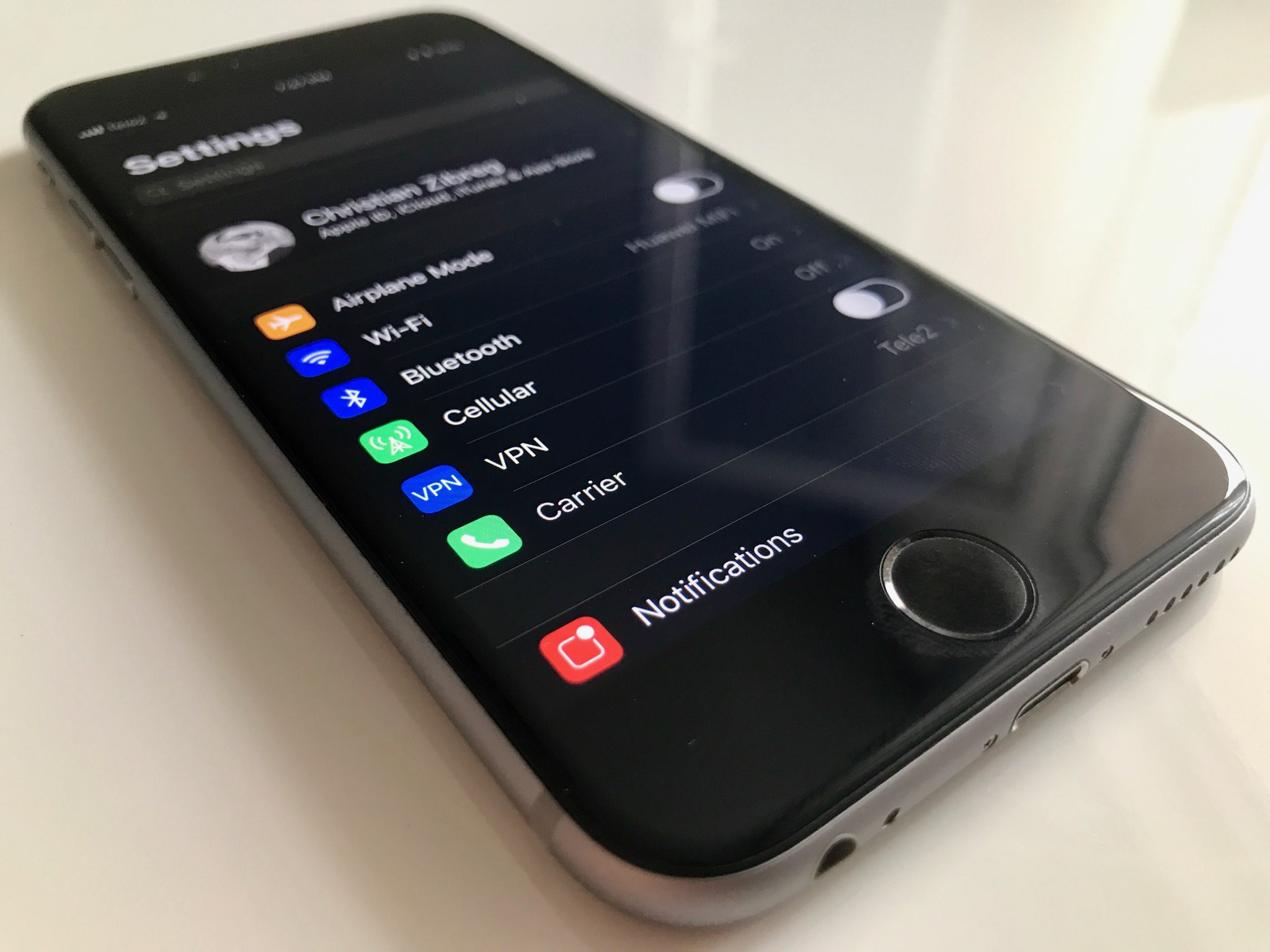
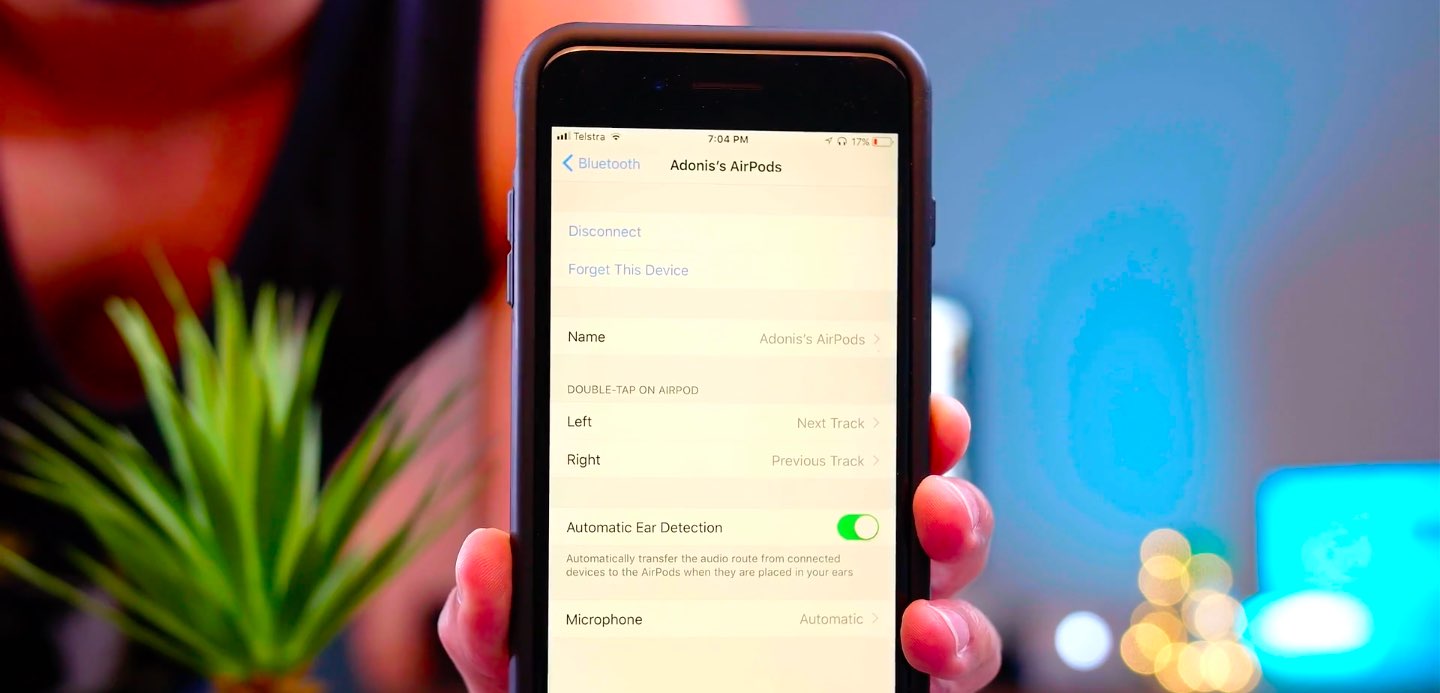
On iOS 11, your AirPods settings include some handy new options for choosing a double-tap action separately for the left and right earbud.

TUTORIAL: Tips and tricks for using AirPods like a pro

You could, for example set your left AirPod to skip to the next track and your right AirPod to go to the next track. Or, you could leave Siri as the default action for one of your AirPods and set the other one to go to the next track when double-tapped.

Watch Appsolutely Tech's video below.

https://www.youtube.com/watch?v=VsQ9J1mwU78

Simply tap the “i” next to your AirPods in Settings → Bluetooth on your iOS 11 device.

You will see you can now set a different double-tap action for each of your AirPods:

Siri Play/Pause Next Track Previous Track Off

It's unclear if Apple might bring this new feature to iOS 10 via a future AirPods firmware update.

Hands-on with iOS 11’s highly customizable Control Center

A completely redesigned Control Center is one of the hallmarks of iOS 11. Having ditched card-based layout spanning multiple pages, Control Center has adopted a single-page design. Control Center on iOS 11 is realized as a full-screen scrollable overlay, a design that has allowed Apple to put many more useful controls at your fingertips than ever before.

It is highly customizable, too: you get to choose what appears in your Control Center!

For instance, you could opt for a pedestrian Control Center with a handful of the most commonly used shortcuts, like on iOS 10, or create a fully loaded Control Center that may contain as many as 18 additional toggles. Apple currently does not provide Control Center APIs, meaning third-party apps cannot ship their own Control Center toggles, for now.

iOS 11 Control Center highlights:

Control Center is more condensed You no longer have to swipe your way through multiple cards Everything is on a single, vertically scrollable page iOS 11 has eighteen additional toggles for Control Center You decide which toggles appear in your Control Center

Like before, Control Center is invoked by swiping up from the bottom of the screen.

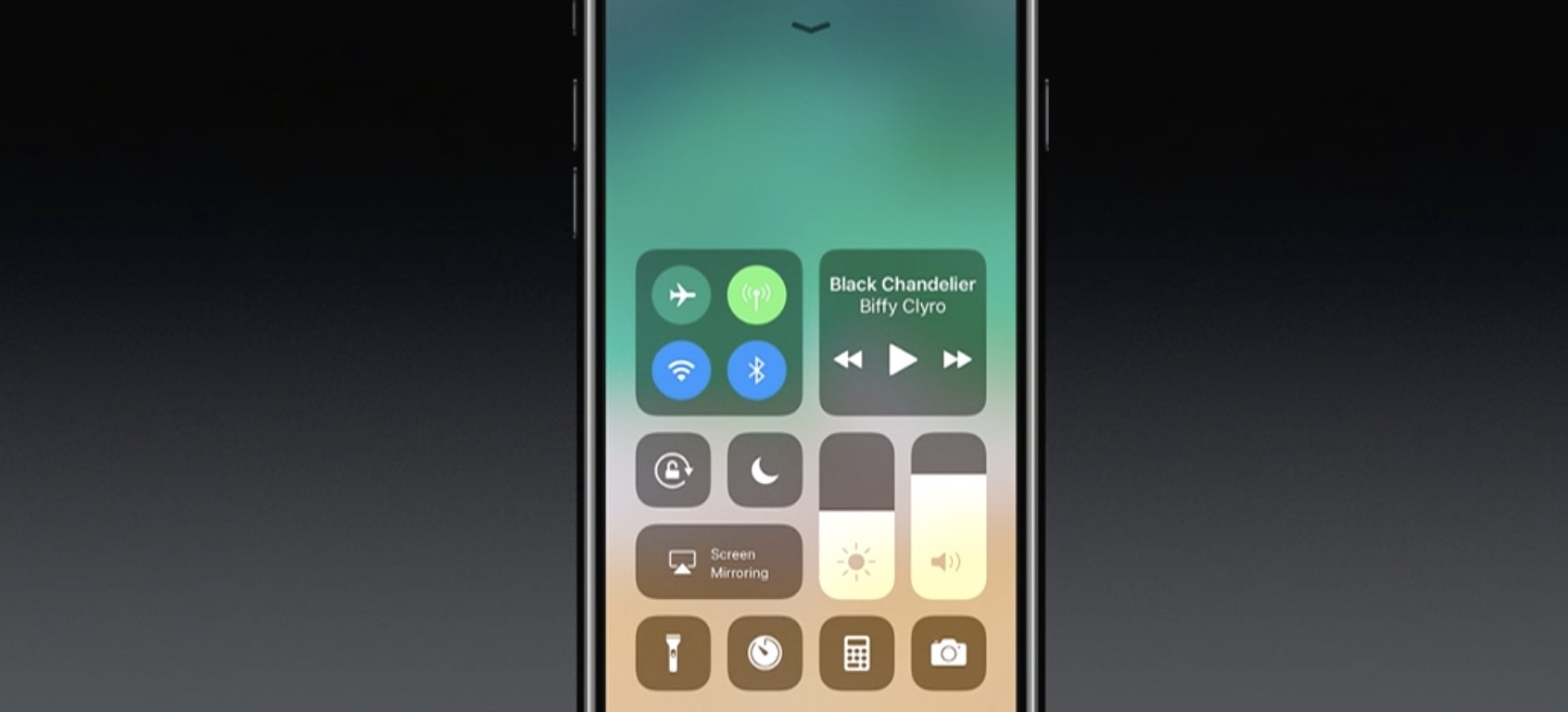
A fully loaded Control Center on iOS 11.

As you can see for yourself, Control Center on iOS 11 is more condensed than before.

The refreshed design allows you to quickly toggle various settings on a single screen, no swiping between pages required whatsoever.

Additional toggles for Control Center can be added and re-ordered in Settings.

The entire Control Center can be scrolled vertically to reveal any controls that may not fit on a single page. To dismiss Control Center, swipe down or press the Home button.

To stop Control Center from appearing on your Lock screen for security reasons, slide the Control Center switch in Settings → Touch ID & Passcode to the OFF position. All in all, iOS 11's Control Center is completely different than it was before—and it's a change for the better.

To help you get quickly up to speed with everything Control Center on iOS 11 has to offer, we asked our prolific video editor Andrew O'Hara to put together a quick video walkthrough.

Watch his clip below, then read the rest of the article for additional information on other new features for Control Center on iOS 11.

https://www.youtube.com/watch?v=UGWjmt6UXJI

Subscribe to iDownloadBlog on YouTube

Many of Apple's own apps on iOS 11 include their own controls for Control Center.

Notes, for example, provides Control Center shortcuts for creating a new note, checklist, photo or sketch. Clock includes Control Center options for creating alarms and timers, and so forth.

Some of the most useful Control Center shortcuts let you quickly access iOS 11's new screen recording feature, set the Dynamic Text size, control your Apple TV without needing to launch Apple's Remote app and much, much more.

The following set of controls can be added to Control Center at any time:

Accessibility Shortcuts Alarm Apple TV Remote Calculator Camera Do Not Disturb While Driving Flashlight Guided Access Home Low Power Mode Magnifier Notes Screen Recording Stopwatch Text Size Timer Voice Memos Wallet

You can add these toggles to, or remove them from Control Center at any time, in Settings. To rearrange the order in which they appear, drag their handles around.

Keep in mind that these expanded Control Center controls are in addition to the standard toggles, some of which now come with additional switches and options.

The non-removable Control Center items include:

Network—Airplane Mode, Cellular Data, Wi-Fi, Bluetooth, AirDrop and Personal Hotspot. Now Playing—See what's playing, adjust playback volume, control speakers with multi-room support via AirPlay 2, scrub through your media, play or pause a song or go to the previous/next song. Brightness—Adjust the screen brightness, turn Night Shift on or off. Volume—Control your audio volume. Orientation Lock—Toggle Orientation Lock on or off. Night Shift—Toggle Night Shift on or off. AirPlay—Mirror the device's screen on your TV, select an AirPlay device.

As mentioned, these controls are persistent and cannot be removed from Control Center.

Some of the built-in controls will be familiar to you, but many will not.

That said, you're wholeheartedly encouraged to try pressing each toggle with 3D Touch to reveal additional options. For instance, pressing the Network control with 3D Touch expands it so you can choose additional controls, like Personal Hotspot and AirDrop switches.

Similarly, pressing the Now Playing reveals the scrubber and the volume slider. Unfortunately, if your device lacks 3D Touch you won't be able to access any of the additional options for Control Center toggles that provide them.

Apple could tweak Control Center's design as we get closer to iOS 11's release this fall.

While we're not expecting drastic changes in subsequent iOS 11 betas, Apple would be wise to add the ability to drag the toggles inside Control Center to rearrange them.

Bottom line: even in its current form, Control Center is now way more useful than it's ever been.

Everyone will have a chance to appreciate iOS 11's condensed, highly customizable Control Center as soon as iOS 11 releases for public consumption this fall.

iOS 11 is compatible with all 64-bit iPhone, iPad and iPod touch devices.

Share your thoughts on iOS 11's redesigned Control Center by posting a comment below.

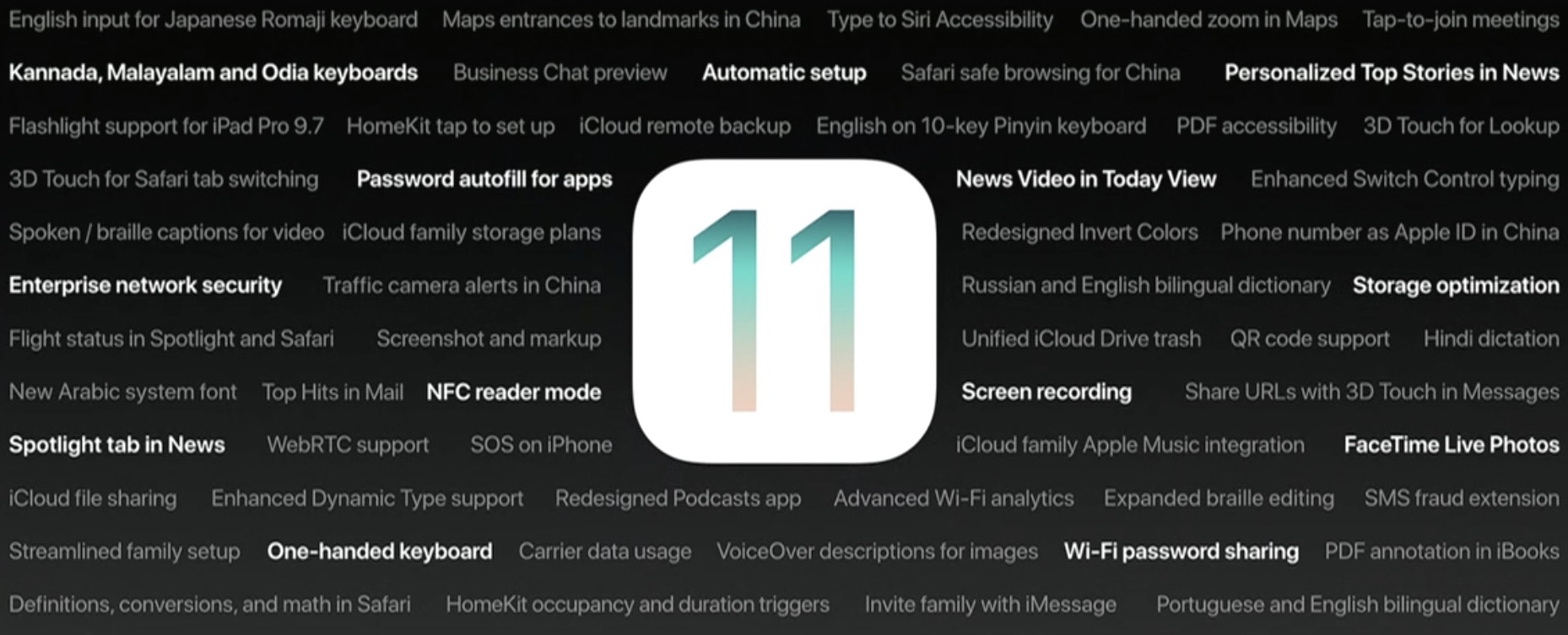
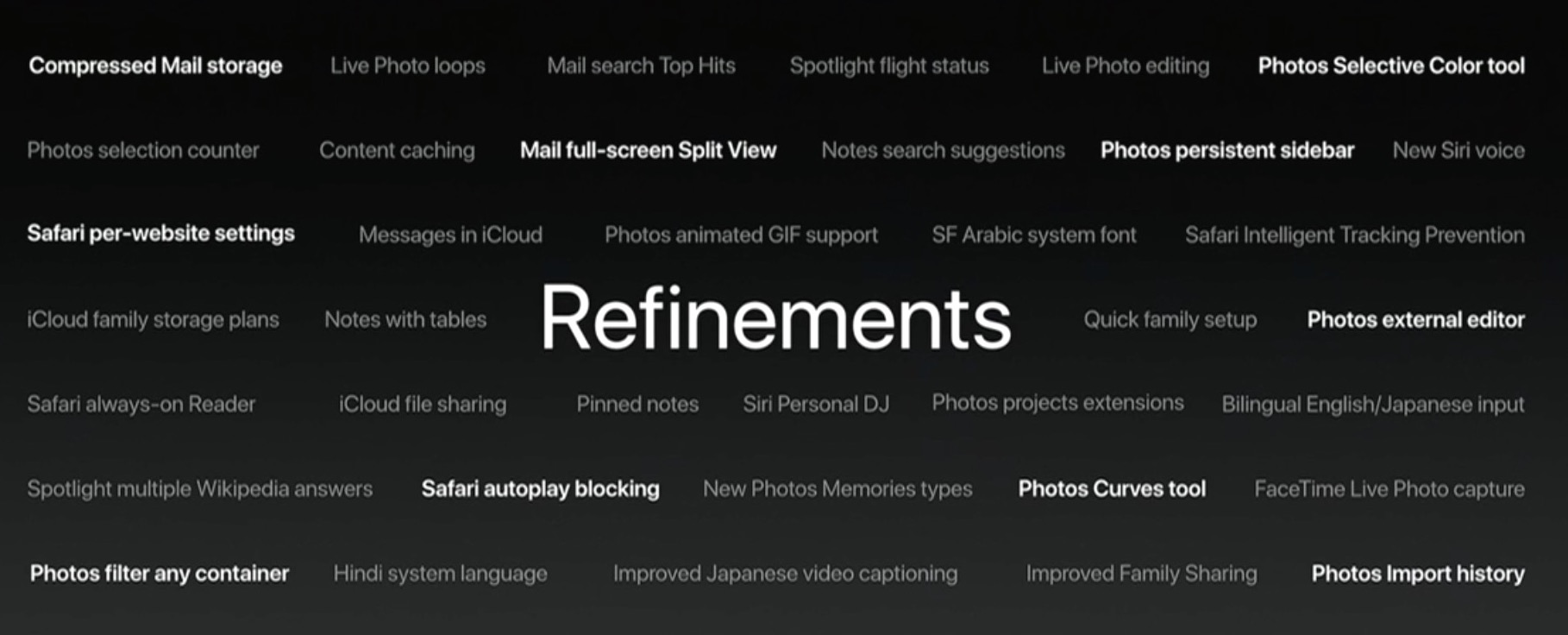
90+ new features shipping with iOS 11 this Fall

Apple spent a lot of time demoing iOS 11 at the WWDC 2017 keynote, but in the interest of time, they were only able to show off some of the top features rather than everything that's new.

In this piece, we'll outline a number of new features that Apple didn't get a chance to show you at the keynote.

iOS can automatically uninstall apps that haven’t been used in a while

iOS 11 included many new features and enhancements, big and small alike.

For example, a revamped storage-management section became available in Settings. Speaking of which, users can appreciate another new feature that allows them to optionally have their device automatically uninstall apps that haven't been used in a while.

If you venture to Settings  → iTunes & App Store, you'll notice a new toggle at the bottom of the screen, labeled Offload Unused Apps. Setting that switch to the ON position shall prompt iOS to delete rarely used apps from your device in order to make more room for your photos, videos, documents and so forth.

iOS uses Siri intelligence to determine your usage of apps.

The feature's description notes that documents and data belonging to uninstalled apps will be kept on your device in case the app is reinstalled. “Reinstalling the app will place back your data, if the app is still available in the App Store,” notes Apple.

This feature is disabled by default.

Rightfully so, if I may add. Had Apple enabled it by default, novice users would've been stunned discovering iOS had deleted their apps for seemingly no apparent reason.

More macOS High Sierra features that slipped under the radar

Although Apple announced a host of new features for its upcoming macOS High Sierra operating system for Mac computers at WWDC 2017 on Monday, they didn’t quite have time to cover everything.

In this piece, we’ll outline a number of new features that are coming in macOS High Sierra that Apple didn’t demonstrate at the keynote.