Microsoft

Microsoft’s latest initiative brings always-on LTE notebooks with embedded SIM technology

Windows maker Microsoft's new “Always Connected PCs” initiative focuses on helping computer manufacturers bring to market LTE-enabled notebooks that incorporate eSIM technology (not to be confused with Apple SIM). The company said at the Computex 2017 show this morning in Taipei that it will partner with PC vendors, carriers and chip makers like Intel and Qualcomm on the new initiative.

Created a year ago by Apple, Samsung and other players, these SIMs are embedded directly into a device and cannot be removed. But perhaps more important than that, eSIMs are universally compatible with all carriers and as such allow customers to sign up for a wireless service right on their device.

First LTE-enabled Windows notebooks featuring eSIM technology (via Qualcomm's Snapdragon 835 chipset) are on the way from ASUS, HP and Lenovo, said Microsoft. These new Intel x86-based devices will feature Windows 10, always-on LTE connectivity and “great battery life”.

Huawei, VAIO and Xiaomi are committed to Always Connected PCs using eSIM technology, too.

“There is a new generation of users that need to be connected to the cloud at all times. They are students, creators, freelancers, small businesses and enterprises,” said the Redmond firm.

“This means sharing experiences across screens and leveraging the latest network technology like gigabit LTE and eSIM.”

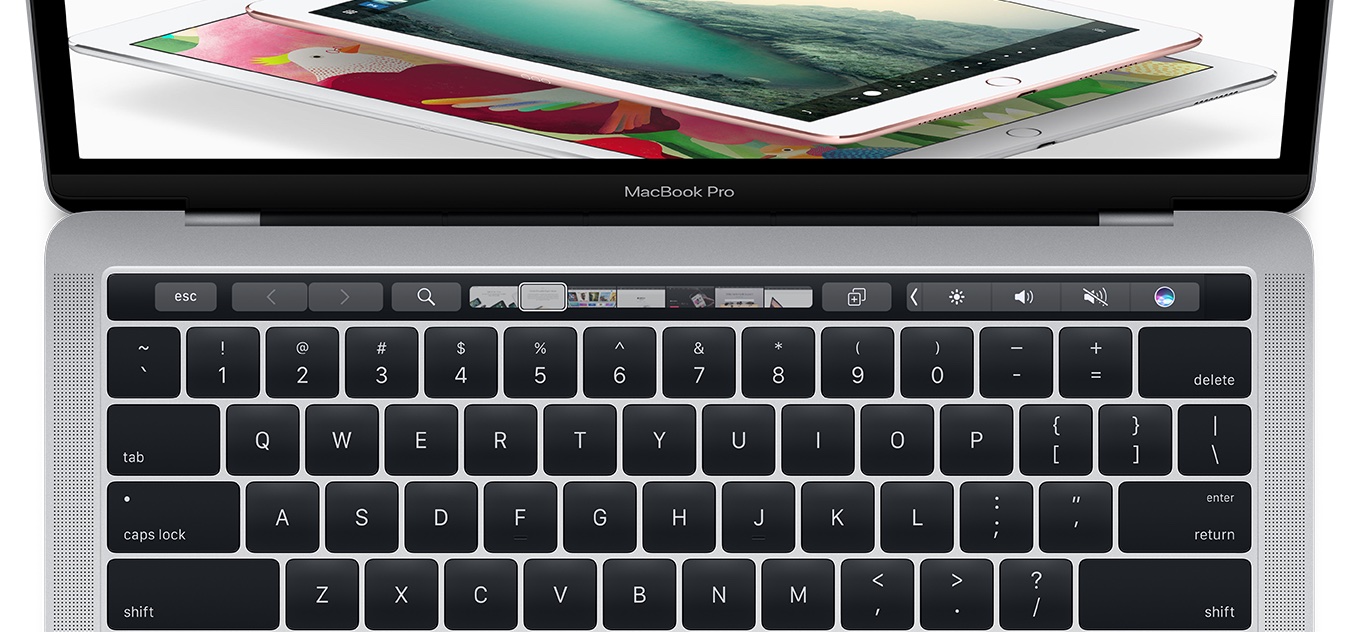
The eSIM standard works virtually anywhere in the world, meaning customers are able to switch carrier instantly, no paperwork or a physical SIM card required whatsoever. Apple owns a patent for an LTE-enabled MacBook with wireless antennas integrated within a hinge mechanism, as depicted on the patent drawing below.

Updated Mac notebooks are expected at WWDC next week, according to Bloomberg.

Ahead of the WWDC keynote, an Apple regulatory filing in Russia has identified five unreleased Mac notebooks, plus a next-generation Magic Keyboard and new iPad Pro models.

It's unclear if these refreshed MacBooks will feature embedded LTE connectivity, but if a next-generation MacBook with an eSIM is lying around somewhere in Jony Ive's basement now would be a good time to bring it to market.
Microsoft unveils fifth-generation Surface Pro

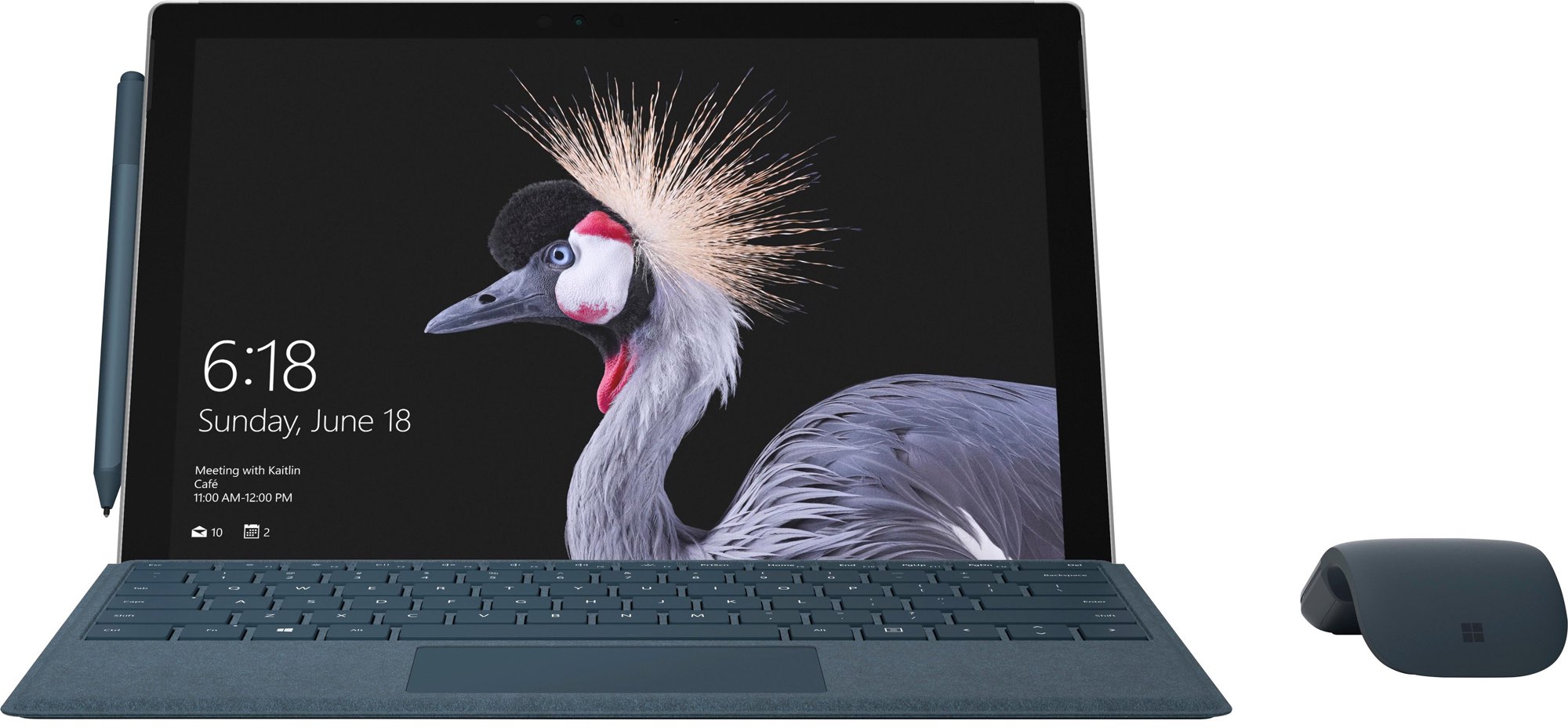
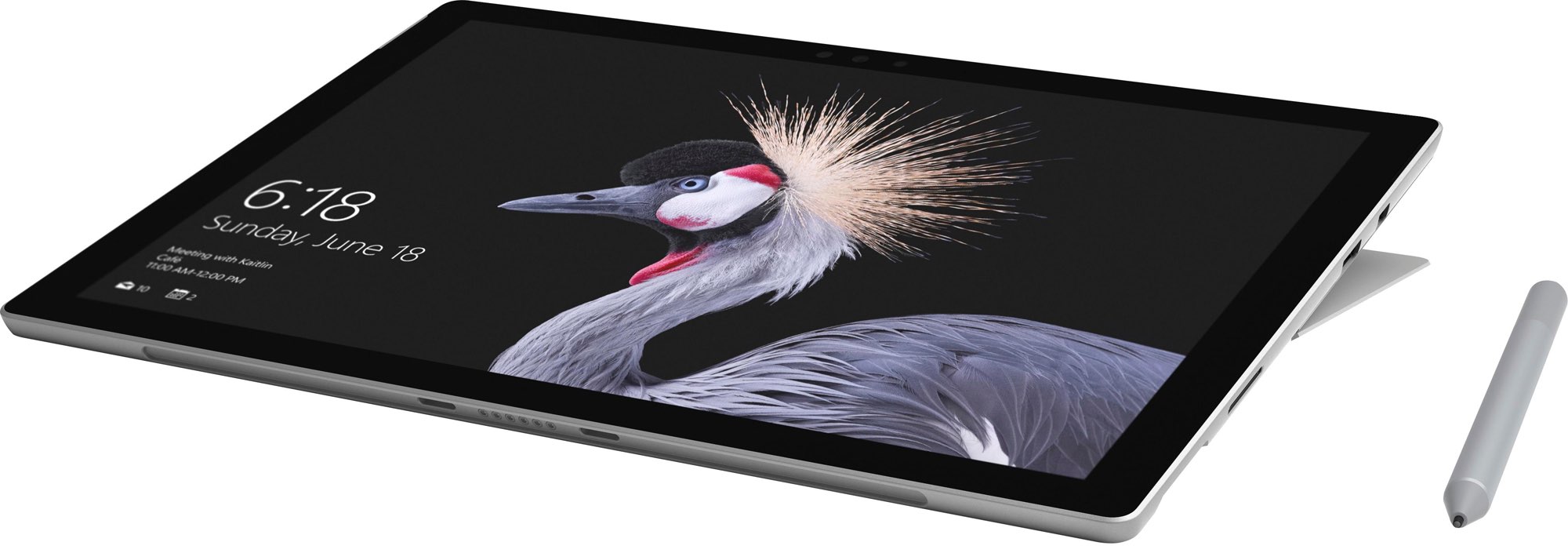
At today's media event held in Shanghai, China, where it promised to “show the world what's next,” software giant Microsoft announced a fifth-generation Surface tablet, now called Surface Pro. The tablet/notebook hybrid device is being launched globally on June 15, starting at $799, the same price its predecessor Surface Pro 4 started at.

Billed as “the most versatile laptop,” the new Surface has 13.5 hours of battery life, Intel's seventh-generation “Kaby Lake” Core processor (the same chip powering Microsoft's $999 Surface Laptop), a new Alcantara keyboard and a next-generation Surface Pen.

As per Microsoft, Surface Pro has up to 50 percent better performance and 50 percent better battery life than it predecessor and 35 percent better battery life than an iPad Pro. Its 12.3-inch PixelSense touch display supports Microsoft's Surface Dial and the new Surface Pen.

“Now better than ever, the new Surface Pro combines uncompromising mobility with exceptional power and performance,” says the Windows giant.

https://www.youtube.com/watch?v=TwWs2jIy4js

The device looks just like on the recently leaked press shots and includes a few new pen and keyboard colors. It sports a single USB Type-A port and Mini DisplayPort, along with a 3.5mm headphone jack and Microsoft's proprietary Surface Connect port, but no USB-C.

The new Surface Pro will be available globally on June 15, starting at $799. Microsoft is offering Type Covers, now known as Signature Type Covers, in four color finishes—Burgundy, Platinum, Graphite Gold and Cobalt Blue—mirroring the colors of its Surface Laptop.

https://www.youtube.com/watch?v=TCTExFYvL1g

The improved Surface Pen stylus features increased pressure sensitivity with up to 4,096 pressure points (from 1,024), tilt that adjusts the thickness and texture of your ink granularly, based on the angle of your pen, for artistic shading and true real-time writing.

“Like putting pen to paper or brush to canvas, the new Surface Pen supports a natural, immersive experience that sets you free to create, learn, and express yourself in completely new ways,” explains Microsoft.

Lastly, the new Surface will be available in an LTE cellular-enabled variant, which will be arriving this fall at a yet-to-be-disclosed price.

For the first time, Microsoft will be selling Surface Pen separately for $99.

Pre-orders for the new Surface Pro and Surface Pro Signature Type Cover begins later today in select markets at Microsoft Store, Microsoft.com, BestBuy.com and JD.com where available.

The new Surface Pen will be available in the coming weeks.

Microsoft refreshes OneNote apps with new design and accessibility features

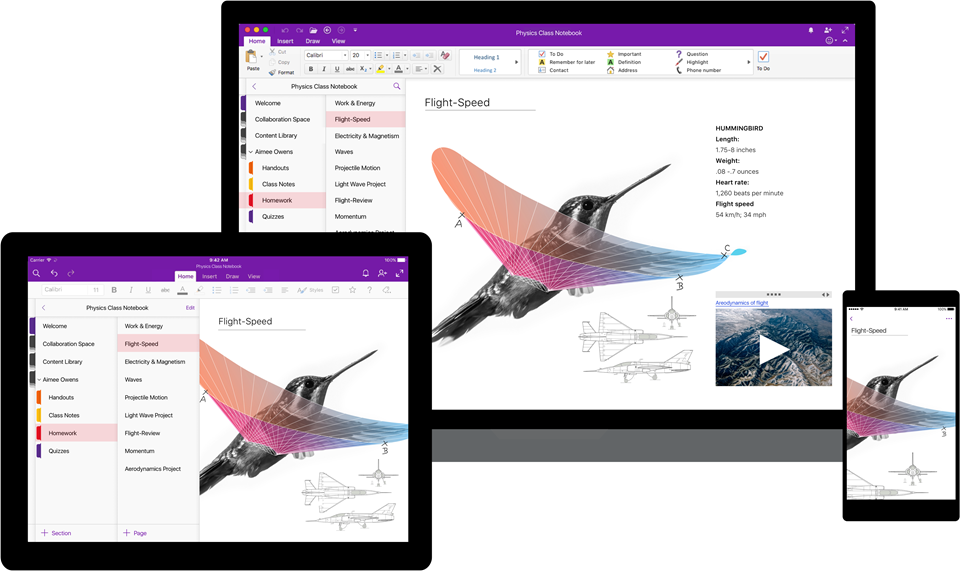
Software maker Microsoft on Friday rolled out new versions of its note-taking apps for iPhone, iPad, Apple Watch, Mac, Android, Windows 10 and the web. OneNote's interface has been tidied up and navigation improved in the latest release.

The app now includes new assistive features to help users with disabilities.


OneNote's revamped interface makes organizing your notes easier than before with an improved layout. You'll notice that the reworked interface puts your content front and center, with all of the notebooks, sections and pages moved to columns on the left side of the app.

This allows for efficient organization of your notebooks.

The company celebrated the redesigned OneNote launch with the following video.

https://www.youtube.com/watch?v=fmGVp76WyIU

The newly implemented accessibility features, available across iOS and macOS, let people with various disabilities efficiently navigate the app with screen readers, improved keyboard shortcuts and other assistive technologies.

And with the left-hand navigation controls, screen readers can easily navigate through the app.

OneNote is now available with a consistent experience across devices: with this update, says Microsoft, your experience will be the same regardless of what device you happen to be using.

The new redesign for OneNote is rolling out for Windows 10, Mac, iOS, Android and on the web over the coming weeks so check back later if it's not live yet.

OneNote for iPhone, iPad and Apple Watch is available free on App Store.

OneNote for Mac is available free on Mac App Store.

Surface Pro 5 images leak ahead of Microsoft’s May 23 event in Shanghai

Yesterday, prolific leakster Evan Blass posted a bunch of purported press shots of Microsoft's unreleased Surface Pro 5 tablet/notebook hybrid. The company's upcoming Windows 10 device should be re-christened as “Surface Pro”.

The software giant is expected to unveil it on Tuesday, according to Blass.

Microsoft said earlier that it would “show the world what’s next” at its event on Tuesday, May 23, in Shanghai. A successor to the company's Surface Book notebook is not expected to debut at the press event, according to a source familiar with Microsoft’s plans.

The Redmond company hasn't updated its flagship Surface Pro 4 for a year and a half.

If the leaked press photographs are anything to go by, the next Surface Pro will feature some new pen and keyboard colors. Presumably, it would run faster chips and feature other refreshed internals. It's interesting that the device shown on the leaked shots does not appear to have a USB-C port.

The recently unveiled Surface Laptop also has no USB-C port.

https://www.youtube.com/watch?v=xdg7P_kTb-c

The current-generation Surface Pro 4 released as a modest update to its predecessor.

Surface Pro 4 includes a stylus and a detachable keyboard. The device is powered by an Intel chip, allowing it to transform from a tablet to a full-on computer capable of running Windows, Office and other real desktop applications.

Microsoft has seen modest success with the Surface lineup.

Across nearly five years, Microsoft has sold only about 14-17 million Surface hybrids in total.

However, Surface revenue has shrunk by $52 million since its quarterly launch peak in 2015. Since its debut, Surface revenues have barely hovered around $1 billion quarterly.

Windows 10 is getting fully customizable Control Center

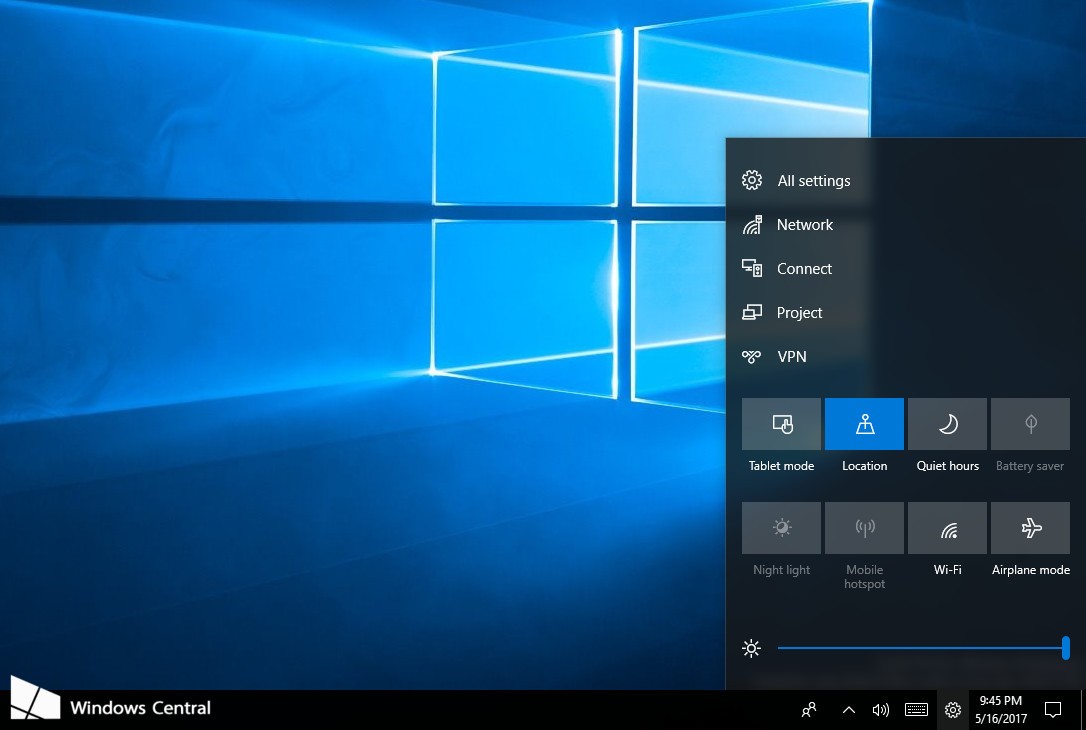
Microsoft accidentally leaked a new Control Center feature understood to be coming to Windows 10 this fall. A screenshot from an internal build of the software (Windows 10 build 16199 for PC) reveals a new settings cog icon in the system tray.

The icon is not present in the latest Insider Preview builds.

Microsoft removed the screenshot from its Windows Blog, but not before Windows Central was able to grab a copy of it. Clicking the settings cog icon pulls up an overlay, called Control Center, that houses all of the Quick Actions available in Windows' Action Center today.

You can quickly enable or disable Wi-Fi, activate battery saver mode and more. A few additional toggles, such as a brightness slider, are present as well. Plus, Control Center houses useful shortcuts to full settings menus for things like networking, Control Panel and more.

Here's an excerpt from the Windows Central article:

Sources say that moving Quick Actions to Control Center means they will no longer be present in Notification Center, as having them in both locations would be confusing. It appears Microsoft will be turning Action Center into a pure notification center with the Fall Creators Update, moving out all the Quick Action stuff into Control Center instead.

Unlike Control Center in iOS, its Windows counterpart is fully customizable.

You can change what shows up there and even reorganize some of the settings to your liking, unlike Apple's implementation which doesn't let iPhone or iPad owners add or remove toggles in Control Center or customize existing ones to their liking (unless they jailbreak).

https://www.youtube.com/watch?v=HZkC43771r4

Subscribe to iDownloadBlog on YouTube

One interesting change that iOS 10 brought to Control Center is the ability to access Quick Actions on devices with 3D Touch by pressing the Flashlight, Clock, Timer or Camera icon at the bottom of the Control Center interface.

Control Center, along with other improvements, should be part of Windows 10’s Fall Creators Update. Apple will be previewing its own OS updates next month and it'll be interesting seeing if the Cupertino company is planning on porting iOS's Control Center feature to macOS.

macOS 10.12.5 fixes issues with USB headphones & Windows 10, lays the groundwork for future macOS releases

Apple today released the mostly maintenance macOS Sierra 10.12.5 software update alongside updates to iOS, watchOS and tvOS. According to release notes accompanying the download, 10.12.5 fixes issues with USB headphones and Windows 10 installations while laying the groundwork for future macOS releases.

Plus, this version of macOS “enhances compatibility of Mac App Store with future software updates.” Apple is expected to preview the next major version of macOS at its annual developers conference next month.

macOS Sierra 10.12.5 can be installed via the Mac App Store's Updates tab.

Read Apple's support doc for detailed information about the update's security content.

Safari 10.1.1, which comes included in the 10.12.5 update, patches for more than half a dozen WebKit-related vulnerabilities while fixing yet another instance of address bar spoofing that could fool users into believing they're visiting a genuine rather than a maliciously crafted webpage designed for phishing attacks.

It's available for OS X Yosemite 10.10.5, OS X El Capitan 10.11.6 and macOS Sierra 10.12.5.

A minor update to iTunes for Mac and Windows was also pushed today.

iTunes 12.6.1 comes with unspecified app and performance improvements along with a fix for a WebKit exploit on Windows 7 and later which could result in arbitrary code execution after processing maliciously crafted web content.

iTunes is coming to Windows Store later this year

Windows maker Microsoft announced today at its Build conference for developers that Apple is working on bringing iTunes to Windows Store with full support for Apple Music and iOS device syncing. TechCrunch reports that users will essentially enjoy the same iTunes experience from Windows Store that the existing iTunes for Windows download currently offers.

While Microsoft didn’t show any screenshots of what this experience might look like, Apple may be required to tweak iTunes’ look and feel to match Microsoft’s new Fluent Design system.

The development is especially important in light of Windows 10 S, a slimmed down version of Windows 10 for inexpensive Chromebook-like computers aimed at education, because Windows 10 S customers can only install officially sanctioned apps from Windows Store.

As a result of the restrictions, many popular apps such as Apple iTunes, Google Chrome, Mozilla Firefox and Spotify are currently unavailable on Windows 10 S systems. According to The Verge, iTunes is one of the apps Windows users search for most often on the store.

Unless iTunes is available on Windows Store, people in the market for a Surface Laptop, for example, won't be a be able to synchronize their iOS devices with their Windows 10 S-powered PC unless they upgrade to Windows 10 Pro to remove all restrictions.

Windows 10 is now on half a billion devices and Office 365 recently passed its hundred-millionth monthly user, Microsoft revealed at the Build conference.

Microsoft launches Visual Studio for Mac

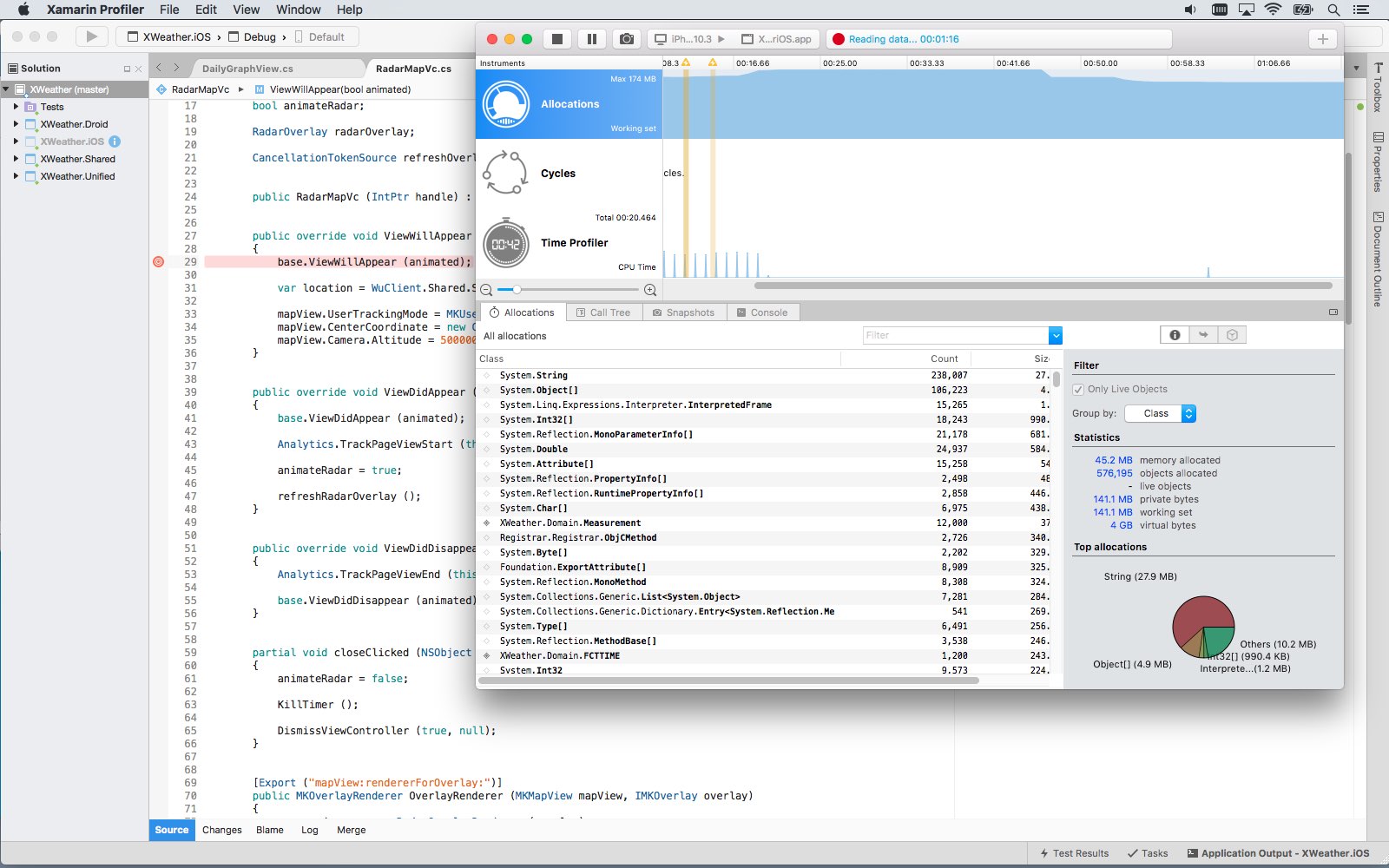
Software giant Microsoft today released Visual Studio for Mac, its integrated development environment that contains all the tools you need to develop apps and games for the macOS, iOS, tvOS, watchOS, web, cloud and Android platforms. Previously, Mac owners who wanted to use Microsoft's development tools needed a Windows computer or a virtual machine.

Available at no charge via visualstudio.com, Visual Studio for Mac lets you code, debug and diagnose your apps, use version control, collaborate efficiently with other programmers and much more. The Windows maker released a preview of Visual Studio for Mac last November.

“Developers get a great IDE and a single environment to not only work on end-to-end solutions—from mobile and web apps to games—but also to integrate with and deploy to Azure,” said Scott Guthrie, executive vice president of the Microsoft Cloud and Enterprise group.

“Whether you use C#, F#, .NET Core, ASP.NET Core, Xamarin or Unity, you’ll get a best-in-class development environment, natively designed for the Mac.”

As a new member of the Visual Studio family, the integrated development environment allows developers on macOS to build apps for mobile, web, and cloud with Xamarin and .NET Core, as well as games with Unity.

Key highlights include:

Designed natively for Mac—Visual Studio for Mac brings the developer productivity you love to macOS. The experience has been meticulously crafted to optimize the developer workflow for Mac. Collaborate efficiently—Manage your code in Git repos, hosted by any provider, including GitHub and Visual Studio Team Services. Share projects seamlessly with developers using Visual Studio across Windows and Mac. Deliver quality mobile apps—With Xamarin’s advanced debugging, profiling tools, unit tests, and UI test generation features, it’s faster and easier than ever for you to build, connect, and tune native mobile apps for Android, iOS, and macOS. Launch modern web apps—With support for ASP.NET Core in Visual Studio for Mac, you are empowered to create beautiful, modern web applications. Craft the front-end with the same web editor experience you know and love from Visual Studio and Windows and publish to the cloud directly from the IDE. Create intelligent services—Visual Studio for Mac enables the creation of .NET Core solutions, providing the back-end services to your client solutions. Code, debug, and test these cloud services simultaneously with your client solutions for increased productivity. Build cross-platform games—Using Unity and Visual Studio for Mac, you can create awesome games that run on any platform. Use the powerful coding, refactoring, and debugging features in Visual Studio for Mac to enhance your productivity.

System requirements are available in a support document on the Visual Studio website.

Microsoft says the software contains support for Voice Over. Many parts of the user interface, including the editor and solution explorer, have been made accessible through Apple's assistive technologies.

The software released ahead of Microsoft’s Build 2017 developer conference, which kicks off later this week. In 2105, the company launched Visual Studio Code, its free of charge cross-platform code editor for developers.

Microsoft and Harman Kardon unveil Invoke smart speaker with Cortana, coming this fall

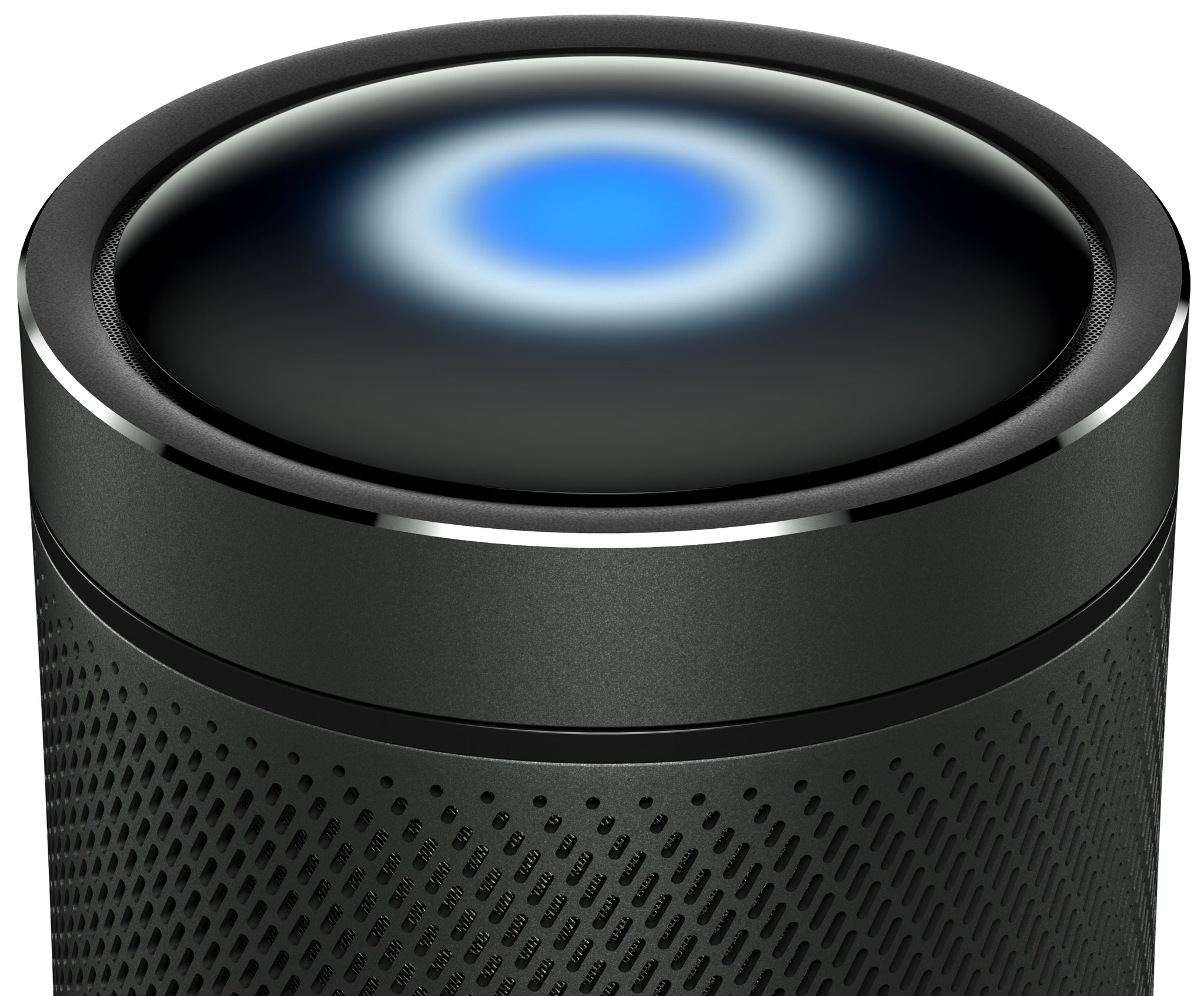
Battle of the smart speakers is intensifying as Microsoft and Harman Kardon announced today a new connected speaker with the Cortana personal assistant built-in and other artificial intelligence features.

Dubbed Invoke, the smart home accessory features premium 360 sound powered by Harman Kardon technology, a “touch to surprise” user interface panel at the top with interactive Cortana lighting and built-in controls, easy setup via Windows 10 or the dedicated Cortana app for iPhone and Android and more.

The metal housing packs in three tweeters, three woofers and and two passive radiators.

With Invoke, Microsoft fans will be able to ask Cortana questions and tell her to play music, as well as check calendar appointments, set reminders, check traffic, get weather, the latest sports scores and news headlines, and much more.

Invoke can be used to control home devices like lights and thermostats using voice. Microsoft says home automation features work with select providers only.

“We are excited to partner with Harman Kardon to create a speaker that combines premium audio and stylish design with the intelligence of Cortana.” said Jordi Ribas, CVP, AI Products at Microsoft. “This is our next step in bringing Cortana to even more devices to help users be more productive wherever they are.”

You'll recall that Samsung acquired Harman International last November.

Microsoft first teased the device in December 2016.

https://www.youtube.com/watch?v=bikRuaJAv5g

One thing that will set Ivoke apart from rivals is integrated hands-free calling to cell phones, landlines and other Skype-enabled devices through Microsoft's Skype app. Not unlike the Echo range of smart speakers from Amazon, Microsoft's device features seven microphones and far-field technology allowing it to pick up voices from across a noisy room.

Far-field audio technology is based on Harman's beam forming, echo cancellation and noise reduction algorithms to ensure Cortana can hear you, “even in challenging environments.”

The key features on Invoke include:

Premium sound—Harman Kardon high-quality sound featuring 3 woofers and 3 tweeters give full range, true 360-degree sound. The 2 passive radiators are tuned to give a solid bass performance from a small enclosure. Cortana—Cortana is your truly personal digital assistant designed to help you be more productive. Cortana can set reminders, make lists, manage calendars, provide answers to questions, and much more. Cortana also works across devices, including PC and mobile, so she’s there whenever you need help. Skype calling—Make and receive hands-free calls to cell phones, landlines, and any Skype-enabled device. Smart home control—Control your smart home devices including lights and thermostat and more. Sonique far-field voice technology—Featuring 7 microphones embedded into the speaker, using Harman’s beam forming, echo cancellation, and noise reduction algorithms to ensure Cortana can hear you, even in challenging environments.

Invoke is scheduled to arrive this fall via select retailers and Microsoft Stores. At launch, the gadget will be offered to customers in the United States, potentially rolling out globally at a later stage. Pricing has yet to be set.

Invoke will be available in Graphite (Black) or Pearl Silver (White).

For additional information, visit harmankardon.com/invoke.

https://www.youtube.com/watch?v=_JX-RawsYlw

Subscribe to iDownloadBlog on YouTube

Apple is thought to have finalized design of its smart speaker that could debut at WWDC.

The device is said to integrate Siri and AirPlay features in a cylindrical form factor akin to Mac Pro sporting a concave top with built-in controls and a speaker mesh portion covering it all.

It will reportedly run a version of iOS and include Beats audio technology with “excellent acoustic performance” powered by seven tweeters, one woofer and possibly the company's W1 wireless chip which debuted in AirPods.

Microsoft’s new mouse has bendable tail

Microsoft's hardware division has been building some of the nicest mice and keyboards for years now. At today's education-focused event in New York City, the Windows maker briefly showed off a new Surface Arc Mouse.

Positioned as the perfect travel companion to the company's new touchscreen Surface Laptop, the wireless mouse was designed with a bendable tail and other features such as a touch-sensitive surface akin to Apple's Magic Mouse.

The Bluetooth device snaps into the curved position to power up. When you're done using it, simply snap again to flatten and power it down.

At just 2.91 ounces, or about 83 grams, Surface Arc Mouse is pretty light, too.

And here it is in action.

https://www.youtube.com/watch?v=kkwSh2q-1yE

Other features include a touch-sensitive plane for simultaneous vertical and horizontal scrolling, Bluetooth 4.0, the curvature that conforms to your hand, up to nine months of battery life via the two included AAA alkaline batteries, left and right buttons and more.

The Bluetooth device boasts high imaging rate that adapts dynamically to a whopping 1,200 frames per second, ensuring smooth performance with up to a thousand points per inch and tracking speed of up to 30 inches (approximately 762 millimeters) per second.

Surface Arc Mouse is available for pre-order via Microsoft Store for $79.99 in three distinct color finishes: Burgundy, Light Gray and Cobalt Blue.

It's scheduled to start shipping this summer on June 15.

New features announced for Minecraft: Education Edition

As part of Microsoft’s event held earlier today, developer Mojang announced that Minecraft: Education Edition is getting new features. The educational version of the popular open-world game designed specifically for classroom use will be gaining a Code Builder feature, Command Blocks and other enhancements via an upcoming update due later this Spring.

Code Builder

With Code Builder, educators and students can explore, create and play in the Minecraft world, all by writing code. Students can connect to popular learn-to-code platforms: ScratchX, Tynker, Code.org and a brand new open source platform, called Microsoft MakeCode.

Check out Code Builder in the video presentation embedded below.

https://www.youtube.com/watch?v=3rKuSlgqePo

Players start with the familiar Minecraft tools, templates and tutorials, with additional resources at their disposal allowing them to easily engage with computer science concepts as they design and create.

Command Blocks and Classroom Mode

Command Blocks, a new feature, will be part of the upcoming Minecraft: Education Edition version 1.0.1 due later this Spring. That update will also bring out a few other perks, including additional languages, villager trading, adventure mode, concrete/terracotta blocks and llamas.

Lastly, Classroom Mode for Minecraft: Education Edition has been updated with additional toggles to support teaching and learning. The update gives educators additional toggles to manage chat and blocks that cause damage like lava and TNT, weather and mobs.

Availability

Microsoft says classrooms in more than a hundred countries have used the educational edition of Minecraft, with its professional learning community having created 30,000 profiles and hundreds of educator-created lesson plans.

Download Minecraft: Education Edition for Mac/Windows via education.minecraft.net, where you can also join an open beta of Code Builder if you'd like.

The software maker said that a one-year subscription to Minecraft: Education Edition is now included with qualifying purchases of Windows 10 computers and tablets.

The regular edition of Minecraft is gaining a Marketplace feature, basically an in-game store where players can buy Minecraft customizations made by independent developers.

Marketplace is coming via the version 1.1 Discovery Update.

Microsoft unveils touchscreen Surface Laptop, its $999 MacBook rival

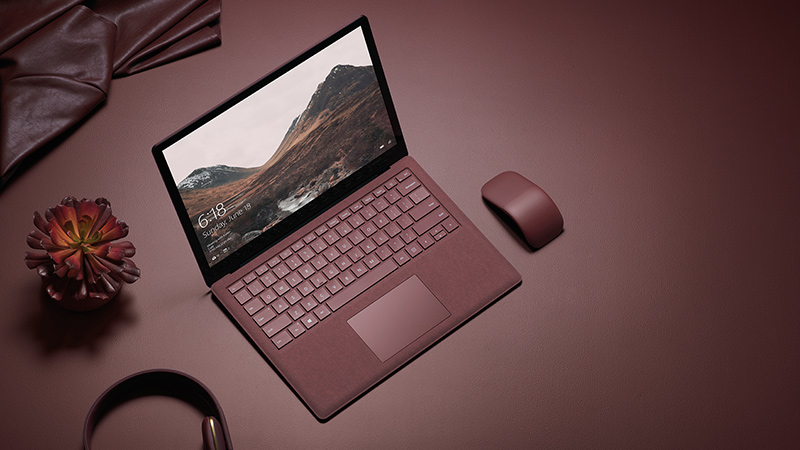
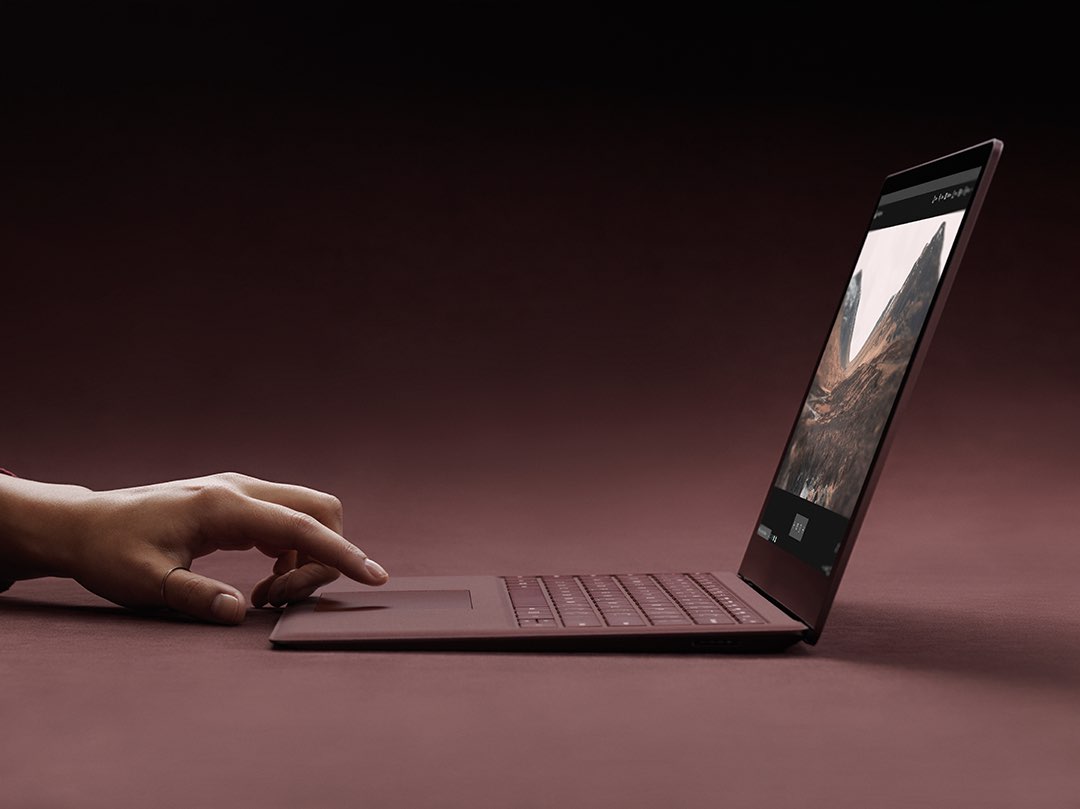
At its educational event held this morning in New York City, Microsoft unveiled Surface Laptop, its $999 MacBook rival available for preorder beginning today ahead of its planned release this summer.

The device runs the new Windows 10 S operating system, the company's answer to Google’s Chrome OS, and features a clamshell body weighing at 2.76 pounds and measuring 14.47mm at its thickest point and tapering down to 9.9mm at its thinnest point at the front.

Taking on MacBooks

Surface Laptop runs either Intel’s seventh-generation i5 or i7 processor and sports vapor chambers integrated into the anodized aluminum finish on the rear to help keep it cool.

It's got a 13.5-inch PixelSense LCD touchscreen with a 3:2 aspect ratio featuring 3.4 million pixels (withCorning’s Gorilla Glass 3 for protection) and supporting the Surface Pen stylus. “This is the thinnest LDC touch model every created and put into a laptop,” says Microsoft's Panos Panay, who took to the stage to unveil the new products today.

Say hello to Surface Laptop

Watch a reveal trailer for Surface Laptop below.

https://www.youtube.com/watch?v=74kPEJWpCD4

The laptop is outfitted with a 14.5-hour battery.

That’s “up to four more hours of battery power than a 13-inch MacBook Pro” and “more battery life than any MacBook Air on the market today,” says the Windows maker in another comparison between its new notebook and Apple's MacBook line. The Windows maker claims you can watch as many as fourteen episodes of your favorite TV show in one sitting, without ever plugging in.

The device's keyboard has a 1.5mm travel, with the backlit keys made from the same material used for premium Surface Pro covers, called Alcantara fabric. The speakers are integrated underneath the keyboard, but there are no speaker grills or holes.

In terms of connections, Surface Laptop comes outfitted with a regular USB port, mini DisplayPort and the conventional Surface power connector, but no USB-C.

Windows 10 S or Windows 10 Pro?

Because it runs Windows 10 S, Surface Laptop can only run apps offered on Windows Store.

Google Chrome is not found on Windows Store and Spotify’s app with support for Surface Dial will be coming to the store early this summer. If you want to run apps not found on Windows Store, you can optionally upgrade to Windows 10 Pro for a one-time $49 fee.

Because Windows 10 Pro is the full version of Microsoft’s operating system, upgrading may result in reduced battery life and performance, cautions the Windows maker.

If you need to use an app that isn’t in the Windows Store, in just a few clicks can go to the Windows Store and switch to Windows 10 Pro. But you shouldn’t. This device, this OS, they’re made for each other, and together they offer so much. It’s everything you love about Windows, Office, and Surface, made pure and elegant in an unbelievably thin and light package.

Microsoft now has three families of Surface devices in its lineup: the Surface Pro 4 notebook/laptop hybrid, the all-in-one Surface Studio and the new Surface Laptop.

https://www.youtube.com/watch?v=8HCVUCqZoHI

Availability and pricing

Surface Laptop is available for pre-order via Microsoft Store starting today.

The entry-level $999 model uses Intel’s seventh-generation Core i5 processor with Intel HD Graphics 620, four gigabytes of RAM and 128 gigabytes of flash storage. The $1,299 model uses 256 gigabytes of flash storage and eight gigabytes of RAM.

The more powerful $1,599 model comes outfitted with Intel’s seventh-generation Core i7 processor with Intel Iris Plus Graphics 640, eight gigabytes of RAM and 256 gigabytes of flash storage. The flagship $2,199 model upgrades your storage and RAM to 512 and sixteen gigabytes, respectively.

Surface Laptop comes in four colors: Platinum, Burgundy, Cobalt Blue and Graphite Gold.

The notebook will start shipping this summer on June 15. For a limited time, Surface Laptop comes with an offer for one-year subscription to Office 365 Personal and one terabyte of free storage on OneDrive, giving you full access to Microsoft Word, Excel, PowerPoint and OneNote.