Mac

Stay up-to-date on the latest Mac news, and tutorials. Get expert tips and tricks to optimize your Mac’s performance and learn about the latest Apple products and software updates. Discover the best Mac apps and accessories to enhance your user experience.

Pagico 8.7 helps you make better plans and actually stick to them [sponsored]

If you haven't heard about Pagico before, it's a productivity app that allows individuals and team members to easily manage all their tasks, files and notes across iPhone, iPad, Mac, Windows, Ubuntu and Android devices.

With Pagico, you can organize everything related to your projects in one place, stay informed with handy flowcharts, access data anywhere, manage your day, visualize workloads, cross-link everything, organize stuff into collections, collaborate and much more.

Now bumped to version 8.7, the app sports some interesting new features designed to help you be more productive and stay on track with support for sub-containers, enhanced container duplication features, smart filters, teammate filters, improved email handling and printing, plus a lot more.

Developer MacPaw launches in-office exhibit of vintage Macs in Ukraine

Ukrainian developer MacPaw has put vintage Apple hardware on display at the company's office in Kyiv “to inspire techies and kids.” The 40-piece Apple hardware museum was formerly hosted in the very heart of New York City by Tekserve, a long-running Apple service shop.

In June 2016, Tekserve announced it was closing its Manhattan store after 29 years of service. “We love our customers, and we love what we do,” Tekserve CEO Jerry Gepner said when the closure was announced. “But there comes a point where that doesn't make sense anymore, as much as we love it.”

Their wonderful collection of vintage Mac hardware was auctioned off in August 2016. Developer MacPaw purchased the entire collection of 39 Mac computers for a cool $47,000 and gave it a permanent new home at its Ukrainian headquarters.

“We think there’s hardly a better place for historical Apple computers than our futuristic Apple-inspired office,” said MacPaw.

Check out the video tour of the museum, embedded below.

https://www.youtube.com/watch?v=W7BNPZdt1qU

The collection includes original Mac models dated from 1981 to 2017.

Here are some of the items on display:

128K Macintosh signed by Steve Wozniak NeXT Cube 20th Anniversary Mac Original iMac 1994 iBook PowerMac G4 Powerbook G4 Aluminum iBook Twelve-inch Powerbook eMac iMac G5 Powerbook G3 All iPhone models

There are a few non-Mac items, too, such as the “Iconic” book (an illustrated edition of Apple Design History), Apple's “Think different” poster collection, the official book “Designed by Apple in California”, plus a couple of WWDC relics.

According to MacPaw:

As the Tekserve shop grew and became a landmark Apple dealer, the team found themselves surrounded by beautiful Macs of all kinds. In twenty years they decided to turn the best of them, groundbreaking models, as they put it, into a museum-like exhibition. And later, when the shop was shutting down, an Apple Lisa, an alien Nextstation Turbo machine, and the rest of the grand collection had to find a new home on an auction.

The prospects looked pretty grim, because a collection like that had a high chance of ending up in some millionaire’s basement. Luckily, MacPaw’s CEO Olexandr Kosovan heard about the auction and made an instant decision. He secretly bought all of the iconic Macintosh computers before the collection was taken apart and sold piece by piece.

The museum currently has 70 items, including the 40 items from the Tekserve collection and the first Apple Keeynoard with the help of which the code of CleanMyMac Classic was written by Kosovan himself when he was starting MacPaw back in 2008.

Oleksandr Kosovan, MacPaw CEO and Founder said:

Apple changed my life in many ways. Driven by Steve’s vision for better and simpler products I was able to implement these ideas in our products development. I cannot say thank Apple enough other than paying this great tribute to the history of iconic Apple products.

Developers are planning on adding the few missing models to complete the collection (they welcome classic computer and hardware donations).

As an in-office exhibit, this museum is not open to the general public.

MacPaw are the developers of proven and successful macOS apps, including CleanMyMac, Gemini and the Setapp service billed as “the Netflix of Mac apps.”

Additional photos are available at the MacPaw website.

Microsoft launches Visual Studio for Mac

Software giant Microsoft today released Visual Studio for Mac, its integrated development environment that contains all the tools you need to develop apps and games for the macOS, iOS, tvOS, watchOS, web, cloud and Android platforms. Previously, Mac owners who wanted to use Microsoft's development tools needed a Windows computer or a virtual machine.

Available at no charge via visualstudio.com, Visual Studio for Mac lets you code, debug and diagnose your apps, use version control, collaborate efficiently with other programmers and much more. The Windows maker released a preview of Visual Studio for Mac last November.

“Developers get a great IDE and a single environment to not only work on end-to-end solutions—from mobile and web apps to games—but also to integrate with and deploy to Azure,” said Scott Guthrie, executive vice president of the Microsoft Cloud and Enterprise group.

“Whether you use C#, F#, .NET Core, ASP.NET Core, Xamarin or Unity, you’ll get a best-in-class development environment, natively designed for the Mac.”

As a new member of the Visual Studio family, the integrated development environment allows developers on macOS to build apps for mobile, web, and cloud with Xamarin and .NET Core, as well as games with Unity.

Key highlights include:

Designed natively for Mac—Visual Studio for Mac brings the developer productivity you love to macOS. The experience has been meticulously crafted to optimize the developer workflow for Mac. Collaborate efficiently—Manage your code in Git repos, hosted by any provider, including GitHub and Visual Studio Team Services. Share projects seamlessly with developers using Visual Studio across Windows and Mac. Deliver quality mobile apps—With Xamarin’s advanced debugging, profiling tools, unit tests, and UI test generation features, it’s faster and easier than ever for you to build, connect, and tune native mobile apps for Android, iOS, and macOS. Launch modern web apps—With support for ASP.NET Core in Visual Studio for Mac, you are empowered to create beautiful, modern web applications. Craft the front-end with the same web editor experience you know and love from Visual Studio and Windows and publish to the cloud directly from the IDE. Create intelligent services—Visual Studio for Mac enables the creation of .NET Core solutions, providing the back-end services to your client solutions. Code, debug, and test these cloud services simultaneously with your client solutions for increased productivity. Build cross-platform games—Using Unity and Visual Studio for Mac, you can create awesome games that run on any platform. Use the powerful coding, refactoring, and debugging features in Visual Studio for Mac to enhance your productivity.

System requirements are available in a support document on the Visual Studio website.

Microsoft says the software contains support for Voice Over. Many parts of the user interface, including the editor and solution explorer, have been made accessible through Apple's assistive technologies.

The software released ahead of Microsoft’s Build 2017 developer conference, which kicks off later this week. In 2105, the company launched Visual Studio Code, its free of charge cross-platform code editor for developers.

PDF Expert 6 for iOS is out with revamped look, enhanced search, new editing tools & more

Readdle, a prolific Ukrainian developer of fine productivity software for iOS and macOS, today pushed a major new version of its fast, robust and beautiful PDF editor, called PDF Expert.

Aside from an overhauled interface which allows you to navigate your documents in a most effective way, PDF Expert 6.0 for iPhone and iPad includes a brand new experience when adding and managing files and built-in editing tools for those times when you're required to edit that contract, update presentation slides or change the invoice logo while on the go.

PDF Expert for iPhone and iPad

“You make fewer taps in order to edit, zip, tag, move or sync files,” developers noted, adding that “bigger file preview thumbnails give you a better idea of the content of that Excel spreadsheet or PowerPoint presentation.”

Aside from the usual features, PDF Expert 6.0 now allows users to edit and modify text and images in their PDFs, as well as add links, redact information and more.

But first, watch the promotional video below.

https://www.youtube.com/watch?v=_Jrg8txgDVo

The new editing tools in the iOS app let you:

Edit and modify PDF text Add and replace images Add links to text and pictures Hide sensitive information using Redact feature

For those who work in the cloud, the app now allows you to edit, annotate or sign documents in your Dropbox or any other supported cloud storage service without needing to download the document locally—all your edits are now saved directly in the cloud version of the document.

With PDF Expert 6.0, PDF documents that contains sensitive data can be finally protected with a password. Lastly, the iOS app now lets you edit outlines to help structure data in huge documents and provides an enhanced search feature with the ability to search for a word or a document across multiple documents and file types.

PDF Expert for Mac

The Mac app was refreshed with enhanced navigation, faster search and other updates back in March 2017, here are your key highlights. To make the editing process even easier, the Mac app automatically detects the font, size and opacity of the original text.

This is very useful because no longer do you have to adjust the formatting after every single edit. “Now, you can edit PDF text and images, add links, work directly from the cloud without downloading files and much more,” Readdle noted.

The improved search is smarter and quicker than before. Perhaps more important than that, you can save all relevant discoveries into your search history to easily find them in the future.

Lastly, you'll notice the all-new toolbar layout with several page layout templates and the ability to customize your reading experience in macOS's Split View multitasking mode. Whether you’re comparing contracts or reading an article, you can now bring up the new rendering options to choose the most convenient layout to quickly accomplish your task.

The new editing tools in PDF Expert 6.0 for iOS require a one-time $9.99 In-App Purchase. All the other new features are free for existing users of the iPhone and iPad app.

New users can grab PDF Expert for iOS on App Store in exchange for $9.99.

PDF Expert for macOS is available for $60 via Mac App Store.

A free trial is available via the official PDF Expert website.

How to open your iTunes playlists in separate windows

In older versions of iTunes, you could easily open a playlist in a separate window. It was both a great time-saver and a boon to your productivity, especially on large screens.

For reasons unknown, Apple has removed that functionality from the iTunes 12 update which was overhauled around a single-window workflow.

Thankfully, the company has reinstated the ability to open playlists in new windows with iTunes 12.6. Here's how to open your playlists in their separate windows using iTunes for Mac.

How to open your playlist in a new iTunes window

1) Launch iTunes on your Mac.

2) Choose Music from the menu near the upper-left corner, then click the Library tab.

3) In the lefthand column, right-click or Control (⌃)-click your playlist underneath the All Playlists heading, then select the option Open In New Window from the popup menu.

This will open a new iTunes window containing the selected playlist, as shown top of post.

You can drag songs at will between the playlist windows and open as many playlists in separate windows as you like. I don't have that many playlists created in iTunes so I was able to open “only” four playlist windows, but it worked like a charm.

How to open an Apple Music playlist in a new window

Playlists on Apple Music cannot be opened in their separate windows unless they're in your iTunes library. To do so, follow the steps below:

1) Launch iTunes on your Mac.

2) Choose Music from the popup menu near the upper-left corner of the window, then click either the Library or the For You tab.

3) Find a playlist on Apple Music and click the three dots in the lower-right corner of playlist graphics to bring up the contextual menu, then choose the option Add to Library.

4) With the selected Apple Music playlist now in your iTunes library, switch to the Library tab, right-click it underneath the Apple Music Playlists heading in the lefthand column, then select the Open in New Window command.

Just like that, the selected Apple Music playlist from your library opens in a new window.

iTunes playlists windows and Split View

Sadly, playlists windows in iTunes don't support macOS's useful Split View feature.

If iTunes supported Split View properly, it could have been a great multitasking feature. In other words, you cannot browse your iTunes library in the main window and have your favorite playlist in its separate window in macOS's Split View mode.

And that's it, boys and girls!

Pass along this article to other Mac users you support and don’t forget we accept your submissions regarding future coverage ideas via tips@iDownloadBlog.com.
If you have any questions, please post a comment below.

Apple clarifies only in-app commissions have dropped to 2.5 percent

Apple has clarified in an email communique by its iTunes Affiliate Support team that the recently reduced affiliate rates which went into effect May 1 only apply to in-app content, not to apps linked on websites and other outlets.

The company announced a policy change last month, saying commission rates for apps and in-app content would drop from seven to just 2.5 percent. The firm now clarifies that the change applies only to affiliate links used inside apps, not the ones on websites like iDB.

“Please note that only in-app commissions have changed,” reads the message from iTunes Affiliate Support. Here are the correct new app commission levels, according to Apple itself:

iOS apps commissions: 7 percent In-app iOS commissions: 2.5 percent Mac apps commissions: 7 percent In-app macOS commissions: 2.5 percent

Several website owners and bloggers linking to App Store and Mac App Store apps have reported that the seven percent commission for apps has in fact remained unchanged.

MacGamerHQ provides the following screenshots of Apple's email to iTunes Affiliate members.

Apple originally said about two weeks ago that beginning May 1, 2017 commissions for all apps and in-app content would get slashed from seven percent to just 2.5 percent globally. The poor wording of the message has been blamed for the misunderstanding.

“We will also continue to pay affiliate commissions on Apple Music memberships so there are many ways to earn commissions with the program,” Apple said two weeks ago.

Aside from slashing commissions for in-app content, items like music, movies, books and TV subscriptions remain subjected to the seven percent commission rate across all markets.

iTunes Affiliate Program lets website owners and developers claim a small percentage of the proceeds from linked apps and content.

The company's Affiliate Resources webpage offers a Getting Started guide on becoming an affiliate partner, an updated Program Overview section providing information on the commission raters, reporting, creating links and other useful resources.

How to clear your web browsing cache in Chrome, Safari, and Firefox on Mac

Chrome settings on Mac

Over time, web browsers accumulate website data from everyday browsing. Known as cache, this data collection helps browsers load web pages more quickly, so these files don't have to be re-downloaded when you revisit the same websites in the future.

Unfortunately, cache is also the main suspect when diagnosing issues loading websites, and it can also eat up valuable storage space on your Mac. That's why in this tutorial, we'll show you how to delete cache and cookies in three of the most popular web browsers: Apple Safari, Google Chrome, and Mozilla Firefox.

Microsoft unveils touchscreen Surface Laptop, its $999 MacBook rival

At its educational event held this morning in New York City, Microsoft unveiled Surface Laptop, its $999 MacBook rival available for preorder beginning today ahead of its planned release this summer.

The device runs the new Windows 10 S operating system, the company's answer to Google’s Chrome OS, and features a clamshell body weighing at 2.76 pounds and measuring 14.47mm at its thickest point and tapering down to 9.9mm at its thinnest point at the front.

Taking on MacBooks

Surface Laptop runs either Intel’s seventh-generation i5 or i7 processor and sports vapor chambers integrated into the anodized aluminum finish on the rear to help keep it cool.

It's got a 13.5-inch PixelSense LCD touchscreen with a 3:2 aspect ratio featuring 3.4 million pixels (withCorning’s Gorilla Glass 3 for protection) and supporting the Surface Pen stylus. “This is the thinnest LDC touch model every created and put into a laptop,” says Microsoft's Panos Panay, who took to the stage to unveil the new products today.

Say hello to Surface Laptop

Watch a reveal trailer for Surface Laptop below.

https://www.youtube.com/watch?v=74kPEJWpCD4

The laptop is outfitted with a 14.5-hour battery.

That’s “up to four more hours of battery power than a 13-inch MacBook Pro” and “more battery life than any MacBook Air on the market today,” says the Windows maker in another comparison between its new notebook and Apple's MacBook line. The Windows maker claims you can watch as many as fourteen episodes of your favorite TV show in one sitting, without ever plugging in.

The device's keyboard has a 1.5mm travel, with the backlit keys made from the same material used for premium Surface Pro covers, called Alcantara fabric. The speakers are integrated underneath the keyboard, but there are no speaker grills or holes.

In terms of connections, Surface Laptop comes outfitted with a regular USB port, mini DisplayPort and the conventional Surface power connector, but no USB-C.

Windows 10 S or Windows 10 Pro?

Because it runs Windows 10 S, Surface Laptop can only run apps offered on Windows Store.

Google Chrome is not found on Windows Store and Spotify’s app with support for Surface Dial will be coming to the store early this summer. If you want to run apps not found on Windows Store, you can optionally upgrade to Windows 10 Pro for a one-time $49 fee.

Because Windows 10 Pro is the full version of Microsoft’s operating system, upgrading may result in reduced battery life and performance, cautions the Windows maker.

If you need to use an app that isn’t in the Windows Store, in just a few clicks can go to the Windows Store and switch to Windows 10 Pro. But you shouldn’t. This device, this OS, they’re made for each other, and together they offer so much. It’s everything you love about Windows, Office, and Surface, made pure and elegant in an unbelievably thin and light package.

Microsoft now has three families of Surface devices in its lineup: the Surface Pro 4 notebook/laptop hybrid, the all-in-one Surface Studio and the new Surface Laptop.

https://www.youtube.com/watch?v=8HCVUCqZoHI

Availability and pricing

Surface Laptop is available for pre-order via Microsoft Store starting today.

The entry-level $999 model uses Intel’s seventh-generation Core i5 processor with Intel HD Graphics 620, four gigabytes of RAM and 128 gigabytes of flash storage. The $1,299 model uses 256 gigabytes of flash storage and eight gigabytes of RAM.

The more powerful $1,599 model comes outfitted with Intel’s seventh-generation Core i7 processor with Intel Iris Plus Graphics 640, eight gigabytes of RAM and 256 gigabytes of flash storage. The flagship $2,199 model upgrades your storage and RAM to 512 and sixteen gigabytes, respectively.

Surface Laptop comes in four colors: Platinum, Burgundy, Cobalt Blue and Graphite Gold.

The notebook will start shipping this summer on June 15. For a limited time, Surface Laptop comes with an offer for one-year subscription to Office 365 Personal and one terabyte of free storage on OneDrive, giving you full access to Microsoft Word, Excel, PowerPoint and OneNote.

macOS Sierra 10.12.5 beta 5 rolls out to developers

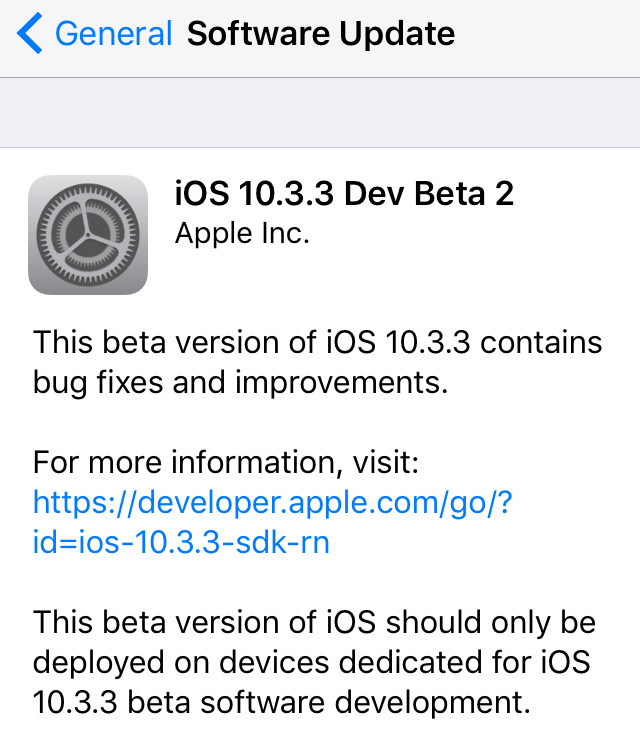
Monday, Apple issued a fifth beta for the upcoming macOS Sierra 10.12.5 software update to its registered developers and members of the Apple Developer Program. The latest macOS Sierra 10.12.5 beta 5 (build 16F71b) software can be obtained via the Mac App Store's Updates tab on supported Mac models with a prior beta and an appropriate configuration profile.

Airmail for Mac gains HTML user templates, Bear/DEVONThink integrations and other improvements

Italian developer Bloop today updated its excellent Mac email client Airmail with a bunch of new features, third-party integrations and other enhancements. Airmail 3.2.5 for macOS, a free update for existing users, introduces new integrations with the information management app DEVONThink and Bear, a beautiful writing app for notes and prose. Other new features include HTML user templates, out-of-office auto responders, enhanced privacy and more.