Jailbreak

Check out the most comprehensive jailbreaking coverage on the internet, including the latest news, apps, tweaks, and detailed tutorials about everything jailbreak.

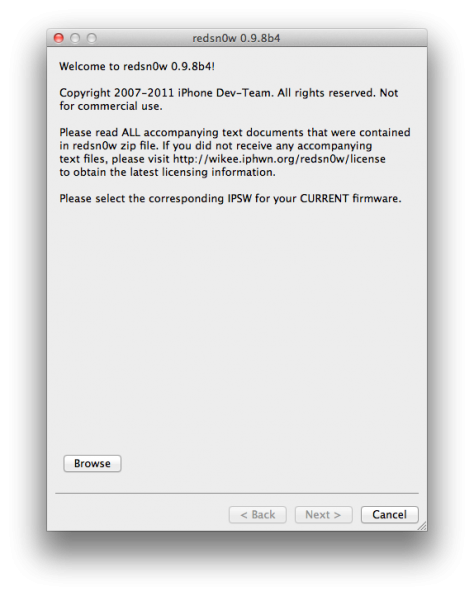
Jailbreak iOS 5 Beta 4 With RedSn0w

Apple released iOS 5 Beta 4 yesterday to developers, and the Dev-Team has already released an update to the jailbreak tool RedSn0w for a tethered jailbreak on iOS 5 Beta 4.

This jailbreak is not recommended for non-developers, and RedSn0w will need to be used each time you reboot to re-jailbreak your iDevice.

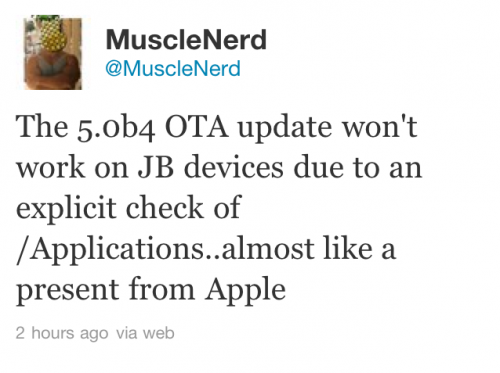
iOS 5 Beta 4 Blocks Jailbreakers From OTA Updates

In case you missed the news, Apple seeded iOS 5 beta 4 to developers yesterday. The new software brings loads of bug fixes and minor updates, and it also introduced a major new feature. Today's beta was the first firmware update that Apple's pushed to devs over-the-air.

Although things got off to a rocky start, a majority of the folks guinea-pigging the OTA updates seemed to be happy with the end result. However, if you have a jailbroken iDevice and tried updating to the new iOS 5 software, it was probably a different story...

New Jailbreak Tweak Lets You Delete Text One Word at a Time

The jailbreak community has provided us with tons of utilities and tweaks that make typing long text messages or emails a breeze. The first one that comes to mind is Xpander, the app that lets you create custom text macros.

If you're a fan of keyboard shortcuts, you're going to like this next tweak. Delete Word is a simple jailbreak utility that allows you to delete entire words at a time by holding down the shift key...

iTunes 10.4 Brings Lion Support [Jailbreak Safe]

Following the release of Mac OS X Lion earlier today, Apple pushed an update to iTunes as well by bringing it to version 10.4. iTunes 10.4 was designed to work well with Lion. Among a few bug fixes, iTunes 10.4 gets full-screen mode support with Lion.

I tested iTunes 10.4 with my jailbroken and unlocked iPhone and I can report that it is safe. So, if you have Lion and see an iTunes update, don't be scared, you won't lose your jailbreak...

If You Haven’t Already Updated to iOS 4.3.3, You Can’t Anymore

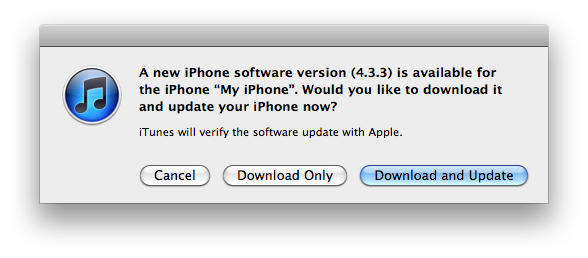
Apple will no longer allow users to update or restore an iOS device to iOS 4.3.3. The signing window for 4.3.3 has been closed, meaning that you can no longer restore a device to 4.3.3 in iTunes without previously saved SHSH blobs from that firmware.

This news is important for jailbreakers that are either considering using JailbreakMe on iOS 4.3.3, or those that may have possibly upgraded to an iOS 5 beta without saving their blobs. The recently released iOS 4.3.4 kills the untethered jailbreak that was previously offered in iOS 4.3.x, so 4.3.3 is the most up to date firmware that offers an untethered jailbreak.

Bad News: iOS 4.3.4 Permanently Kills the 4.3 Untethered Jailbreak

Apple has begun to step up its game with patching jailbreak exploits in iOS. When Comex's PDF exploit was used in the latest version of JailbreakMe, Apple pushed out iOS 4.3.4 about two weeks later to combat the security hole.

Jailbreakers on 4.3.3 (4.2.9 for the Verizon iPhone) can stay on their current firmware to keep their untether, but the bad news is that Apple actually patched the untethered exploit that's been used by jailbreakers since iOS 4.1.

No iOS 4.3.4 Untethered Jailbreak Coming Anytime Soon

Apple released iOS 4.3.4 yesterday, and as always, the Dev Team was right on it and updated RedSn0w to version 0.9.8 beta 3, which is a tethered jailbreak for iOS 4.3.4 for all devices (except the iPad 2).

Those of you (all of us?) waiting for an untethered jailbreak for iOS 4.3.4 shouldn't get their hopes too high. As iOS hacker i0n1c mentioned today on Twitter, there probably won't be an iOS 4.3.4 untether anytime soon...

Jailbreak iOS 4.3.4 With RedSn0w

The Dev Team has released an update to the jailbreak tool, RedSn0w, with support for a tethered jailbreak on iOS 4.3.4. Apple released 4.3.4 yesterday to combat the PDF vulnerability uncovered in the latest version of JailbreakMe.

JailbreakMe users are advised to stay with the untethered jailbreak that the web-based tool provides on iOS 4.3.3, and not upgrade to 4.3.4.

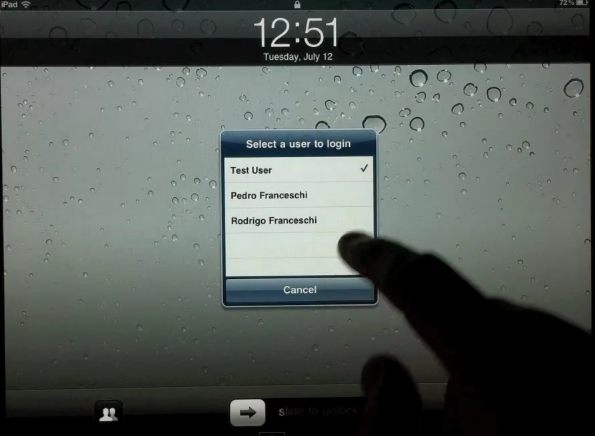
iUsers Jailbreak Tweak Brings Multiple User Accounts to the iPad

When Apple first announced the iPad way back before we knew the joys that a 9.7" slab of glass could bring, we all immediately thought that the tablet would be a great coffee table device - perfect for leaving out and offering as a family machine.

The problem with that notion, though, is that the iPad is more of a personal device than Apple likes to let on.

Just like our iPhones, the iPad is designed to be used the way one member of the family likes it - their wallpaper, their settings, their apps. This approach really limits the way we can use our iPads, and plays right into Apple's hands when it comes to sales - two and three iPads sold per household instead of just one.

If only we had iOS user accounts, just as we do on our Macs...
JailbreakMe Used to Jailbreak iPhone 4 20,000 Feet Above Ground

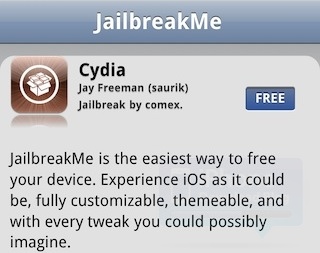
If you haven't heard of JailbreakMe by now, you may be living under a rock. One thing you're definitely not doing is flying in a plane, because a video has surfaced that shows an iPhone 4 being jailbroken with JailbreakMe.com from 20,000 up in the air.

The cool thing about JailbreakMe is that it allows you to jailbreak an iDevice in Safari on the device itself. All you need is an internet connection and a few seconds to let Cydia install. And thanks to the availability of internet access on most commercial airlines, we bring you JailbreakMe on a plane...

To Whom it May Concern, A Little Lesson on Jailbreaking

I've always looked at jailbreaking as a good thing for Apple's iDevice products. Over the years it's helped spur innovation through 3rd party applications, and has more than likely enticed a number of consumers to purchase iDevices who would have otherwise been on the fence.

But apparently not everyone feels this way. A rather interesting article made its way around Twitter last night entitled, "Lockout: iPhone 5, iPad 3 boot jailbreak hackers from platform at last." At one point in the ridiculous post, the author comments that jailbreakers are "using their iPhones as less of a tool and more of a tinker-toy for their geek fantasies."

As a long time member of the jailbreak community, I feel like I'm qualified to respond, and figured I'd go ahead and clear a few things up for our friends over at Beatweek...

Got Issues With Your Verizon iPhone After JailbreakMe? Here’s The Fix!

Many Verizon iPhone users are experiencing issues with the latest JailbreakMe exploit that causes their device to get stuck at the Apple boot logo. If you’re one of them, here’s how to fix it!

Comex, the brains behind JailbreakMe 3.0, has published instructions on how to fix the issue that should get your device running smoothy again, and here they are.

You have two options if you’re experiencing this issue: you can either restore your device and forget about the jailbreak, or you can try a “quasi-experimental fix using redsn0w” to try and maintain your jailbreak: