iPhone

Stay up-to-date on the latest iPhone news and learn new tips and tricks with our comprehensive tutorials. From software updates to new features, we’ve got you covered.

Libellus replaces Cydia’s homepage with a tab dedicated to jailbreak-centric news

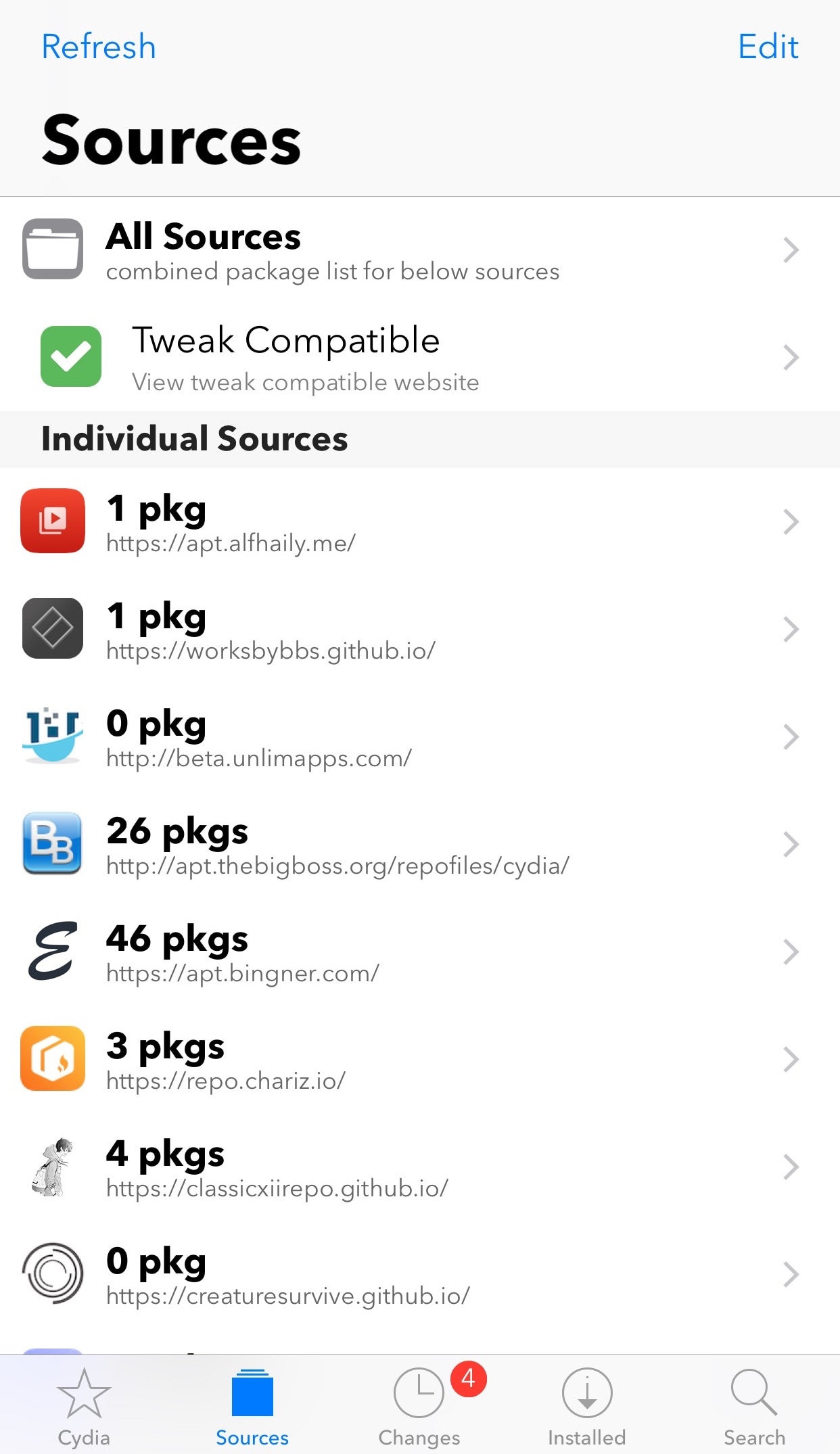
The Cydia app’s homepage might be a familiar sight for most jailbreakers, but many would agree that it’s largely outdated. Furthermore, most of the time you spend in Cydia takes place in other tabs, such as Sources, Changes, Installed, and Search.

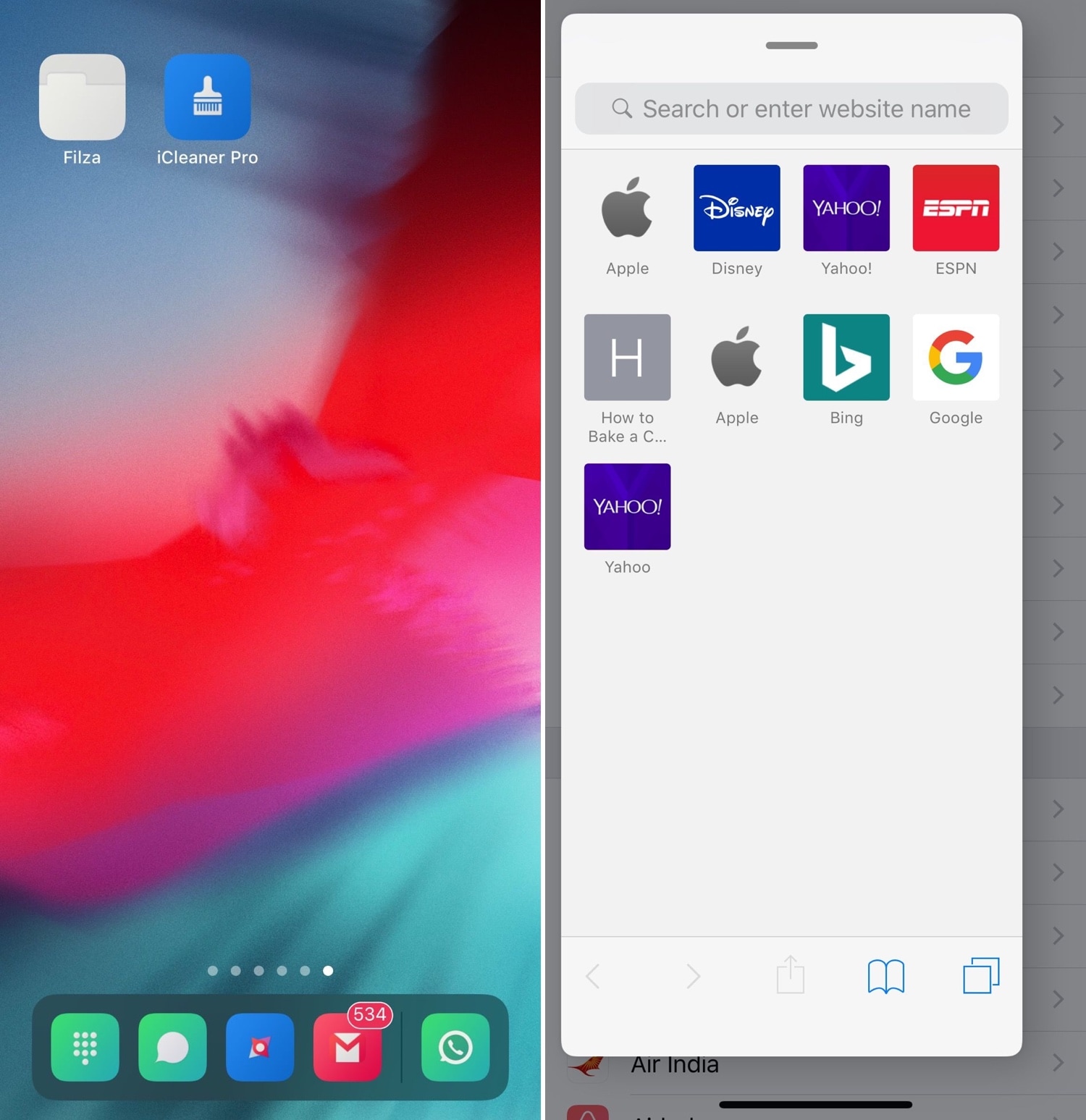
iOS developer KushyDaBush wanted to make the Cydia homepage useful again, and so a new free jailbreak tweak called Libellus was conceived. As demonstrated in the screenshot examples above, Libellus replaces the stock Cydia homepage with an overview of jailbreak-centric news.

Aperturize brings bokeh adjustment to Portrait photos on unsupported handsets

Amplified by incredible software capabilities, the iPhone has always been an astonishing point-and-shoot camera for on-the-go amateur photographers, but modern iPhones like the iPhone XR, XS, and XS Max augment those features with powerful new camera systems that support adjustable bokeh via Portrait photography mode.

Unfortunately, not all dual-lens Apple handsets support adjustable bokeh like the iPhone XR, XS, and XS Max; but, iOS developer foxfortmobile has just released a new jailbreak tweak dubbed Aperturize that brings this useful photography feature to what would otherwise be considered “unsupported” handsets.

Jellyfish: a new Lock screen aesthetic inspired by watchOS’ Motion face

With each meaningful iteration of iOS, Apple slightly tweaks the aesthetic of the iPhone’s Lock screen, but these changes aren’t significant enough to warrant much praise. That said, if you’re looking for something extraordinary, then you might have more luck with a jailbroken handset.

Enter Jellyfish, a jailbreak tweak by iOS developers Justin Proulx and Ayden Panhuyzen that aims to modernize the look and feel of your handset’s Lock screen interface.

Customize the Cydia app to your liking with Store Features

Many forget that the Cydia app itself can be tweaked by way of Saurik’s Cydia Substrate framework, but not iOS developer aJboCydia; he has just released a new free jailbreak tweak called Store Features that lets users customize the Cydia app.

Right out of the box, Store Features empowers users with each of the following features:

Unc0ver v3.0.0 beta 34 released with bug fixes and a cache file that reduces strain on repositories

Hacker and unc0ver lead developer Pwn20wnd revised the unc0ver v3.0.0 pre-release on Monday to beta 34 to reinstate the changes that were previously pulled from beta 33 for further testing and to implement more bug fixes and improvements.

Pwn20wnd announced the revised unc0ver v3.0.0 pre-release just this morning via Twitter:

Citing the changelog on the jailbreak tool’s GitHub repository, unc0ver v3.0.0 beta 33 encompasses the following changes:

02/25/2019 - v3.0.0~b34 was released for public testing with the following changes:

- Fix the root cause of the "Reload System Daemons" failures on iOS 12

- Add an apt lists cache file to ease load on repositories

As it would seem, today’s minor revision fixes a known error on jailbroken iOS 12 handsets and incorporates a cache file that should help reduce the strain on the repository servers. Consequently, repositories should load more quickly and with fewer errors after jailbreaking.

It should be noted that the unc0ver v3.0.0 pre-release is still a beta, and while it might be tempting to hop onboard right now, we’d strongly advise waiting for the official public release to prevent any possible bugs from manifesting and because not all devices are supported yet (this includes A7-A8 and A12 devices).

Those already jailbroken on iOS 12 with the unc0ver v3.0.0 pre-release are being advised to download and run this update as soon as possible to take full advantage of the new features and improvements.

The latest public release of the unc0ver jailbreak tool is v2.2.6 with support for iOS 11.0-11.4 beta 4 – the unc0ver v3.0.0 pre-release is the only iteration that supports iOS 11.4-11.4.1. Both versions of the unc0ver jailbreak tool can be had from Pwn20wnd’s official GitHub repository.

If you’re not already on a jailbreakable version of iOS 12, then be advised that iOS 12.1.1 beta 3 is still being signed, which means you can still downgrade to it via iTunes. You can use IPSW.me to check the signing status of any firmware version before attempting a downgrade via iTunes.

Are you using the latest version of unc0ver, or are you waiting until the official public release? Let us know in the comments section below.

Bring ‘Dark Mode’ to your newly jailbroken iOS 12 handset with Noctis12

The popularity of dark mode-centric jailbreak tweaks has only continued to skyrocket over the past several years, and now that unc0ver can jailbreak iOS 12, many avid jailbreakers are looking for ways to implement the perfect dark mode experience on iOS 12.

If you fit the description above, then you’ve come to the right place because iOS developer LaughingQuoll has just released the latest iteration of his popular Noctis jailbreak tweak. The new iOS 12-compatible build has been fittingly-named Noctis12.

BelleVolume: a beautiful volume HUD replacement for jailbroken iOS 11 & 12 devices

iOS is a well-polished mobile operating system, but one thing Apple continues to ignore time and time again is that atrocious native volume HUD. There’s no shortage of jailbreak tweaks that aim to improve this experience on the iPhone and iPad, but perhaps one of our favorites to date is a new release called BelleVolume by Luke Muris and Geometric Software.

BelleVolume relocates the volume indicator to the middle of the Status Bar, which prevents it from obstructing your view in various everyday scenarios. On notched devices such as the iPhone X, XR, XS, and XS Max, the volume indicator materializes just below the notch; other devices display the volume indicator where the time would normally appear.