Apps

Videos in Instagram for iPhone now play on loop

I rarely, if ever, publish videos on Instagram, but those who do should know that the latest version 6.5 update, which rolled out this morning to Instagram's iPhone app, has quietly enabled looping videos.

Previously, you had to tap on videos to pause and resume playback. And as first spotted by AppAdvice, the option to set sound to play when the device’s ringer is on or to be always off has been removed as well.

Although Instagram videos now automatically replay in your feed, the company insists that this won't affect how much data the app uses.

How to reclaim ‘Other’ storage on your iOS device

If your iPhone or iPad is running out of space, manually removing unwanted photos, videos, songs, apps and stuff like Safari's Reading List is a good way of freeing up some store space. But more often than not, this isn't enough.

The devil, as they say, is in the detail — in this case, the mysterious ‘Other’ category that iTunes displays after connecting your iOS device to a computer.

‘Other’ storage is a section iOS uses to store temporary data, cache files inside apps and items retrieved through the iOS Background Refresh feature to make apps load faster. ‘Other’ storage balloons over time and can quickly add up to anywhere between a few hundred megabytes to a couple gigabytes of wasted on-device storage.

Aside from performing a clean install of iOS or restoring your device as new, there's no easy way of manually reclaiming your ‘Other’ storage. But thanks to a brilliant new Mac app in town, created by Nice Mohawk, anyone — even novice users — can free up storage space on their iPhone and iPad in minutes. Not only does the app let you reclaim your ‘Other’ storage, but also delete caches, back up your photos and videos, as well as remove large apps and music.

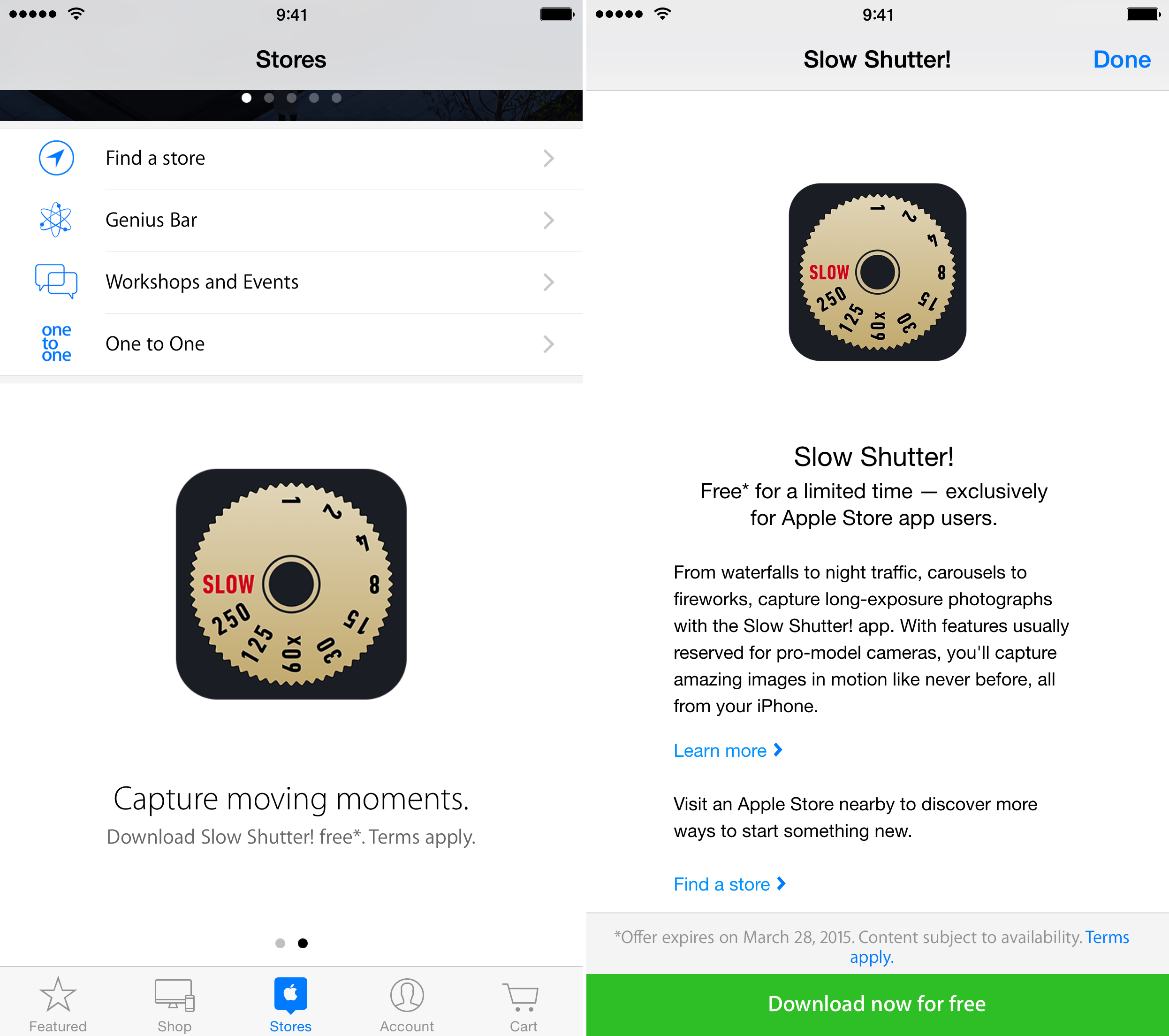
Slow Shutter! available for free within the Apple Store app

Those of you who enjoy app deals may be interested to know that Slow Shutter! has gone free for a limited time. Apple is currently offering promo codes for the popular camera app, which typically costs $1.99, within its Apple Store app.

Slow Shutter's flagship feature is its ability to capture long-exposure photographs. This means that you can create the kind of beautiful photos of moving objects (think moving cars at night) typically reserved for more expensive cameras.

New Adobe apps: Digital Editions e-book reader and PaintCan for turning photos into paintings

Adobe has published a pair of new applications on the App Store, Adobe Digital Editions and PaintCan. The former allows you to access and manage e-reading material in Adobe's DRM-protected format on your iPad, with editions for Windows and Mac PCs also available for achieving cross-platform nirvana.

The latter, as the name suggest, is an easy-to-use painting software for creating nice-looking artworks from your favorite photos using either one of the preset brushes with different textures or your own brushes customized to your liking.

How to watch Super Bowl XLIX on iPhone, iPad and other devices

We are now just a few days away from Super Bowl XLIX, one of the most highly anticipated sporting events of the year. At 6:30 (EST) on Sunday, more than 110 million people are expected to tune in to watch the Seattle Seahawks take on the New England Patriots in a battle for the NFL Championship.

For those of you who don’t plan to spend the day huddled around a television set, we’ve put together a list of ways to follow the action on other popular devices. Live streaming will be available this year on iPad and PC/Mac, courtesy of NBC, no cable subscription required, and on iPhone via NFL Mobile.

‘ProCam 2’ goes free as Apple’s App of the Week

Apple has just named Samer Azzam's ‘‘ProCam 2" its App of the Week for this week. This means that from now through next Thursday, you’ll be able to download the popular photo and video editor for iPhone and iPad for free—a solid savings of $1.99.

The app offers features such as Night mode, Burst mode, anti-shake, and a self-timer. It also has face detection, intelligent HDR, dozens of photo filters to choose from, and a variety of other tools that make taking and editing great photos and videos a breeze.

Revamped Yahoo for iPhone brings interactive magazines, Weather and News Digest

Ever since Marissa Mayer took the CEO job in the summer of 2012, mobile software and digital magazines have been a big part of her turnaround efforts at Yahoo.

Having released new apps like News Digest and revamped key ones such as Mail, Search and Weather, the pioneering Internet company's focus now sharpens on its namesake mobile app.

Now available in the App Store, the new Yahoo 6.0 sports a redesigned appearance with fresh new features that make it more in line with Yahoo's new digital strategy while resembling Flipboard in certain functional aspects.

Scanbot updated with reminders, endless scanning and 1Password integration

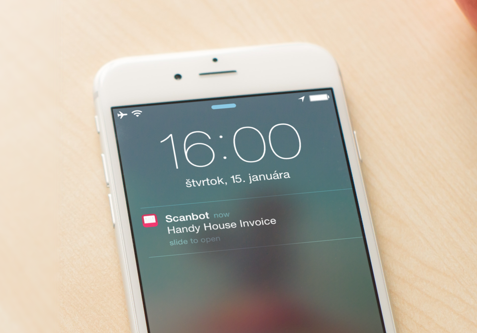
Scanbot, the popular document scanner and QR reader that Apple listed among its Best Apps in 2014, has received an update which allows you to add smart reminders and tasks via iOS Reminders and Evernote to your scanned documents, with alerts delivered via Push Notifications to the Lock screen.

Secondly, Scanbot 3.5.1 brings out support for the login and password management app 1Password, making possible adding cloud services to Scanbot using data stored in 1Password. And thirdly, developers have implemented endless scanning by removing any limitations in terms of the amount of pages you can scan, allowing you to literally scan full books now.

Microsoft releases native Outlook app for iOS

Microsoft on Thursday released the official Outlook email client in the App Store (not to be confused with the native Outlook Web App for the iPhone). Optimized for the iPhone, iPod touch and iPad, the iOS 8-only app is based on Microsoft's $200 million purchase of the popular mobile email app Acompli.

Featuring a built-in calendar, comprehensive search features, gesture-based interface akin to Dropbox-owned Mailbox and support for popular cloud storage services like Dropbox, Google Drive and Microsoft's own OneDrive service, it brings together the core tools you need to get things done in one sweet package.

Microsoft just made OneDrive totally awesome

Wednesday, Microsoft rolled out an all-new version of its OneDrive sync client for the Mac while bringing out a plethora of really cool features on the web and releasing a revamped iOS app.

The iOS client now supports OneDrive for Business accounts so basically your work and life can now be on all your Apple devices in a single app.

Not only does the redesigned iPhone and iPad app look nicer, it also lets you search photos by tags and create gorgeous albums. It even recognizes text in photos and PDFs and integrates with the popular password-management software 1Password and LastPass.

Facebook’s Paper app now supports sharing from iOS Favorites album and more

Facebook's Paper for iPhone app has been refreshed today with improved performance as well as faster way of sharing photos, in addition to fixing a few issues “you’ve let us know about.”

When sharing photos, your Camera Roll items are now organized by date. Even better, the app now supports the new Favorites album introduced in iOS 8 which collates the images you've favorited by tapping on the heart icon in the iOS Photos app.

Tumblr app adds new alert types, better 1Password integration, likes/follows on Lock screen, more

As growth of Yahoo-owned Tumblr continues unabated, new features are being added to the official iOS app on a regular basis.

After picking up support for two-factor authentication last October, the new Tumblr 3.8 for iOS now includes greatly improved integration with the popular 1Password password-management app, as well as with Authy, a handy iPhone software for generating two-factor codes.