iPad

From the latest news to the most comprehensive tutorials, learn how to get the most out of your iPad with our step-by-step guides and expert tips.

iOS 10 preview: Siri comes to (some) apps & powers smarter QuickType keyboard suggestions

Siri has gained new features in iOS 10. Not only does she power smarter QuickType keyboard suggestions and lets you control HomeKit-compatible accessories using your voice, but Apple now officially supports third-party integration with SiriKit for developers.

In opening up Siri to apps, Apple's taken the same controlled approach like with iOS multitasking by only permitting certain app types.

In this iOS 10 preview, we're going to take a closer look at an improved QuickType keyboard with added Siri intelligence, explain specific app types that can take advantage of Siri and look into the technologies that make all of this possible. 

iOS 10’s elusive Dark Mode shown in Settings app

Five days ago, iDownloadBlog's own Andrew O'Hara first wrote about jailbreak developer Andy Wiik's discovery of Dark Mode resources buried deep within iOS 10's Messages app.

During the weekend, Wiik shared a few new screenshots showing a dark mode for the Settings app, running in iOS Simulator, strongly suggesting that these Dark Mode resources may not have been left within iOS 10 code by accident.

TextEdit app spotted on iPad’s Home screen in WWDC session video

TextEdit, one of the stock applications for the Mac, might be coming to the iPhone, iPad and iPod touch, suggests an icon spotted on an iPad during one of the WWDC 2016 demos.

As first discovered by MacRumors, the “What's New in Metal, Part 1” WWDC session video shows (mark 17:58) a TextEdit icon on the iPad's multitasking app switcher screen and on the Home screen.

Resources discovered in iOS 10 suggest cellular data toggle possibly coming to Control Center

iOS 10 has a lot going on. There are a lot of enhancements that we've covered so far, and many more we haven't. New features aside, many people have been digging through iOS 10 beta in search for unannounced features, or upcoming devices.

Thanks to iOS developer Andrew Wiik, we have another idea of what might be coming in a future iOS 10 beta: the sought-after cellular data toggle in Control Center.

Modern Atlas, Lemon, VUE and other apps to check out this weekend

Whew! What a long week. Apple held its annual WWDC keynote on Monday, where it unveiled new versions of iOS, macOS, tvOS and watchOS, and we spent the rest of the week following up on those announcements. But now it's time for the weekend, and we plan on kicking back and relaxing with some of our favorite new apps and games, which we've listed for you below.

iOS 10 tidbit: getting to Spotlight from any app, in an instant

Since installing iOS 10 Preview on my iPhone 6s I've been discovering these little gems that, in my personal opinion, will make this particular revision to Apple's mobile OS the most worthwhile upgrade yet.

Aside from major new headlining features, it's the little things that make our hearts sing. One of such subtle refinements is the ability to quickly get to Spotlight Search from any app.

iOS 10 tidbit: unsubscribe from mailing lists from the Mail app

Lately, I feel like all I get is spam email. This is very frustrating and I've taken to using apps like Unroll.Me that make it easy to unsubscribe from the bevy of email lists I've somehow wound up on. That being said, it appears Apple has baked the ability to unsubscribe from mailing lists straight from the native Mail app in iOS 10.

Apple’s free app of the week: TextGrabber

Apple on Thursday updated its App of the Week promotion with the productivity app TextGrabber. This means that for the next 7 days, you’ll be able to download the popular OCR translation app for free on both iPhone and iPad—a solid savings of $5.

For those of you who are unfamiliar with TextGrabber, it easily and quickly scans, translates and saves your chosen text or QR-codes from virtually any printed material. All you have to do is take a picture, and TG handles the rest.

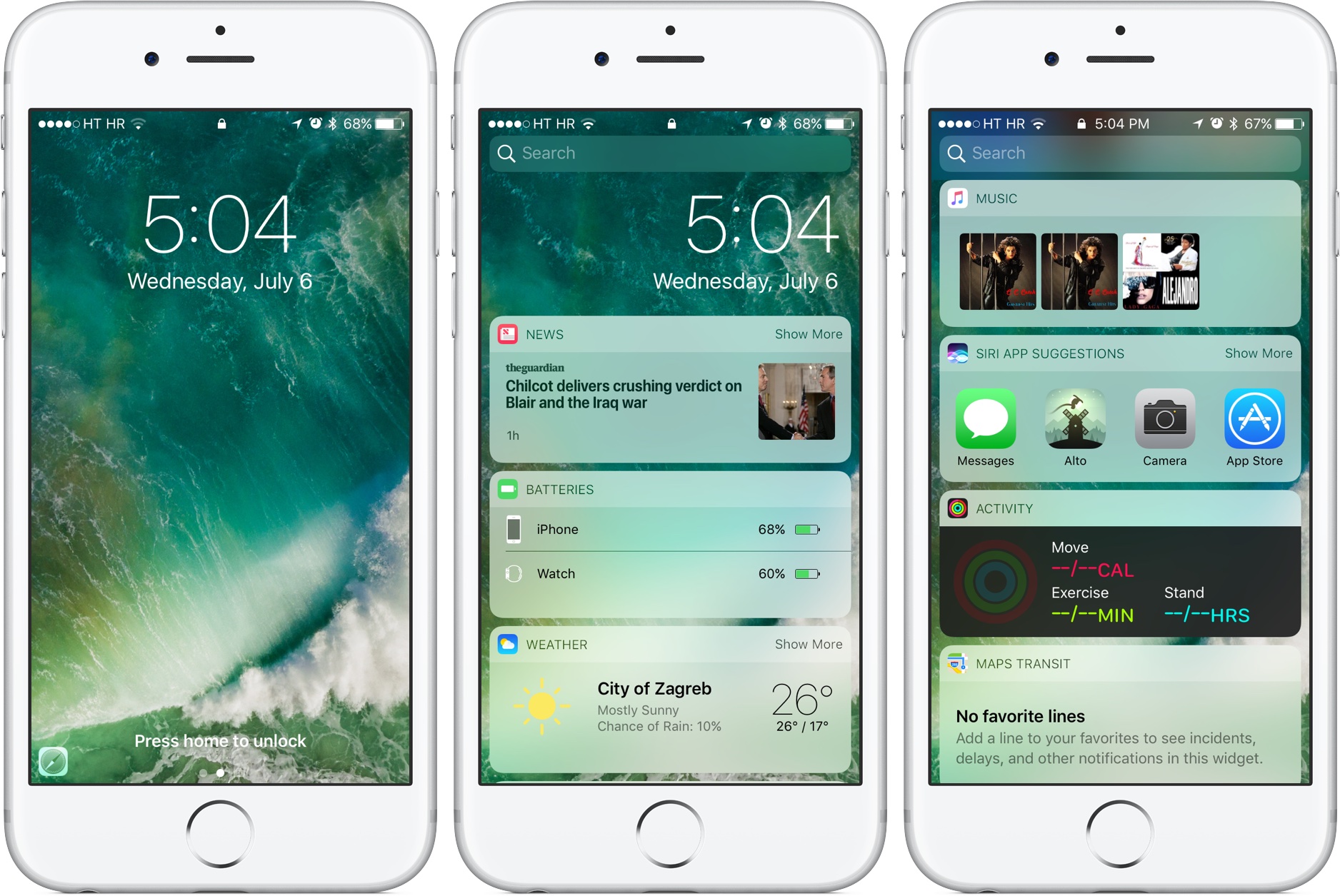
No, widgets haven’t been removed from iOS 10’s Notification Center

Widgets are a big deal in iOS 10. In addition to having new capabilities such as increased support for 3D Touch and the ability to play—and even stream—video inline, they now have a dedicated side panel on the Lock screen. Now, some people have voiced concerns about widgets having been removed entirely from the Notification Center on iOS 10.

Luckily, that's not entirely true.

iOS 10 tidbit: “Define” has become “Look Up,” now supports Siri-powered web suggestions

As a non-native English speaker, I rely on a Define feature which helps me pull up the definition for any selected word in Safari and other apps, as determined by iOS's built-in Dictionary.

With iOS 10, Apple has rebranded this feature as Look Up and it's not just a marketing gimmick: On iOS 10, Look Up's greatly expanded scope now serves up any piece of Internet content that Siri Suggestions support.

The fine print of deleting stock apps on iOS 10

In an effort to address one of the longest standing customer pain points with iOS, Apple has officially confirmed that a bunch of first-party apps can be removed from iOS 10 devices. But as it turns out, deleting a stock app won't do what you'd expect.

Apple execs Phil Schiller and Craig Federighi shed more light on the topic on Daring Fireball editor John Gruber’s podcast, “The Talk Show”.

They've confirmed that deleting a stock iOS 10 app only removes its icon from the Home screen and deletes user data associated with the app, leaving actual app binaries intact on your device. Here's why this isn't such a big deal as it might sound and how removing specific first-party Apple apps might affect iOS 10's functionality.