iOS 10

Lysithea X brings iOS 11-esque Lock screen music controls to iOS 10

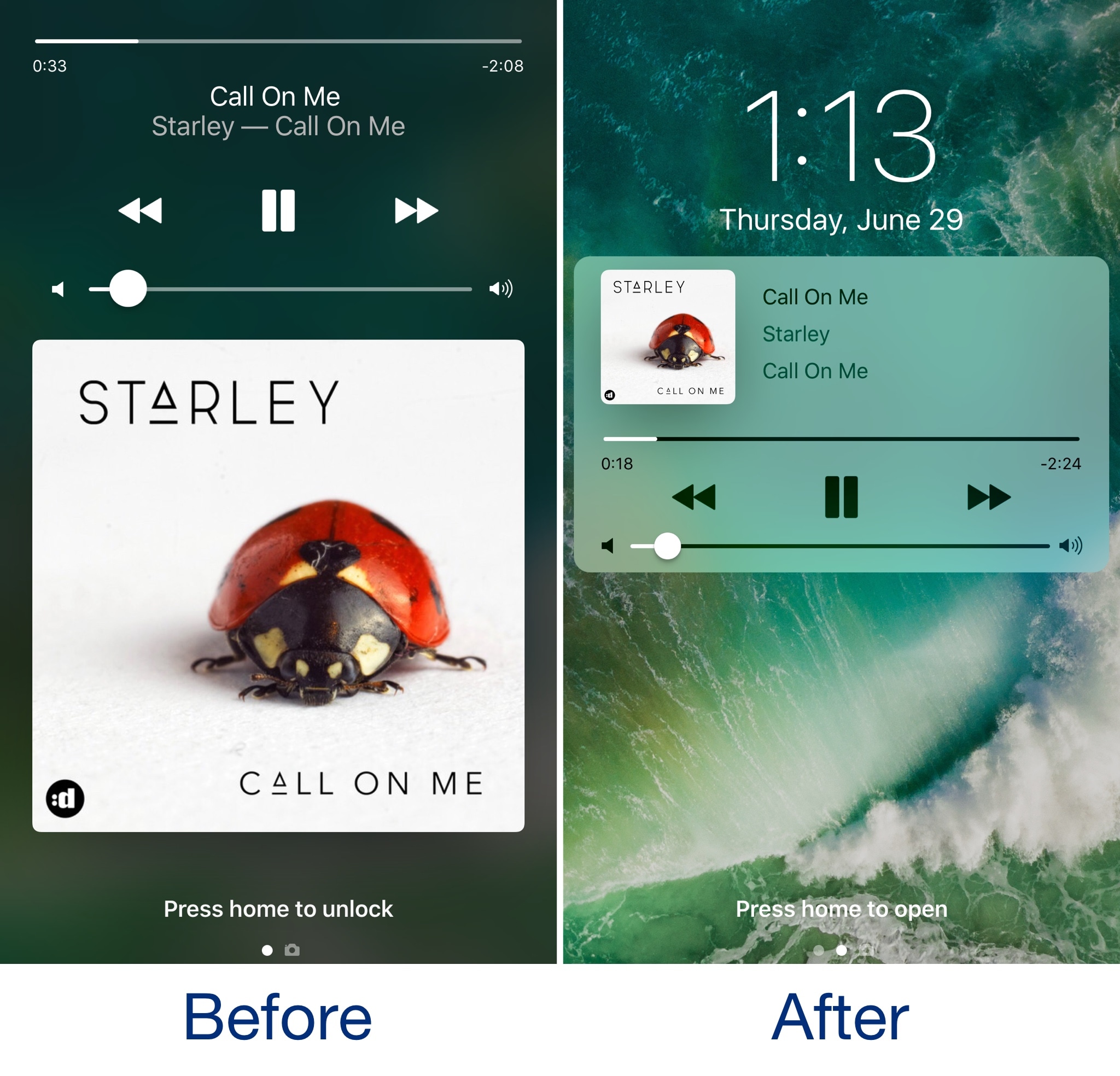
In case you haven’t seen it yet, iOS 11 comes with a redesigned Now Playing Lock screen interface. It’s sleeker and takes up less space so you can manage your music playback and see missed notifications in the same place more easily.

Now, a new jailbreak tweak called Lysithea X by iOS developer ijapija00 brings this iOS 11 Now Playing Lock screen interface to jailbroken iOS 10 devices.

SwitcherControls merges the App Switcher and Control Center interfaces into one

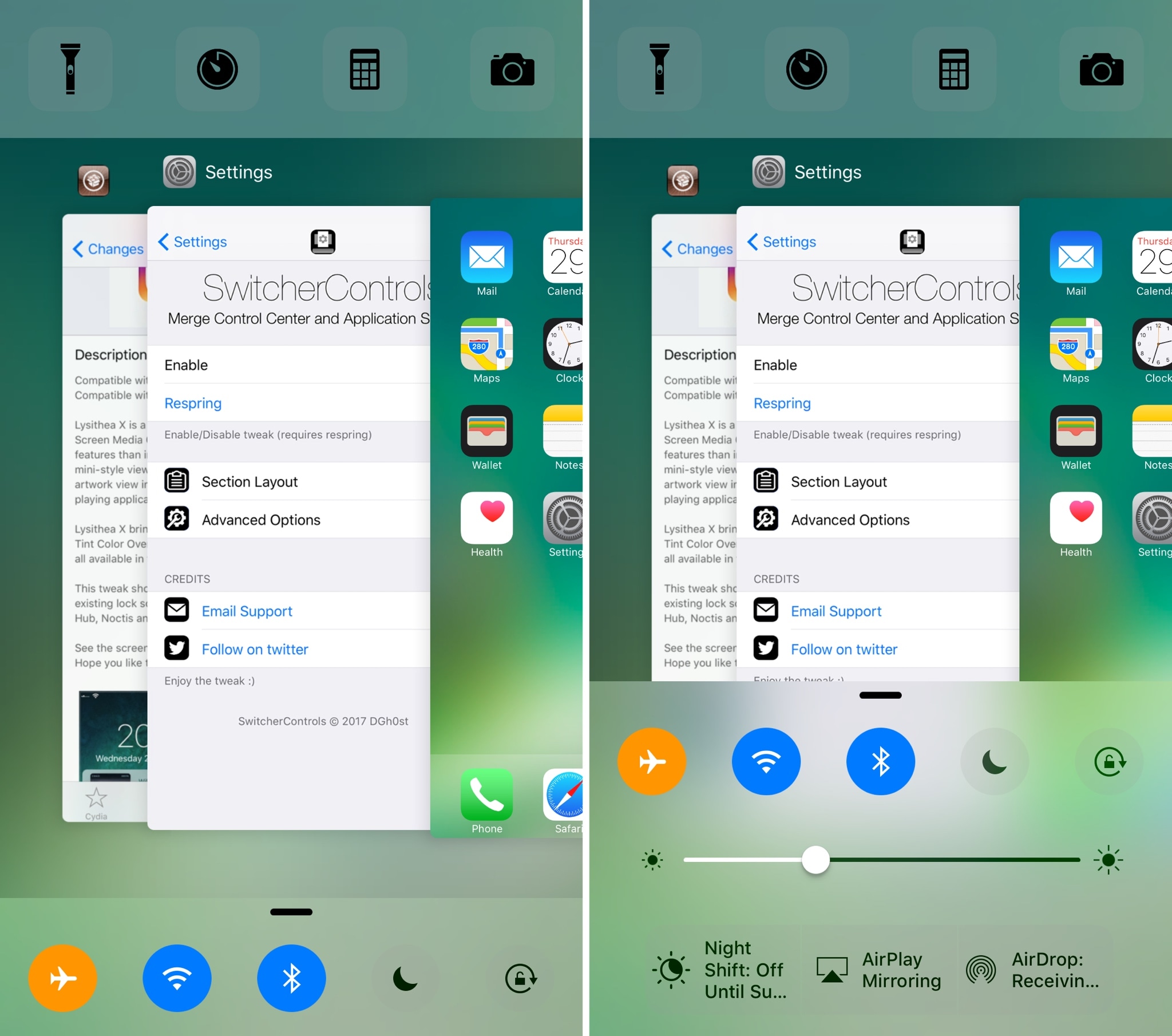
If you want a more powerful App Switcher, then perhaps a good place to start is with a new jailbreak tweak called SwitcherControls by iOS developer DGh0st.

Immediately reminiscent of the multi-center feature from a prior jailbreak tweak release known as Auxo 3, SwitcherControls combines both the App Switcher and Control Center interfaces into one, yielding what you see above.

Frustrated with Reminders? Taskful could be the answer to your woes

Not all tasks are created equal. No doubt you either have taken the trash out or you have not, but there is a vast number of daily challenges that are conquered in increments, tasks that can be taken on for an hour, then sidelined at their half way point and ultimately capped off in the afternoon. Users of Apple’s Reminders app might know the struggle to approximate a progression-based task to the binary reminder framework we are provided: ever tried to make the Reminders app nudge you every day until you have hit the treadmill five times per week, or let's say read ten chapters of your book? For all intends and purposes, it’s cumbersome.

Taskful sets out to remedy the pain of that. It also lets the user select only certain days of the week to remind you of due tasks (e.g. weekdays) and will smartly display the items relevant to you on a specific day and, more crucially, blank out tasks set for a future date. Needless to say this can be priceless for people quickly throwing their hands up when faced with a dauntingly long list of tasks. To bolster the sentiment, the app also automatically breaks up longer tasks into daily chunks.

How intelligent is this thing really?

Naturally, for a smart task manager to really hit its stride, it takes equally smart data input. Such being the case, you’re going to want to learn the nitty-gritty of Taskful before judging the application’s utility. So let’s briefly talk about the mechanics of it:

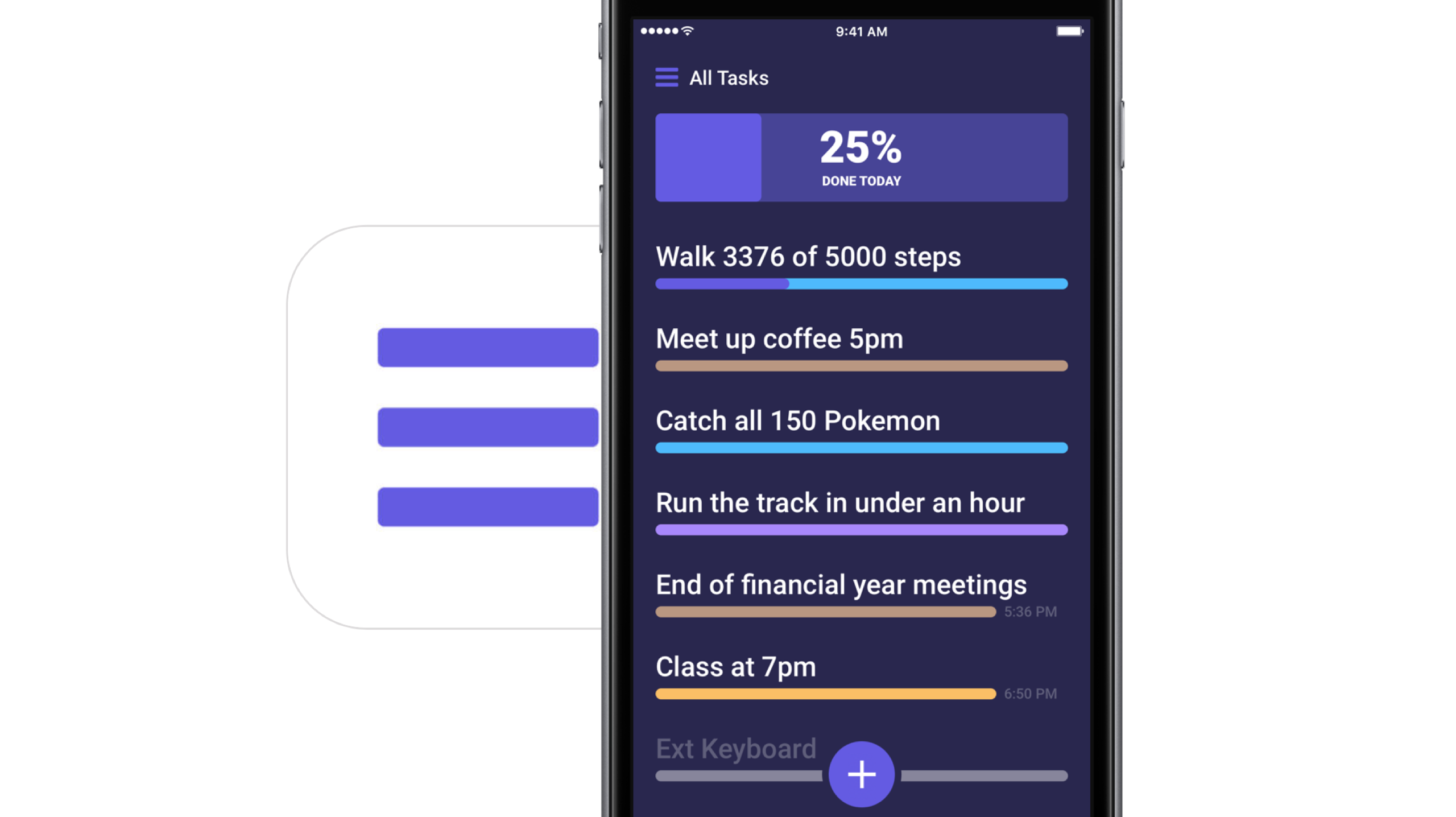
On the face of it, Taskful and Apple’s Reminders app share some structural traits. That is, both offer category based sorting of items, in which each category (Urgent, Finance, Work) is represented by a color of your choosing. That’s about where the similarities come to an end however, because on Taskful, filing away a task properly is swiftly accomplished by swiping left and right to change the background color of your note during creation. At the same time, the app will analyze your task as you scribble it down and immediately glean information such as dates and numbers.

Based on its reading, smart bubbles right below the draft will interpret your input and suggest measuring sticks for your task. You can tap and confirm or manually alter them. To exemplify, use a number like '4' in your task, now mark the little ‘Amount: 4’ bubble magically popping up beneath the text and as a result, the reminder needs to be tapped four times to be considered finished by Taskful. Until then, a big and rewarding progress bar will grow in 25% increments every time you come one stop closer to your goal.

Along the same lines, Taskful is also capable of acting as a quirky step tracker. On launch, the app asks permission to read and write HealthKit data, meaning the app can track your step count and remind you to get off the couch if you haven't ticked the ‘walk 600 steps’ reminder at night.

It goes without saying that these are just two hands-on examples of how to put Taskful to good use, not so much selected at random but rather intentionally to demonstrate the app's versatility. What's more is that it comes with a good deal of UI customizations such as a built-in dark mode. In other words, both in scope and depth Taskful decidedly one-ups Apple’s Reminders. And above all else, it feels good to look at one unifying 'All Tasks' tab, something Reminders’ stacked business cards look sort of makes impossible.

Competing in the world of task managers and to-do lists is a tough gig on the App Store, yet it appears as though Taskful has found the sweet spot to prevail. It is also earning the right accolades along the way, with Apple just recently featuring the app in the ‘Apps We Love’ category in various countries including the US, Australia and New Zealand.

Taskful is available on iPhone and iPad, the latter of which just added split screen support to round the package off nicely. If you want to give the app a whirl, it is currently priced at a reasonable $1.99.

Link to App Store: Taskful ($1.99)
TimeMover Lite lets you customize the position of your Lock screen clock for free

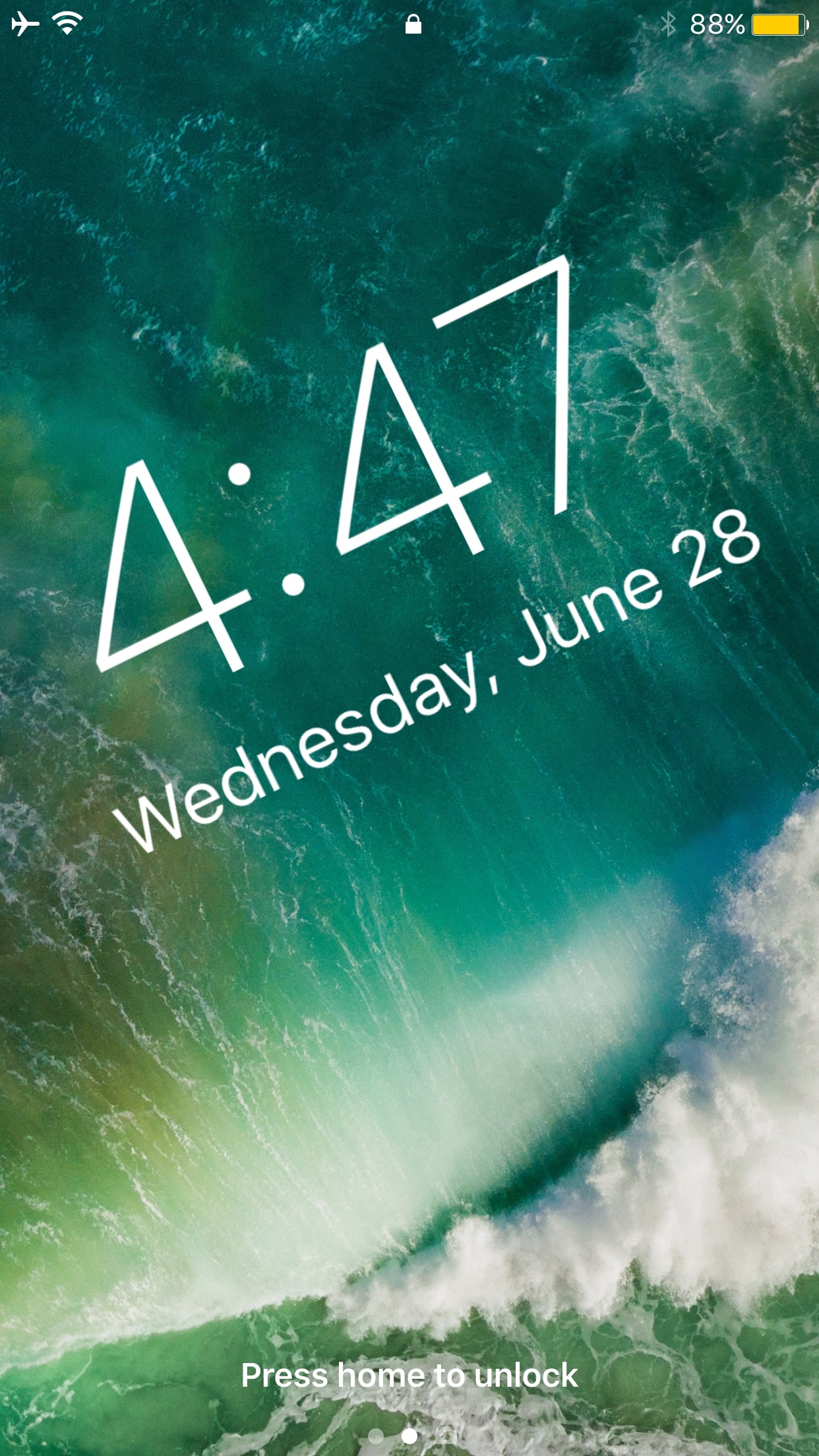
The Lock screen clock appears at the top center of the Lock screen on any stock device out of the box, but with a new free jailbreak tweak called TimeMover Lite by iOS developer NeinZedd9, you can re-position it anywhere you'd like.

If the concept sounds familiar, that’s because this is a free version of the TimeMover tweak that we showed you a couple of weeks ago, but it’s still plenty powerful.

Auto SilentMe silences your iPhone based on calendar events

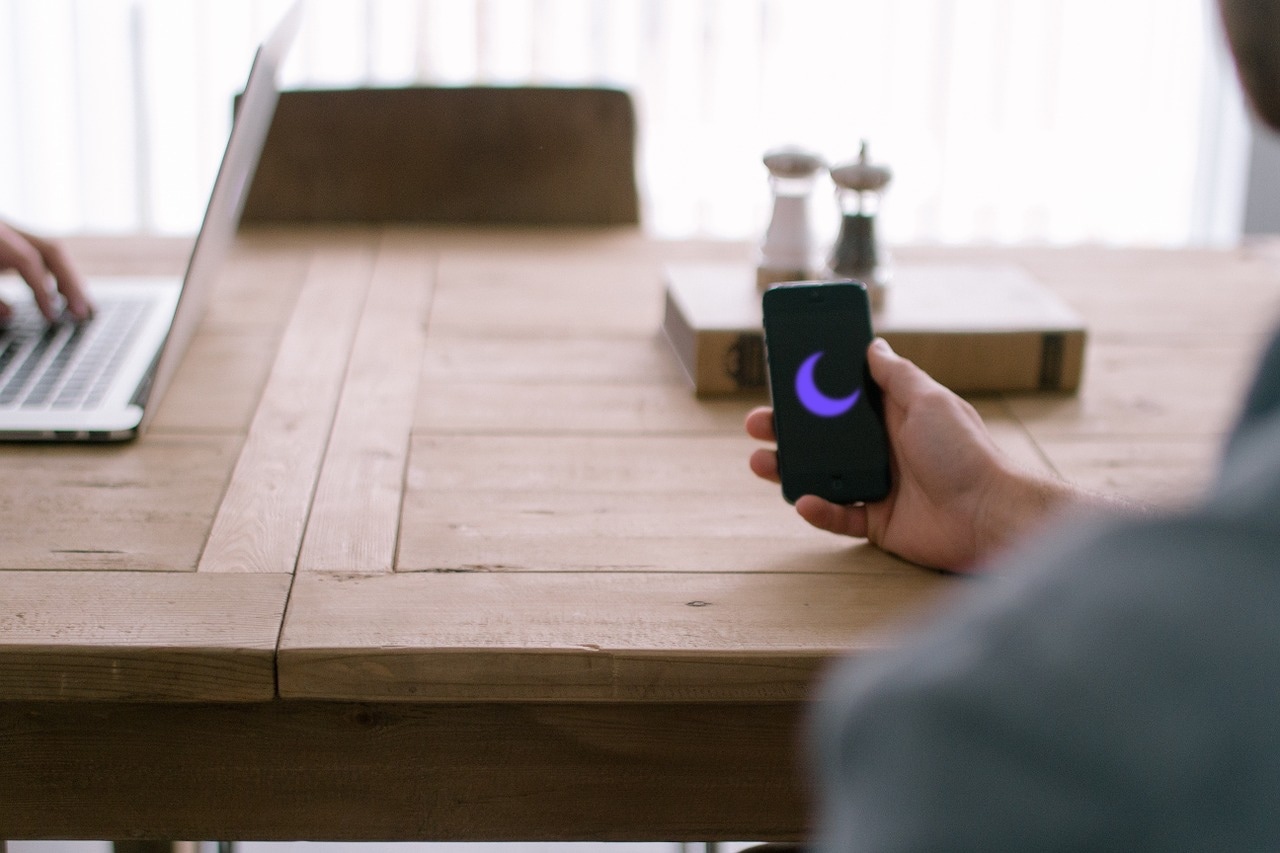
There are times when you can take notifications, and then there are times when you just can't. While Do Not Disturb is a great tool for this, it’s not the perfect solution to avoiding unwanted notifications because it relies on you to manually enable or schedule it, and sometimes we forget.

That’s a weak link that a new jailbreak tweak called Auto SilentMe by iOS developer IArrays hopes to strengthen, as it brings new notification-suppressing features to your device that will prevent embarrassing notifications from coming in when you don't want them knocking at the door.

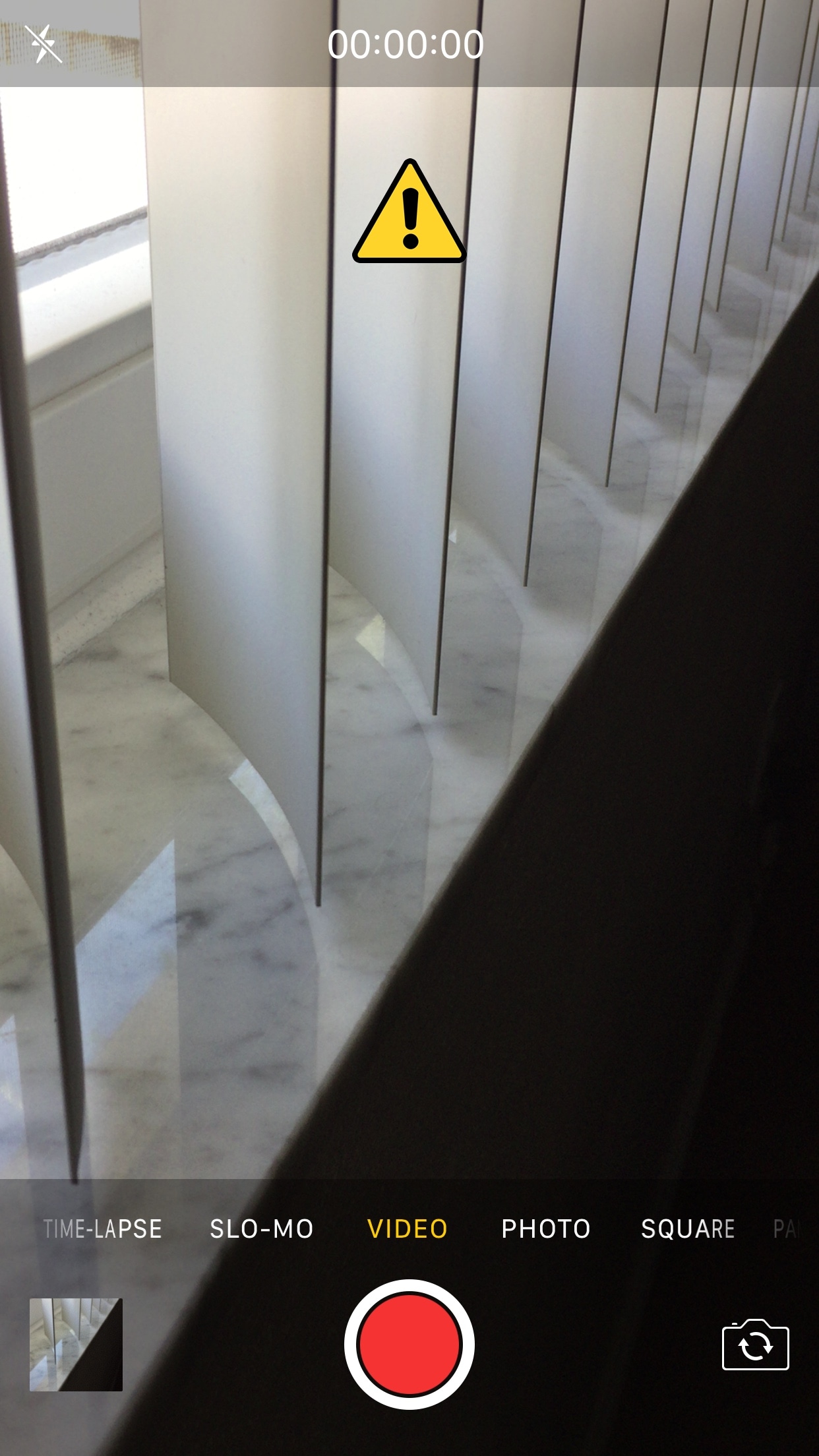
This tweak helps break the habit of recording videos in portrait orientation

It bothers me from time to time when I watch videos on social media or YouTube and realize just how many people record their videos while their smartphone is in portrait orientation.

These services are formatted for computer screens, which naturally have displays longer than they are tall, so recording videos in this way usually degrades the viewing experience for the viewer. That’s why a free jailbreak tweak called VerticalVideoSyndrome 2 by iOS developer Andreas Henriksson is now available.

This tweak lets you manually designate favorite Emojis

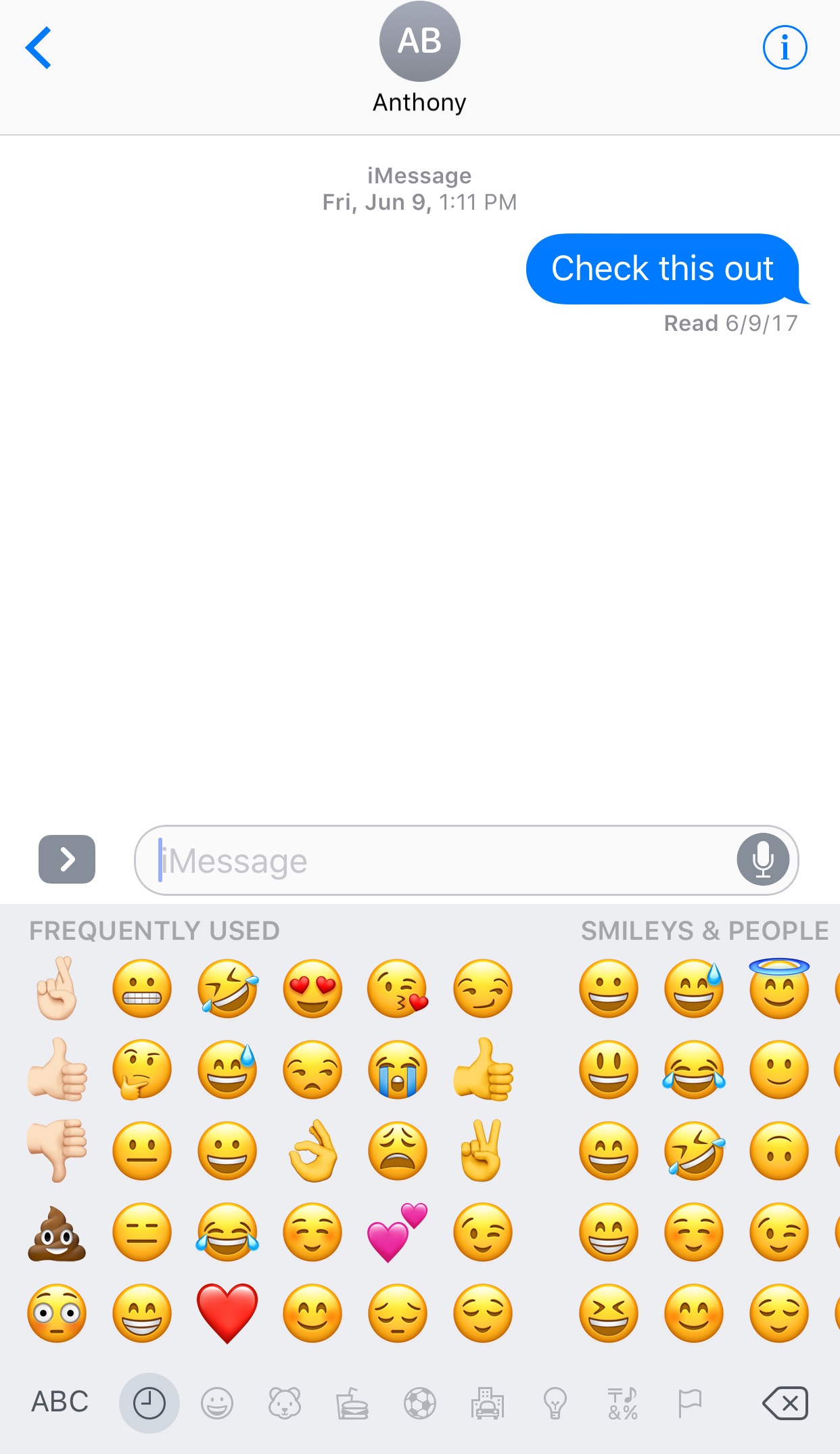
The iOS keyboard includes a key dedicated specifically to accessing the host of Emojis you can use to express your mood. Part of this interface includes a section for Emojis you use frequently, and while it can be useful, suggestions aren't always ideal.

With a new jailbreak tweak dubbed FavoriteEmojis by iOS developer Adeem Mawani, you can manually designate your favorite Emojis by choice; these are the ones that will begin populating the “Frequently Used."

QuietWhileUnlocked silences obtrusive notifications when your iPhone is unlocked

When you’re using your iPhone, sometimes the influx of notification sounds and vibrations can be enough to frustrate even the most tolerant of multitaskers who are trying to get things done.

Fortunately, a free jailbreak tweak called QuietWhileUnlocked by iOS developer The Holy Confluency of the Summer Triangle helps solve this problem by supressing notification sounds and vibrations whenever your device is unlocked.

Jailbreak tweaks of the week: ActIf 2, Kairos 2, & more…

With the jailbreak community becoming a bit more active in recent weeks, we've seen a number of interesting releases and even teases of upcoming releases that are sure to knock your socks off.

In this roundup, we'll talk about all of the jailbreak tweaks that were released during the past week, starting with our favorites. We'll outline all of the rest of the tweak releases after we get through the best of the best.

Kairos 2 lets you schedule text messages for future dates and times

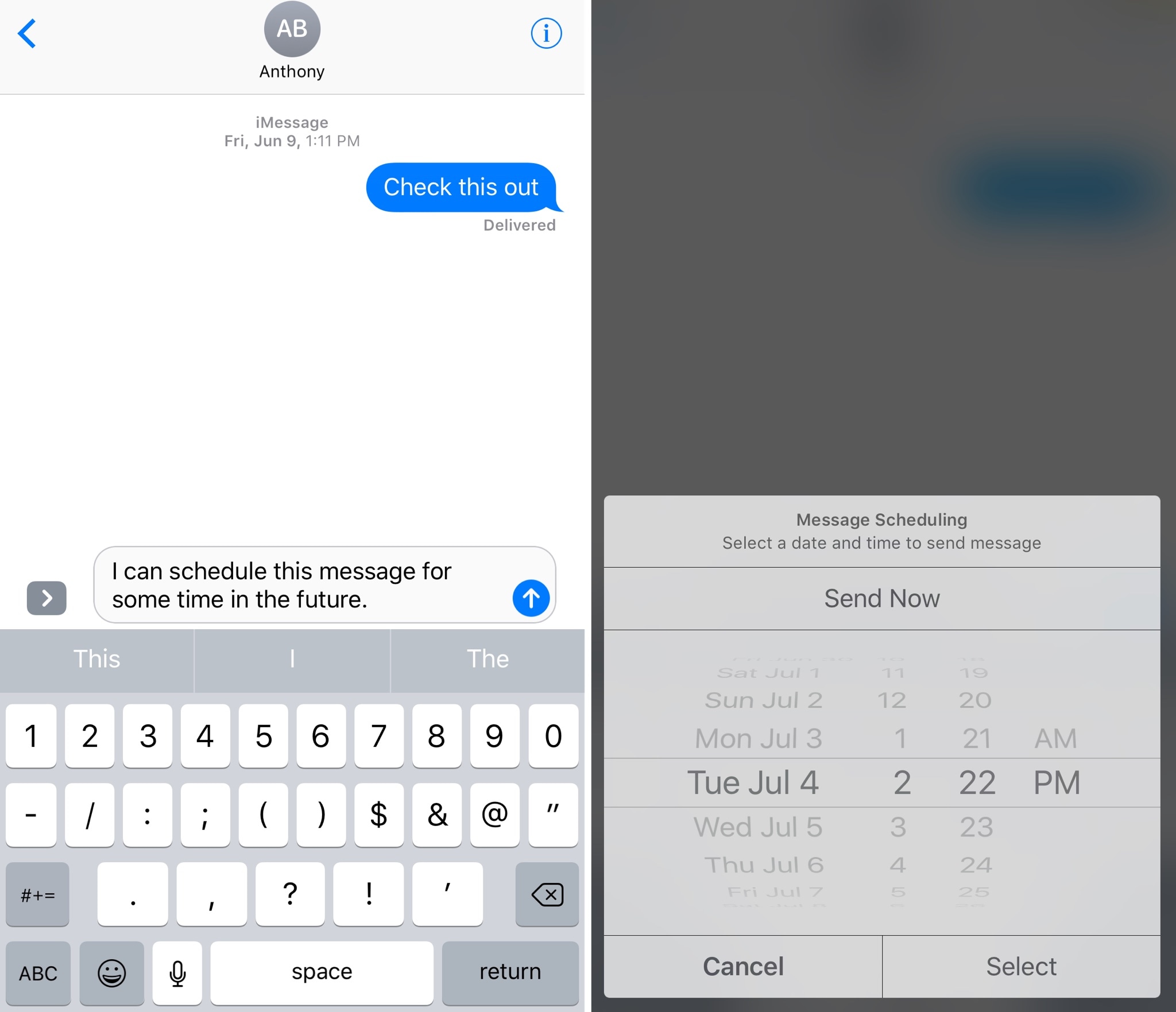
Have you ever thought to yourself, “I wish I could schedule iMessages or text messages to send at a future date?” Well, now you don’t have to just sit and wish for such functionality anymore.

A jailbreak tweak called Kairos 2 by iOS developer CP Digital Darkroom enables iMessage and SMS scheduling right from the stock Messages app on your jailbroken iPhone or iPad.

ClassicPlayer turns your iPhone into an iPod Classic

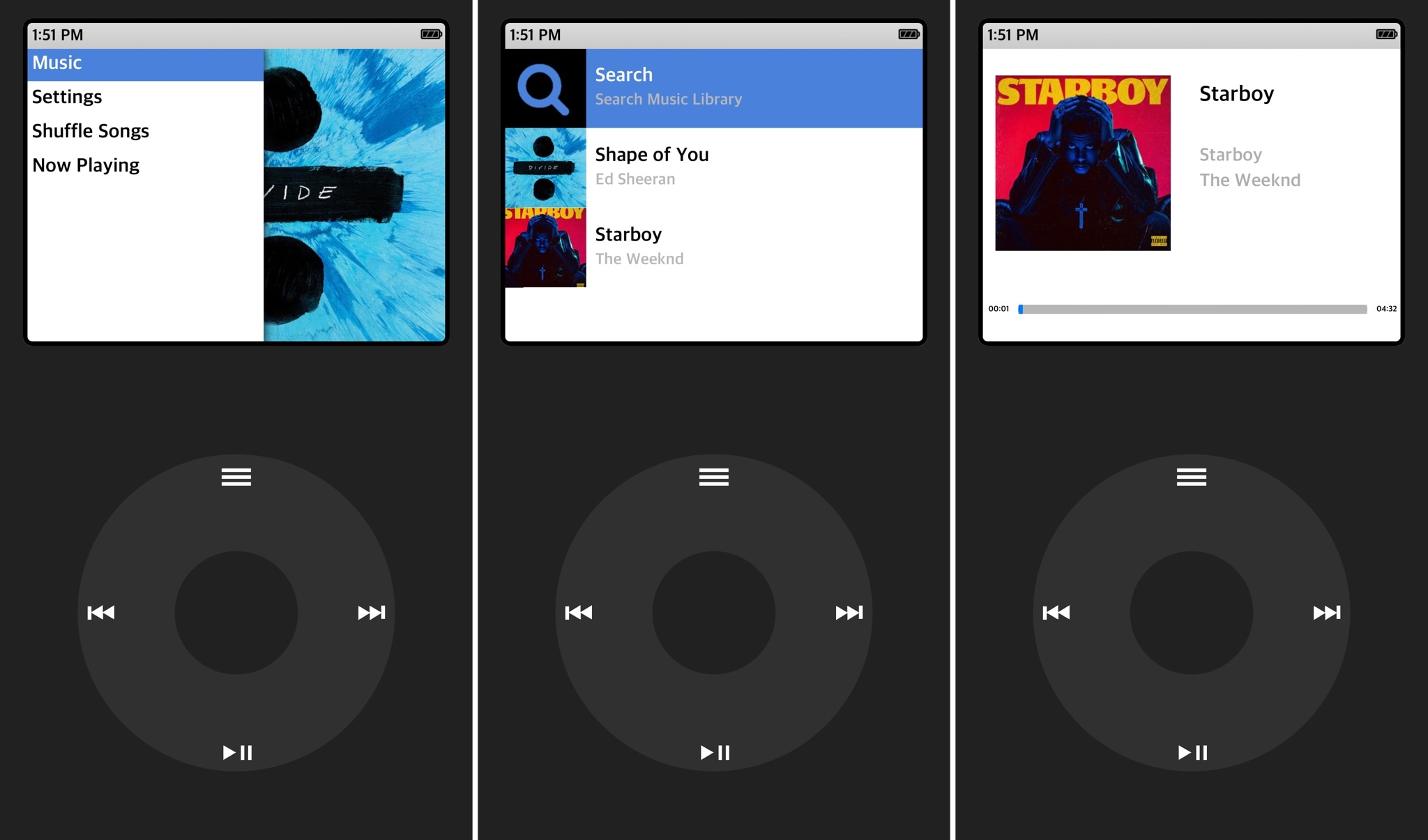
Those who've been using Apple products for years might be familiar with the days when the iPod Classic reigned supreme as a music player. It was made famous by its click-wheel design, which responded to touch and drag gestures for navigating your music.

A new jailbreak app dubbed ClassicPlayer by iOS developer Guillermo Moran (fr0st)  brings this experience to the iPhone for all the nostalgic folks out there who are missing the click-wheel experience from the days of yore.

Make Control Center’s Now Playing interface full screen with Sinatra

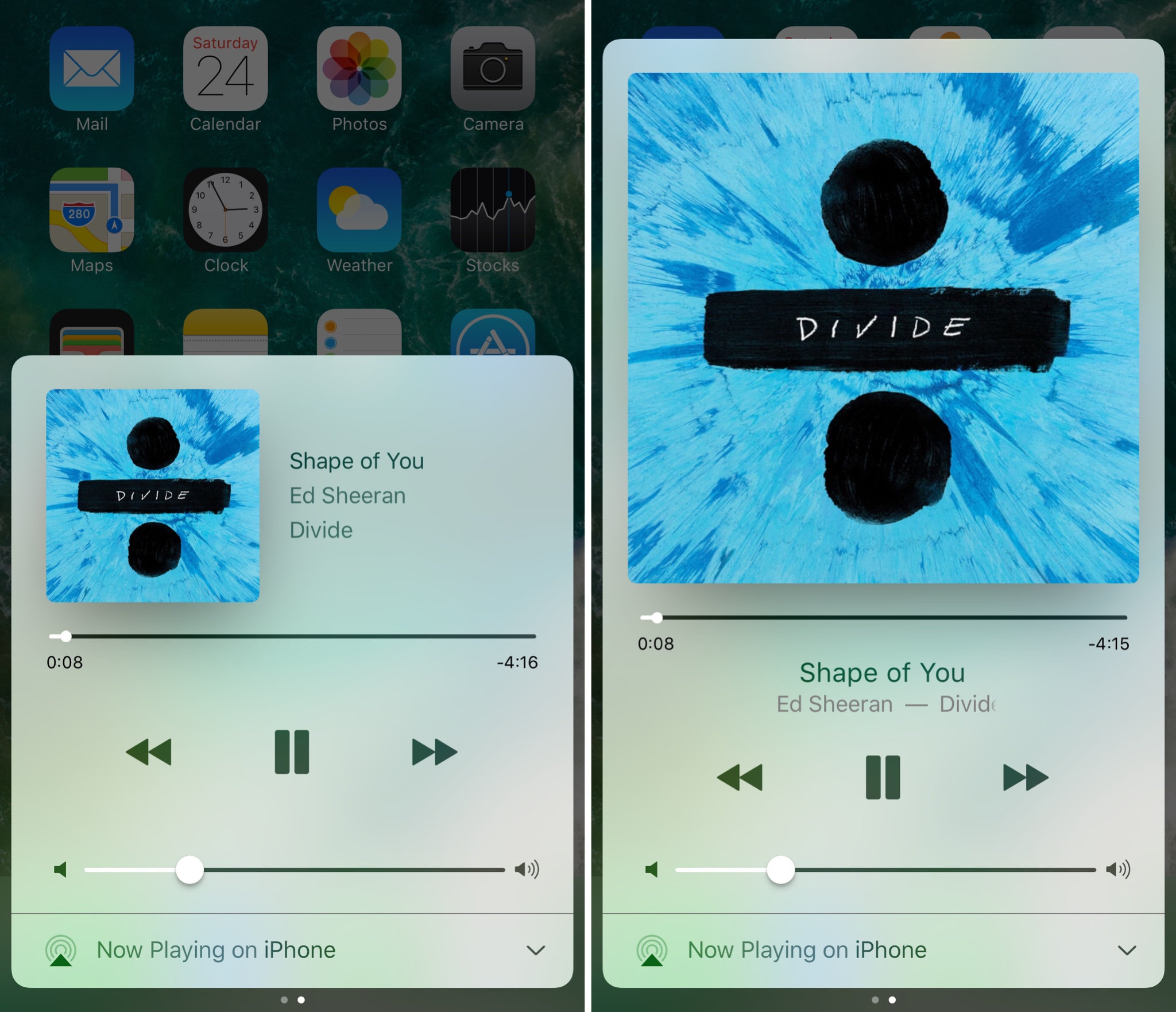
iOS’ Now Playing interface showcases any music you’re listening to and includes controls for adjusting your playback settings, but there are so many ways the interface could be improved.

A new jailbreak tweak called Sinatra by iOS developer candoizo takes some first steps towards improving the Now Playing interface in Control Center while still maintaining an Apple-esque design standard.