iOS

Why and how to use a VPN on your iOS device or Mac

A virtual private network, commonly referred to as a VPN, is a type of connection you can use over the internet that helps to secure your identity as you surf the web.

Often times, they're used to improve your security and privacy on public Wi-Fi networks, but they're also used for a wide variety of other reasons. If you've been considering using a VPN on your iOS device(s) or Mac(s), then you've come to the right place. We're going to tell you all about why you should consider using one and how to use a VPN on iPhone, iPad, or Mac to your advantage.

Why you should avoid free VPNs

VPNs are great tools for helping secure your internet access on an unsecured Wi-Fi network, such as those at McDonald's, but did you know that not all VPNs are created equally?

By using a free VPN that you haven't carefully read the terms and conditions of, you might be putting your privacy at more of a risk than it would have been just using the unsecured Wi-Fi network to browse the web in the first place.

How to increase privacy in Safari for iPhone and iPad

Safari on iPhone and iPad

Most of you who use an iOS device probably use Safari as your main and default web browser despite the vast number of third-party alternatives like Chrome, Firefox, Brave, Opera, etc., available in the App Store. But how often do you think about the privacy of your information when you're using it?

Apple gives you several privacy options for using Safari on your iPhone or iPad to keep your information safe. In this tutorial, we aim to make you more familiar with them and talk about how to use them to make Safari secure and private.

Apple opens cryptographic libraries used to protect iOS and OS X to app makers

Apple yesterday announced it's opened up its cryptographic libraries, the same ones used to protect iOS and OS X, to third-party developers. As reported by VentureBeat, the move is significant in that developers can now implement advanced security features into their apps, for free.

In addition to open-sourcing the cryptographic libraries, Apple back in the summer promised to open source its Swift programming language by the end of the year.

What to know about ‘YiSpecter,’ new malware targeting all iOS devices

Just as all the hoopla surrounding the XcodeGhost attack appears to have died down, security researchers over at Palo Alto Networks have identified a new type of harmful malware.

Dubbed YiSpecter, it can install itself on both jailbroken and non-jailbroken iOS devices and is the first iOS malware that exploit Apple's private APIs to implement malicious functionalities.

Here's everything you need to know about this new type of attack, what Apple is saying about the malware and what you can do in order to protect your devices from becoming infected with YiSpecter.

iOS 9.0.2 fixed vulnerability that allowed Lock screen access to photos and contacts

iOS 9.0.2 has patched a potentially disturbing vulnerability which allowed malicious users who have access to your device to use Siri from the Lock screen in order to browse your photos and contacts.

According to Apple' official iOS 9.0.2 release notes, the software has fixed the issue which allowed access to photos and contacts on a locked device by “restricting options offered on a locked device.”

The vulnerability was left unpatched in iOS 9.0 and iOS 9.0.1 and affected the iPhone 4s and later, fifth-generation iPod touch and later and iPad 2 and later.

How to make your iPhone and iPad more secure with 6-digit passcodes

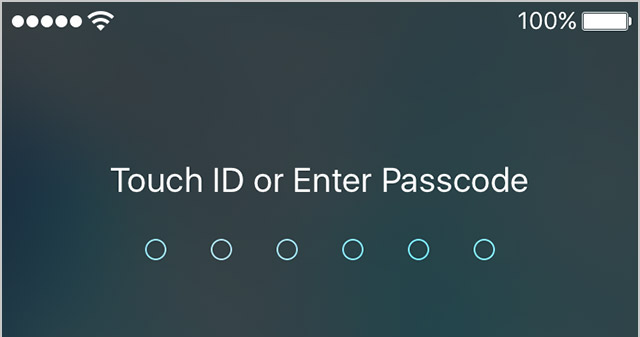
Starting with the release of iOS 9.0.1, Apple has increased your security by defaulting to 6-digit passcodes on Touch ID devices. “If you use Touch ID, it’s a change you’ll hardly notice,” says Apple.

Compared to 4-digit passcodes which have 10,000 possible combinations, their 6-digit counterparts strengthen your security with one million possible combinations, meaning 6-digit passcodes will be a lot tougher to crack.

Non-Touch ID iPhones and iPads still default to less secure 4-digit passcodes, however. You can enable a 6-digit passcode with a quick trip to Settings, here's how.

XcodeGhost: a new malware infecting many popular iOS apps

A few dozen iPhone and iPad applications, most of them developed for China, have been infected with XcodeGhost, a malware that collects information on the devices and uploads that data to remote servers.

Among them is WeChat, one of the most popular instant messaging applications in the world.

Rather than exploit an iOS vulnerability, the malware in question sneaks its way into apps indirectly, by targeting Apple's official compilers used to create legitimate apps. The malware was found to inject its malicious code into a Mach-O object file that was repackaged into some versions of Xcode, Apple’s official tool for developing iOS and OS X apps.

These Trojanized Xcode installers were then uploaded to Baidu’s cloud file sharing service used by Chinese app developers, explains Palo Alto Networks. The malicious code then inserts itself into any iOS app compiled with the infected Xcode without the developers’ knowledge.

It's not Apple's fault, really: this would have never happened had these developers downloaded Xcode files directly from Apple. Baidu has since removed all of the infected files from its servers and some of the infected apps have since removed the malware code in their latest builds.

iTunes 12.3 is out with support for iOS 9, El Capitan, two-factor Apple ID authentication and more

Following release of the free iOS 9 software update with new features and core OS enhancements for the iPhone, iPod touch and iPad, Apple on Wednesday also issued a matching update to iTunes for Mac and Windows PCs.

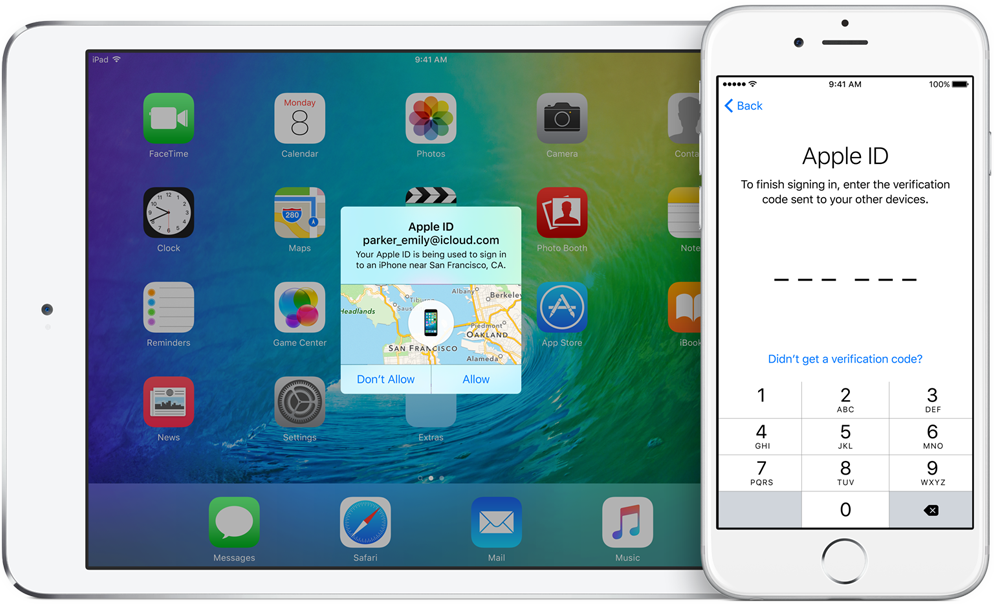
The new iTunes 12.3 introduces OS X El Capitan-friendly design while enabling support for Apple IDs protected with two-factor authentication and syncing with iPhone, iPod touch and iPad devices with iOS 9.

A look at Apple’s new, more secure 2-factor authentication in iOS 9 and El Capitan

At WWDC, Apple has made a promise to step up security with native two-factor authentication in iOS 9 and OS X El Capitan. Before today, the feature was unavailable on iOS 9 betas prior to beta 3.

But with today's release of iOS 9 beta 3, the new system has made its debut, with some users offered the option to upgrade their Apple ID to use the new two-factor authentication.

Here's what you need to know about this new system, how it increases your security and how it's different from Apple's existing two-step verification process.

Apple issues Mac App Store patch for XARA exploits as additional fixes are ‘in progress’

A cross application resource attack (XARA) that researchers at Indiana University, Georgia Tech and China’s Peking University publicized last week seems to have been partially addressed as Apple issued a server-side fix on the Mac App Store to block malicious apps and secure app data.

Additional fixes are in the works for the XARA exploits on both iOS and OS X, a company spokesperson told iMore. XARA exploits allow malicious apps to steal iCloud credentials of a user, access private data in apps like 1Password and Evernote, hijack their iCloud Keychain passwords and more.