iPhone

Stay up-to-date on the latest iPhone news and learn new tips and tricks with our comprehensive tutorials. From software updates to new features, we’ve got you covered.

Lysithea X brings iOS 11-esque Lock screen music controls to iOS 10

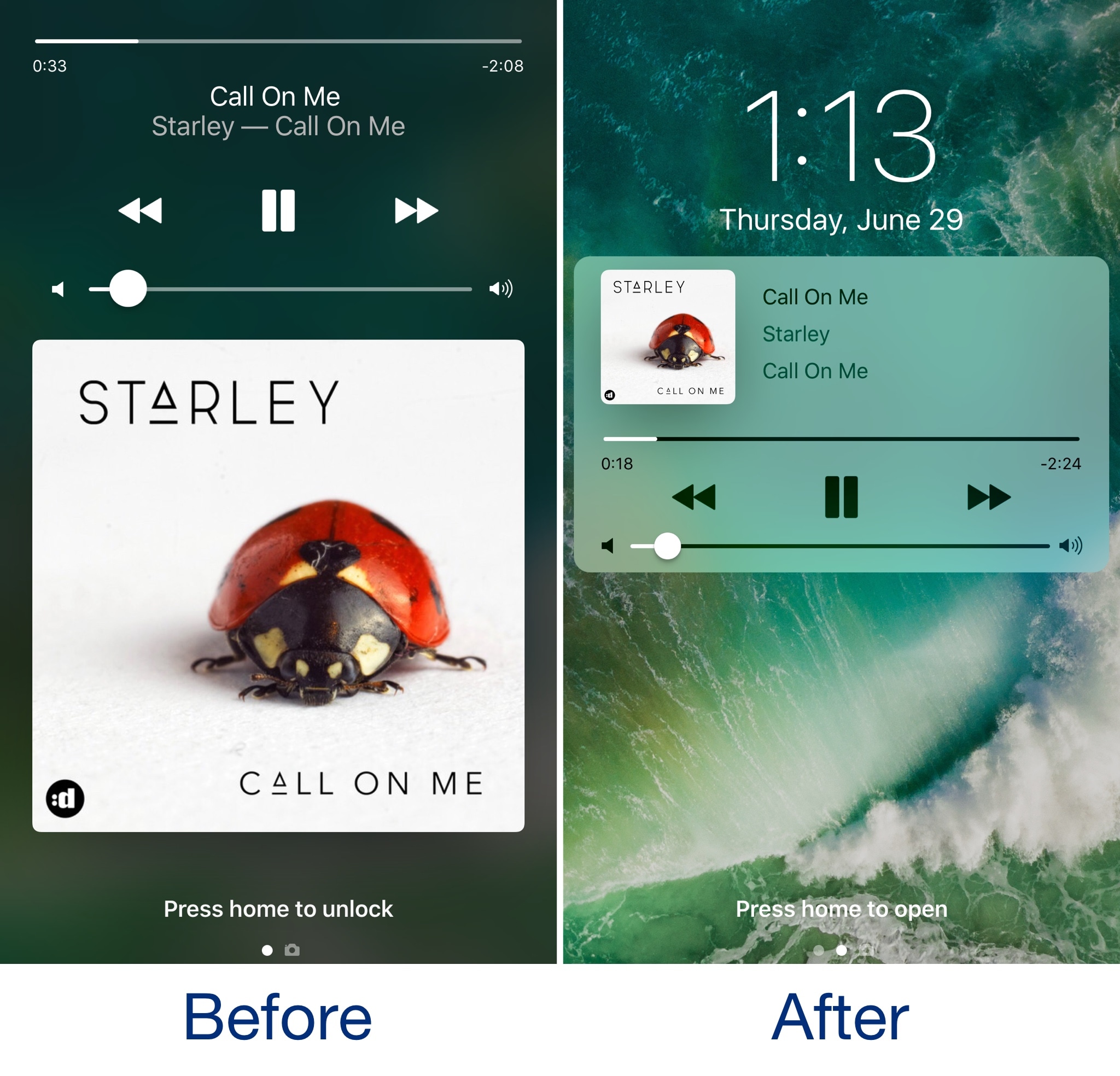
In case you haven’t seen it yet, iOS 11 comes with a redesigned Now Playing Lock screen interface. It’s sleeker and takes up less space so you can manage your music playback and see missed notifications in the same place more easily.

Now, a new jailbreak tweak called Lysithea X by iOS developer ijapija00 brings this iOS 11 Now Playing Lock screen interface to jailbroken iOS 10 devices.

SwitcherControls merges the App Switcher and Control Center interfaces into one

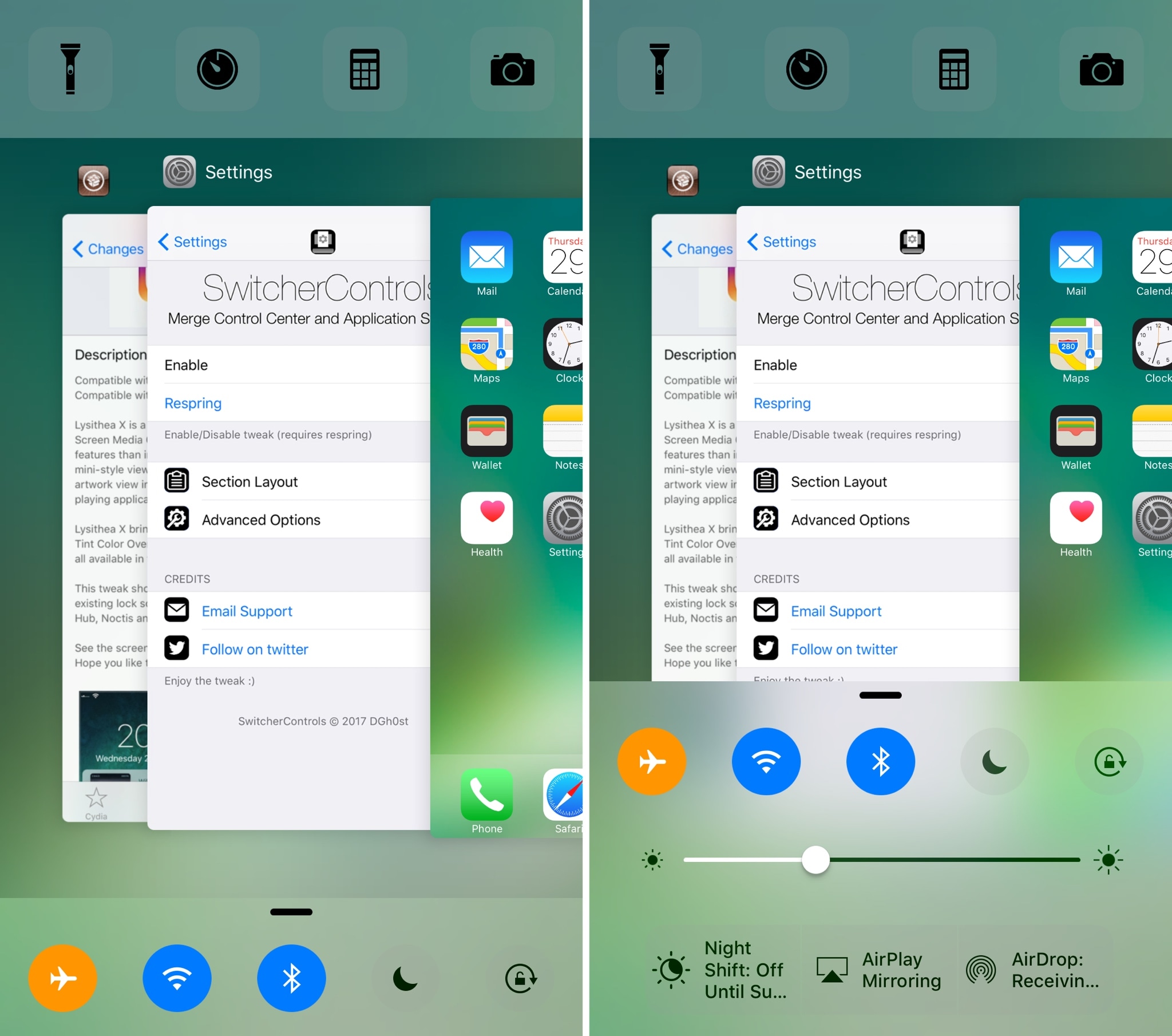
If you want a more powerful App Switcher, then perhaps a good place to start is with a new jailbreak tweak called SwitcherControls by iOS developer DGh0st.

Immediately reminiscent of the multi-center feature from a prior jailbreak tweak release known as Auxo 3, SwitcherControls combines both the App Switcher and Control Center interfaces into one, yielding what you see above.

How to stop iCloud Photo Library from eating into your iPhone’s cellular data plan

iCloud Photo Library is an optional feature on iPhone, iPad, iPod touch and Mac that uploads every photo and video you take or import to iCloud and keeps everything synchronized across all your Apple gear. I've been using it for years and it really “just works”.

On iOS 10 and earlier, Photos syncs with iCloud each time your device connects to Wi-Fi and the battery is charged. On iOS 11 and later, Photos can also use your iPhone's cellular data connection to sync and update the image library.

Do you take many photos on the go? Are you on a metered rather than an unlimited plan? Then you don't need me to tell you that you must ensure you're not wasting huge amounts of cellular data to this feature.

Here's how to stop the Photos app from eating into your iPhone's cellular data plan.

Before we get to it, keep in mind the following:

iOS 10 and earlier—Your Photos library syncs with iCloud each time your device connects to Wi-Fi and the battery is charged. iOS 11 or later—You decide if Photos syncs with iCloud via cellular or Wi-Fi only.

In other words, you should double-check that cellular updates for iCloud Photo Library are turned off only if you're on iOS 11 or later. Folks on older iOS editions needn't do that because Photos syncs with iCloud only when their iPhone is connected to power and Wi-Fi.

How to stop iCloud Photo Library on iPhone from using cellular data

12-megapixel images and 4K videos captured on your iPhone take up quite a bit of storage space. For most people, there's no point allowing iOS to gobble up cellular data just to keep the image library synchronized with iCloud at all times.

Thankfully, you can prevent this from happening, and here's how:

1) Launch the Settings app on your iPhone or cellular iPad.

2) Tap Photos in the list.

3) Tap Cellular Data.

4) Slide the button labeled Cellular Data to the OFF position.

This device will no longer use your carrier's cellular data for updating the Photos library. Any changes to your image library will automatically upload to iCloud as soon as the device connects to power and Wi-Fi.

TIP: If you really need Photos to be in perfect sync with iCloud at all times, even on the go, via cellular and Wi-Fi, be sure to slide the toggle labeled Unlimited Updates to the ON position.

The feature's description says “unlimited updates may cause you to excess your quota“.

Need help? Ask iDB!

If you like this how-to, pass it along to your support folks and leave a comment below.

Got stuck? Not sure how to do certain things on your Apple device? Let us know via help@iDownloadBlog.com and a future tutorial might provide a solution.

Submit your how-to suggestions via tips@iDownloadBlog.com.

Instagram launches stickers for Independence Day and Canada Day

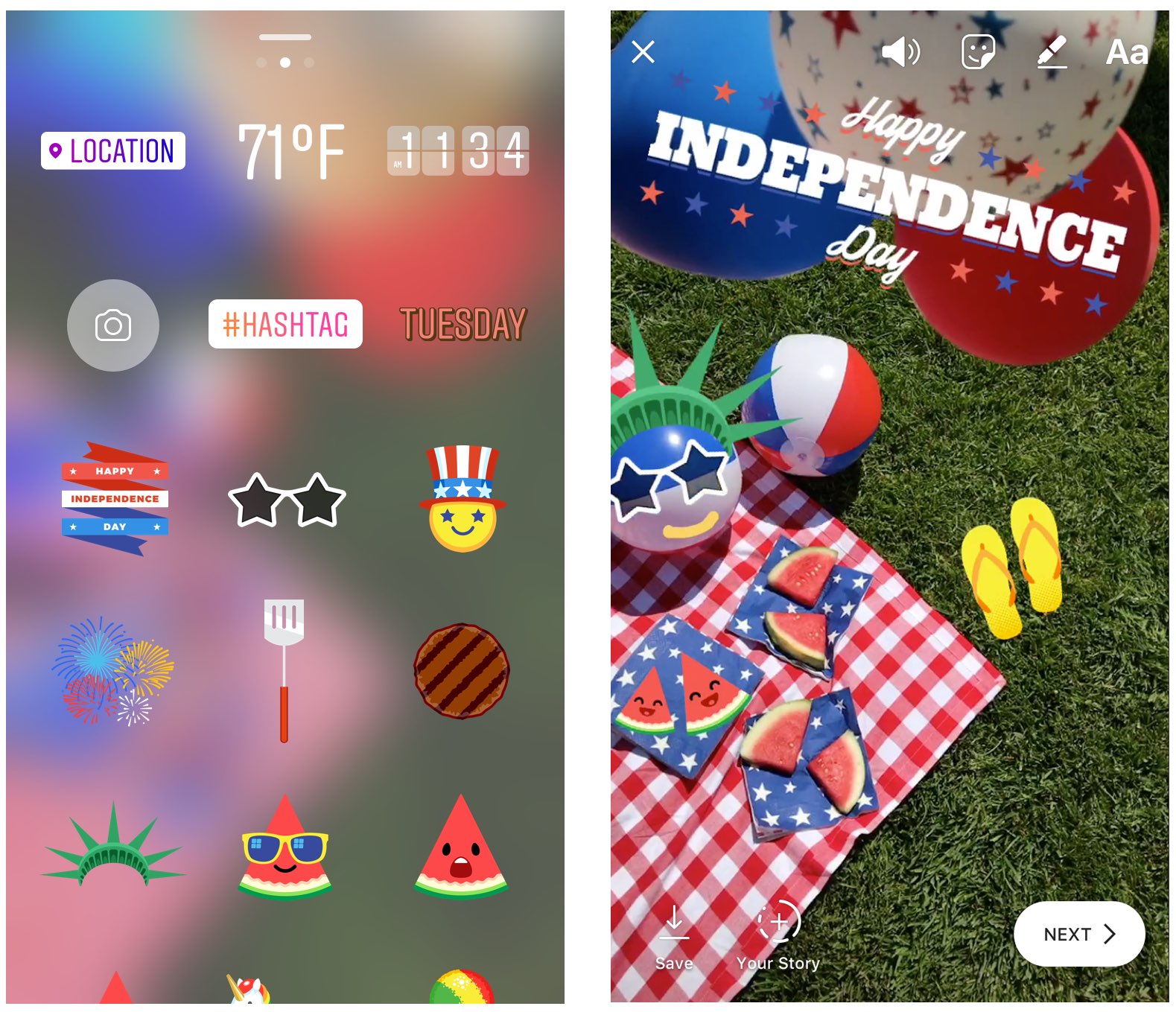
Instagram during the weekend launched stickers in its mobile app for iPhone and iPad which are dedicated to the 4th of July holiday and Canada Day celebrations across North America.

Instagram users in the United States can celebrate Independence Day by posting a Story adorned with one of the stickers in the app's new star-spangled sticker pack, ranging from backyard BBQs to fireworks at night.

Canadians get a sticker to celebrate Canada Day, available in both English and French.

The sticker was designed by Jenn Kitagawa, a multidisciplinary artist and illustrator who grew up in the prairies of Alberta and currently lives in Toronto.

Instagram is available at no charge on App Store.

Apple (again) reminds developers that iOS 11 won’t run 32-bit apps

Following the iOS 11 public beta release, Apple has reminded developers that iOS 11 will be 64-bit only. The notice posted yesterday on Apple's Dev Center cautions that all 32-bit apps previously installed on users’ devices will not launch after they upgrade to iOS 11.

“As a reminder, new iOS apps and updates submitted to the App Store must support 64-bit,” reads the notice. Apple recommends that developers who haven’t updated their apps to support 64-bit submit an update “so your users can continue to run your apps on iOS 11”.

TUTORIAL: How to identify 32-bit apps installed on your iPhone and iPad

Because iOS 11 is 64-bit only and doesn't support legacy 32-bit apps, users should experience a bit faster performance and fewer crashes. That's because iOS 11 will never need to load 32-bit frameworks, libraries and the kernel alongside their 64-bit counterparts needed to support legacy apps, which effectively strains the RAM and other resources.

https://www.youtube.com/watch?v=-hoPcMPvL88

Subscribe to iDownloadBlog on YouTube.

Apple’s Clips app already requires a 64-bit iOS device and iOS 11's new Files app is optimized for 64-bit computing, too. Starting with iOS 10.3, Apple began naming and shaming legacy apps via a new App Compatibility section in Settings → General → About → Applications.

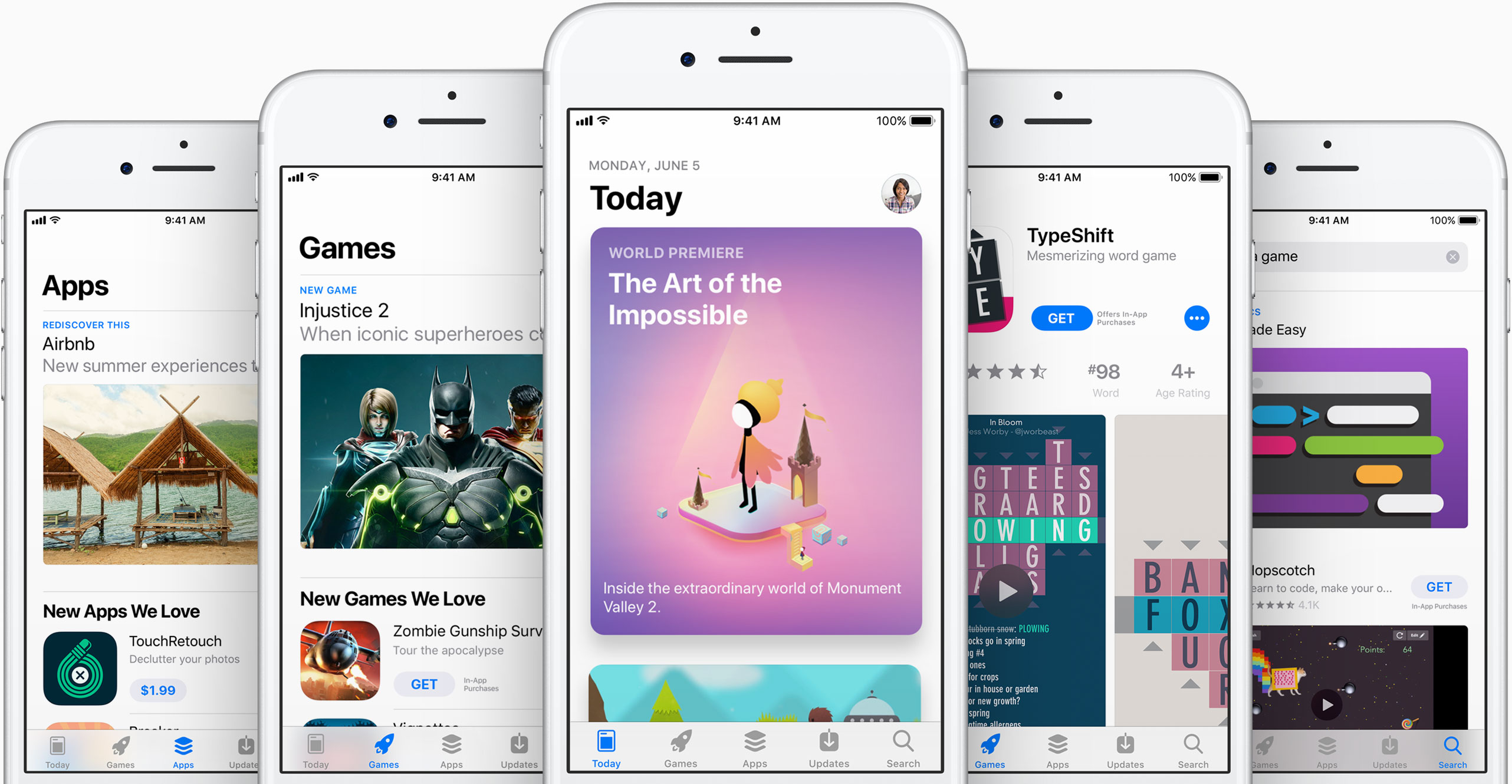
The new advisory regarding 32-bit apps was posted just a day after the company invited developers to update their product pages on App Store for iOS 11's much-improved, thoroughly redesigned App Store.

iOS 11 will be in the hands of “hundreds of millions of customers” this fall.

Instagram unveils offensive comment filter, anti-spam tool in 9 languages

Instagram today announced some much-needed new tools to help users of its mobile app enjoy the service without toxic comments and spam. One is a new filter designed to block certain offensive comments and the other is basically a spam filter supporting nine languages.

Instagram claims that the pair of newly announced tools at their users' disposal will help keep the service a safe place for self-expression and inclusive communities.

Clamping down on toxic comments is now easier with the comment filter that automatically blocks certain offensive comments on your published posts, as well as in live video.

The new offensive comment filter is in addition to Instagram's existing arsenal of tools, like comment reporting, account blocking and so forth. To access this automatic filter, tap Instagram's “...” menu from your profile, then tap the new Comments option.

“We’ll launch this comment filter in English first, but will offer it in more languages over time,” notes the Facebook-owned company. The filter is optional and can be turned off at any time.

To help fight spam, Instagram is rolling out another new filter. Powered by machine learning, it looks for any obvious spam in comments and blocks it from your posts and live videos.

According to Instagram:

Our team has been training our systems for some time to recognize certain types of offensive and spammy comments so you never have to see them. The tools will improve over time, enabling the community’s experience of sharing to improve as well. We hope to make these filters available in more languages as our algorithms improve.

At launch, this dedicated filter will remove spam written in a total of nine languages—English, Spanish, Portuguese, Arabic, French, German, Russian, Japanese and Chinese—with additional language support to be implemented in the future.

Instagram is available free of charge via App Store.

New video provides one of the best looks yet at iPhone 8 dummy unit

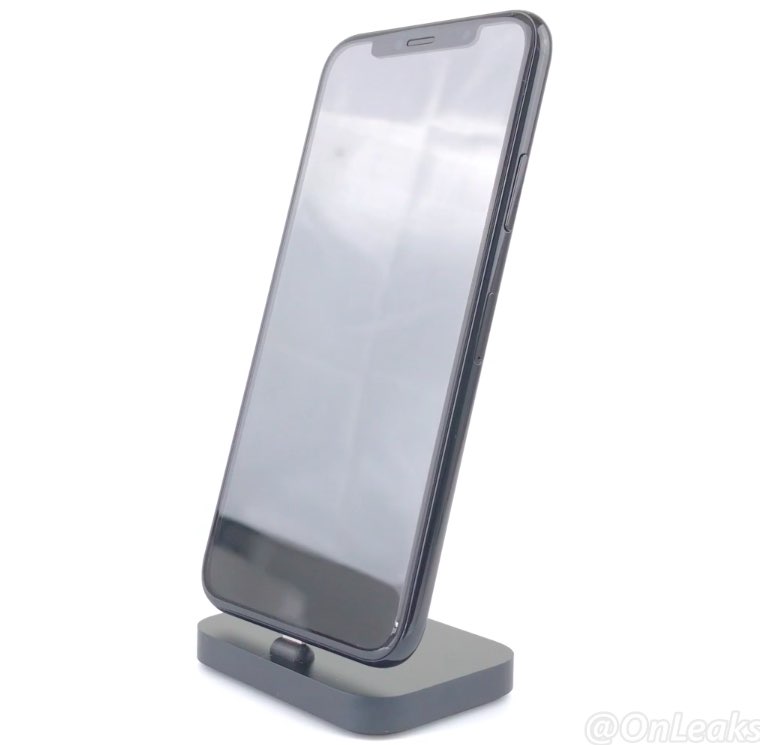
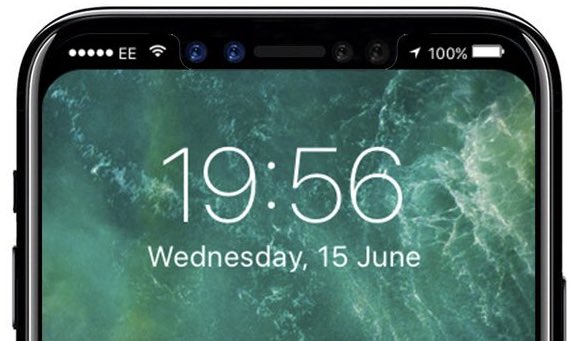
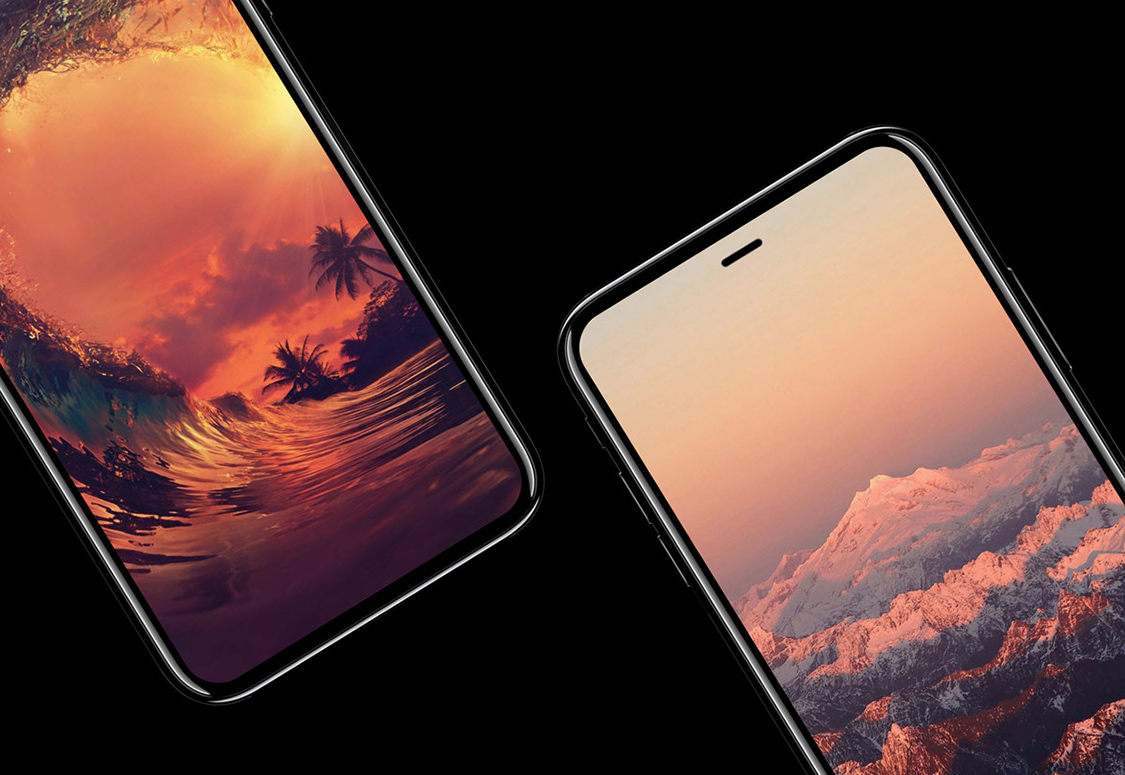
A new video that surfaced yesterday offers an up-close look, one of the clearest yet, at the prospective design of Apple's OLED-based iPhone 8. Shared by Steve Hemmerstoffer of OnLeaks, in partnership with Tiger Mobiles, the clip depicts a dummy device with a nearly full-screen face protected by a curved 2.5D glass cover.

The dummy unit has minimal side bezels. A Touch ID fingerprint sensor is built into the display and there's an area at the top of the display that will presumably accommodate the front-facing FaceTime camera along with a 3D sensor and potentially other sensors.

On the back, we see a vertically aligned dual-lens camera system like on prior leaks. The dummy unit measures 144mm long, 71mm wide and 7.5mm thick without the camera bump (with the bulge included, the thickness increases to 9.1mm).

And here's the video.

https://www.youtube.com/watch?v=pW1gx086ZxU

This particular iPhone 8 dummy unit is a CNC mockup manufactured based on CAD files that were posted to Twitter back in April. Because it's just a mockup based on the months-old CAD files and design schematics that have been circulating on the web for quite some time now, it may or may not be representative of the real iPhone 8 design.

TimeMover Lite lets you customize the position of your Lock screen clock for free

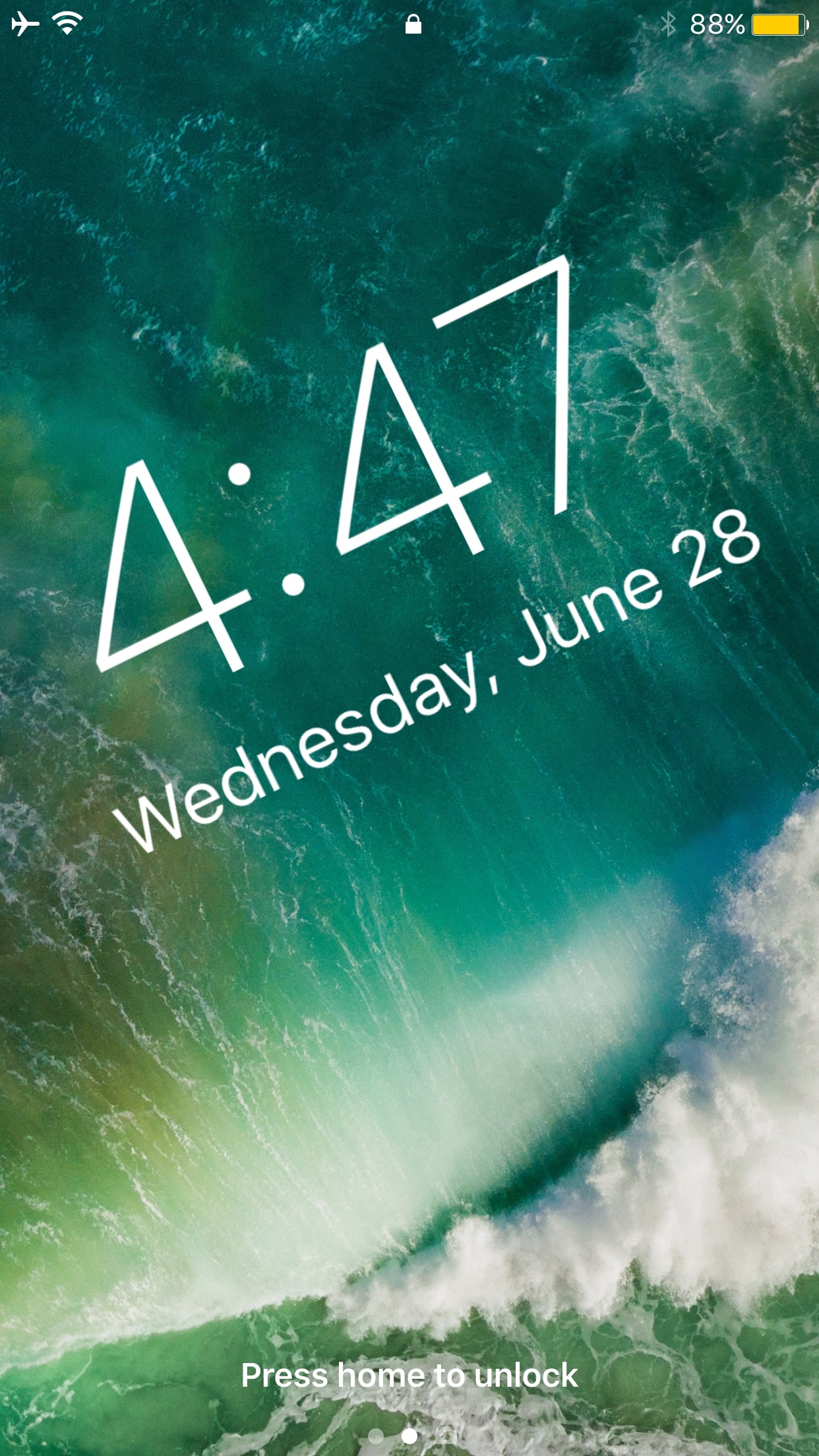
The Lock screen clock appears at the top center of the Lock screen on any stock device out of the box, but with a new free jailbreak tweak called TimeMover Lite by iOS developer NeinZedd9, you can re-position it anywhere you'd like.

If the concept sounds familiar, that’s because this is a free version of the TimeMover tweak that we showed you a couple of weeks ago, but it’s still plenty powerful.

Could this be the new iPhone 8 wireless charging chime?

Unlike iPhone, iPad and iPod touch, your Apple Watch plays its own charging sound when placed on its magnetic charging disk. Going by same logic, iPhone 8 should play a distinctively unique charging chime when connected to its wireless charger.

Polish YouTube user “MAKS+” claims to have discovered a brand new charging sound file in the latest beta of iOS 11. To be sure, there's no way of telling if it signifies a new wireless charging chime for iPhone 8.

https://www.youtube.com/watch?v=xAgpgtgrh88

As you can clearly tell yourself by listening to both sounds in the video above, the new wireless charging chime in the file named “engage_power.caf” does sound distinctively different compared to the regular charging sound in the audio file named “connect_power.caf”.

Don't get your hops up high: as noted by MacRumors, there are several other sound files in iOS 10 and 11 that are unused and do not have a purpose.

Put simply, there's really no way to confirm if this particular sound has been added as the new audible indicator that an iPhone 8 has been placed on an inductive wireless charger.

Thoughts?

New demos show how easy it is to bring 3D models to life with ARKit

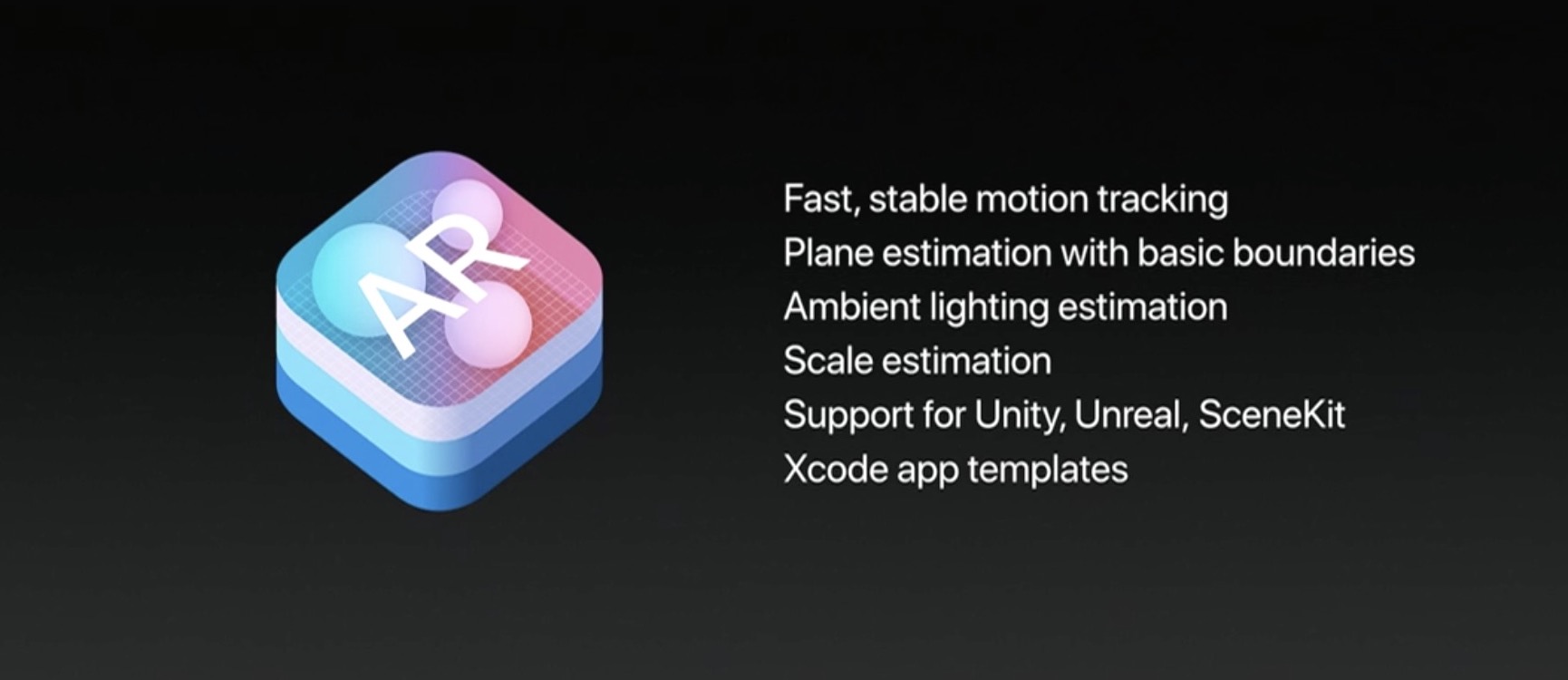
One of the best aspects of ARKit, Apple's new framework for building augmented reality apps, is the fact that it does all the incredibly complex heavy lifting like detecting room dimensions, horizontal planes and light sources, freeing up developers to focus on other things.

ARKit analyzes the scene presented by the camera view, in real time.

Combined with sensor data, it is able to detect horizontal planes, such as tables and floors, as well as track and place objects on smaller feature points with great precision.

And because it uses the camera sensor, ARKit can accurately estimate the total amount of light available in a scene to apply the correct amount of lighting to virtual objects.

First, check out this demo from Tomás Garcia.

https://www.youtube.com/watch?v=1G2YbQuQHps

Children's bedtime stories will never be the same come this fall!

Another developer has put together a quick demo showing off his AI bot, named “Pepper”.

https://www.youtube.com/watch?v=brFKo_tSkw8

According to the video's description:

I've been working on an AI bot for a while now. To be short, it's like V.I.K.I in the movie “I, Robot”. With the help of ARKit, I was able to bring it close to a real life assistant.

Due to obvious reasons, I'm not demonstrating her functionality in this video. So I ended up showing you guys how easy and simple it is to bring 3D models to life with Apple's new framework.

These videos clearly demonstrate how easy ARKit makes it for developers to match the shadows of their virtual objects to lighting conditions in the real world.

https://www.youtube.com/watch?v=lQt96saECfM

Here are some additional ARKit-enabled demos.

https://www.youtube.com/watch?v=-o7qr1NpeNI


https://www.youtube.com/watch?v=sJR_f7XCuvA


https://www.youtube.com/watch?v=lQt96saECfM

ARKit requires A9 or A10 processors, meaning ARKit apps will require an iPhone 6s or newer or one of the latest iPad Pro models, either the 9.7-inch or the 10.5-inch one.

If anything, these videos demonstrate just how easy Apple has made it to put together an AR app. Are you looking forward to ARKit, and why? Leave a comment below to let us know.
Watch new iPhone 7 ad: “A Portrait of Canada”

Apple's YouTube channel was updated Wednesday with a new commercial in the company's “Shot on iPhone” series. Titled “A Portrait of Canada”, it features words by Humble the Poet plus videos and depth-of-field photographs made possible by iPhone 7 Plus's dual-lens camera.

The photos and videos featured in the ad were snapped by photographer Caitlin Cronenberg and Canadians in locations across the country, ranging from Toronto to the Canadian Rockies.

The ad, according to the description on Apple's Canadian website, was meant to serve as “a portrait of Canada's inclusive spirit shot on iPhone, brought to life by three Canadian artists as well as Canadians across the country.”

And here it is.

https://www.youtube.com/watch?v=EpREAlYHiMU

Song: “Suplex (feat. Northern Voice)” by A Tribe Called Red

Canada turns 150 years old next week and Apple is joining the celebrations with a new “Unapologetically Canadian” page on the Canadian App Store.

“Canadians may be famous for saying we’re sorry, but when it comes to building great apps, there’s no need to apologize,” reads the page's description.

“Canada is home to some of the world’s greatest talent, and we’re thrilled to celebrate these inspiring creators as part of Canada’s 150th birthday. Scroll down to explore the list of Canadians’ 150 most-downloaded apps and games of all time.”

How do you like Apple's new ad that celebrates Canada's cultural diversity?

Let us know by posting a comment below.

Barclays: iPhone 8 to ship with 10W USB-C power adapter with fast charging

Apple's 5.8-inch iPhone 8 is expected to ship with a stronger ten-watt power adapter in its box, featuring a USB-C connector and fast-charging support. That's according to Barclays analyst Blayne Curtis's note to clients Wednesday, a copy of which was obtained by MacRumors.

Current iPhones include a five-watt power adapter in the box.

The analyst claims that iPhone 8 will include a dedicated USB-C Power Delivery chip that enables fast charging capabilities. The new ten-watt power adapter will also sport an integrated USB-C Power Delivery chip. Both chips will be supplied by Cypress Semiconductor and it's basically the same CYPD2104 part used in Apple's new 10.5-inch iPad Pro.

It should be noted that iPhone 7 already supports fast-charging capability when connected to Apple's 29-watt USB-C power adapter for MacBook via a Lightning to USB-C cable.

The new 12.9-inch iPad Pro and the 10.5-inch iPad Pro are capable of fast charging, too.

KGI Securities analyst Ming-Chi Kuo said in March that the OLED-based iPhone 8 would retain its Lightning connector and have a dedicated USB-C Power Delivery chip on the logic board.

Assuming Curtis is right, iPhone 8 might come bundled with either a Lightning to USB-C cable or a female USB-C to male USB-A adapter with an integrated fast-charging chip so that customers could use their existing Lightning to USB cable to fast-charge the phone.

iPhone 8 concept courtesy of iFanr.