iPhone

Stay up-to-date on the latest iPhone news and learn new tips and tricks with our comprehensive tutorials. From software updates to new features, we’ve got you covered.

How to adjust the intensity of bright colors on iPhone and iPad

Since iOS 7.1, Apple's mobile operating system has included a feature that allows you to manually adjust the display's white point to your liking. A white point, also known as reference white or target white, defines the color white in reproduction.

Lowering the white point makes bright colors on your iPhone, iPad or iPod touch's screen more intense. Conversely, increasing the white point reduces the intensity of bright colors, thereby helping extend the run time of your iPhone or iPad.

The ability to manually adjust the white point so that it matches a white surface in your room is particularly handy for owners of devices that lack Apple's True Tone display technology.

How to adjust the intensity of bright colors on iPhone and iPad

1) Launch the Settings app on your device.

2) Tap Accessibility.

3) Tap Display & Text Size underneath the Vision heading.

4) Slide the button labeled Reduce White Point to the ON position.

5) Now drag the slider underneath the button to the right to make bright colors less intense or move it to the left to lower the white point, which will make bright colors more intense.

Reducing the intensity of the screen's battery-hogging backlight by increasing the white point is one of the nearly dozen proven ways to save battery life on iPhone and iPad.

TIP: To get to this feature faster, set it as a triple-click Home button action in Settings → General → Accessibility → Accessibility Shortcut.

Again, don't confuse Reduce White Point with the True Tone feature.

True Tone ≠ Reduce White Point

What exactly is the difference between True Tone and Reduce White Point?

True Tone is Apple's display technology currently found on iPad Pro models which changes the white point of the display on the fly while simultaneously adjusting brightness in order to compensate for the lighting in the environment

The Reduce White Point option does not take advantage of the ambient light sensors in your device like True Tone does. As a result, you cannot tell your device to adjust the white point of its display dynamically to match the current lighting conditions in a room.

Put simply, should lighting conditions change you'll need to repeat these steps to manually recalibrate the intensity of bright colors for the current ambient lighting.

Have you ever wanted to set the screen brightness on your iOS device below the normal threshold? If so, the Low Light filter in your Zoom accessibility settings is your friend.

Need help? Ask iDB!

If you like this how-to, pass it along to your support folks and leave a comment below.

Got stuck? Not sure how to do certain things on your Apple device? Let us know via help@iDownloadBlog.com and a future tutorial might provide a solution.

Submit your how-to suggestions via tips@iDownloadBlog.com.
Apple issues sixth beta of iOS 10.3.3 to developers

Apple on Wednesday seeded iOS 10.3.3 beta 6 to its registered developers and members of the paid Apple Developer Program. The new update has a build number of 14G57 or 14G58, depending on the device. It can be deployed to any compatible iPhone, iPad or iPod touch via the Software Update mechanism in the Settings app.

Your device must have an appropriate configuration profile installed, which can be downloaded from Dev Center. The latest beta arrives following iOS 10.3.3 beta 5, which was seeded to developers on June 28 (the first beta dropped on May 16).

Some of the fixes in iOS 10.3.3 are mentioned in Andrew’s walkthrough video of the first beta.

https://www.youtube.com/watch?v=Xvh5kOofWW0

Subscribe to iDownloadBlog on YouTube.

As mentioned, iOS 10.3.3 is a bug-fix release which enhances the security and performance of your iPhone, iPad and iPod touch. This is most likely that last point update to iOS 10 as Apple continues to beta-test the major iOS 11 software update ahead of its public release in the fall.

Apple also released macOS Sierra 10.12.6 beta 6 for developer testing today.

How to use Control Center without 3D Touch

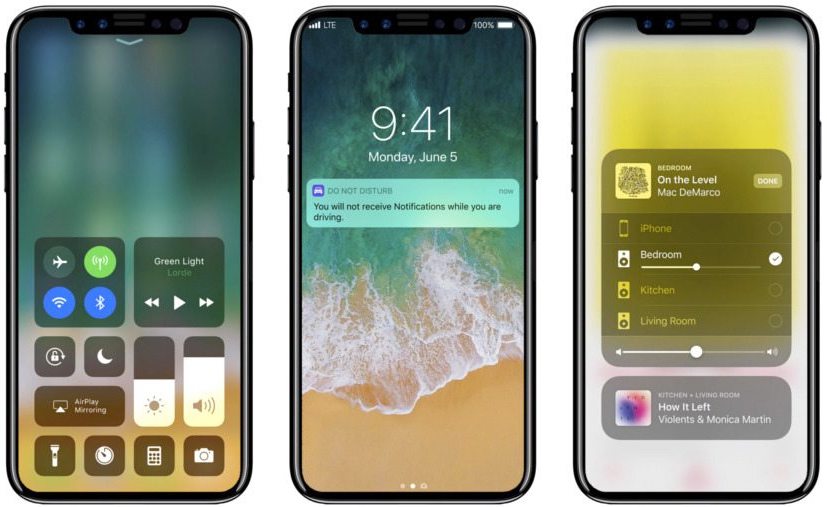
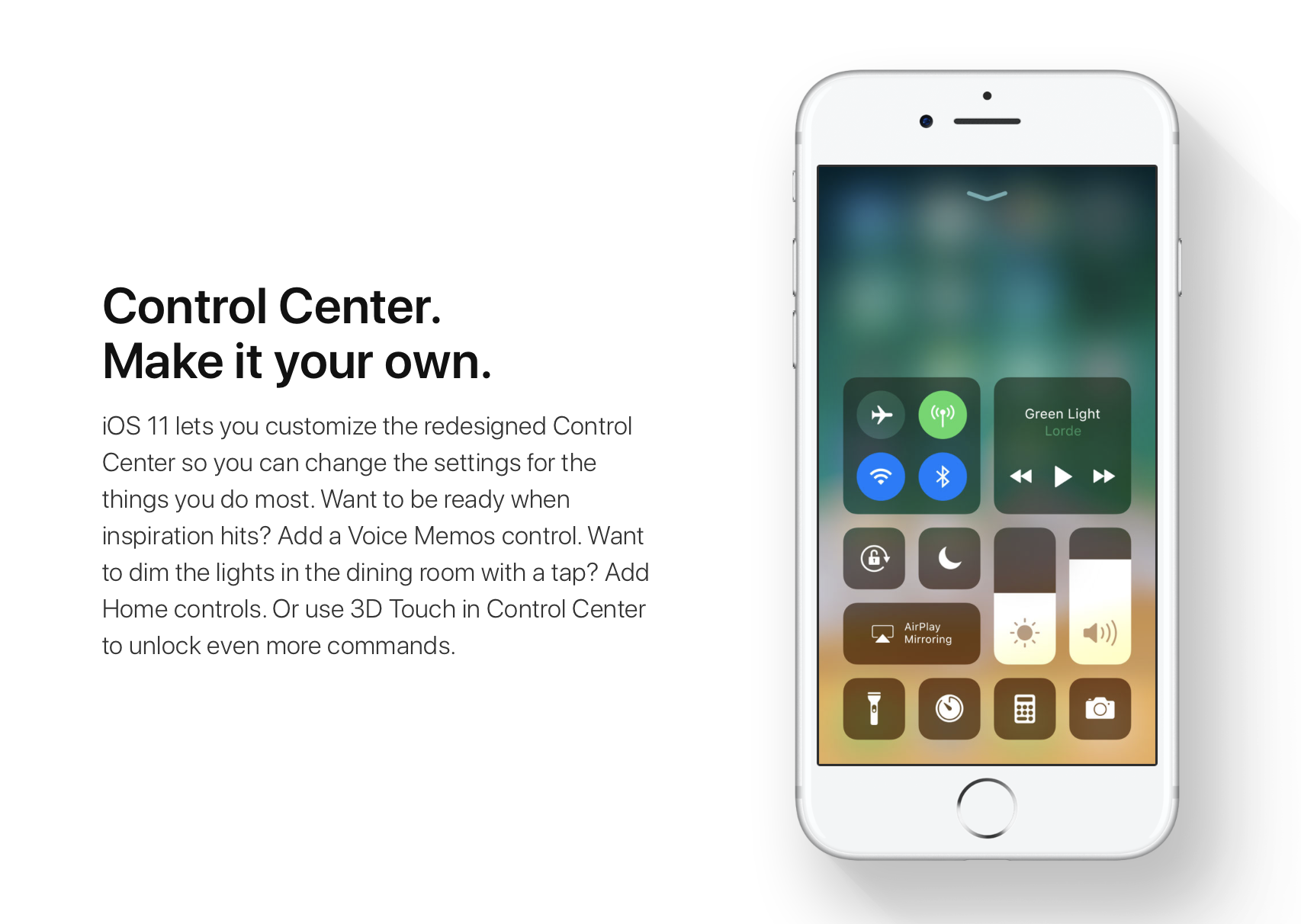
iOS 11 offers more customization for Control Center than ever, allowing you to make it your own by disabling toggles you rarely use. If puts frequently used controls all on one page, many of which can be expanded to reveal additional options when pressed with 3D Touch.

For instance, you can press the Home toggle lightly to bring up your HomeKit scenes, press the Now Playing toggle with 3D Touch to expand media controls, press the Apple TV Remote toggle to navigate your Apple TV or type some text into it, and much, much more.

So far, so great. But what if your device lacks 3D Touch?

Unlike prior iOS editions that didn't provide a fallback mechanism for 3D Touch interactions on non-3D Touch devices, iOS 11 allows you to use all of the features the redesigned Control Center has to offer without having to own a 3D Touch device.

Our resident video editor Andrew O'Hara details how iOS 11's Control Center works on devices that don't include 3D Touch features, like iPads and iPhone 6 and older models.

https://www.youtube.com/watch?v=cpSoo5_TqIQ

Subscribe to iDownloadBlog on YouTube.

Continue reading for step-by-step instructions on using Control Center without 3D Touch

How to use Control Center without 3D Touch

1) Access Control Center by swiping up from the bottom of the screen

TIP: Enable Access Within Apps in Settings → Control Center to have your device respond to that gesture when you're using an app.

2) Tap and hold on the control to expand it.

In Andrew's example, he long-taps the Brightness toggle to access controls for turning Night Shift on or off. You can long-tap other Control Center items that are expandable. For example, long-tapping the Volume control enlarges the slider as if you pressed it with 3D Touch.

iPad lacks Taptic Engine so you won't feel haptic feedback when long-tapping.

That's it, boys and girls, now you know how to interact with Control Center on iOS 11 without actuating having to have a 3D Touch device. This tip should be especially useful for iPad owners as Apple's tablets lacks 3D Touch features.

TUTORIAL: How to force-quite iPad apps on iOS 11

Don't forget you can selectively enable or disable nearly two-dozen different toggles and change the order in which they appear in Control Center under Settings → Control Center → Customize Controls, including new system toggles and features like Screen Recording, Voice Memos, Low Power Mode, Apple TV Remote, Accessibility Shortcuts and more.

To lear more about iOS 11's Control Center, watch another walkthrough video below.

https://www.youtube.com/watch?v=UGWjmt6UXJI

Aside from drag and drop, iOS 11 brings five different types of tap gestures, including a longer tap to move multiple apps on the Home screen, a special half-long tap to pull up an extra Dock menu and a long-tap in the notifications overlay to access additional options.

Need help? Ask iDB!

If you like this how-to, pass it along to your support folks and leave a comment below.

Got stuck? Not sure how to do certain things on your Apple device? Let us know via help@iDownloadBlog.com and a future tutorial might provide a solution.

Submit your how-to suggestions via tips@iDownloadBlog.com.
Analyst says iPhone 8’s 3D sensing module is ready for mass production

iPhone 8 is expected to use a laser transmitter and receiver for advanced facial recognition, 3D mapping, augmented reality and other features. A Barrons report, citing analyst Jun Zhang with Rosenblatt Securities, suggests iPhone 8's 3D sensing module is ready for mass production.

The analyst believes that a company called Viavi Solutions will build 150 million optical filter units for Apple in 2018. He said 3D sensing could be used for facial recognition on iPhone 8, potentially supporting simple gesture recognition in the front.

Furthermore, a 3D sensor for the rear camera should improve depth-of-field photography.

As we previously reported, other suppliers of 3D-sensing modules for iPhone 8 are said to include Largan, Lumentum and Finisar. In the analyst's view, the adoption curve could ramp once the cost of 3D-sensing modules lowers to $10 per piece.

Viavi is one of the 3D-sensing market leaders.

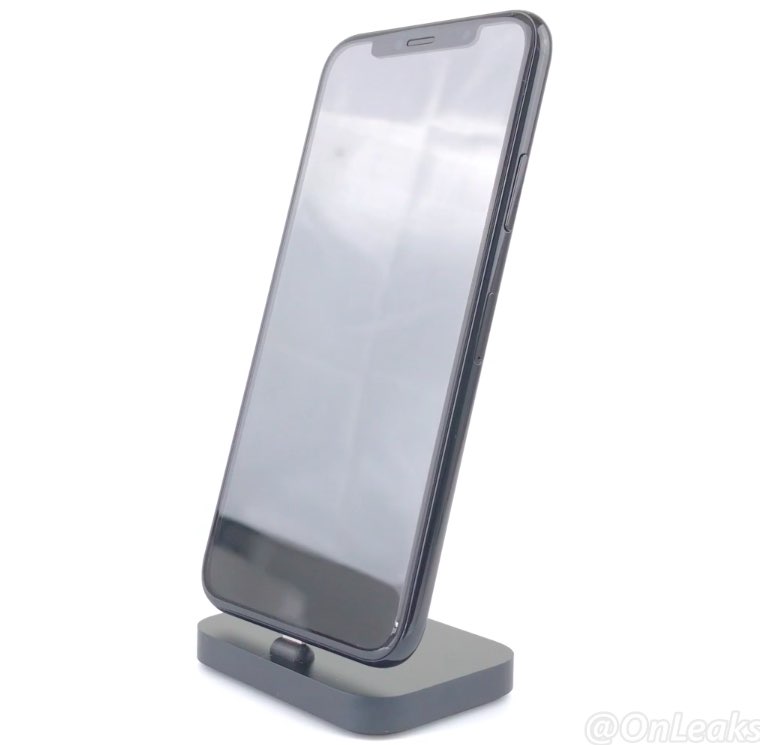
iPhone 8 mockup via iDropNews.

ARKit demos: jumping between planes, people tracking, alien invasion, Tic-Tac-Toe & more

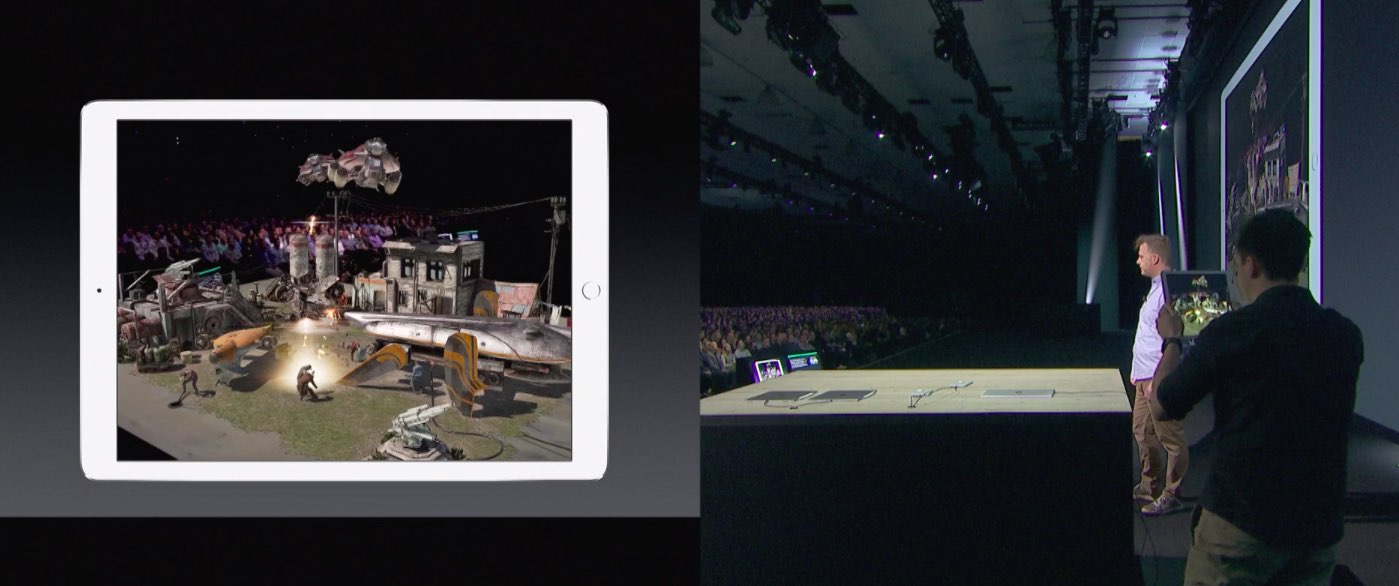
Apple's ARKit framework is slowly but surely emerging as one of the best new features in iOS 11. Many developers have built everything from virtual tape measures and Minecraft to ballerinas made out of wood dancing on floors. It's remarkable that most of the ARKit demos we've seen so far were built in a matter of hours or days, not weeks or months.

Today, we want to highlight a few additional ARKit demos that we've curated. These videos highlight ARKit's incredibly reliable and accurate tracking features that don't require any special hardware beyond the sensors and the camera already present in your iPhone or iPad.

First up, we have this demo showing jumping between different planes.

https://www.youtube.com/watch?v=pj3PbRTgpQk

ARKit automatically detects horizontal surfaces, called planes, such as tables and floors, and can track and place objects on smaller feature points as well. This is all handled automatically, with uncanny precision, using only data from your iOS device's camera and sensors.

The following pair of videos demonstrate a virtual character interacting with the environment by autonomously jumping a flight of stairs and between different surfaces of the real world.

https://www.youtube.com/watch?v=vozrtqe7MZY

https://www.youtube.com/watch?v=o7REJj_bN-c

Interactions between virtual objects and real people are easy as a pie with ARKit.

https://www.youtube.com/watch?v=RdAqD4uIbX0

The Tracking Monster demo, seen below, uses ARKit and the Unity engine to track a monster with the dynamically updated shadows based on changing lighting conditions in the real world.

https://www.youtube.com/watch?v=_IYT-OCWqDg

Maze games will never be the same!

Speaking of games, here's Tic-Tac-Tio in augmented reality, developed By Bjarne Lundgren.

https://www.youtube.com/watch?v=IBBq473vuMo

And last but not least, Mixed Reality Design posted the following example of an augmented reality app depicting an alien vessel hovering ominously above a construction site.

Hollywood will soon invade your smartglasses airspace → fact https://t.co/jLYm1YcBW2 pic.twitter.com/to2qqfFIVr

— Mixed Reality Design (@MixedrealityD) July 4, 2017

Head over to the Mixed Reality Design's Twitter account for more AR examples like this.

While it's not entirely clear that this particular demo uses ARKit, it does highlight the possibilities for AR movie trailers that could be coming soon to your phone.

Be sure to check out other interesting ARKit apps and demos, including an upcoming furniture-ordering app from Ikea, a measuring tape that blew up on the web, an ARKit-powered VR mode in Maps, an inter-dimensional portal and much more.

“I think there is a gigantic runway that we have here with the iPhone and the iPad,” Apple executive Greg Joswiak said of ARKit in a recent interview with The Australian. “The fact we have a billion of these devices out there is quite an opportunity for developers.”

How do you like these ARKit demos? Which one is your favorite, and why? Chime in with your thoughts and observations in the comments section below.

KGI: 2017 iPhones to ship with 5W power adapter, wireless charger sold separately

KGI Securities analyst Ming-Chi Kuo clarified in a note to clients, a copy of which was obtained by MacRumors, that Apple's OLED-based iPhone 8 and LCD-based iPhone 7s and iPhone 7s Plus smartphones would ship with the same old 5-Watt power adapter, like prior iPhones.

A USB-A to Lightning cable should be included in the box as a standard accessory.

He reiterated his previous stance that iPhone 8 would include a USB-C Power Delivery chip for fast-charge capability. Barclays analyst Blayne Curtis predicted that iPhone 8 would come bundled with a 10-Watt power adapter featuring USB-C connectivity and fast-charge support.

All new iPhones coming down the pike in 2017 should adopt all-glass bodies with metal frames to support wireless charging functionality said to be compatible with the standard put forth by the Wireless Power Consortium, of which Apple is a member.

The analyst claims wireless charging will require an inductive charger, sold separately.

All new iPhones would use ten to fifteen percent faster RAM than iPhone 7 for better augmented reality performance in apps that use the new ARKit framework.

iPhone 8 and iPhone 7s Plus may use 3GB of RAM for better dual-camera performance, while the 4.7-inch iPhone 7s should have 2GB of RAM as it lacks a dual-lens camera.

Kuo said yesterday iPhone 8 would come in limited color options and feature 3D sensing for facial recognition and no Touch ID fingerprint scanning, adding that all 2017 iPhone models would have an improved stereo speaker system and come in 64 and 256GB storage options.

iPhone 8 mockup via iDropNews.

The best jailbreak tweaks for the Volume HUD

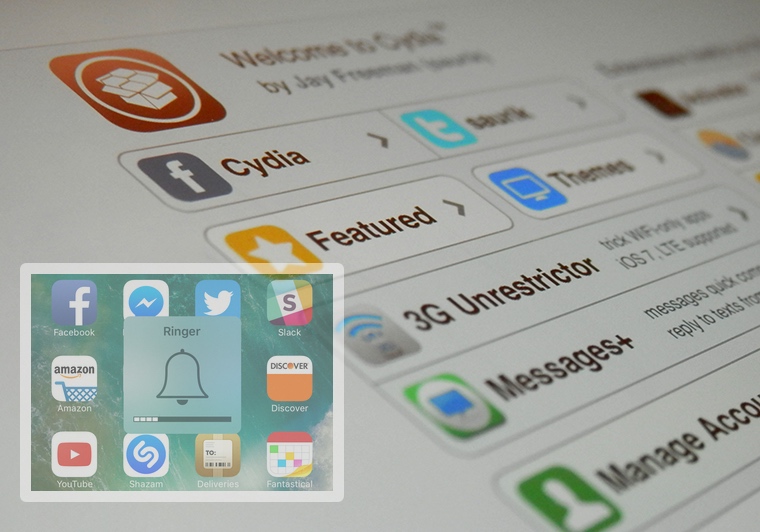
Perhaps one of the worst experiences in iOS out of the box is the volume HUD; it's clunky and appears right in the middle of the screen as you try to get things done.

Since it gets in the way so much, jailbreak developers have been creating alternative solutions for years, and in this roundup, we'll be talking about the best volume HUD-based jailbreak tweaks that work great with the Yalu jailbreak for iOS 10.

Bloomberg: 3D face scanning feature could replace Touch ID in iPhone 8

Apple is working on a 3D face scanning feature that could replace Touch ID in iPhone 8, reports Bloomberg. Citing sources familiar with the product, the outlet says that the "improved security system" allows users to log in, authenticate payments, and launch secure apps by scanning their face.

This is powered by a new 3-D sensor, added the people, who asked not to be identified discussing technology that’s still in development. The company is also testing eye scanning to augment the system, one of the people said.

The sensor’s speed and accuracy are focal points of the feature. It can scan a user’s face and unlock the iPhone within a few hundred milliseconds, the person said. It is designed to work even if the device is laying flat on a table, rather than just close up to the face. The feature is still being tested and may not appear with the new device. However, the intent is for it to replace the Touch ID fingerprint scanner, according to the person.

Apple wouldn't be the first tech company to integrate face-scanning tech into its handset. Samsung's Galaxy S8 has an iris scanner that can be used to unlock the phone, although it has received mostly negative reviews. Apple's face-scanning sensor is believed to be more secure, thanks to 3D depth perception.

Thus far, a majority of the leaks and reports we've seen regarding the iPhone 8 have pointed to a device without a Home button, leading many to believe Apple found a way to embed Touch ID into the display. Noted analyst Ming-Chi Kuo, however, agrees with Bloomberg's facial recognition theory.

Source: Bloomberg

Apple could make major upfront investment into LG’s OLED production lines

Apple is reportedly in talks with LG Display about investing anywhere between $1.75 billion and $2.62 billion into the South Korean firm's new “E6” plant with a target monthly capacity of about 30,000 units of sixth-generation OLED panels.

According to The Korea Herald newspaper on Monday, the upcoming facility would be “exclusively dedicated to Apple orders” and should come online as early as 2019. A source said that the funding from Apple should help LG Display reduce risks from the lower margin.

The two companies have tentatively agreed on the investment plans, but details on the timing and size of the investment have yet to be finalized. The final decision is expected to be made following LG Display's board meeting later this month.

LG previously discussed an $870 million Google investment into its OLED plant.

An anonymous source said:

Samsung Display is the only display maker that meets Apple’s strict quality criteria for now. LG Display is said to be meeting about 70 percent level of the requirements, while Chinese display makers are still struggling to catch up with that of LG.

LG Display’s OLED supply for iPhone was delayed because the company failed to purchase Canon Tokki’s vacuum machine, the most advanced OLED production equipment whose supply is extremely limited. Recently, LG secured two units of the machine to speed up production.

With the new equipment installations expected in December 2017 and February 2018, LG Display’s production capacity is expected to double to 60,000 OLED panel units per month.

LG’s other new OLED plant, called “E5”, will focus on orders from LG Electronics and Chinese clients. Samsung Display is expected to be the sole supplier of OLED panels for iPhone 8 this year. LG Display currently builds flexible OLED panels for Apple Watch on an exclusive basis.

Samsung Display is reportedly building the world's biggest OLED manufacturing facility dedicated to orders from Apple and Samsung Electronics.

iPhone 8 concept via Benjamin Geskin.

Sharp beats everyone to completely bezeless phone

Forget Xiaomi's Mi MIX, Samsung's, Galaxy S8 or Apple's upcoming iPhone 8: Apple supplier Sharp is set to launch a completely bezeless devices on the July 17. According to GizChina, Sharp's rather mundanely branded FS8016 and FS8010 phones will have 100 percent seamless appearance with no bezels on the sides and really high screen to body ratios.

The otherwise identical Android devices have different processors: the FS8016 model uses a Snapdragon 660 processor with 6GB of RAM while its FS8010 counterpart is powered by a Snapdragon 330 chip with 4GB of RAM.

Each phone will come running on Android 7.1.1 and have a 5.5-inch display with with a 2,048-by-1,080 pixel resolution, dual twelve-megapixel rear cameras, an eight-megapixel camera on the front and 64 GB of onboard memory.

I'm not surprised that Sharp has managed to design what's essentially a seamless phone with a 100 percent full-screen face with no visible bezels given their awesome Aquos Crystal device in 2014, which filed as the first phone to have three of its sides completely bezel-less.

Are you surprised that Sharp is set to beat other smartphone vendors and launch a completely bezeless device? Chime in with your thoughts in the comment section.

New ARKit demos: Tesla Model 3, food ordering & inter-dimensional portal

With the new ARKit framework for building augmented reality (AR) apps, Apple is turning existing iOS devices into the largest AR platform in the world.

We previously shared a bunch of interesting ARKit demos showcasing the possibilities of the framework, including an upcoming furniture-ordering app from Ikea, a measuring tape, an ARKit-powered VR mode in Maps and more.

Today, we're highlight three more examples of ARKit-driven apps: a Tesla Model 3 app by an impatient fan, an example of an inter-dimensional portal in the middle of the street and an app that promises to change how we order food.

First up, a demo app by an impatient Tesla fan who couldn't wait for his ordered Model 3 so he made this ARKit-powered app that lets him drive around a virtual Model 3 in his real world, activate the headlights and so forth.

@elonmusk Couldn't wait 4 my #Model3, so made this AR app, what do you think? #ARkit pic.twitter.com/lIRLTZox7N

— Jelmer Verhoog (@JelmerVerhoog) July 1, 2017

Food ordering will never be the same, says developer Alper Guler who created an ARKit-driven app which renders various foods on your table that you can pan around, zoom in and out, rotate and more.

https://www.youtube.com/watch?v=oFdgVNg4ryM

And last but not least, we have French consulting agency Nedd which came up with a great example of AR+VR, via iPhoneAddict.fr.

https://www.youtube.com/watch?v=rIPfpGCxONQ

Before signing off, here's a quick volumetric capture example with ARKit.

hint pic.twitter.com/WOuqVer1Ph

— Made With ARKit (@madewithARKit) June 27, 2017

Very impressive so far, don't you think?