iPhone

Stay up-to-date on the latest iPhone news and learn new tips and tricks with our comprehensive tutorials. From software updates to new features, we’ve got you covered.

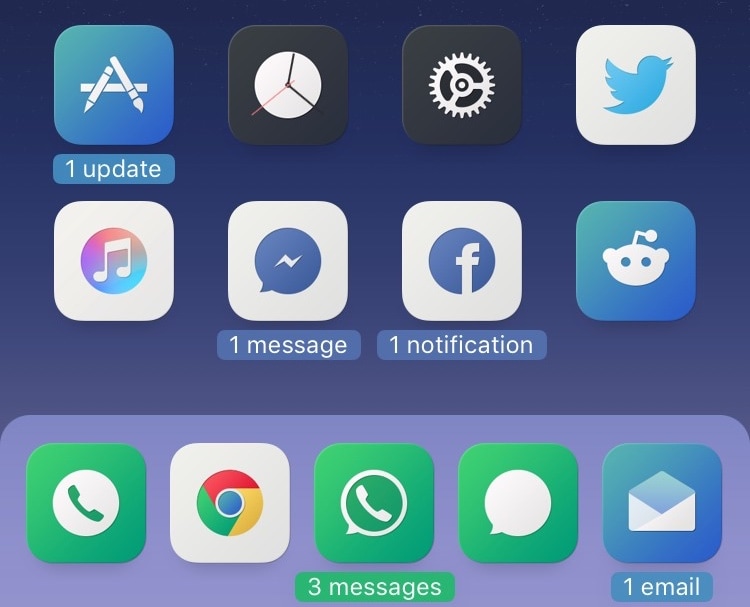
Goodges 2 replaces standard notification badges with these sexy new icon labels

If you receive a lot of app notifications from one day to the next, then perhaps you feel like looking at something a bit more aesthetically pleasing than a plethora of red icon badges randomly dispersed across your Home screen.

If you can relate, then you might take a liking to a free jailbreak tweak called Goodges 2 by iOS developer NoisyFlake. This tweak replaces those tiny red atrocities with dynamic app icon labels that notate precisely how many missed notifications you have for all relevant apps.

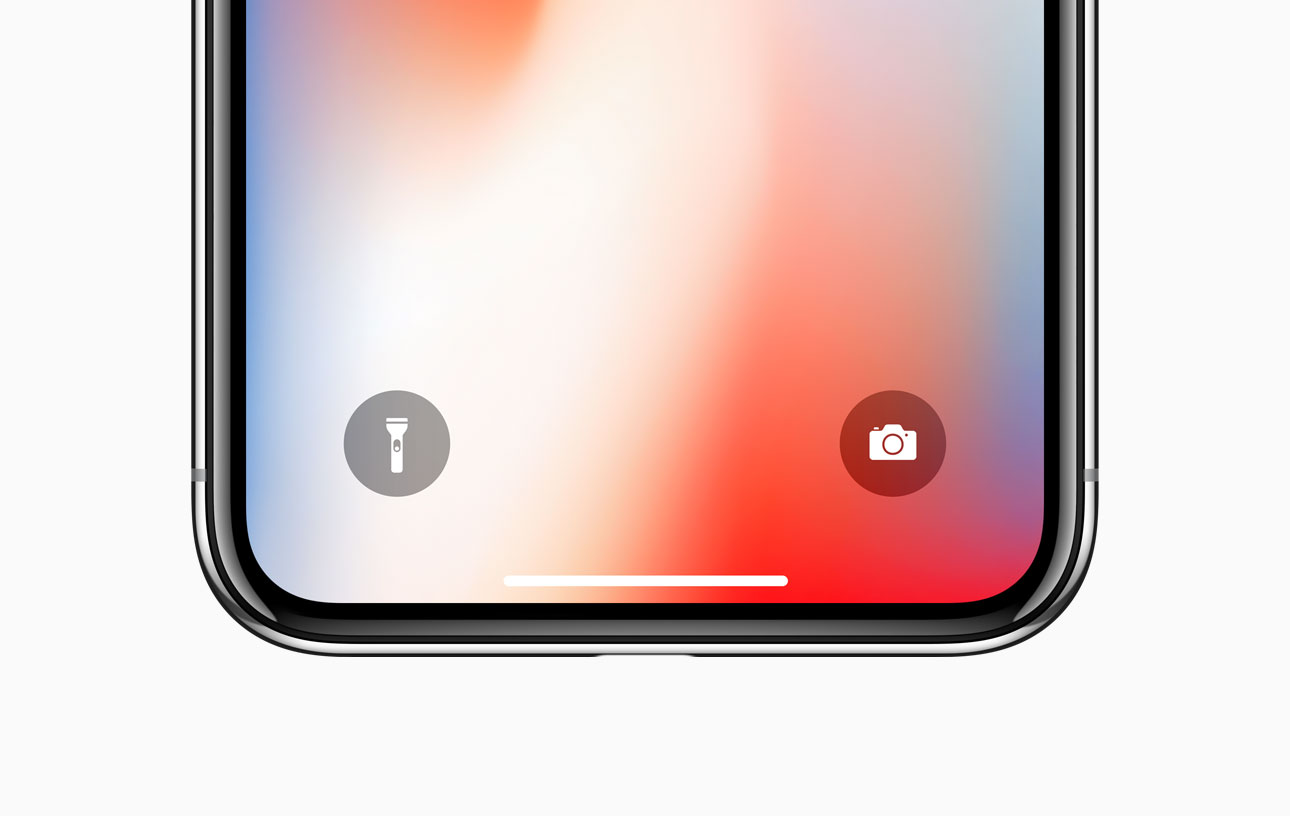
ShortcutEnabler brings iPhone X-inspired camera and flashlight shortcuts every handset’s Lock screen

If you own any of Apple’s notched handsets, such as the iPhone X, XR, XS, or XS Max, then you’re already familiar with the two small shortcuts that appear on the bottom left and right of your Lock screen for the Flashlight and the Camera.

These shortcuts are incredibly useful in a pinch, and yet Apple never thought to provide them for users of older, non-notched handsets. Fortunately, you can now change that with the help of a free jailbreak tweak called ShortcutEnabler by iOS developer NoisyFlake.

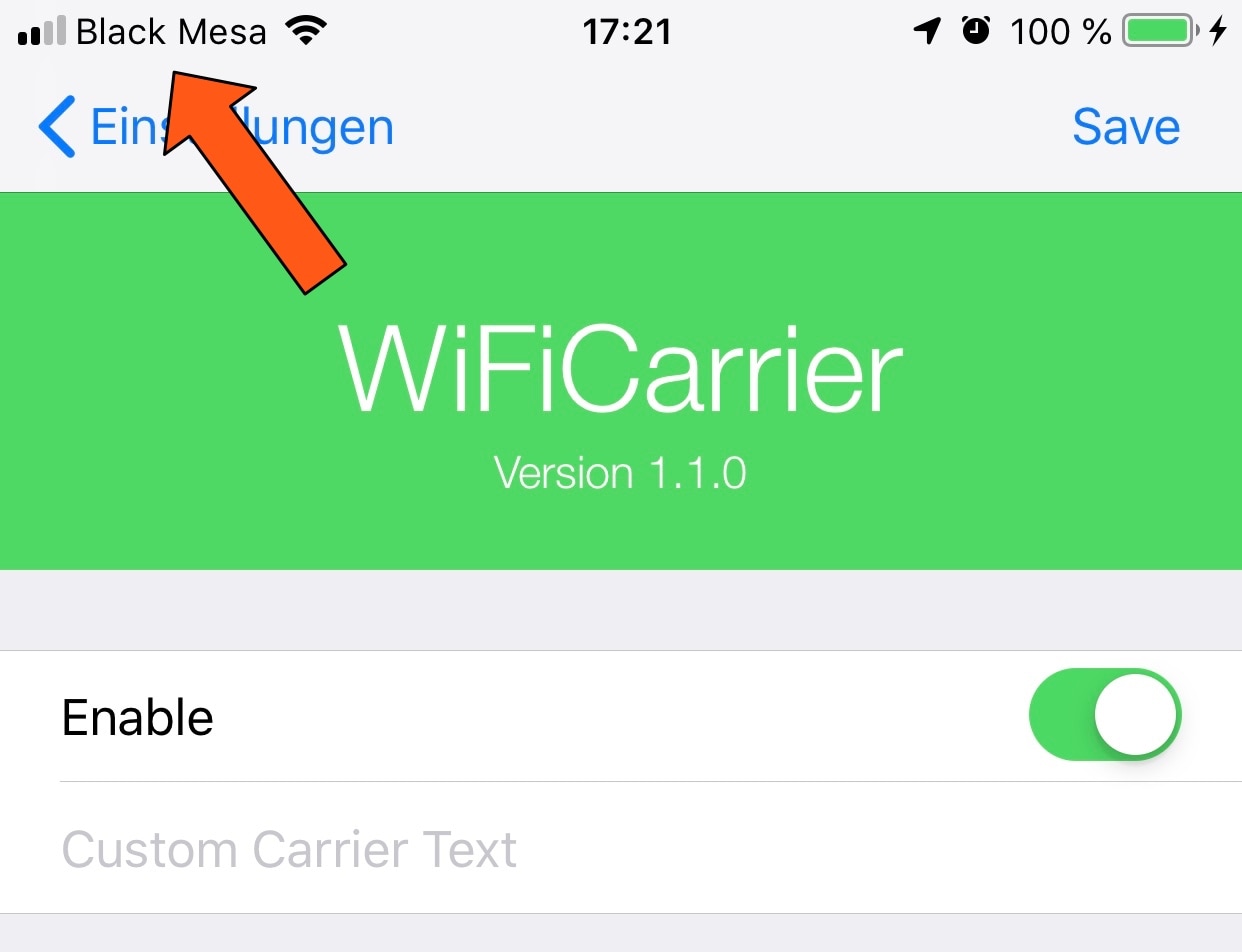
WiFiCarrier replaces the Status Bar’s carrier text with the Wi-Fi network name when connected to Wi-Fi

Your cellular carrier’s name appears in between the cellular signal strength indicator and Wi-Fi signal strength indicator in your iPhone’s Status Bar from the moment you activate your handset, but doesn’t it seem a bit weird to you that your Status Bar still displays the carrier’s name when you connect to a Wi-Fi network?

If you’re in agreeance, then you might enjoy a free jailbreak tweak called WiFiCarrier by iOS developer NoisyFlake, as it replaces the carrier’s name in your iPhone’s Status Bar with the SSID (network name) of your current Wi-Fi network whenever you’re connected to one.

Add a fresh coat of paint to Control Center with Magma

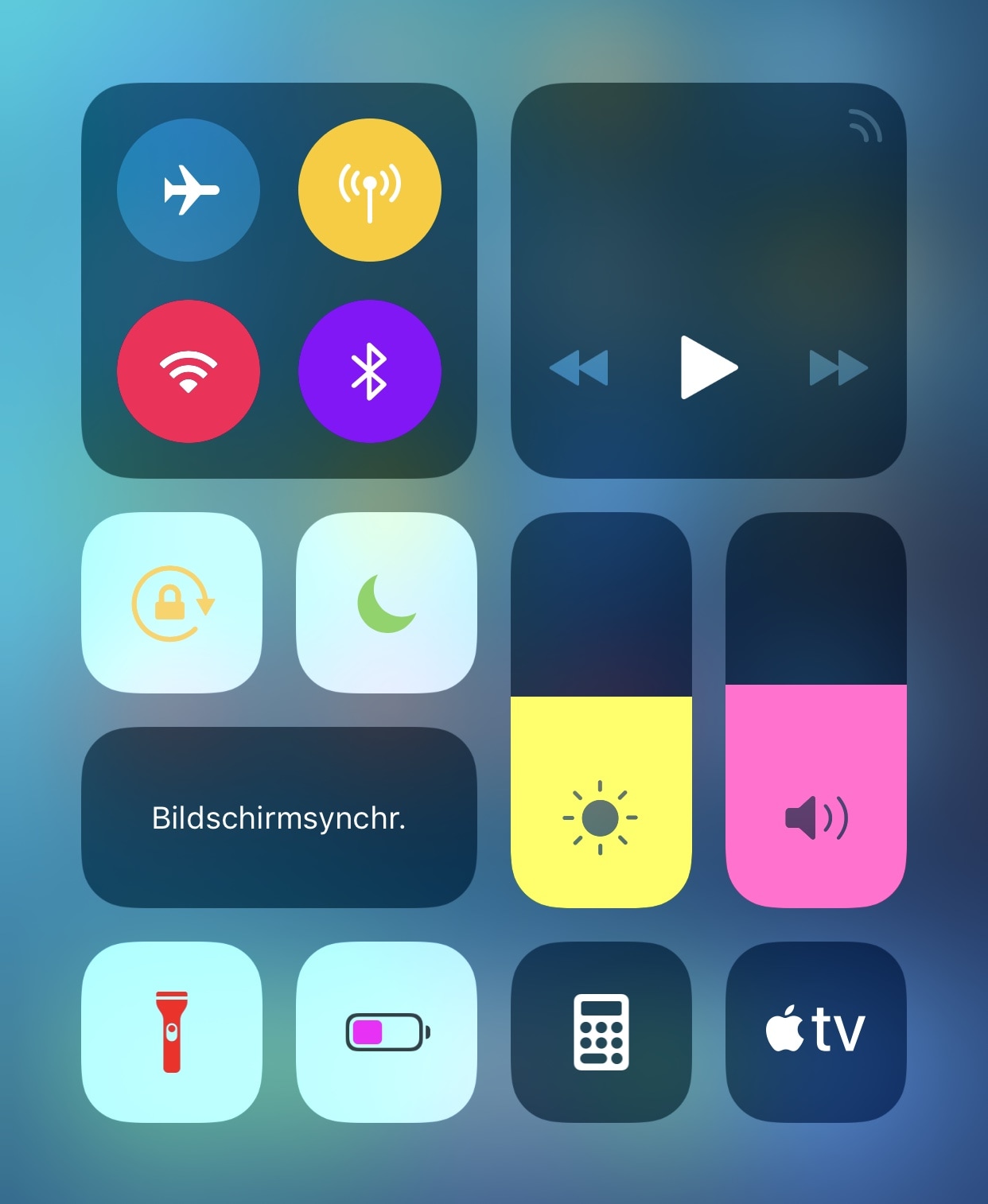
If you have a jailbroken iPhone or iPad in your possession and you haven’t yet started colorizing the user interface to stand out from all the other handsets out there, then you’re doing yourself an injustice.

Fortunately, a new free jailbreak tweak called Magma by iOS developer NoisyFlake can help you with this endeavor, as it lets you apply custom colors to the plethora of toggles and shortcuts that you use via the Control Center interface, as shown above.

ActionBar brings a modernized text-editing interface to the iOS keyboard

When typing on any iOS device, you can perform text editing-related actions by tapping and holding on a string of text. Among the options you’re presented with are “Cut,” “Copy,” and “Paste,” among others. This interface and the means of interaction hasn’t changed much over the years, and many would argue that it feels antiquated.

Given the circumstances, iOS developer RestiveConch has just released a new jailbreak tweak called ActionBar that breathes new life into the process of interacting with these actions by integrating them all into the keyboard interface itself, as shown above.

Augment your iPhone’s AirPods animation with AnimPods

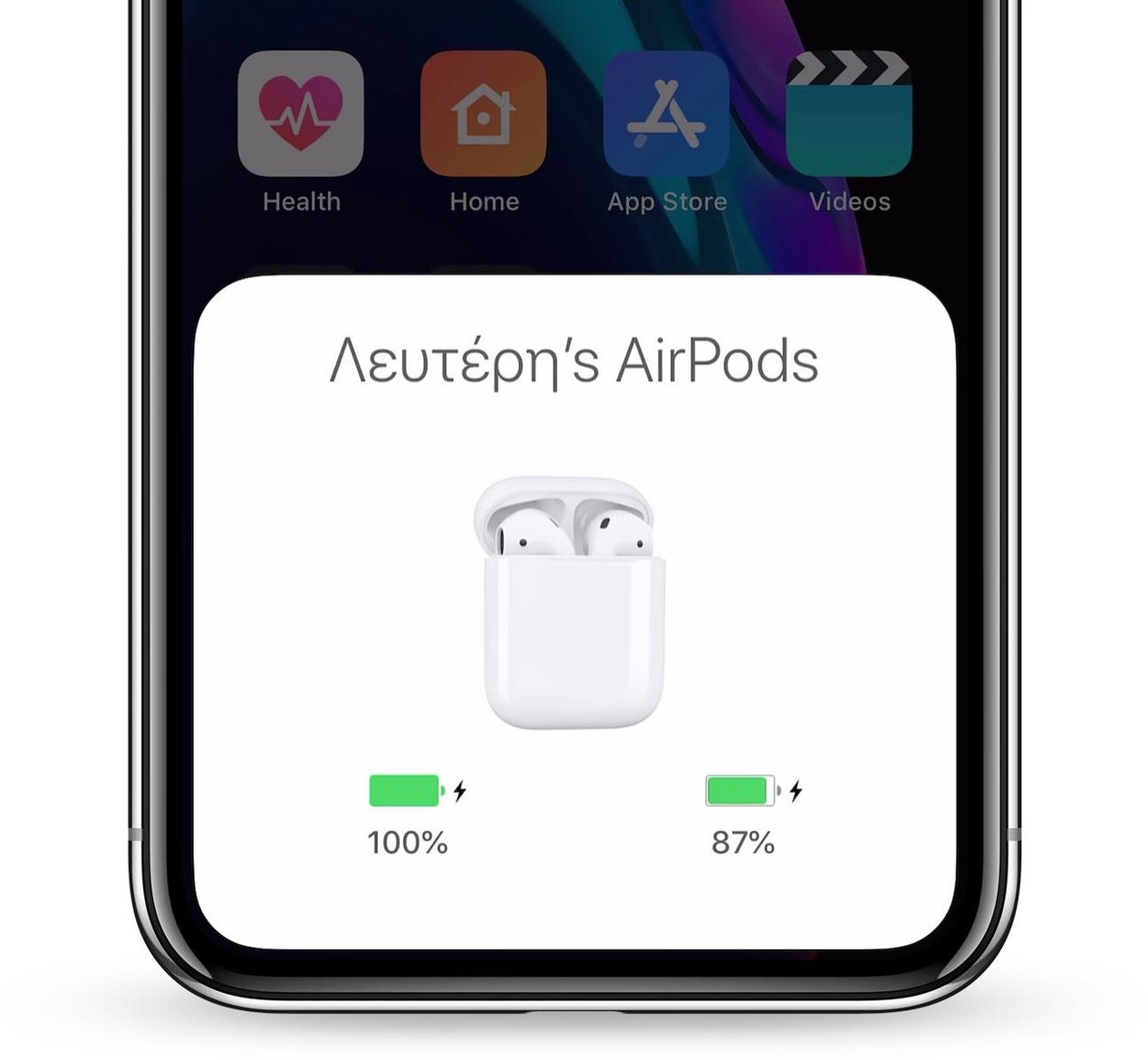
Apple’s iPhones and iPads display an exclusive animation when pairing a set of AirPods with the device, but after the pairing process is complete, day-to-day usage gets somewhat less exciting due to the lack of captivating animations.

Here to change that is a new jailbreak tweak release called AnimPods by iOS developer Lefteris Karkaletsis, which as the name implies, brings a sleeker and more mesmerizing animation to AirPods users during day-to-day usage.