iPad Pro

This awesome ARKit app uses HTC Vive to bring mixed reality to iPad

Unlike virtual reality which completely immerses you in computer-generated images, augmented reality superimposes virtual objects on top of your world rather than close it out.

Mixed reality, on the other hand, (sometimes called hybrid reality) merges the two worlds so that physical and digital objects co-exist and interact in real time.

A new recently published demo combines an ARKit-driven app running on the Unity 3D engine on an iPad Pro with real-time input from HTC's Vive virtual reality headset and controller. Created by NY-based virtual reality developer Normal VR, the app features a cute avatar drawing a virtual painting in the middle of the company's office.

What's really interesting about it is the fact that a person wearing a HTC Vive is revealed when the camera pans right, proving that the app captures the moves of the person in real-time and projects the resulting actions in their real world through augmented reality.

“This is going from East Coast to West Coast (server) and back. We definitely do some extrapolation to account for ping,” developers wrote. You could easily imagine the possibilities for remote interactions between people across the globe in mixed reality.

Blobbing in the studio today w/ the Vive + ARKit. Definitely some huge mixed reality potential here. #arkit #vr #indiedev #gamedev pic.twitter.com/C1zANBuSrx

— Normal (@normalvr) July 10, 2017

Not sure about you, but I'm really impressed by this demo.

There's a lot going on here as this app brings objects from the virtual world into the real one, in real-time—not only does the avatar realistically replicates the person's actions, it shows the digital painting on top of the real world as it's being created, updating it constantly.

Welcome to the future of mixed reality!

We showed you many demos powered by Apple's ARKit framework for building augmented reality apps on iPhone and iPad, ranging from a simple but awesome measuring tape to home decor shopping, accurate room measurement, Tic Tac Toe, food ordering and more.

Even Ikea has jumped on the AR bandwagon by partnering with Apple on an ARKit-powered app that will let you try out virtual furniture in your home, with support for in-app ordering.

The beauty of ARKit is that it does all the heavy lifting, allowing developers to focus on app design rather than deal with things like plane detection, lighting estimation, tracking, etc.

Using computer vision and other techniques, ARKit does all that by analyzing live camera feed and data from iPhone or iPad's built-in sensors. ARKit requires the A9 or A10 chip, meaning augmented reality apps will require an iPhone 6s or newer or one of the latest iPad models.

Apple unveils 2017 Back to School deals: free Beats with select iPad Pro & Mac purchases

Apple on Wednesday announced its 2017 Back to School promotion for customers in the United States and Canada. Students, teachers and university staff members will get a free Beats Solo3 wireless headphones when they purchase an eligible Mac with education pricing, including the MacBook, MacBook Pro, MacBook Air, iMac and Mac Pro models.

If you opt for a 10.5-inch or 12.9-inch iPad Pro, Apple will treat you to a free BeatsX wireless earphones or you can pay $50 extra to get a Powerbeats3 in-ear headphones or $150 extra for the Solo3 on-ear wireless headphones.

The Solo3 headphones are a great choice because they contain Apple's W1 chip for more reliable connections, better sound quality and longer battery life compared to Solo2.

The 2017 Back to School deals area available to students enrolled in college, parents, teachers and faculty members. Verification is required at checkout.

Apple also recommends Back to School accessories such as AirPods, Apple TV and more.

Plus, students can take advantage of existing Apple Music deal with a monthly subscription available to eligible students half price at just five bucks per month, or sixty bucks per year.

The Back to School promotion for customers in Australia, New Zealand and Japan went live back in January. It offered an Apple Store credit in exchange for a qualified iMac, Mac Pro, MacBook/Air/Pro or iPad Pro purchase made from February 7 to March 16.

Apple’s latest A10X Fusion chip is built using TSMC’s 10nm process

The in-house designed Apple A10X Fusion chip powering the new 12.9-inch iPad Pro and 10.5-inch iPad Pro models is being fabricated on a cutting-edge ten-nanometer process technology by Taiwan Semiconductor Manufacturing Company (TSMC).

Having analyzed the processor, TechInsights was able to confirm that it's the first TSMC-built ten-nanometer chip to show up in a consumer device.

It's not the world's first ten-nanometer silicon to appear in a smartphone: a Samsung or Qualcomm-designed processor powering Galaxy S8 is built on Samsung’s 10 nm LPE process.

A detailed floorplan analysis of Apple's latest chip has revealed a die size of 96.4 mm2 versus the A9X which has a die size of 143.9 mm2 and is built on TSMC’s 16 FF-Turbo technology.

Despite its power, the A10X Fusion has the smallest die size for an iPad processor yet.

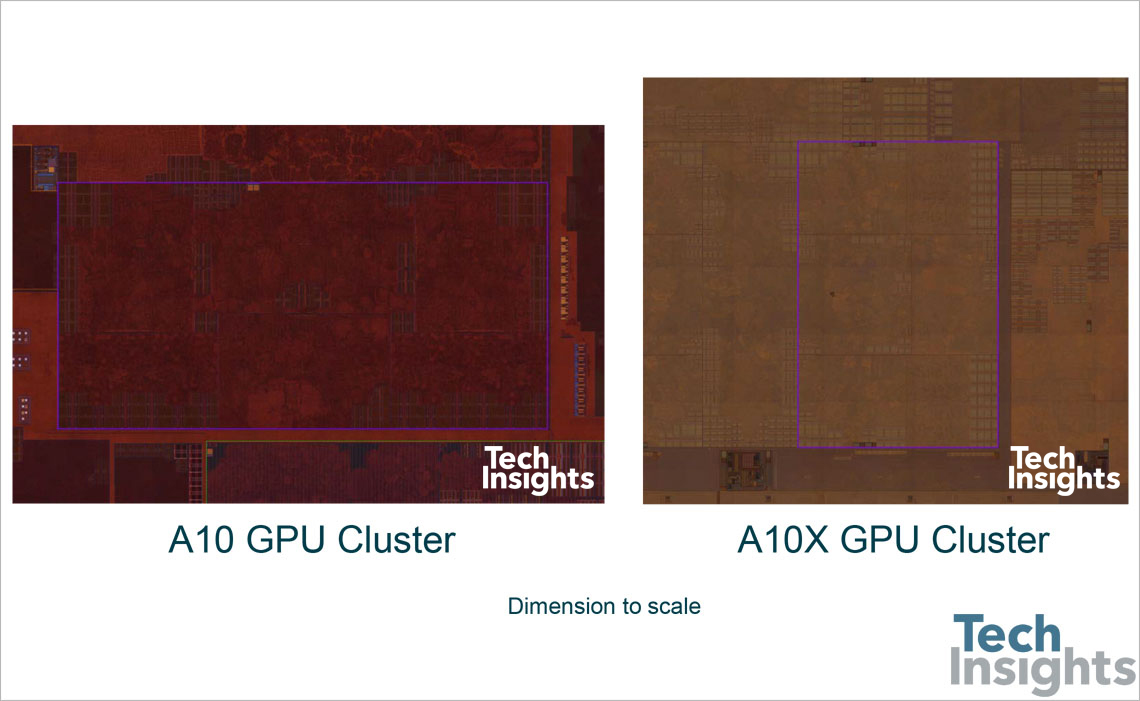
AnandTech says A10X Fusion's CPU clock speed is only marginally higher than A9X's, “and pretty much identical to A10”. Images of the chip's floorplan seen top of post and bottom reveal the chip's 12 GPU clusters on the left, along with the CPU cores to the right.

Chart via AnandTech.

“This is an impressive full node scale, when accounting for the extra CPU cores built into the A10X and extra IP blocks of the A10 vs. A9 family,” notes TechInsights.

AnandTech added:

Ultimately what this means is that in terms of design and features, A10X is relatively straightforward. It’s a proper pipecleaner product for a new process, and one that is geared to take full advantage of the die space savings as opposed to spending those savings on new features/transistors.

For those wondering, the GPU cores in the A10X Fusion chip appear to be the same Apple-customized PowerVR cores from Imagination Technologies, a British GPU designer.

As you may have heard, Apple is now developing on its own mobile GPUs to supplant Imagination-powered graphics for iOS devices.

A10X Fusion features thirty percent faster CPU performance and forty percent faster graphics compared to its predecessor, the A9X chip powering the original 12.9-inch iPad Pro.

Frustrated with Reminders? Taskful could be the answer to your woes

Not all tasks are created equal. No doubt you either have taken the trash out or you have not, but there is a vast number of daily challenges that are conquered in increments, tasks that can be taken on for an hour, then sidelined at their half way point and ultimately capped off in the afternoon. Users of Apple’s Reminders app might know the struggle to approximate a progression-based task to the binary reminder framework we are provided: ever tried to make the Reminders app nudge you every day until you have hit the treadmill five times per week, or let's say read ten chapters of your book? For all intends and purposes, it’s cumbersome.

Taskful sets out to remedy the pain of that. It also lets the user select only certain days of the week to remind you of due tasks (e.g. weekdays) and will smartly display the items relevant to you on a specific day and, more crucially, blank out tasks set for a future date. Needless to say this can be priceless for people quickly throwing their hands up when faced with a dauntingly long list of tasks. To bolster the sentiment, the app also automatically breaks up longer tasks into daily chunks.

How intelligent is this thing really?

Naturally, for a smart task manager to really hit its stride, it takes equally smart data input. Such being the case, you’re going to want to learn the nitty-gritty of Taskful before judging the application’s utility. So let’s briefly talk about the mechanics of it:

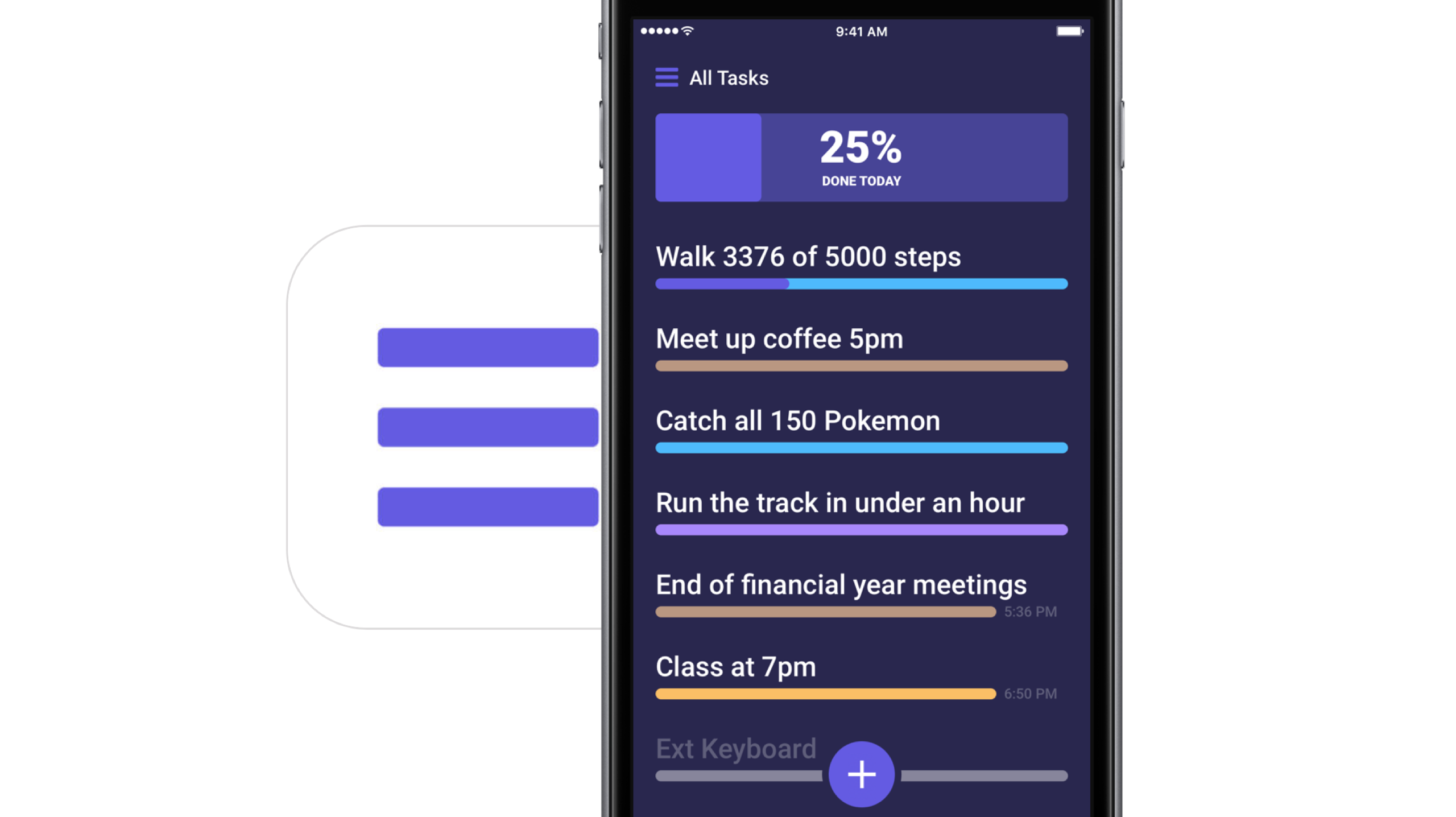
On the face of it, Taskful and Apple’s Reminders app share some structural traits. That is, both offer category based sorting of items, in which each category (Urgent, Finance, Work) is represented by a color of your choosing. That’s about where the similarities come to an end however, because on Taskful, filing away a task properly is swiftly accomplished by swiping left and right to change the background color of your note during creation. At the same time, the app will analyze your task as you scribble it down and immediately glean information such as dates and numbers.

Based on its reading, smart bubbles right below the draft will interpret your input and suggest measuring sticks for your task. You can tap and confirm or manually alter them. To exemplify, use a number like '4' in your task, now mark the little ‘Amount: 4’ bubble magically popping up beneath the text and as a result, the reminder needs to be tapped four times to be considered finished by Taskful. Until then, a big and rewarding progress bar will grow in 25% increments every time you come one stop closer to your goal.

Along the same lines, Taskful is also capable of acting as a quirky step tracker. On launch, the app asks permission to read and write HealthKit data, meaning the app can track your step count and remind you to get off the couch if you haven't ticked the ‘walk 600 steps’ reminder at night.

It goes without saying that these are just two hands-on examples of how to put Taskful to good use, not so much selected at random but rather intentionally to demonstrate the app's versatility. What's more is that it comes with a good deal of UI customizations such as a built-in dark mode. In other words, both in scope and depth Taskful decidedly one-ups Apple’s Reminders. And above all else, it feels good to look at one unifying 'All Tasks' tab, something Reminders’ stacked business cards look sort of makes impossible.

Competing in the world of task managers and to-do lists is a tough gig on the App Store, yet it appears as though Taskful has found the sweet spot to prevail. It is also earning the right accolades along the way, with Apple just recently featuring the app in the ‘Apps We Love’ category in various countries including the US, Australia and New Zealand.

Taskful is available on iPhone and iPad, the latter of which just added split screen support to round the package off nicely. If you want to give the app a whirl, it is currently priced at a reasonable $1.99.

Link to App Store: Taskful ($1.99)

Apple’s iPad strategy is finally stupendously watertight

Rome was famously not built in a day. And we know now that at Apple, the iPad line-up was not intuitively streamlined until WWDC 2017. Factoring out the formative years of iPad shortly after its birth in 2010, too many incremental releases (e.g. iPad 3 to iPad 4 in the same year of 2012, also iPad Mini) and too much tinkering with suffixes in the name (Air, Pro, Mini, blank) had diluted and complicated the iPad brand, so much so that large numbers of customers must have struggled to stay on top of what’s the latest tablet product on Apple’s shelves.

By the same token, even if some customers were in the know about what the factual successor to their beloved iPad Air 2 is, most would understandably be hard pressed to remember which of Apple’s iPads is the most or least powerful in the mix, or how they all compare to each other in terms of pricing. That is of course besides all the other important product specifications (camera, Apple Pencil compatibility, etc.) every informed customer should be able to easily grasp for each iPad available, before ultimately pouncing for the most suitable choice. And regrettably up until mid 2017, Apple has not made any of that easy for us.

I would in fact go further and lament that it's been a sticky mess, lacking direction and - more reprehensibly - common sense.

Inconsistencies left right and center

I’m not going to bore you for long with the most questionable decisions of the past, such as the counterintuitive marketing language used between the ‘new iPad’ (iPad 3), the 'iPad with Retina Display' (iPad 4) and the subsequent iPad Air, or instances where iPad Minis eclipsed their bigger brothers in specs or numbers.

However what these examples do underscore is that the most recent case of Apple not being able to draw clear, differentiating lines between their different iPad categories is on no account unprecedented. Just consider this: not long ago, in March to be exact, Apple released their ‘new’ 9.7-inch iPad (no suffix) to a market until then sporting the 9.7-inch iPad Air 2 and the 9.7” iPad Pro. With that, prospects were asked to make sense of three (to the naked eye) identically looking iPads, all of which had a unique marketing slant and story to tell.

Add the iPad Mini 4 and the super sized 12.9” iPad Pro to the equation and it’s easy to see how Apple could have really dropped the ball at WWDC ’17 by adding insult to injury and introducing yet another brand new iPad, the smashing 10.5” iPad Pro. Thankfully, they did just about the opposite.

When all of a sudden everything stacks up

Instead of presenting a historically inflated iPad line up, the 10.5-inch reveal was preceded by some serious purging actions behind the scenes. The result is beautiful, not just because the 9.7” ambiguity has been completely eliminated.

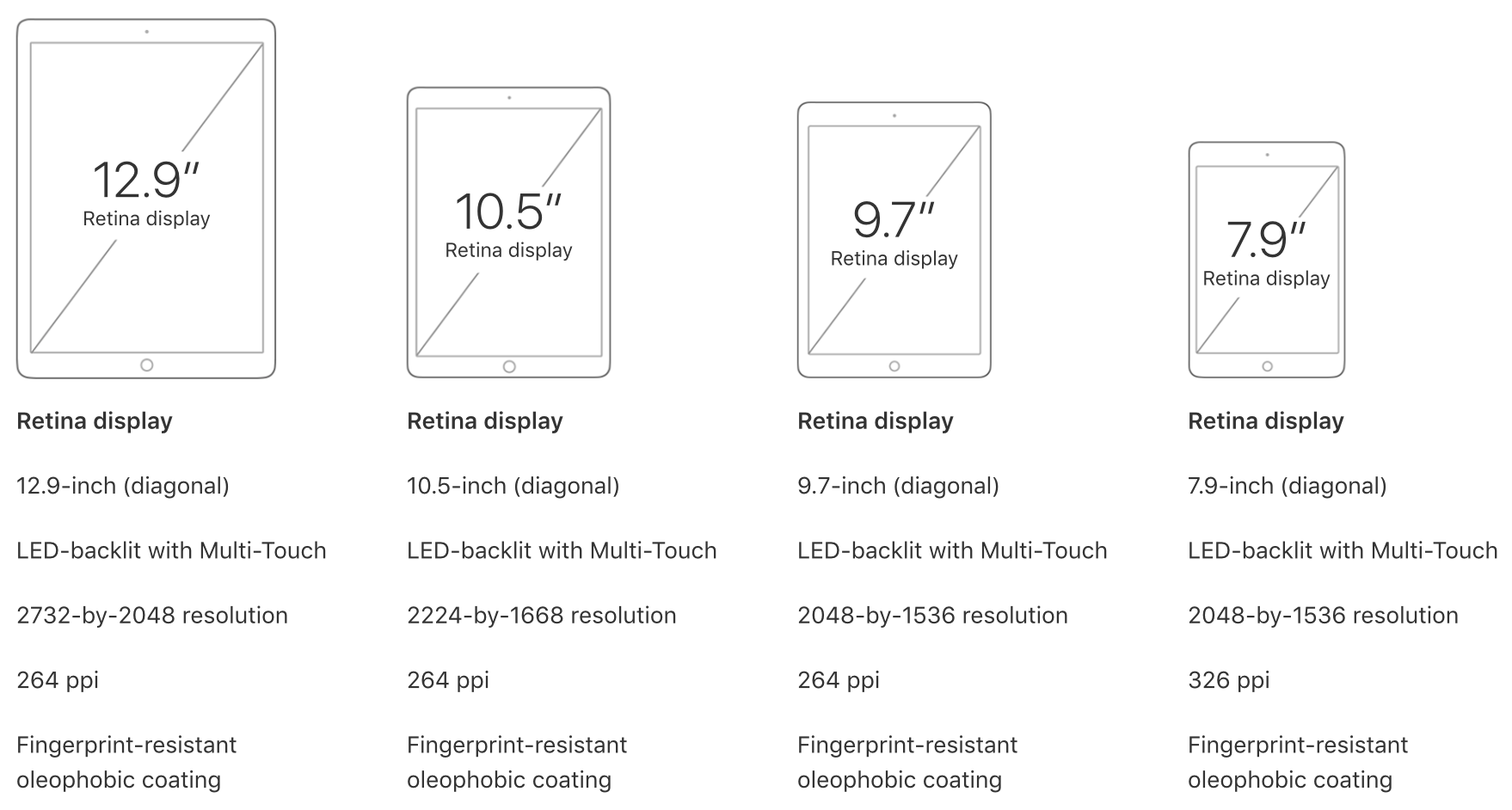
What’s more striking is that customers are now dealing with three iPad classes (Pro, Normal, Mini) and accordingly unique size offers for all three, unique prices for all three and even uniquely capable chips for all three. All criteria is arranged in an entirely intuitive order, namely descending from bigger to smaller, from more expensive to cheaper, from more powerful to more economic, in short: from Pro to Mini. It’s like Apple themselves got tired of the fuzzy product lines and decided to do a full one-eighty.

What you see is what you get now, meaning even the less techy customer is going to be able to remember that the big Pro iPads rock the most powerful chips (A10X) followed by the medium sized normal iPad (A9), which in turn has the lead over the physically smallest iPad Mini (A8). Gone are the days of an awkward A9X chip in the dead on arrival 9.7” iPad Pro, or other illogical decisions such as equipping one iPad Pro with a 12MP rear camera while the big brother has a sucky eight.

Today, the meaningful specs such as the chip or camera are aligned in descending order at 12 MP for all Pro iPads and 8 MP for the mid tier choice plus lower tier iPad Mini. It’s just disarmingly straightforward. Want the most storage? You’ll have to shoot for the physically biggest Pro category to get up to 512GB of storage. Want to try the least powerful iPad to test the water first? Grab the physically smallest iPad. Which iPads are Apple Pencil compatible? Only the ones bigger than the original iPad. Find the 9.7” size to be perfect? Good, you’re done, no need to choose between a 9.7-inch iPad Pro, iPad Air and iPad whatnot.

The logic behind this is painfully commonsensical, which begs the question why it took Apple so long to get there, but I am willing to forgive and forget. Water under the bridge, Apple, what matters is that we finally have clarity.

June 2017 has not only brought us spanking new iPads and a glimpse of an iPad-focussed iOS 11, but also finally clear product differentiation that will be easily replicable for experts and more importantly understandable to the average customer. In that vein, WWDC 17 could have been a watershed moment for the one product line Tim Cook has been so bullish about time and again. So please Apple, do not muck this up come November or at any other point in 2018, it took us long enough to get here.
New iPad Pro wallpapers

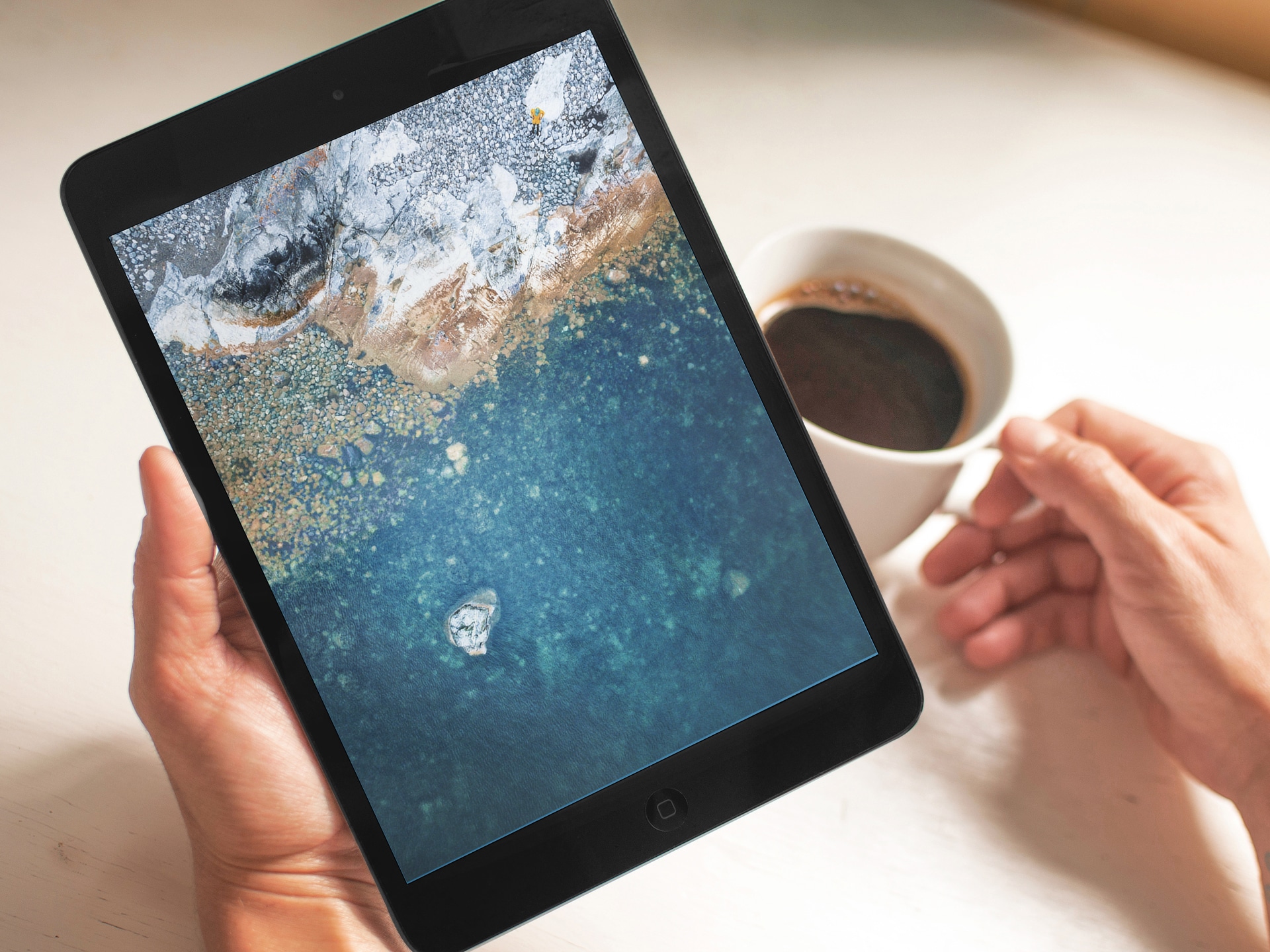
This past Tuesday, everyone was able to get their hands on the new iPad Pro devices. These impressive new machines are even geekbenching as high as some MacBook Pros. Along with new hardware, typically comes at least one new wallpaper. Inside today's Wallpapers of the Week selection, we have the iOS 10.3.3 wallpapers from the beta as well as the iPad Pro images. Scroll to the bottom, for a full collection of images Apple allegedly used to showcase the new devices at the WWDC media event.

Hands-on with 10.5″ and 12.9″ iPad Pro: unboxing and first impressions

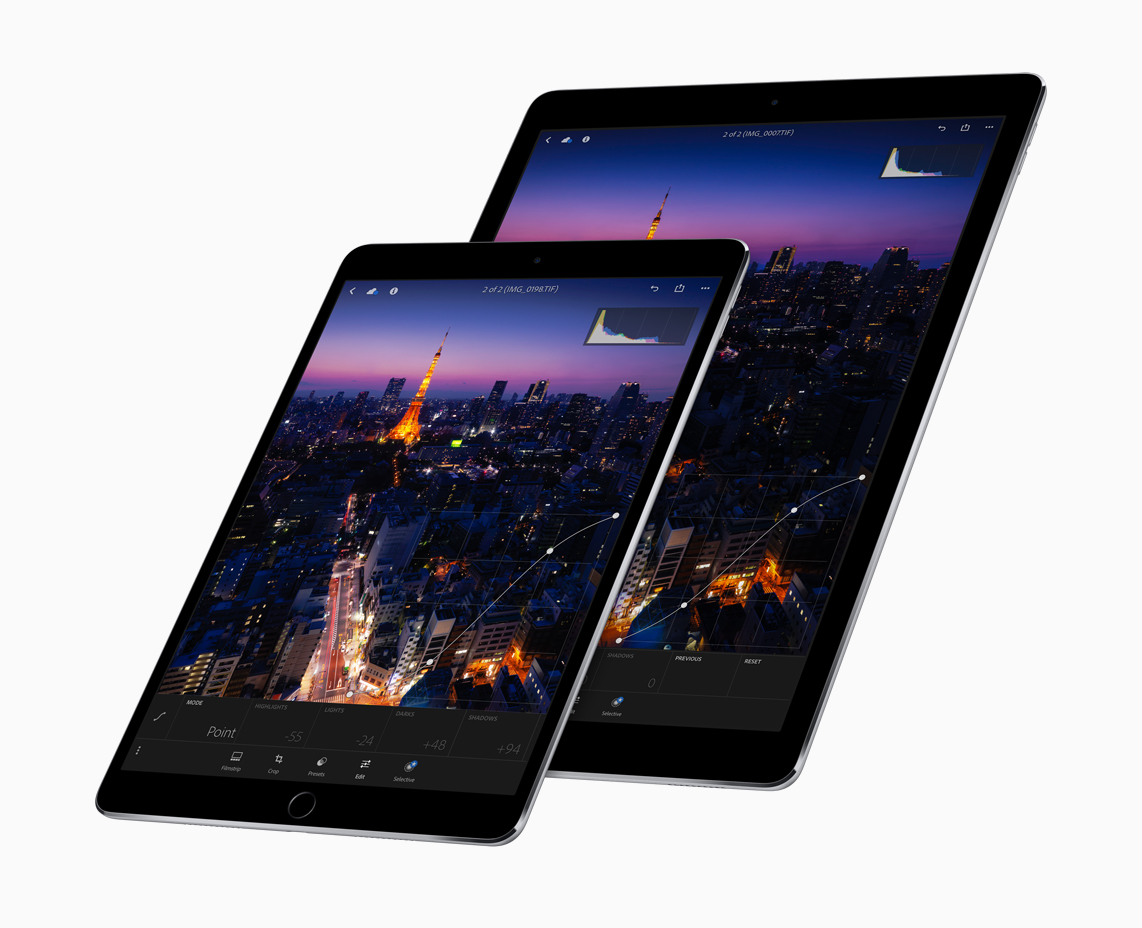
Introduced at Apple's Worldwide Developers Conference last week, Apple's new 10.5-inch iPad Pro model and a second-generation 12.9-inch iPad Pro are now both available for purchase via company-owned retail stores around the world.

Our video reviewer Andrew O'Hara has managed to get his hands on these pro tablets. His hands-on video takes you through  some of the headlining new features like the super bright, less reflective display with ProMotion technology at an insane 120Hz refresh rate and more.

Watch Andrew's video embedded below.

https://www.youtube.com/watch?v=5mj2Oy-seGI

Subscribe to iDownloadBlog on YouTube

If you're wondering about the brand of knife Andrew is using to cut through the cellophane, it's the Kershaw Reverb lightweight pocket knife (it's pretty cheap on Amazon).

According to iFixit's teardown analysis, the new 10.5-inch iPad Pro model has four gigabytes of RAM, just like the original 12.9-inch iPad Pro model, which enables smoother multitasking.

The cameras on both new iPads are the same as those found on the iPhone 7 series (sans dual lenses and Portrait depth-of-field mode), meaning you're getting photography features like 12 megapixel photos, 4K video capture and more.

Other capabilities of these new tablets that are worth mentioning include a faster Touch ID authentication, Apple's A10X Fusion chip with 30 percent faster CPU and 40 percent faster GPU performance than the previous generation, plus much more.

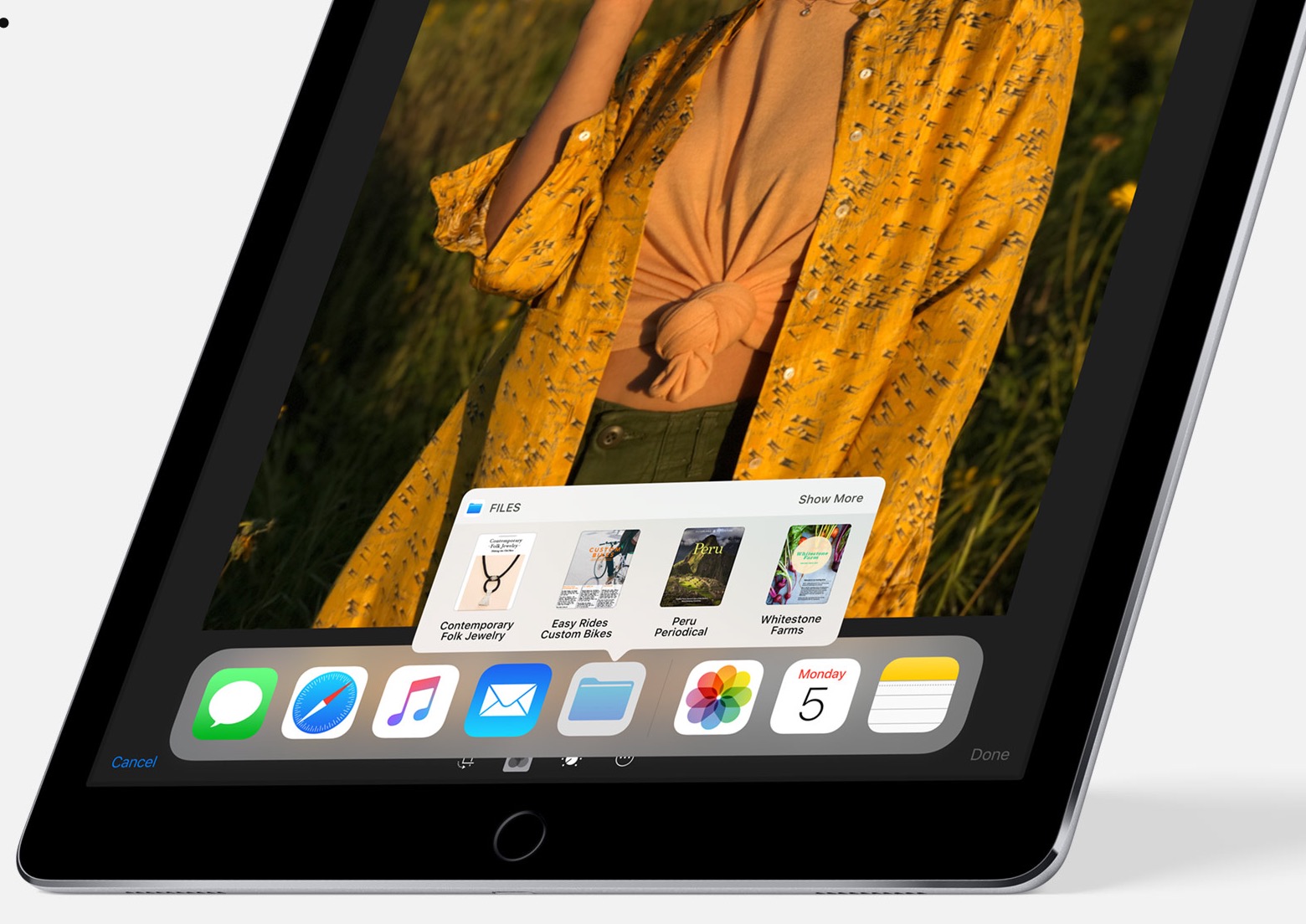
The real story, of course, is iOS 11 which turns these new iPads into productivity powerhouses with such features as a dynamic Dock, a new app switcher, drag and drop, improved multitasking and more. Unfortunately, iOS 11 is currently being beta-tested and it won't release for public consumption before the fall.

Are you liking these new iPads?

Let us know in the comment section below.

10.5″ iPad Pro teardown finds 4GB of RAM, Toshiba flash storage & more

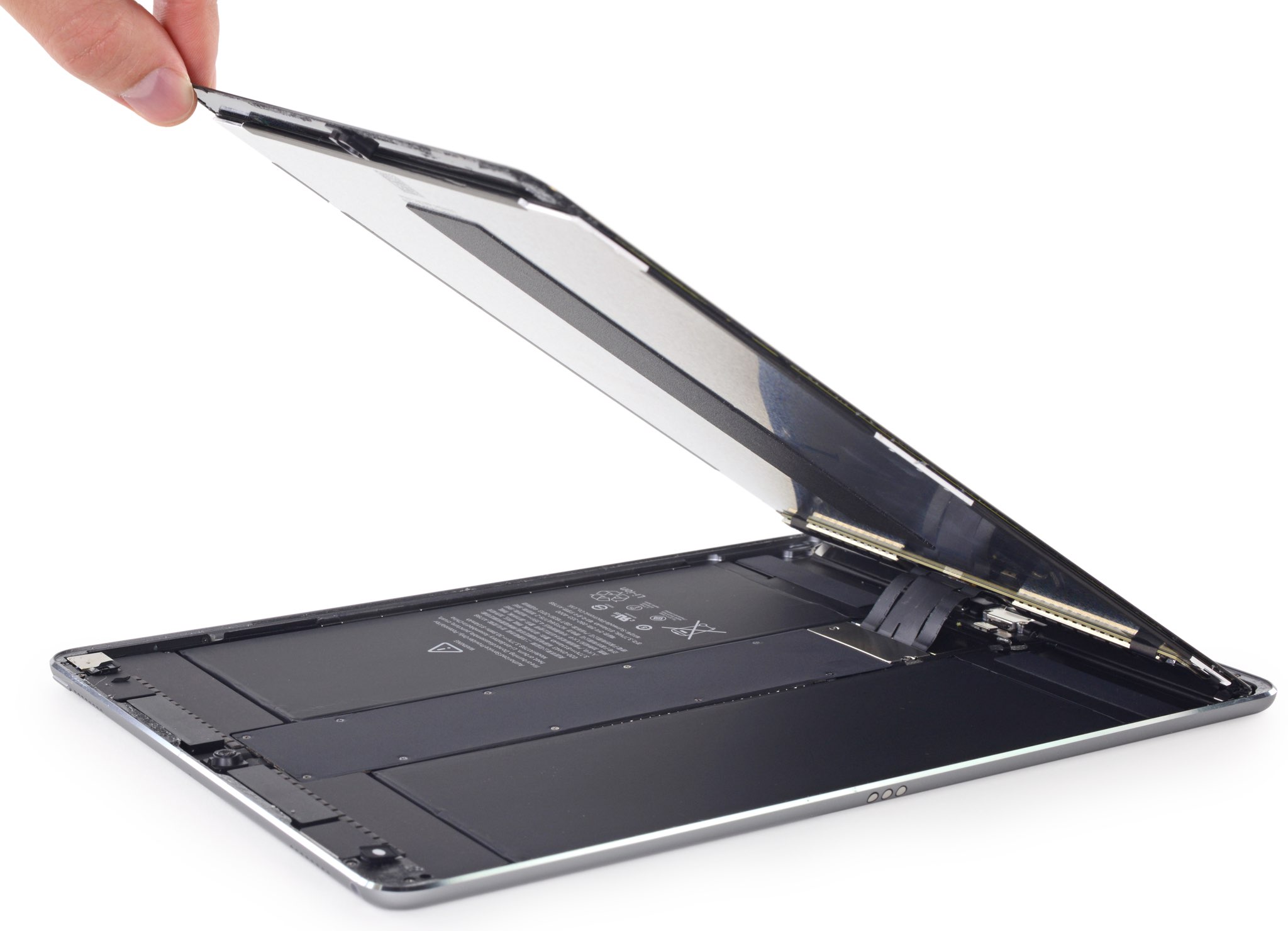
A teardown analysis of Apple's new 10.5-inch iPad Pro was shared earlier today by repair experts at iFixit. According to the analysis, the new iPad Pro is essentially a scaled-down, streamlined version of its 12.9-inch predecessor when it comes to the internal layout.

Considering the 12.9-inch iPad Pro had a completely new internal layout relative to the 9.7-inch iPad Pro, the new 10.5-inch iPad Pro is not just a scaled up version of the 9.7-incher.

“One move we’re particularly happy with is the retention of the 12.9-inch iPad Pro’s danger-free display cable placement,” notes the analysis.

Here's an excerpt from the teardown analysis:

Apple put the display cables right down the center, out of harm’s way. We’ve seen this arrangement in an iPad only once before, in the 12.9-inch iPad Pro model, and it appears Apple finally managed to unify the Pro line around this somewhat more symmetrical design.

As for the device's ProMotion display with 120Hz refresh rate, double the other iPads, it requires double the number of connecting cables on the display.

120 Hz is a blisteringly fast refresh rate for this many pixels, which is probably why it needs four (!) connecting cables. (Its ginormous older brother got by with just two.)

They found a 30.8-watt-hour battery inside, a slight downsize from the 38.8-watt-hour battery powering the 12.9-inch iPad Pro, but an upgrade from the 27.91-watt-hour battery in the 9.7-inch iPad Pro. The battery package is pinned under the logic board and firmly adhered in place, lacking the 12.9-inch iPad Pro’s removal tabs.

The iFixit team was able to identify 4GB of 1600MHz LPDDR4 RAM from Micron Technology, Toshiba-manufactured flash storage and more. The only other iOS device with 4GB of RAM is the 12.9-inch iPad Pro. The 9.7-inch iPad Pro still has 2GB of RAM.

The display cable bracket is secured using Phillips screws rather than the three-point screws used in iPhone 7. iFixit also noted that their Wi-Fi-only model had plastic blocks where the antennae might be found in an LTE model.

“We're speculating that they add support to the display assembly, as opposed to the usual empty space seen in earlier iPads,” noted iFixit.

Because of Apple's use of strong adhesives for the display, logic board, speakers, ribbon cables and other components, the 10.5-inch iPad Pro earned a repairability score of a rather low 2 out of 10 on iFixit's scale.

New iPads hit Apple retail stores around the world

If you're in the market for a shiny new tablet with an Apple logo on it, the new 10.5-inch iPad Pro model and a second-generation 12.9-inch iPad Pro are now available for purchase at company-owned retails stores around the world.

The tablets were announced at last week's Worldwide Developers Conference in San Jose and feature Apple's in-house designed A10X Fusion chip, Apple's brightest display ever with True Tone technology, a whopping 120Hz refresh rate they're calling ProMotion and other features.

Along with the new tablets, Apple is also offering a leather case for Apple Pencil which prevents rolling and broken tips.

You can buy your iPad either at a nearby Apple Store or purchase it online, via the “Buy iPad Pro” webpage, and have it optionally delivered to a nearby Apple Store for pickup.

https://www.youtube.com/watch?v=tOtaLAFngmg

Subscribe to iDownloadBlog on YouTube

The new 10.5-incher is available from $649 and its bigger brother starts at $799.

Add an extra $130 if you'd like an LTE-enabled model. The devices come in 64/256/512GB capacities and in Gold, Silver and Space Gray color finishes. The new 10.5-inch iPad Pro also comes in Rose Gold, unlike the 12.9-incher.

It's worth keeping in mind that these new tablets ship with iOS 10.3. iOS 11, which really unlocks the full iPad potential, will release as a free update for everyone this fall.

Are you planning on upgrading your tablet computing to one of the latest iPads?

Let us know in the comments section below.