Guide

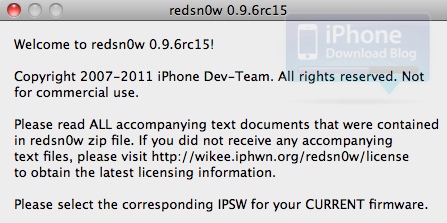
How to downgrade your iPhone 4S, iPad 2, or new iPad with RedSn0w 0.9.11b1 [Video]

It's finally here folks, the official downgrade tool for A5 devices!

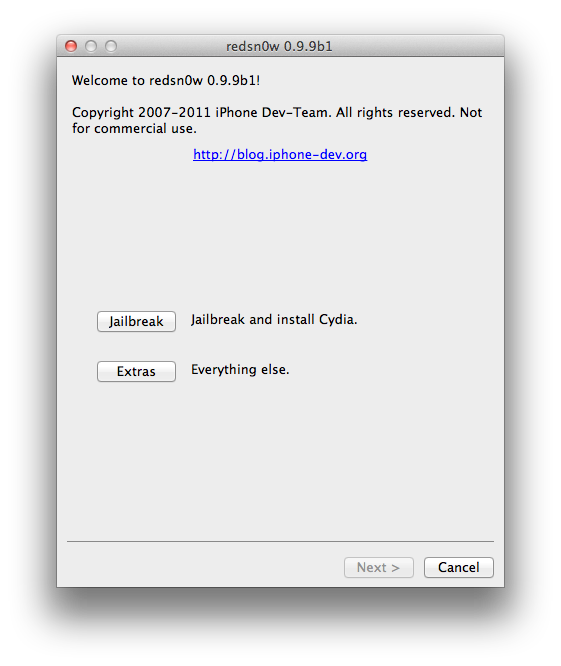
Indeed, you can now downgrade your iPhone 4S, iPad 2, or new iPad (iPad 3) with the latest version of RedSn0w 0.9.11b1. Downgrading will allow you to perform an untethered jailbreak on your iPhone 4S, or iPad 2 running iOS 5.0.1 firmware.

Check out our tutorial for the step-by-step downgrade instructions inside...

How to restore your SAM unlock activation ticket to unlock your iPhone

Since it appears that Apple has fixed the issue with their activation servers, latecomers to the SAM iPhone unlock party are left in the lurch. Fortunately, not all users have lost the potential to unlock their iPhones.

Those who were proactive enough to unlock their iPhone using SAM, and backed up their activation tickets can still easily restore those tickets and unlock their iPhones if they have to restore their device for whatever reason.

If you're currently unlocked on an unofficial SIM by means of the SAM unlock, backup your activation ticket now before you lose it. We can't stress this enough.

Keep in mind that you will still need a jailbroken iPhone to accomplish this, and you will need your backed up Lockdown folder that you saved-off after successfully unlocking your device the first go-round...

If you meet the criteria, step right inside and take a look at our easy to follow guide for restoring your iPhone unlock...

How to backup your iPhone’s unlock activation ticket with RedSn0w

Backing up your iPhone's activation ticket was a step suggested by iPhone Dev Team member MuscleNerd. Fortunately for us, his team has made it even easier to perform such a backup using the latest version of RedSn0w.

This step is suggested for those who take part in the recently uncovered SAM iPhone unlock method. If you followed our tutorial to unlock your phone, we suggest you follow through on preserving your activation ticket as well.

Check inside for a full video tutorial that shows how easy it is to successfully backup your iPhone's unlock activation ticket, and any other file that you want to save locally from your iPhone...

How to unlock any jailbroken iPhone on iOS 5.0 or later on any baseband [Video]

Unlocking the iPhone 4S, and the iPhone 4 just got a whole lot easier thanks to the SAM package unlock revealed earlier this morning.

After alerting you guys to the news, we went into out labs and started testing this for ourselves. After a few failures, we were finally able to come up with a reliable method for making this work every time.

The good news is that this will likely become even easier as time goes on, and needless steps are eliminated. We're already to the point where we can switch back and forth between our AT&T SIM card and our T-Mobile SIM card without having to reconfigure anything. It's pretty awesome.

Check inside for our full tutorial that shows how to unlock any iPhone on iOS 5 or higher (running any baseband) using the SAM jailbreak package...

Here’s how to use AT&T’s online chat to unlock your iPhone

So yeah, I was lazy. Unlike Cody, I don't have the patience to wait on hold, or be placed in a revolving door of automated prompts. It was either head directly to the store, or give AT&T's technical support chat a try.

Thankfully, AT&T's technical support chat has a pretty good track record with me; I figured I'd give that a try before deciding to burn a gallon of gas to head to the closest AT&T store. Would they even be open on a holiday anyway?

At the end of the day, I'm glad I decided on this method. In less than 10 minutes the unlocking process for my iPhone was initiated, saving me time, gas money, and a potential headache.

Whereas it took Cody about 20 minutes to initiate his iPhone 4 unlock, it took me less than 10 minutes. Folks, it really doesn't get any simpler than this...

How to install iPhoto and iMovie on iOS 5.0.1

iPhoto was the big new app release that Apple touted at its new iPad media event, but the bad news is that it requires iOS 5.1.

For those of us with jailbroken iPhone 4S' and iPad 2's, this places us in an interesting predicament.

Since there is no way to jailbreak iOS 5.1 on these devices, updating now would not only prevent us from jailbreaking, but it would also prevent us from downgrading back to iOS 5.0.1 now that Apple has closed the signing window for that firmware.

So, what to do? Fortunately, there's an easy workaround to this problem, and we're going to walk you through the process on video...

How to jailbreak iOS 5.1 with Sn0wBreeze v2.9.2

Earlier today we brought you details on ih8sn0w's 2.9.2 release of Sn0wBreeze for Windows.

Now we've put together a written tutorial along with a video tutorial that guides you through the entire tethered jailbreak process for iOS 5.1 on Windows.

This is a tethered jailbreak for non-A5 devices only, so it won't work with the iPhone 4S, and iPad 2. If you have an eligible device like the iPhone 4, or iPad 1, then step right inside...

How to unlock the iPhone 4S using the R-SIM interposer

I'll admit that I've never used a Gevey SIM interposer, or anything like it in the past, but I figured I'd give it a shot with the iPhone 4S.

The iPhone 4S has its own special SIM interposer called the R-SIM II Ultra S, which was recently released.

I'm happy to report that this is by far the easiest method for "unlocking" your iPhone 4S, and using it with T-Mobile or virtually any other GSM carrier. And guess what, no jailbreak is required.

Check out our review of the iPhone 4S R-SIM tool inside...

How to enable Notifications for Tweetbot

Before you think to yourself how obvious the answer to that question is, let me assure you that I receive this question many times a day, especially after doing a video where I receive a Tweetbot banner notification.

Setting up banner notifications in Tweetbot may seem like a no-brainer to most of us, but there still remains a fair amount of people who find it confusing — my email inbox is a testament to that fact.

With this in mind, I felt we were long overdue for a tutorial that shows how to enable notifications for Tweetbot.

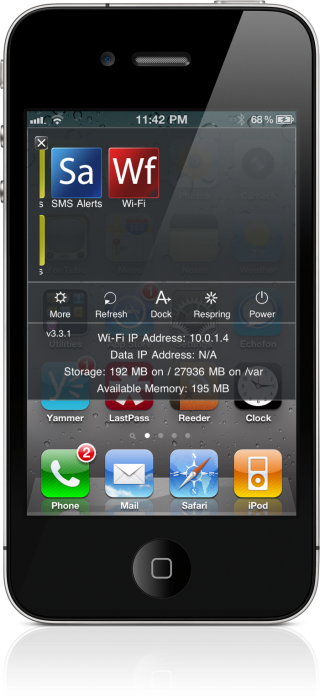
How to Check Where Jailbreak Tweaks Are Installed

Have you ever wondered what files a specific jailbreak tweak places on your device? Have you ever wondered where the files are stored?

If so, you could always fire up iFile or use an FTP utility to go digging around in your file system. Or, you could just head to Cydia and utilize a provision that's available for every package you have installed on your device...

How to Install Plex on the Apple TV For Free

Plex is a simple way to access both local media stored on your PC or networked drives, along with online media on a variety of devices.

There are Plex apps for the Mac, PC, iOS, and even Android devices. Being the ubiquitous app that it is, it's not surprising that it runs on a jailbroken Apple TV.

Inside we'll show you how to install Plex on your jailbroken Apple TV for free...

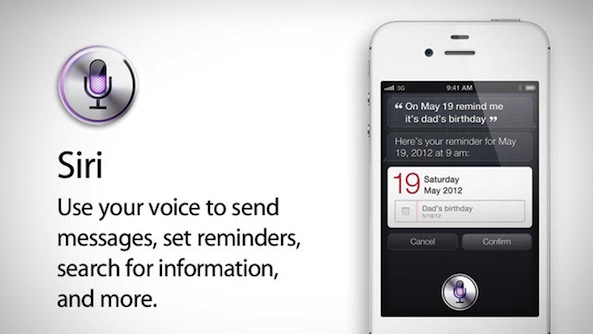
Russian Siri “Port” Garners Mixed Results

Okay, so we've been debating running this story for quite some time now, but we figured since this involves Siri, that ultimately we should do so.

You're probably all aware of the so-called Siri port that runs on some Russian server hosted who-knows-where. Well, apparently it technically works, although many have had very mixed success in getting it to work.

Inside, we'll show you what you need to do to go about obtaining this "port" for yourself, although it's not without some disclaimers...