Cellular

How to stop iCloud Photo Library from eating into your iPhone’s cellular data plan

iCloud Photo Library is an optional feature on iPhone, iPad, iPod touch and Mac that uploads every photo and video you take or import to iCloud and keeps everything synchronized across all your Apple gear. I've been using it for years and it really “just works”.

On iOS 10 and earlier, Photos syncs with iCloud each time your device connects to Wi-Fi and the battery is charged. On iOS 11 and later, Photos can also use your iPhone's cellular data connection to sync and update the image library.

Do you take many photos on the go? Are you on a metered rather than an unlimited plan? Then you don't need me to tell you that you must ensure you're not wasting huge amounts of cellular data to this feature.

Here's how to stop the Photos app from eating into your iPhone's cellular data plan.

Before we get to it, keep in mind the following:

iOS 10 and earlier—Your Photos library syncs with iCloud each time your device connects to Wi-Fi and the battery is charged. iOS 11 or later—You decide if Photos syncs with iCloud via cellular or Wi-Fi only.

In other words, you should double-check that cellular updates for iCloud Photo Library are turned off only if you're on iOS 11 or later. Folks on older iOS editions needn't do that because Photos syncs with iCloud only when their iPhone is connected to power and Wi-Fi.

How to stop iCloud Photo Library on iPhone from using cellular data

12-megapixel images and 4K videos captured on your iPhone take up quite a bit of storage space. For most people, there's no point allowing iOS to gobble up cellular data just to keep the image library synchronized with iCloud at all times.

Thankfully, you can prevent this from happening, and here's how:

1) Launch the Settings app on your iPhone or cellular iPad.

2) Tap Photos in the list.

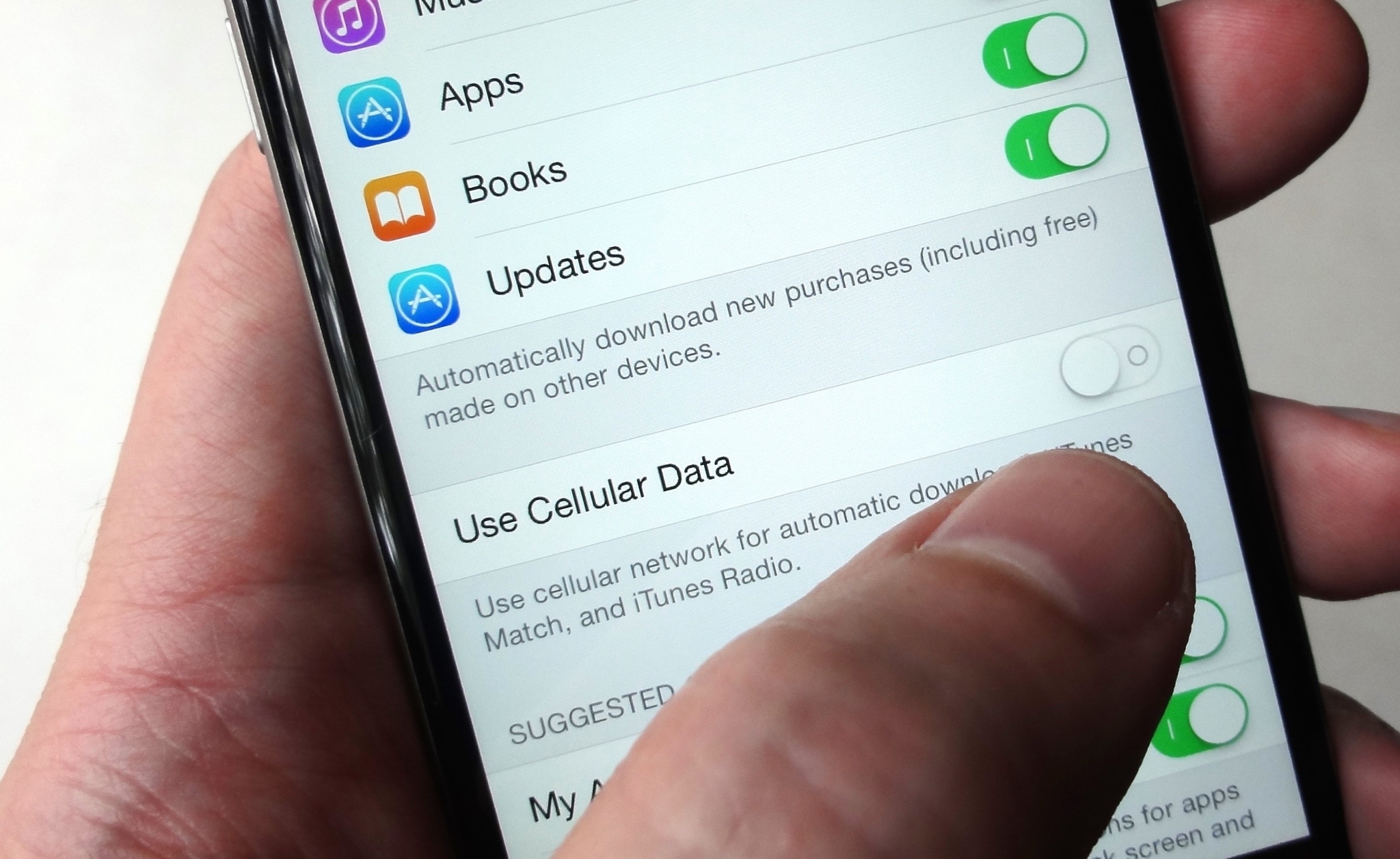
3) Tap Cellular Data.

4) Slide the button labeled Cellular Data to the OFF position.

This device will no longer use your carrier's cellular data for updating the Photos library. Any changes to your image library will automatically upload to iCloud as soon as the device connects to power and Wi-Fi.

TIP: If you really need Photos to be in perfect sync with iCloud at all times, even on the go, via cellular and Wi-Fi, be sure to slide the toggle labeled Unlimited Updates to the ON position.

The feature's description says “unlimited updates may cause you to excess your quota“.

Need help? Ask iDB!

If you like this how-to, pass it along to your support folks and leave a comment below.

Got stuck? Not sure how to do certain things on your Apple device? Let us know via help@iDownloadBlog.com and a future tutorial might provide a solution.

Submit your how-to suggestions via tips@iDownloadBlog.com.
DetailedCellularUsage reveals hidden items in your iPhone’s cellular usage report

Cellular data is one of those things we seem to always use regularly, but fail to keep track of as efficiently as we could. This becomes a problem when you swear your data provider is over-charging you for your data usage.

A new free jailbreak tweak called DetailedCellularUsage by TheComputerWhisperer helps reveal some of the gray areas where iOS uses your cellular data and doesn’t report it in the Settings app.

Microsoft’s latest initiative brings always-on LTE notebooks with embedded SIM technology

Windows maker Microsoft's new “Always Connected PCs” initiative focuses on helping computer manufacturers bring to market LTE-enabled notebooks that incorporate eSIM technology (not to be confused with Apple SIM). The company said at the Computex 2017 show this morning in Taipei that it will partner with PC vendors, carriers and chip makers like Intel and Qualcomm on the new initiative.

Created a year ago by Apple, Samsung and other players, these SIMs are embedded directly into a device and cannot be removed. But perhaps more important than that, eSIMs are universally compatible with all carriers and as such allow customers to sign up for a wireless service right on their device.

First LTE-enabled Windows notebooks featuring eSIM technology (via Qualcomm's Snapdragon 835 chipset) are on the way from ASUS, HP and Lenovo, said Microsoft. These new Intel x86-based devices will feature Windows 10, always-on LTE connectivity and “great battery life”.

Huawei, VAIO and Xiaomi are committed to Always Connected PCs using eSIM technology, too.

“There is a new generation of users that need to be connected to the cloud at all times. They are students, creators, freelancers, small businesses and enterprises,” said the Redmond firm.

“This means sharing experiences across screens and leveraging the latest network technology like gigabit LTE and eSIM.”

The eSIM standard works virtually anywhere in the world, meaning customers are able to switch carrier instantly, no paperwork or a physical SIM card required whatsoever. Apple owns a patent for an LTE-enabled MacBook with wireless antennas integrated within a hinge mechanism, as depicted on the patent drawing below.

Updated Mac notebooks are expected at WWDC next week, according to Bloomberg.

Ahead of the WWDC keynote, an Apple regulatory filing in Russia has identified five unreleased Mac notebooks, plus a next-generation Magic Keyboard and new iPad Pro models.

It's unclear if these refreshed MacBooks will feature embedded LTE connectivity, but if a next-generation MacBook with an eSIM is lying around somewhere in Jony Ive's basement now would be a good time to bring it to market.

CCDataMore adds a cellular data toggle to Control Center

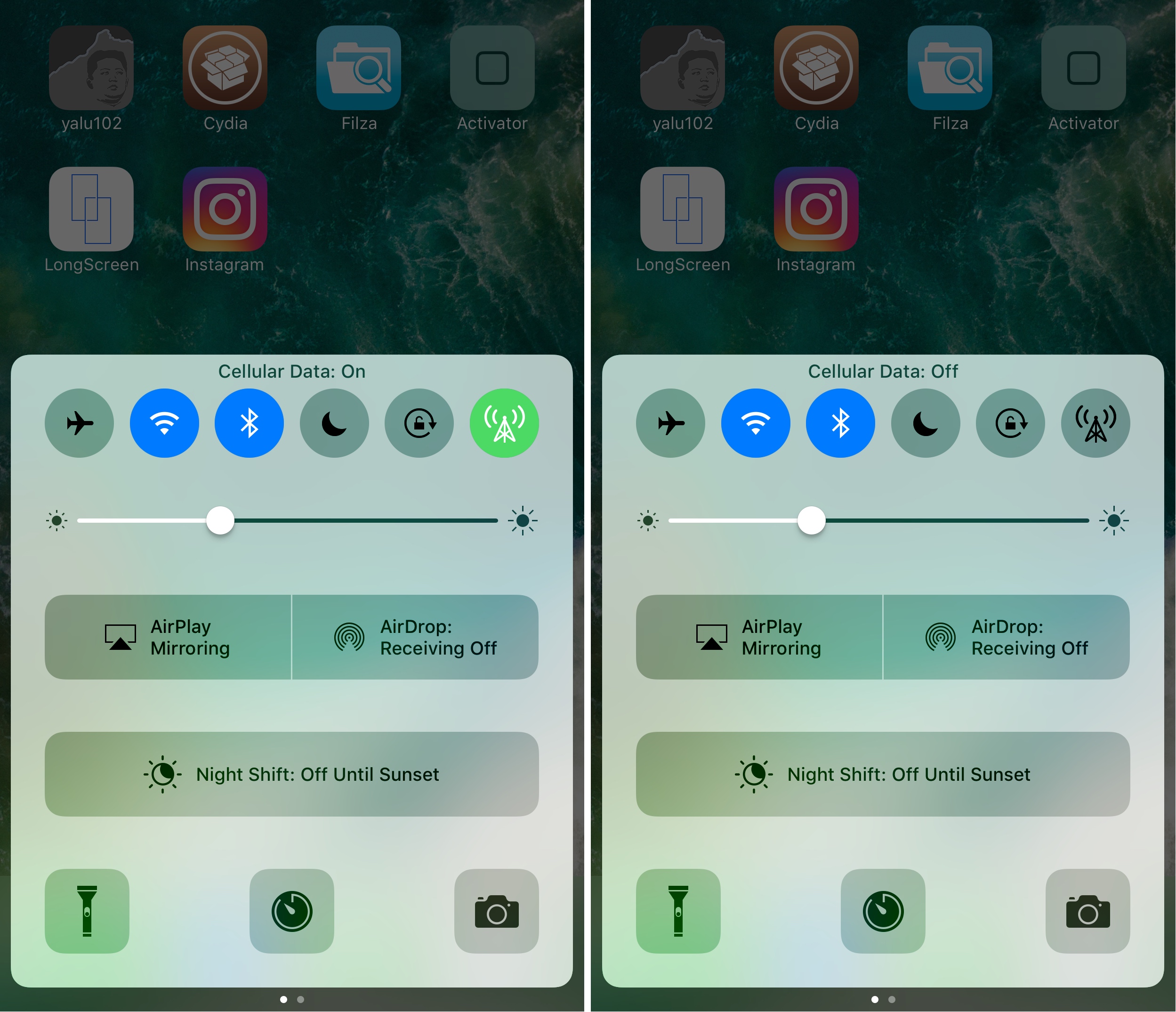
Apple really doesn’t make it easy to toggle cellular data on or off apart from using Airplane Mode. Your only other option is to dig through your Settings app to find the cellular data preference pane, which is intrusive when you're already in another app or doing something else.

Fortunately, a new free jailbreak tweak called CCDataMore by iOS developer Lizynz solves this problem by enabling a cellular data toggle in Control Center.

Twitter Lite launches, takes only 1MB of storage & can save up to 70 percent on data

If you're a heavy Twitter user whose device is running low on storage and you'd like to reduce data usage in the mobile Twitter app, the company today announced a new solution that may interest you, aptly named Twitter Lite. It's a client-side Progressive Web App written in JavaScript and running in Safari on your iPhone, iPad or iPod touch. Taking up only one megabyte of storage on your device, Twitter Lite loads in under five seconds on a 3G cellular connection and can save up to 70 percent on data.

Qualcomm teases new 1.2 Gbps LTE modem chip—will Apple adopt it for future iPhones?

Qualcomm and Apple are currently embroiled in a legal spat involving excessive royalties, casting serious doubt on the possibility of a Qualcomm-made LTE modem in a future iPhone. Today, Qualcomm teased a brand new Snapdragon X20 LTE chip, its second-gen Gigabit LTE modem.

It's capable of fiber-like LTE Category 18 downloads of up to 1.2 gigabits per second, or one-fifth faster than the previous X16 chip. Upload speeds go up to a theoretical maximum of 150 megabits per second. It's expected to ship in the first half of 2018.

Only time will tell if Apple plans on dual-sourcing cellular modems from both Qualcomm and Intel, in which case 2018 iPhones could theoretically support faster-than-Gigabit-LTE downlink speeds of up to 150 megabytes per second.

This tweak will let you force cellular network connections when launching certain apps

When you’re constantly around Wi-Fi networks that block access to certain sites and apps, such as those in educational institutions, you might need to use cellular data to bypass these blocks. The only problem is, you typically have to go through the trouble of turning Wi-Fi off manually, which can be a pain.

That’s the idea behind a new free jailbreak tweak called NoWifiWhenRunThisPlz by HiDan, which lets you configure the apps you want to force cellular usage on, rather than Wi-Fi, when launched.

New Apple ads continue positioning iPad Pro as being better than a computer

Apple today published four new ads on its YouTube channel that continue to position its iPad Pro tablet as being better than a computer. The four new commercials, running sixteen seconds each, use the tagline “Real Problems... Answered” and appear to be based on typical PC user tweets.

The videos promote the tablet as a device that's free of wires, immune to viruses, faster than most laptops and able to run Microsoft Office apps and connect to fast LTE cellular networks.

Give the new ads a quick watch, then meet us in comments.