Camera

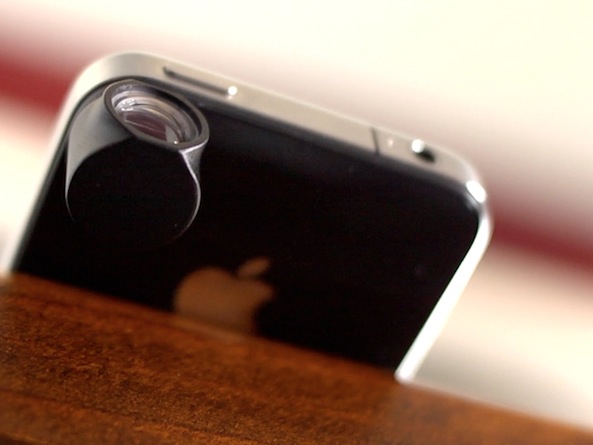
The HiLO Lens: an angled camera lens for your iPhone

A friend of mine asked me the other day what I thought about add-on camera lenses for the iPhone. I told him the Olloclip was pretty popular, but I hadn't ever owned any myself so I probably wasn't the best person to ask.

You see, I've never really seen the point to these clip-on lenses. They just never seem to improve picture quality enough to justify the cost and hassle. But this new HiLO Lens might actually be worth taking a look at...

New app promises to remove purple haze from iPhone 5 pics

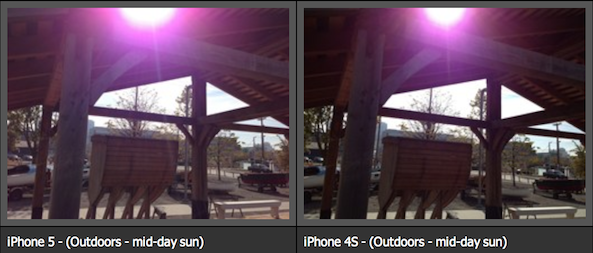
Shortly after the iPhone 5 launched, a number of users started complaining about a "purple haze" in their photos. It's essentially a purple flare effect that comes from a bright, out-of-scene light source while capturing an image.

Apple has already addressed the issue, and a number of other smartphones and portable cameras have been proven to have similar hazes. But if it's still really bothering you, there's a new app that claims it can help...

CameraTweak adds tons of useful options to the stock camera app

From a quality standpoint, the iPhone's built in camera has always been near the top of its respective class. But, admittedly, there are a few chinks in the armor when it comes to advanced camera features.

For instance, there's no countdown timer to be found inside the camera app. Also, more advanced features like independent reticles for exposure and focus are no where to be found. And what about a built in time lapse feature? That seems like only a mere dream at this point.

That is, of course, unless you are jailbroken.

Jailbreakers have the luxury of adding additional features to stock apps, and the Camera app is no exception. CameraTweak is a new jailbreak tweak that affords the ability to add all of the previously mentioned features into the stock Camera app, and then some. Take a look at our video walkthrough inside for the full details.

New iPhone 5 case claims to fix purple flare issue

A few weeks ago, early iPhone 5 adopters started complaining of a purple haze in their photos taken with the handset. Apple responded to the issue, saying that users could remedy this by repositioning the phone.

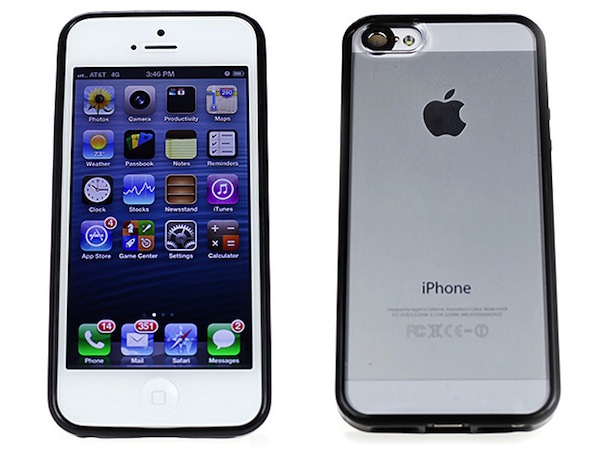
But if that isn't good enough for you, you might be interested to hear that Fotodiox, an Illinois-based case-maker, has created an iPhone 5 case that it claims will eliminate the purple flare. Meet the camHoodie...

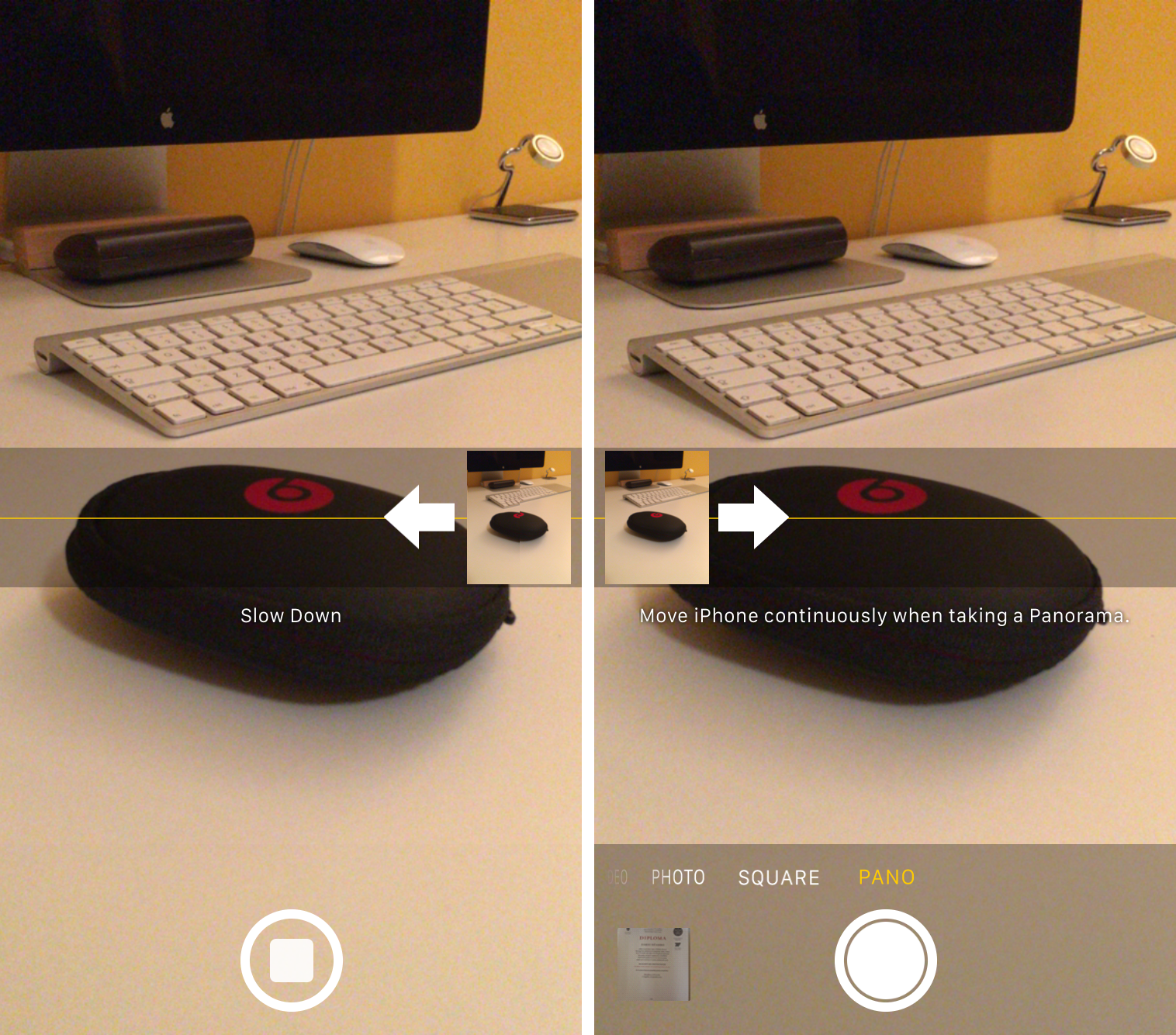
How to change the direction of Panorama mode

One of the headlining new additions in iOS 6 (headlining, as in featured in its own TV ad) is the Panorama camera mode. Once activated, the feature allows you to easily take extra-wide panoramic photos.

By default, Panorama mode has you pan your iPhone from left to right as it captures the image. But did you know there's an easy way to change it so you can pan from right to left?

Apple responds to ‘purple haze’ iPhone 5 camera complaints

In addition to the back panel scratching and light leak complaints, early iPhone 5 purchasers have spotted another flaw in Apple's latest handset: a purple haze or halo is appearing in some photos taken with its rear camera.

Over the past few weeks, users have been reporting that when the iPhone 5's iSight camera is pointed at or near a bright light source, a purple flare appears in the photo. And this weekend, Apple responded to the issue...

Camera Awesome hits iPad, Camera+ gains iPhone 5 low-light boost mode

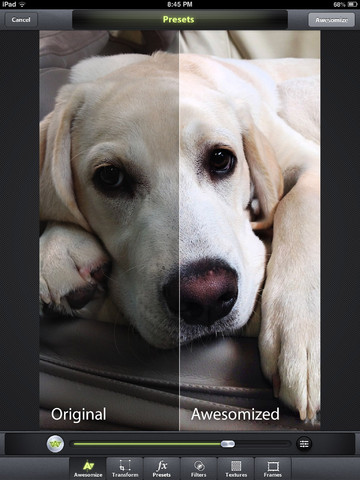
Taptaptap's Camera+ and SmugMug's Camera Awesome are like the two most important photography and image editing apps in my arsenal. Both have been refreshed this morning, but don't let a minor version update fool you as each app enables major enhancements that add help add flair to iPhone photography.

Following in the footsteps of Taptaptap, SmugMug's Camera Awesome has been updated with native iPad support. At the same time, Taptaptap (which recently released CAmera+ for iPad and gave the iPhone version iCloud sync and other new features) has updated Camera+ for iPhone with the cool low-light boost mode Apple debuted on the iPhone 5...

Devs can use the iPhone 5’s low-light boost mode in their own apps

The iPhone 5's iSight camera on the back features the same eight-megapixel sensor as its predecessor, the iPhone 4S, only thinner and with sapphire lens cover. In addition, the module has been improved for better low-light performance, yielding major quality improvements when snapping up your photos under artificial light or in low-light situations. And now, developer can optionally tap the iPhone 5's low-light camera mode in their own apps, which bodes well for dozens upon dozens of photography apps in the App Store...

Camera+ updated with iCloud sync, Facebook single sign-on, taller iPhone 5 interface

Taptaptap's Camera+ sold over nine million copies since its inception in June of 2010 and it's remained my favorite go-to photography app ever since. A major new version just hit the App Store this morning, bringing several new features.

Most notably, version 3.5 enables iCloud sync and Facebook sharing with single sign-on. The former lets you automatically sync your Lightbox between devices and the latter simplifies Facebook authorization.

And best of all, the team confirms that Camera+ for iPad is around the corner. Count us excited!

Low-light shootout: iPhone 5 vs Lumia 920 vs Nokia 808 PureView vs HTC One X vs Galaxy S III

The biggest change in the iSight camera found on the back of the iPhone 5 is not its sapphire lens cover, the new panorama mode, faster performance, better video stabilization or crisper photos stemming from enhanced post-processing capabilities provided by the heavily customized, Apple-designed A6 chip.

It's its markedly better performance in low-light situations. The difference between the iPhone 4S and 5 camera becomes readily apparent on photos taken under artificial light, poorly lit scenes or no light at all.

By way of Engadget, we are now able to compare night shots taken on the iPhone 5 against those snapped up using Nokia's newly introduced Lumia 920, Nokia 808 PureView device, HTC's flagship One X and of course, Samsung's Galaxy S III. Who do you think came on top?

iPhone 4S vs iPhone 5 video quality

It's been a big day so far, but we're not finished yet. Continuing on with our iPhone 5 coverage, we've come across a new clip that compares the video quality of the new handset with its predecessor.

Now, since the 5 uses the same 8MP camera sensor as the 4S, you'd think that video quality would be the same. But just as we discovered with still photos, there is a noticeable difference between the two...

The iPhone 5 camera’s low-light ability is pretty amazing

At first glance, it may appear that your photos look the same when taken with either the iPhone 5 or the iPhone 4S. It may even lead you to believe that there is no difference at all between the two cameras.

But try taking a photo in a low-light situation, and one thing becomes readily apparent; the iPhone 5 is far superior when it comes to snapping photos in low-light. Take a look inside, as we compare the iPhone 4S with the iPhone 5's low-light photo taking capabilities...