Apple

New 2017 iPad Pro tech specs

Among all the new gadgets and accessories Apple unveiled at WWDC 2017, a revamped iPad Pro was one of the lead attention-grabbers. In this piece, we'll go over the tech specs of both the new 10.5-inch and 12.9-inch iPad Pro.

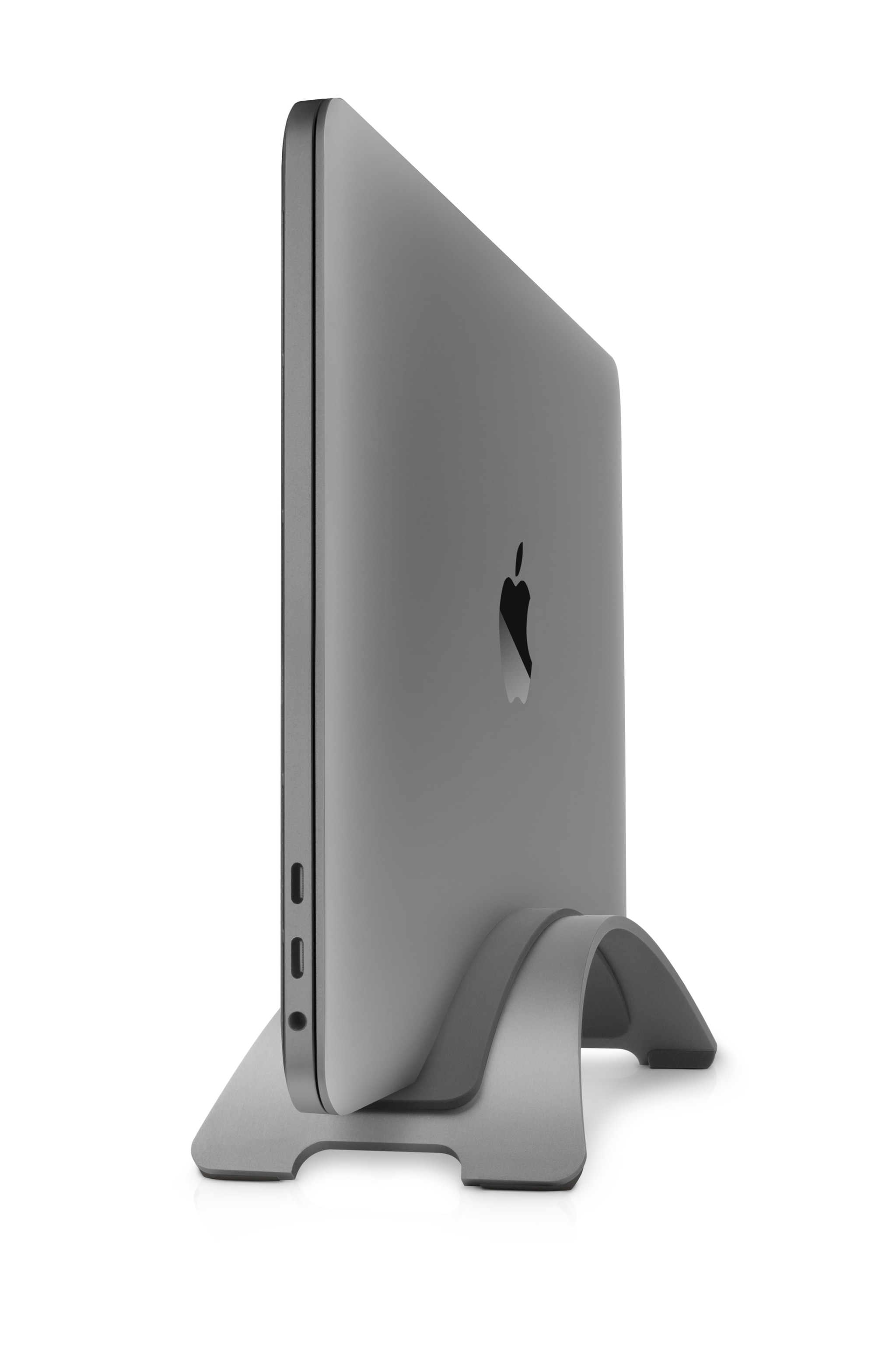
MacBook Air now comes with a faster Intel chip, but that’s about it

It is now definitely clear that MacBook Air is, sadly, on its way out. First and foremost, Apple hasn't really updated its design following the 2010 debut. And while Apple continues to update MacBook Air with faster Intel chips and graphics, the latest hardware refresh to the popular notebook leaves a a lot to be desired.

The notebook now ships with a faster 1.8 GHz Intel Core i5 processor from Intel—a step up from the previous 1.3 GHz one—but that's about it in terms of hardware upgrades.

It didn't even get Intel's Kaby Lake chips, introduced in March.

The tech giant briefly mentioned the update during the keynote and made only a passing one-sentence mention in the press released announcing other Mac updates. “Apple today also updated the 13-inch MacBook Air with a 1.8 GHz processor,” reads the release.

Here's the updated MacBook Air lineup.

$999 MacBook Air

13-inch non-IPS LCD 1,440-by-900 display 1.8GHz dual-core Intel Core i5 processor with Turbo Boost up to 2.9GHz 8GB 1600MHz LPDDR3 memory 128GB SSD storage Intel HD Graphics 6000

$1,199 MacBook Air

13-inch non-IPS LCD 1,440-by-900 display 1.8GHz dual-core Intel Core i5 processor with Turbo Boost up to 2.9GHz 8GB 1600MHz LPDDR3 memory 256GB SSD storage Intel HD Graphics 6000

Apple hasn't given the notebook faster SSD storage, nor has it updated built-in graphics, like with today's updates to other Mac notebooks. It still ships with the pixelated non-Retina display and does not include support for the USB-C/Thunderbolt 3 standard.

The 11-inch MacBook Air models were discontinued last October.

I love all Mac notebooks, but that MacBook Air has a special place in my heart and I'm saddened that Apple has decided to phase it out, slowly but surely. Until that slim 12-inch MacBook Air gets a decent CPU, I'll be sticking with my Air.

How about you?

Monument Valley 2 hits App Store

Monument Valley 2, the official sequel to UsTwo's surreal physics-based game of platforms and perspectives with a twist, is now officially available for download through App Store after being demoed during the WWDC keynote earlier this morning.

The game is priced at $4.99 and supports your iPhone, iPad and iPod touch.

Thankfully, it features no In-App Purchases whatsoever. Monument Valley 2 is packed to the gills with the artistic backdrops, visuals and gameplay mechanics that have made the original so popular with fans. Like before, the design is inspired by a mixture of architectural styles, artistic movements and personal influences.

In Monument Valley 2, you guide a mother named Ro and her child as they embark on a journey through magical architecture, discovering illusionary pathways and delightful puzzles as you learn the secrets of the Sacred Geometry, according to the app's description.

Check out my colleague Andrew's video hands-on with Monument Valley 2.

https://www.youtube.com/watch?v=3A1ySdcHDY8

Subscribe to iDownloadBlog on YouTube

The impossible world of Monument Valley 2 has you manipulating architecture to help guide Ro and her child on their way. This is a completely new and standalone adventure set in the Monument Valley universe, meaning you don’t need to have previously played Monument Valley to enjoy the sequel.

Augmenting the individually crafted levels with meditative puzzles, new interactions let you explore the changing dynamics between characters.

“Immerse yourself in uniquely melodic interactive soundscapes, tailored perfectly to every step of Ro and her child’s journey,” reads the description.

The original game was named Apple's Game of the Year 2014.

Buy Monument Valley 2 for $4.99 on App Store. It requires iOS 9 or later.

The original Monument Valley game currently sells for $3.99 on App Store.

HomePod tech specs

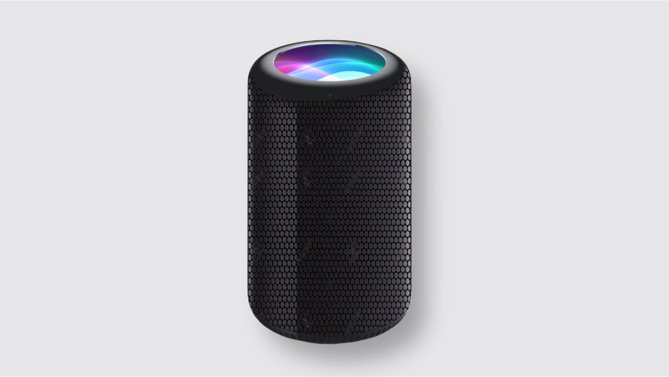
Apple’s HomePod was by far one of the most exciting announcements at WWDC 2017. A totally new kind of technology for Apple’s realm of expertise, HomePod is a speaker system that also acts as a Siri virtual assistant and HomeKit controller, among other things.

In this piece, we’ll go over the HomePod’s tech specs so that you have an idea of what kind of technology is packed into the new accessory.

Here come the first ads for Apple’s new iPad Pro

With the new 10.5-inch iPad Pro now official, Apple posted a pair of brand new ads on its official YouTube channel as part of its ongoing “Real problems…answered” campaign. Titled “So many things to love” and “A whole new kind of computer,” the videos are running 16 seconds long each and position the new 10.5-inch iPad Pro as a viable alternative to your computer.

With drag-and-drop, a new Files app, an enhanced Dock and other productivity-centric iPad features on iOS 11, plus an improved Apple Pencil hardware and stylus support, your iPad will indeed become more powerful than ever before.

Like before, the new videos are based on real tweets from real people.

“So many things to love”

“You could do everything you love, if your computer was the new iPad Pro.”

https://www.youtube.com/watch?v=fKk4BUfrYp8

The video is based on this tweet by user @yagirlgeorgie.

“A whole new kind of computer”

“ You could work in a whole new way, if your computer was the new iPad Pro.”

https://www.youtube.com/watch?v=1wENU092DDc

The clip is based on this tweet by user @ryandrake.

Don't forget to watch other WWDC videos Apple posted today, highlighting its all-new iMac Pro model, a Siri-driven smart speaker, called HomePod, and iOS 11's upcoming productivit-enahncing features on the new 10.5-inch iPad Pro model.

Now watch Apple’s WWDC videos promoting HomePod speaker, 10.5″ iPad Pro & iMac Pro

With the WWDC keynote wrapped up, Apple has now posted latest product introduction videos to its official YouTube channel, including one aptly titled “Apocalypse” that highlights the importance of mobile apps (it was played as an opening intro for WWDC attendees).

Some of the hardware products and updates announced today are available immediately, like the refreshed Mac desktops and notebooks, while others will arrive later in the year, like the firm's Siri-powered smart speaker, called HomePod, and the new iMac Pro.

Apocalypse

“Ever wonder what life would be like if all our apps suddenly disappeared? Enter the Apocalypse,” reads the videos description.

https://www.youtube.com/watch?v=FC0pT9xg1oI

Song: “All Right” by Christopher Cross

Introducing HomePod

“Immersive hi-fi audio. All the music you love. And the intelligence of Siri. Welcome HomePod.”

https://www.youtube.com/watch?v=1hw9skL-IXc

As we told you, HomePod will be available beginning this December. To learn more about Apple's Siri-enabled smart speaker with HomeKit support and more, visit apple.com/homepod.

The New iPad Pro—On Any Given Wednesday

“With the world's most advanced display, the powerful A10X Fusion chip, and a new 10.5-inch model, the new iPad Pro is everything you want modern computing to be.”

https://www.youtube.com/watch?v=UR5ODc5Wbbo

Productivity-enhancing OS 11 features shown in the video will be available this fall.

To learn more about what the new 10.5-inch iPad Pro has to offer check out my colleague Cody's write-up, then visit apple.com/ipad-pro.

iMac Pro—Power to the Pro

“Packed with powerful technologies for the creative professional. The new iMac Pro. Power to the pro.”

https://www.youtube.com/watch?v=XPIrnAcmCSk

To learn more about the upcoming iMac Pro, visit apple.com/imac-pro.

Can your iPhone or iPad run iOS 11?

iOS 11 makes your iPhone and iPad more powerful, personal and intelligent than ever before. You might be wondering if you have the device requirements to install it. Fortunately, we're here to answer that question.

Apple refreshes iMacs with faster everything: Kaby Lake chips, Radeon Pro 500 graphics, brighter displays, Thunderbolt 3 & more

Apple today refreshed its family of all-in-one desktops with faster Intel chips, up to three times more powerful graphics, speedier storage options, 43 percent brighter displays at 500 nits that now support one billion colors, the latest Thunderbolt 3 I/O and other improvements.

The 5K models of new iMacs sport the same 5,120‑by‑2,880 pixel resolution and wide color gamut (P3) support like the models they're replacing. In fact, the previous-generation iMac lineup is no longer sold on Apple Online Store.

The new desktops with Retina 4K and 5K displays are available to order today on Apple.com, and available to buy in Apple Stores starting on Wednesday, June 7, with one-day shipping.

Using Intel's seventh-generation Core processors, code-named “Kaby Lake” that were introduced in March 2017, the new iMacs have the clock frequency of up to 4.2 GHz with Intel's Turbo Boost technology increasing the CPU speed to up to 4.5 GHz during heavy workloads.

In the graphics department, the updated iMacs feature the new Radeon Pro 500-series graphics with up to 8GB of dedicated video memory. The 21.5-inch iMac model delivers up to three times faster graphics performance, with the 27-inch models being up to fifty percent faster in terms of graphics than the current generation.

The new lineup supports up to twice the memory as the previous generation and SSD storage options are now up to 50 percent faster as well, Apple has said. Speaking of which, Apple's made its Fusion Drive (a hybrid SSD/HDD drive) standard across all 27-inch iMac configurations and it's now included by default on the top-end 21.5-inch iMac model, too.

The $1,299 21.5-inch iMac model now features a brighter Retina 4K display, an upgrade over the previous 1080p screen, and discrete rather than integrated graphics. And with the macOS High Sierra update due this fall, the new iMacs will deliver even faster graphics performance via Apple's updated Metal graphics framework for 3D graphics, video editing and gaming.

The following models are available:

$1,099 21.5-inch iMac

21.5-inch 1,920-by-1,080 sRGB display 2.3GHz dual-core Intel Core i5 processor with Turbo Boost up to 3.6GHz 1TB storage 8GB 2133MHz memory, configurable to 16GB 1TB hard drive Intel Iris Plus Graphics 640 2x USB-C/Thunderbolt 3 ports

$1,299 21.5-inch iMac

21.5-inch Retina 4K 4,096-by-2,304 display with wide color (P3) support 3.0GHz quad-core Intel Core i5 processor with Turbo Boost up to 3.5GHz 8GB 2400MHz memory, configurable to 16GB 1TB hard drive Radeon Pro 555 graphics with 2GB video memory 2x USB-C/Thunderbolt 3 ports

$1,499 21.5-inch iMac

21.5-inch Retina 4K 4,096-by-2,304 display with wide color (P3) support 3.4GHz quad-core Intel Core i5 processor with Turbo Boost up to 3.8GHz 8GB 2400MHz memory, configurable up to 32GB 1TB Fusion Drive Radeon Pro 560 graphics with 4GB video memory 2x USB-C/Thunderbolt 3 ports

$1,799 27-inch iMac

27-inch Retina 5K 5,120-by-2,880 display with wide color (P3) support 3.4GHz quad-core Intel Core i5 processor with Turbo Boost up to 3.8GHz 8GB 2400MHz memory, configurable up to 32GB 1TB Fusion Drive Radeon Pro 570 graphics with 4GB video memory 2x USB-C/Thunderbolt 3 ports

$1,999 27-inch iMac

27-inch Retina 5K 5,120-by-2,880 display with wide color (P3) support 3.5GHz quad-core Intel Core i5 processor with Turbo Boost up to 4.1GHz 8GB 2400MHz memory, configurable up to 64GB 1TB Fusion Drive Radeon Pro 575 graphics with 4GB video memory 2x USB-C/Thunderbolt 3 ports

$2,299 27-inch iMac

27-inch Retina 5K 5,120-by-2,880 display with wide color (P3) support 3.8GHz quad-core Intel Core i5 processor with Turbo Boost up to 4.2GHz 8GB 2400MHz memory, configurable up to 64GB 2TB Fusion Drive Radeon Pro 580 graphics with 8GB video memory 2x USB-C/Thunderbolt 3 ports

macOS High Sierra will turn your iMac “into a great platform” for VR content creation.

Last but not least, the Cupertino giant has previewed an all-new iMac Pro model. Engineered to please creative pros until a next-generation Mac Pro with a modular design is ready, the new iMac Pro is the “most powerful Mac we've ever made”.

It will be available in December, starting at $4,999.

For more information on the refreshed iMac lineup, including additional technical specifications, configure-to-order options and accessories, visit apple.com/imac.

New Apple Files app has support for Dropbox and other third-party cloud services

Apple announced a new Files app at its Worldwide Developers Conference today that works especially well with the newly announced iOS 11 productivity features for iPad. A placeholder listing for the Files app appeared on App Store earlier today, meaning users will be able to hide and re-download the new app.

Featuring a user interface that looks like an enhanced iCloud Drive app, the Files app allows you to access files and folders in your iCloud Drive, on your device and in third-party cloud services like Box and Dropbox, as long as they include a Provider Extension for iOS.

And with new iPad productivity features on iOS 11 like an enhanced Split View mode, an interactive Dock (pictured above) and drag-and-drop, users will be able to easily, say, drag an attachment from Mail and drop it on a folder in the Files app to save it to a custom location.

It works the other way, too.

For instance, you could tap and hold the Files app icon in the Dock to bring up your recently accessed files, then simply drag a recently opened image and drop it in a precise place within the Keynote presentation you're working on.

Your files can be browsed in the grid view with larger thumbnails or you can access details about files in the more informative list view. Items can be sorted by size, date and more, you can create new folders, delete files and so forth.

The files app requires iOS 11 and supports only 64-bit devices.

iOS 11 adds new dock, drag and drop and other iPad productivity features

Following the announcement of its new 10.5-inch iPad Pro, Apple showed off a slew of new iPad-specific features that are coming in iOS 11. It's a pretty impressive collection of improvements, clearly aimed at making the tablet more of a productivity tool.

Apple calls this the "biggest iOS release for iPad ever," and there is a lot of new stuff here. So for now, instead of going into each new feature in detail, we're just going to list out all of the features so you can get an idea of what to expect.

New dock - can be filled with a ton of apps now, and there's a new predictive area to the far right that guesses which app you'll want to use next. You can pull it up from anywhere and slide an app up from it to the Slide Over view. New app switcher - preserves spaces, along with app pairings, so you can open the same set of apps easily. Drag and drop - drag and drop anything including images, texts and URLS. Even if you're in a full screen app you can collect multiple images by swiping with opposite hand and drag and drop. New Files app - supports iCloud, Dropbox OneDrive, etc. Allows you to drag and drop files into apps by swiping up on dock and holding down on the Files icon. Spotlight search for handwritten notes in Notes app. Inline drawing with Apple Pencil in Notes app. Quickly input numbers by swiping on corresponding key on virtual keyboard. New screenshot-editing UI that lets you crop image, annotate with pencil, and share with Share Sheet. Notes now has document scanner built-in.

Here's a shot of the new Files app:

And here is Files app with drag and drop:

Here's the official excerpt on iPad features in iOS 11 from Apple's website:

iOS 11 makes multitasking on iPad even more powerful with a new customizable Dock that provides quick access to frequently used apps and documents from any screen, and a redesigned app switcher makes it easier to move between pairs of active apps, used in Split View and now Slide Over. The new Files app keeps everything in one place, whether files are stored locally, in iCloud Drive or across other providers like Box, Dropbox and more, and with Drag and Drop available across the system, moving images and text is easier than ever. Apple Pencil is more deeply integrated into iPad with support for inline drawing and a new Instant Notes feature opens Notes from the Lock Screen by simply tapping Apple Pencil on the display.

So what do you think, did Apple achieve its goal of making the iPad more productive?

Apple announces new 10.5-inch iPad Pro

As rumored, Apple today announced a new 10.5-inch version of its iPad Pro. It features a larger display, in a body that's essentially the same size of the 9.7-inch iPad. You can see in the above image that this is possible thanks to slimmer bezels—Apple says they've been reduced by 40% in size.

The tablet weighs 1 pound and is extremely powerful. It features a new ProMotion Retina display that can refresh at a rate of 120Hz. That's double the refresh rate of previous iPads, making things smoother, crisper and more responsive. This is powered by an A10X Fusion chip processor, which has a 6-core CPU and 12-core GPU.

Other features include a 12MP iSight camera with optical image stabilization (same as iPhone 7) and a 7MP FaceTime camera. It has the same 10-hour battery life, supports USB3 fast-charging, and entry-level storage now starts at 64GB. The new iPad Pro starts shipping next week, with prices starting at $649.

Here's a note from Apple's press release on the new tablets:

“These are by far the most powerful iPads we’ve ever created with the world’s most advanced displays featuring ProMotion, the powerful new A10X Fusion chip and the advanced camera system of iPhone 7,” said Greg Joswiak, Apple’s vice president of Product Marketing. “Together with iOS 11 these new iPad Pro models will radically change what users can do with iPad.”

One last thing: a new full-sized Smart Keyboard has been custom designed for the 10.5-inch iPad Pro, offering a thin yet durable keyboard that never needs to be charged or paired over Bluetooth and is easily foldable into a protective Smart Cover.

What do you think of the new iPad Pro? Will you be picking one up?