Apple

First aftermarket CarPlay wireless receiver from Alpine now available

The car audio and navigation systems company Alpine today announced that its first aftermarket CarPlay wireless receiver, dubbed iLX-107, is now available for purchase in the United States, priced a bit on the high side at $900 a pop.

“The award-winning iLX-107 wireless Apple CarPlay system offers even more convenience in accessing Maps, Phone, Messages and Music from the iPhone in-vehicle without ever needing to connect a cable,” the company notes.

The unit packs a seven-inch VGA revolution capacitive touchscreen in a mech-less body. It integrates with rear view camera systems and your car's steering wheel controls.

The conveniently located Volume, Track, Home and Siri hard keys are accessible for quick access and simple control.

Alpine was one of the first firms to offer aftermarket CarPlay receivers for owners of older vehicles than lack CarPlay integration. However, today's new is significant as the iLX-107 represents their first aftermarket CarPlay receiver that supports wireless connections.

This lets you use CarPlay with your iLX-107 without needing to connect an iPhone via a USB cable. To set it up, you just pair your wireless Apple CarPlay unit from your iPhone. Of course, wired connectivity via the standard Lightning cable is supported, too.

Connecting an iPhone to your iLX-107 via a Lightning cable for the first time automatically sets up wireless connectivity, which is great. The accessory uses the 5 GHz Wi-Fi band to optimize wireless connectivity performance, Alpine has said.

While Alpine does not sell the new receiver directly, you can purchase it from a network of authorized dealers who won't just sell you the accessory but install it for you as well.

Check out Alpine's store locator online tool to find a dealer nearest to your location.

Wireless CarPlay requires iOS 8.3 or later.

Classic cartoon streaming service Boomerang hits Apple TV

The cartoon service Boomerang on Thursday announced the release of a streaming app for the fourth-generation Apple TV, bringing classic cartoons like Wacky Races, Yogi Bear, Scooby-Doo and many others to Apple's set-top box.

The service is also adding support for Google's Chromecast and Amazon's Fire TV HDMI dongles. Roku devices will be added in the coming weeks.

Boomerang originally launched its premium video subscription service in April.

You can subscribe to Boomerang for $5 per month, or $40 per year, to access exclusive shows and new episodes of cartoons, as well as enjoy Boomerang's on-demand archive of 5,000+ movies and TV shows from Hanna-Barbera, Looney Tunes and MGM animation catalogs.

A 7-day free trial of Boomerang is available.

Boomerang also launched the new original series “Dorothy and the Wizard of Oz from” Warner Bros. Animation, with the first thirteen episodes now available for streaming via their service.

The app's App Store description notes that Boomerang is only accessible in the United States “where a high-speed broadband connection is available” (well, I live in Croatia and we have a very high-speed broadband over here as well).

Download Boomerang for iPhone, iPad and Apple TV from App Store.

High Sierra will be last macOS release to support 32-bit apps “without compromise”, says Apple

We know that iOS 11 marks the end of the road for legacy 32-bit apps and now we're learning about Apple's new 64-bit requirement for Mac apps.

In an advisory on Dev Center yesterday, the Cupertino giant announced that macOS High Sierra will be the last macOS release to support 32-bit apps “without compromise.”

Apple originally said at the Worldwide Developers Conference that macOS apps submitted to Mac App Store must support 64-bit computing starting January 2018. The new advisory states that Mac app updates and existing apps must support 64-bit starting June 2018.

“If you distribute your apps outside Mac App Store, we highly recommend distributing 64-bit binaries to make sure your users can continue to run your apps on future versions of macOS,” reads Apple's note to developers.

In a separate notice, the company reminded developers to submit updates to their 32-bit apps because iOS 11 is 64-bit only. ”Support for 32-bit apps is not available in iOS 11 and all 32-bit apps previously installed on a user’s device will not launch,” reads the note.

Two days ago, Apple asked developers to update their product pages for iOS 11’s redesigned App Store.

Apple (again) reminds developers that iOS 11 won’t run 32-bit apps

Following the iOS 11 public beta release, Apple has reminded developers that iOS 11 will be 64-bit only. The notice posted yesterday on Apple's Dev Center cautions that all 32-bit apps previously installed on users’ devices will not launch after they upgrade to iOS 11.

“As a reminder, new iOS apps and updates submitted to the App Store must support 64-bit,” reads the notice. Apple recommends that developers who haven’t updated their apps to support 64-bit submit an update “so your users can continue to run your apps on iOS 11”.

TUTORIAL: How to identify 32-bit apps installed on your iPhone and iPad

Because iOS 11 is 64-bit only and doesn't support legacy 32-bit apps, users should experience a bit faster performance and fewer crashes. That's because iOS 11 will never need to load 32-bit frameworks, libraries and the kernel alongside their 64-bit counterparts needed to support legacy apps, which effectively strains the RAM and other resources.

https://www.youtube.com/watch?v=-hoPcMPvL88

Subscribe to iDownloadBlog on YouTube.

Apple’s Clips app already requires a 64-bit iOS device and iOS 11's new Files app is optimized for 64-bit computing, too. Starting with iOS 10.3, Apple began naming and shaming legacy apps via a new App Compatibility section in Settings → General → About → Applications.

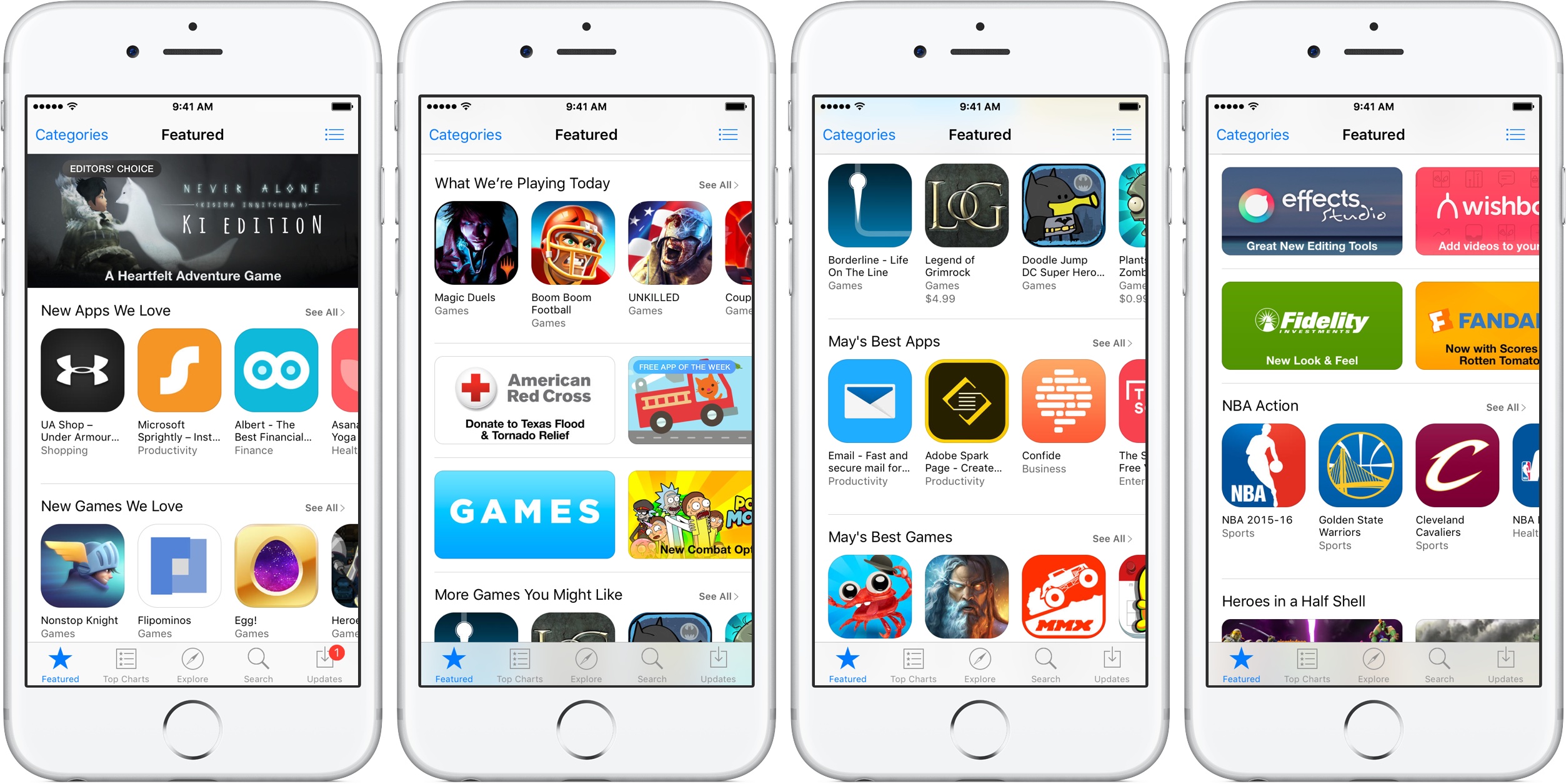
The new advisory regarding 32-bit apps was posted just a day after the company invited developers to update their product pages on App Store for iOS 11's much-improved, thoroughly redesigned App Store.

iOS 11 will be in the hands of “hundreds of millions of customers” this fall.

Instagram unveils offensive comment filter, anti-spam tool in 9 languages

Instagram today announced some much-needed new tools to help users of its mobile app enjoy the service without toxic comments and spam. One is a new filter designed to block certain offensive comments and the other is basically a spam filter supporting nine languages.

Instagram claims that the pair of newly announced tools at their users' disposal will help keep the service a safe place for self-expression and inclusive communities.

Clamping down on toxic comments is now easier with the comment filter that automatically blocks certain offensive comments on your published posts, as well as in live video.

The new offensive comment filter is in addition to Instagram's existing arsenal of tools, like comment reporting, account blocking and so forth. To access this automatic filter, tap Instagram's “...” menu from your profile, then tap the new Comments option.

“We’ll launch this comment filter in English first, but will offer it in more languages over time,” notes the Facebook-owned company. The filter is optional and can be turned off at any time.

To help fight spam, Instagram is rolling out another new filter. Powered by machine learning, it looks for any obvious spam in comments and blocks it from your posts and live videos.

According to Instagram:

Our team has been training our systems for some time to recognize certain types of offensive and spammy comments so you never have to see them. The tools will improve over time, enabling the community’s experience of sharing to improve as well. We hope to make these filters available in more languages as our algorithms improve.

At launch, this dedicated filter will remove spam written in a total of nine languages—English, Spanish, Portuguese, Arabic, French, German, Russian, Japanese and Chinese—with additional language support to be implemented in the future.

Instagram is available free of charge via App Store.

New video provides one of the best looks yet at iPhone 8 dummy unit

A new video that surfaced yesterday offers an up-close look, one of the clearest yet, at the prospective design of Apple's OLED-based iPhone 8. Shared by Steve Hemmerstoffer of OnLeaks, in partnership with Tiger Mobiles, the clip depicts a dummy device with a nearly full-screen face protected by a curved 2.5D glass cover.

The dummy unit has minimal side bezels. A Touch ID fingerprint sensor is built into the display and there's an area at the top of the display that will presumably accommodate the front-facing FaceTime camera along with a 3D sensor and potentially other sensors.

On the back, we see a vertically aligned dual-lens camera system like on prior leaks. The dummy unit measures 144mm long, 71mm wide and 7.5mm thick without the camera bump (with the bulge included, the thickness increases to 9.1mm).

And here's the video.

https://www.youtube.com/watch?v=pW1gx086ZxU

This particular iPhone 8 dummy unit is a CNC mockup manufactured based on CAD files that were posted to Twitter back in April. Because it's just a mockup based on the months-old CAD files and design schematics that have been circulating on the web for quite some time now, it may or may not be representative of the real iPhone 8 design.

Some users are having issues with Apple’s iCloud Backup service

Apple today acknowledged ongoing issues with iCloud backups, noting on its System Status webpage that a small percentage of customers have been unable to create new iOS device backups in iCloud or restore from previous saves since Tuesday morning.

“Users may be unable to restore from an iCloud backup,” reads Apple's notice.

According to the System Status webpage, less than one precent of Apple users are affected by the outage. Given the company's one billion active devices in the wild, that seemingly small percentage potentially translates into tens of millions of affected customers.

The company states that its iCloud Backup service has been down since 8am Pacific on Tuesday. The downtime had persisted at the time of this writing, but other iCloud systems didn't seem to have been affected.

Are you experiencing issues creating iCloud backups or restoring from previous ones?

Could this be the new iPhone 8 wireless charging chime?

Unlike iPhone, iPad and iPod touch, your Apple Watch plays its own charging sound when placed on its magnetic charging disk. Going by same logic, iPhone 8 should play a distinctively unique charging chime when connected to its wireless charger.

Polish YouTube user “MAKS+” claims to have discovered a brand new charging sound file in the latest beta of iOS 11. To be sure, there's no way of telling if it signifies a new wireless charging chime for iPhone 8.

https://www.youtube.com/watch?v=xAgpgtgrh88

As you can clearly tell yourself by listening to both sounds in the video above, the new wireless charging chime in the file named “engage_power.caf” does sound distinctively different compared to the regular charging sound in the audio file named “connect_power.caf”.

Don't get your hops up high: as noted by MacRumors, there are several other sound files in iOS 10 and 11 that are unused and do not have a purpose.

Put simply, there's really no way to confirm if this particular sound has been added as the new audible indicator that an iPhone 8 has been placed on an inductive wireless charger.

Thoughts?

New demos show how easy it is to bring 3D models to life with ARKit

One of the best aspects of ARKit, Apple's new framework for building augmented reality apps, is the fact that it does all the incredibly complex heavy lifting like detecting room dimensions, horizontal planes and light sources, freeing up developers to focus on other things.

ARKit analyzes the scene presented by the camera view, in real time.

Combined with sensor data, it is able to detect horizontal planes, such as tables and floors, as well as track and place objects on smaller feature points with great precision.

And because it uses the camera sensor, ARKit can accurately estimate the total amount of light available in a scene to apply the correct amount of lighting to virtual objects.

First, check out this demo from Tomás Garcia.

https://www.youtube.com/watch?v=1G2YbQuQHps

Children's bedtime stories will never be the same come this fall!

Another developer has put together a quick demo showing off his AI bot, named “Pepper”.

https://www.youtube.com/watch?v=brFKo_tSkw8

According to the video's description:

I've been working on an AI bot for a while now. To be short, it's like V.I.K.I in the movie “I, Robot”. With the help of ARKit, I was able to bring it close to a real life assistant.

Due to obvious reasons, I'm not demonstrating her functionality in this video. So I ended up showing you guys how easy and simple it is to bring 3D models to life with Apple's new framework.

These videos clearly demonstrate how easy ARKit makes it for developers to match the shadows of their virtual objects to lighting conditions in the real world.

https://www.youtube.com/watch?v=lQt96saECfM

Here are some additional ARKit-enabled demos.

https://www.youtube.com/watch?v=-o7qr1NpeNI


https://www.youtube.com/watch?v=sJR_f7XCuvA


https://www.youtube.com/watch?v=lQt96saECfM

ARKit requires A9 or A10 processors, meaning ARKit apps will require an iPhone 6s or newer or one of the latest iPad Pro models, either the 9.7-inch or the 10.5-inch one.

If anything, these videos demonstrate just how easy Apple has made it to put together an AR app. Are you looking forward to ARKit, and why? Leave a comment below to let us know.

Watch new iPhone 7 ad: “A Portrait of Canada”

Apple's YouTube channel was updated Wednesday with a new commercial in the company's “Shot on iPhone” series. Titled “A Portrait of Canada”, it features words by Humble the Poet plus videos and depth-of-field photographs made possible by iPhone 7 Plus's dual-lens camera.

The photos and videos featured in the ad were snapped by photographer Caitlin Cronenberg and Canadians in locations across the country, ranging from Toronto to the Canadian Rockies.

The ad, according to the description on Apple's Canadian website, was meant to serve as “a portrait of Canada's inclusive spirit shot on iPhone, brought to life by three Canadian artists as well as Canadians across the country.”

And here it is.

https://www.youtube.com/watch?v=EpREAlYHiMU

Song: “Suplex (feat. Northern Voice)” by A Tribe Called Red

Canada turns 150 years old next week and Apple is joining the celebrations with a new “Unapologetically Canadian” page on the Canadian App Store.

“Canadians may be famous for saying we’re sorry, but when it comes to building great apps, there’s no need to apologize,” reads the page's description.

“Canada is home to some of the world’s greatest talent, and we’re thrilled to celebrate these inspiring creators as part of Canada’s 150th birthday. Scroll down to explore the list of Canadians’ 150 most-downloaded apps and games of all time.”

How do you like Apple's new ad that celebrates Canada's cultural diversity?

Let us know by posting a comment below.

Barclays: iPhone 8 to ship with 10W USB-C power adapter with fast charging

Apple's 5.8-inch iPhone 8 is expected to ship with a stronger ten-watt power adapter in its box, featuring a USB-C connector and fast-charging support. That's according to Barclays analyst Blayne Curtis's note to clients Wednesday, a copy of which was obtained by MacRumors.

Current iPhones include a five-watt power adapter in the box.

The analyst claims that iPhone 8 will include a dedicated USB-C Power Delivery chip that enables fast charging capabilities. The new ten-watt power adapter will also sport an integrated USB-C Power Delivery chip. Both chips will be supplied by Cypress Semiconductor and it's basically the same CYPD2104 part used in Apple's new 10.5-inch iPad Pro.

It should be noted that iPhone 7 already supports fast-charging capability when connected to Apple's 29-watt USB-C power adapter for MacBook via a Lightning to USB-C cable.

The new 12.9-inch iPad Pro and the 10.5-inch iPad Pro are capable of fast charging, too.

KGI Securities analyst Ming-Chi Kuo said in March that the OLED-based iPhone 8 would retain its Lightning connector and have a dedicated USB-C Power Delivery chip on the logic board.

Assuming Curtis is right, iPhone 8 might come bundled with either a Lightning to USB-C cable or a female USB-C to male USB-A adapter with an integrated fast-charging chip so that customers could use their existing Lightning to USB cable to fast-charge the phone.

iPhone 8 concept courtesy of iFanr.

Facebook brings animated reactions, filters, masks and effects to Messenger calls

As part of celebrating its two billion monthly active users milestone, Facebook on Monday unveiled new video chat features for its mobile Messenger app, such as the beautifully animated reactions, interactive filters, masks and effects. “Video chats with your friends and family in Messenger just got a whole lot more fun,” said the firm.

You can use these new video features in one-on-one video calls, as well as in your group video conversations. The new capabilities let you easily share your emotions during a video call with one of the five Facebook reactions, alter your appearance (how about making your friend laugh with a bear mask?) by taking advantage of the many built-in filters and much more.

I like how reactions animate onto the screen and then disappear.

Many reactions have different versions, depending on whether your face is on or off the screen. For instance, tap the love reaction when the camera is facing you, then tap it again when the camera is facing outward to see the difference.

A variety of in-call filters are now available to Messenger users, ranging from subtle lighting tweaks to color changes, like black and white, red or yellow. Each one has a live preview so you can test it on yourself before letting others see it. Many new masks are available for video calls, too, including some with hidden effects that react to your facial movements.

From the Facebook blog:

We have also added animated effects, like falling hearts and twinkling stars, to give your video chats expressive flair. Check out what happens when you wave your arm in front of the camera while using one of those effects! Unlike reactions, masks and effects stay on the screen for the duration of the video chat (or until you take them off or switch to another one).

One of the best new in-call video features is the screenshotting ability.

During an one-on-one or group video call with one or more friends, tap the camera icon at the bottom to take a screenshot of your time together and share it with other friends via Messenger Day or other social media accounts

The image of your video conversation will be saved to your iPhone's Camera roll. Plus, you can quickly send the screenshot to the person or group that you’re video chatting with.

Check out the new Messenger video features in Facebook's video embedded below.

Earlier today, Microsoft started rolling out a much redesigned Skype for iPhone with a Snapchat-like Stories feature, dubbed Highlights.

Moreover, Skype for iPhone now lets you talk to Cortana and other chat bots, as well as post message and in-call reactions by adding huge emoticons, live text and photos with drawings to an overlay that appears on top of the call.

Facebook Messenger is available free on App Store.